






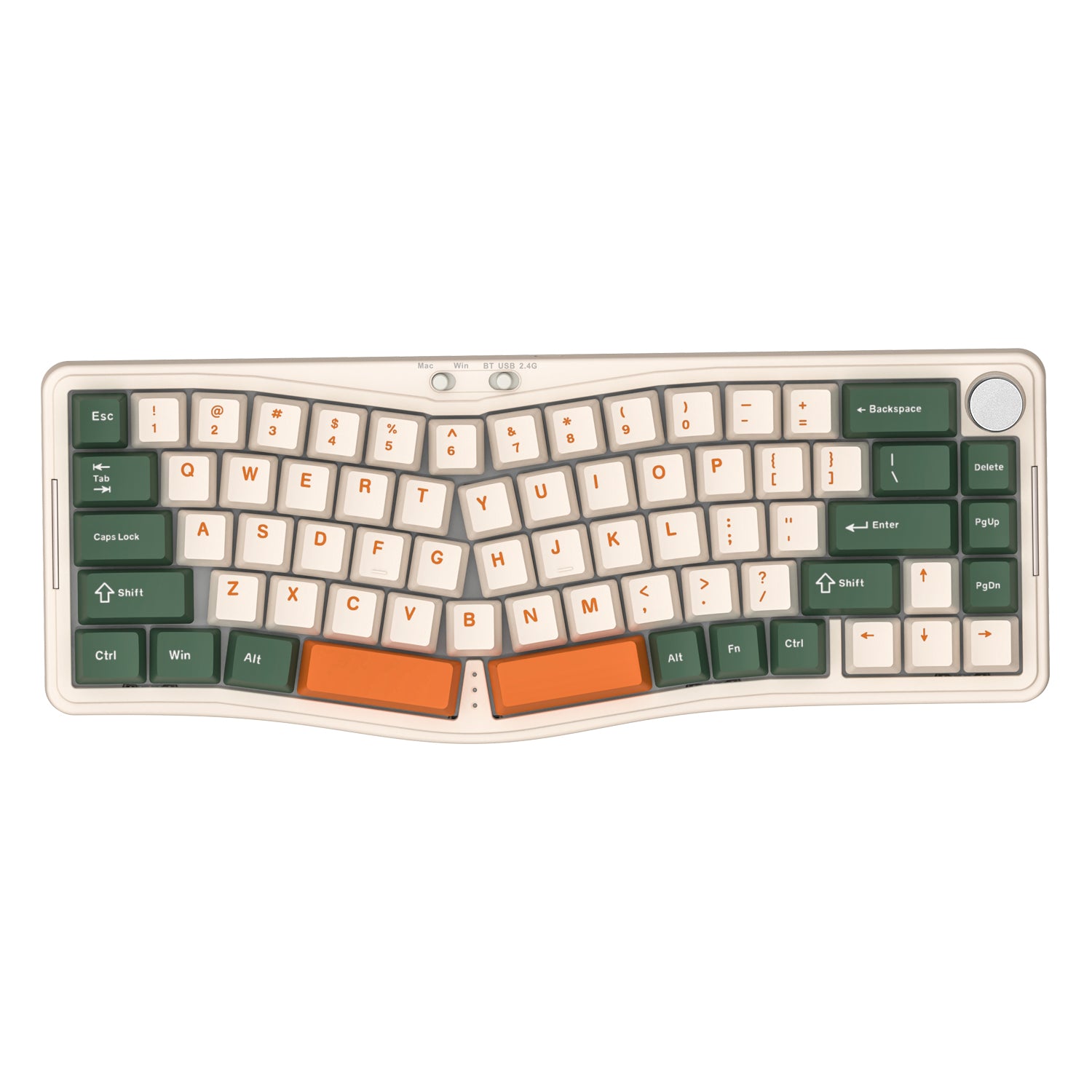
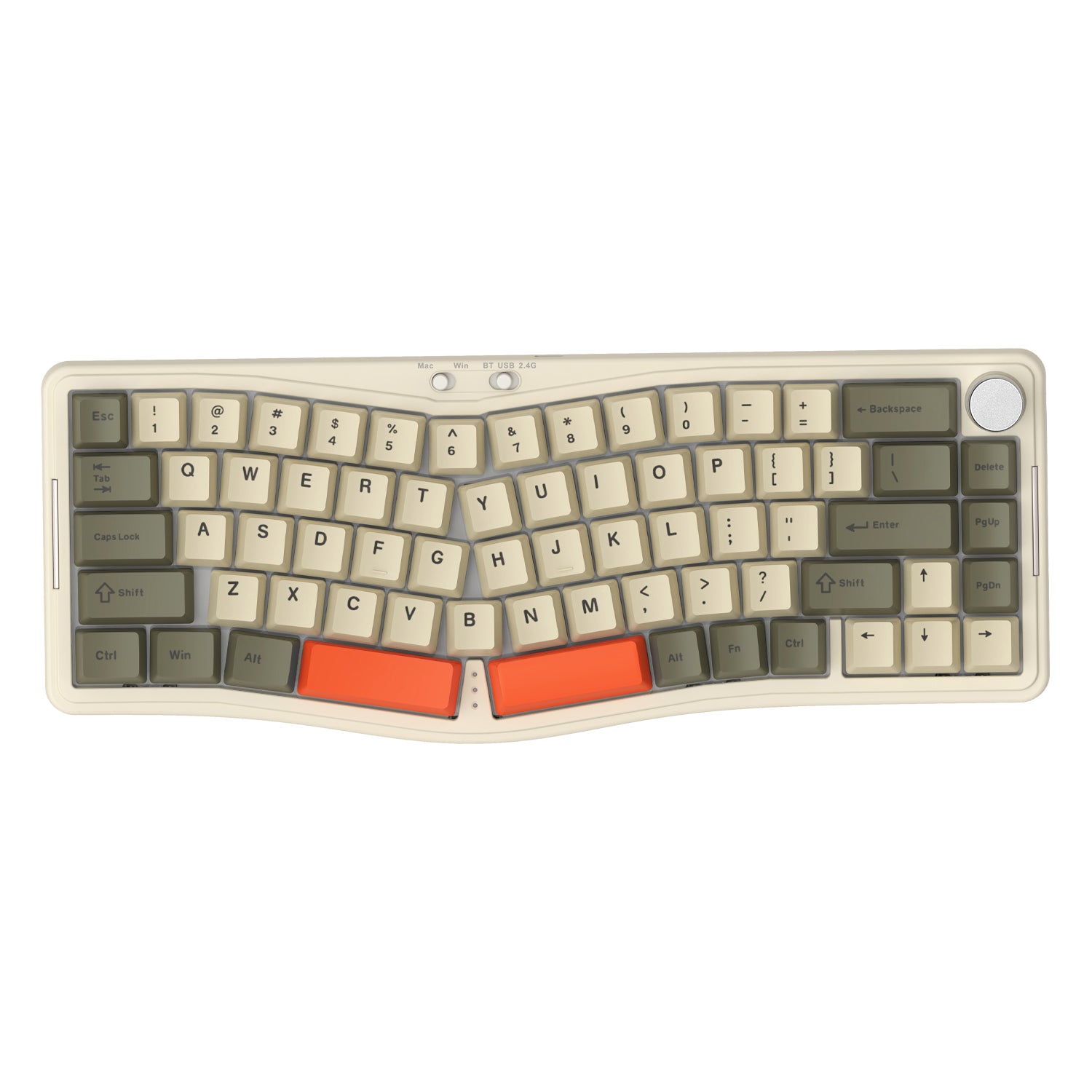
ATTACK SHARK x AJAZZ AKS068 PRO 앨리스 무선 기계식 키보드
- Share:
-

-

-

-


Technical Specifications
WEB DRIVER

설치 시 주의사항: 반드시 읽어주세요!
안전한 배송을 위해 스위치와 키캡은 미리 장착되어 있지 않습니다. 걱정 마세요, 최종 조립은 몇 분밖에 걸리지 않습니다! 도움이 필요하면 고객 서비스 팀이 지원해 드립니다.
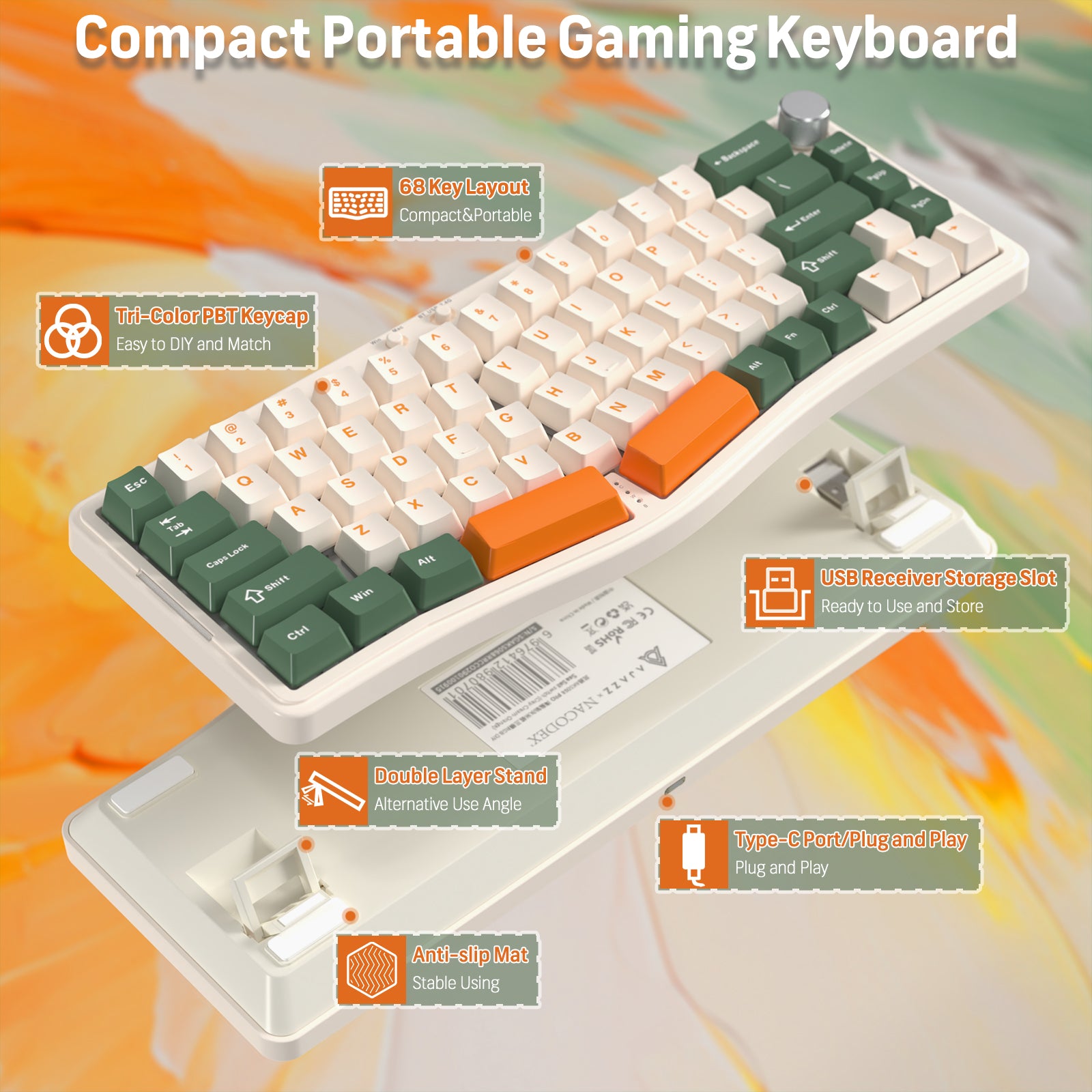
인체공학적 Alice 레이아웃 & 로터리 노브
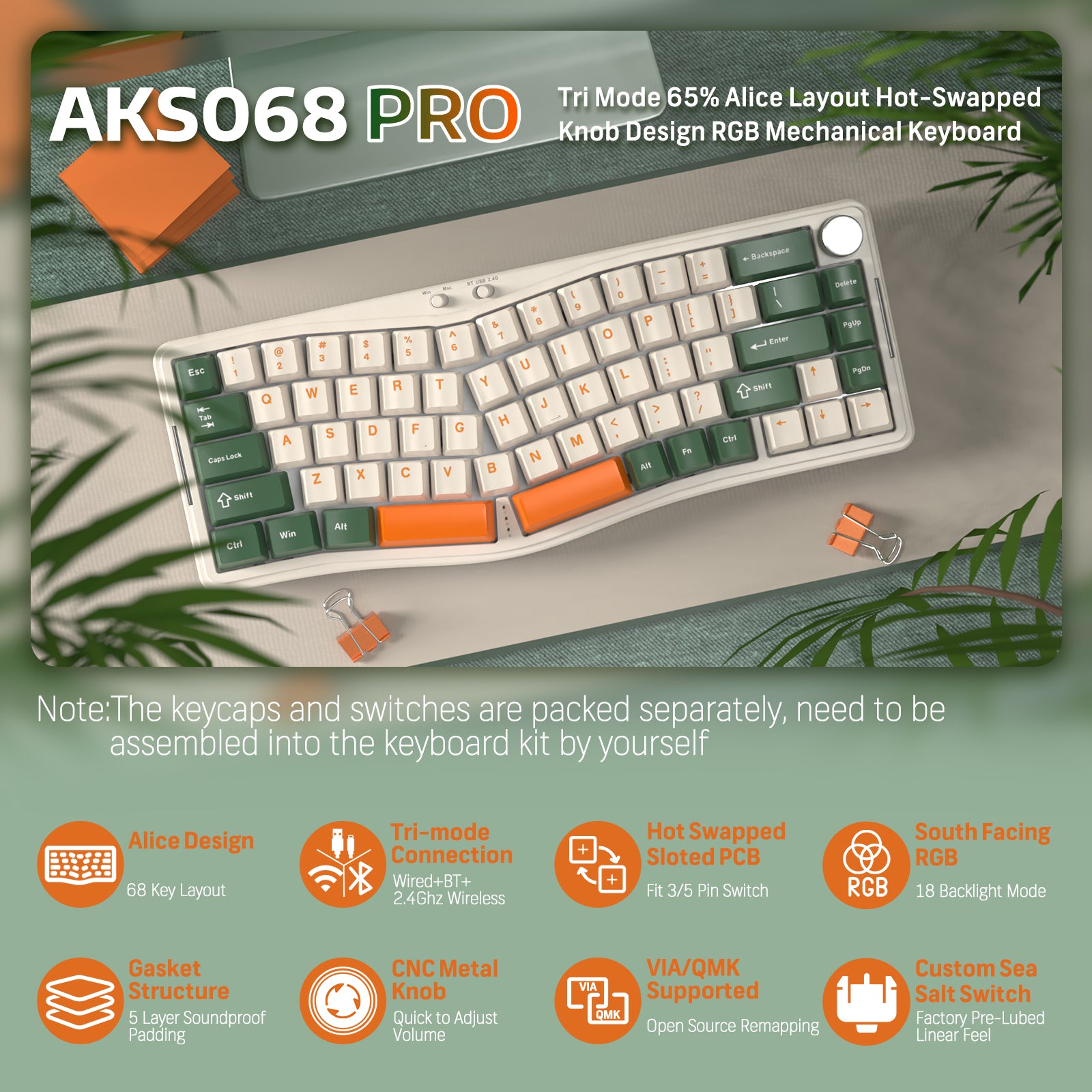
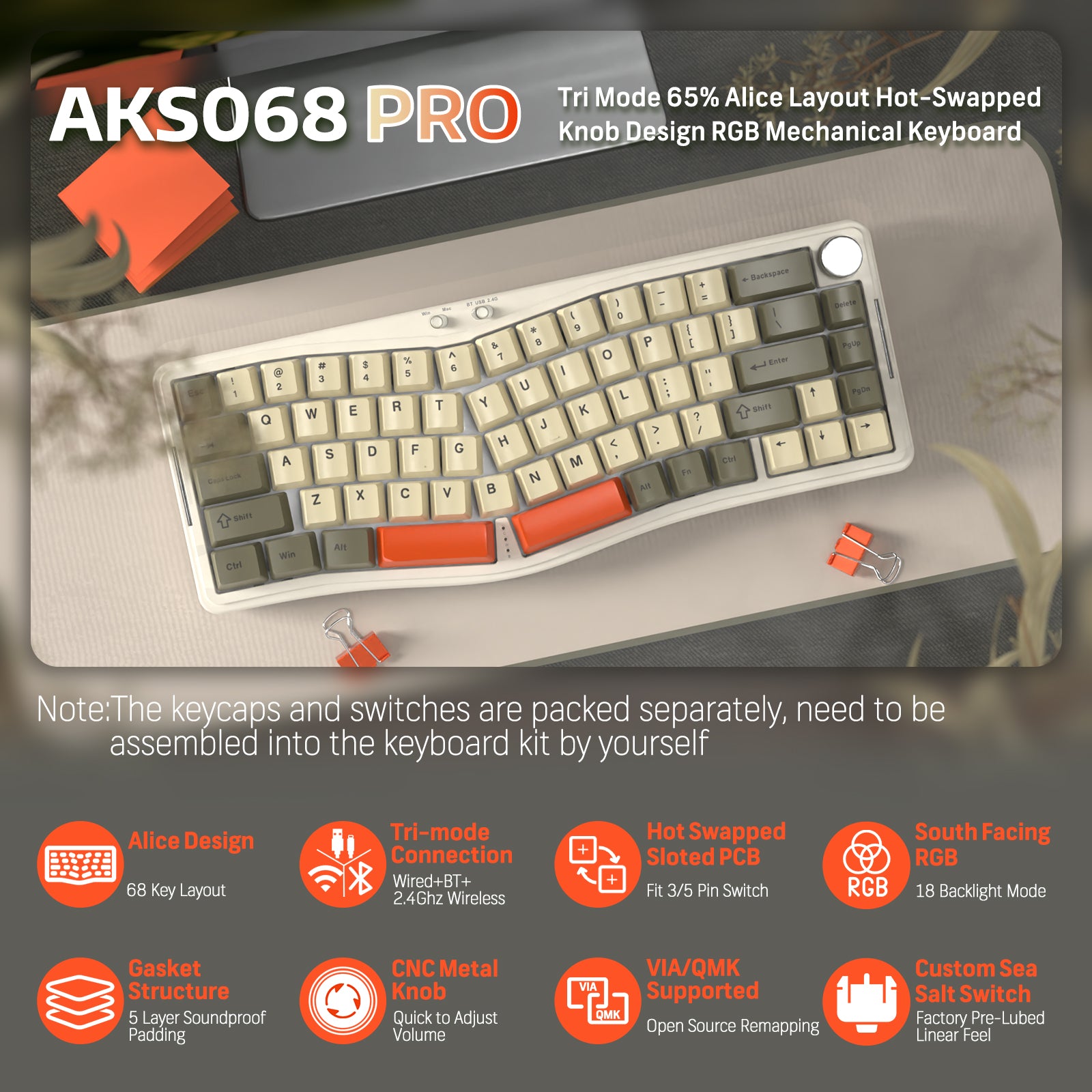
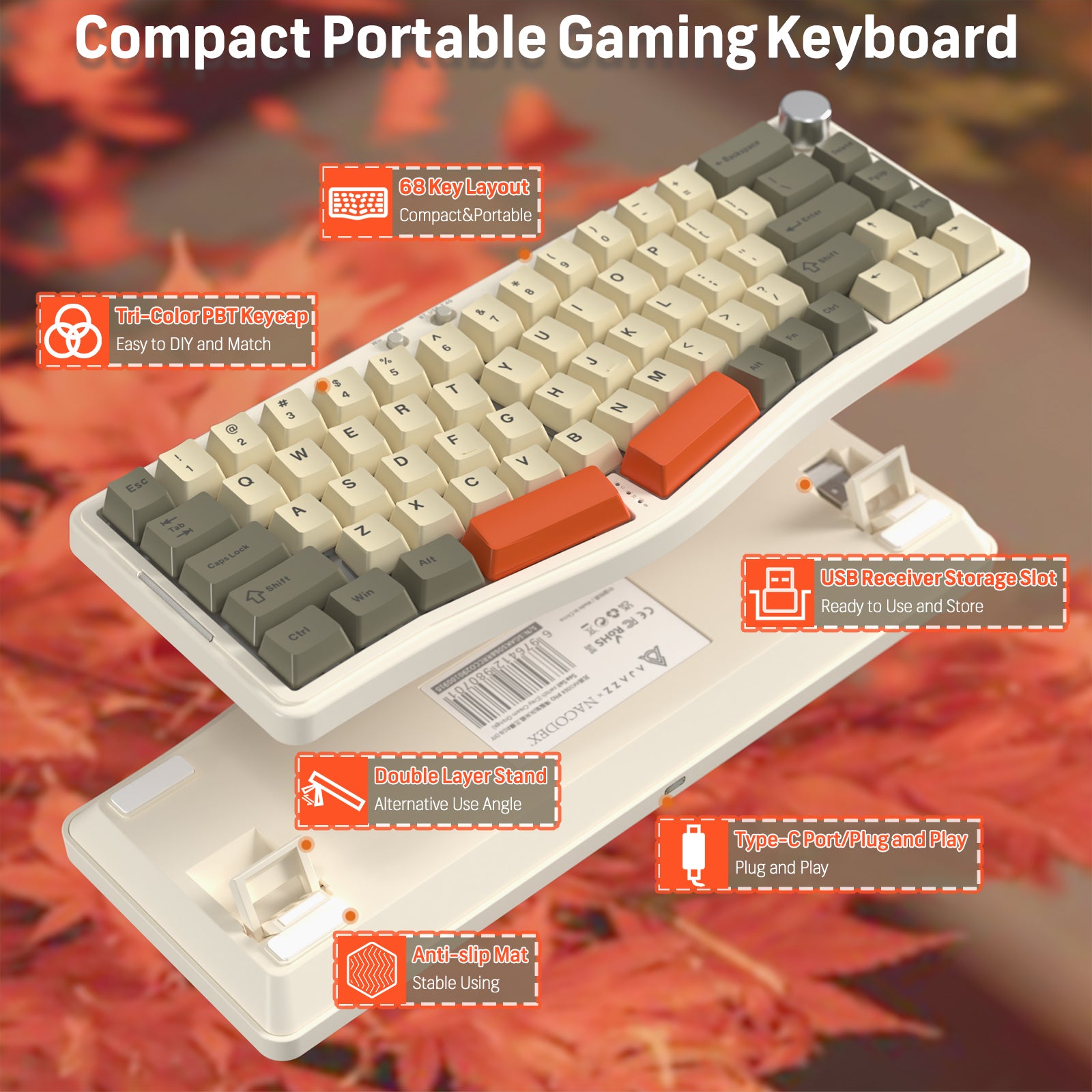
AKS068은 혁신적인 65% 인체공학적 Ergo Alice 레이아웃으로 편안함을 우선시하며 인체공학적 디자인을 재구성했습니다. 두 개의 직관적인 반으로 나뉘어 각 반은 자연스러운 손 위치를 위해 정교하게 윤곽이 잡혀 있습니다. 일반적인 Alice 기능을 넘어 다용도 미디어 컨트롤 노브도 포함되어 있어 손쉬운 조절이 가능합니다.

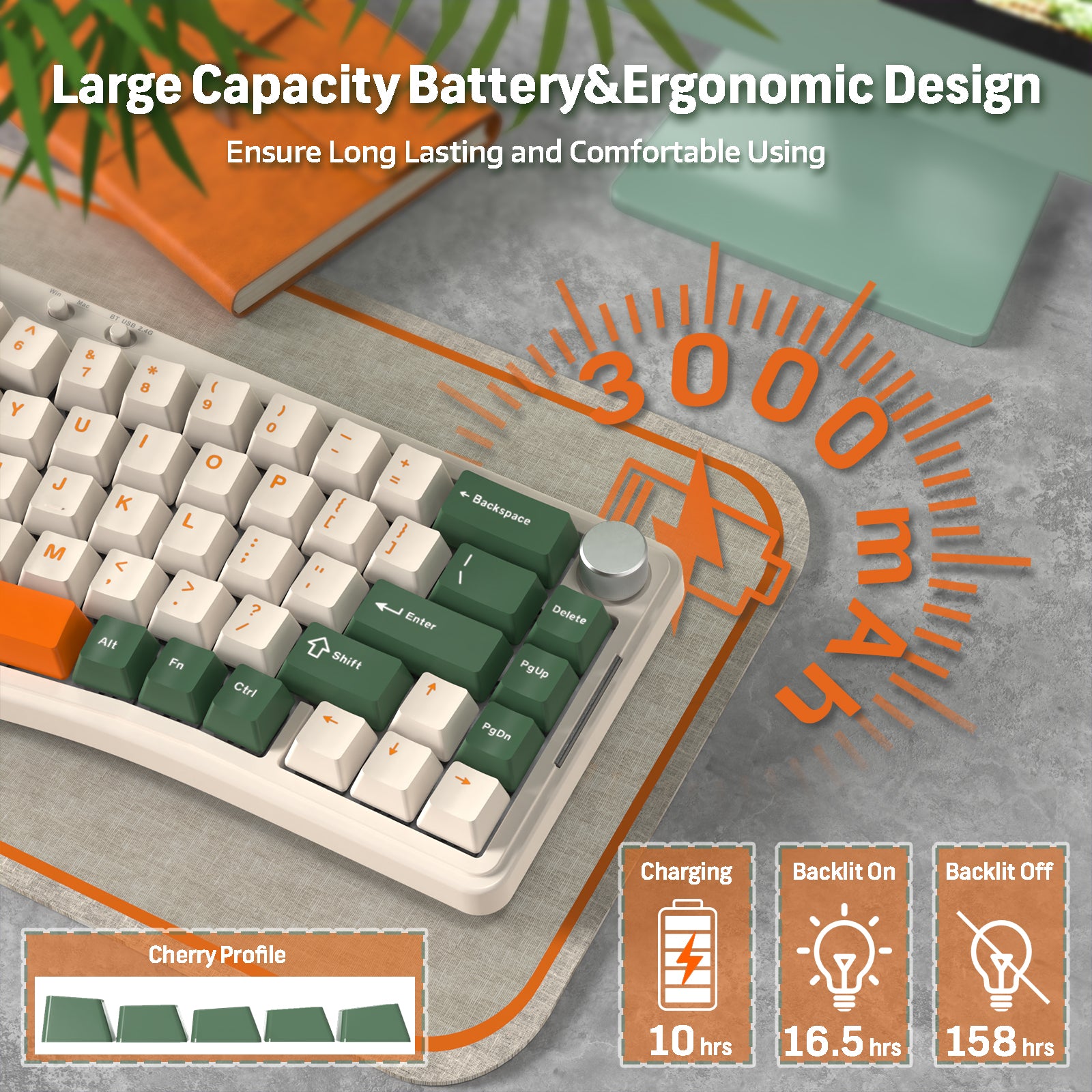
삼중 모드 연결 & 3000mAh 배터리
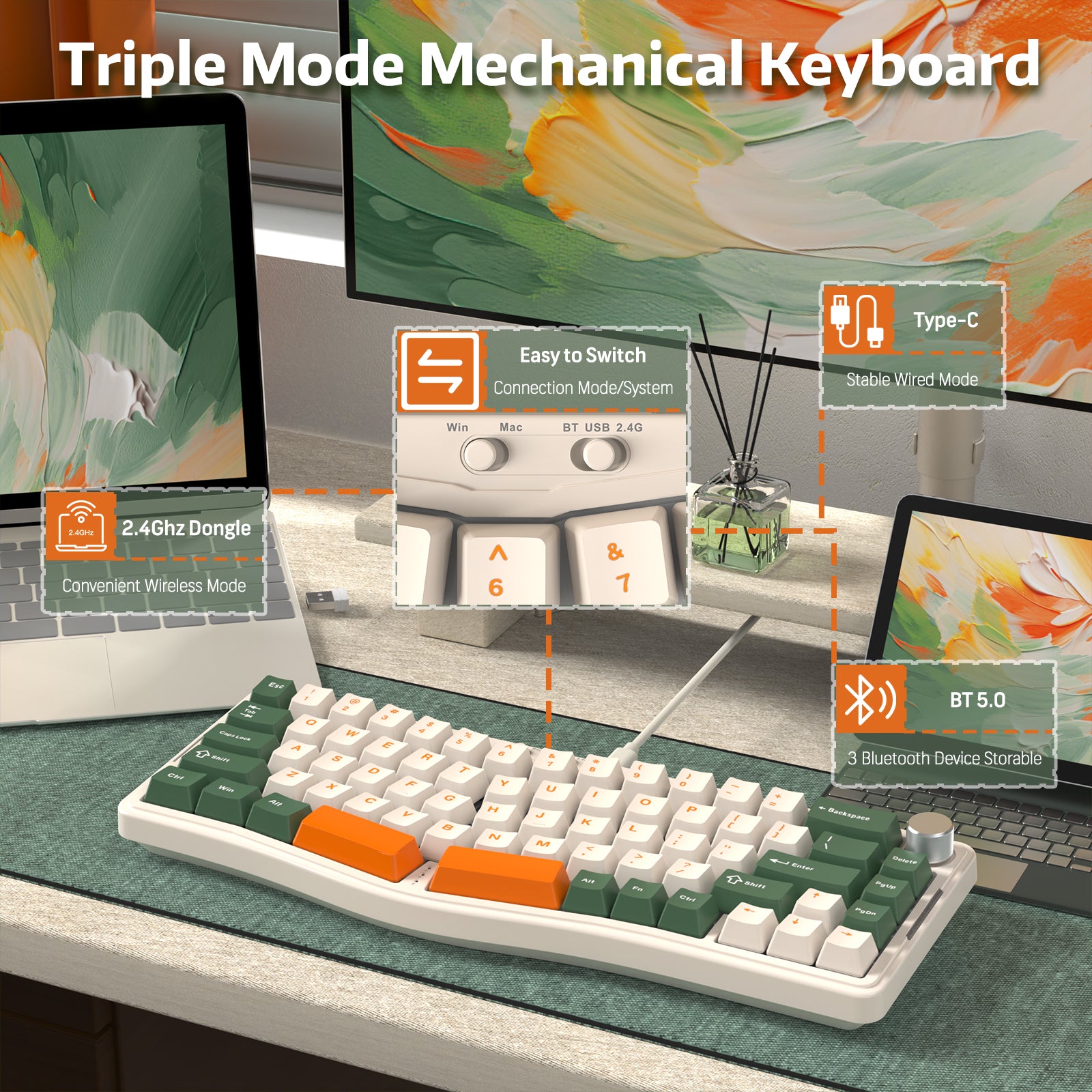
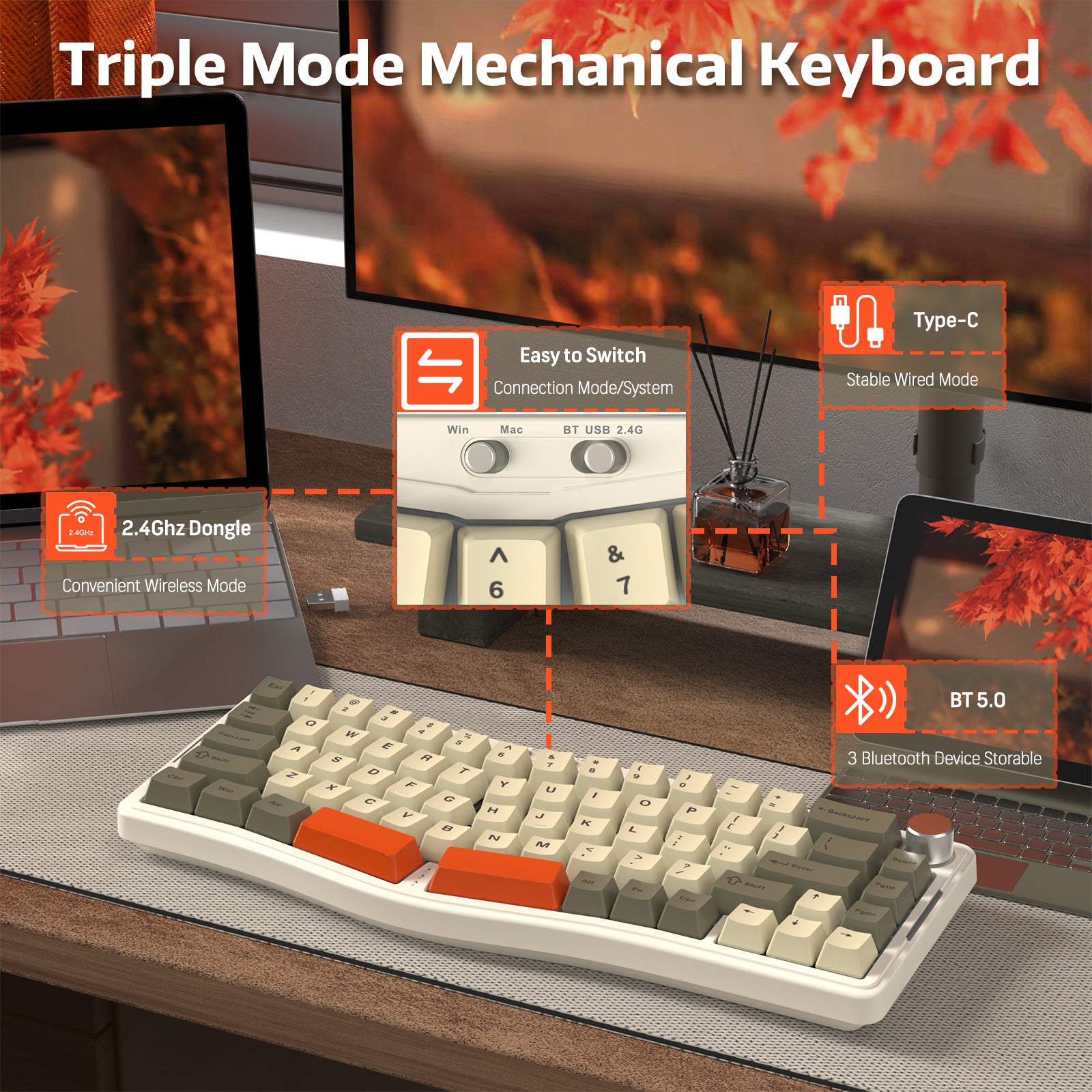
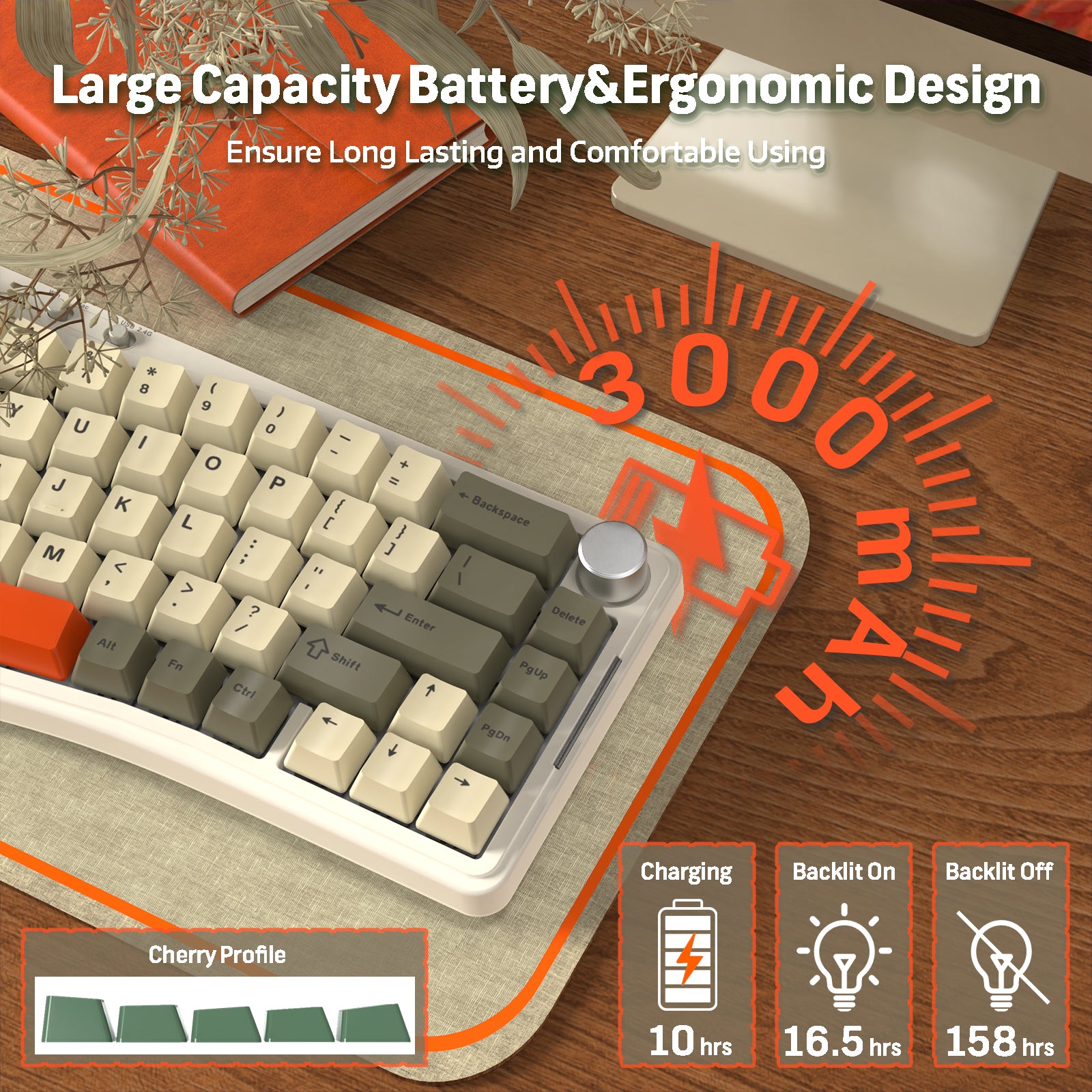
강력한 3000mAh 배터리로 구동되는 AKS068 PRO는 블루투스 5.0, 2.4GHz 무선, USB-C의 다용도 삼중 모드 연결을 제공합니다. 여러 기기 간 원활한 전환이나 안정적이고 빠른 유선 연결을 즐길 수 있어 게이머, 프로그래머, 멀티태스커 모두에게 완벽한 선택입니다.

개스킷 마운트 & 우수한 사운드
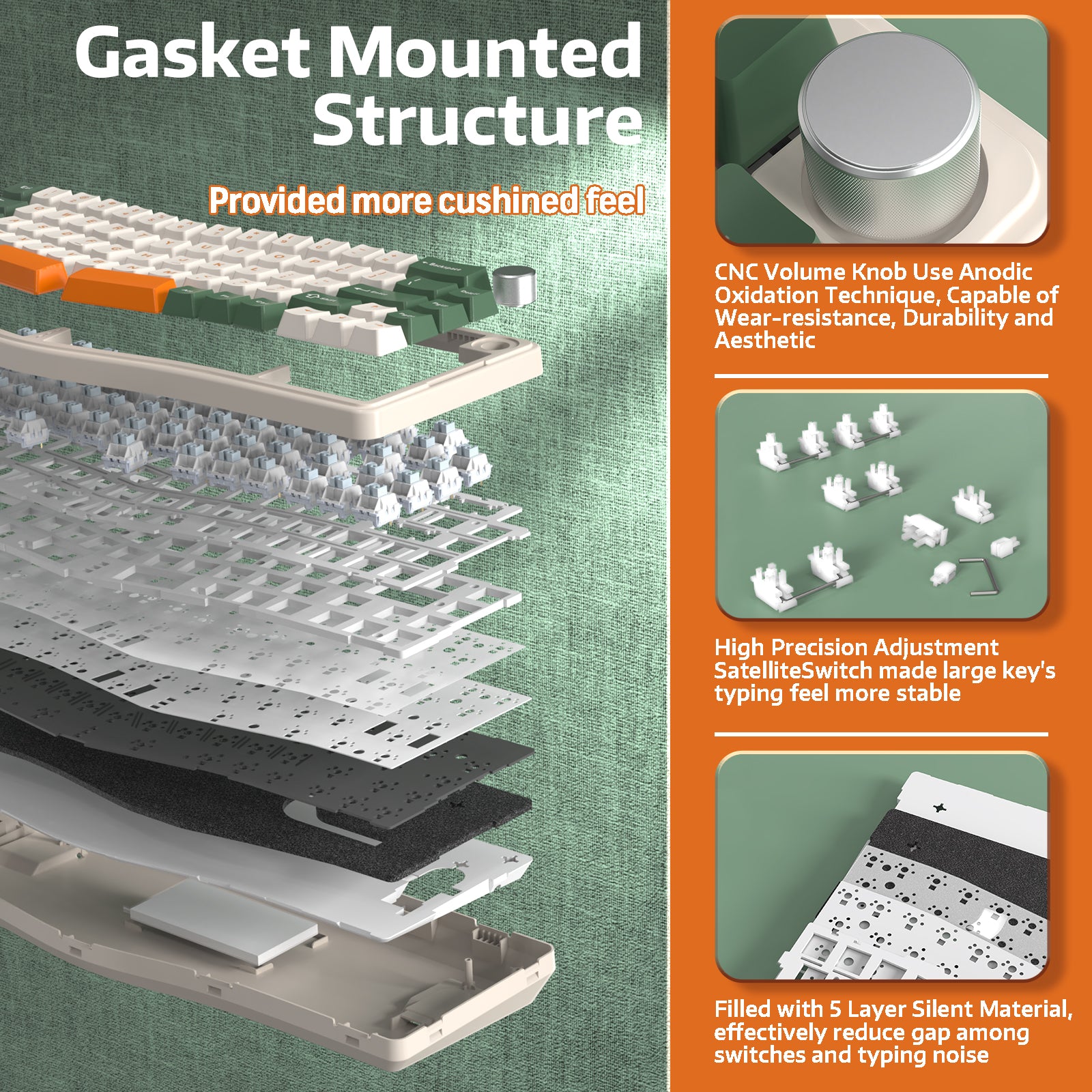
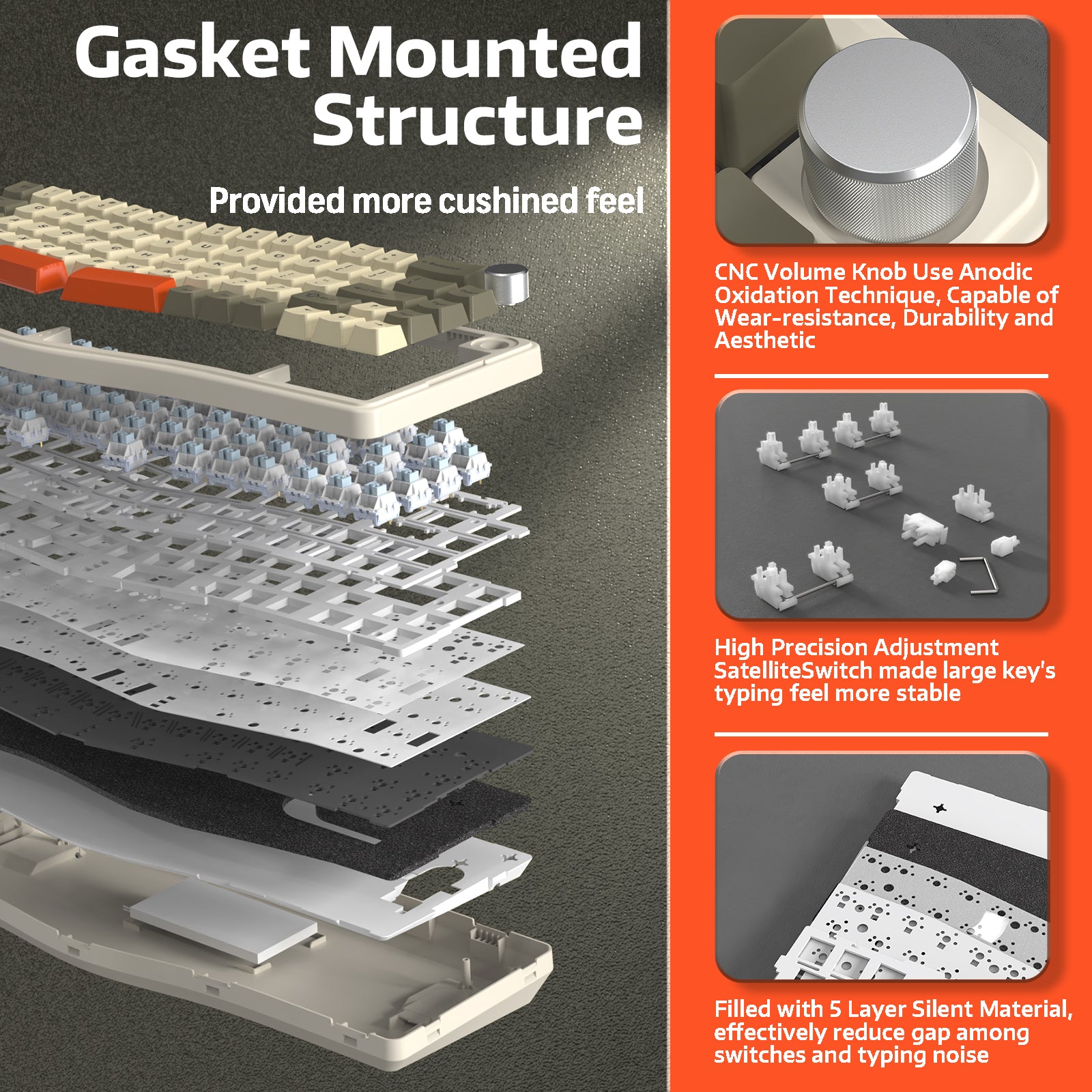
개스킷 장착 구조, 플렉스 컷 PC 마운팅 플레이트 및 PCB로 새로운 타이핑 만족감을 경험하세요. 5겹의 방음 소재와 결합된 이 설계는 플레이트를 케이스와 분리하여 진동을 크게 줄이고, 매 타건마다 더 깊고 일관되며 만족스러운 소리를 만들어냅니다.

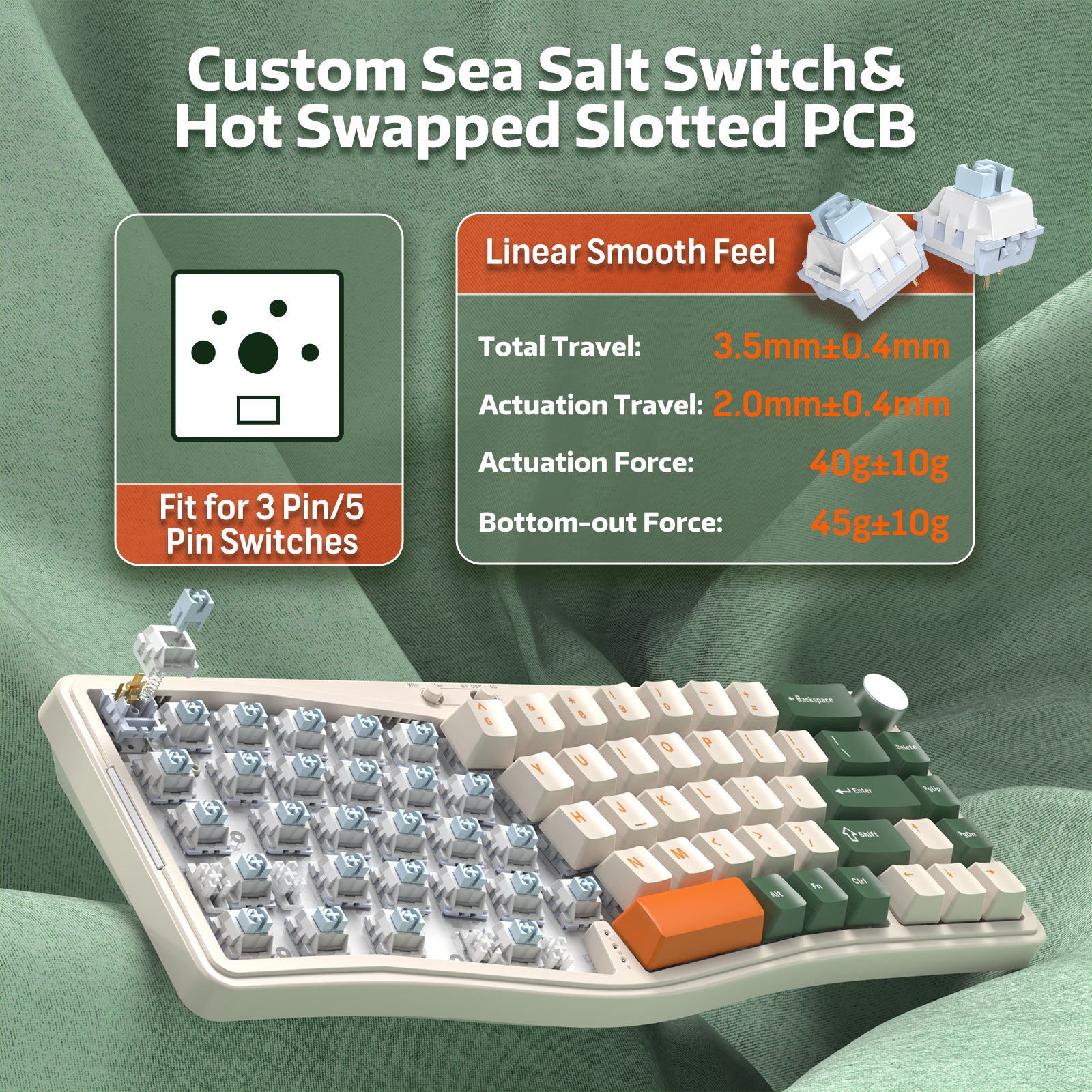
핫스왑 가능 & 사전 윤활 스위치
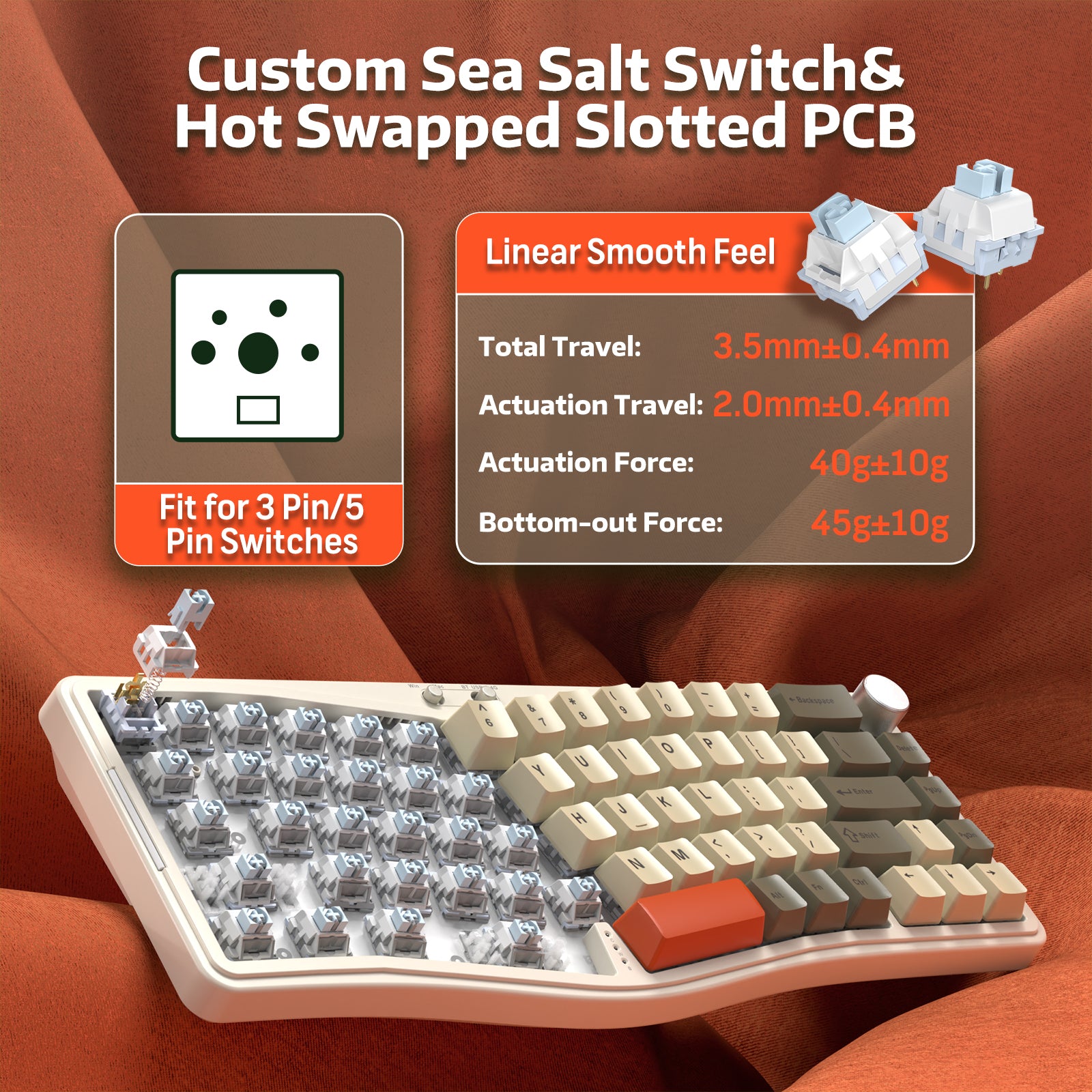
납땜 없이 원하는 타건감을 맞춤 설정하세요. 핫스왑 소켓은 거의 모든 3/5핀 MX 스타일 기계식 스위치(Gateron, Cherry, Kailh 등)와 호환됩니다. 일관되게 부드럽고 반응성이 뛰어난 타건감을 제공하는 맞춤형 사전 윤활 씨솔트 리니어 스위치가 포함되어 있어 게임과 조용한 사무 환경에 적합합니다.

남향 & 양면 RGB
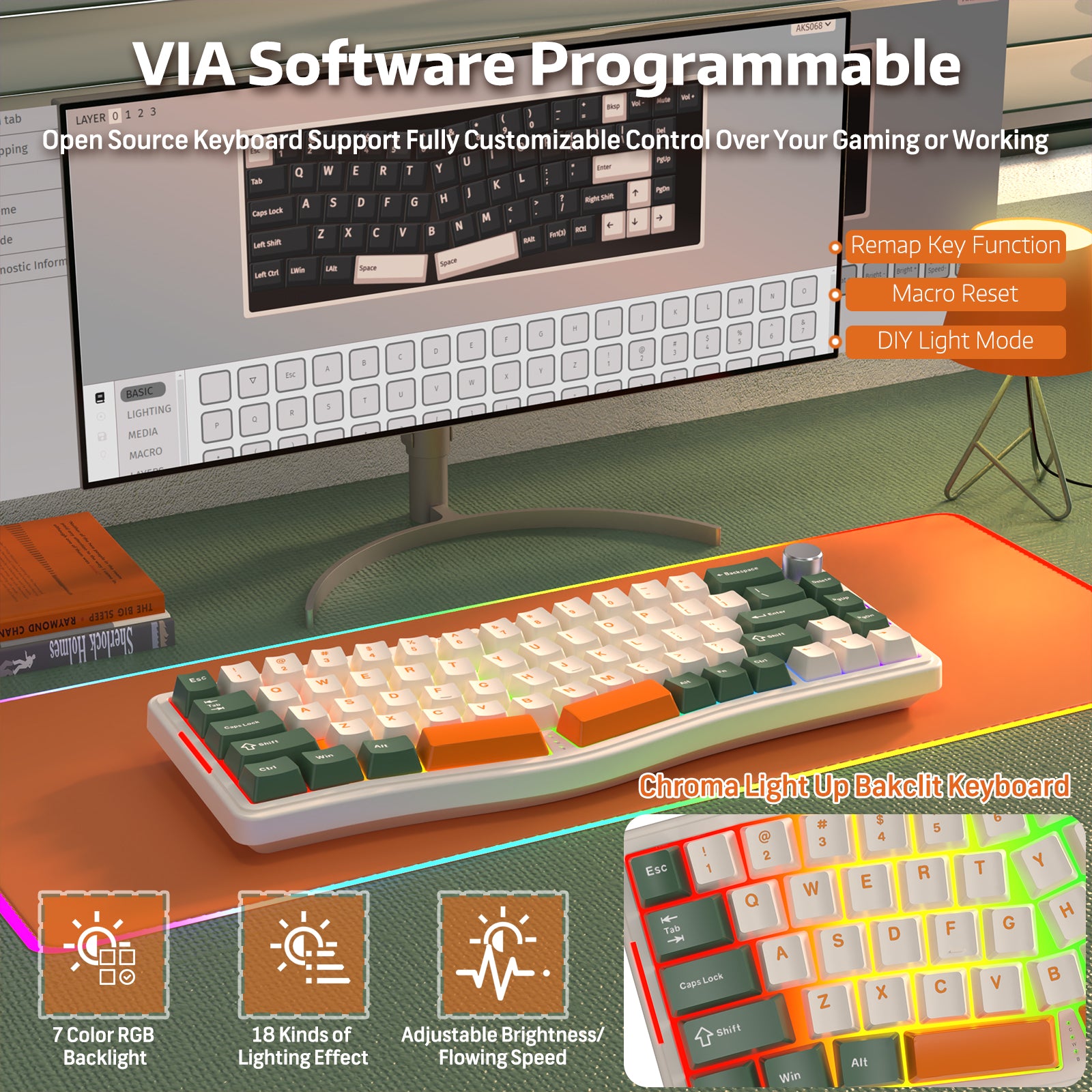
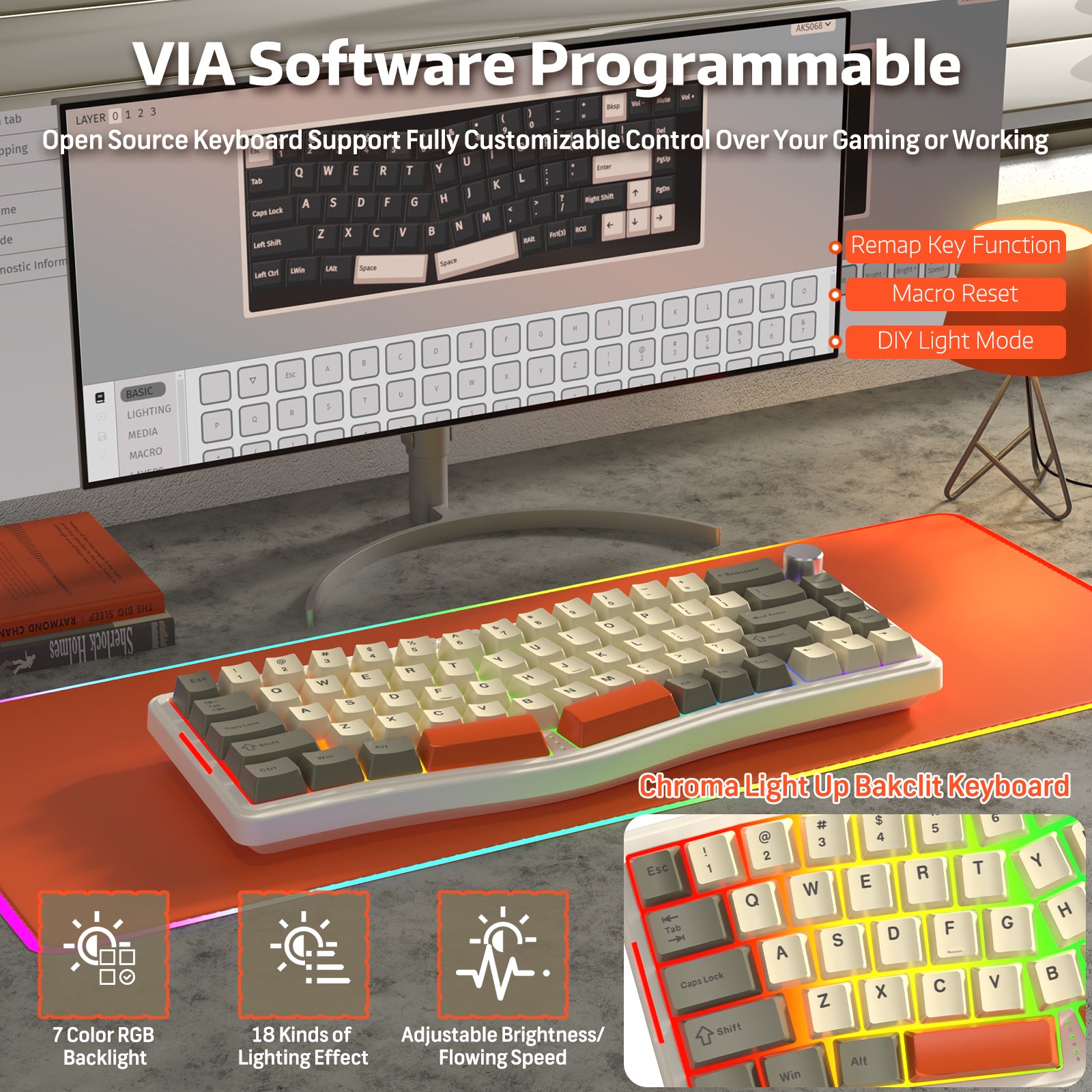
18가지 내장 모드를 갖춘 생생한 남향 RGB 백라이트로 세팅을 밝히세요. 키보드는 또한 몰입감 있는 빛을 위한 5가지 추가 모드가 있는 양면 라이트 바를 자랑합니다. 드라이버 소프트웨어를 사용하면 RGB 모드, 색상, 매크로 및 키 기능을 완전히 사용자 지정하여 스타일에 맞출 수 있습니다.

최대 제어를 위한 VIA 프로그래밍 가능
VIA 오픈소스 소프트웨어로 키보드를 완벽하게 제어하세요. 키를 재배치하고, 복잡한 매크로를 만들며, 레이아웃의 모든 부분을 세밀하게 조정하여 최고의 생산성과 게임 성능을 경험할 수 있습니다. AKS068은 Windows(FN+A)와 macOS(FN+S) 모두와 완벽하게 호환됩니다.
참고: VIA를 사용하려면 키보드의 JSON 구성 파일을 로드해야 합니다.

The keyboard feels very nice and the build quality is decent. It’s a bit difficult to insert the switches, but once they’re in, everything works fine. I like having buttons to switch between Mac, Windows, and other connection modes. I also really like the overall feel and look of the keyboard.For VIA, you need to download the JSON file from the Ajazz website, not from Epomaker. VIA only works in wired mode, not over 2.4GHz. Using VIA is very convenient since you can configure everything directly from the browser without extra software. The RGB isn’t very bright, but it’s nice to have it.

this keyboard is truly one of the best budget keyboards i have ever tried. i never write reviews, but this keeb has all of the hot features the community has been seeking: hotswap, bt, wireless usb, wired usb c, rgb, rotary knob etc. what's crazier is that there's even more amazing features it comes with straight from the box.1. split layout: this is not a fully split keyboard, but the layout is well designed with just the right amount of difference to produce a more ergonomic experience w/o sacrificing too much of the user comfort and familiarity with the standard layout.2. comes with great linear switches and keycaps: the 3-pin ajazz sea salt linear switches are well pre-lubed and actually sound amazing, with great thocc sound without any modifications. they even provide 2 extra switches. the keycap themes look amazing and sound great as well, seems like thicker abs plastic.3. build quality: despite being made from plastic, the plastic build is truly fantastic, super durable, no flex, smooth all over, and helps produce a great thock sound.3. beginner-friendly: switching btwn connection modes is intuitive with the toggle switches at the top of the board, the rotary knob works seamlessly as default for volume control, and switching through rgb effects works perfectly. box comes with keycap and switch removers, clear manual, and usb c cable.4. board and feet: everything feels perfect with this board, and the feet are sturdy and balanced. the rgb is really good and there are even customizable side lights on the board!5. mind-blowing value: just the switches and keycaps themselves could be sold separately for nearly as much as buying the entire board itself. this was such an insane deal, truly. it also arrived within 2 days with amazon prime.the only cons may be that it doesn't seem like the board can be taken apart. you can remove the switches, but the board can't be opened up. additionally, the first board i received appears to have been used already, and the packaging was damaged. the keyboard was fine though.but overall, the best steal i've had in a while. was considering gatekeeping.important note: i initially thought the board was defective b/c of the padding on top of the PCB. it appears that the padding is meant to be stabbed into with the switches themselves. just form a dent with the switch and then firmly push down. test one key to make sure it works.

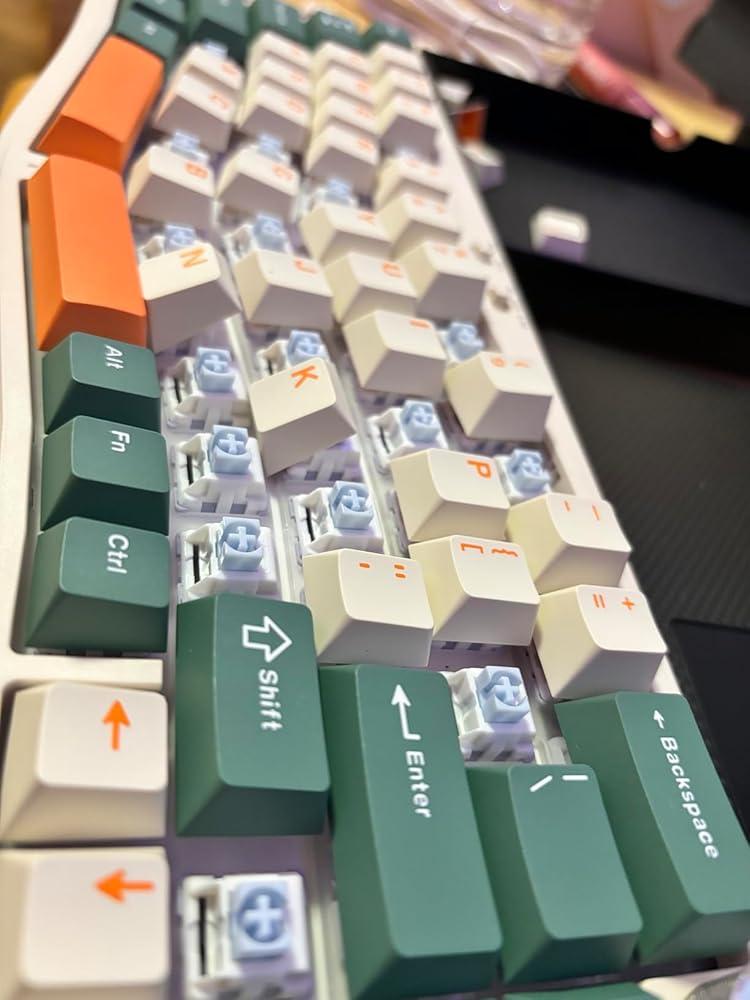
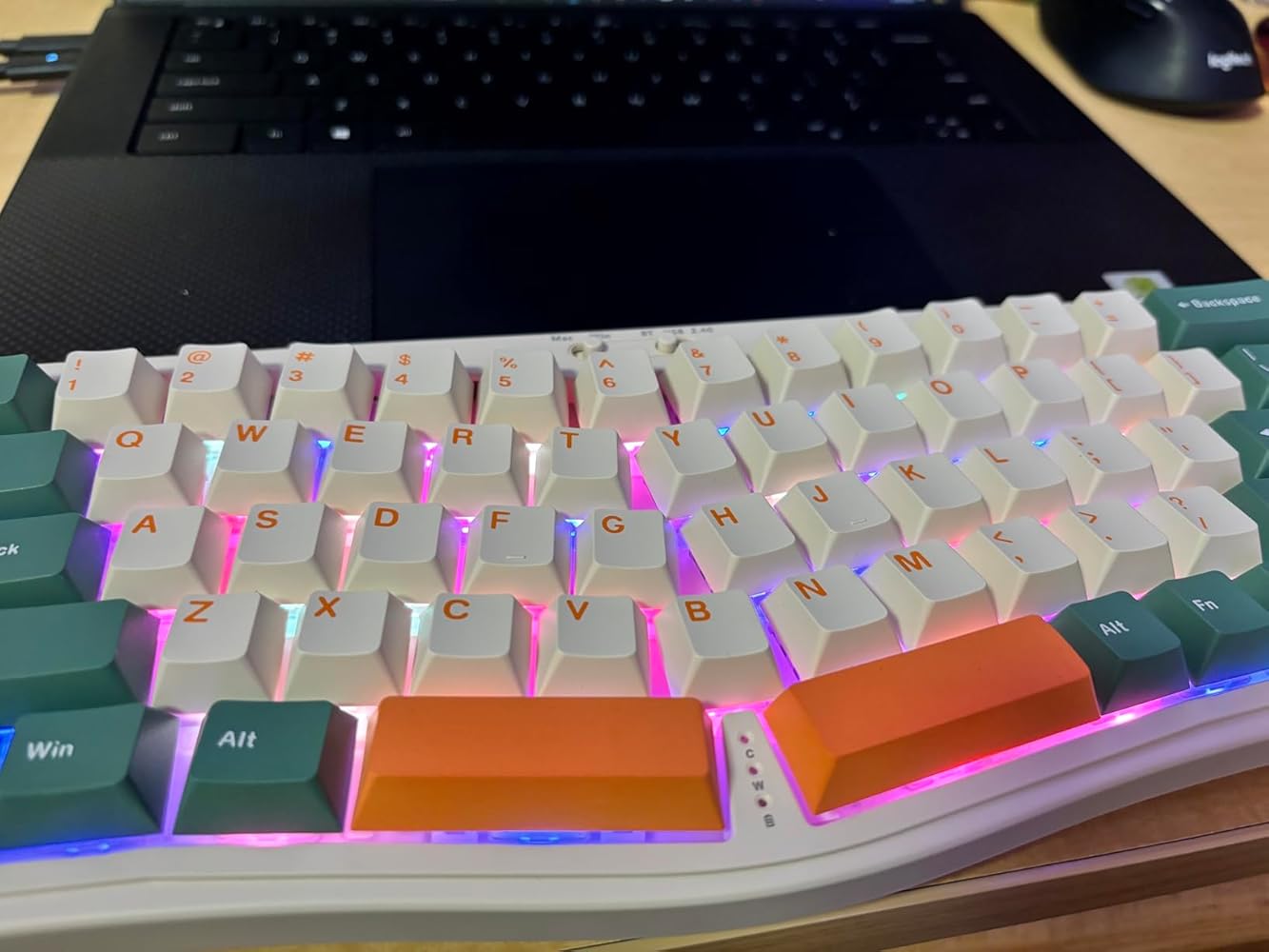
I like the size; it feels good to type on. The only issue I have is that it's hard to type in the dark without a desk lamp; it would be nice if the keycaps were translucent.
Pretty comfortable and it sounds amazing
Klingt wirklich gut und tippt sehr gut. Für mich das perfekte Layout, nicht zu viele Tasten, aber dedizierte Arrow Keys und trotzdem relativ handlich.
It came relatively fast. The keyboard was in crisp condition and no damage was done to anything. The switches sound fantastic, the keycaps weren’t my style but it still was thick and durable. Despite the unique design, it is not that ergonomic to me, my hands rest like how I use a regular keyboard. It’s still a 10/10 keyboard.
If you want to buy a mechanical keyboard with an Alice layout from Amazon, your choices are pretty limited and mostly upwards of $160. And then there's this little, well, not exactly a gem. That would be a little too much praise. Maybe, like, a nice piece of quartz crystal? Sure, we'll go with that.This is one of two ATTACK SHARK keyboards I ordered, and it's the only one worth keeping. The other was an AK832, and it's mediocre in every way except the nice USB cable that came with it.I don't know why these are branded as ATTACK SHARK on Amazon, because you can also find them as A-JAZZ keyboards and Epomaker keyboards. And when the package arrives, an A-JAZZ is what you'll get. That doesn't seem to be a bad thing as budget keyboards go...it's just odd.Anyway, onto the AKS068. I got the Pro version, which has USB, Bluetooth, and 2.4GHz connections. I would have been fine with the USB-only versions, but this is the only one that had Sea Salt switches, which I wanted to try. I like them. They're light and fast, and have short travel, but I'm bottoming them out a lot so I may need to add O-rings to soften them up a bit. It's also quite loud since I'm bottoming out so much. I don't mind how it sounds, but I like a quiet keyboard.This is the first time I've "assembled" a keyboard, which in this case meant pushing switches into the base and putting on the keycaps. I had trouble with a few of the switches, but I got away with only one bent pin. They give you two extra switches, but I agree with another reviewer that there should really be more like 10 in the package to account for user error.The keyboard connected to my Windows PC quickly and easily, which led me to my next task: programming it. This is where things go a little sideways. The AKS068 can be programmed with the VIA web utility, but it'll give you an error when you first try it. I'm not going to go into all of that, but let's just say this isn't as easy to program as it should be for a beginner mech keyboard.If you want to get into the programming side of mechanical keyboards (layers, macros, etc.) and this scares you, walk away from the AKS068. Get a Keychron instead. Seriously, it'll just be easier. This was my first time using VIA and I kind of figured it out with help from Reddit, but it was quite frustrating and doesn't make me want to program it any more than necessary.Now, why does programming matter? In my case, it matters because the keyboard doesn't have dedicated Home/End keys, which I use a lot. So, I had to use VIA to figure out where those keys were assigned as functions, then move them onto the PgUp and PgDn keys.If you don't care about Home/End keys or any other programming functions, you can just start using your AKS068 and not think about VIA at all.Despite the programming troubles, this keyboard still gets four stars from me...because it's so inexpensive. Heck, it even has some nice RGB lighting and a decent volume dial. And if I really want, I could upgrade both the switches and the keycaps...which will cost me more than the keyboard itself.This all makes the AKS068 a great entry point for mechanical keyboards as a hobby. But again, if you're not really interested in the hobby and just want an Alice-layout keyboard, get a Keychron and call it a day.
The media could not be loaded.
This is my first mechanical keyboard, and also my first "gaming" keyboard (i.e. one with crazy LEDs). I was looking for an ergonomic, mechanical keyboard and so that's why I wanted to try this one.Because this is a DIY keyboard, it's not for the non-technical or the unadventurous. As the listing makes clear, there's quite a bit of work to do to get the keyboard ready. I found it hard to know which way the key switches even went into the base of the keyboard because the manual's diagrams are tiny and unclear, but if you watch the product video, that makes it pretty clear.Once I had all the keys connected, I found four didn't work. I pulled them out and found folded (and, in one case, concertinaed) pins. I carefully straightened the pins out (they're nice, ductile copper, and needle nose pliers fixed even the concertinaed pin) and reinserted each one successfully, so I didn't need to use the two, spare switches.Unfortunately, I couldn't get all the switches to insert fully, especially along the top row, so I was left with some keys sticking up a little, and the LEDs under them glaring out. Fortunately, once the keycaps were on, and after a bit of typing on the keyboard, I found that I could push the switches down into place with a little bit of force--the typing must have repositioned the keyboard base somehow. The result was a nice, clean looking keyboard.The next step was reconfiguring the keyboard with the VIA software. This was a bit tricky, and the video in the listing (visible from a desktop browser, at least) was most helpful. If I carefully followed the steps there I could get VIA working with the 2.4G connection. I wanted to remap the FN+left and right arrow keys to do HOME and END, instead of the relatively useless function of changing the RGB lights. After that, I was much happier with the keyboard.I've been using it for a while now. I have left the default RGB pattern for the keyboard and sides on (changing the hue a little), and I'm using the 2.4G connection. The battery seems to last forever (I like the battery meter accessed from FN+Backspace). I quite like the layout, although it took a bit to get used to. I also quite like the feel. I'm not so keen on the noisiness of a mechanical keyboard (see the video). I also need to get a wrist wrest for this keyboard, it's quite high (I'm not even using the feet) and so my wrists are not at an ideal angle.It's a shame a rest is not included, especially considering the unique shape of the front of the keyboard.However, for the adventurous, this is an excellent introduction to mechanical, gaming keyboards, and a quality product.
It’s exactly as described, and works as expected.The only minor points to note were 2 faulty key switches - though conveniently it came with two spare, and some fairly awkward instructions for things like function keys and changing the light patterns.Overall I think the keyboard meets the processing quite well as a relatively inexpensive mechanical option.
For the price, this is a very nice little keyboard with very good features, but I can't give it a full rating. The switches are packed loosely in a box next to the keyboard, and the lack of protection meant that many pins were bent in transit. I had to replace 11 of them with my own spares - I would have had to return this if I didn't already own spare switches. With half-decent packaging of the more delicate parts this could have got 5 stars.
Tastiera straordinaria per il prezzo, comoda da usare e anche il rumore dei tasti è molto piacevole.
EDIT - After getting this thing set-up fully, I am quite happy with the result. It is a solid keyboard for the price. The VIA web app did eventually let me customize the keys that are mis-mapped by default, but I don't know what exactly I did to get it working. I'll give it 3.5 stars b/c of the paint to set it up, and rounding up to 4 b/c of the great value.______________Original review:Installing the switches was a pain - about 8 of them had the pins bend under instead of punching through the membrane - made for some annoying troubleshooting. All of the keys work now, but the key mapping on some keys is incorrect at the software level. The manufacturer website no longer has any reference to this product, so it isn't any help. I see reference to the VIA tool, which I've tried, but can't get any new key mappings to upload into the keyboard.2 stars because once put together the keyboard has a nice feel, but if I can't use certain keys it is ultimately worthless. May return if I can't get the software sorted out, but I feel like I'm on an island for that.
I already had a small mechanical keyboard that I really came to love and was easy to travel with but I wanted to see if I could find one that was a bit more ergonomic and didn't cramp me up as much. I learned about the Alice layout and decided to give this one a try, especially when it was so affordably priced.Ergonomics: The angle of the keys did allow my elbows to wing out more and let my chest relax, so on that front I think the design is effective. However, the function keys to the right don't follow the angle and are positioned straight. This required a bit more wrist motion for my pinky to reach and that I can see becoming an issue so I think if I keep using this I'll have to get in the habit of moving my whole hand over to hit the enter and backspace keys.Assembly: pretty easy overall though some switches I accidentally bent the pins on trying to press them in. For the most part they were easy to straighten out and get it back in. I probably needed to re-seat about 6 switches before everything worked. It will look like there's no holes for the pins but I guess they just puncture the sound dampening layer. Make sure to have to open space in the switch facing toward you.Quality: the frame doesn't feel as sturdy as my Royal Kludge since it has quite a bit of flex to it, but there's no creaking or rattling (even when shaking), so it's solid enough. Because of the Alice layout of the keys, there are large gaps especially in the middle where dust and pet fur and crumbs can accumulate more easily so you'll probably want to take an air compressor to this more often.I like the color scheme of the keycaps, the green and orange and the creamy off white, and they're a nice smooth matte texture. The volume knob is very sturdy and useful. It has a ton of RGB options but I liked the gradual sidelight color cycle with the backlight only coming on behind each struck key. Anything else just seems excessive and distracting to me. Only a bit less compact than my RK61 but only tiny bit longer and taller and doesn't take up a huge desk footprint.I don't particularly care for the included sea salt gray switches, but I guess they're fine if you like linear switches that aren't too loud. However, it's definitely not a silent keyboard. Depending on the key, the sound is between a "thak" and a "thock." But it feels a bit mushy to me and I'm excited to try some tactile switches. My other keyboard came with blue switches but it doesn't seem like they swap out very easily so this will be my first foray into customizing a keyboard.For someone like me who is curious to dip his toes into the mechanical keyboard fandom, but isn't ready to make a huge investment, this is a very approachable and attractive entry.
Nice size, good typing... The only downside is characters keycaps don't are translucent... It's hard to work at night without desk lamp.
The product title does not indicate that you are buying a keyboard kit that requires assembly. This should be part of the title and is the only reason that I did not give this item a 5 star rating.The chassis comes ready for switch installation. Install the keycaps and charge it and you are ready to go.Once the keyboard is assembled, it is worthy of a 5 star rating. Very nice. Has nice features. Great feel. Solid build components. Mine came with a Keycap puller and a Switch puller. Also came with a couple of extra switches. Response on this board using the 2.4ghz wireless is fantastic! Extremely quick. Controls for RGB backlighting are good. Fn key allows numeric keys to act as the Function keys (F keys) on a full size keyboard. This is very important to me because I develop software and use the function keys constantly in my work. Keycap colors aren't the most attractive or standard but I was not looking for style points!