
Enjoy free shipping to most countries*! For countries with local stock, delivery usually takes 3-5 days. Holiday seasons may affect shipping times. See estimated delivery times for details.
15-day no-reason return and exchange policy, you have ample time to try out your new product and decide if it's right for you.

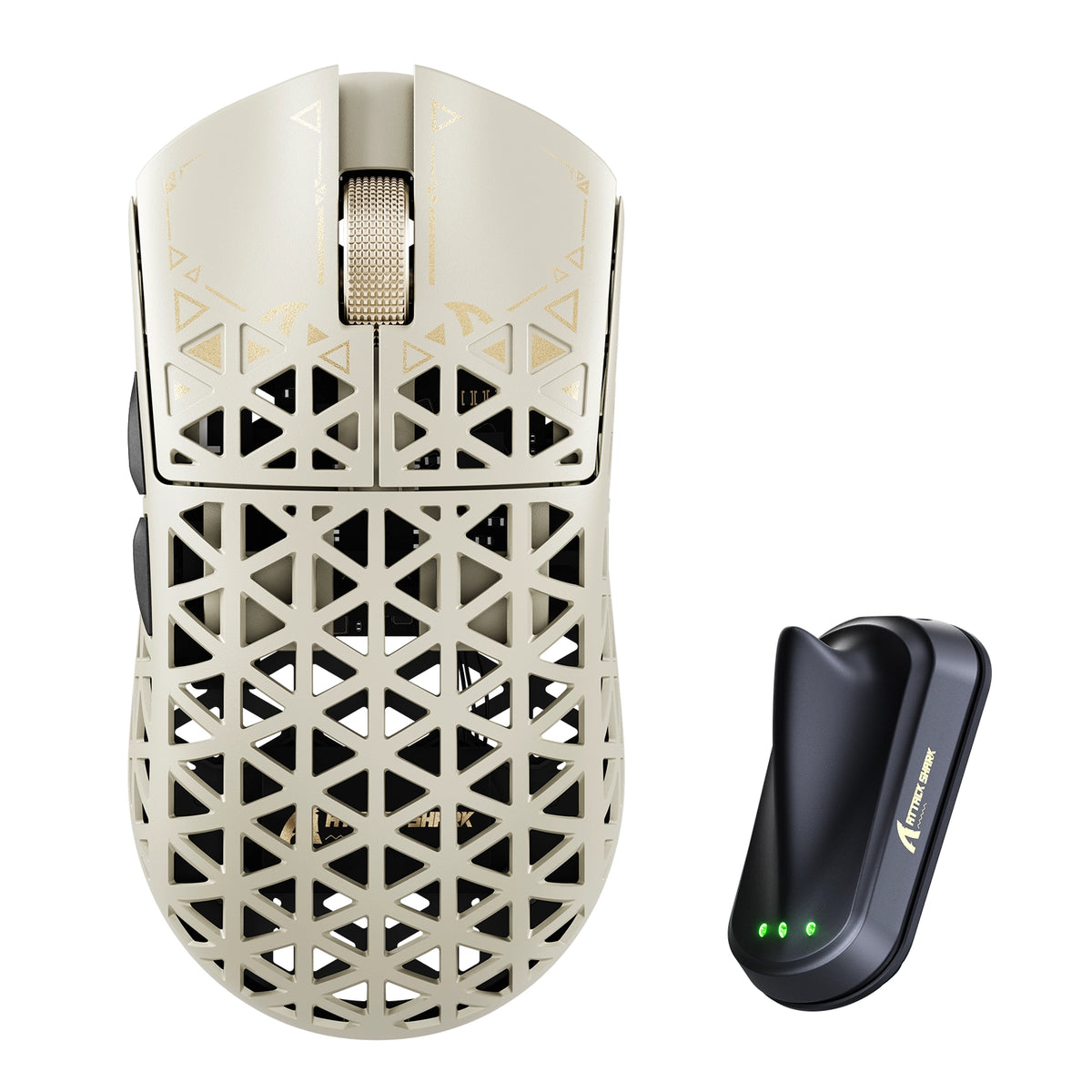
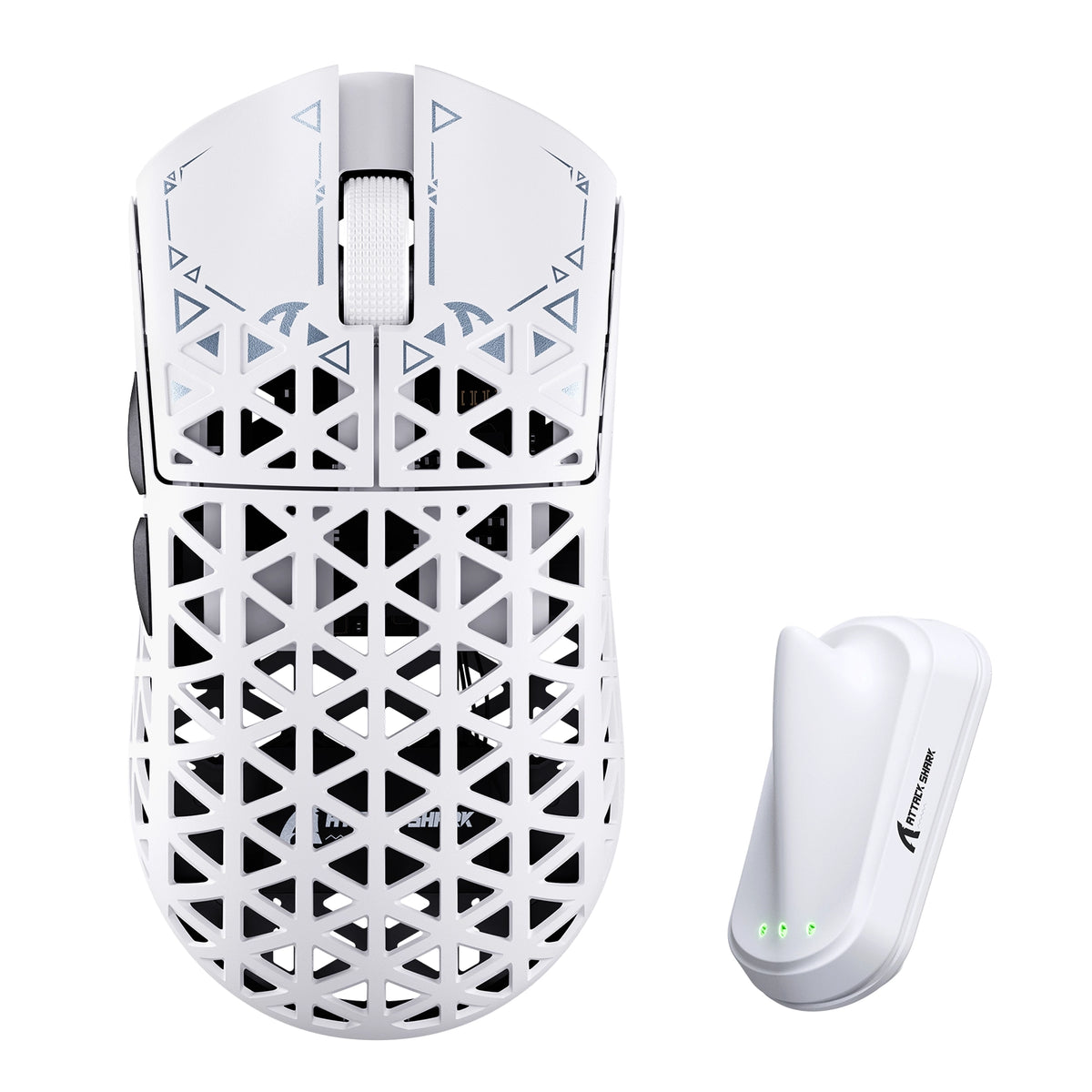
ATTACK SHARK R5 TURBO 탄소 섬유 무선 8K 게이밍 마우스

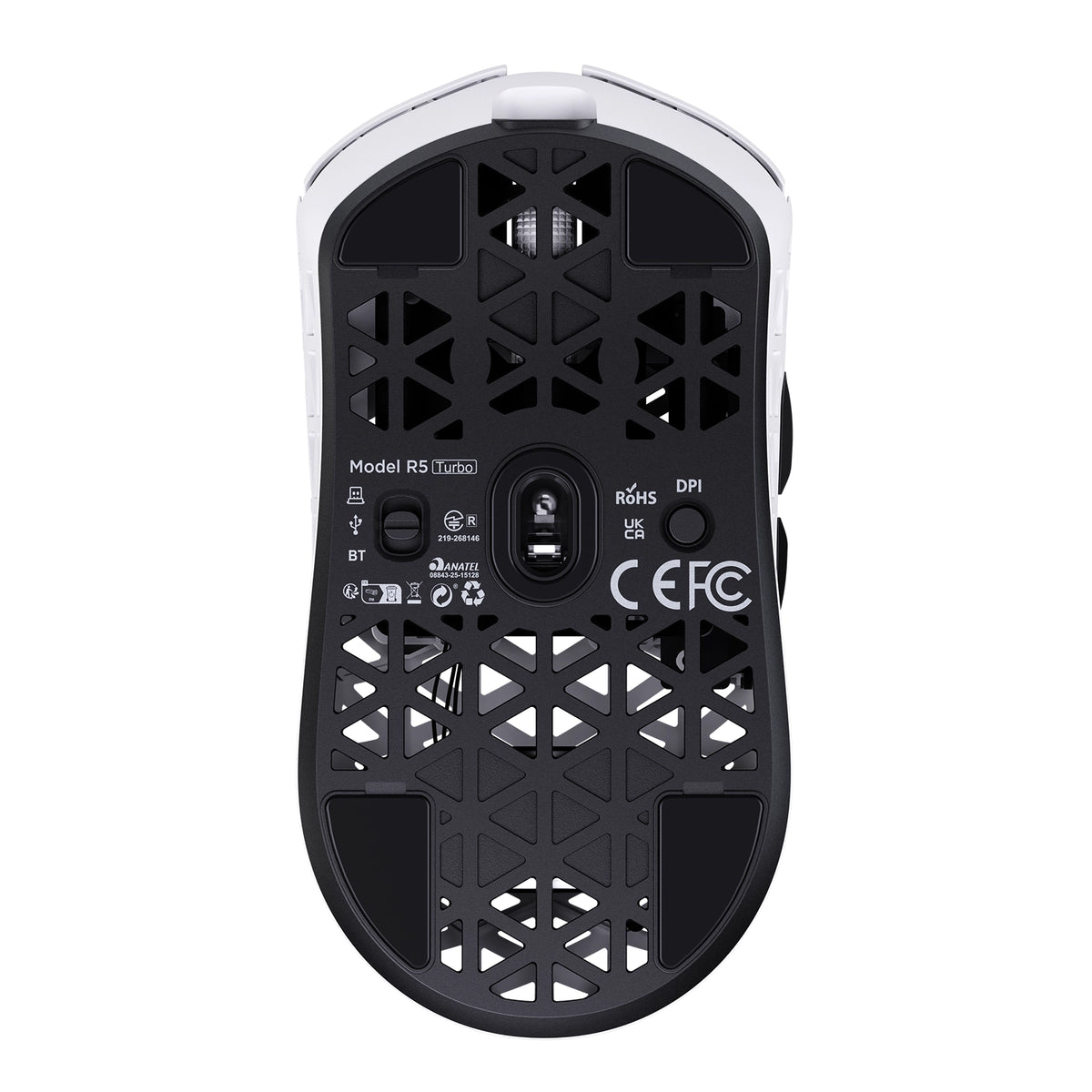
PixArt PAW3950MAX Sensor, 60K DPI, Dual 8000Hz Polling Rate, Nordic 54LM20 MCU, TTC Gold Scroll Wheel Encoder

• 43±3g Ultra-Lightweight
• Nordic 54LM20 Chip
• PAW3950MAX Sensor (Up to 60000 DPI)
• Dual 8000Hz Polling Rate(Wired / Wireless)
• 20000 FPS Static Scan Rate
• Omron Optical Microswitches (100 Million Clicks )
• TTC Gold Scroll Wheel Encoder
• Adjustable LOD (3 Levels)
• Connection Methods: Wired / Wireless / Bluetooth
• Glass-feel Ice Coating
• Web & Software Control
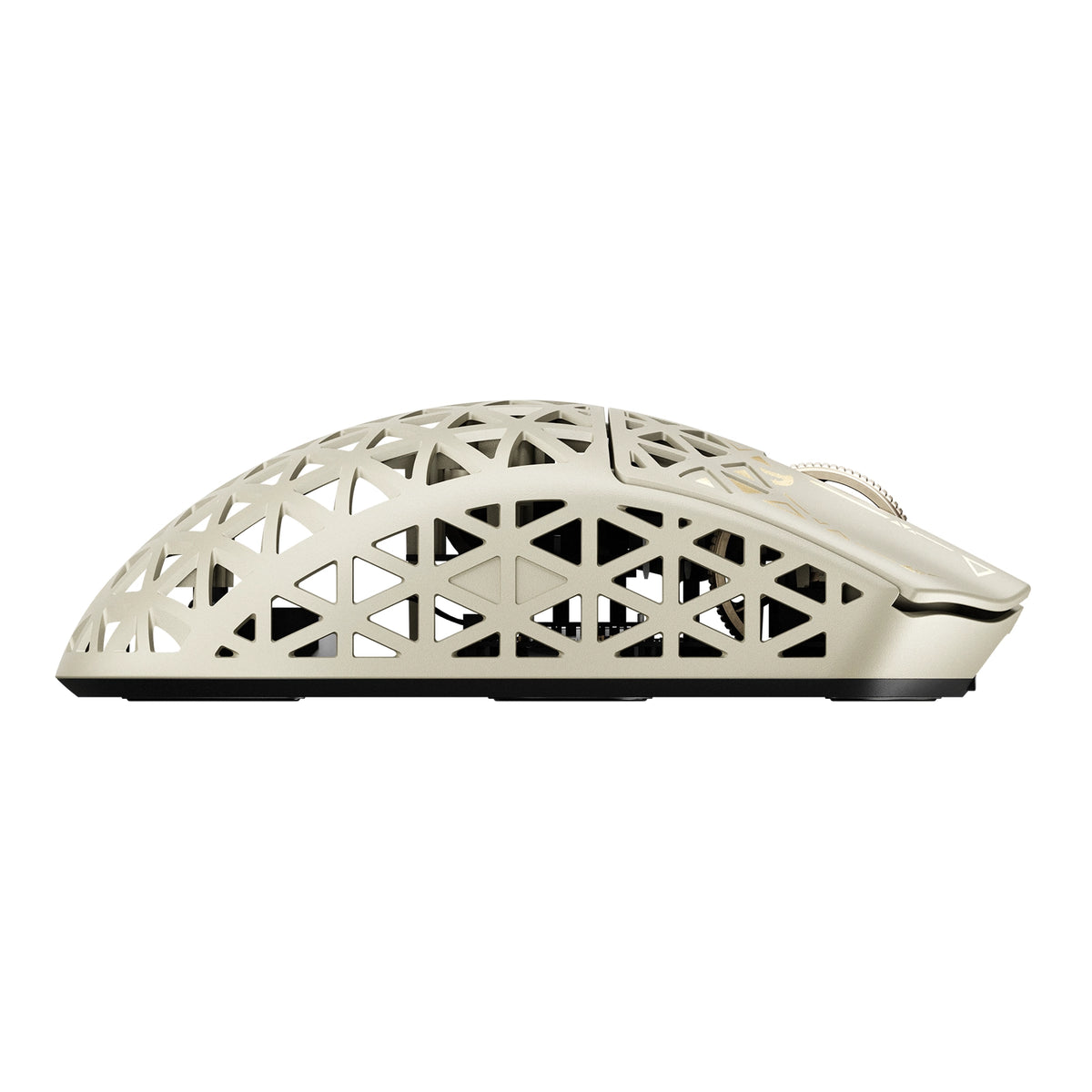
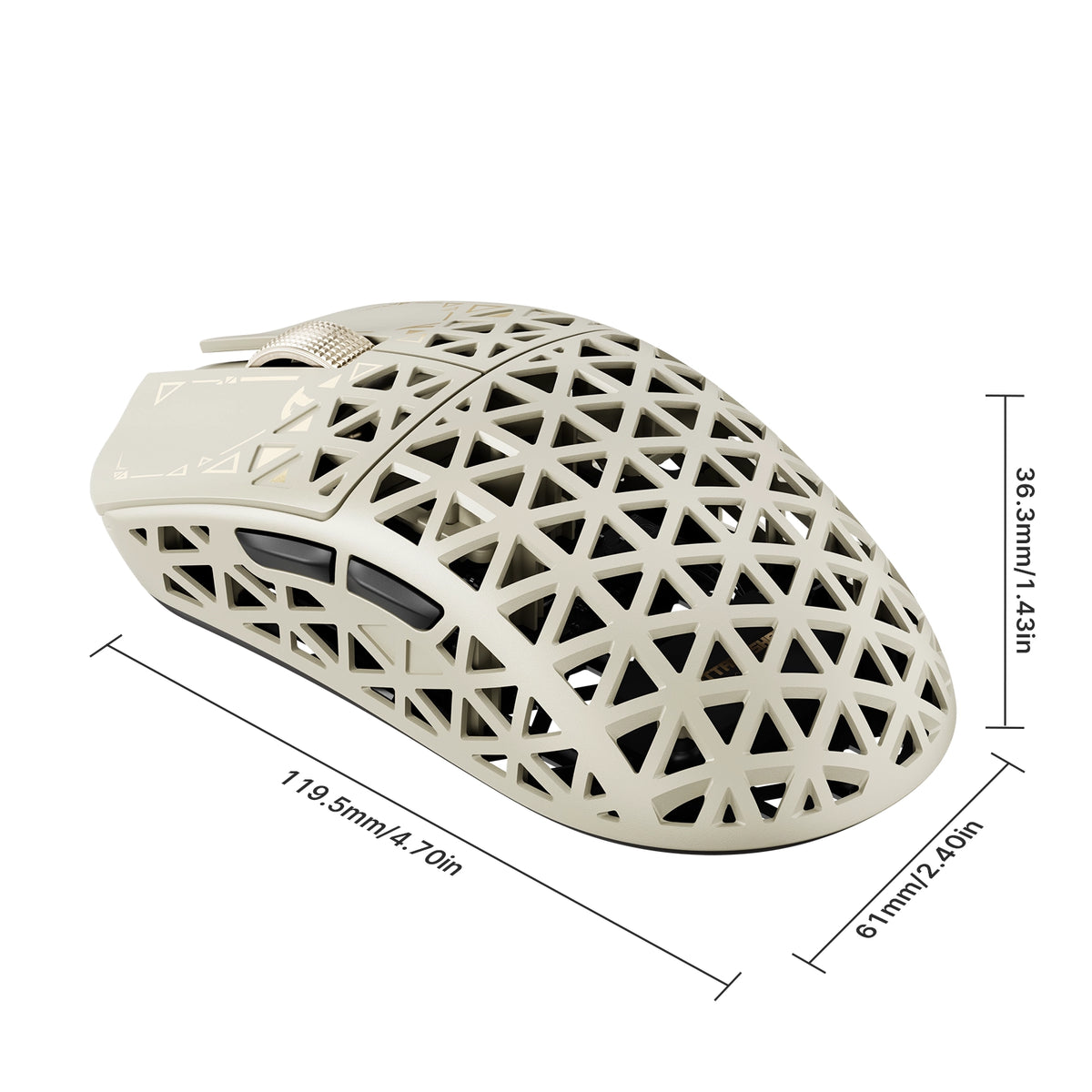
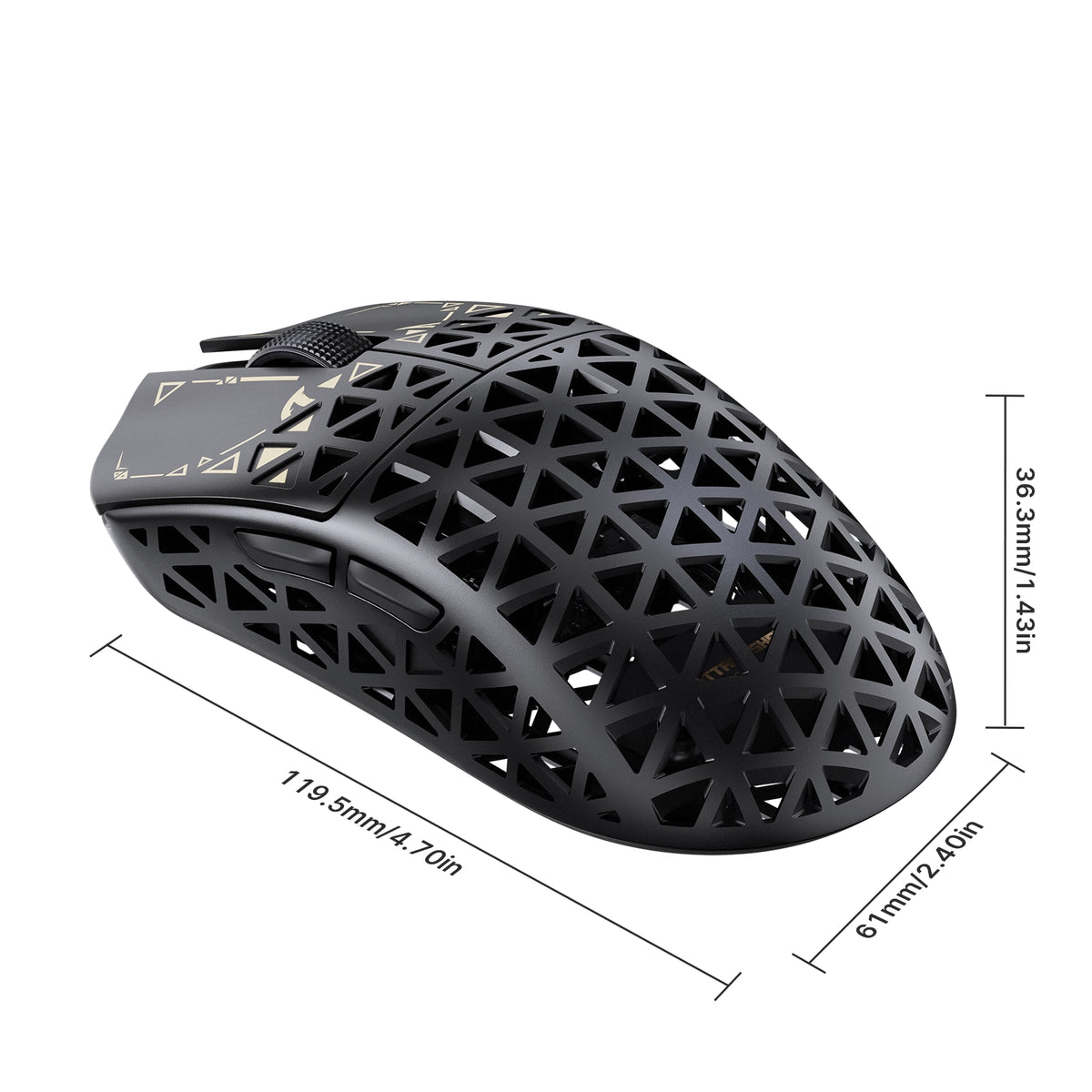
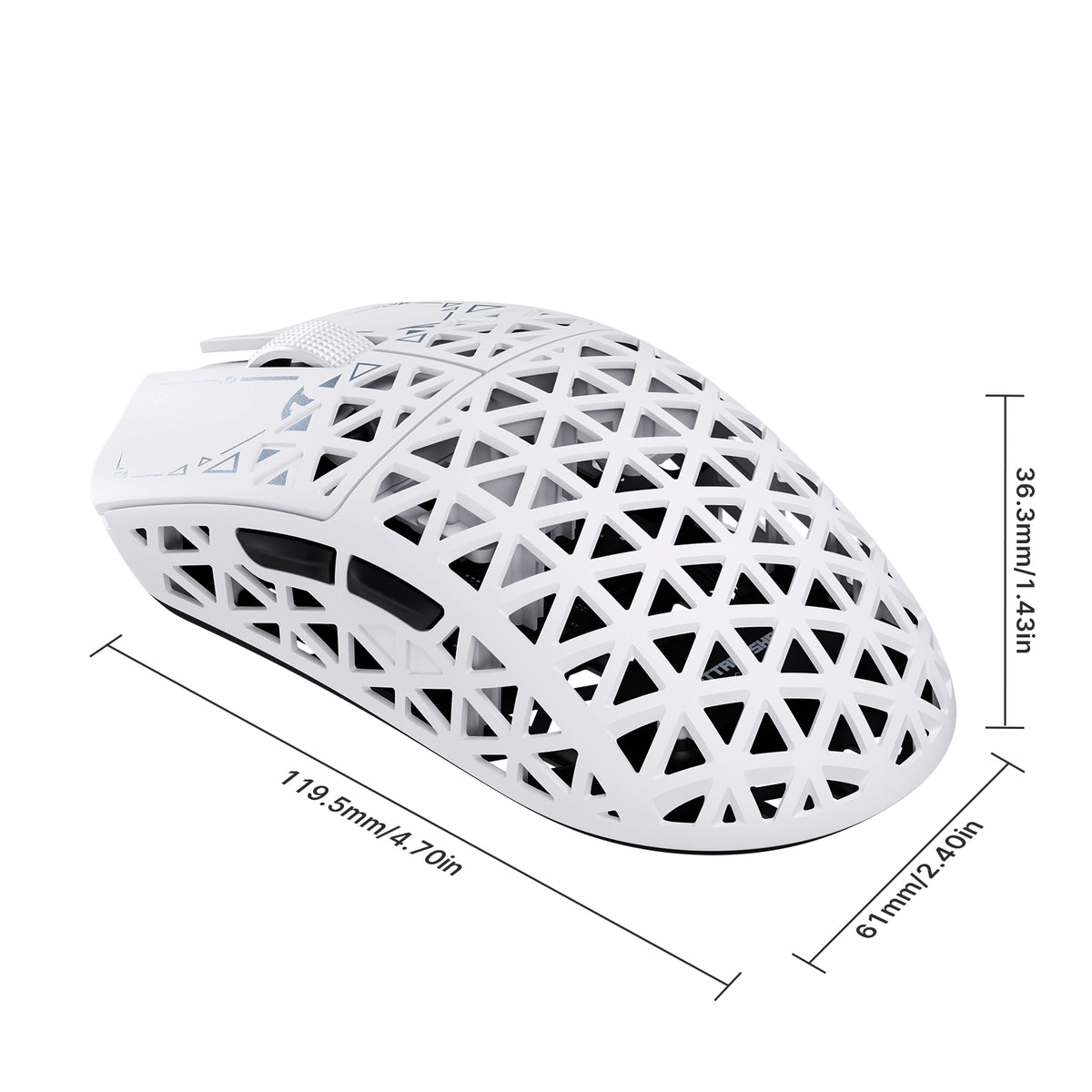
• Dimensions: 119.5mm X 61.0mm X 36.3mm

색상: 검은색
MSRP:$89.99

ATTACK SHARK R5 TURBO specifications: 8000Hz polling, 43g weight, PAW3950MAX sensor, 60000 DPI, 20000 FPS
ATTACK SHARK R5 TURBO weighs 43g plus or minus 3g, shown on a robotic hand

43 ± 3g 탄소 섬유 복합 쉘

가볍고 튼튼하게 오래도록.

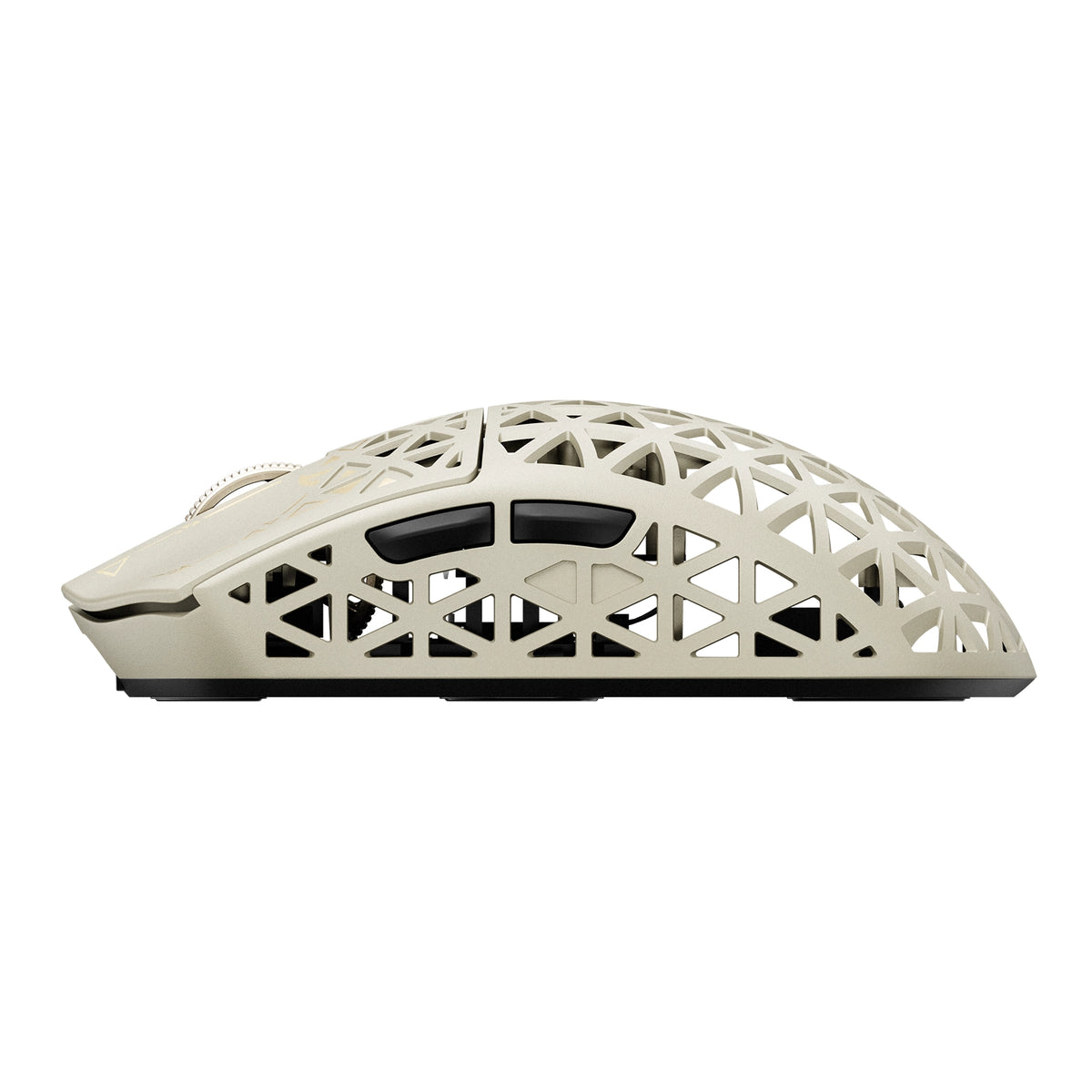
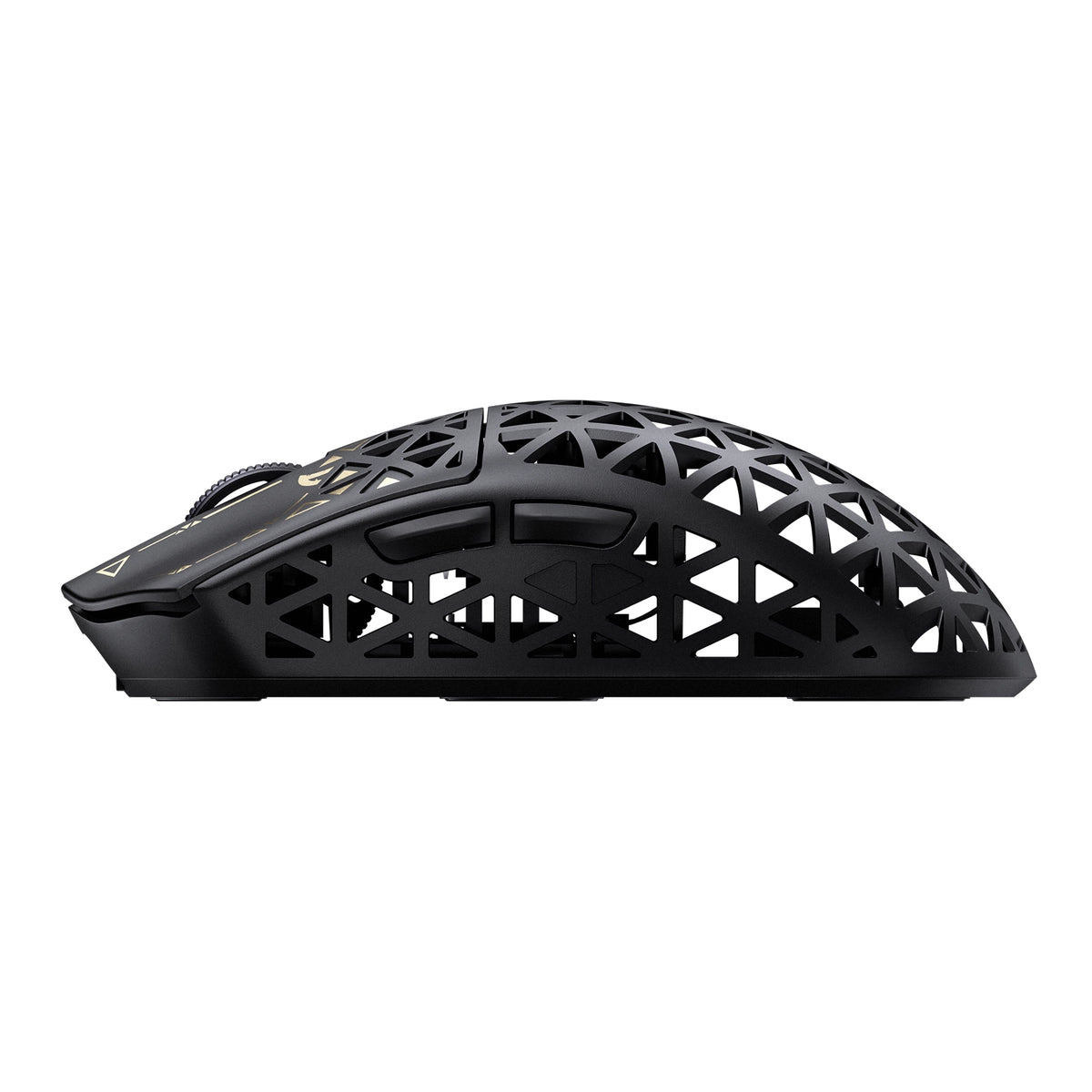
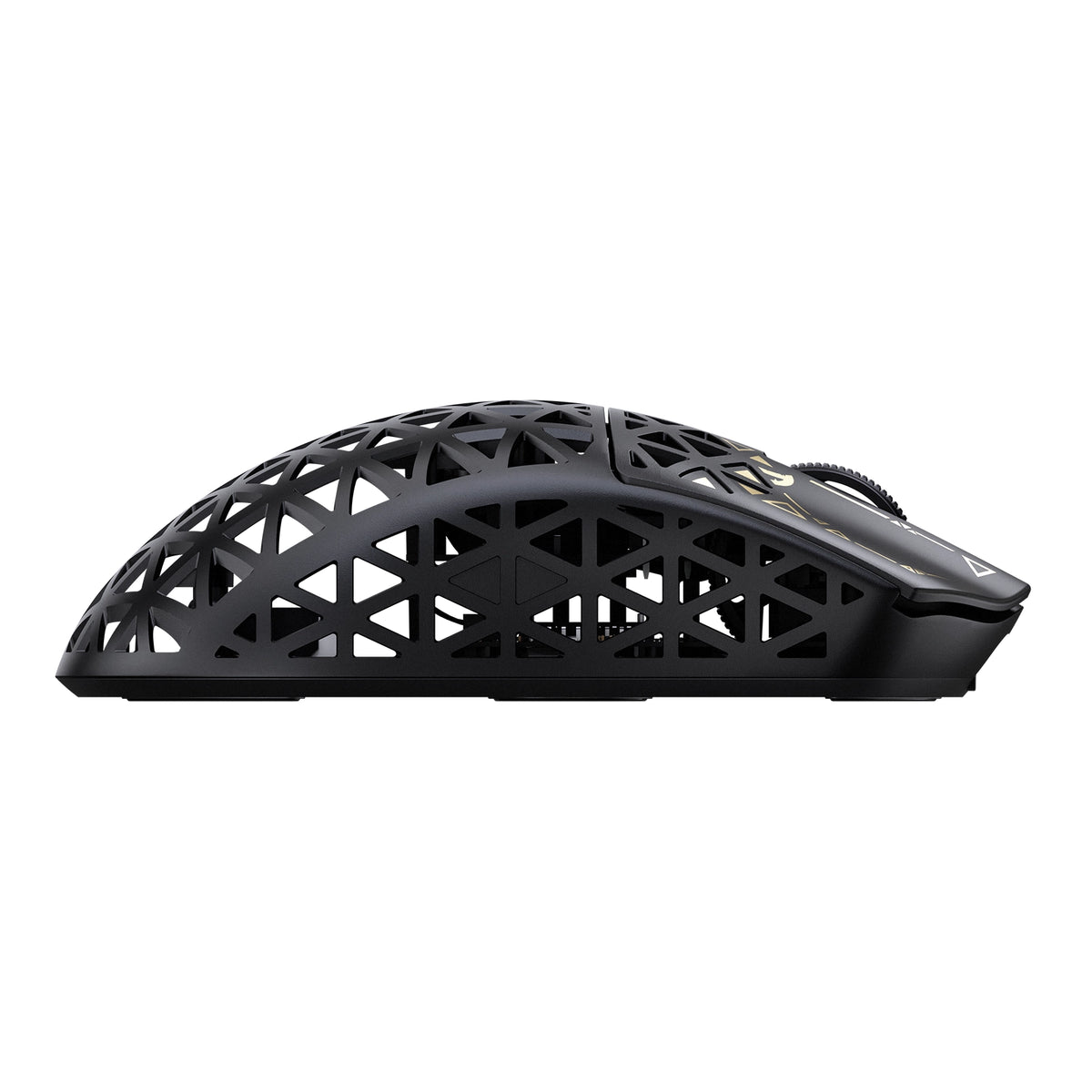
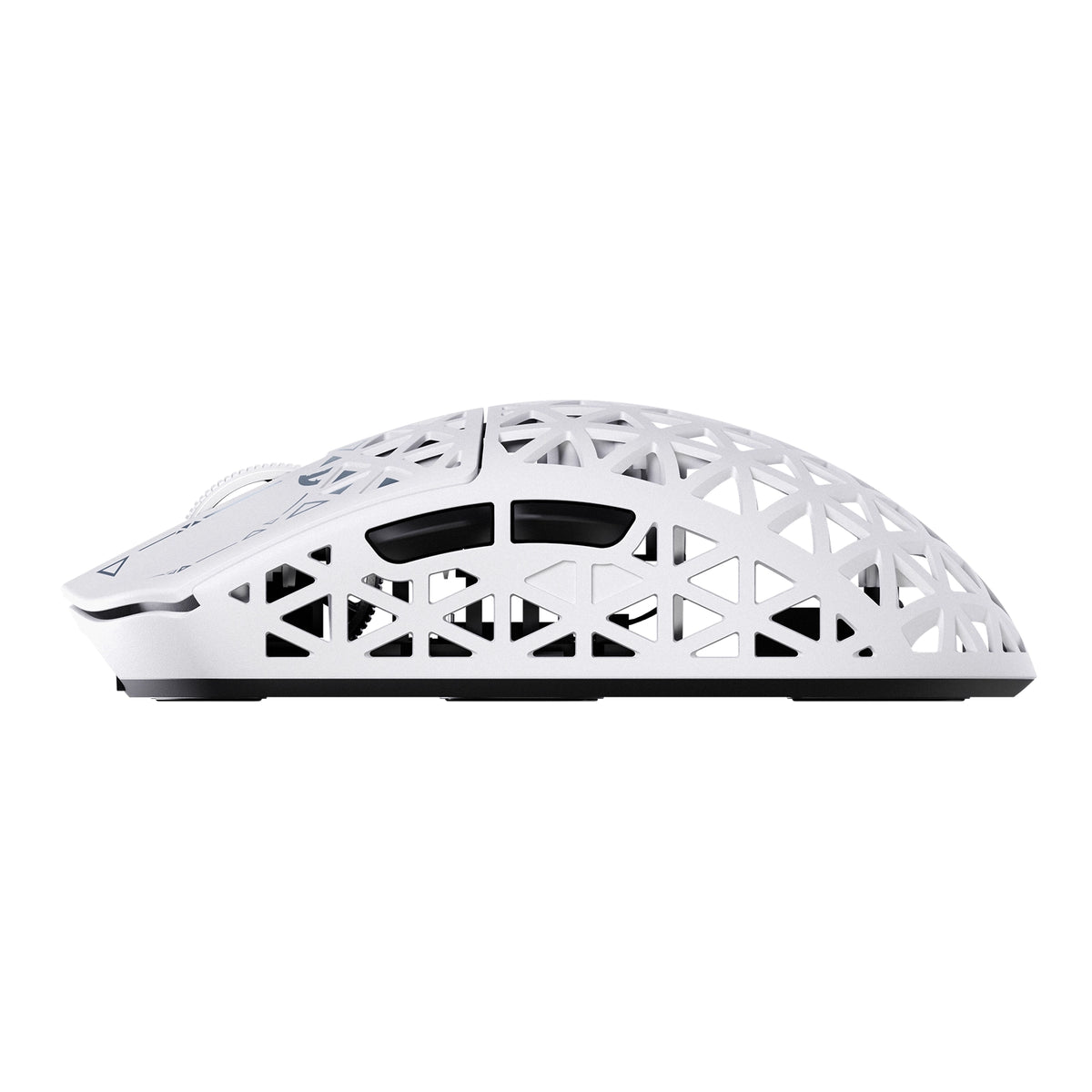
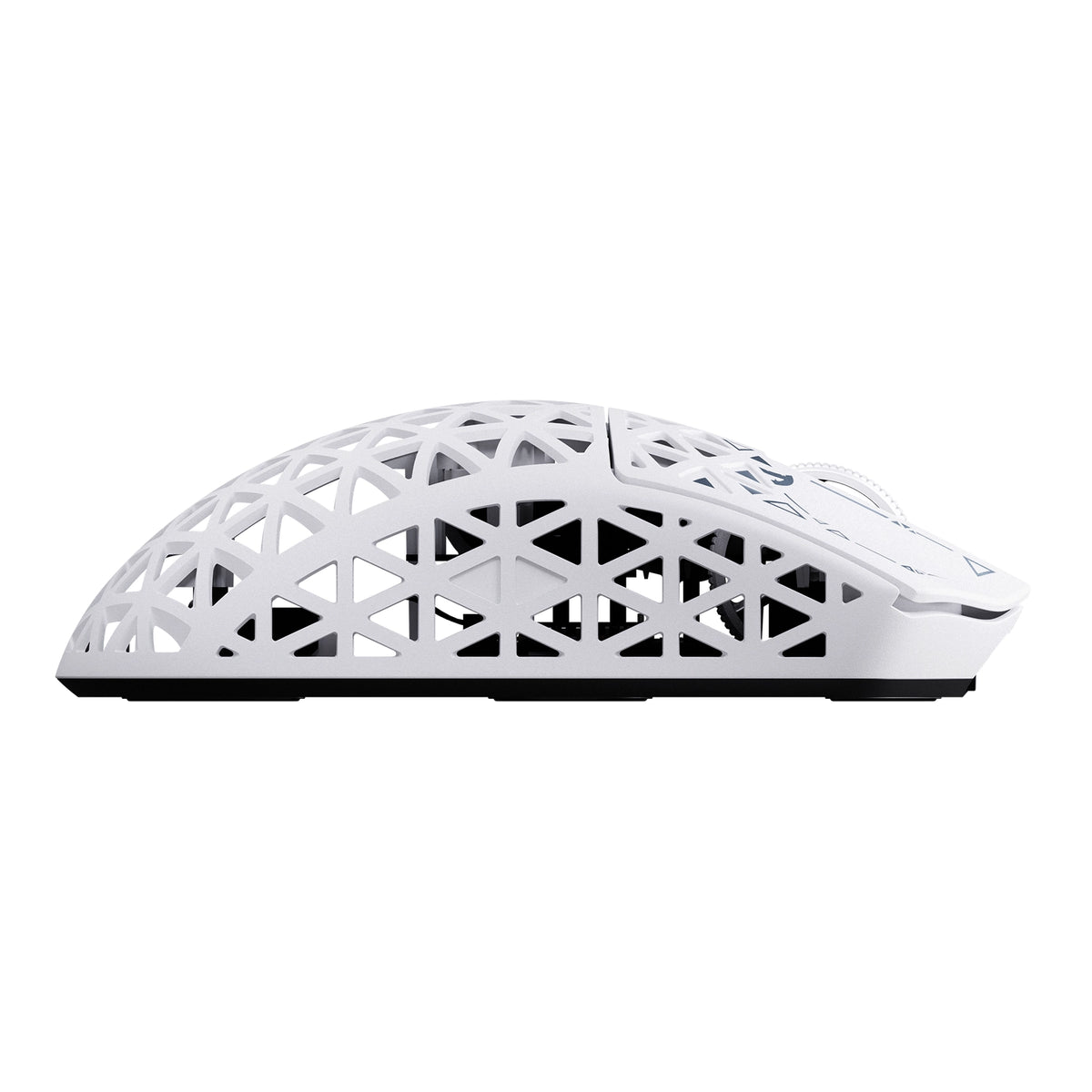
첨단 사출 성형 탄소 섬유 복합 소재 쉘로 제작된 R5 TURBO는 무게가 단 43 ± 3g에 불과하면서도 뛰어난 구조적 강도와 내마모성을 제공합니다. 속이 비어 있고 통풍이 잘되는 디자인으로 불필요한 무게를 줄이고 공기 흐름을 개선해 모든 움직임에서 내구성, 편안함, 손쉬운 조작을 선사합니다.
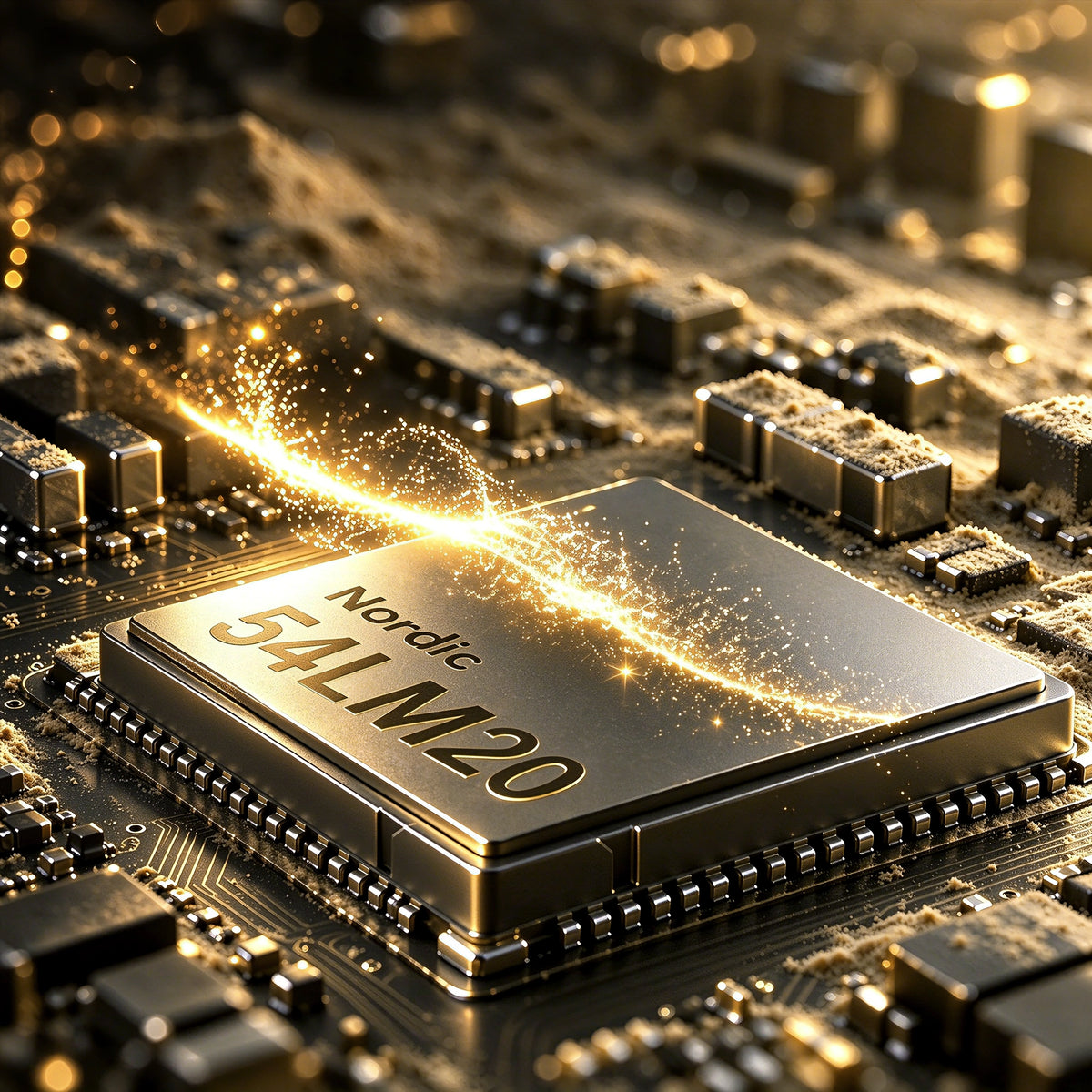
Nordic 54L20 MCU chip inside the ATTACK SHARK R5 TURBO wireless gaming mouse

Nordic 54LM20 플래그십 MCU

차세대 파워. 최고의 성능.

R5 TURBO의 중심에는 고성능 게이밍을 위해 설계된 차세대 Nordic 54LM20 플래그십 MCU가 자리합니다. 뛰어난 처리 성능과 효율적인 무선 통신을 바탕으로, 치열한 경쟁 게임에 필요한 속도와 안정성, 빠른 반응성을 제공합니다.

PAW3950MAX 플래그십 광학 센서

한계 없는 정밀함.

플래그십 PAW3950MAX 광학 센서를 탑재한 R5 TURBO는 최대 60,000 DPI와 50 DPI 단위의 정밀한 조정으로 탁월한 트래킹 정확도를 제공합니다. 750 IPS의 트래킹 속도와 60G 가속도를 갖춰, 가장 치열한 게임 중에도 모든 플릭, 스와이프, 미세 조정 동작을 놀라울 만큼 정확하게 포착합니다.

모든 움직임을 제어하세요.

3단계 높이 조절 가능 LOD

조절 가능한 세 가지 리프트오프 거리 설정(0.7mm, 1.0mm, 2.0mm)으로 트래킹 환경을 세밀하게 조정하세요. 초저 리프트오프 정밀도를 선호하든 마우스를 빠르게 재배치할 때 더 큰 유연성을 원하든, R5 TURBO는 플레이 스타일에 맞춰 일관되고 안정적인 컨트롤을 제공합니다.

고속 추적을 위한 20,000 FPS

상어 사냥 모드

HUNTING SHARK 모드를 활성화해 최대 20,000 FPS 센서 스캔을 이용하고, 빠른 움직임을 더 빠르고 일관되게 포착하세요. 빠른 속도의 경쟁 플레이에 적합하며, 재빠른 플릭과 급격한 회전, 빠른 방향 전환 중에도 정밀한 트래킹을 유지하도록 도와줍니다.
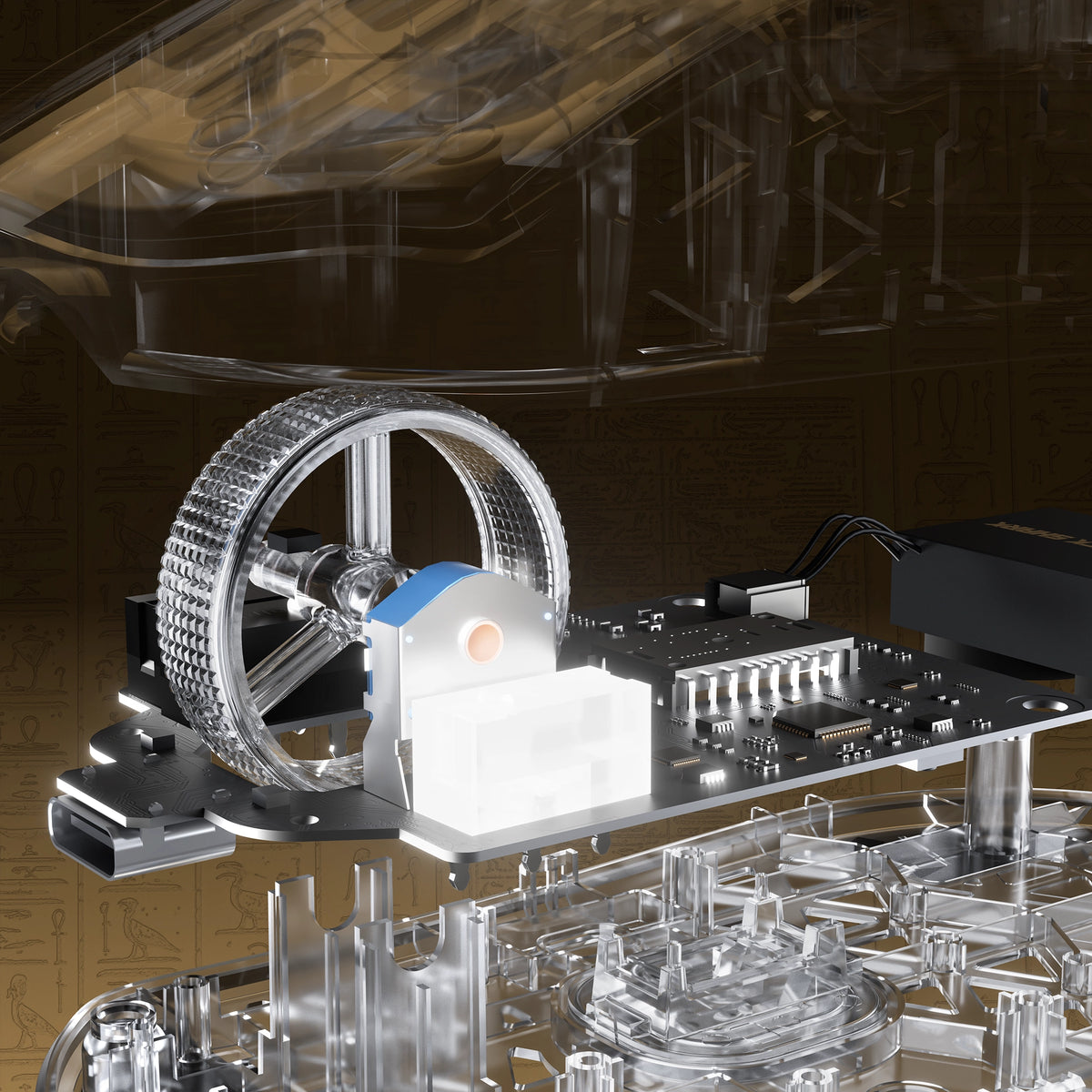
Exploded view of the electroplated scroll wheel and PCB in the ATTACK SHARK R5 TURBO

모든 클릭에 오래도록 견고하게.

OMRON 광학 스위치

TTC 골드 인코더

1억 회 이상의 클릭을 견디도록 설계된 프리미엄 OMRON 광학 스위치를 탑재한 R5 TURBO는 빠르고 일관된 작동과 뛰어난 내구성을 제공합니다. TTC 골드 스크롤 휠 인코더와 결합해 정확한 스크롤 피드백을 제공하며, 수많은 게임 세션에서도 안정적으로 성능을 발휘합니다.

맞춤형 전기도금 스크롤 휠

스크롤할 때마다 정밀하게.

맞춤 전기 도금 스크롤 휠을 탑재한 R5 TURBO는 고급스러운 메탈릭 마감과 정교한 촉각 제어를 결합했습니다. 민감한 스크롤 반응과 정밀한 조작을 위해 설계되어, 시각적인 매력과 일상적인 사용감을 모두 향상시키며 움직일 때마다 한층 세련된 감각을 더합니다.
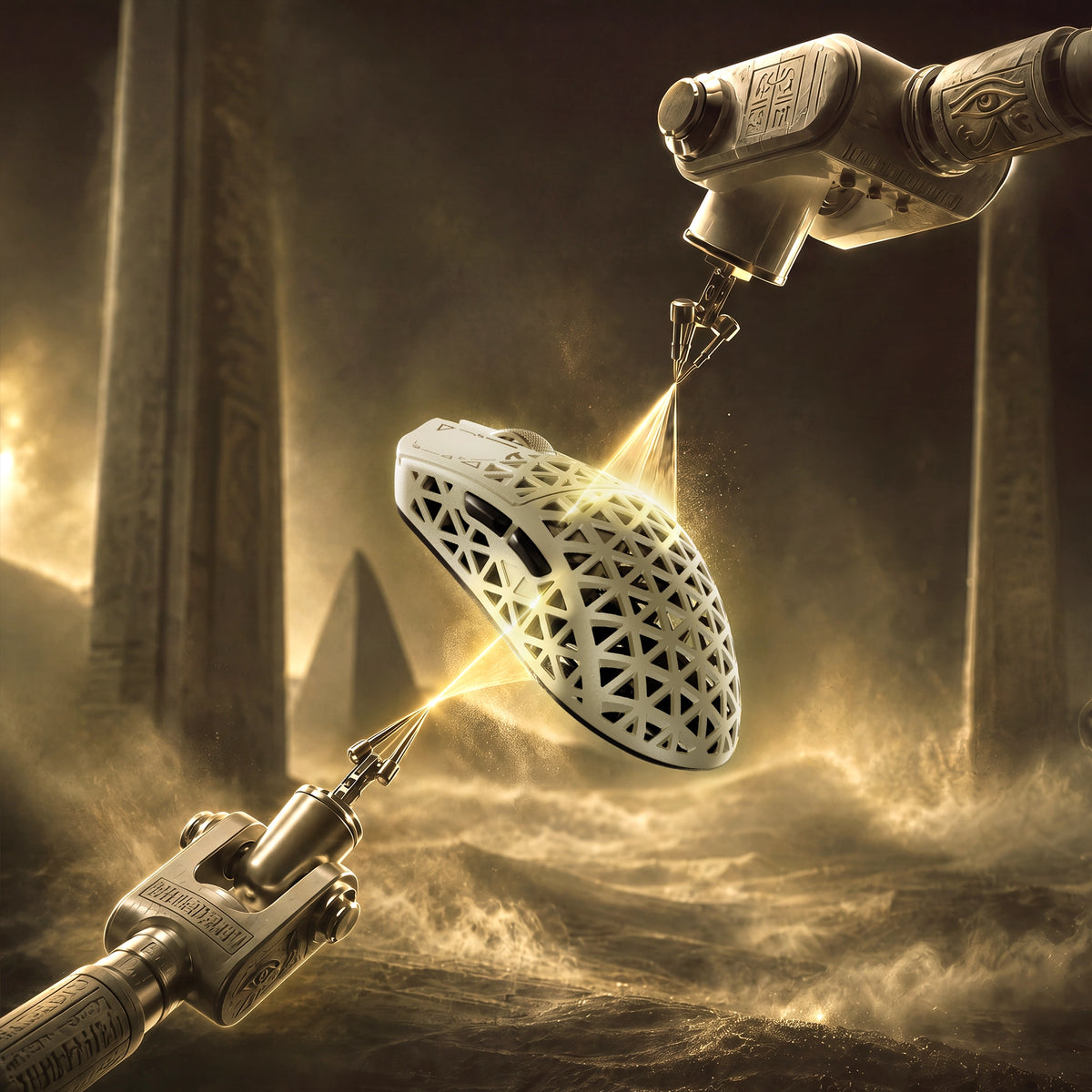
Glass-feel ice coating applied to the ATTACK SHARK R5 TURBO carbon fiber shell

프리미엄 유리 느낌의 아이스 코팅

시원하게. 주도권을 잡으세요.

특수한 유리 같은 아이스 터치 코팅으로 마감된 R5 TURBO는 오래도록 쾌적하게 사용할 수 있도록 매끄럽고 산뜻한 표면 감촉을 선사합니다. 이 코팅은 장시간 게임을 즐길 때 손에 땀이 나서 불편해지는 것을 줄여 주며, 경쟁이 치열해지는 순간에도 편안하고 안정적인 그립감을 제공합니다.
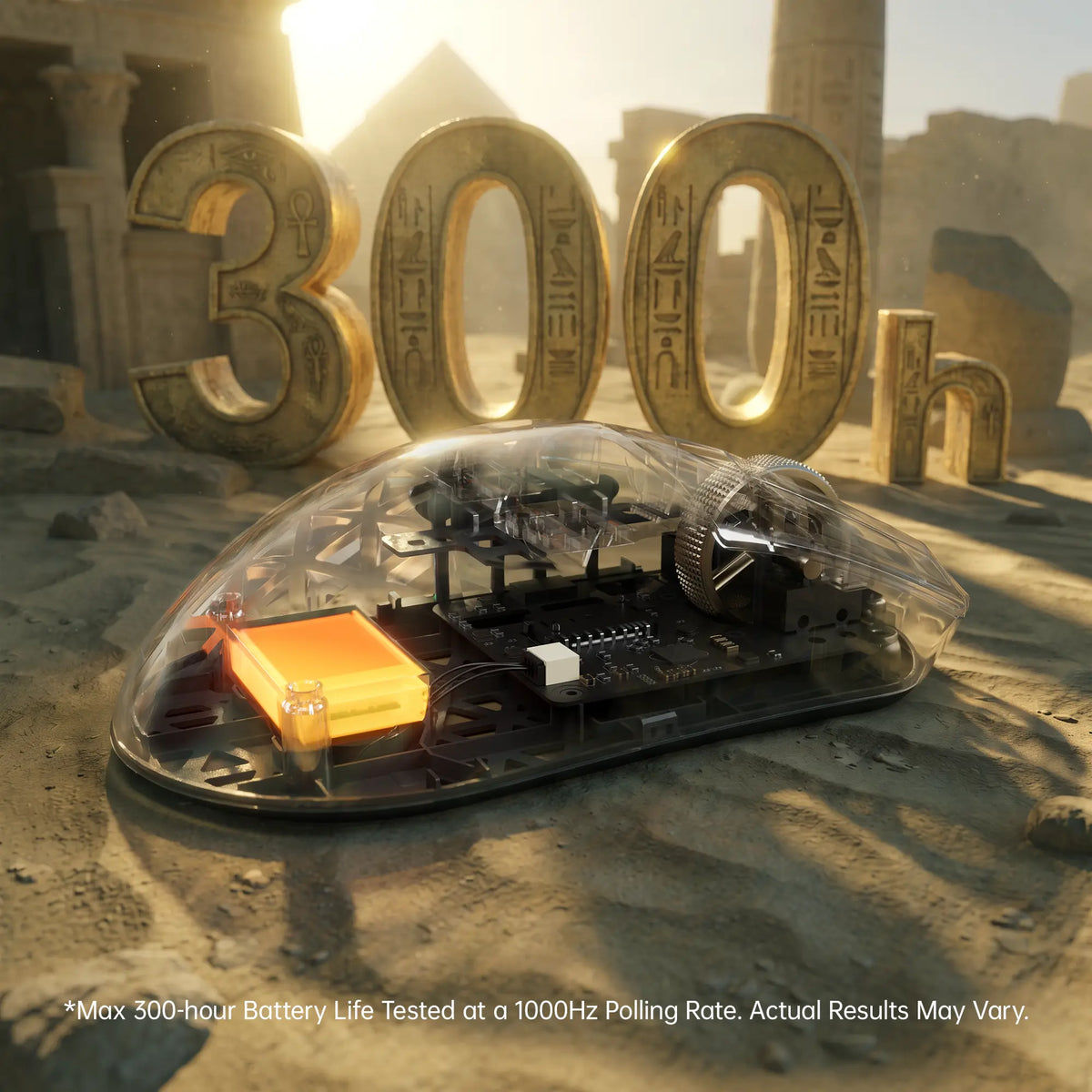
ATTACK SHARK R5 TURBO 300-hour battery life shown through a transparent shell

최대 300시간의 배터리 사용 시간

더 오래 플레이하세요. 충전 비용은 줄이세요.

초경량 290mAh 고밀도 배터리를 탑재한 R5 TURBO는 1000Hz에서 최대 300시간의 배터리 수명을 제공하며, 오래 지속되는 사용 시간과 초경량 디자인을 결합해 끊김 없는 게이밍을 지원합니다.

최대 300시간의 배터리 수명은 통제된 테스트 환경에서 1000Hz 폴링 레이트로 측정한 결과입니다. 실제 배터리 수명은 사용 방식, 설정 및 사용 환경에 따라 달라질 수 있습니다.
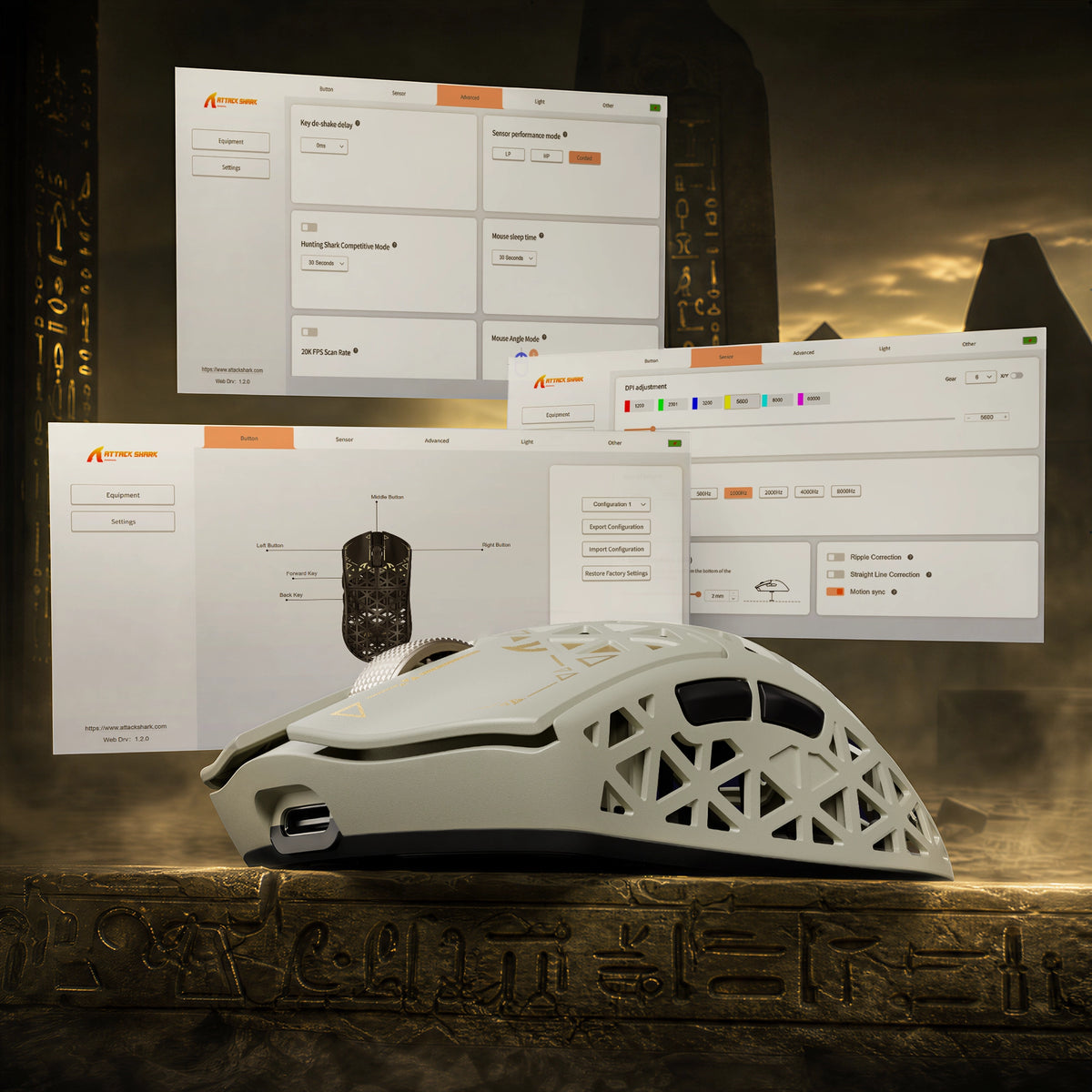
ATTACK SHARK R5 TURBO driver software for DPI adjustment, key remapping and lighting

웹 기반 및 다운로드 가능한 드라이버

당신의 마우스. 당신의 규칙.

편리한 웹 기반 드라이버와 다운로드 가능한 PC 드라이버로 R5 TURBO를 완벽하게 제어하세요. 웹 드라이버는 연결된 장치를 자동으로 인식해 추가 소프트웨어 설치 없이 빠르게 사용자 설정에 접근할 수 있도록 해줍니다. 설정을 세밀하게 조정해 플레이 스타일에 맞는 나만의 경험을 만들어 보세요.

<split-lines ></split-lines>

Technical Specifications

Model
R5 TURBO
Material
Carbon Fiber Composites
Connection
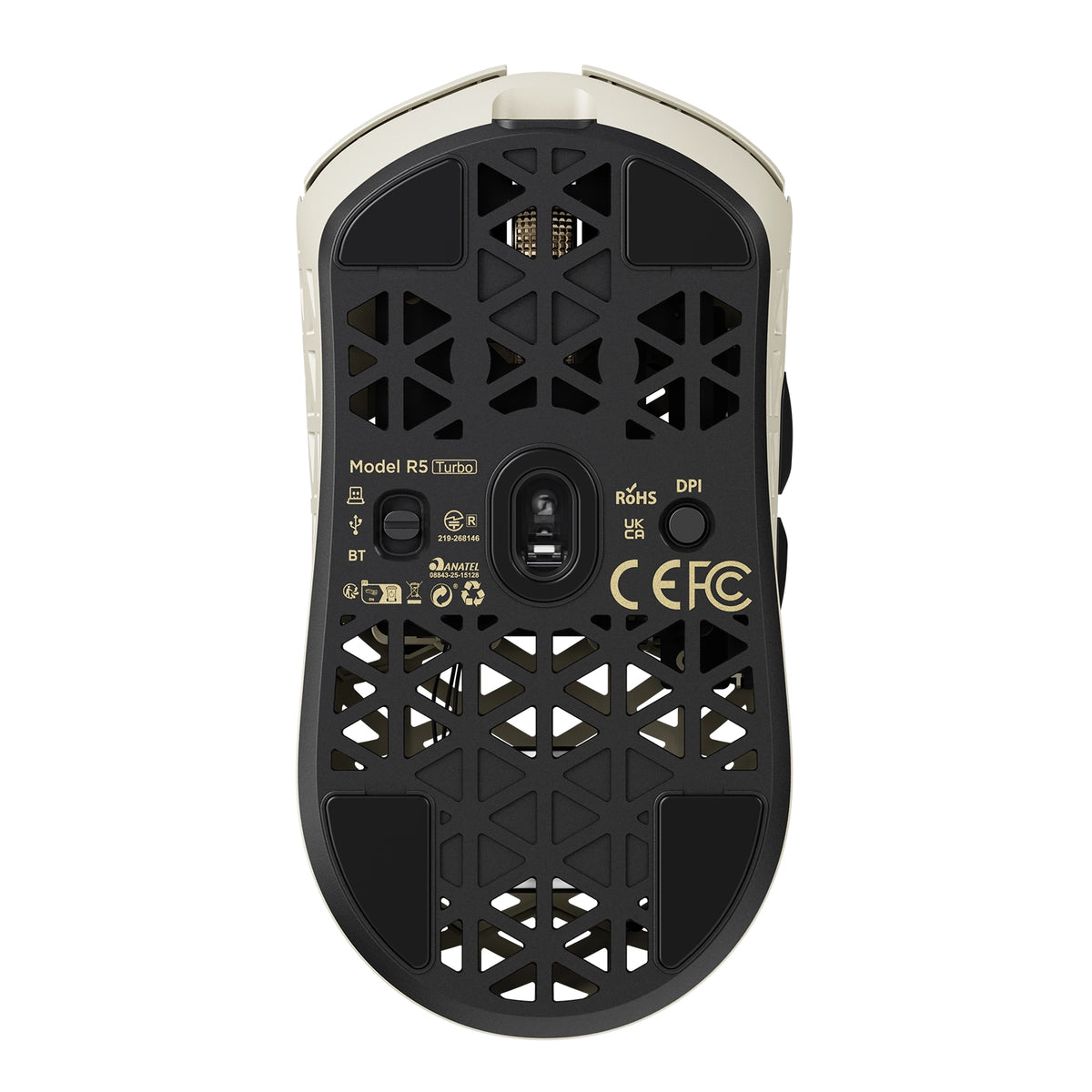
Wired/2.4G/Bluetooth 5.2
Sensor
PixArt PAW3950MAX
MCU
Nordic 54LM20
DPI
Up to 60000 (Supports precise 50 DPI step micro-adjustments )
Accelerated Speed
60G
Movement Speed
750IPS
Static Scan Rate
Supports ≥20,000 FPS
Weight
43g±3g
Polling Rate
Dual 8000Hz (Wired / Wireless)
LOD (Lift-Off Distance)
3-level (0.7/1.0/2.0mm)
Size
119.5mm X 61.0mm X 36.3mm
Microswitches
Omron Optial Microswitches (100 Million Times)
Scroll Wheel Eocoder
TTC Gold Scroll Wheel Encoder
Surface Treatment
Glass-feel Ice Coating
Battery Capacity
290 mAh
Mouse Feet Material
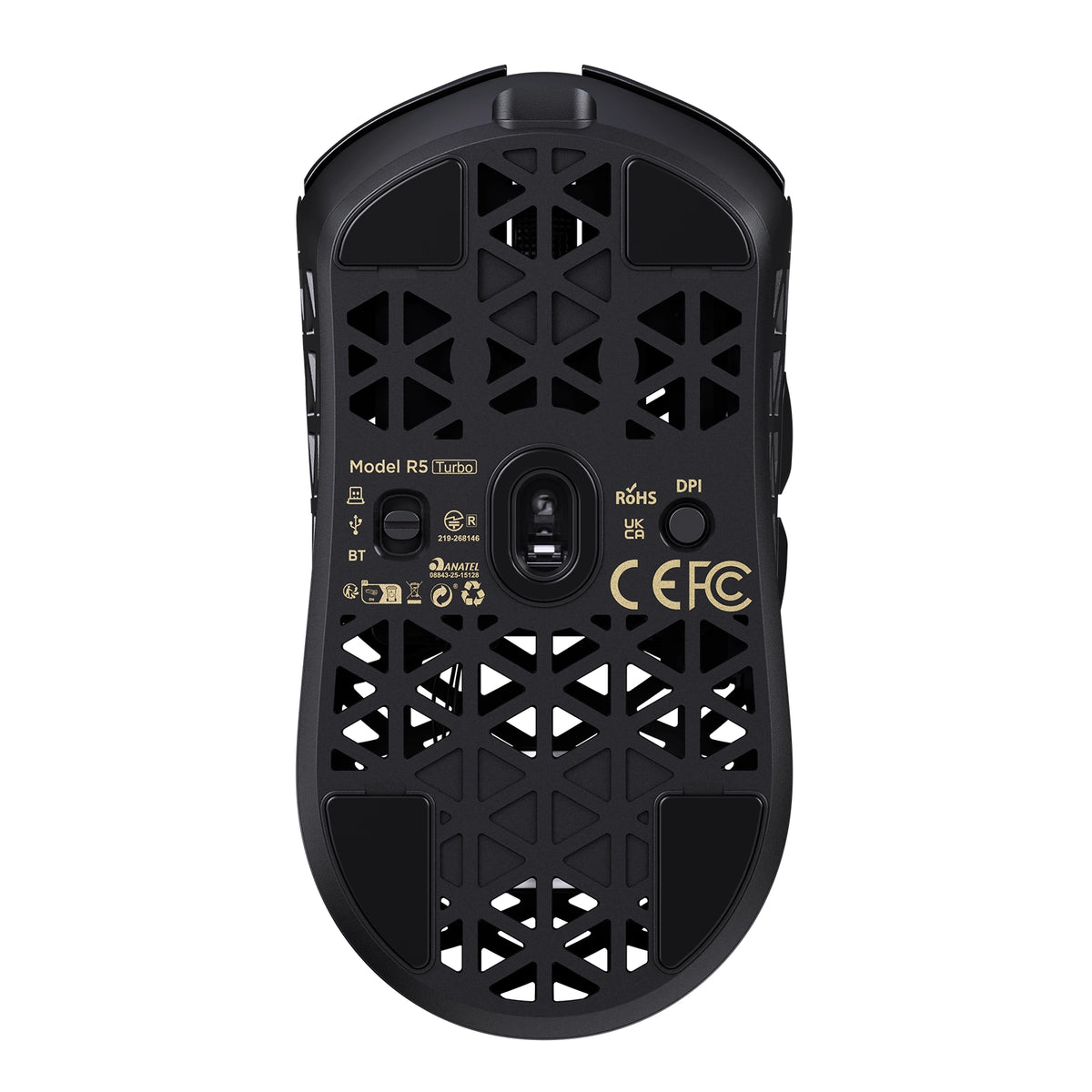
PTFE
Charging Interface
Type-C
What's in the box
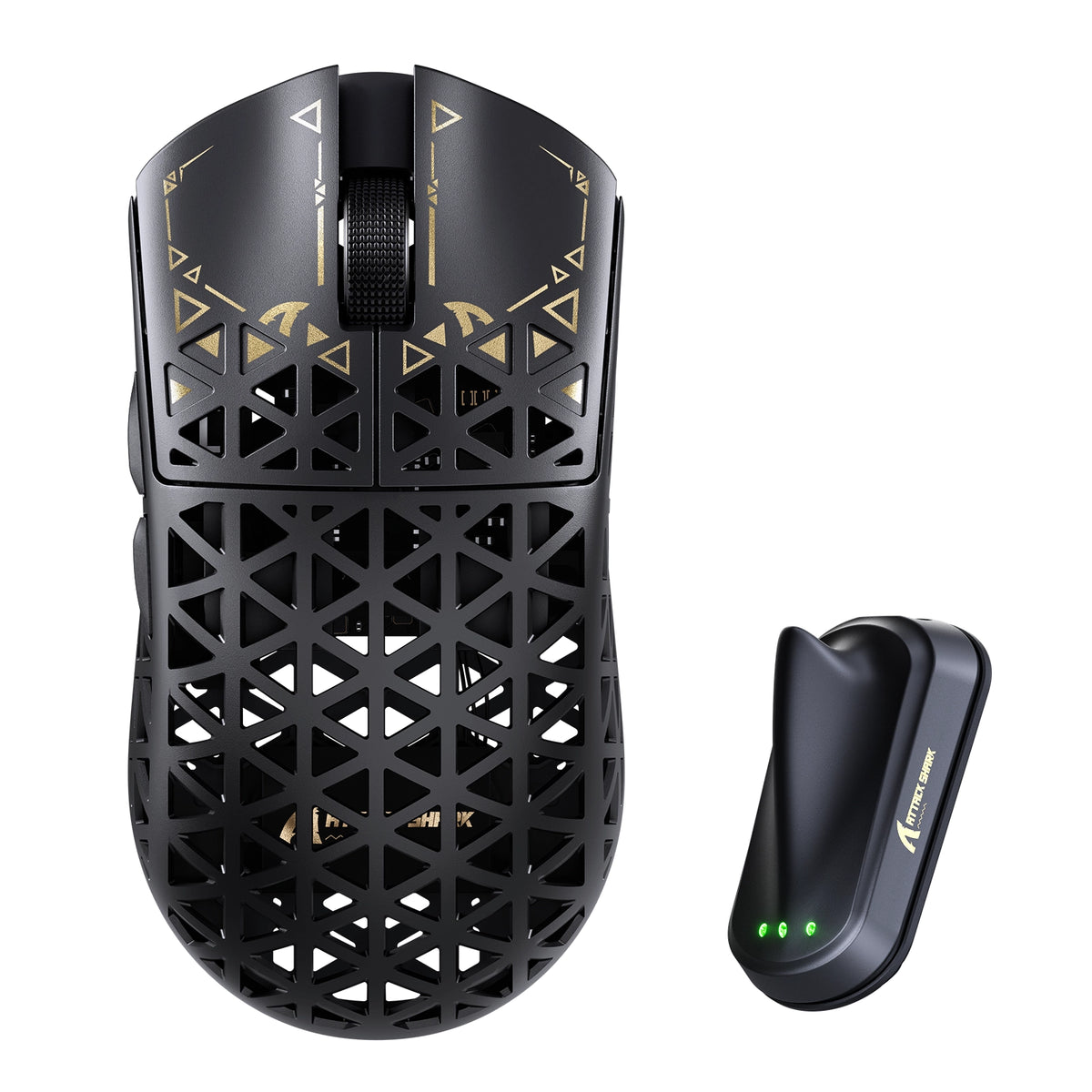
Mouse*1, 8K Receiver *1, 8K USB-C Cable *1, Grip Tape*1
  • 초경량 탄소 섬유 복합 소재 쉘

  • 무게가 단 43 ± 3g인 R5 TURBO는 사출 성형 탄소 섬유 복합 소재 쉘을 적용해 가벼운 구조와 뛰어난 구조적 강도 및 내마모성을 모두 갖췄습니다. 중공 통풍 설계로 장시간 게임을 즐길 때 공기 흐름과 편안함을 개선합니다.
  • 플래그십 PAW3950 MAX 광학 센서

  • 고성능 PAW3950 MAX 광학 센서를 탑재해 최대 60,000 DPI, 정밀한 50 DPI 단위 조정, 750 IPS 추적 속도, 60G 가속도를 지원합니다. 빠른 속도의 경쟁 게임에서도 탁월한 추적 정확도와 민첩한 컨트롤을 경험해 보세요.
  • 차세대 Nordic 54LM20 MCU

  • 플래그십 Nordic 54LM20 MCU를 탑재한 R5 TURBO는 강력한 처리 성능과 효율적인 무선 통신을 제공합니다. 속도와 안정성을 고려해 설계되어 치열한 게임 중에도 빠른 입력 처리와 안정적인 성능을 보장합니다.
  • 3단계 조절식 리프트오프 거리

  • 0.7mm, 1.0mm, 2.0mm의 세 가지 리프트오프 거리 설정으로 추적 환경을 맞춤 설정할 수 있습니다. 마우스를 들어 옮길 때 센서의 반응을 세밀하게 조정해 다양한 게임 스타일에 맞는 유연성과 컨트롤을 제공합니다.
  • 1억 회 이상 클릭 수명의 OMRON 광학 스위치

  • 1억 회 이상의 클릭 수명으로 평가받는 프리미엄 OMRON 광학 스위치를 탑재한 R5 TURBO는 빠르고 일관된 작동과 탁월한 내구성을 제공합니다. 수많은 게임 세션에서도 안정적인 클릭 성능과 민감한 피드백을 경험해 보세요.
  • 듀얼 8K 폴링을 지원하는 트라이 모드 연결

  • 다양한 환경에서 사용할 수 있도록 유선, 2.4GHz 무선, Bluetooth 연결을 지원합니다. 유선 및 2.4GHz 무선 모드에서 최대 8000Hz 폴링을 지원해 초고속 입력 전송과 부드럽고 정밀한 컨트롤을 제공합니다.
  • 최대 300시간 배터리 수명

  • 가벼운 290mAh 고밀도 배터리를 탑재한 R5 TURBO는 1000Hz 폴링 속도에서 최대 300시간 사용할 수 있습니다. 초경량 디자인을 유지하면서 충전으로 인한 중단을 줄여 장시간 게임을 즐길 수 있습니다.
  • 웹 기반 및 다운로드형 PC 드라이버

  • 웹 기반 드라이버와 다운로드형 PC 드라이버로 게임 환경을 맞춤 설정할 수 있습니다. 웹 드라이버는 연결된 장치를 자동으로 인식하므로 추가 소프트웨어를 설치하지 않고도 마우스 설정에 빠르게 접근할 수 있습니다.
  • 프리미엄 아이스 터치 표면 코팅

  • 유리처럼 매끄러운 특수 아이스 터치 코팅을 적용한 R5 TURBO는 산뜻하고 부드러운 표면 감촉을 선사합니다. 손에 땀이 찰 때의 불편함을 줄이도록 설계되어 장시간 게임 중에도 편안함과 쾌적한 그립감을 제공합니다.
  • TTC Gold 엔코더를 탑재한 맞춤형 전기도금 스크롤 휠

  • 프리미엄 TTC Gold 엔코더와 맞춤형 전기도금 스크롤 휠을 탑재한 R5 TURBO는 정밀한 스크롤 컨트롤과 섬세한 촉각 피드백을 제공합니다. 금속 마감으로 고급스러운 느낌을 더하고 전반적인 스크롤 경험을 향상합니다.

자주 묻는 질문

이 텍스트를 사용해 제품 또는 배송 정책에 관한 정보를 공유하세요.
How to choose a gaming mouse - and where does the R5 TURBO fit?

A gaming mouse buying guide comes down to five decisions: weight, shape and grip, sensor and polling rate, switch type, and how you connect it. For fast FPS play a lightweight wireless gaming mouse like the R5 TURBO hits all five - 43g, PAW3950 MAX, 8K polling, optical switches, tri-mode wireless. Shape and grip come first: it is the one thing you cannot upgrade later.

What is the ATTACK SHARK R5 TURBO - and what is in the box?

The R5 TURBO is ATTACK SHARK's carbon fiber wireless gaming mouse: a 43 +/- 3g injection-molded composite shell, PAW3950 MAX sensor, Nordic 54LM20 MCU, OMRON optical switches and dual 8K polling over wired and 2.4GHz. An ultralight gaming mouse for competitive FPS - and a contender for best mouse for fps. Dune, Black and White; MSRP US$89.99, or US$94.99 for Dune. Pre-orders Oct 23 PDT, shipping Nov 7. Box: mouse, 8K receiver, USB-C cable, grip tape, guide.

How light is the R5 TURBO, what grip does it suit, and is 43g too light?

Light vs heavy mouse is a genuine trade-off: under roughly 60g a lightweight mouse cuts fatigue and frees fast flicks, while extra weight adds inertia others prefer. At 43 +/- 3g the R5 TURBO sits in the ultralight mouse bracket - among the lightest gaming mouse designs at this size - and the composite shell keeps that gaming mouse weight from feeling hollow. 119.5 x 61 x 36.3mm suits claw and fingertip grips; very large hands want a wider shell.

Why carbon fiber instead of a plastic honeycomb shell?

Most lightweight gaming mice use a thin ABS honeycomb shell that flexes and wears. Carbon fiber mice do not: the R5 TURBO's injection-molded composite gives higher strength, better wear resistance and far less flex at 43g - what separates a carbon fibre mouse from plastic. The vents stay for airflow, so you get a carbon fiber gaming mouse without the fragility of early ultralight designs.

Does the honeycomb design let dust in or flex under pressure?

The vents sit above an internal frame, not the PCB, so dust and crumbs do not reach the sensor or switches. The composite shell resists pressure far better than thin plastic honeycomb - squeeze the sides and there is noticeably less give. If a mouse with holes put you off because older honeycomb mouse designs felt flimsy, this fixes it: the carbon fiber mouse shell loses nothing in durability.

Will it help if my hands sweat during long sessions?

Sweaty hands come down to surface friction and trapped heat. The glass-like ice-touch coating feels cool and low-friction, resisting the sticky drag of matte plastic, and the ventilated shell lets heat escape instead of trapping it under your palm. If you have been hunting for the best mouse for sweaty hands, that is exactly what the coating is for: it makes this a gaming mouse for sweaty hands, not just a mouse with a nice surface.

What sensor and DPI does it use, and why does 3-level LOD matter?

It runs the PAW3950 MAX with 1,200-60,000 DPI in 50 DPI steps, 750 IPS and 60G, and HUNTING SHARK mode lifts static scanning to 20,000 FPS. In practice the 50 DPI step matters more than the headline number. Three LOD presets - 0.7mm, 1.0mm, 2.0mm - set how far you lift before tracking stops, and 0.7mm suits cloth pads and fast resets. That is why this fps mouse feels locked in.

What does the Nordic 54LM20 MCU bring over the previous generation?

It is the flagship Nordic 54LM20, a step up from the Nordic 54L15 in the previous generation. It handles input faster and keeps the wireless link stable when the sensor works hardest: more headroom for 8K polling on 2.4GHz, and enough processing to hold HUNTING SHARK mode at full scan rate. In practice that is fewer dropped inputs during fast flicks.

What polling rate does it support, and is 8000Hz worth it?

It reports at up to 8,000Hz in both wired and 2.4GHz modes. The 1000Hz vs 8000Hz mouse question is one of interval - 1ms versus 0.125ms - so an 8000Hz gaming mouse updates your aim eight times more often. Whether that is the best polling rate for gaming depends on your display: 8K pays off on 240Hz with a strong CPU, not on 60Hz. Mouse polling rate is adjustable any time.

Do I need a high-end PC to run 8K polling?

An 8k polling rate mouse generates more USB traffic and leans on the CPU: use a directly connected rear port, not a hub. A modern 6-core CPU should show no meaningful drop, which is why an 8K mouse ships with a dedicated receiver - the shark-fin unit adds a longer antenna and LEDs for link, rate and battery. If you do see a hit, drop to 2000Hz; this 8k gaming mouse stays smooth lower down.

Wired vs wireless: is the R5 TURBO as fast as a wired mouse?

Wireless mouse latency is the old objection to cutting the cable, and at 8K it largely disappears: ATTACK SHARK's self-developed transmission brings click latency below 0.168ms at 8000Hz on a competition-grade PC - past the point where wired vs wireless gaming mouse differences are humanly detectable. Wired mode also runs 8K, so the cable is for charging. That is why it holds up as a best wireless gaming mouse, not a compromise.

How long does the battery last, and how do I charge it?

The 290mAh high-density battery is rated for up to 300 hours at 1000Hz. Gaming mouse battery life scales with polling rate, so run 8K while you play and drop to 1000Hz or Bluetooth between matches. Charging is over USB-C, and the receiver's three LEDs show link, rate and battery. For a 43g shell that beats most wireless gaming mice - long battery life usually costs you weight.

How do I set it up, switch between wired, 2.4GHz and Bluetooth, and customize it?

The Bluetooth vs 2.4GHz mouse question is one of priorities. Bluetooth 5.2 is for work - no dongle, instant switching - but its report rate is capped. 2.4GHz through the shark-fin receiver is the gaming path: full 8000Hz and the most stable signal. Wired is for charging and playing at once. Settings live in the web driver, which finds the mouse in your browser with nothing to install, or the downloadable PC driver.

What switches does it use, and why optical?

It uses OMRON optical switches rated beyond 100 million clicks. An optical switch mouse actuates when a light beam breaks rather than when metal contacts touch, removing the wear behind double-click failures and giving a faster, cleaner release. If you want a gaming mouse with optical switches so you stop replacing mice yearly, that is the real gain.

What is upgraded in the scroll wheel?

The wheel is a custom electroplated unit on a TTC Gold encoder - not the plain plastic wheel and budget encoder most lightweight mice use. The plating resists shine and wear, and the Gold encoder keeps every step crisp instead of going mushy after months of scrolling, so scroll-wheel binds like weapon swap and jump register the same in month six as on day one.

Is it a good mouse for CS2?

CS2 rewards weight, a predictable sensor and low lift-off distance, and the R5 TURBO covers all three: 43g for fast counter-strafing and wide flicks, 750 IPS with no acceleration, and LOD down to 0.7mm so the crosshair does not drift on reset. For anyone shortlisting a best mouse for CS2, it is built for low-sensitivity players who want nothing else in the way.

Is it good for Valorant?

Valorant rewards small, repeatable adjustments over raw flicks, so fine DPI control and crisp, fast-resetting clicks matter most. The R5 TURBO gives 50 DPI steps to match the sensitivity you already run, 8K polling for smoother micro-tracking, and optical switches with a short clean reset for tap-fire duels. Effective sensitivity beats a big DPI number. A strong candidate for best mouse for Valorant on claw or fingertip.

고객 지원은 월요일부터 금요일까지 오전 8시부터 오후 8시 30분까지 이용하실 수 있습니다.평균 답변 시간: 24시간