








Frequently Asked Questions
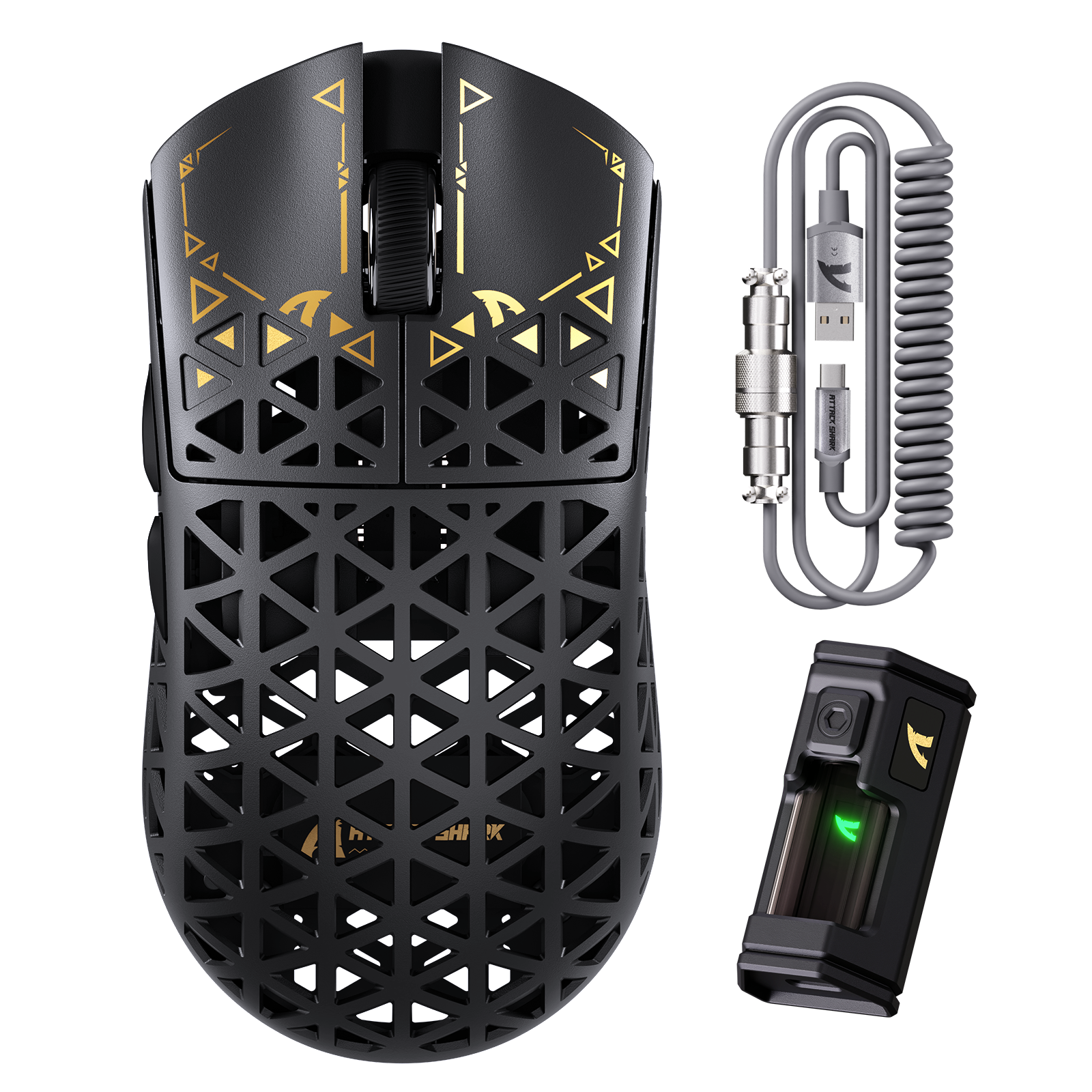
ATTACK SHARK R5 ULTRA 카본 파이버 무선 8K PAW3950MAX 게이밍 마우스 8K 코일 케이블 포함
- Share:
-

-

-

-


- In Stock
Frequently Asked Questions
Frequently Asked Questions
Technical Specifications
WEB DRIVER


탄소 섬유로 새로운 가능성을 열어보세요
탄소 섬유 복합재의 탁월한 강도 대 중량 비율은 항공우주, 자동차, 스포츠 산업에 이상적입니다. R5 Ultra의 외피에 이를 사용하여 39그램(±3)의 가벼운 무게와 높은 내구성을 동시에 달성했습니다.

차세대 플래그십 센서: PAW3950MAX
PixArt의 최신 PAW3950MAX 센서를 탑재하여 42,000 DPI, 8000Hz 폴링, 750 IPS 속도, 50G 가속도를 제공하며 뛰어난 정밀도를 자랑합니다. 번개 같은 반응 속도와 완벽한 추적 성능으로 FPS 헤드샷이나 고속 MOBA 조작에 최적화되었습니다. 프로들이 신뢰하고 승리를 위해 설계되었습니다.

무게 단 39g의 초경량
탄소 섬유 복합재와 구멍이 뚫린 쉘 디자인 덕분에 R5 Ultra 초경량 마우스는 무게를 줄여 겨우 39(±3)g에 불과합니다. G Pro X보다 33%, V3 Pro보다 23% 가볍습니다. 모든 RPG, MMO, FPS, MOBA, 배틀로얄 및 기타 빠른 속도의 게임에 완벽합니다.

8000Hz 무선 폴링 레이트
R5 Ultra는 무선 모드에서 인상적인 8000Hz 폴링 레이트를 제공하여 응답 시간을 1000Hz의 1ms에서 단 0.125ms로 단축합니다. 초반응 커서 움직임과 번개 같은 트리거 반응을 경험하여 중요한 순간에 경쟁 우위를 확보하세요!

SMARTSPEED 연결성
연결 상태를 유지하고 멈추지 마세요 – SMARTSPEED 무선 기술로 구동되는 R5 Ultra는 초고속 2.4G, 민첩한 블루투스, 신뢰할 수 있는 유선 연결을 통해 원활한 다용도를 제공합니다. 200시간 연장 배터리 수명으로 게임을 더 오래 즐길 수 있어 항상 승리를 준비할 수 있습니다.

1억 회 클릭 – Omron 마이크로스위치
프리미엄 Omron 스위치로 초선명 클릭감과 뛰어난 내구성을 즐기세요. 1억 회 이상의 클릭 수명을 자랑합니다. R5 Ultra는 또한 정밀하고 촉각적인 스크롤을 위한 F-Switch 스크롤 휠 인코더를 탑재했습니다. 이 모든 것이 좋아하는 게임에서 탁월한 촉각을 제공합니다.

업그레이드된 TPU 코일형 마우스 케이블
패키지에는 1.6m 낙하산 코드와 최대 70인치까지 확장 가능한 코일형 마우스 케이블이 포함되어 있습니다. 고품질 금속 커넥터를 사용하여 산화 및 간섭에 강하며, 잦은 사용에도 안정적인 연결을 보장합니다.

완전하게 사용자 지정 가능
드라이버 소프트웨어에서 마우스를 설정하여 버튼, DPI 설정, 폴링 레이트, 리프트 오프 거리 등을 프로그래밍하세요.
소프트웨어 설치 또는 제품 사용 중 문제가 발생하면, 전용 지원을 위해 즉시 문의해 주세요.
Wowww

Good packaging and safety


The media could not be loaded.
Attack Shark R5 UltraPros: Insanely light, Control pannel is good, Clicks respond fast, Switches sound nice, Very strong, Battery is good and very nice flicks.Cons: Take off the pre-installed mouse skates if you want it to glide and use wallhack mouse skates, also if you want it to spin take off all mouse skates and use the pre-existing mouse ring.Overall: 10/10, best mouse ive ever used

Super un schnell Mouse ich bin sehr zufrieden auf meine gaming Leistung 💪


This mouse is very responsive, especially for playing shooter games. I really like the design.

My 13 year old son is a gamer and he is very happy with this carbon mouse.

Mouse molto leggero 40 grammi, super veloce frequenza in 8k MA ATTENZIONE solo in modalità wireless. Non capisco perché molte recensioni dicono che non duri nulla la batteria, ho il 30% ed è da 1 settimana e qualche giorno che lo uso intensamente. Consiglio il prodotto.

Perfect
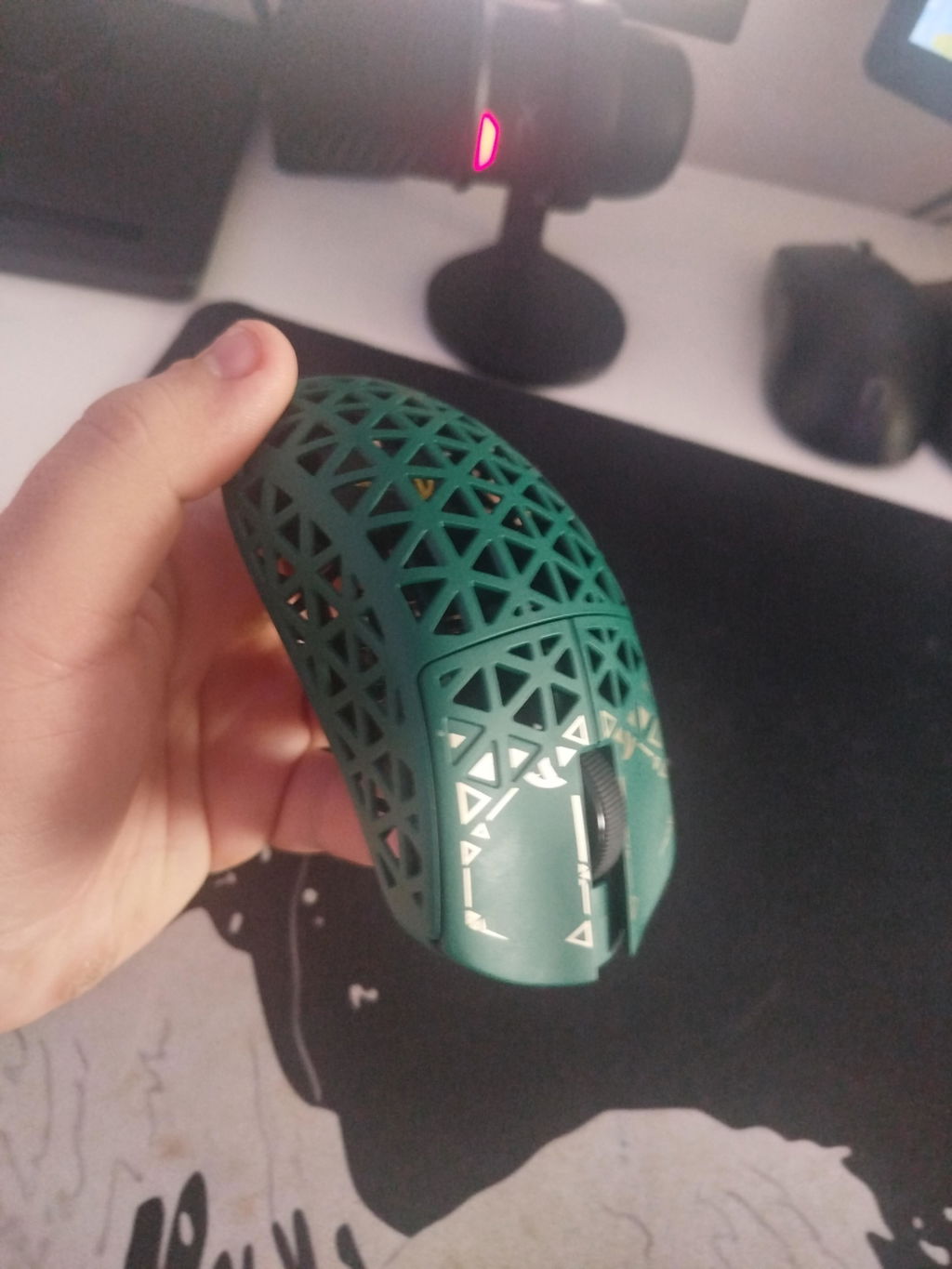
Fantastic mouse, extreamly light, easy in the hard, wireless is fast and with the web configuration it also works flawlessly on Linux! 100% one of the best mice I've used. Only flaw is the poor battery life about 4-5 days of daily gaming, but the charging is super fast at about 20-30 mins!


viper v2proからの変更持った第一印象はとにかく軽い!軽すぎてびっくり大きさはviper v2proと比べると少し小さめ。手の小さい自分には持ちやすくてgoodでした表面はとてもサラサラしてるサイドボタンは小さめで人によっては少し押しずらいかもあとは長期間使用したときに塗装がどうなってるか心配かな


○オーダの背景 私は長年トラックボール派でして、1990年くらいからずーっとトラックボールを使ってきたので、マウスを握るのは、35年ぶりw。現在は Logigool Ergo M575S(もー廃番でつね)を使っています。計算機の主たる用途は文書書きとかプログラミングのテキスト編集中心でしたが、最近になって遊びで写真の編集などをはじめて、マウスだったらポインタの微細な動きとかがラクにできるかな、とか思いゲーミングマウスがどーいうものかも知らずオーダしてしまい、後になってゲーミングマウスが、微細かつ正確にポイントを動かすものではなく、その真逆の、素早く大きな動きをするためのツールである、ということを受け取っていから知ったのでありました。○本機を使ってみました 本マウスは、動きを最小にする設定はフツーのマウス並の800DPIまで可能で、このように設定して、アクセラレーションを切って、現在のトラックボールの設定並に微細な動きができるようになりました。残念ながらトラックボールを凌駕する精密な動きができるか、というと、そーいう感じは残念ながらなかったですね。マーマウスをはなれて35年、すっかりトラックボールになれてしまった私だからそーなのかもしれません。ググってみると、世間では、トラックボールよりマウスの方が精密作業向きである、という意見が多いですね。 逆に細かい動きから大きな動きまでの設定変更が(直感的ではないが)簡単にできる、というのはよくできている、と思いました。しかし、私は今の所大きな動き、というのは必要としないのですけどねw○本機を使った感想 斬新な外見はとても素敵です。 基盤が剥き出しなのはちょっと怖いですね、近くに飲み物を置けない、って感じ。ほこりが溜るもの心配ですw。計算機を使う上でのお行儀を矯正されそうw とても軽量です。 ホールド感もすべりもとてもいいです。しかし摩擦係数高い滑りが悪い所の方が精密な動きにはいい感じですね。ゴムシートの上なんかがいい感じです○評価よい点 有線無線とも Linux で使えます 設定とマウスパッド次第で極めて精密な動作が容易になる 逆に大きな動きを容易にする設定に容易に変更できる 外見は極めてカッコいい 43gと極めて軽量 ホールド感はよい 左側面に親指で押すボタンが二つあるイヤーンな点 基盤が剥き出し 内部に埃が溜りやすく、かつ清掃が難しそう○結論 予想以上に実用的にも使えるよいマウスだと思いました。

The mouse itself is amazing_10/10 nice grip for my hand_10/10 perfect wight_10/10 response_10/10 no need for software_10/10 Looks lovely_8.5/10 fair priceThe only reason I'm giving it 4 star its because sometimes in middle of the game it does someweird flicking and it a bit tricky to clean as well

Excellent mouse. I loved the quality of the product and how fast it's. I'm very satisfied with the purchase, and you're definitely the best at this. Thanks for everything <3
Bofff muy bueno este mouse 10/10, lo recomiendo


軽量は間違いないですね。Razer Viper V3と比較してもちょっと触ってこれは軽い!と思えるレベルです。できる範囲でとにかく肉抜きしました!という感じのインパクトあるデザイン。強度はカーボン使用で担保しているということなのでしょう。(ドライカーボン製というわけではなく、おそらくカーボン繊維を使ったFRP製と思われます)サイズは小さめでViper V3よりもザックリ長さで1cm、幅で3-5mm程度小さいです。このためかぶせ持ちやつかみ持ちだと少し手が余る感じ。手の小さい人だとそうでもないとは思いますが、でもツマミ持ちにしっくりくる感じかと思います。いわゆる「ゲーミング」マウスですが、内部が発光したりはしません。ですが内部の基板やチップが見えるのはなかなか新鮮です。好きな人は好きだと思います。ポーリングレート8000Hz対応ということですが、そのためか強そうな大きめのドングルが付属しています。これは本体直差しではなくケーブル経由でマウスの近くに設置することが前提でしょう。外装が編み込みでやや太めのケーブルが付属しており、柔軟性はそれほど高くないため本体直結で有線マウスとして使うにはケーブルの突っ張りが気になると思います。本体接続というよりはドングル接続用という意味合いで、おそらく標準的な使い方としてドングル接続を前提にしているように思います。ドングル接続では非常に動作はスムーズです。ポーリングレートを上げてカーソルが変に引っかかったり跳んだりすることはなく快適に動作します。8000Hz動作にするとバッテリー持ちが良くないですが、まあそれは仕方ないところですね。普通に使う分には1000Hz以下で十分快適です。ボタンは4ボタン+ホイールという標準構成で、底面にはDPI変更ボタンが一つあります。左右ボタンはクリッキーで音は高く、押下圧は普通の感触です。個人的にはもう少し軽いタッチで押せるほうが本体の軽さに合うように感じますが、マウスとしての違和感は特にありません。ドライバーアプリは割とシンプルな作りです。ポーリングレート、DPI、キーバインド、マクロが設定でき、多少マニアックなところではデバウンス時間とリフトオフディスタンス(0.7, 1, 2mm切り替え)でしょうか。その他にはスリープまでの時間(デフォルト値は15秒でスリープ無しも選択可)、その他アングルスナップ、モーションシンク、リップルコントロールのオンオフが選択できます。基本的な作りは悪くないと思いますので、デザイン、軽さ、サイズ感(による使用感の向き不向き)が自分にフィットすれば損はない良いマウスと思います。

サイズはRazer DeathAdder V3より一回り小さく軽量で耐久性も高いです。クリック感と反応速度もかなり良く、FPSやTPS等のゲームにも向いています。手の小さい人や小さいマウスを探してる人には使いやすいかと思います。ただ、コイルケーブルのため取り回しが悪く感じる場面が多々ありました。個人的には柔らかいケーブルの方が使いやすいので、この点だけ残念でした。


2.4g接続、Bluetooth接続のどちらも試しましたが、2.4g接続の方が良いと感じました。マウスの設定は専用のWebページから行いますが、簡単かつ直感的に使えます。使用感はまず、軽さに驚きます。肉抜きだからなのか、カーボンファイバー製だからなのか、軽く剛性感があり良いですね。ゲームの時はマウスを持ち上げたりする動作もあるので、軽量はありがたいです。グリップ感は自分的には問題なかったが、気になるのであれば、専用のグリップテープを使うとより良いのかもしれません。総じて満足のいくマウスでした。

The Attack Shark R5 Ultra, essentially a re-label of the IPI Float with some changes is a delightfully solid mouse.Some quick notes:• Comes in at 43 grams with two strips of grip tape applied• Carbon Composite frame is very rigid and feels higher end• Main clicks are Omron D2FC-F-7N 100m, not the Optical D2FP-FN2 switches as is shown in some media• Great shape on the thumb buttons that protrude just right• Slightly above average skates, with included replacements• Large external dongle, more for looks over functionality• Decent battery life, at least on lower polling rates• Works good with claw grip though a little on the narrow side• Slightly flat for palm grip, though your taste may vary• Included cables are not great, both the braided and the coiled. Too stiff.• Web driver is simple and straightforward with a handful of adjustments• DPI button is on the bottomThe longer part for those who want the details:This mouse upon placing it in the hand feels almost like air, its balanced well and is a fairly universal shape that many people can work with though personally I would have preferred it to be slightly wider in the mid section with my fingertip grip. The Carbon Composite plastic used here is extremely rigid and feels higher grade than the average mouse material. Looking close at it or even digging into it with a nail it feels harder and more substantial. Despite being mostly holes, there is almost no flex whatsoever. It is however rather slick and lacks grip, though there is a set of grip tape provided with this specific set which definitely improved my comfort on the sides. With two strips applied it hit 43g on the scale, which puts it solidly in a great zone for lightweight mice.Main clicks are not the Optical switches shown in the media and some promo, nor are they Kailh, but Omron 100m switches. Attack Shark issued a statement that the switch selection was changed somewhere along the line for "key sound performance," however the media was not updated properly to reflect the change. They are satisfying enough though and I can't find much of any fault with the performance, but are nothing exceptional to note. I hope they hold up just as well over longer periods. Fingertip placement affects the feel of the switch slightly, with a higher up grip being more firm with less travel, and lower down having a slightly looser feel. Not bad, but nothing exceptional to note. Scroll wheel feels fairly standard, on the lighter side but still has enough notch to the encoder to prevent accidental input.The thumb buttons have a very pronounced shape with an outward crease along the center line that catches the thumb in just the right way without being too chunky. They don't sink in too far when pressed either, and this shape has become my favorite out of the half dozen gaming mice I have on standby.The 3950 sensor works just as it should with excellent tracking, no spin out and has some extra features. In the driver polling can be adjusted from 125 to 8K, LOD has three heights, Motion Sync, Ripple Control, and Angle Snap are all supported. Using a corded connection drops the polling to 1K max, and then when on Bluetooth mode the driver does not connect and reports back only at a basic polling rate. Running the polling tester my PC could pick up roughly 6800-7000 Hz from the wireless connection, so 8K is possible, it will also depend on system load and other factors of course. Higher polling has more effect on battery life and has diminishing returns so I run it at 2k personally. Said battery life despite the tiny size of the cell is acceptably good, and I charge it roughly once a week.The included skates are all right but nothing exceptional, users of customized mice or ultra high end will find them a little more draggy, but they are serviceable. There is an included set of extra skates that are white which I have not tried yet, they could be slightly better if they are the higher grade PTFE.One of my biggest disappointments with the mouse however is in the cables, both of them. This kit comes with an additional coiled cable with an aircraft style connector as is more commonly seen on keyboards, though its an odd design. The coil is placed far back as to allow for a long enough tail to use on the mouse wired, but that places the coil essentially back where you will never see it and the wire is too stiff to use for mousing IMO so I don't think it is worth the premium vs this mouse that is sold without it. The regular black braided cable that is also included is also far too stiff, and I ended up replacing it for the time I used this plugged in with one more flexible. The dongle is chunky, and is an external type meant to be placed on your desk close to the mouse connected with one of the Type C cables It has a status LED but there's not much of anything to note about it. The mouse itself has its own status LED inside the frame, but its turned off most of the time unless under low battery, pairing or wired.All in all...


