






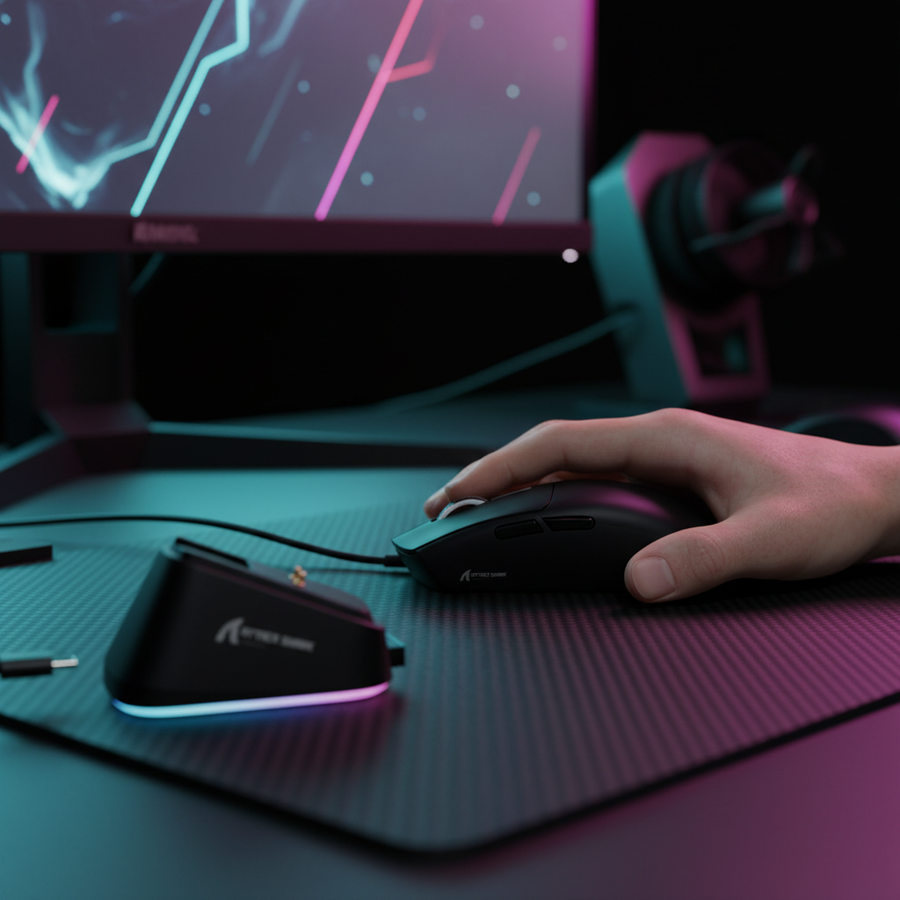
El problema del apuntado fantasma: por qué los sensores "saltan" durante los cambios de agarre
En entornos competitivos de FPS, pocas cosas son tan frustrantes como una pérdida de seguimiento "fantasma". Estás en medio de un 1v2 de alta tensión, cambias tu mano de un agarre relajado de palma a una garra agresiva para hacer un microajuste, y de repente, tu mira se traba o se detiene por completo. La mayoría de los jugadores culpa inmediatamente a un sensor defectuoso o a "deslizamientos", pero según nuestro análisis de tickets de soporte de alta frecuencia y devoluciones técnicas, la causa raíz rara vez es una falla de hardware. En cambio, suele ser una descoordinación mecánico-óptica causada por transiciones dinámicas de agarre.
Para el gamer con conocimientos técnicos, entender este fenómeno requiere ir más allá de las especificaciones básicas de marketing como "26K DPI" y profundizar en la física de la Distancia de Levantamiento (LOD), los ángulos sensor-superficie y el teorema de muestreo de Nyquist-Shannon aplicado al movimiento del mouse. A medida que los periféricos de juego evolucionan hacia tasas de sondeo de 8000Hz (8K), estas micro-inestabilidades se vuelven aún más pronunciadas. Esta guía resolverá por qué tu sensor se siente inconsistente durante reajustes rápidos y cómo optimizar tu configuración para una versatilidad fluida en carcasas multi-género.

La anatomía de un cambio de agarre: el fenómeno del "Levantamiento del Talón"
La mayoría de los gamers no usan un agarre estático. A menudo observamos jugadores que emplean un estilo "híbrido", cambiando la posición de la mano según la situación del juego—usando un agarre de palma para movimientos macro y recorrer el mapa, y luego apretando en un agarre de garra o con la punta de los dedos para francotiradores de alta precisión o movimientos rápidos.
Durante estas transiciones, ocurre un evento mecánico específico: el Levantamiento del Talón. Cuando cambias de agarre de palma a garra, el talón de tu mano (la región carpiana) se eleva naturalmente del cuerpo del mouse para permitir que los dedos se arqueen. Si tu mouse tiene una joroba trasera pronunciada, puede bloquear tu mano en su lugar, pero las carcasas más planas o aquellas con una joroba centralizada—como el ATTACK SHARK G3—permiten ajustes más basados en pivotes.
El problema surge cuando este levantamiento del talón hace que el mouse se incline ligeramente. Según nuestro modelado de escenarios para jugadores con manos grandes (~20 cm de longitud), un mouse que sea incluso un 6% más corto que el ajuste ergonómico ideal puede provocar una inclinación exagerada durante los cambios de agarre. Esta inclinación cambia la distancia y el ángulo del sensor respecto a la alfombrilla, lo que puede superar el LOD calibrado y causar un salto momentáneo en el seguimiento.
Resumen lógico: Nuestro análisis asume una longitud de mano de 20cm usando un ratón de 120mm. El déficit resultante del 6.25% en longitud (basado en una heurística de coeficiente de ajuste de 0.64) crea inestabilidad en la palma, lo que provoca una elevación del talón de aproximadamente 1–2mm durante las transiciones de garra.
Solución de problemas de la distancia de elevación (LOD) y la física de la superficie
El LOD es la altura máxima a la que se puede levantar un ratón antes de que el sensor deje de rastrear. Aunque generalmente se prefiere un LOD bajo (1mm) para evitar el jitter del cursor al reposicionar el ratón, un jugador con agarre dinámico puede encontrar que un LOD demasiado bajo causa pérdida de seguimiento si tiende a inclinar el ratón durante los movimientos rápidos.
La variable de reflectividad
La consistencia de su LOD no es solo una especificación del sensor; está directamente influenciada por su alfombrilla. Según investigaciones sobre la Distancia de elevación del ratón (LOD), la capacidad del sensor para mantener un LOD constante está directamente afectada por la reflectividad de la superficie.
Las alfombrillas híbridas — aquellas que intentan fusionar un deslizamiento de baja fricción con un alto poder de detención — presentan un desafío significativo para los sensores ópticos. Una superficie como la ATTACK SHARK CM04 Genuine Carbon Fiber eSport Gaming Mousepad ofrece un seguimiento casi perfecto y uniforme, pero su material único requiere una calibración precisa para asegurar que el sensor no interprete erróneamente la textura durante un cambio de agarre.
Pasos prácticos para la solución de problemas:
- Ajuste el LOD en el software: Si experimenta saltos durante los cambios de agarre, intente aumentar su LOD de 1mm a 2mm en el software del controlador del ATTACK SHARK R5 Ultra. Esto proporciona una "zona de amortiguación" más amplia para inclinaciones accidentales.
- Calibración de la superficie: Siempre use la función "Calibración manual" en el software de su ratón para la alfombrilla específica que utiliza. Esto alinea la intensidad de iluminación del sensor con la reflectividad de la alfombrilla, evitando el "jitter" o seguimiento inconsistente Calibración de la superficie: Maximice la precisión del ratón.
- Inspecciona los deslizadores: Los deslizadores de PTFE desgastados pueden hacer que el ratón se apoye más bajo o en un ángulo desigual. Hemos visto casos donde los deslizadores desgastados hacen que el sensor quede demasiado cerca de la alfombrilla, causando un seguimiento errático durante apreturas de alta presión Solucionando el salto del sensor: por qué los deslizadores desgastados comprometen el seguimiento.

El umbral Nyquist-Shannon: por qué 800 DPI podría estar fallándote
Una trampa técnica común para jugadores con agarre híbrido es usar un ajuste de DPI demasiado bajo para la resolución de su monitor. Muchos jugadores competitivos se mantienen en 800 DPI por costumbre, pero esto puede causar "saltos de píxeles" durante microajustes.
Aplicando el Teorema de Muestreo Nyquist-Shannon (que establece que la tasa de muestreo debe ser al menos el doble del ancho de banda de la señal para evitar aliasing), podemos calcular el DPI mínimo requerido para una fidelidad perfecta de píxeles. Para un monitor 1440p con un campo de visión estándar de 103° (FOV), los píxeles por grado (PPD) son aproximadamente 24.85.
Para evitar aliasing (saltos de píxeles) durante los micro-movimientos lentos comunes en ajustes con agarre de garra, tu DPI debe ser al menos el doble de ese valor PPD en relación con tu sensibilidad. En nuestro modelo de sensibilidad estándar 40cm/360, el mínimo teórico para evitar saltos es ~1150 DPI.
| Métrica | Valor | Lógica / Fuente |
|---|---|---|
| Resolución horizontal | 2560 px | Estándar 1440p |
| Campo de visión horizontal | 103° | Estándar CS2 / Valorant |
| Píxeles por grado (PPD) | ~24.85 | Resolución / FOV |
| DPI mínimo según Nyquist | ~1150 DPI | 2 * PPD (a 40cm/360) |
Si eres un jugador con 400 o 800 DPI que experimenta "escalones" o seguimiento inconsistente durante cambios precisos de puntería, intenta cambiar a 1600 DPI y ajustar la sensibilidad en el juego en consecuencia. Esto aumenta la densidad de muestreo del sensor, asegurando que incluso el más pequeño reajuste del agarre sea capturado con precisión por los sensores PixArt PAW3311 o PAW3395.
Tasa de sondeo de 8000Hz (8K) y consistencia sistémica
A medida que avanzamos hacia los límites de rendimiento definidos en el Whitepaper de la Industria Global de Periféricos para Juegos (2026), las tasas de sondeo se han convertido en un factor crítico. Una tasa de sondeo de 8000Hz reduce el intervalo de reporte a 0.125ms (en comparación con 1.0ms a 1000Hz).
Aunque esto parece una ventaja universal, introduce dos variables importantes para el jugador con agarre dinámico:
1. El cuello de botella del CPU y USB
La tasa de sondeo 8K genera una carga enorme en el procesamiento de IRQ (Solicitud de Interrupción) del sistema. Si tu CPU tiene dificultades para manejar los 8,000 informes por segundo, experimentarás "tartamudeo" que se siente exactamente como saltos del sensor.
- Consejo profesional: Siempre conecta ratones de alta tasa de sondeo como el ATTACK SHARK G3PRO directamente a los puertos I/O traseros de tu placa base. Evita hubs USB o conectores frontales, ya que el ancho de banda compartido y el mal blindaje causarán pérdida de paquetes.
2. Motion Sync y latencia
La mayoría de los ratones modernos de alta gama usan Motion Sync para alinear los informes del sensor con el "Inicio de cuadro" del USB. A 1000Hz, esto añade unos 0.5ms de latencia. Sin embargo, a 8000Hz, la latencia añadida es un ~0.0625ms insignificante. Para jugadores que cambian de agarre rápidamente, recomendamos mantener Motion Sync activado a altas tasas de sondeo. La ganancia en consistencia temporal (trayectoria del cursor más suave) supera con creces la penalización de latencia submilisegundo, especialmente cuando la posición de tu mano cambia constantemente.
Soluciones de hardware para jugadores dinámicos
Si los ajustes técnicos no resuelven completamente la pérdida de seguimiento, el problema puede ser físico. Aquí te recomendamos cómo optimizar tu hardware para versatilidad en el agarre:
Forma de la carcasa y ubicación de la protuberancia
Una protuberancia centralizada permite que el ratón actúe como punto de pivote. Esto es esencial para jugadores que alternan entre agarre de palma y de punta de dedos. El ATTACK SHARK G3 utiliza una carcasa ergonómica sin agujeros que pesa solo 59g. Esta baja masa es crítica; investigaciones sugieren que los ratones de menos de 60g minimizan la inercia, reduciendo la fatiga en los dedos que a menudo provoca transiciones de agarre torpes y inclinaciones accidentales del sensor.
Cinta antideslizante y área de contacto
Muchos modders entusiastas usan cinta antideslizante no solo para resistir el sudor, sino para aumentar la superficie de contacto efectiva. Al incrementar la fricción entre tus dedos y la carcasa, puedes mantener el control con menos fuerza de "apretón". Los apretones de alta presión pueden torcer ligeramente la carcasa del ratón, afectando la alineación del sensor.
Gestión de cables
Incluso con ratones inalámbricos, muchos jugadores usan un cable para cargar o durante torneos con alta interferencia. Un cable rígido puede crear "retroceso del cable", donde la tensión del cordón empuja el ratón durante un cambio de agarre. Usar un cable flexible y de alta calidad como el ATTACK SHARK C06 Coiled Cable For Mouse asegura que el cordón nunca interfiera con el contacto de tu sensor con la alfombrilla.
Metodología: Cómo Modelamos Estos Conocimientos
Los datos y recomendaciones en este artículo se derivan de un modelado determinista de escenarios diseñado para replicar el entorno de un jugador semi-profesional de FPS.
Parámetros y Suposiciones del Modelo
| Parámetro | Valor / Rango | Unidad | Justificación |
|---|---|---|---|
| Longitud de la Mano | 20 | cm | Percentil 95 mano masculina grande |
| Tasa de Sondeo | 4000–8000 | Hz | Estándar competitivo de alto rendimiento |
| Retraso de Sincronización de Movimiento | 0.5 * Intervalo | ms | Estándar de temporización USB HID |
| Eficiencia de la Batería | 0.82 | proporción | Descarga estándar de la serie Nordic nRF52 |
| Umbral IPS | 10 @ 800 DPI | IPS | Velocidad mínima para saturación de ancho de banda 8K |
Condiciones de Frontera: Este modelo asume una descarga lineal de la batería y reflectividad uniforme de la superficie. No considera el envejecimiento no lineal de la batería ni anomalías biomecánicas individuales como articulaciones hiperextendidas. Estos hallazgos son específicos para jugadores con manos grandes que usan estilos de agarre híbridos en superficies híbridas.
Precisión Sistémica para el Jugador Dinámico
La pérdida de seguimiento durante los reajustes del agarre rara vez es señal de un ratón roto. Es el resultado de una compleja interacción entre la geometría de la mano, el LOD del sensor, la física de la superficie y las matemáticas de muestreo. Al pasar a un DPI más alto (1600+), optimizar tu LOD para tu alfombrilla específica y asegurarte de que tu sistema pueda manejar altas tasas de sondeo sin cuellos de botella en IRQ, puedes eliminar los "saltos fantasma" que afectan el juego intenso.
En última instancia, el objetivo es una configuración que facilite transiciones fluidas. Ya sea que estés asegurando un disparo de largo alcance con un agarre de palma o haciendo un flick hacia un flanqueador con un ajuste de la punta de los dedos, tu hardware debe permanecer como una extensión invisible de tu intención.
Aviso Legal: Este artículo es solo para fines informativos. Las modificaciones técnicas al firmware o hardware deben realizarse según las directrices del fabricante para evitar la anulación de garantías. Si experimenta fallos persistentes en el hardware, consulte a un técnico calificado o al equipo de soporte del fabricante.


