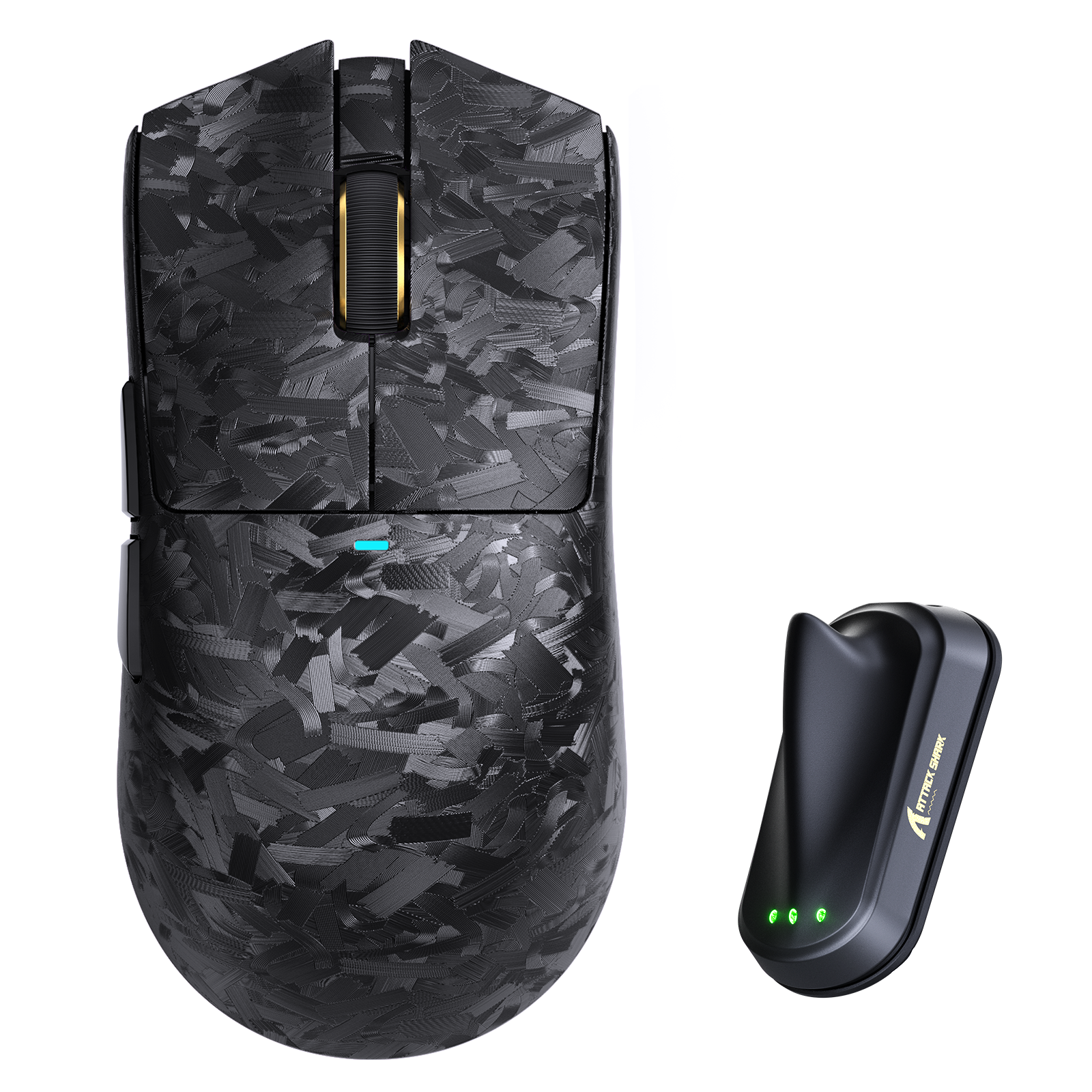
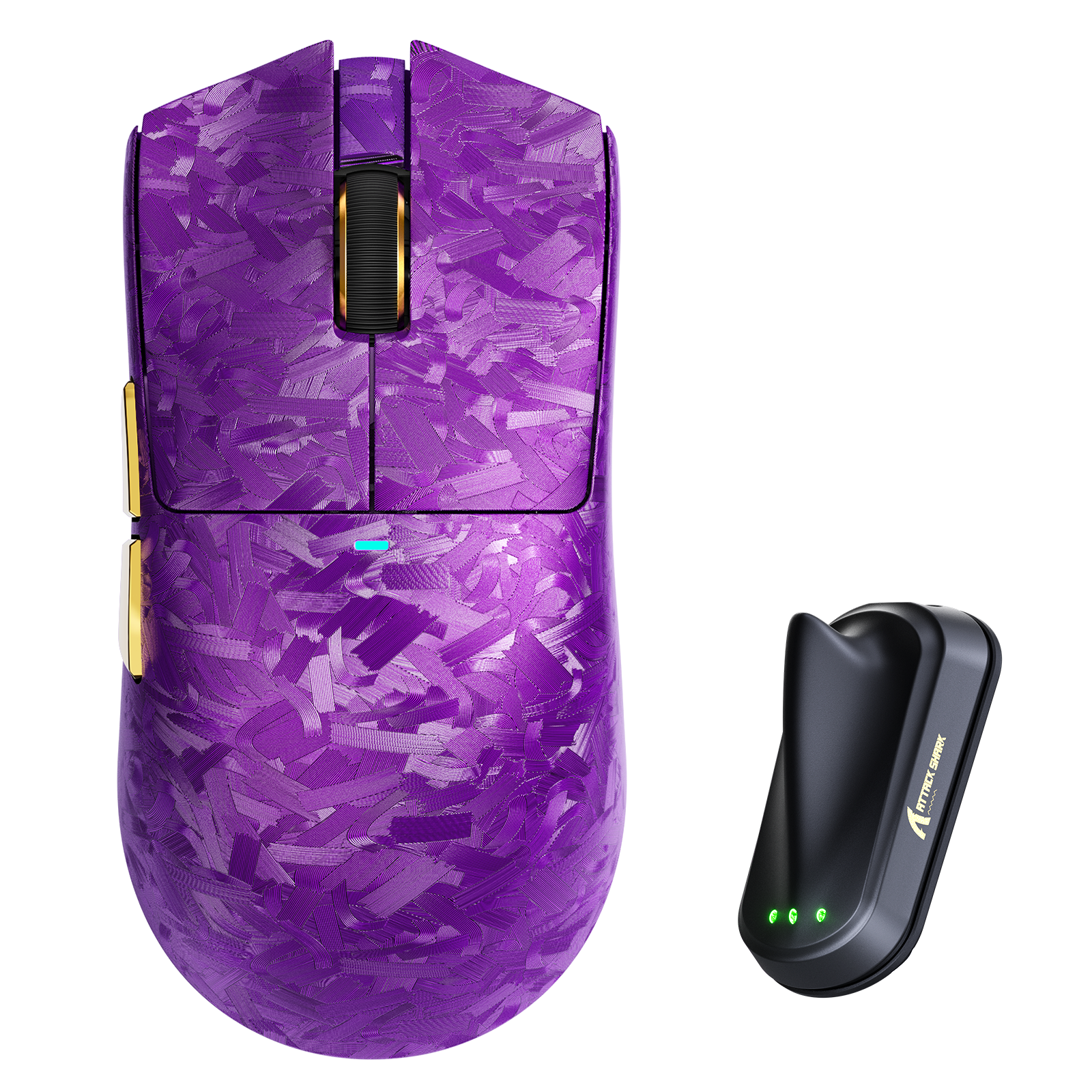
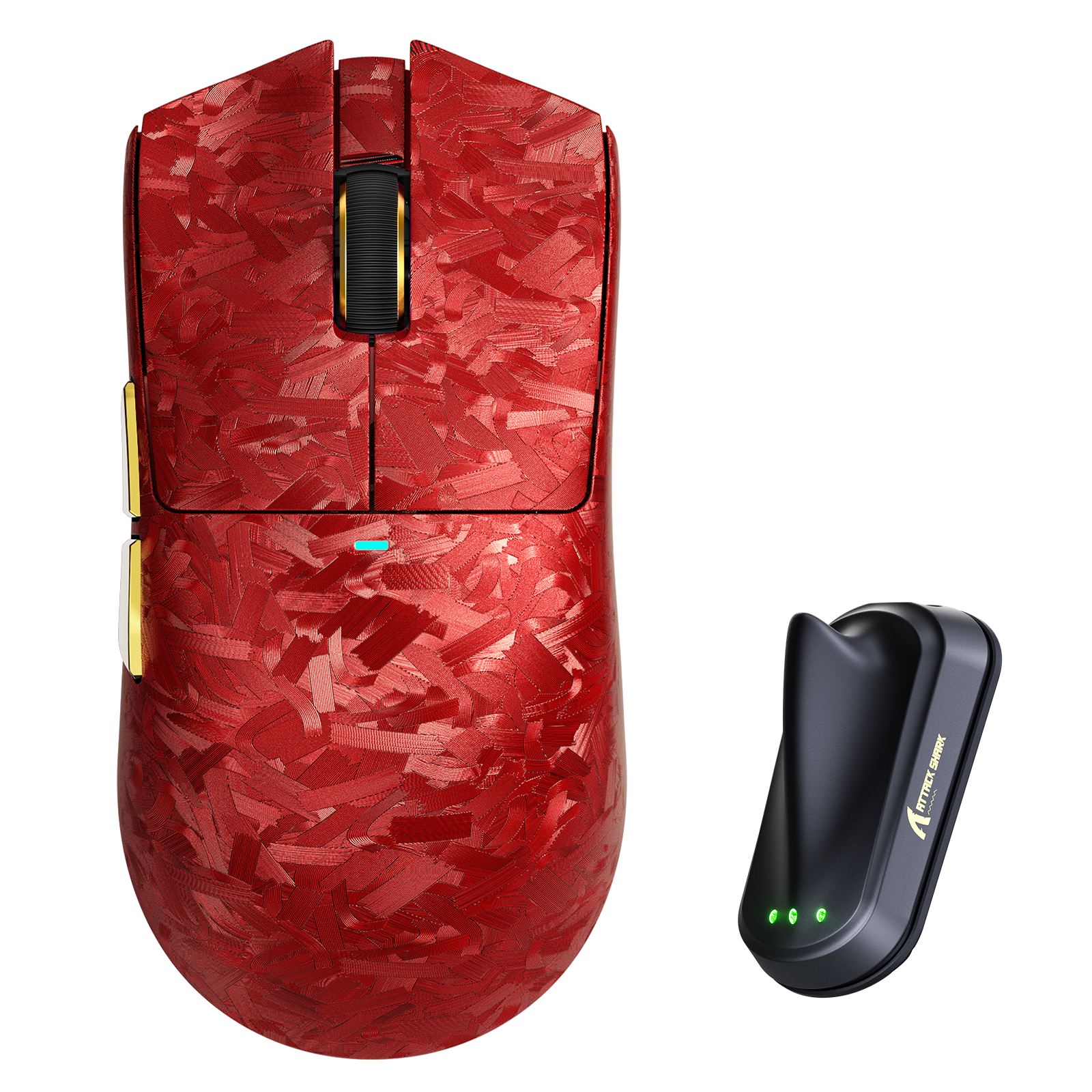




Ratón gaming inalámbrico ATTACK SHARK X11 ULTRA 8K de fibra de carbono PAW3950MAX
- Share:
-

-

-

-


Technical Specifications
WEB DRIVER


-
Chipset Principal Nordic 54L15
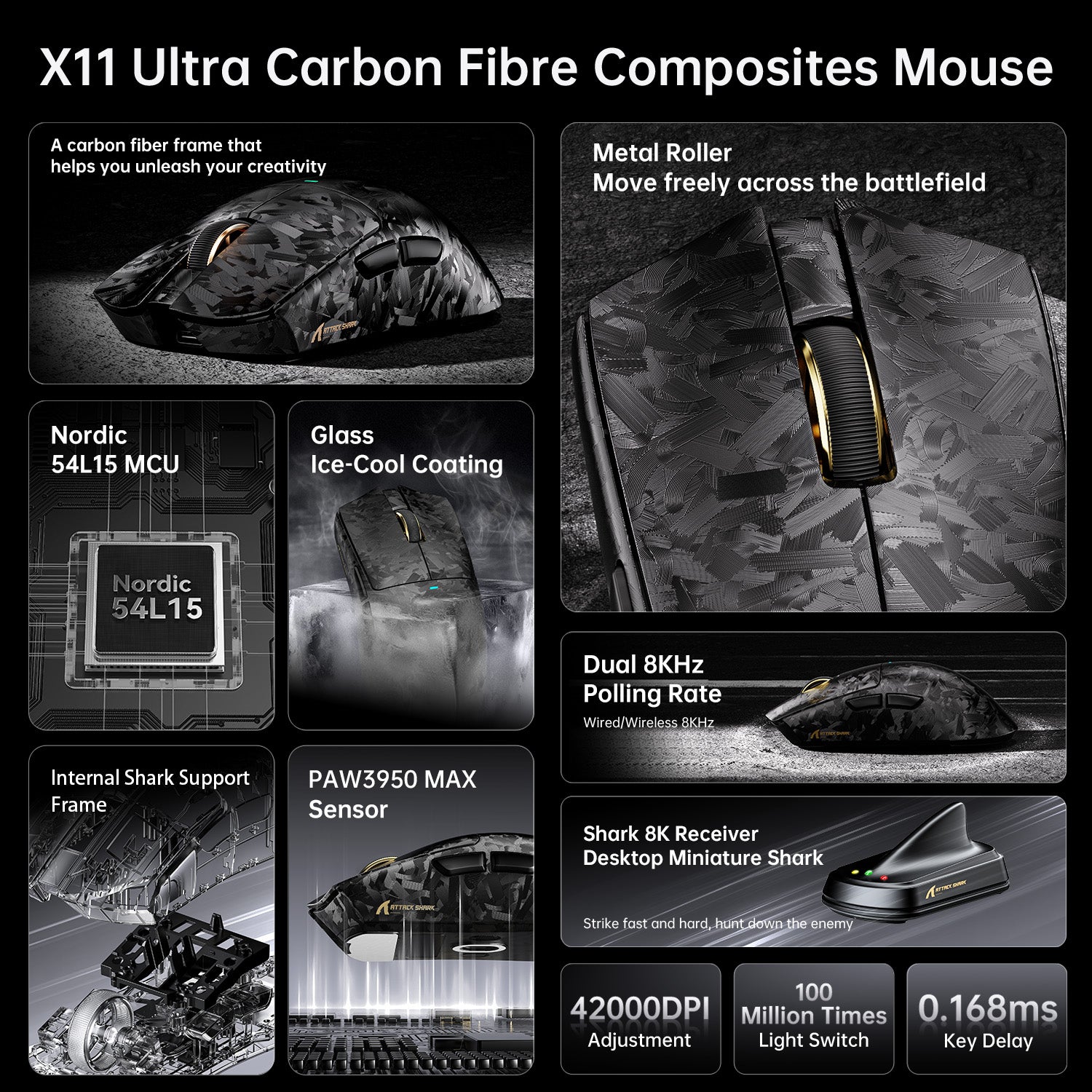
- Impulsado por el último chip Nordic 54L15 para una reducción drástica del consumo de energía y el doble de duración de batería. Logra una latencia de clic ultra baja de solo 0.163ms, asegurando la conexión más estable y sensible para juegos de alta exigencia y trabajo intensivo.
-
Sensor de Alta Precisión PAW3950MAX
- Equipado con el sensor óptico de primera línea PAW3950MAX, que ofrece una sensibilidad máxima de 42,000 DPI. Permite ajuste en tiempo real en pasos precisos de 50 DPI, brindando una precisión y control inigualables en cada movimiento.
-
Conectividad Tri-Modal con Sondeo 8K
- Cuenta con conectividad versátil por cable, Bluetooth y inalámbrica 2.4G. Los modos por cable y 2.4G soportan una tasa de sondeo ultra alta de 8000Hz, minimizando la latencia de entrada y ofreciendo un seguimiento del cursor perfectamente fluido.
-
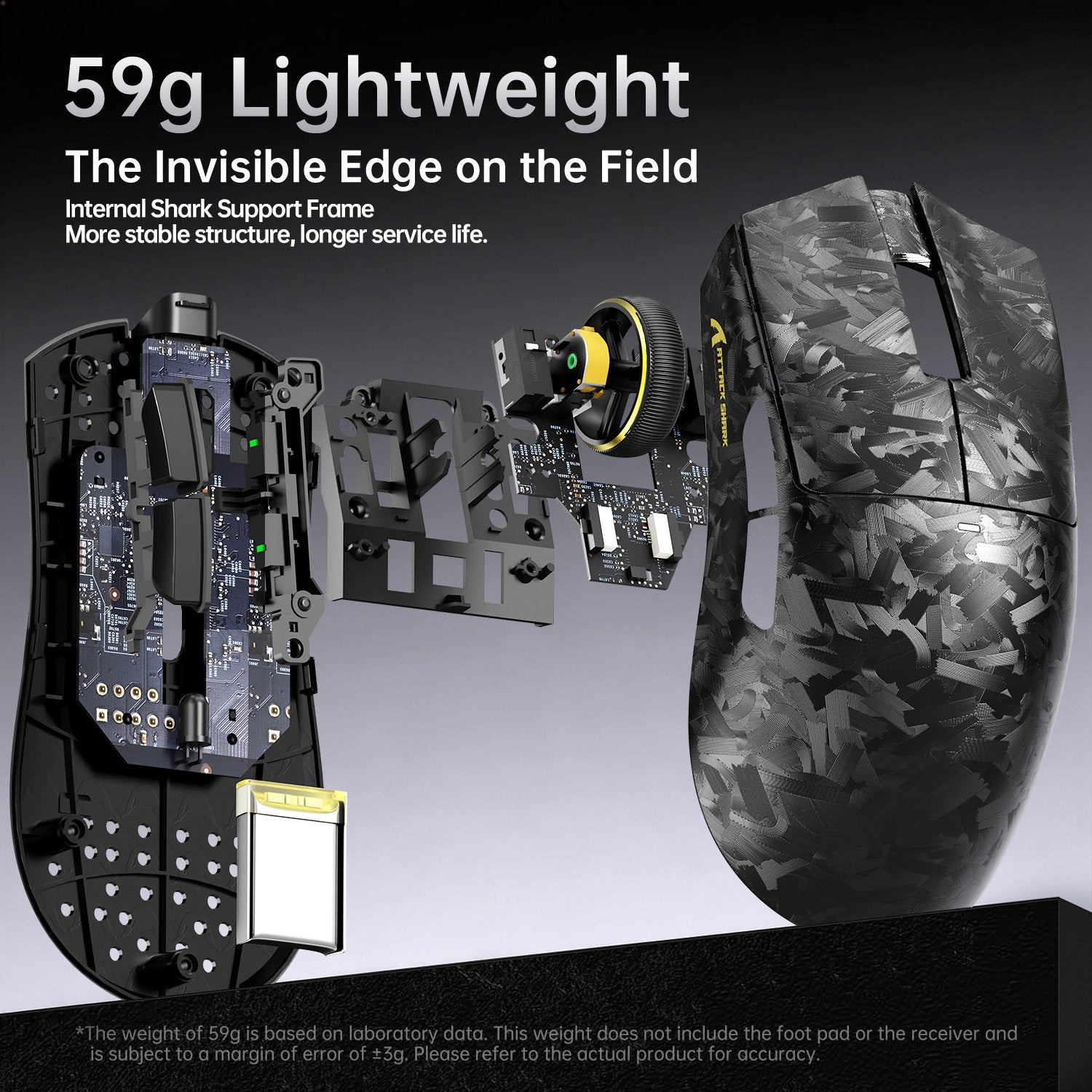
Diseño Pluma de 63g con Recubrimiento de Agarre Helado
- Diseñado con un peso ultraligero de 63g para una maniobrabilidad sin esfuerzo. El recubrimiento nano metal-hielo proporciona un agarre fresco y seguro que resiste el sudor y el deslizamiento durante largas sesiones.
-
Construcción Duradera en Fibra de Carbono
Construido con un cuerpo de fibra de carbono moldeado por inyección completa, que ofrece resistencia excepcional a impactos, rayaduras y desgaste. Presenta una textura única de carbono forjado para una estética distintiva y de alta gama. -
Microinterruptores Ópticos con 100 Millones de Clics
- Utiliza microinterruptores ópticos Omron para una activación instantánea y una durabilidad excepcional, con una vida útil de más de 100 millones de clics, garantizando rendimiento constante y longevidad.
-
Controlador Inteligente con IA en la Nube
- Soporta un controlador inteligente basado en la nube que reconoce automáticamente tu dispositivo y sincroniza configuraciones. También ofrece un controlador descargable independiente para personalización completa de botones, macros y perfiles.
-
Base 8K con Visualización de Estado
- Incluye una elegante base receptora 8K con forma de aleta de tiburón y iluminación personalizable. Los colores LED muestran intuitivamente información de estado en tiempo real como nivel de batería, configuración DPI y tasa de sondeo.
-
Detalles Premium en CNC y Chapado en Oro
- Cuenta con una rueda de desplazamiento de metal mecanizada con CNC de alta precisión y botones laterales chapados en oro de 24K (morado/rojo). Estos elementos mejoran la durabilidad, ofrecen una respuesta táctil premium y elevan el diseño general.
外観の形状はAttack Sharkではよくある感じのデザイン。カーボン調の縦横無尽に刷毛で擦ったようなデザインの質感がとても高くてなかなかカッコいいです。ボディの素材に関しては「カーボンファイバー素材」とありますが、商品詳細には「射出成形カーボンファイバー調素材を採用」とあり、どっちが正解なんだろう…?まぁ元々高コスパのマウスやキーボードをリリースしているメーカーですし、あまり細かいことにはこだわらない方が良いのかも。また、表面の「ナノメタリックアイスクールコーティング」は少しザラザラした独特な手触りで、マウスを手でしっかり掴みやすく感じました。デザインと機能がうまく両立していると思います。左右ボタンはクリック感をしっかり感じられて「カタッ」というよりは「カチャッ」というクリック音がなんか気持ち良いです。スキャン精度などは最上位に近いモデルとあって不満はなく、マウスの動きをしっかりトレースしてくれて満足。総じて、高精度のスペックに加えて、グリップ感がもっと欲しいけどデザインは犠牲にしたくない、といったニーズに応えてくれる完成度の高いマウスだと思います。

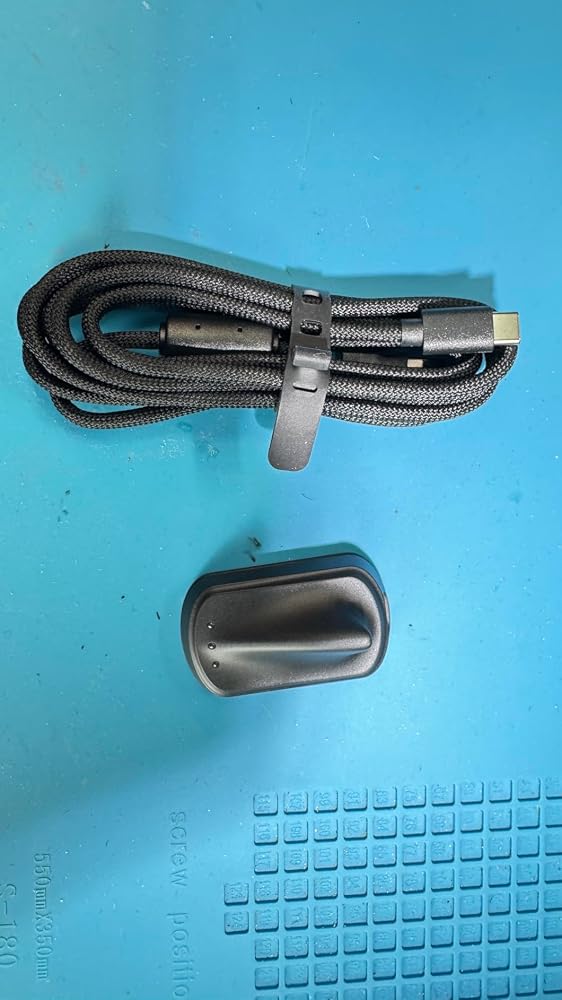
約66gと軽量で、長時間使用していても扱いやすいゲーミングマウスです。2.4GHz無線・Bluetooth・有線の3種類の接続に対応しているため、ゲームPCだけでなく普段使いのノートPCでも使い分けしやすいと感じました。センサー性能も高く、カーソルの動きはスムーズです。DPIも細かく調整できるので、自分好みの操作感に合わせられるのが便利でした。ブラウザから設定できるクラウドドライバーに対応しており、専用ソフトをインストールしなくても各種設定を変更できる点も好印象です。レシーバーはバッテリー残量や接続状況などが確認しやすく、日常的にも使いやすい仕様でした。気になった点としては、付属のUSBケーブルはやや硬めなので、有線で頻繁にゲームをプレイする方は少し取り回しが気になるかもしれません。また、ファームウェア更新時はマウス本体とレシーバーの両方を接続する必要があるため、事前に確認しておくと安心です。軽さ・操作性・接続方法の豊富さを重視する方には、使いやすいゲーミングマウスだと思います。


X11との比較しながらのレビューです。外観形状はほとんど変わりありませんがサイドボタンの位置や大きさ、ラインが微妙に違うなどブラッシュアップがみられます。特に裏面のソウル形状がかなり異なります。ソウルがかなり大型化していて個人的感想ですがハードパッドにあわせた変更に感じます。ソフトパットだと抵抗がかなりあります。総重量はX11とほとんど変わりませんが重心位置がかなり前に寄った感じで摘み操作がかなり良くなったと感じます。設定もWEBブラウザーで出来るためアプリのインストールもいらないのも簡単で良いですね。なお安定高速接続のためにはドングルをマウスの出来るだけ近くに設置する必要があります。まあ小さいので特に設置に困ることはないでしょう。ゲーミングマウスとしてかなり尖った性能なことDPIがマウス裏設定と通常作業との併用はオススメしませんのでゲーム専用として2台マウス使いが良いでしょう。とここまでゲーミングマウスとして高く評価していたのですが・・・約一ヶ月でドングルが通信しなくなりました。LEDも点灯しないのでお亡くなりになったのでしょう。切れた時ドングルが異常に熱を持っていました。耐久性に疑念があると言わざるを得ません。なので星3つとしました。どんなに性能が良くても壊れてしまっては意味がありません。なおブルーツゥース接続は出来るのでマウスは生きています。単に私の個体が外れであれば良いですがもし接続が不安定と感じたらメーカーへ問い合わせすることをオススメします。


まず添付写真を見てもらいたいのですが…写真から伝わるでしょうかこの煌びやかな美しさが。パープルカラーのカーボンボディは光の反射で様々な表情を見せてくれてかなりゴージャスな印象。サイドボタンのゴールドメッキも良い味を出しています。筐体は一般的なマウスと比較すると大きい…というより『長め』になっていて、マウス本体を手のひら全体で包み込むような形になります。外観はカーボンファイバー製のボディが見た目にも美しく全体的にサラッとした手触りで握り心地がいいです。左右クリック及びサイドボタンはキレのあるクリック音が鳴るタイプ。操作時にしっかりとしたフィードバックを受けることができます。ソールは比較的接地面積が広くマウスを振り回した際の安定感は際立って高いです。材質はPTFEで特に引っかかりなどもなくスベりは十分滑らか。既存のATTACK SHARK製高価格帯マウスと比較して特に進化を感じたのが『ワイヤレスレシーバー』。これまでの製品ではクリアパーツが使用され内部のledを透過させる仕組みになっていて、このLEDの輝度が高すぎて主張が激しすぎるきらいがあったのですが本製品では外観が一新され不透明の筐体にledインジケータを搭載する形になったのが個人的に好印象でした。

お値段高いだけあって並みのワイヤレスゲーミングマウスではありません最初から70%くらいの充電がされていました。すぐ無線で使えます後述しますが、ゲーミングPCなら2.4GHz接続がお勧めです良い点・手に持った感じからして、カーボンファイバー複合材のためかとても質感がいいので満足度も高い・最大ポーリングレート8000Hzで非常に滑らか・どんなに振り回しても読み取りが破綻することなくしっかり追従してくれる(有線と2.4GHzで確認)・リフトオフの距離が選択できる・接続方法は、2.4GHzドングル、USB有線、Bluetooth の3つから選べる。Bluetoothの場合はPCの他、スマホやタブレットでも使用可能・2.4GHz接続の場合、動作状況はレシーバーの3つのLEDの色でリアルタイムに確認できる・ラバーグリップテープと交換用のマウスソールが付属・スクロールホイールは滑らか寄りのクリック感あり。軽く回るので操作しやすい・クリック音は結構静かです・DPIは50~42000dpiから50dpi単位で設定可能。最大6段階の設定を登録し、ドライバソフトから選択またはマウス底面スイッチでも順次切り替えが可能・将来的にファームウェアの更新にも対応(専用ドライバソフトから更新気になる点・マウス底面のDPI切り替えボタンが、ドライバソフトのDPI設定項目に連動反映してくれない・ファームウェア更新は、マウスとレシーバーの「両方を同時にpcにUSBで繋いで」、ドライバソフト内「更新」ボタンを押す必要がある。この際、文字通りUSBケーブルがもう1本必要になるその他(仕様など)・付属紙マニュアルは多国語版(日本語も有り)・この製品のドライバは、公式HPからドライバソフトをダウンロードする従来通りのやりかたと、Webドライバという別の方法もあります。ドライバをインストールしたくない場合は後者でも問題なく設定可能。ただし設定中はネット接続が必須・公式HPからダウンロードできるマニュアルは、付属紙マニュアルのPDF版・充電は本体のUSB-C端子に繋いで行うタイプ。レシーバーに充電機能は無し・性能を最大限生かすには専用ドライバソフトが必須(公式HPからインストール)・ゲーミングデバイスだが、ライティング演出は特に無い・付属USB AtoCケーブルはフェライトコア付き編組スリーブケーブル。少し硬めなので有線使用はあまりお勧めしない・Bluetoothで接続した場合、マウスカーソルの追従性が僅かに良くなさそうに見受けられたので特別な理由がなければ2.4GHz運用をお勧め気を付けたいこと・Bluetooth接続だと、BIOS画面ではマウス操作不能。2.4GHzかUSB有線ならOK

使ってみてまず感じたのは、反応の良さと軽さです。手を動かした時の追従が素直で、カーソルの動きに引っかかりを感じにくく、ゲーム用途でも普段使いでもかなりサクサクというかヌルヌルというか、とても扱いやすい印象でした。本体が軽いので、細かく振ったり戻したりする動きはかなり楽です。重めのマウスに慣れていると最初は少し軽すぎるくらいに感じるかもしれませんが、慣れると手首の負担は少なめです。DPI42000という数字については、正直「本当にそこまでいる?」という感じはあります。自分の使い方だとそこまで高くする場面はほぼなさそうです。ただ、実際に反応が良いのは確かなので、スペックの派手さはさておき、マウスとしての動きはしっかりしています。

ATTACK SHARK X11ULTRA ゲーミングマウス 59g超軽量 三モード接続 Bluetooth 2.4G 有線対応 Nordic54L15搭載 PAW3950MAXセンサー 最大42000DPI 8000Hzデュアル8K 0.163ms低遅延 50G加速度 20000FPS カーボンボディ 光学マイクロスイッチ 500mAh長時間駆動 CNC金属ホイール クラウドドライバー-パープルです。本体は67gなので重くはないです。サラサラした触り心地のマウスなので持ち上げたり操作もしやすいです。滑りやすいと感じた場合は付属の滑り止めが使えます。色は紫ですが、暗めなので思ったより落ち着いた色なので良かったです。DPIのスイッチは本体背面にあります。感度抜群なので早くし過ぎるとカーソルがどこにあるのか分からなくなるくらいです。クリック音は普通にしますが心地よい音です。ホイールは回しているときゴリゴリした感覚が控えめで、音も殆どしないので快適です。

ATTACK SHARKのフラッグシップモデル「X11 ULTRA」です。レビュー時の価格は13,899円。同ブランドの製品群の中では高級路線の位置付けとなりますが、搭載されている最新のスペックと素材を考慮すれば、大手メーカーのハイエンド機にも比肩するクオリティを有しています。■デザイン・ビルドクオリティ今回はブラックを選択いたしました。全体として落ち着いた黒のトーンでありながら、迷彩風のパターン加工が施されており、一般的なマウスとは異なる高級感があります。あとこの素材は指紋が付きにくいので、長く使える安心感もありますね。カーボンファイバー素材は手汗をかいても滑りにくい加工が施されており、掌に吸い付くような安定したグリップ感を得られます。重量については公称値63gに対し、実測値で62.4gと非常に正確で、カーボン素材ならではの剛性の高さと軽量化が両立されています。また、付属のシャークフィン型レシーバーは、その名の通りサメの背びれを模した形状で、コンパクトながらデスク上でも非常にスタイリッシュなアクセントとなります。■機能性・操作感最新のPAW3950MAXセンサーの恩恵か、トラッキング性能は極めて優秀です。マウスパッド上での使用はもちろんのこと、多少ざらつきのあるデスク上でもマウスポインタが飛ぶことなく、正確な操作が可能です。接続面では、付属のレシーバーを使用することで最大8000Hzという超高精度な操作が可能になります。私のようなライトゲーマーや日常利用がメインのユーザーにとっては8Kの恩恵を受け取ることはなく、正直Bluetooth接続時でも十分でした。e-スポーツなど競技ゲーマー向けの製品ということはよく理解できました。■総評カーボンファイバーという特殊素材、最新世代のセンサー、そして8K対応レシーバーがセットになってこの価格帯に収まっている点において、非常に満足度の高い製品です。大手ブランドの3万円近いハイエンド機を検討されている方にこそ、ぜひ一度手に取っていただきたい、実利的なマウスだと感じました。

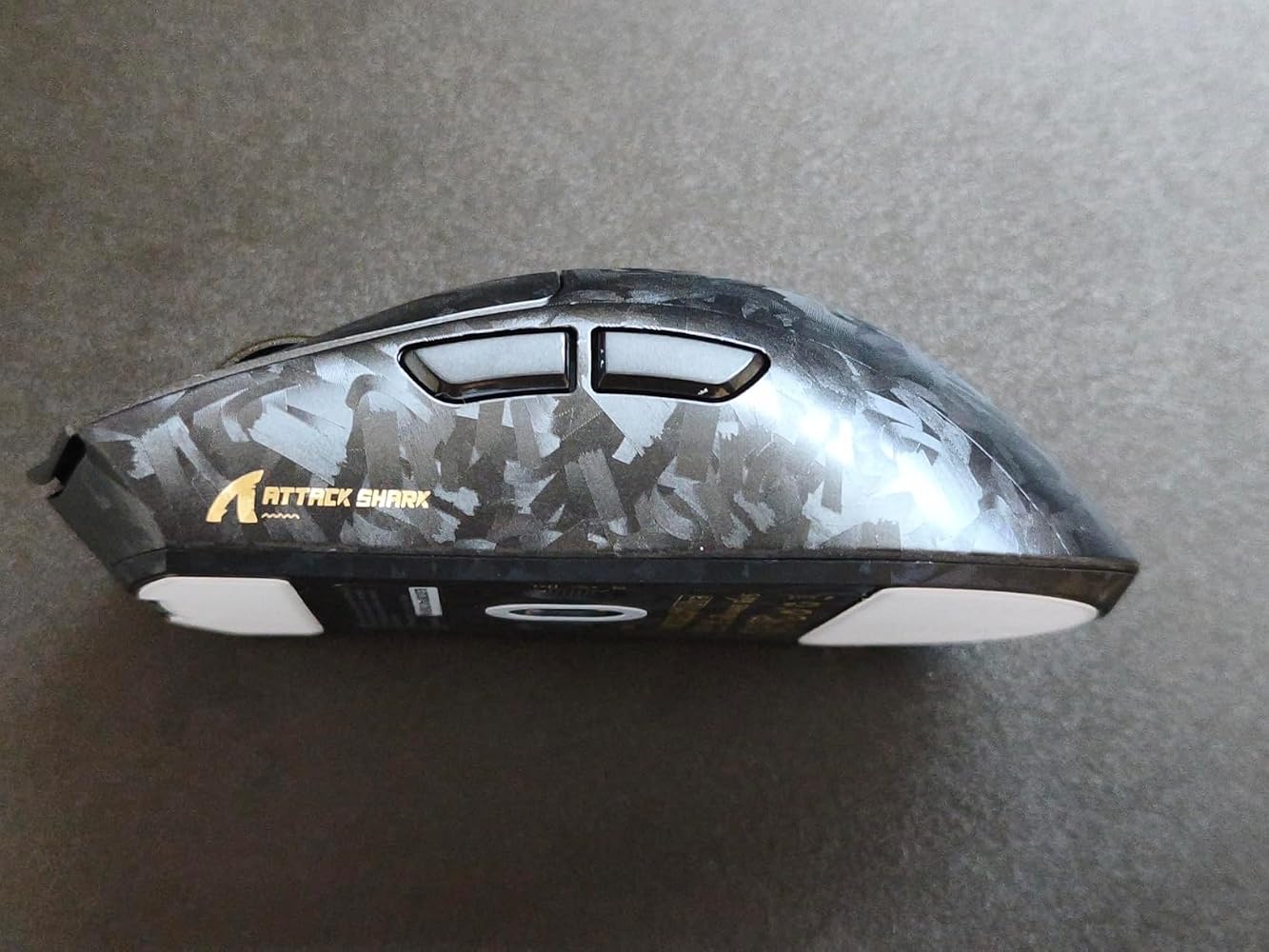
まず使って感じたのは、見た目以上に軽快に動かせることです。カーボンボディのおかげか持ち上げ動作も楽でした。高性能モデルらしい反応の良さがしっかり伝わってきます。===========› SCENE / 使用シーン と 前提普段のPC作業とゲームの両方で使用しました。Bluetooth、2.4G、有線の3種類に対応しているため、デスクトップPCとノートPCを使い分ける環境でも扱いやすいです。軽量設計なので長時間の操作でも負担を感じにくい印象でした。--------------------» STATUS / 良かった点・約59gの軽量設計で素早いマウス操作がしやすいです。・PAW3950MAXセンサー搭載で細かなエイム操作でも安定感があります。・Bluetooth、2.4G、有線の3モード接続に対応し使い分けしやすいです。--------------------› UTIL / こう使える 応用できる・FPSやTPSなど素早い視点移動が多いゲームで活用できます。・ノートPCではBluetooth、自宅では2.4G接続という使い分けにも便利です。--------------------× ALERT / 惜しい点非常に軽量な設計なので、重めのマウスに慣れている場合は最初に操作感の違いを感じるかもしれません。数日使うと慣れやすく、DPI設定を調整すると違和感を抑えやすいです。--------------------› PROFILE / 向く条件 向かない条件軽さを重視するゲーマーや、長時間マウスを操作する人に向いています。高性能センサーや多彩な接続方式を活かしたい人にも相性が良いです。一方で、重量感のあるマウスを好む人や、シンプルな事務用途だけで使う人には性能を持て余す場合があります。===========

使い方が荒いせいか、リモートワーク用のマウスの反応性が遅いのでこれをゲットしました。ワイヤレスでも有線ケーブルどちらにも対応可能です。ホイールの運動性は滑らかで、自分の動きにぴったり反応してくれます。しかも感度調整に細かく対応してくれるので、自分専用設定が可能です。耐久性もゲーム仕様だから、自分の荒っぽい操作でも毎回問題なし。これになれると仕事中のマウスが遅すぎに感じてます(笑)


ガチのゲーマーではなく、時々ゲームパッドで楽しむレベルなので、この商品のシビアなゲーム性能を紹介できるレビューにはなりませんがご容赦ください。以下、自分が感じたことを列挙します。1万円以上するマウスは初めてで、見るからに高そうなパッケージを開けるとカーボンチックな見た目のマウスが登場!イヤでも高い操作性に期待が膨らみます。【外観】・形状は左右対象のオーソドックスなもので、やや大きいサイズは手のひら全体を被せて使うタイプ。・カーボンファイバー調の見た目がゲーム用途を強く感じさせるが、自分が知るカーボンとは違う印象。 確かにカーボン調ボディーとは記載されているが、どこにもリアルカーボンとは書かれていないので、 プラスチック成型のエンボス柄だと思われる。・ホイール側面にあるゴールドのダイヤカットされた金属部品に高級感を感じる。・自動車のシャークアンテナに似たレシーバーがスタイリッシュでカッコいい。【操作性】・手のひらで包み込む持ち方の人には良いが、手が小さな人には大き目のボディーを持て余すかも。・本体表面のエンボスパターンの効果で滑りやすさはないが、付属のグリップテープを貼れば 滑り止め効果が格段に高まる。・各ボタンの動きに無駄な遊びがなく、軽いタッチで反応するダイレクトなフィーリングが良い。 クリック音は聞こえるが安っぽいタクトスイッチのような感じはしない。・金属製ホイールは適度な重量があり、回転は軽いクリック感をともなう滑らかな動きで快適。・サイドボタンの位置が親指の上下移動で自然に操作でき、ダイレクトな操作感で扱いやすい。・裏面のスイッチでPCとの接続方式をUSB、2.4Ghz無線、Bluetoothの3種類から選択でき、 接続先を別々に設定することが可能・無線接続用レシーバーの3個のLEDで接続品質、バッテリー残量、ポーリングレートの確認が可能。・充電はドック式ではなくUSB-Cケーブルを使用するので多少めんどう。・裏面のボタンでDPI切り替えが簡単に変更できて便利。・白く大きいソールは滑りが良く、すごく滑らかに動かすことができる。 これは使っているマウスパッドがガラス製ということも関係していると思う。【付属品】・2.4Ghzレシーバー、USB A-C接続ケーブル、グリップテープ、予備のソール、日本語取説【カスタマイズ性】・専用のドライバー(ATTACK SHARK MOUSE HUB)をダウンロードすれば、各ボタンの動作設定、 DPI、ポーリングレート、センサー設定、マクロ作成、レシーバーのLED設定など細かく調整でき 内容をプロファイルとして複数保存可能。【まとめ】私の利用目的には分不相応なマウスですが、操作感が素晴らしいので安価なマウスには戻れません。ゲーマーの方には専用ソフトで多彩な調整が可能なので、自分のプレイスタイルやゲームに適した調整でプレイできる優れたゲーミングマウスだと思います。


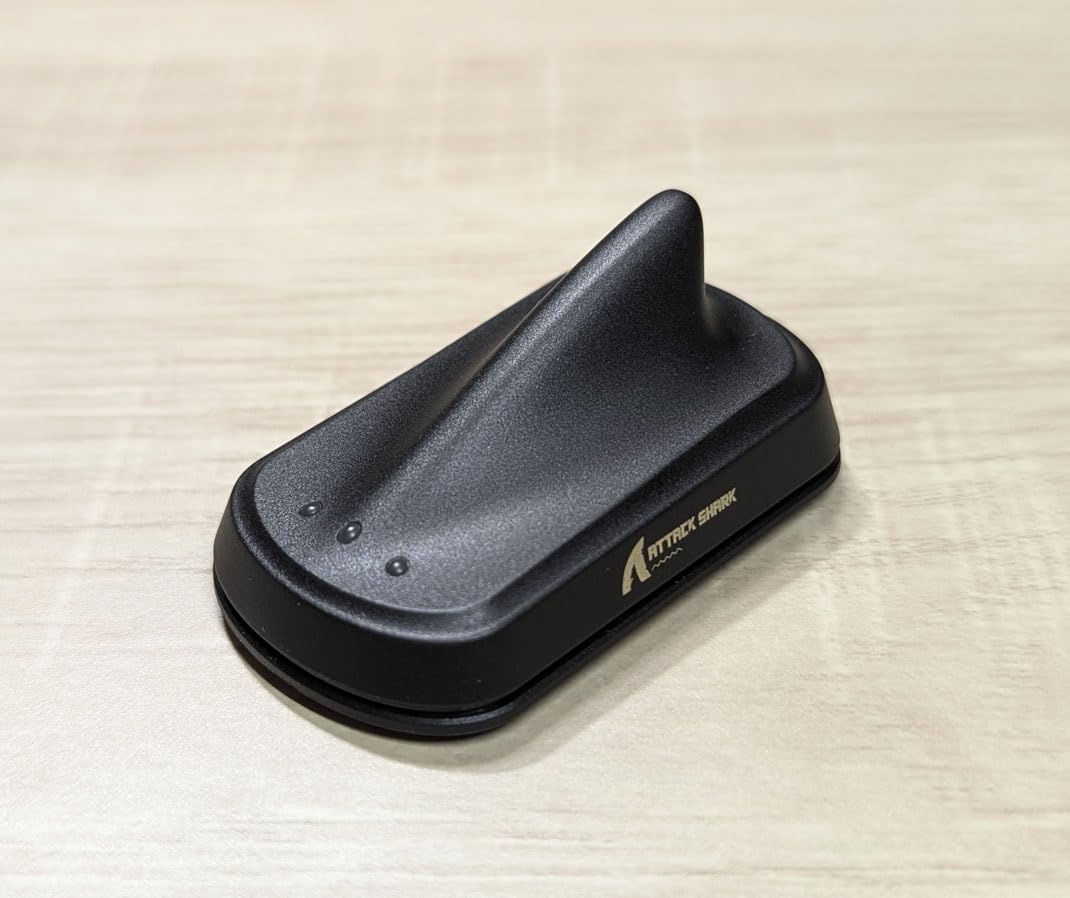
This mouse is simply ridiculous in every sense of the word. It is an almost fully carbon fiber mouse that in my case is purple with gold accenting so it's quite flashy, but I cannot complain as I like it quite a bit. Other than being made of carbon fiber it works like every other mouse, but with everything dialed up to 11 with Omron Optical switches which are some of my favorite, a Pixart PAW3950 sensor which is their top of the line optical sensor, a very stiff and yet quite lite carbon fiber body which allows the body to be relatively light yet far sturdier than any of the plastic mice I own, and lastly with a very novel yet useful 8K dongle. Connecting this mouse to a PC it's just like any other mouse except since it uses a external dongle rather than a simple USB dongle you simply use a type-c cable which is included to plug the dongle into your PC and move the dongle as close to your mouse pad as possible as at these higher polling rates you will notice some dropouts if the dongle is too far away. Speaking of the dongle it's a very interesting shark fin shape which I can really appreciate considering the name of the company along with that the dongle has three LED lights on it which are used to indicate battery life and so far they've been quite helpful to me though I haven't actually needed to charged a mouse as it has been going strong for quite a long time of continuous use. The funniest part for me was the scroll wheel which for some reason they decided to gold plate the accents of which is completely ridiculous, but once again I don't hate it. Using the mouse has been fantastic not only is it very unique because it was top of the line specs, large size, and relatively lightweight build quality it has become my go-to and I have had zero problems with it functionality and so I have no complaints. The one thing about this mouse that although reasonable is still a hard pill to swallow is the price as it has an MSRP of $95 and though I have seen it drop to about $75 and considering this mouse is fully made a carbon fiber that price tag is actually quite a bargain as some other mice that are made of plastic match this price or go even higher, but at the same time attack shark does sell a plethora of other mice that are very similar specs in their specs to this one at a far lower price with the only caveat being that they're made of plastic. If you really want the best of the best mouse and it has to be made of carbon fiber then this is a fantastic choice as it is one of the cheapest carbon fiber mice out there especially considering it's not a small mouse so they're not saving money on the carbon fiber, but if you can go without the carbon fiber there are plenty of the other options out there with similar specs for far less money the choice is up to you.


I upgraded my 12 year old gaming mouse to this one and have really enjoyed using it. It is much more lightweight and has far nicer pads to smooth out gliding across the mousepad. The various colors and variations are well done and feel very refreshing compared the bog standard black, no-texture mouse I was used to. Right out of the box it is ready to go.The receiver is awesome in that it includes three customizable LEDs. By default they represent connection quality, mouse battery and polling rate. This takes a lot of guesswork out of the status of the mouse at a glance. These lights can be disabled or swapped around from within the settings. There's an optional LED on the top of the mouse that can be adjusted to show a breathing effect, always on or always off.While some mice love to cram a tremendous amount of buttons that at least for me end up being accidentally clicked and with no idea what they are bound to, this one keeps it simple with just two side buttons and a DPI button on the bottom. I especially appreciate that the DPI button can't be accidentally altered as that was one of my main gripes with other mice. I would accidentally tap a button assigned to DPI and my mouse would go flying! Also from the bottom of the mouse you can set it for wireless via dongle, wired USB or Bluetooth.While the mouse is completely usable without any additional setup or software, the best part comes from the free ATTACK software from the manufacturer's website. Through the software you can review all settings including DPI and polling rate, adjust the different steps for DPI, define what the side buttons do (including in multiple profiles), and define advanced mouse macros.


The mouse manufacturer, Mambasnake, builds a lot of computer accessories and that experience shows in this well refined mouse. The buttons are responsive with a satisfying click that provides excellent haptic feedback. The optic sensor tracks smoothly even on the lower DPI settings. The wireless receiver offers fast pulling rates and includes three status LED lights to indicate connectivity quality, battery level and polling rate. All of the settings are readily accessible using the Attach Shark app. The app saves up to four profiles, with their unique settings, for different activities or users. Lower, battery consumption options can be used under one profile for scrolling the internet or running work applications. Higher precision settings, more battery drain, can be used under a second profile when gaming, designing or drafting.The carbon fiber build is light weight, but does not sacrifice strength. The mouse body does not flex noticeably during use. The texture is slightly rough and it takes some time to become accustomed to it. The package does include grip tape decals that can be placed over the textured surface if preferred. There is also an additional set of PTFE pads for the bottom of the mouse in case they wear out. The receiver must be connected via a USB cord verses a dongle style receiver that plugs directly into the computer. Because I often use the mouse with a laptop, this was somewhat annoying as it must be unplug and stored for transport. The battery life has been good so far, though I have only been using the mouse for about one week on medium settings.


The media could not be loaded.
This ATTACK SHARK X11 Ultra 8K Carbon Fiber Wireless Gaming Mouse is a nice addition to my setup, and I’m using it for general desktop use and some gaming. The feature that attracted me to this mouse is its carbon-fiber-style surface. It is not real carbon fiber, but rather an etched texture that doubles as a grip, and I actually like how it feels in my hand. The shape fits well in my palm, and the overall ergonomic design makes it comfortable without strain.A couple of things I don’t like about it, though. One irk is the separate USB-C receiver. It works fine, and looks cool, but it is small enough to get lost easily. Initially, it seems like a cool feature, but having something that doesn’t store easily with the mouse means it’ll get thrown in a drawer at some point and get separated. The design is for a desktop PC, so ideally, it’s not going anywhere, but if you move setups a lot, this will be a problem. Another thing I noticed is that the advertised lower than what I measured. I got 66.61 grams compared to the listed 59 grams. In use, that difference is not huge, but it is something to be aware of if you are specifically looking for an ultra-lightweight mouse. The DPI button being on the bottom is another design choice I am not a fan of, since it makes quick adjustments less convenient. It also only has three preset DPI settings, unless you rely on software, which is fairly standard but still a limitation if you like to fine-tune things.Build quality and overall design are good for this category. The shell feels durable, and the textured finish gives it a unique appearance while also improving grip. The included braided USB-A to USB-C cable is always a premium perk and feels like it will hold up well. The swappable skates are also a bonus, but you really only get one chance to change them. It comes preinstalled with plastic skates, but you can switch to felt depending on your surface and preference. That adds a bit of customization, but keep in mind that these are sticky pads and can only be reused and restuck so many times. The buttons are well placed, especially the side buttons, which do not get in the way during normal use.In terms of functionality and performance, it does what you would expect from a mid/high-range gaming mouse. The sensor is responsive and tracks accurately on a couple of surfaces I tested it on, including a black desktop and a felt mouse pad. I found that the effectiveness and performance were consistent with what I would expect from Attack Shark’s other mice. The tri-mode connectivity is useful when switching between devices, and having wired, 2.4 GHz wireless, and Bluetooth options. The polling rate and internal hardware are clearly designed for higher performance use; however, most people will not fully push those limits.At around $ 100, the price puts it in the mid- to high-range, and I debate whether it’s really worth that price point. The quality, design, and usability are good, and the overall experience feels like an improvement over some of their older models I have used. The appearance stands out compared to their more generic designs. This certainly looks way more like a gaming mouse than a cheap mouse that comes with a pre-manufactured PC. The main fallacies are the slightly higher than advertised weight, the bottom-mounted DPI button, and the easy-to-misplace receiver. These all may seem bad, but the fact that I replaced my mouse that I normally use daily with this one speaks to how I like it, so I still think it’s worthy of a five-star rating. However, I would certainly wait for a coupon or price reduction before buying, or look at Attack Shark’s other models that offer similar performance.