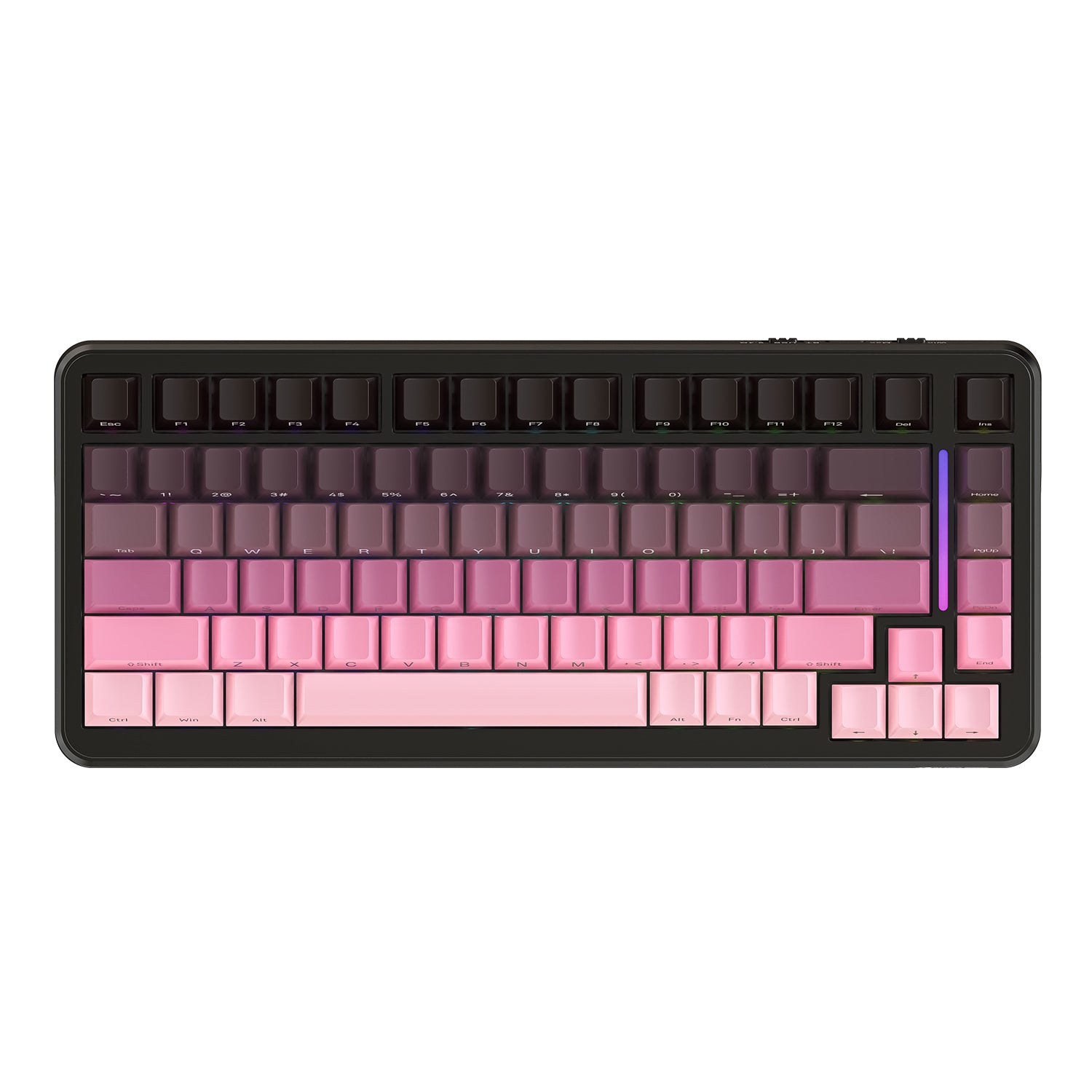
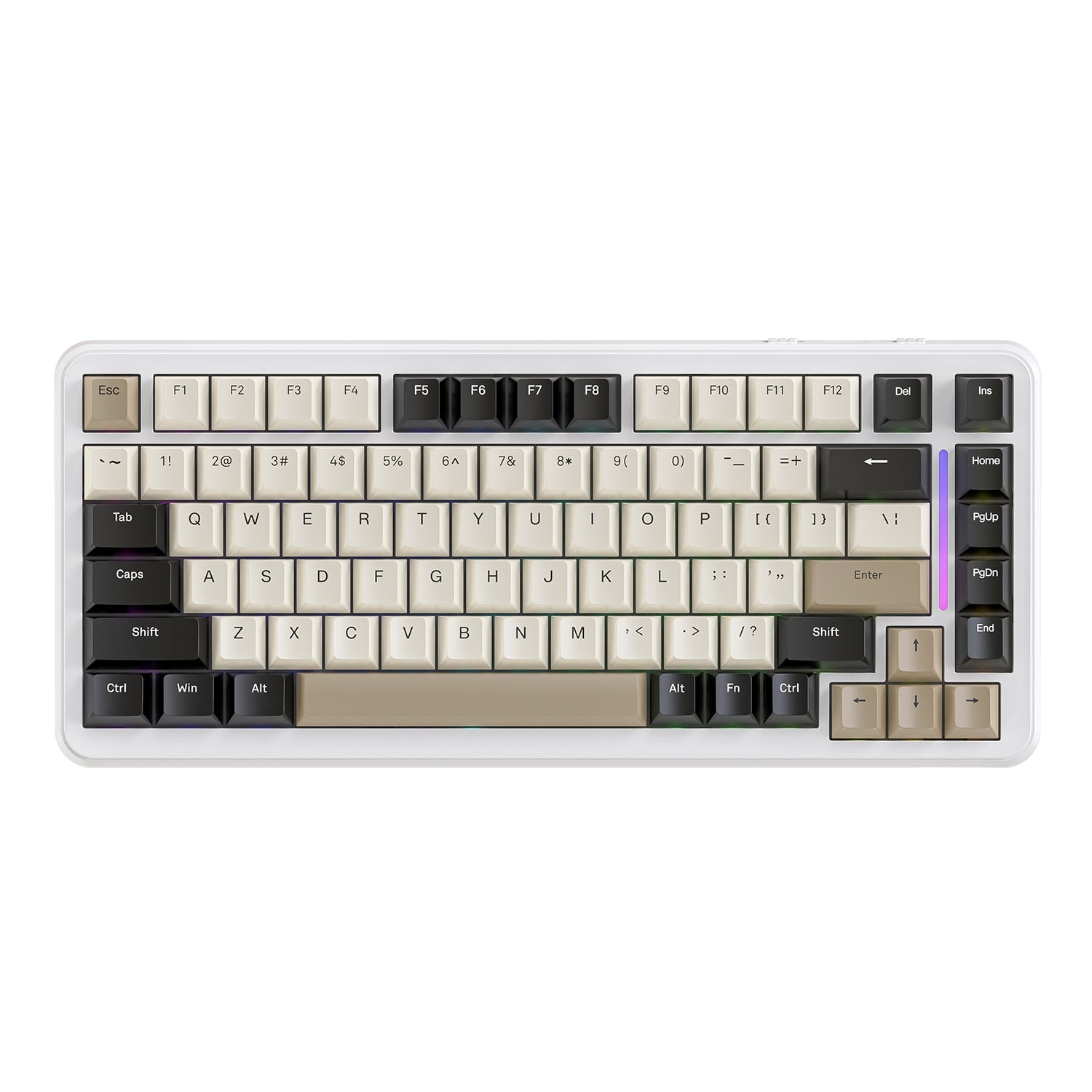
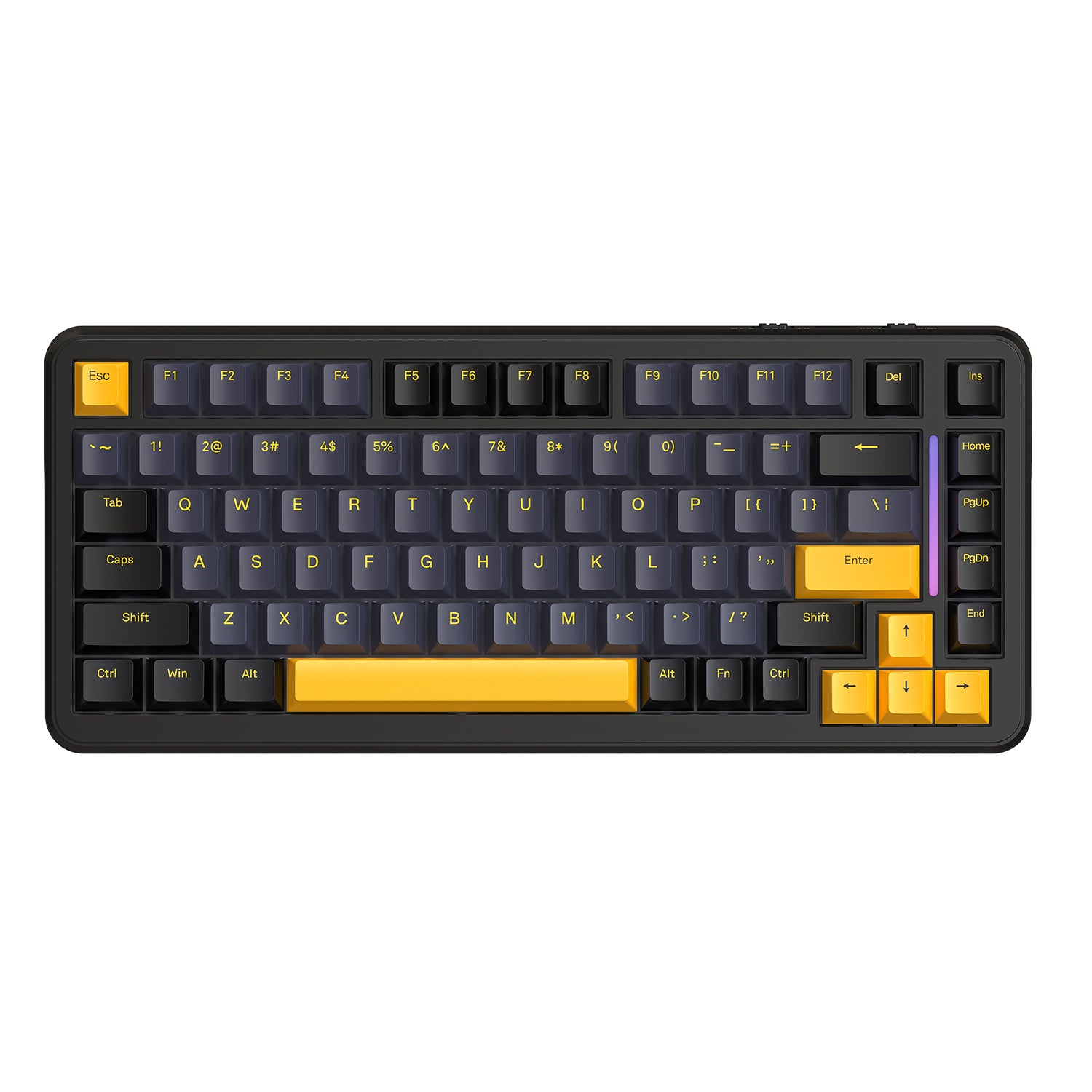
ATTACK SHARK M86 Teclado Mecánico Tri-modo con Junta
- Share:
-

-

-

-


- In Stock
Technical Specifications
Conectividad inalámbrica tri-modo y compatibilidad con múltiples dispositivos
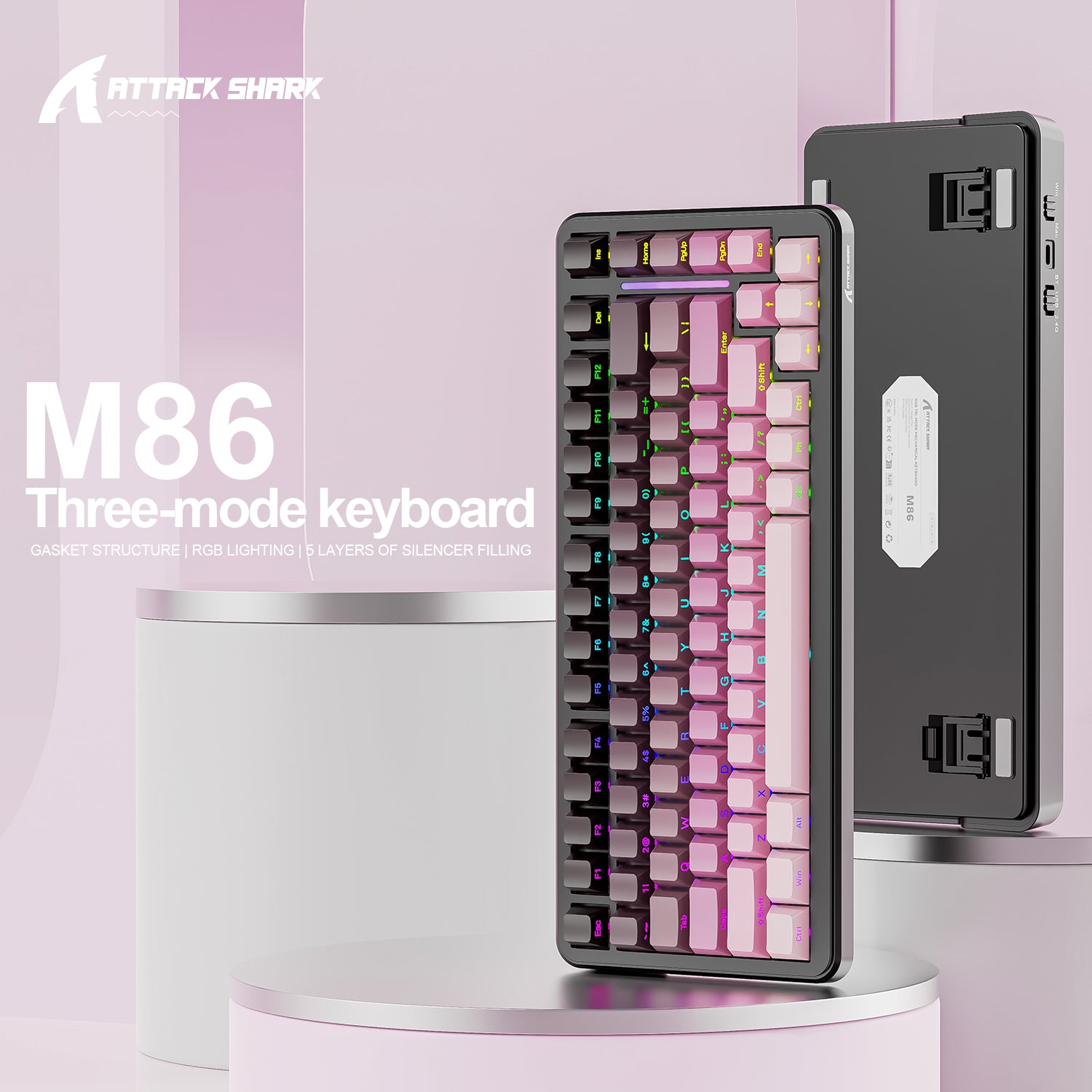
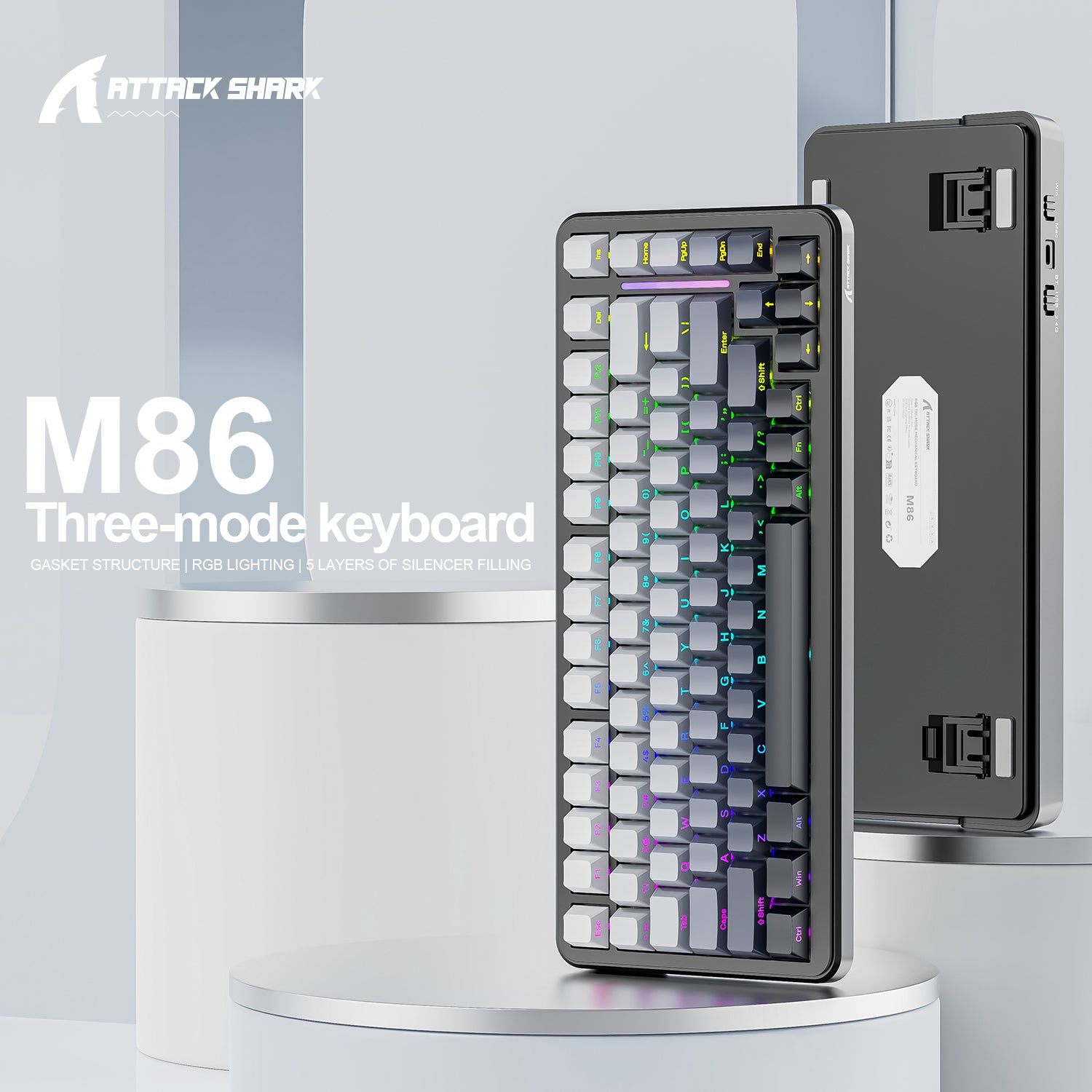
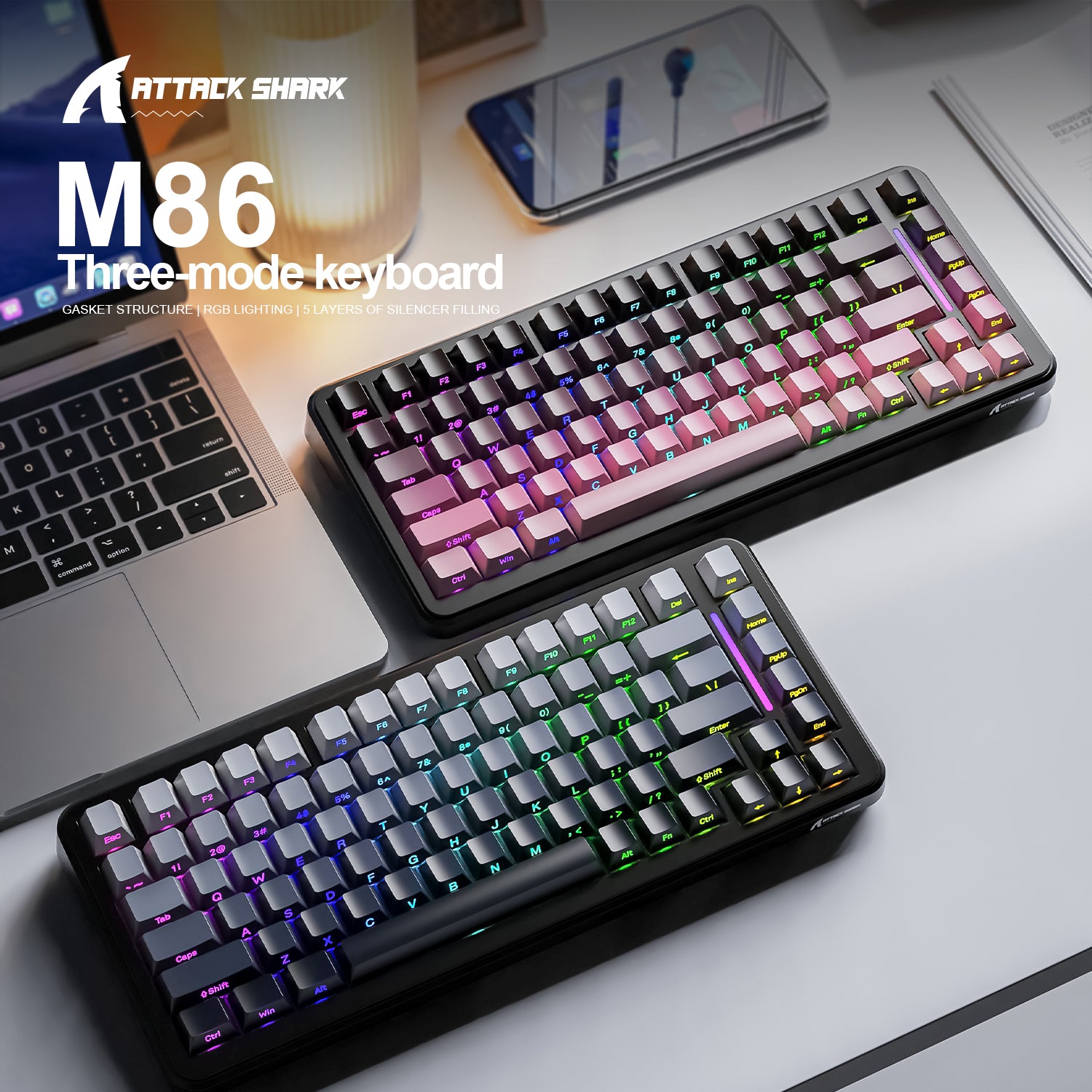
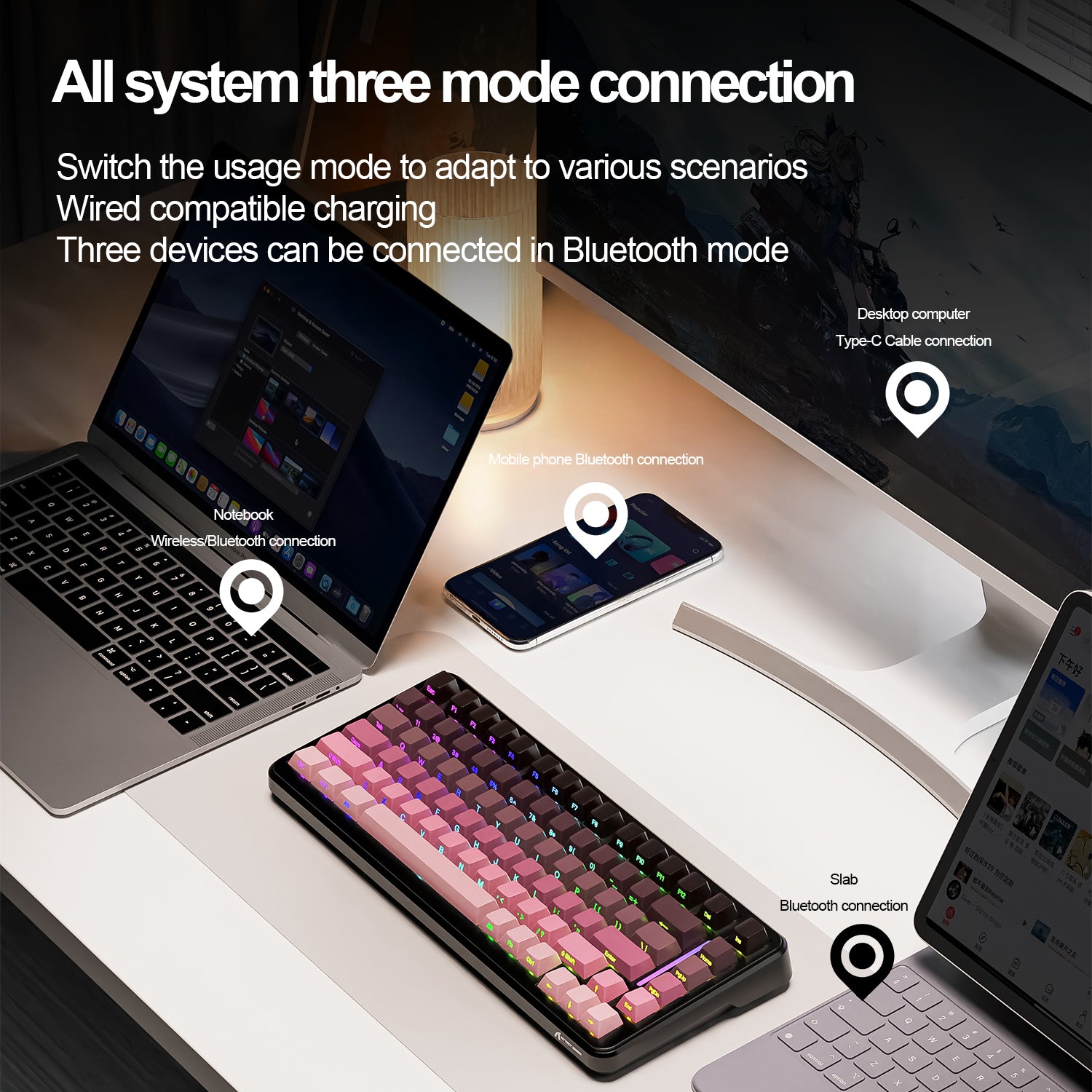
Compatible tanto con Mac como con Windows, este teclado soporta conexiones Bluetooth, inalámbricas 2.4G y por cable. El teclado para juegos M86 puede emparejarse con tabletas, laptops, PC y smartphones, ofreciendo conectividad fluida entre tus dispositivos.

Teclas impresas en los laterales y diseño de LED orientados hacia el sur
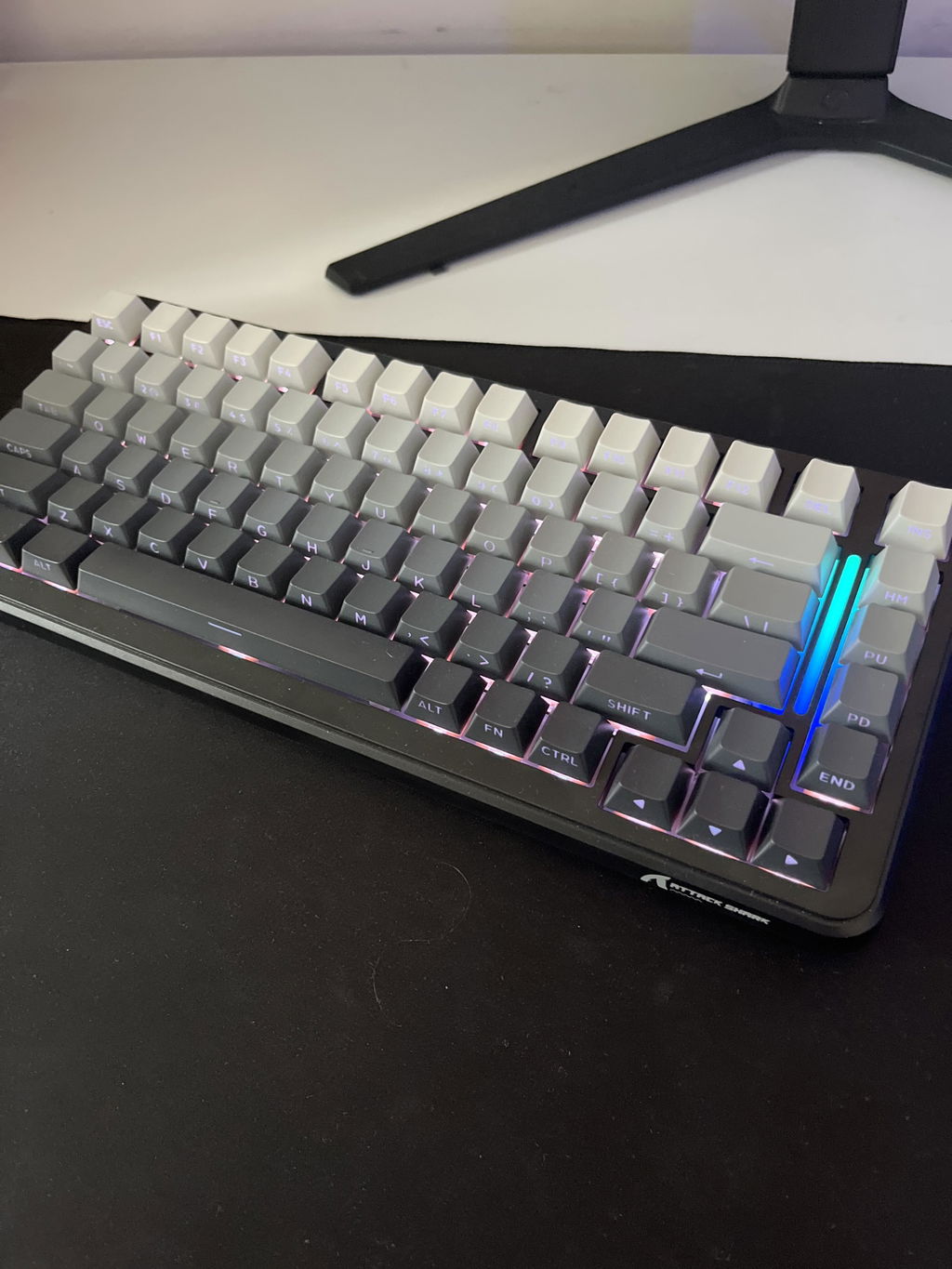
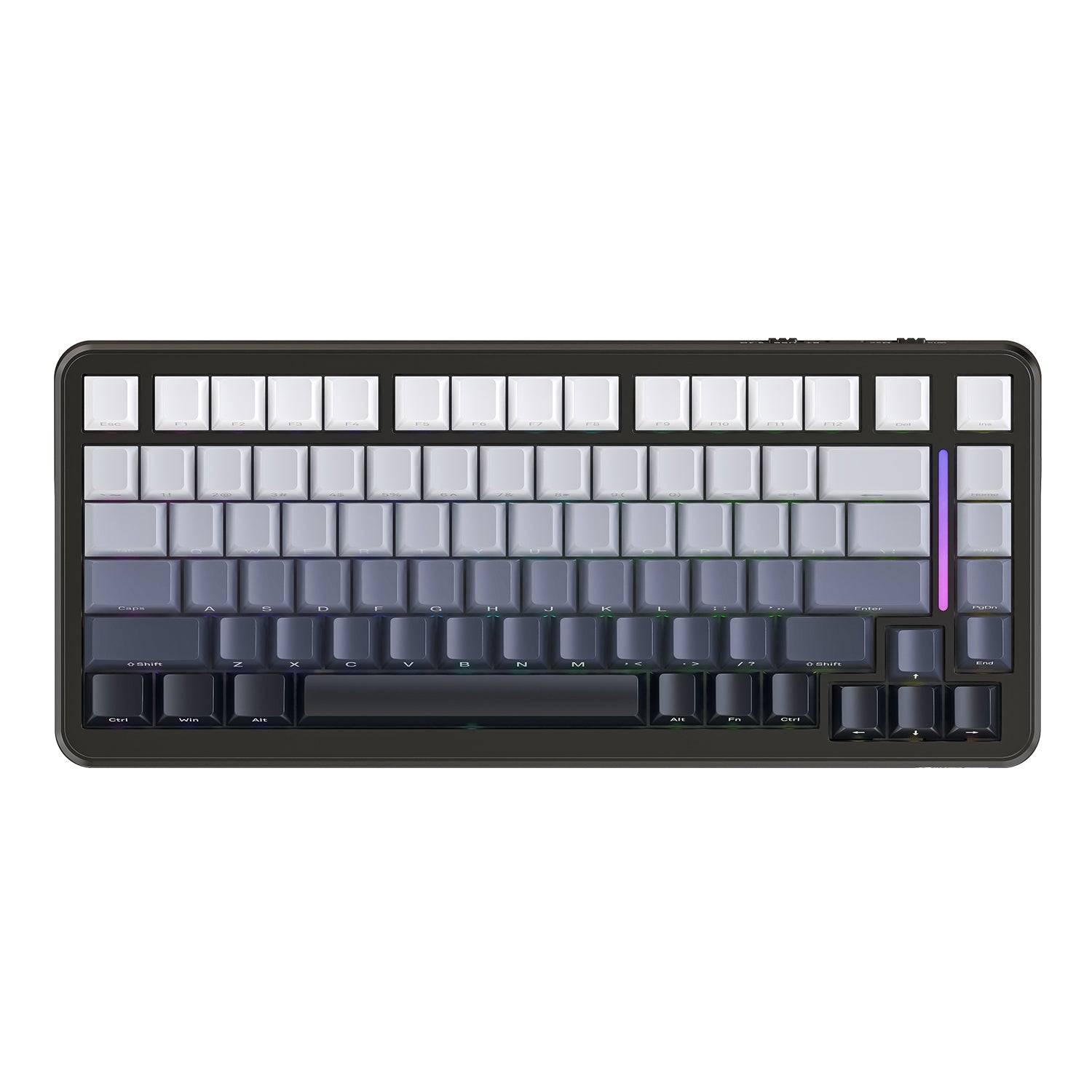
Las teclas PBT iluminadas lateralmente combinadas con LED orientados hacia el sur especialmente personalizados te permiten disfrutar de una vista frontal excepcional del teclado mientras escribes en una postura más relajada. El diseño de teclas impresas en los laterales también previene el desgaste de los caracteres, asegurando una vida útil más larga. El teclado M86 cuenta con teclas RGB iluminadas individualmente, ofreciendo 18 efectos de retroiluminación preestablecidos para elegir.

Teclas PBT y retroiluminación RGB en todas las teclas
Las teclas PBT ofrecen un tacto excelente y una vida útil extremadamente larga. El teclado M86 cuenta con teclas RGB iluminadas individualmente, ofreciendo 18 efectos de retroiluminación preestablecidos para elegir. Además, puedes personalizar aún más efectos a través del software. El diseño independiente de luz respiratoria en la derecha no solo muestra el estado del teclado, sino que también ofrece más opciones de iluminación personalizables.

Estructura de intercambio en caliente y junta
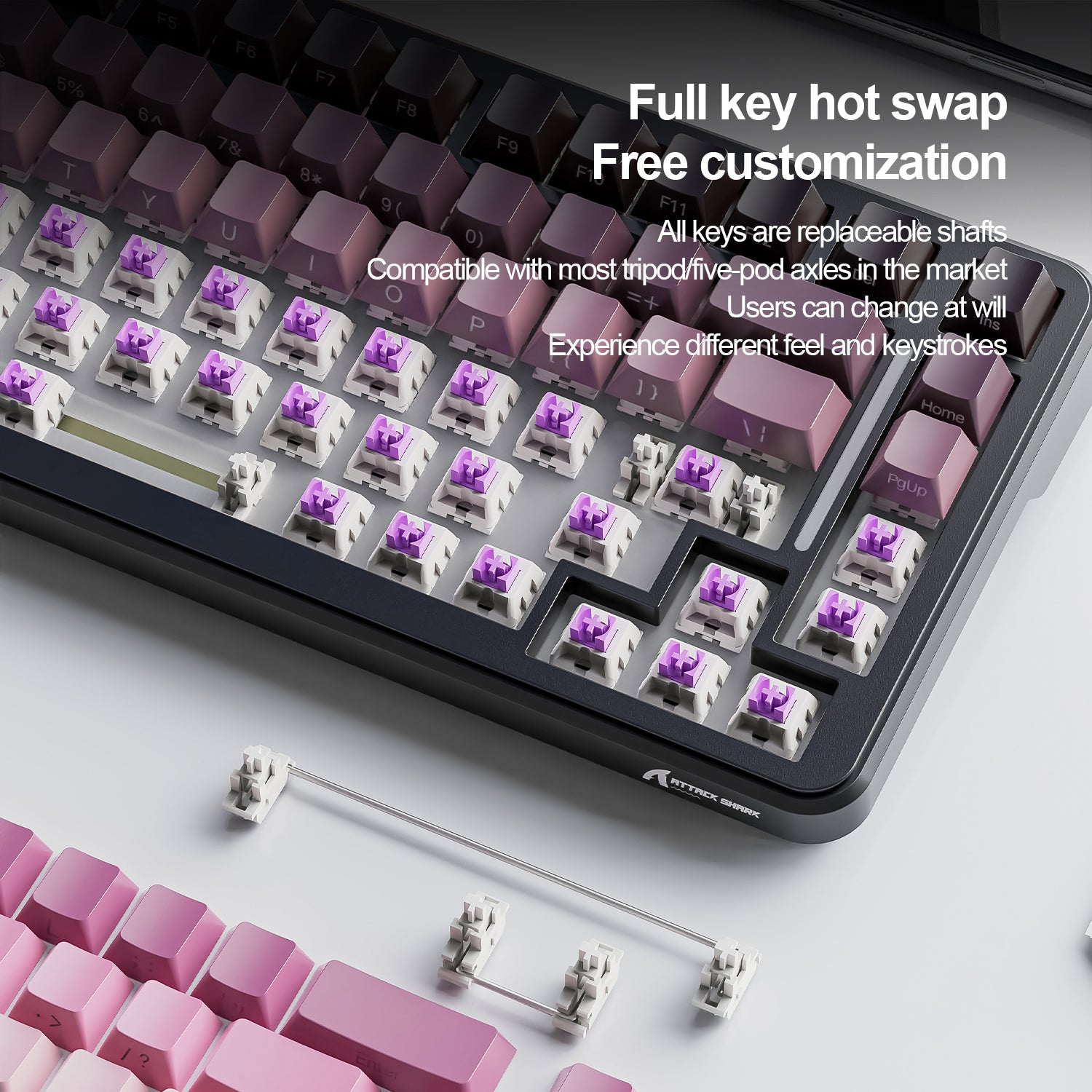
El teclado M86 soporta interruptores mecánicos de 3 pines y 5 pines, interruptores lineales prelubricados de desarrollo propio con sonido nítido y delicado. Adopta un diseño de PCB ranurado para cada tecla, mejora la estabilidad de la tecla y la experiencia de entrada, posicionamiento y pulsaciones precisas, previene rebotes y toques erróneos, mejorando en gran medida la sensibilidad y velocidad de respuesta del teclado. La estructura de junta con algodón absorbente de sonido de 5 capas proporciona una retroalimentación auditiva y táctil rica.

Teclado compacto 75% TKL y software de controlador personalizado
El diseño 75% TKL ahorra un 25% del espacio en el escritorio. Las teclas de función y las flechas están reservadas entre las 86 teclas, haciendo el trabajo de oficina más eficiente y el juego más fluido. El teclado M86 viene con software de controlador personalizado, que permite personalizar funciones de teclas y configurar programas de teclas para una funcionalidad mejorada.

Batería de 4000mAh y diseño ergonómico
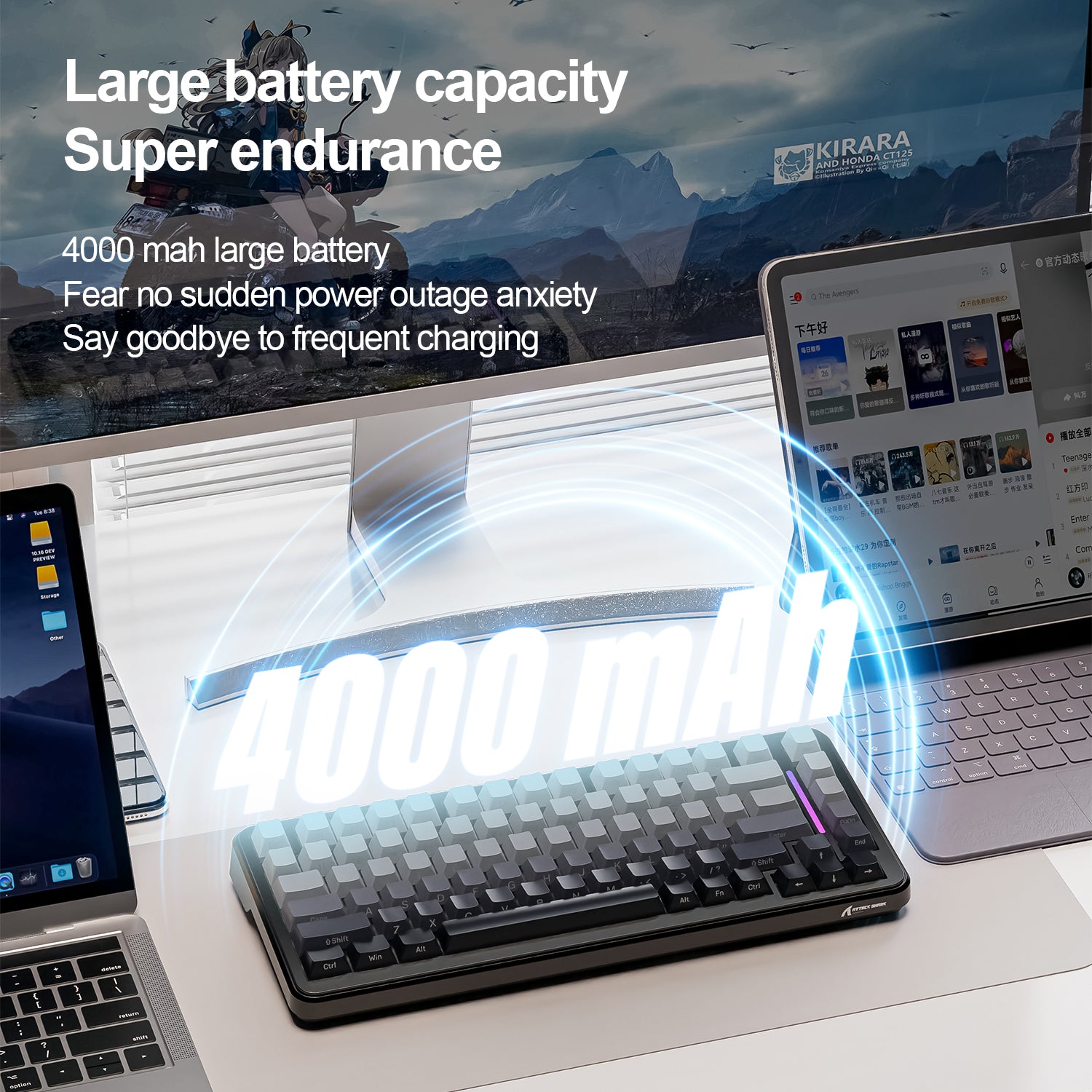
El teclado mecánico inalámbrico M86 cuenta con una batería de 4000mAh con ahorro de energía inteligente incorporado, garantizando un uso prolongado. Sus teclas de perfil OEM y el soporte trasero están diseñados ergonómicamente para un uso cómodo y prolongado sin fatiga. El teclado M86 ofrece tres opciones clásicas y elegantes de color y dos diseños exclusivos impresos en los laterales.

This keyboard represents good value for money. I was immediately taken aback by how good the typing feel is, the switches have a good actuation feel, they're smooth and the keyboard construction seems to create good acoustics.Connectivity is great, 2.4ghz, USB-C, and bluetooth. I did find a bit of lag with Bluetooth, but it is possible that this is not down to the keyboard.I'm not a fan of the keycaps provided so I swapped them out for some Jake Tsais I had lying around.On the negative side, although it's a gasket mounted keyboard the is a distinct lack of bounce that you'd expect from a gasket mounted board. I suspect that is down to the amount of foam in the keyboard.I did not install the programming software so no thoughts on that. Overall you get a bit more that you pay for on this one, so would recommend.


The media could not be loaded.
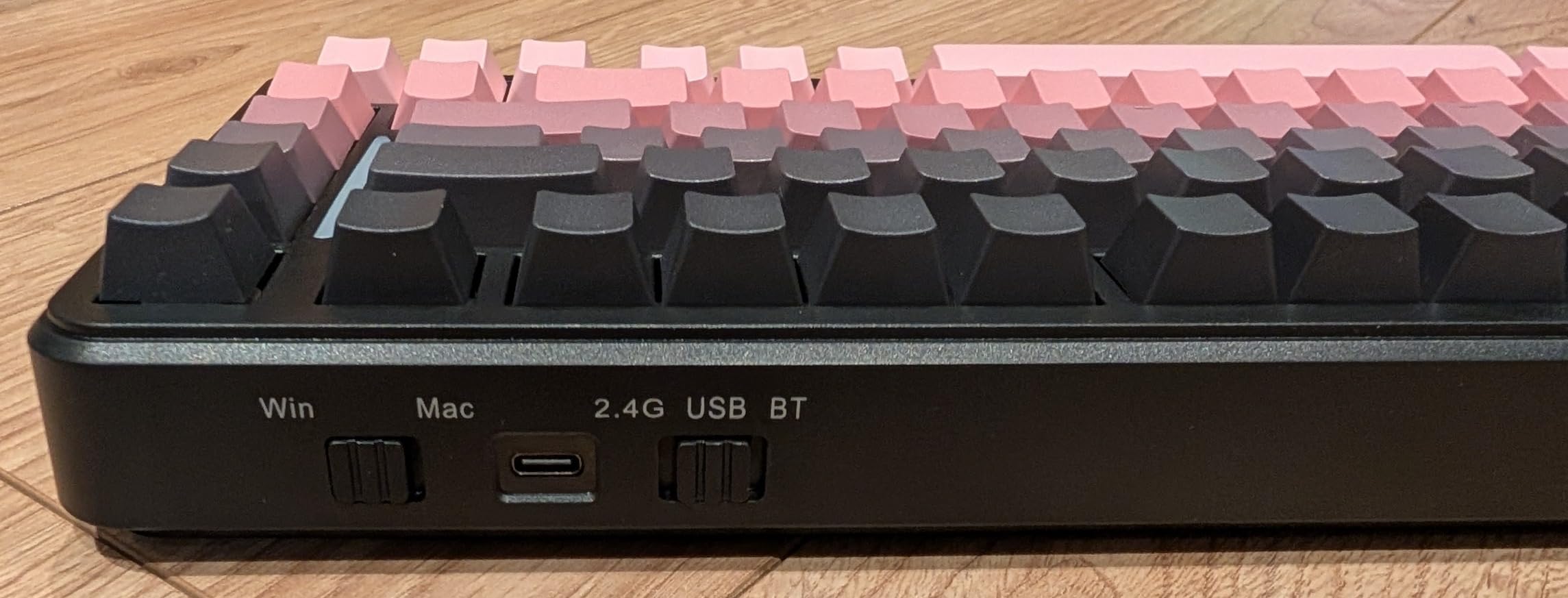
Opening the box, the immediate things you notice are: The colour looks fantastic, my daughter almost became giddy about how good it looked. Also you notice that there is no letters on thee tops of the keys but they are all on the front edge, which initially I worried about but as soon as the rgb LEDs fire up its actually really easy to see them (video attached shows).The key presses register really easy and the sound isn't too noisy unlike many mechanical keyboards. On the back edge is two switches and the USB-C port. The switches change from windows/mac modes and usb/2.4ghz/bluetooth modes.I am now looking at getting the grey version for my son as he's incredibly jealous.

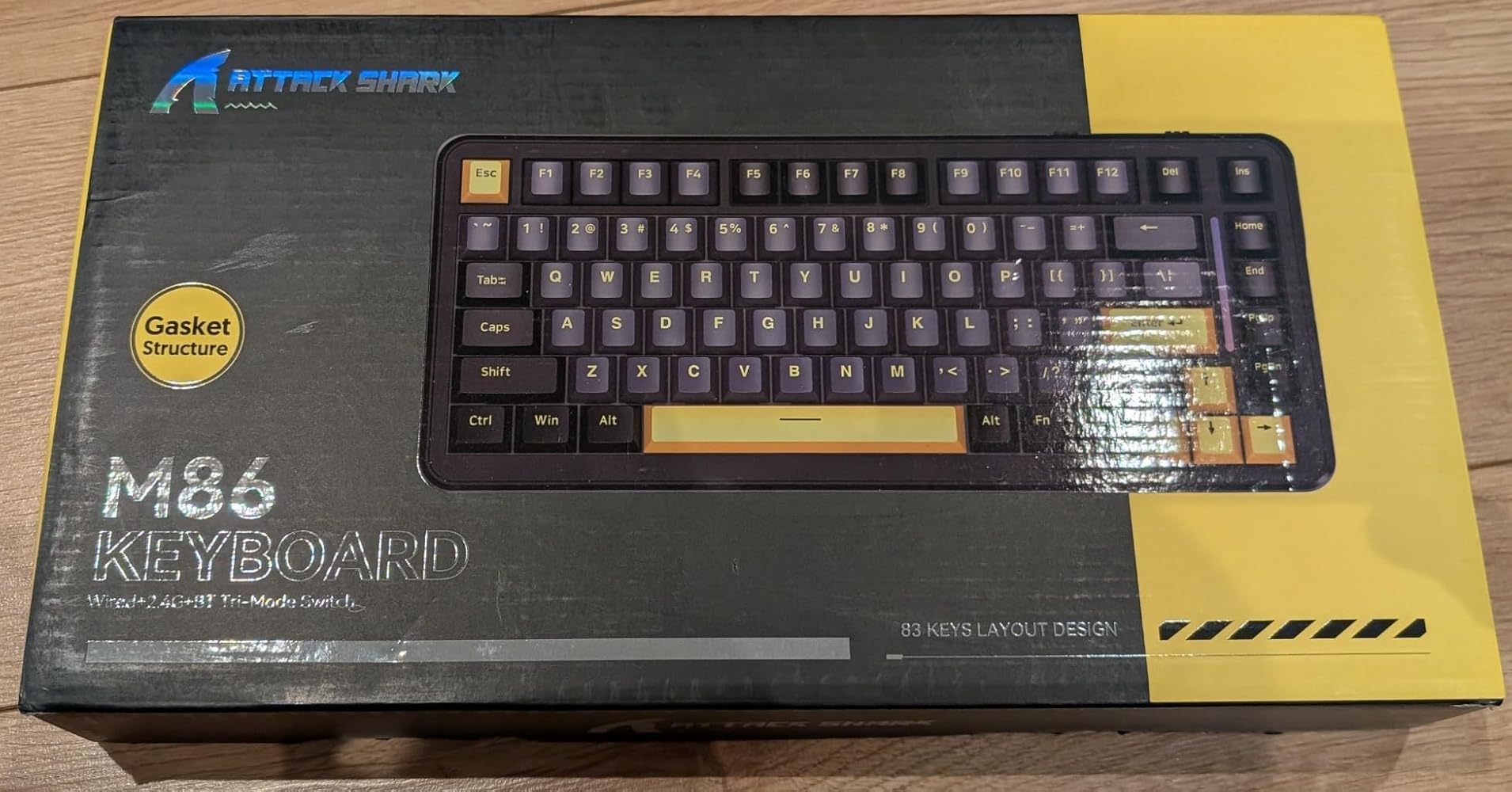


Fühlst und hörst super aus und Preis is auch sehr gut. Gekauft für 33€ weil es weiß ist.
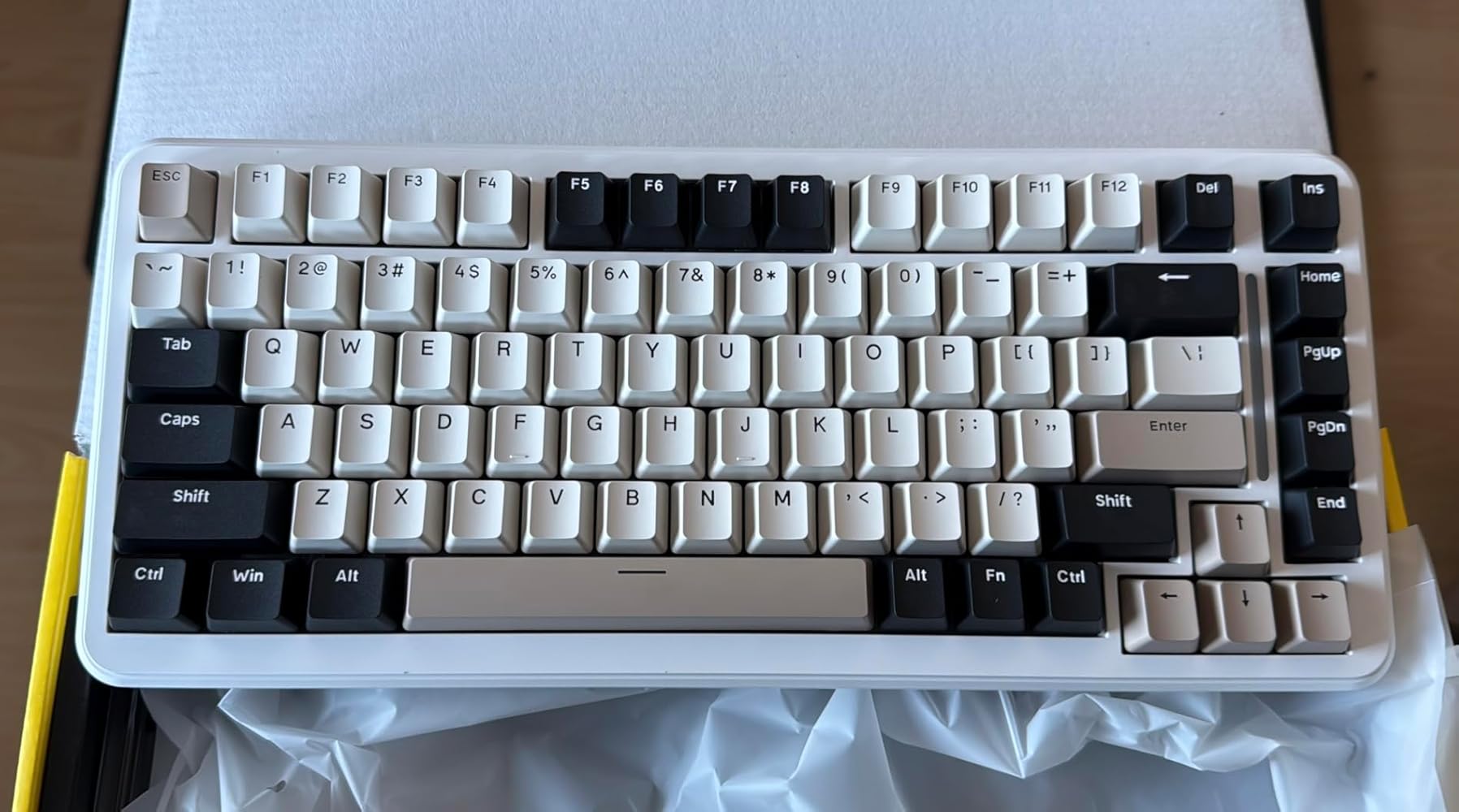

Tengo un par de teclados mecánicos más y, aunque no soy ningún experto, debo decir que el teclado M86 de Attack Shark me ha gustado. Este es mi primer teclado 75% (los otros dos son TKL) y no acabo de acostumbrarme a que las teclas de los cursores se encuentren "tan pegadas" al resto de teclas. Mi mano se mueve instintivamente a buscarlas "un poco más a la derecha", por lo que es fácil que acabe pulsando en la tecla que no es. Otra cosa que no me gusta es que, para hacer hueco a la tecla "Fn", las teclas "Alt" y "Ctrl" a la derecha de la barra espaciadora sean más estrechas de lo normal.El M86 también es el primer teclado con layout US, y eso sí que supone un cambio importante; normalmente, la situación es la inversa: el teclado tiene layour ISO/ES pero el servidor remoto tiene disposicion americana; en esos casos, no tengo demasiados problemas en encontrar la tecla que toca... Pero he intentado trabajar con la disposición americana y mi "memoria muscular" se va hacia las teclas en la disposición en español... Como escribo sin mirar al teclado, puedo usarlo sin problemas (dejando la configuración del SO en ES).Una de las cosas que más me llamó la atención es el sonido del teclado. Normalmente uso unos switches silenciosos, ya que incluso los rojos me parecían demasiado ruidos... Los del M86 son más sonoros, pero no ruidosos. Tiene ciertos tono cálido que me gusta, aunque sigo prefiriendo trabajar en silencio.Aunque el montaje con "gasket" es, teóricamente mejor, no noto ninguna diferencia con los otros teclados.El teclado es completamente de plástico, lo que diría que es normal en esta gama de precios. Me gusta las opciones de conectividad que proporciona: por cable, por Bluettoth y por RF (con un "dongle" que se guarda bajo una de las "patas" del teclado, lo que es un detalle inteligente).El tema de la ilumincación LED me sobra, pero es uno de los reclamos que ha hecho que los teclados mecánicos bajen de precio, al enfocarse a un público más joven y "gamer". En mi caso, suelo tener la iluminación apagada o con un solo color (fijo).La tacla de mayúsculas no tiene ningún indicador para ver en qué estado se encuetra, lo que es un poco engorroso. Hubiera estado bien aprovechar la luz "larga" vertical, entre el teclado y las teclas Home/PgUp, etc para indicar si las mayúsculas están activadas. En el manual se indica que mediante la combianción Fn+Mayúsculas se cambiar esa luz, pero sólo se puede cambiar el efecto o apagarla (pero no para indicar el estado de la tecla de mayúsculas).PS: He incluído una grabación del sonido que hace el teclado, pero como no soy youtuber y no tengo donde sujetar el teléfono mientras escribo (con las dos manos), he dejado el teléfono grabando sobre la mesa, junto al teclado mientras escribía (así que es normal que no haya imagen)


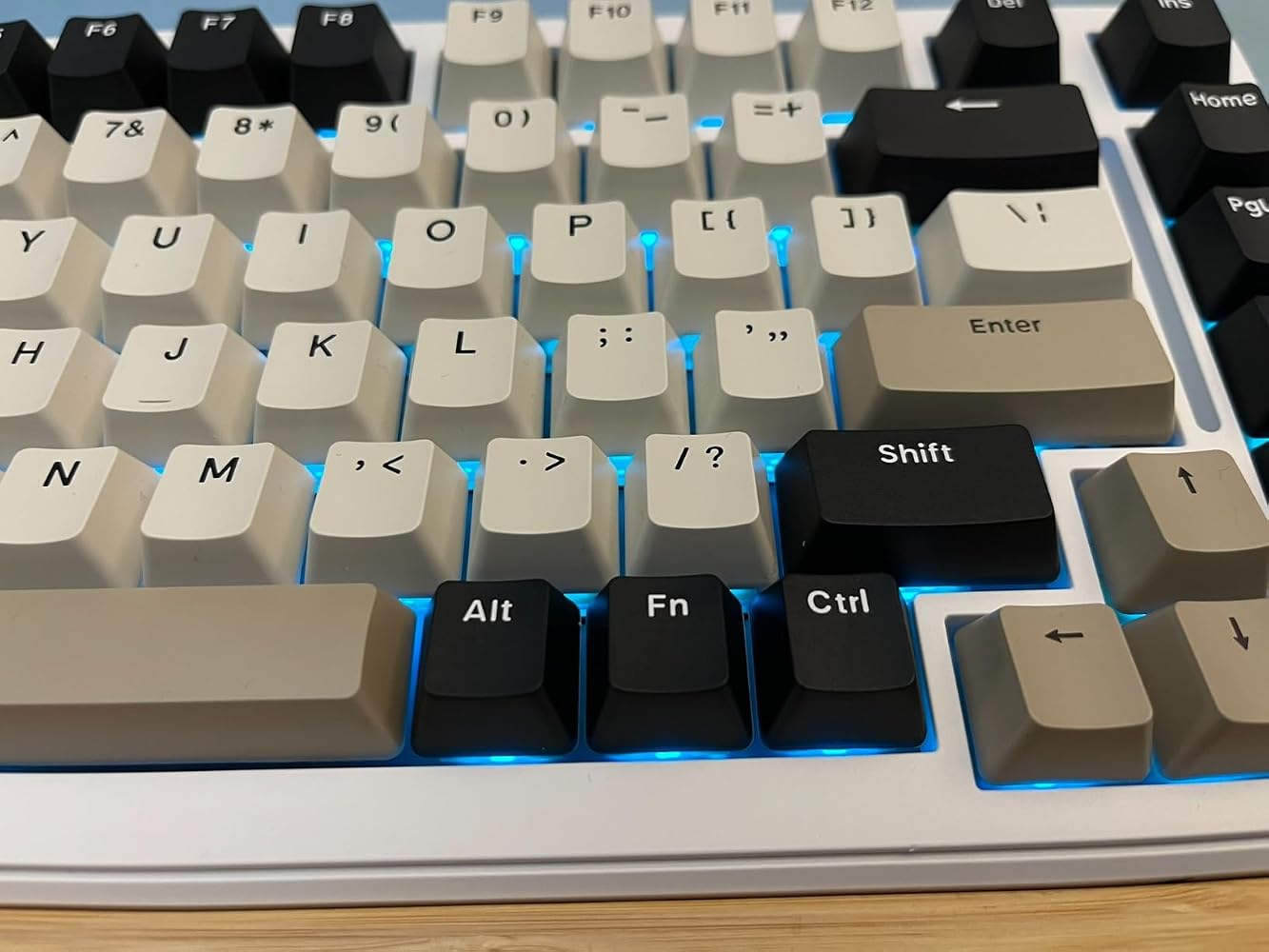


Feels pretty high quality. 75% size. (My 100% in photos for comparison)Makes satisfying, soft clicks. Keys are smooth/matte finish. RGB.Very soft keys, it doesn't take much effort to use.Comfortable. Easy on the eyes and the hands. Lighting can be customized.My only issue is (and I searched this listing when I ordered) is that the description changed completely after it arrived for me. Between December 12th and December 21st the listing changed from"ATTACK SHARK M86 Wireless Mechanical Keyboard, 75% Gasket Hot Swappable Custom Keyboard, RGB Backlit BT/2.4Ghz/Wired with Coiled Cable, Pre-lubed Linear Blueberry Switches Keyboard-Blackberry"to"ATTACK SHARK M86 75% Mechanical Gaming Custom Keyboard, Gasket Mount,Hot Swappable,RGB Backlit,Pre-lubed Switches,Side Printed PBT Keycaps,5.0 BT/2.4G Wireless/Type-C Wired Keyboard with Coiled Cable" and now the listing says Strawberry switches.I've scoured the box to try to find the true switch type and I can't find it anywhere in text, but the 2 replacement switches seem to be Strawberry, so the listing may have been incorrect before and now fixed?The keyboard itself and the listing state it's USB-C which is true. The details seem to match up with the updated listing.
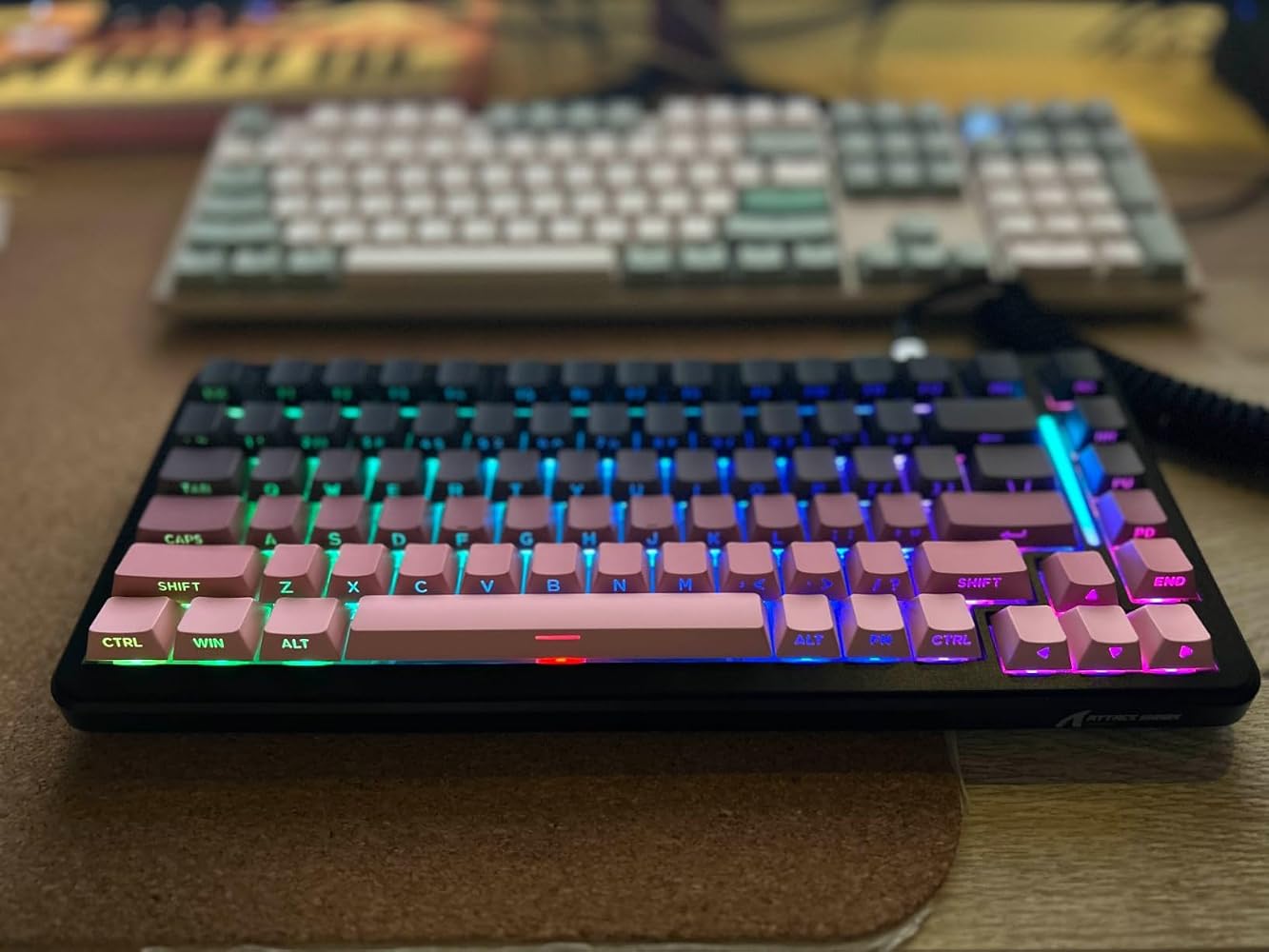

I was pretty impressed, the keys on this keyboard feels really nice and smooth, it's probably one of my favorite feeling keyboards, and the sound it makes is also great.I really like that there are so many options and ways to connect it, I usually use a wire but it's always good to have the option to have it wireless.Now for the not so good, I only had 2 things that I didn't really like.1. I didn't really like the design, i was hoping it whold be more clean, it kinda looks like an old retro one, but it didn't match my setup2. The RGB lights are a good addition, but they are pretty dim unless the lights are off, they are not too noticeable

This M86 wired mechanical keyboard from brand ATTACK SHARK is a compliment to my existing mouse from the same brand. It is a perfect addition to my XBOX series X since it is a lightweight design with a very compact layout (no NUM pad) that I can setup on my gaming desk next to a mouse and my game pads, and I can switch between these peripherals easily depending on the type of gaming I am doing.For the record, this is not just a wired keyboard, although it has the best latency for gaming on your XBOX when used as a wired setup. it also features Bluetooth connection as well as a 2.4g dongle connection to suit whatever scenario you might require.One of the most unique features of the RBG colour scheme specific to this keyboard is the ability for the colours to dance rhythmically to the sounds and music coming from your TV. This just so happens to be the first mechanical keyboard I have used that has this feature, so it is unique to me, and I think it works very well and is fun. The keys are also 75% swappable, "strawberry" 3-pin or 5-pin switches, so they are very light but also responsive, and don't sound too clicky... but still have that quality mechanical feel when typing or playing. I think this switch setup is particularly good for gaming. It is not my favourite for long-term typing, but I could game on it all day. All the keys are nicely textured, and entirely programmable; you can customize a variety of layouts to suit your needs, including macro support for enhanced gaming options.The only thing I suppose I don't like is a gripe I share about many mechanical keyboards, and that is the key fonts themselves not being translucent, so that the light of the LED can shine through. Like most I have tried, this keyboard also suffered from LED RGB sub-lighting on the underside only. That said, there is an interesting RBG bar on the left, but it doesn't really have any purpose other than to make the keyboard glow some more. However, the RGB options are some of the most diverse I have seen as well.In the future, I am curious to see what other key colour combinations are available from ATTACK SHARK so I can swap them out and give my keyboard some variety. In the meantime, it is a very comfortable option for gaming that I am happy to be able to use with my mouse from the same brand, as a speedy alternative to my gamepads for RTS and also action shooters that I have always felt too slow playing with a regular gamepad. 4 stars overall.


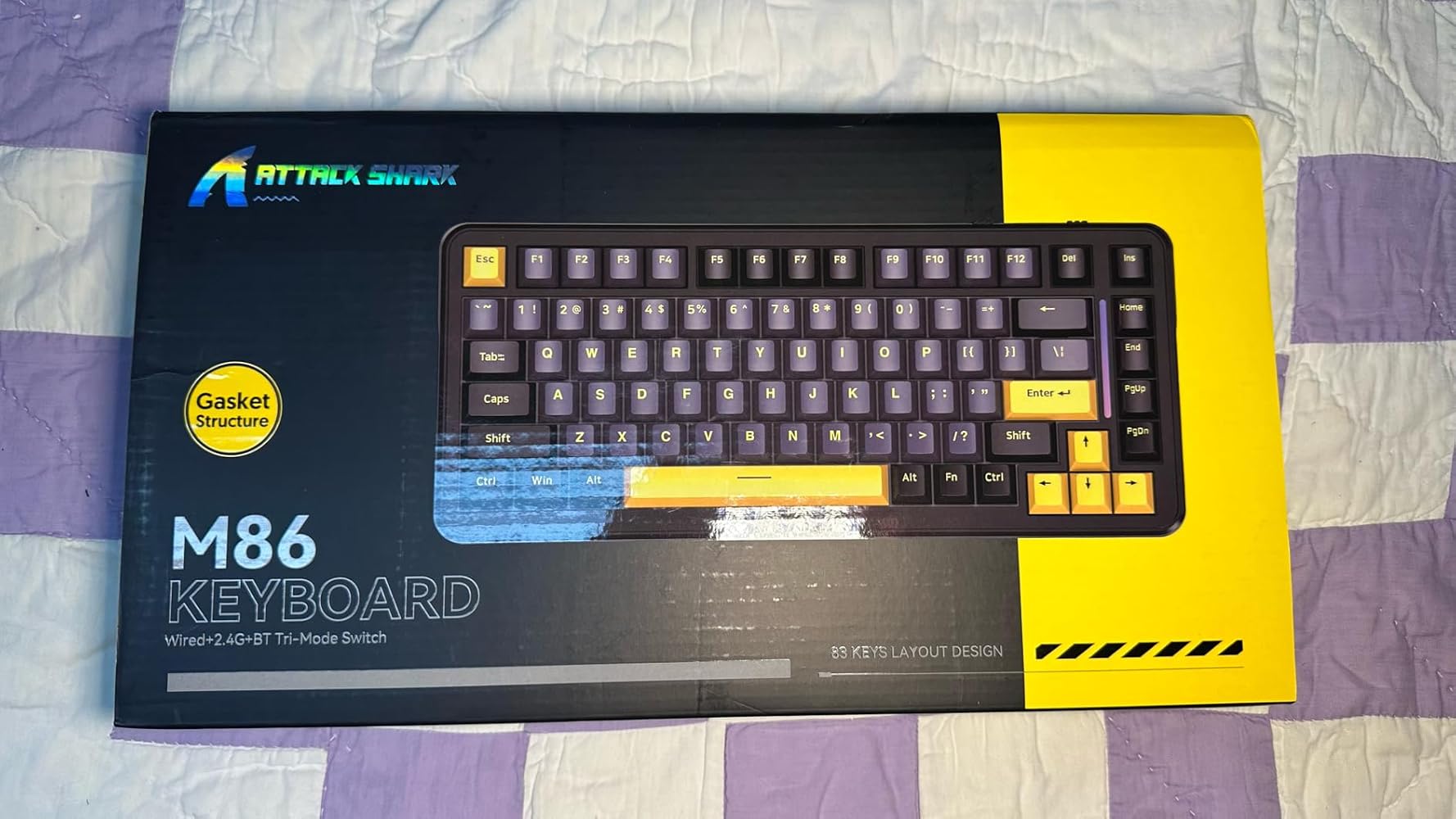
I have been using this keyboard daily for several hours a day for the last week and it is going to continue to be my daily use keyboard for the near future.Included with the keyboard is:• A thin plastic cover that could be reused as a dust cover• A braided USB A - C cable with a coiled end and aircraft style metal fitting inline.• A keycap/switch puller• There is a 2.4 Ghz dongle under the foot on the bottom of the board itself• Instructions in multiple languagesSome quick impressions:+ Solid build+ Effective Key dampening material+ Good battery life+ Smooth linear keys+ Handsome USB Cable+ Fairly decent value, great value on sale or with coupon- Indicator lights are difficult to see (caps lock, Bluetooth pairing etc.)- RGB Light strip has limited settings• No labels for hotkeys• The board weighs 747g without the cable, 13" wide.This is a triple mode keyboard so it is able to be used wired, or wireless using either 2.4 Ghz or Bluetooth with the selector on the back switching modes. On Bluetooth there are three saved banks that can be used to swap the pairing between three separate devices. There is another selector for switching between Windows and Mac layouts.This compact board has linear pre-lubed switches advertised as a "Strawberry" switch, though I can not figure out who exactly makes these switches and what their actual specs are. They are fairly smooth though, feeling above the typical budget boards with generic non-lubed switches, though not likely quite as creamy as higher end gear with custom builds. I do like the weight of them, but without the specs I can not say what that is. The entire case is a plastic build, but solid and everything fits together well. Two stage keyboard feet are underneath for the height adjustment.The stabilizers appear to be pre-lubed as well, which is nice. The space bar and left shift are probably the loudest, understandably, with a some stabilizer ping. It's not bad though, and better than most in this price range I would say. The board apparently has multiple layers of gasket material which helps keep the sound of the keys a bit softer and more muted.The key caps themselves are PBT and the legends are clear though they are not shine though on the White model here. Switch alignment appears to be generally pretty good. It is indeed hot-swappable and I pulled out a couple switches to get a closer look.There is RGB key lighting with preset animations/modes and the ability to cycle 8 colours on the board itself including RGB cycling on most settings. If you want to have some more precise control you'll have to download the Attack Shark driver from their site. It seems to save a custom slot on the board though for one colour you set though software, as I can cycle back to one I had set earlier. There is a small light strip on the right hand of the board that can also be adjusted somewhat, but with far less customization than the keys themselves.The lights under the keys also serve as status indicators, which given their location can make it difficult to see. Caps Lock for example turns white when active, but at a typical typing angle it is not really noticeable. The space bar key will also turn red while it is charging. At default using a wireless mode the lights will shut off after a couple minutes to save power, but this can be adjusted in software. There are also various hotkeys that can be used with the Fn key such as media controls, but as there are no labels on the board for those functions it is up to your memory as to what they are. Personally I don't use those keys much, and I think I prefer the cleaner look without said labels.After a few days of fairly consistent use (several hours per day with lighting on) I have only dropped about 20% of battery life. So far I am very impressed with the quality.


It’s a bit too loud imo but overall not a bad keyboard…
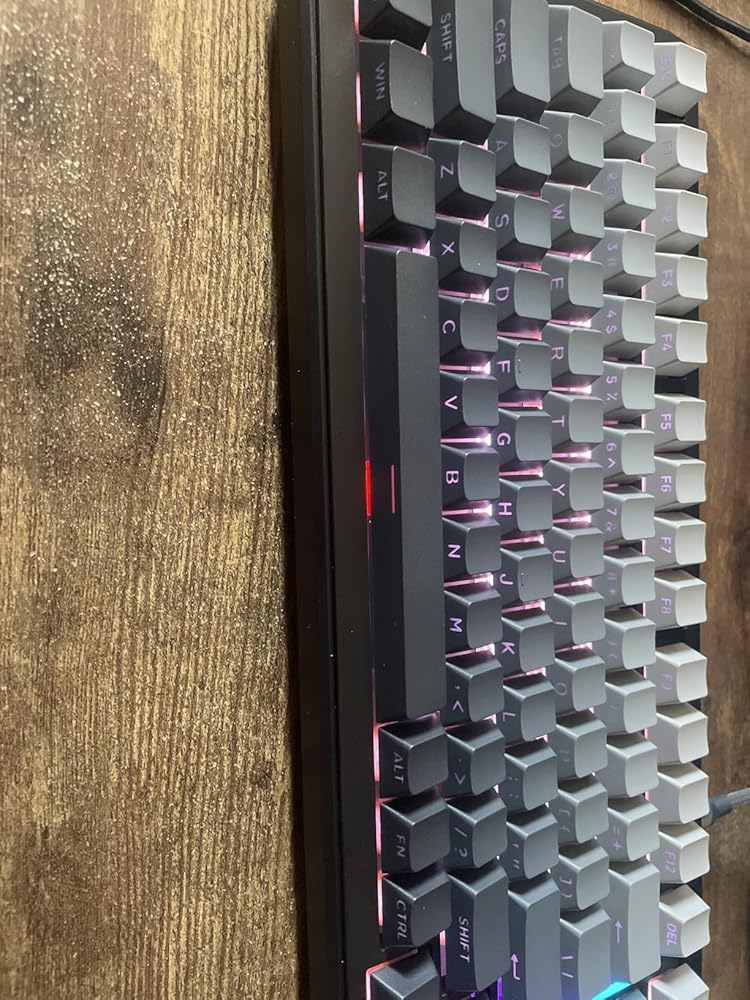
This keyboard represents good value for money. I was immediately taken aback by how good the typing feel is, the switches have a good actuation feel, they're smooth and the keyboard construction seems to create good acoustics.Connectivity is great, 2.4ghz, USB-C, and bluetooth. I did find a bit of lag with Bluetooth, but it is possible that this is not down to the keyboard.I'm not a fan of the keycaps provided so I swapped them out for some Jake Tsais I had lying around.On the negative side, although it's a gasket mounted keyboard the is a distinct lack of bounce that you'd expect from a gasket mounted board. I suspect that is down to the amount of foam in the keyboard.I did not install the programming software so no thoughts on that. Overall you get a bit more that you pay for on this one, so would recommend.
Opening the box, the immediate things you notice are: The colour looks fantastic, my daughter almost became giddy about how good it looked. Also you notice that there is no letters on thee tops of the keys but they are all on the front edge, which initially I worried about but as soon as the rgb LEDs fire up its actually really easy to see them (video attached shows).The key presses register really easy and the sound isn't too noisy unlike many mechanical keyboards. On the back edge is two switches and the USB-C port. The switches change from windows/mac modes and usb/2.4ghz/bluetooth modes.I am now looking at getting the grey version for my son as he's incredibly jealous.
Tengo un par de teclados mecánicos más y, aunque no soy ningún experto, debo decir que el teclado M86 de Attack Shark me ha gustado. Este es mi primer teclado 75% (los otros dos son TKL) y no acabo de acostumbrarme a que las teclas de los cursores se encuentren "tan pegadas" al resto de teclas. Mi mano se mueve instintivamente a buscarlas "un poco más a la derecha", por lo que es fácil que acabe pulsando en la tecla que no es. Otra cosa que no me gusta es que, para hacer hueco a la tecla "Fn", las teclas "Alt" y "Ctrl" a la derecha de la barra espaciadora sean más estrechas de lo normal.El M86 también es el primer teclado con layout US, y eso sí que supone un cambio importante; normalmente, la situación es la inversa: el teclado tiene layour ISO/ES pero el servidor remoto tiene disposicion americana; en esos casos, no tengo demasiados problemas en encontrar la tecla que toca... Pero he intentado trabajar con la disposición americana y mi "memoria muscular" se va hacia las teclas en la disposición en español... Como escribo sin mirar al teclado, puedo usarlo sin problemas (dejando la configuración del SO en ES).Una de las cosas que más me llamó la atención es el sonido del teclado. Normalmente uso unos switches silenciosos, ya que incluso los rojos me parecían demasiado ruidos... Los del M86 son más sonoros, pero no ruidosos. Tiene ciertos tono cálido que me gusta, aunque sigo prefiriendo trabajar en silencio.Aunque el montaje con "gasket" es, teóricamente mejor, no noto ninguna diferencia con los otros teclados.El teclado es completamente de plástico, lo que diría que es normal en esta gama de precios. Me gusta las opciones de conectividad que proporciona: por cable, por Bluettoth y por RF (con un "dongle" que se guarda bajo una de las "patas" del teclado, lo que es un detalle inteligente).El tema de la ilumincación LED me sobra, pero es uno de los reclamos que ha hecho que los teclados mecánicos bajen de precio, al enfocarse a un público más joven y "gamer". En mi caso, suelo tener la iluminación apagada o con un solo color (fijo).La tacla de mayúsculas no tiene ningún indicador para ver en qué estado se encuetra, lo que es un poco engorroso. Hubiera estado bien aprovechar la luz "larga" vertical, entre el teclado y las teclas Home/PgUp, etc para indicar si las mayúsculas están activadas. En el manual se indica que mediante la combianción Fn+Mayúsculas se cambiar esa luz, pero sólo se puede cambiar el efecto o apagarla (pero no para indicar el estado de la tecla de mayúsculas).PS: He incluído una grabación del sonido que hace el teclado, pero como no soy youtuber y no tengo donde sujetar el teléfono mientras escribo (con las dos manos), he dejado el teléfono grabando sobre la mesa, junto al teclado mientras escribía (así que es normal que no haya imagen)
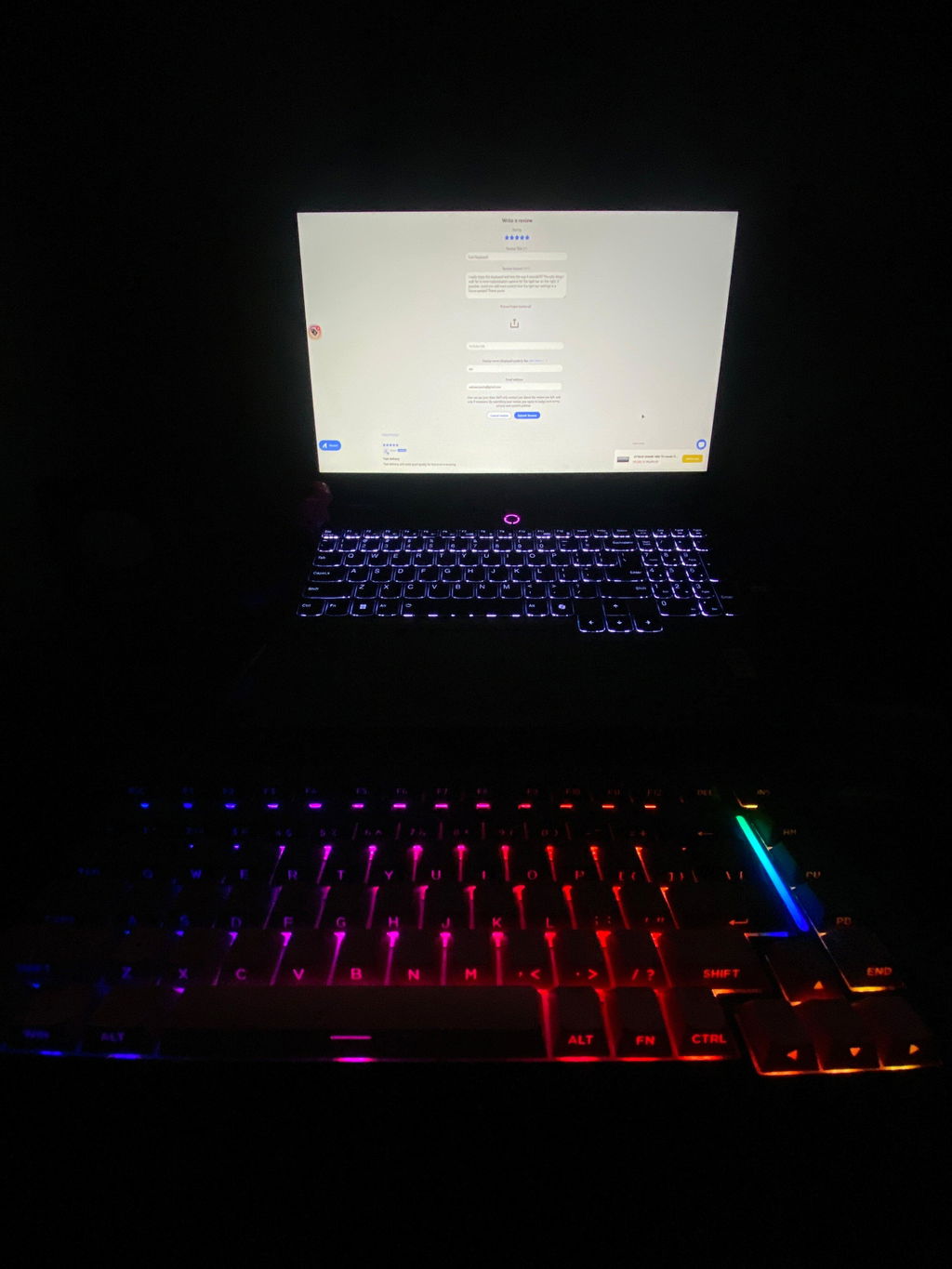
I really enjoy this keyboard and love the way it sounds!!!!!! The only thing I wish for is more customization options for the light bar on the right. If possible, could you add more control over the light bar settings in a future update? Thank you!w
Cool Keyboard