



Quick Guide: Essential Mouse Texture Maintenance
For players looking for immediate results, follow this baseline protocol to prevent your gaming mouse from becoming "slick" or "sticky":
- Daily/Weekly Wipe: Use a dry, lint-free microfiber cloth to remove skin oils before they settle into the texture's microscopic pores.
- Oil Removal: For matte shells, apply 70% Isopropyl Alcohol (IPA) to a cloth (never directly to the mouse) to dissolve oils.
- Rubber Care: Avoid alcohol on rubber side grips unless they are already sticky. Instead, use a 10:1 water-to-mild-soap solution.
- Environment: Store the device away from direct sunlight and heat (above 40°C) to prevent the leaching of plasticizers.
- Emergency: If liquid enters the shell or the battery feels unusually hot, power off immediately and disconnect all cables.
The Science of Surface Integrity: Preserving Gaming Mouse Textures
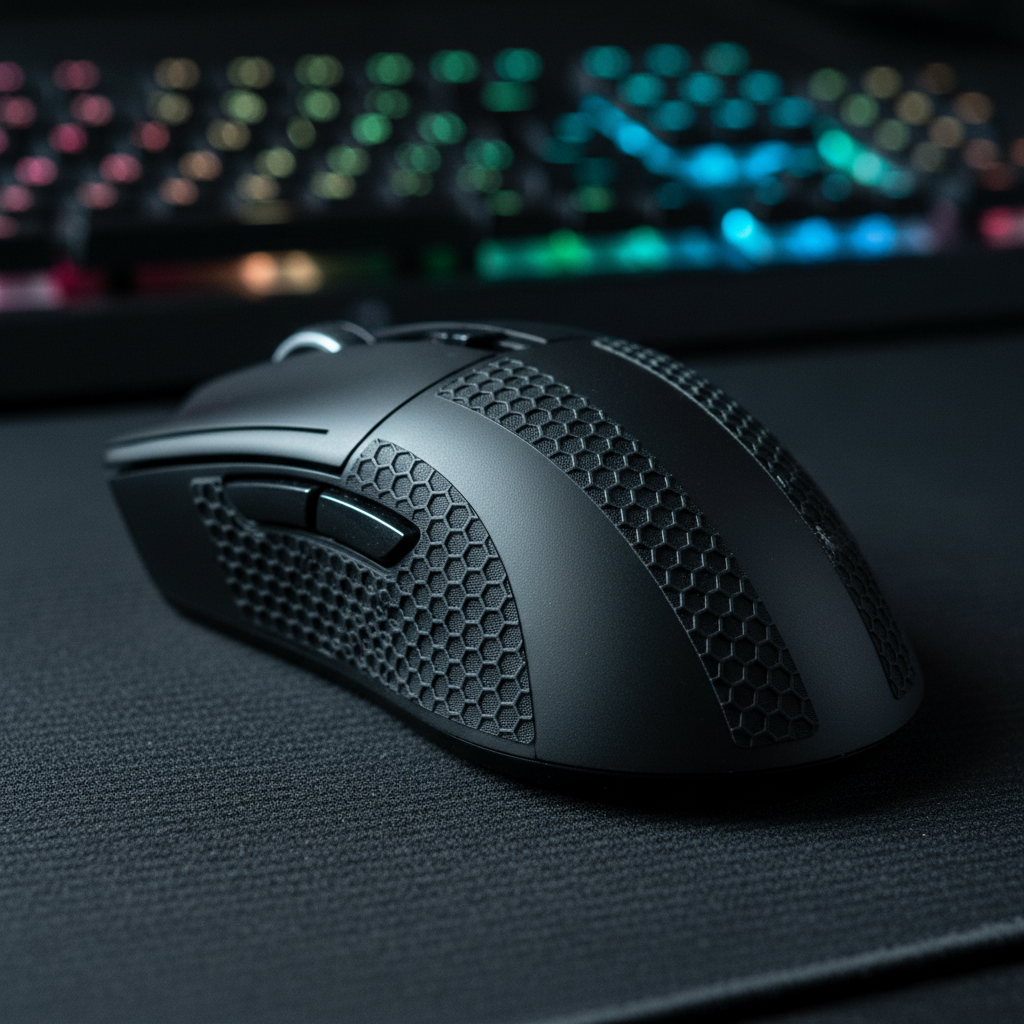
For high-performance gaming peripherals, the interface between the user’s hand and the device shell is a critical factor in competitive consistency. Modern ergonomic gaming mice utilize specialized surface treatments—ranging from matte UV coatings to rubberized grips—to optimize friction. However, these materials are subject to chemical and mechanical degradation. Over time, skin oil accumulation, sweat acidity, and friction-induced heat can transform a premium tactile surface into a liability.
Maintaining these textures is a functional requirement for preserving the response times and precision tracking expected in esports. As noted in the Attack Shark Internal Whitepaper (2026), surface consistency is a significant determinant of long-term product durability in the value-driven challenger segment.
Understanding Material Degradation Mechanisms
The "sticky mouse" phenomenon is typically a cumulative process of polymer breakdown. To effectively preserve a device, one must understand the specific materials involved.
1. Rubberized Side Grips and Plasticizers
Many ergonomic mice use thermoplastic elastomers (TPE) that rely on plasticizers to remain flexible.
- The Failure Mode: Exposure to UV light or heat causes these plasticizers to leach to the surface, resulting in a tacky residue.
- Chemical Sensitivity: Household cleaners with harsh surfactants can leave alkaline residues. Based on internal observations, improper maintenance can lead to visible degradation within 4–6 months of heavy use.
2. Matte and Textured UV Coatings
Matte finishes on ABS or Polycarbonate shells provide a premium feel but are susceptible to "polishing."
- The "Slick" Effect: Friction wears down the microscopic "peaks" of the matte texture. When skin cells and oils fill these valleys, it creates a polished surface that can reduce grip reliability during high-intensity sessions.
3. Advanced Materials: Carbon Fiber and Tempered Glass
High-end surfaces like tempered glass offer superior resistance to mechanical wear.
- Terminology Note: While often marketed with a "9H" rating, this refers to pencil hardness (resistance to scratches from a 9H lead), not the Mohs scale of mineral hardness (where a 9 is Sapphire). Tempered glass typically sits at 6–7 on the Mohs scale. While highly resistant to abrasion, these surfaces still require cleaning to remove "stiffened dirt" which can act as a secondary abrasive.

Modeling the "High-Stress" User: Heuristic Analysis
To illustrate how usage patterns affect longevity, we utilize a heuristic model of a "High-Stress" user. This is a model for estimation, not a laboratory guarantee.
Scenario Modeling: The Acidic Sweat Profile
This model assumes a competitive gamer with physiologically acidic sweat and an aggressive grip style.
| Parameter | Value | Unit | Rationale / Source Category |
|---|---|---|---|
| Hand Length | 20.5 | cm | Large male hand (95th percentile, ANSUR II) |
| Usage Duration | 6+ | hours/day | Competitive esports workload |
| Sweat pH | 4.5–5.5 | pH | Acidic range (General physiological data) |
| Intensity Multiplier | 1.5 | - | Heuristic for high-frequency movement |
| Posture Multiplier | 2.0 | - | Estimated stress from claw grip tension |
Methodology Note: Using an adapted Moore-Garg Strain Index (SI) calculation for distal upper extremity stress, this profile yields a calculated SI of 72.0. In industrial ergonomics, this is categorized as "Hazardous." For a gaming mouse, our internal modeling suggests this intensity can correlate to a 3–4× increase in mechanical abrasion compared to casual office use.
Furthermore, a Grip Fit Ratio (Hand Length / Mouse Length) of 0.91 suggests an undersized fit for this user. This concentrates sweat and oils into smaller "hot zones," potentially accelerating coating breakdown by an estimated 30–50% in localized areas like the thumb base.
The Professional Cleaning Protocol
Step 1: Dry Debris Removal
Dust mixed with skin oils creates a grinding paste.
- The Expert Method: Use oil-free compressed air to dislodge debris. According to technical guidance for specialized equipment maintenance, mechanical brushing should only follow the removal of loose abrasive particles to prevent micro-scratching.
Step 2: Surface Sanitization and Oil Removal
For hard plastic shells, 70% isopropyl alcohol (IPA) is the professional standard.
- The Mechanism: IPA acts as a solvent that breaks down non-polar skin oils without leaving the alkaline residues associated with many dish soaps.
- Application: Apply the IPA to a lint-free microfiber cloth first; never spray it directly onto the mouse. This prevents moisture from seeping into the internal PCB or sensor.
Step 3: Preserving Rubberized Surfaces
- The Balanced Approach: For regular maintenance, use a damp microfiber cloth with a highly diluted solution of mild, pH-neutral soap (10:1 ratio).
- The "Sticky" Fix: If the coating is already tacky, a gentle wipe with 70% IPA can remove the degraded top layer. However, this is a "last resort" measure as it may thin the material.
Environmental Factors and Long-term Storage
- Humidity Control: High humidity can lead to moisture-induced delamination (bubbling). For more on this, see our brand guide: Humidity and Grip: Maintaining Surface Tactility.
- UV Protection: Direct sunlight is the primary catalyst for plasticizer leaching. Storing a mouse near a window can significantly reduce the lifespan of rubber side grips.
- Heat Management: Avoid leaving peripherals in vehicles or near PC exhaust vents where temperatures exceed 40°C (104°F).
Performance Synergy: Texture and Polling Rates
The quality of the mouse texture can influence the user's ability to utilize high-performance specifications like 8000Hz (8K) polling rates.
The 8K Polling Connection
An 8000Hz polling rate offers a 0.125ms interval. To saturate this bandwidth, the user needs a surface that provides predictable, consistent friction.
- The Logic: If a texture becomes "slick," the user's grip may slip by microscopic amounts. While these slips are often negligible at 1000Hz, they can become perceptible as "floaty" tracking at 8000Hz because the sensor captures data at 8× the frequency. Consistent texture is essential for the stability required by high-refresh-rate monitors (240Hz+).
Compliance, Safety, and Battery Integrity
- Chemical Safety: Ensure cleaning agents do not compromise the device's RoHS or REACH compliance. Avoid industrial solvents like acetone, which can melt ABS plastic.
- Battery Safety: Wireless mice contain lithium-ion batteries. Always power off before cleaning. According to IATA Lithium Battery Guidance, maintaining casing integrity is vital. Emergency: If you notice the casing bulging or smelling of chemicals, stop use immediately; this may indicate a battery failure.
- Regulatory Labels: Do not use abrasive cleaners on the FCC ID labels on the bottom of the mouse. These are required for warranty and regulatory verification. You can check device authenticity via the FCC Equipment Authorization Search.
Disclaimer: This article is for informational purposes. Maintenance procedures should be performed with caution. Always refer to the manufacturer's user manual. We are not responsible for damage resulting from improper cleaning techniques.
Sources
- Attack Shark Internal Whitepaper: Gaming Peripherals Standards (2026)
- FCC Equipment Authorization (FCC ID Search)
- IATA Lithium Battery Guidance Document
- County of Riverside Transportation Department - Special Provisions (Maintenance Reference)
- Home Concrete Solutions - Moisture and Industrial Coatings (Mechanism Reference)


Hinterlasse einen Kommentar
Diese Website ist durch hCaptcha geschützt und es gelten die allgemeinen Geschäftsbedingungen und Datenschutzbestimmungen von hCaptcha.