






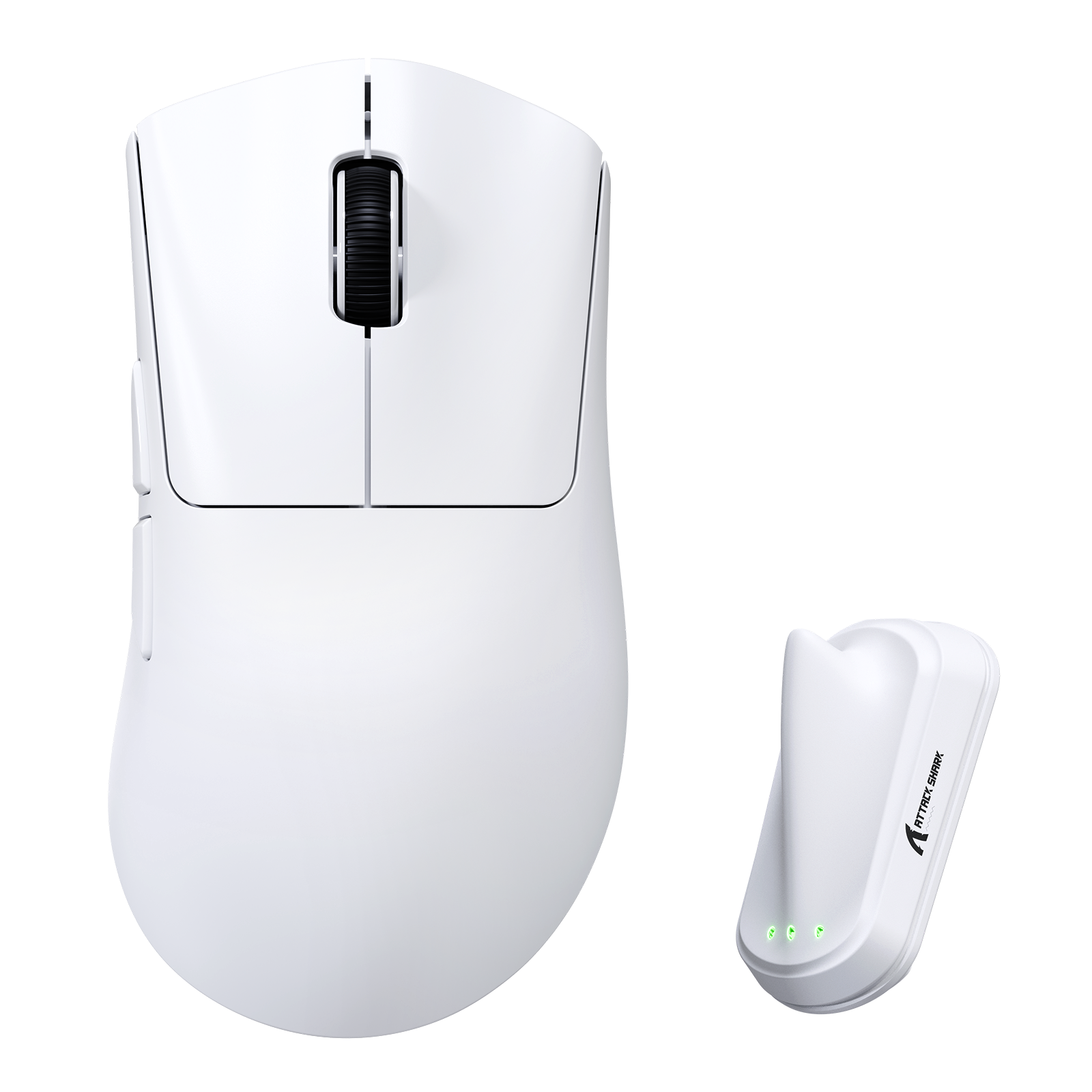


ATTACK SHARK V8 Ultra-Leichte Ergonomische Kabellose Gaming-Maus
- Share:
-

-

-

-


Technical Specifications
WEB DRIVER
-
Ergonomische Rechtsform | 59g Ultra-Leichte Gaming-Maus
- Für mittelgroße bis große Hände konzipiert, verfügt diese leichte kabellose Gaming-Maus über eine ergonomische Rechtsform mit einem ausgewogenen Körpergewicht von 59g ±3g. Sie bietet natürlichen Griff, präzise Kontrolle und ganztägigen Komfort für FPS-, Esports- und schnelle PC-Spiele.
-
Nordic 54L15 Chip | 500mAh Lange Akkulaufzeit | Niedriglatenz Wireless-Maus
- Angetrieben vom neuesten Nordic 54L15-Chipset bietet die V8 ultra-niedrige 0,168 ms Klicklatenz und verlängerte kabellose Spielzeit mit ihrem integrierten 500mAh Akku, was sie perfekt für wettbewerbsorientiertes Gaming macht.
-
PAW3950 MAX Gaming-Sensor | 42.000 DPI Hochpräzision
- Ausgestattet mit dem PAW3950 MAX Flaggschiff-Sensor, der bis zu 42.000 DPI Empfindlichkeit, 65G Beschleunigung und 750 IPS Tracking-Geschwindigkeit bietet. In Kombination mit einer statischen Scanrate von 20.000 FPS sorgt diese High-DPI-Gaming-Maus für pixelgenaues Tracking bei FPS-, MOBA- und Esports-Leistung.
-
Duale 8000Hz-Abtastrate — Kabelgebundene & kabellose Gaming-Leistung
- Erleben Sie kompromisslose Reaktionsfähigkeit mit einer echten 8000Hz-Abtastrate in kabelgebundenen und kabellosen Modi. Diese ultra-schnelle Gaming-Maus liefert nahezu sofortige Eingabereaktion und bietet professionelle Genauigkeit für wettbewerbsorientiertes PC-Gaming ohne Umschaltbeschränkungen.
-
SHARK 8K Smart Dongle | Echtzeit-Anzeige von Signal, Batterie & DPI
- Der exklusive SHARK 8K flossenförmige Dongle verfügt über integrierte Anzeigeleuchten, die auf einen Blick die Wireless-Signalstärke, den Batteriestand und die aktuelle DPI anzeigen. Entwickelt für fortschrittliche kabellose Gaming-Setups, ermöglicht er die Echtzeitüberwachung ohne Softwareöffnung.
-
Nano-Metal-Eis-Beschichtung | Rutschfester, schweißresistenter Gaming-Griff
- Abgeschlossen mit einer hochwertigen Nano-Metal-Eis-Beschichtung, die Schweißbildung reduziert und die Griffstabilität während langer Gaming-Sessions verbessert. Die Oberfläche bleibt kühl, trocken und reaktionsschnell, ideal für intensive FPS- und wettbewerbsorientierte Esports-Spiele.
-
Omron Optische Schalter | 100 Millionen Klicks | Präziser F-Switch-Encoder
- Ausgestattet mit langlebigen optischen Schaltern, die für 100 Millionen Klicks ausgelegt sind, und einem hochpräzisen F-Switch-Encoder bietet diese Gaming-Maus ein klares Tastenfeedback und präzise Scrollsteuerung. Entwickelt für Zuverlässigkeit, Konsistenz und langfristigen Wettkampfeinsatz.
-
Tri-Modus-Konnektivität | Kabelgebundene, 2,4-GHz Wireless- & Bluetooth-Maus
- Unterstützt kabelgebundene, 2,4-GHz-Wireless- und Bluetooth-Verbindungsmodi für nahtloses Umschalten zwischen PC, Laptop und mehreren Geräten. Vollständig anpassbar über webbasierte Einrichtung oder herunterladbare lokale Software, die präzise Steuerung von DPI, Abtastrate und Gaming-Leistung ermöglicht.
I used it for 3-4 months and now the scroll wheel is error :( so sad, the other part still ok
Cant claim the warranty because i dont have unboxing video
Ottima ergonomia, sensazione dei materiali buona, leggero e con prestazioni di fascia alta.Pecca il driver web, troppo scarno e con pessima grafica. Il programma per la gestione non ha la lingua Inglese o Italiana. Vi consiglio di settare tramite driver web quello che serve (Hz, DPI, LOD e FPS Scan Rate).In conclusione, un buon mouse, estetica pulita e hardware al top.


【即評】DeathAdder V4 Proの廉価版。性能は95%、価格は数分の一。※以下、DeathAdder V4 Proを「V4 Pro」、AttackShark V8を「V8」と略します。【キーポイント】・V4 Proとほぼ同じ形(W・H・L全て0.5mm程度縮小)・ハード構成はV4 Proより僅かにダウングレード、但し実用上での差が無い・V4 Proと同じく、8K ドングルに3つのランプあり・バッテリー持ちはV4 Pro以上・全備重量は64g程度 (ソールの下に隠しの穴開けが無い!)・センサーは中央配置ではない、北寄り【詳細レビュー】分解・内部構造については、下記のRedditの別の方によるスレッドをご覧ください。(「Attack Shark V8 Review」で検索)内部構造はV4 Proと「完全一致」こそしないものの、その設計思想を再現しています。インナーフレーム(骨組)があり、PCBも2階に分けている構成となります。バッテリーはPCBと被らず、マウスの南側に位置する点も同じ。但し、V4 Proの方ではスクロール ホイール用(いわゆるMid Button / Button3)のマイクロ スイッチは下のPCBにあるが、V8は上のPCBにあり、右ボタンのスイッチの左にあります。単独の大型アンテナは1階のメインPCBの右前方(北東側)に配置されており、電波の安定性を期待できます。ハード構成ですが、「PixArt 3950後期型 + Nordic 54L15」のコンビです。V4 Proは「3950ハイチューン版 (Focus Pro 45k) + Nordic 54H20」のコンビです。V8の方はV4 Proに僅かに劣るが、基本的には同じレベルです。V8の方の3950ですが、加速度のスペック表記は60Gと65Gが資料によって混在して定かではないが、どちらも、3950標準仕様の50Gとは違います。ただ、仮に50Gの加速度でさえ、マウスには既に過剰性能です。50Gの加速度とは、1秒を保てた場合、マッハ1.43の瞬時速度に至ります。卓上で腕を超音速まで動かせる人間とは…V8の方のNordic 54L15ですが、V4 Proの54H20とは同じ54系MCUです。54L15は54H20からUSBコントローラーを除いて、補助プロセッサもカットしたエントリータイプでして、売りは電力効率です。絶対的な性能は54H20の方が上ですが、54L15の電力性能はその約1.3倍です。そもそも、54H20は元々マウスよりも複雑なデバイスの為に用意されたものでして、一種のオーバースペックです。最近登場したUSBコントローラーを内蔵したまま54H20から適宜にスペックダウンさせた54LM20の方が、今後、徐々に採用が広がるのでしょう。また、実用上、自宅での運用シーンでは、54L15と54H20の間に有意義な差はありません。※54L15には内蔵USBコントローラーが無いので、V8の有線8kモードは別の専用チップでカバーされます。一方で、マウスの寸法には些か謎でして、商品ページの説明画像における寸法の記載、同画面の説明文に書いた寸法、マニュアルに記載される寸法、何と、それぞれ違います。私の実測からして、商品画面にある説明画像にある寸法(長127.39 幅57.2-66.5 高35.42-42.53)は一番信用できそうです。これは、V4 Proより約0.5mm程度小さい寸法でして、特許回避の意図でしょうか。実測、長さは127mmを僅かに超えており、センサーの中心点が前部から大凡57mmの処にあります。つまり、いわゆる「完全中央」の配置ではなく、やや「北寄り」の位置です。完全中央配置のマウスに慣れだ場合、人によっては僅かに違和感を感じる可能性があります。対策としては、X・Y軸のDPIを個別に設定して、Xの方がYより僅かに低く設定すれば済みますが、残念ながら、Webページ版とインストール版のドライバー、両方とも、この機能が付いておりません。私は沢山のゲーミングマウスを同時に持っており、日替わりで約1月でやっと一巡りです。この「生き方」から生まれた耐性のお陰か、私は特に違和感を感じていませんが、人によっては気になる可能性がありまして、特筆させて頂きました。なお、ここで序に話せる話題もあります。このマウスのソリューション自体は、「匠盟科技」(Compx Tech)というベンダーに間違いないです。中華ブランドのゲーミングマウスなら、かなりの確率でこの会社のソリューションを使っています。ドライバーのUIは、Teevolution Terra Proとは瓜二つのも、この為です。また、マウス内蔵プロファイルは4つありまして、全てカスタマイズ可能です。この点もTerra Proと同じ。※Pulsarもこのベンダーという噂もマウスポタンは比較的に柔らかい系で、硬いスイッチに慣れた人には、丸みのある優しさを感じるのでしょう。とはいえ、「反応が遅い」の様な心配も要らず、FPS用途でも全く問題ありません。そもそも、私もFPSゲーマーでして。純正のソールは滑りが結構良いのですが、かなり薄い為(0.6mm)、ハードタイプのマウスパッドなら問題ないが、布製など、柔らかいマウスパッドでは沈みによって抵抗(摩擦力)が上がります。状況次第で底面の製品情報シールがマウスパッドに当たる恐れもあります。私の場合、純正ソールを外して、厚めのドット式のソール(0.95mm、Talongames製)に交換しました。それでも、0.7mmのLODの設定のままで通常通りに動作しています。なお、ソールの下には軽量化の為の穴開けは一切ありません。完全密閉です。8K レシーバーには3つのランプがあり、これもV4 Proに習ったデザインで、AttackSharkの他のモデルでも広く採用されています。ドライバーからランプの意味と色をカスタマイズできますが、標準では、左からの順で、無線接続の電波強度・バッテリー残量・Polloing Rateを色の変化で表します。意外と便利です。バッテリー持ちですが、54系MCUの採用により、電力性能が大幅な向上しており、基本的には心配無用の状態です。大雑把のテストですが、4K・他も最高性能に設定した場合、3時間の連続使用(オンラインFPSゲーム)で15%程度バッテリーが低下します。1Kと2Kにすれば、更に動作時間が大幅にアップします。V8の500mAhの内蔵バッテリーは、V4 Proの300mAhより著しく高くなり、これもV8の方がV4 Proより重くなる原因です。実用性の観点から、良いトレードオフだと私は思います。54H20と比べて、54L15の電力性能は、1Kと2Kの場合は明確に優れます。4Kなら同等、8Kだと54H20の方は電力効率が多少高いです。ただ、V8のバッテリー容量はV4 Proより6割増なので、何れにせよ、V8の方が長持ちします。【問題点】V4 Prpの形状にもよくある問題点として、被せ持ち・薬指を前方へ真っ直ぐ伸ばすスタイルなら、薬指の内側(左)が、マウスの右前方(北東側)のデザイン上の突起に当たって、違和感や痛みが出る可能性があります。対策としては、付属ステッカーの内、右側用の一枚のみをマウスに貼り付けること。場合によっては、更に何かのクッションを突起部の辺りに付けること。


I got this gaming mouse to replace my existing Razer lightweight gaming mouse, which I bought for around £138, 4 years ago, which only recently stopped working. So far, I’ve been really impressed with this gaming mouse. The lightweight design makes a noticeable difference during longer gaming sessions, and it feels comfortable in hand without causing fatigue. Tracking is incredibly accurate, and the clicks are crisp and responsive.The wireless performance has been flawless, with no noticeable lag, and the battery life seems excellent so far. I also like the smart LED indicators on the dongle, which make it easy to keep an eye on battery and DPI settings.Overall, it’s a well-built, high-performance mouse that feels premium and delivers exactly what you’d want for both competitive and casual gaming. Plus, it’s less than half the price of the Razer lightweight gaming mouse. Highly recommended.


I've upgraded to this from the Attack Shark R1, mainly for the 8000hz polling rate and because it has a similar ergonomic/asymmetrical shape as the R1, in the practice range in Valorant I could definatly feel the difference, it's very quick and snappy with the flicks, the main thing that surprised me is I don't need to add as much correction after a flick like any other mice I've used before. It's very light weight and a good sized mouse if you have large hands that struggle with smaller mice such as myself. Out the box it's set to 1000hz polling rate so make sure you put the polling rate up to 8000hz in the app before you judge it, I also love that it has the angle tilt setting in the app for slight correction of your horizontal swipes (I set mine to -4°, but tweak it to yourself). Also make sure you remove the bar code sticker from the underside of it, I hear from other reviews online that it can catch and rub on the mouse pad, I took it off straight away.

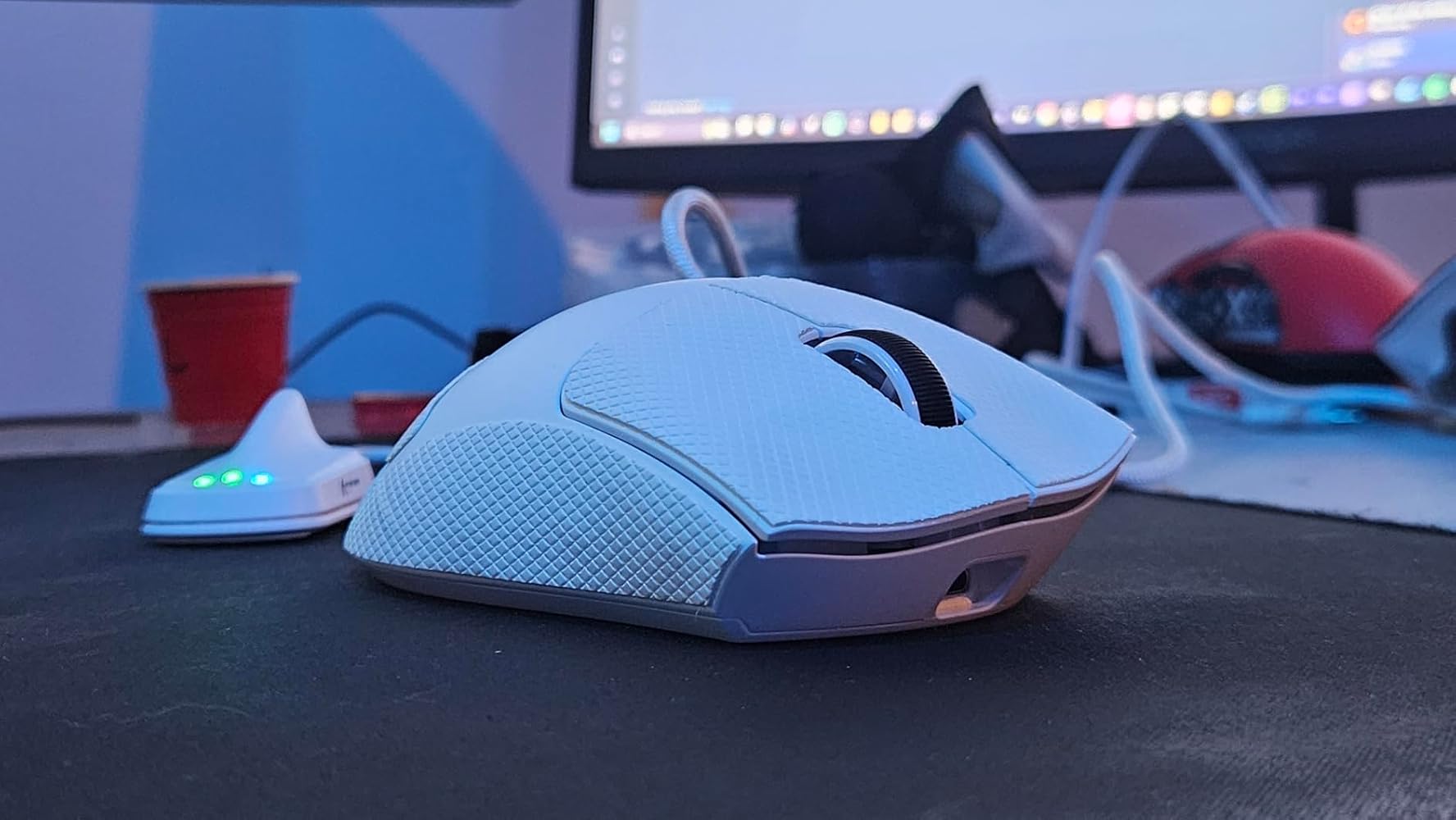

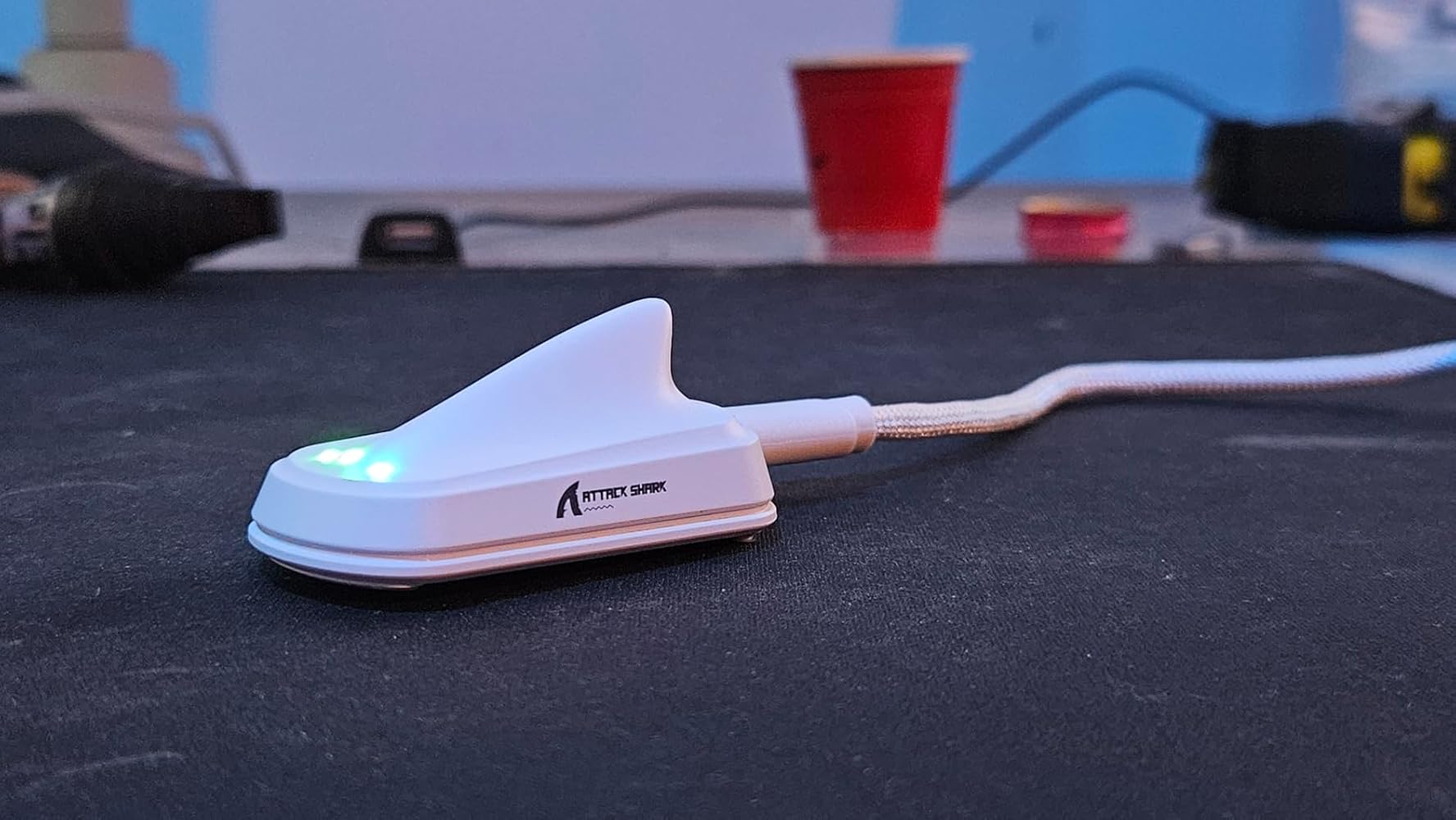

I've upgraded to this from the Attack Shark R1, mainly for the 8000hz polling rate and because it has a similar ergonomic/asymmetrical shape as the R1, in the practice range in Valorant I could definatly feel the difference, it's very quick and snappy with the flicks, the main thing that surprised me is I don't need to add as much correction after a flick like any other mice I've used before. It's very light weight and a good sized mouse if you have large hands that struggle with smaller mice such as myself. Out the box it's set to 1000hz polling rate so make sure you put the polling rate up to 8000hz in the app before you judge it, I also love that it has the angle tilt setting in the app for slight correction of your horizontal swipes (I set mine to -4°, but tweak it to yourself). Also make sure you remove the bar code sticker from the underside of it, I hear from other reviews online that it can catch and rub on the mouse pad, I took it off straight away.
Great mouse i own the lamzu maya x and well i needed a secondary mouse for the ease of not swapping and it may aswell have some fancy features that my maya x doesnt even have some will say the buttons are sensitive and yes they are, what i found to work well is adding a delay to the switches and its fine and dandy overall l. as for specs its pretty much up there with it i felt no difference testing this to my maya apart from the hold feeling much more comfortable and slightly bigger than the maya x. For my style of grip this mouse is much much better the build quality is really good too


ATTACK SHARK V8は、約59gの軽量設計と最大8000Hzポーリングレート対応が特徴の高性能ワイヤレスゲーミングマウスです。サイズはやや大きめで、癖があるように感じるので人によって好みがあると思います。特徴の1つである最大8000hzポーリングレートに関しては、少しスペックを必要とするので注意したほうがいいと思います。新スペックをコスパ重視で使いたい人におすすめです。
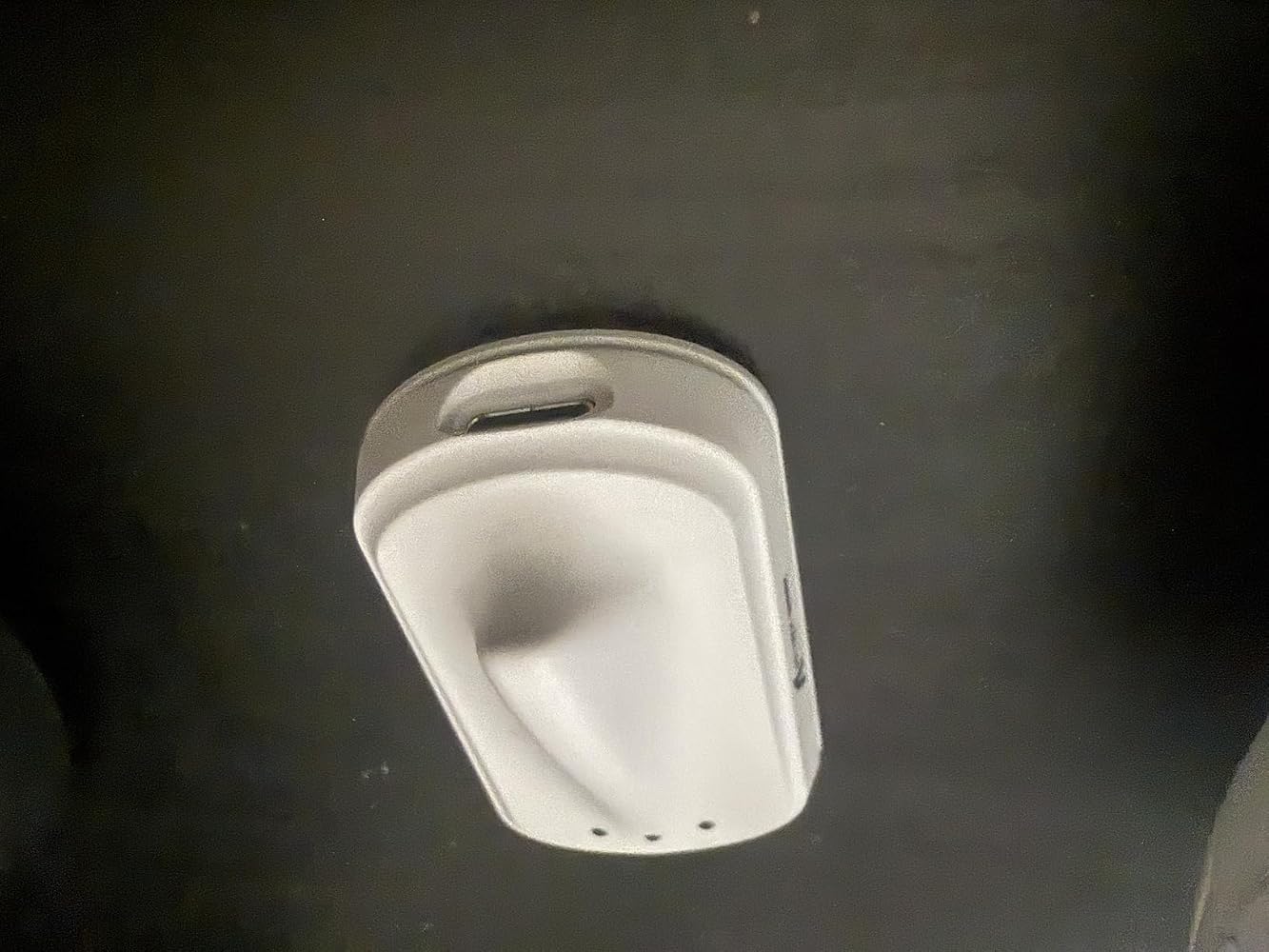


1/3 priced DeathAdder clone 10/10 works perfectly. Drivers are a bit odd but once it’s saved it works perfectly. Both online and downloadable drivers odd UI issues imo.

This is the best mouse I've ever owned- and I go back over about 40 years with that observation. I had never considered buying an "upscale" mouse before, but I'm so glad I did.The precision is spectacular. I use the 2.4 G wireless with it- but it does have wired mode and bluetooth modes as well. The thing that makes it spectacular for me is that no matter what computer I'm using it with, I don't get any lags or momentary disconnects that made me reflexively tap the mouse against the desktop or surface I'm rolling it on. This mouse hasn't given me a moment's frustration in a month.The DPI levels go higher than I'm capable of exploiting- even with my painting/photo suites. I'm sure there are folks out there that need 42000 dpi sensitivity. Who knows, maybe one day I will. I'll be ready! The DPI is adjustable in 50 DPI increments, so it's very customizable for gamers who need an edge.The mouse is very lightweight (59 grams) so it moves easily and accurately, and is a great fit for the hand. It's nice and quiet in operation, so it offers no distractions.There is a wonderful app that works in Windows that offers exquisite control over all the mouse's parameters, and it's sweet to have that at beck and call.This has bene totally worth it's price, and I'm sure it will serve for a much longer time than the mice I've been used to. Recommended!




this is a rechargable usb c, bluetooth, and wireless dongle mouse.....man....back in my day we had one or the other - the fact this mouse can do wired/wireless/bluetooth is wild!this thing is LIGHT!i haven't tried it actually as a 'wired' mouse, but because its rechargable it makes sense to be able to be used that way if you want.bluetooth range is good though i don't know why you'd really test range necessarily to an extreme degree as its a mouse?the buttons feel really soft, but almost flimsy? they aren't its a quality feel but it threw me off at first compared to my logitech mouse i use as a daily driver. its wildly different than a AA battery mouse with all that added weight you're missing.the feel and grips on it are pretty cool, it comes with some adhesive grips to put on the mouse to give it a different feel.i didn't use the DPI settings like crazy, but i played some FPS games on my laptop and it did feel pretty precise when getting intense play. it is difficult to determine which DPI settings you're on though, there is no visual indicator.i can't speak to the battery longevity because it didnt need charged more than once as of yet, but i'll update if i need to!

The Attack Shark V8 mouse is a pretty good overall budget option for somebody looking for a lightweight wireless mouse with preset DPIs and the option to use right out of the box or with additional software.Pros:_ Lightweight (mine weighed at 64.5g, just over their 59+/-3)_ Clicks are good (I tested both wired and wireless dongle and never had any dead clicks)_ Rolls smoothly across most surfaces_ Fast response time to clicks and movements_ Can be used via Bluetooth, Wireless Dongle/Fin, or Wired connection_ Forward & back buttons_ 6 preset DPI options (1200, 2400, 3200, 5600, 8000, 42000)_ Outer case is smooth & comfortable to grip - right handed ergonomic style_ Grip tape & spare feet glides provided_ 10 second timeout to save battery life, but instant functionaly upon movement_ Stickers are always a plus!Cons:_ Cannot tell true battery life without additional software (can get a gauge if using fin/dongle)_ Scroll wheel is fairly slow and no option to make faster (impacts gaming where scroll wheel is used for zooming in/out)_ DPI change button is underneath the mouse_ Confusing 2.4hz wireless setup directions - directions show a typical usb dongle but instead includes a fin that connects via usb cable_ Outer case is a bit slick without grips on it if your play style involves picking up the mouse frequentlyOverall this mouse is a decent out of the box option for most casual gamers. However, I think to get the true benefits of the mouse you may need to download the respective drivers/ software from their website. I personally did not do this, and don't plan to, so I will lose some of that functionality. Otherwise a pretty solid mouse at this bracket.


Was hyped for a new mouse and it all worked fine till I tried the right click btn on the mouse might just be my luck but this is a real bummer and the box was a little bent. (check photo)

I could not be happier with this mouse for the money. I like this more than my Logitech G Pro and it's less than half the price and has more features. The battery life indicator on the receiver is a very nice, useful feature. The shape of the mouse is great too, it's larger than most popular ultralight mice and fits my hands way better, like the G pro does. I've got a Scyrox V6 and Keychron M3 to compare this to and I like the size/shape/weight of this mouse more than the Scyrox (too small) and Keychron (great size/shape, but heavy), I consider it on par with my G Pro. For the price it's just unbeatable, but only time will tell if it's reliable and/or if the manufacturer will stand behind their product. First impressions and use is fantastic though, this is an awesome high performance gaming mouse!
