


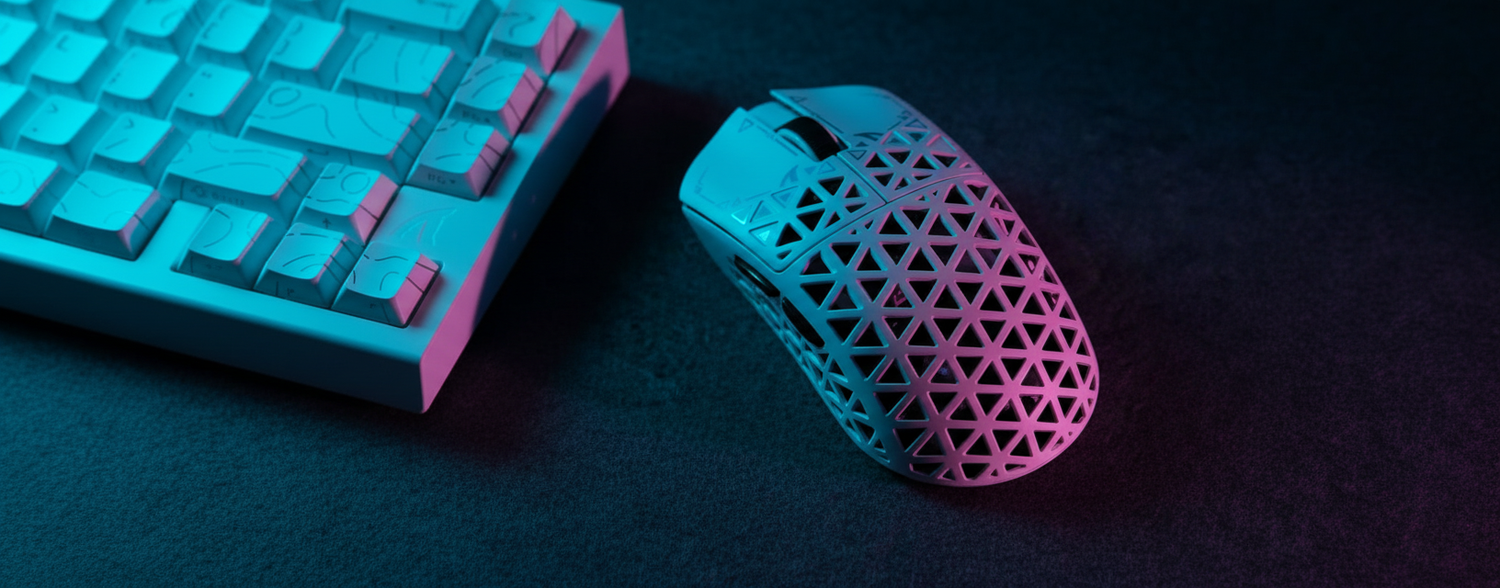
For gamers with small hands—typically defined as having a hand length under 17cm—the search for a high-performance ergonomic mouse often involves navigating a market designed for the 50th to 95th percentile of hand sizes. When a user with a smaller frame is forced to overextend to reach primary buttons, it can create a performance bottleneck and physical discomfort.
Based on our comparative analysis of shell geometries and user feedback, a mouse even 5mm too long can shift the center of gravity away from the fingertips. This often results in a "heavy" feel and reduced agility, regardless of the device's actual weight. This guide breaks down the geometric principles of ergonomic mouse shapes and how to identify high-spec value propositions using objective technical criteria.
The Geometry of Small Hand Ergonomics
For small hands, the most critical dimensions are grip width and length rather than peak height. These thresholds are derived from industry-standard hand-size distributions and ergonomic sizing charts used by major peripherals manufacturers.
1. The Length Sweet Spot: 115mm to 125mm
If a mouse exceeds 125mm, a small-handed user often finds their palm resting on the rear of the mouse while their fingers struggle to reach the "sweet spot" of the switches (the area of optimal leverage and consistent click feel). According to the Global Gaming Peripherals Industry Whitepaper (2026), targeting the 115–120mm range generally maximizes agility for this demographic.
2. Grip Width: The Sub-60mm Rule
The grip width—measured at the narrowest point where the thumb and ring finger rest—determines sensor control. For small hands, a grip width exceeding 60mm forces a wider finger spread. This posture may increase fatigue in the thenar eminence (the muscle group at the base of the thumb). A grip width of 56mm to 59mm typically facilitates a more neutral, relaxed hold, which is essential for rapid "flicking" motions in competitive play.
3. Hump Placement: Stability and Support
The position of the hump (the highest point of the shell) dictates the viability of different grip styles:
- Rear-Biased Hump: Sits under the knuckles. This is often preferred by claw grip users as it provides a stable anchor point for the back of the palm.
- Centered Hump: Better for palm grip users. It fills the mid-palm for support. However, an excessively high hump can limit vertical range of motion.

Technical Specifications: Value vs. Marketing Hype
In the budget-to-midrange segment, it is vital to evaluate internal architecture rather than just headline DPI figures.
Sensor Positioning and Responsiveness
A forward-placed sensor (closer to the front buttons) increases sensitivity to wrist-based micro-adjustments. Conversely, a centered sensor offers a more predictable, arc-like sweep. Small-handed gamers who rely on wrist movements rather than full-arm sweeps may find a forward sensor more intuitive.
The 8000Hz (8K) Polling Reality
Many modern "high-spec challengers" offer 8K polling rates, which means the mouse sends data to the PC every 0.125ms.
The CPU Bottleneck: Processing 8,000 interrupts per second places a significant load on the CPU's Interrupt Request (IRQ) processing. On older or mid-range quad-core processors, this can result in inconsistent frame times or drops in-game. To benefit from the 0.875ms reduction in theoretical input latency (compared to 1000Hz), a high-refresh-rate monitor (240Hz+) is generally required to visualize the increased smoothness.
Battery Impact: Based on standard power consumption profiles for high-speed wireless sensors, 8K polling can reduce wireless battery life by significantly—often up to 75%—compared to the 1000Hz baseline. Users should toggle this setting based on the specific needs of the game.
Evaluating Build Quality and Materials
When evaluating lower-priced models, structural integrity and tactile feedback are the primary indicators of quality.
- Structural Integrity: Some ultra-lightweight designs achieve low weight by reducing wall thickness. If the shell creaks or the side buttons activate when the grip is squeezed, the structural integrity is insufficient. Look for designs utilizing high-density polymers and internal ribbing to maintain a solid feel at sub-60g weights.
- Button Implementation: "Mushy" side buttons often stem from poor physical implementation. As noted in the RTINGS Mouse Click Latency Methodology, the pre-travel and post-travel of the switch are as critical as the electronic latency. Expert-tier "value" mice often use micro-switches from reputable manufacturers like Huano or Kailh for distinct feedback.
- Coating: A quality matte, slightly textured coating provides necessary friction for sweat management without requiring aftermarket grip tape.
Scenario Analysis: Choosing Your Shape
| Feature | Scenario A: The Competitive FPS "Claw" | Scenario B: The Ergonomic "Palm" Comfort |
|---|---|---|
| Primary Goal | Maximum Agility & Flicking | Long-term Support & Strain Reduction |
| Ideal Shape | Rear-biased hump, narrow grip (<58mm) | Centered hump, sculpted thumb rest |
| Weight Target | Ultra-light (<55g) | Balanced (60g - 75g) |
| Sensor Position | Forward-placed for micro-adjustments | Centered for stable tracking |
Scenario B (Ergonomic Considerations): If you spend 8+ hours at a desk, a vertical mouse is often suggested. However, many "vertical" mice have grip widths over 70mm. For a small hand, this can force an over-extension that increases tension in the carpal tunnel area. As seen in the Logitech Lift specifications, its 70mm width may be less than ideal for hands under 17cm. In such cases, a small traditional mouse with a high tilt angle may better support a neutral wrist position.
Compliance and Safety
Transparency regarding safety is a key indicator of a trustworthy brand, especially for wireless devices using lithium batteries.
- RF Safety: Verify the device has a valid FCC ID via the FCC Equipment Authorization Search. This confirms the device operates within legal power limits and maintains signal stability.
- Product Safety: Check the EU Safety Gate for alerts regarding electronic components. Reliable brands adhere to directives like RED (Radio Equipment Directive) and RoHS (Restriction of Hazardous Substances).
Smart Investment Checklist
Before purchasing, verify these fundamentals for small-hand compatibility:
- Length: Is it between 115mm and 122mm? (Measured via standard calipers).
- Grip Width: Is the narrowest point under 60mm?
- Hump: Does the position match your grip style (Rear for Claw, Center for Palm)?
- Weight: Is it under 65g to minimize inertial fatigue during long sessions?
- Connectivity: Does it offer a stable 2.4G wireless mode for competitive latency?
YMYL Disclaimer: This article is based on general ergonomic principles and industry observations; it does not constitute professional medical advice. Ergonomic needs vary by individual. If you experience persistent wrist pain, numbness, or symptoms of Repetitive Strain Injury (RSI), please consult a qualified healthcare professional or occupational therapist. For more information on workplace ergonomics, refer to OSHA's Computer Workstation Guidelines.


Laisser un commentaire
Ce site est protégé par hCaptcha, et la Politique de confidentialité et les Conditions de service de hCaptcha s’appliquent.