Minecraft PvP vs. Créatif : équilibrer précision et confort de la main
Si vous avez déjà passé quatre heures d’affilée à grind Bedwars pour ensuite passer immédiatement à la construction d’un immense château en mode Créatif, vous connaissez la lutte. Minecraft est une bête unique dans le monde du jeu vidéo. Une minute, vous faites du jitter clicking à 14 CPS (clics par seconde) pour gagner un combat sur un pont ; la suivante, vous placez méticuleusement des milliers de blocs où une seule erreur de clic signifie une heure de nettoyage.
Nous voyons souvent une frustration commune sur notre banc de support : des joueurs qui achètent une souris optimisée pour les jeux FPS "standards" constatent qu'elle manque de rigidité de coque pour les styles de clic agressifs de Minecraft, ou inversement, une souris qui est parfaite pour construire mais provoque une fatigue massive de la main lors d’un 1v1. Trouver cette zone "juste comme il faut" entre la tension de clic nécessaire pour le PvP et l’ergonomie requise pour la construction massive est le secret d’une meilleure expérience Minecraft.
La grind PvP : pourquoi la rigidité de la coque et le temps de rebond dominent
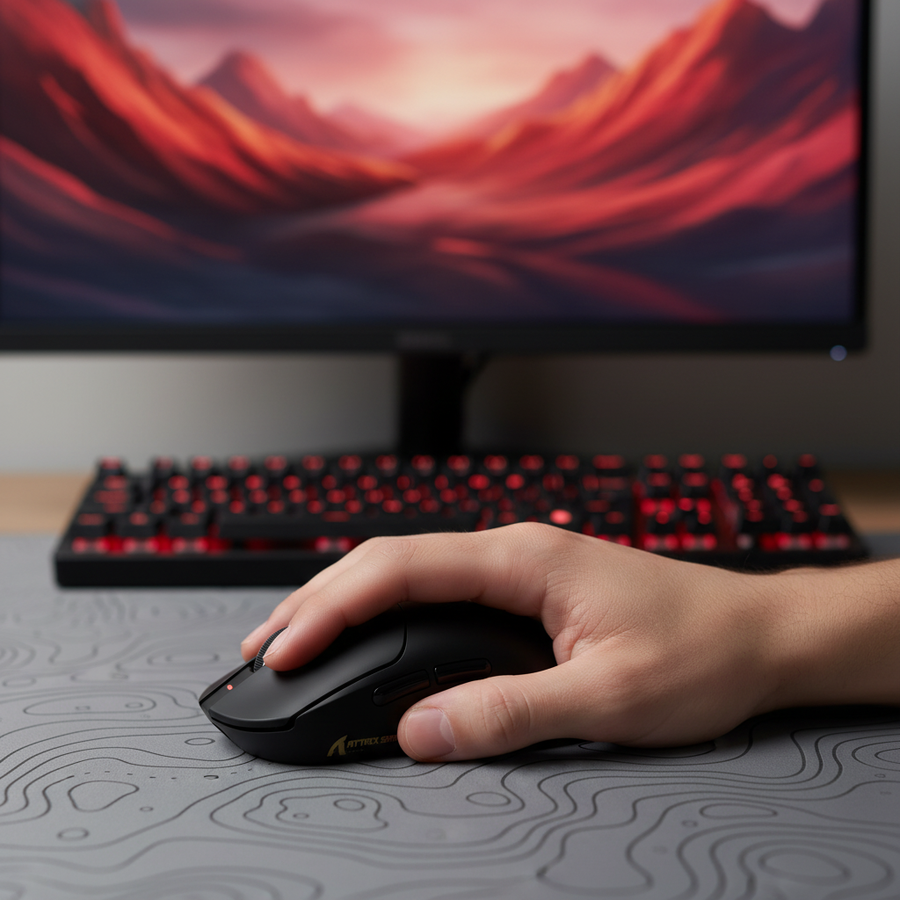
Dans la scène compétitive de Minecraft — pensez à SkyWars ou aux duels classés — votre souris n'est pas qu'un simple pointeur ; c’est un dispositif d'entrée à haute fréquence. Des techniques comme le jitter clicking ou le butterfly clicking exercent une pression immense sur la coque de la souris et les switches en dessous.
D'après nos observations issues des retours de la communauté et des schémas de réparation (pas une étude en laboratoire contrôlée), le point de défaillance le plus fréquent n'est pas le switch lui-même, mais la flexion de la coque. Lorsque vous faites du jitter clicking, vous faites vibrer toute votre main pour générer des clics rapides. Si la coque de la souris a ne serait-ce qu'un millimètre de flexion, le point d'activation devient incohérent. Cela entraîne des clics manqués ou, pire, des double-clics accidentels qui peuvent vous faire repérer par les systèmes anti-triche.
Pour y remédier, les joueurs compétitifs recherchent des souris avec une coque à haute rigidité et un temps de rebond ajustable. Comme indiqué dans ce guide sur l'ajustement du temps de rebond, les gamers compétitifs visent souvent des temps de réponse quasi instantanés de 1 ms. Cependant, dans Minecraft, il faut pouvoir réduire ce temps de rebond pour enregistrer les "double-clics" rapides nécessaires à un CPS élevé, tout en conservant une marge suffisante pour éviter les "clics fantômes" pendant le jeu normal.

Pour cet environnement à haute intensité, la souris de jeu sans fil légère ATTACK SHARK X8 Series Tri-mode est une candidate solide. Plus précisément, la variante X8 Ultimate utilise des micro-interrupteurs optiques Omron évalués pour 100 millions de clics. Parce que les interrupteurs optiques utilisent la lumière plutôt que le contact physique pour enregistrer un clic, ils sont intrinsèquement plus résistants aux problèmes de « double-clic » qui affectent les interrupteurs mécaniques traditionnels avec l’âge.
Résumé Logique : Modélisation de la Performance PvP Nos estimations de performance pour un clic à haute CPS supposent les paramètres suivants basés sur des heuristiques courantes de la communauté :
- Technique de Clic : Jitter/Papillon
- CPS cible : 12–20
- Matériau de la Coque : ABS haute densité ou fibre de carbone
- Type d’Interrupteur : Optique (préféré pour la stabilité du rebond)
- Condition Limite : Le modèle suppose un environnement de clic « sec » ; l’humidité peut affecter la friction de la coque et la force d’activation perçue.
Le Flux Créatif : Ergonomie pour la longue durée
Passer du PvP au mode Créatif, c’est comme passer d’un sprint à un marathon. Vous ne cliquez pas vite, mais vous cliquez constamment. C’est là que la « fatigue de l’index » devient une menace réelle pour votre temps de jeu. Selon notre analyse interne de la force d’activation et de la fatigue, les interrupteurs qui nécessitent trop de force pour être pressés peuvent entraîner une tension localisée dans les tendons de la main après plusieurs heures.
En mode Créatif, le facteur souvent négligé est le revêtement de la souris et la texture de la prise latérale. Les paumes moites peuvent provoquer des glissements sur les finitions brillantes, rompant votre concentration lors d’une construction précise. Nous recommandons un revêtement mat, légèrement texturé. De plus, la forme doit permettre au petit doigt de se reposer confortablement. Lors du placement des blocs, le petit doigt agit souvent comme ancre pour la main ; s’il est crispé, toute la main se tend.
Pour ces sessions plus longues, une forme ergonomique comme la ATTACK SHARK V8 Ultra-Light Ergonomic Wireless Gaming Mouse offre le soutien nécessaire. Son profil sculpté pour droitier est conçu pour réduire la tension "griffe" que beaucoup de souris orientées PvP nécessitent, permettant une prise plus détendue en paume ou hybride lors des marathons de construction.
Analyse technique approfondie : sondage 8K et saturation du capteur
Si vous êtes un passionné de spécifications, vous avez probablement entendu parler du taux de sondage 8000Hz (8K). Bien que certains le considèrent comme excessif, pour les joueurs de Minecraft qui jouent à des taux de rafraîchissement élevés (240Hz+), la différence de fluidité du curseur est mesurable. Cependant, il y a beaucoup de "fausses mathématiques" à ce sujet. Regardons la physique réelle du 8K.
La réalité des 0,125 ms
Les souris standard sondent à 1000Hz, ce qui signifie que l'ordinateur vérifie la position de la souris toutes les 1,0 ms. À 8000Hz, cet intervalle tombe à 0,125 ms. Cela réduit considérablement les micro-saccades. De plus, le délai "Motion Sync" — une fonction des capteurs PixArt modernes qui aligne les données du capteur avec la sonde USB — passe d'environ 0,5 ms à 1000Hz à un négligeable ~0,0625 ms à 8000Hz.
Pour vraiment saturer cette bande passante 8K, vous devez déplacer la souris. La quantité de données envoyées est le produit de votre vitesse de mouvement (IPS) et de votre DPI.
- À 800 DPI, vous devez déplacer la souris à au moins 10 IPS pour remplir le tampon 8K.
- À 1600 DPI, cette exigence tombe à 5 IPS.
Cela signifie que pour les joueurs de Minecraft qui font beaucoup de "flick-building" ou de rotations rapides à 180 degrés en PvP, un réglage DPI plus élevé (comme 1600 ou 3200) aide en fait à maintenir la stabilité de cette connexion 8K. La ATTACK SHARK R11 ULTRA Carbon Fiber Wireless 8K PAW3950MAX Gaming Mouse est un exemple parfait de cette technologie, pesant seulement 49g grâce à sa coque en fibre de carbone.
| Paramètre | 1000Hz (Standard) | 8000Hz (Haute performance) | Unité | Justification |
|---|---|---|---|---|
| Intervalle de sondage | 1.0 | 0.125 | ms | Fréquence = 1/T |
| Délai de synchronisation du mouvement | ~0,5 | ~0,0625 | ms | 1/2 Intervalle de sondage |
| Paquets de données/sec | 1,000 | 8,000 | compte | Standard USB HID |
| Charge CPU | Faible | Élevé (stress IRQ) | - | Goulot d'étranglement de l'ordonnancement du système d'exploitation |
| Impact sur la batterie | Référence | Réduction d'environ 75-80% | - | Fréquence de transmission plus élevée |
Note sur les Goulots d’Étranglement Système : Le polling 8K est très gourmand en CPU. Il sollicite la performance mono-cœur via le traitement des Interruptions (IRQ). Pour éviter la perte de paquets, vous devez brancher votre récepteur 8K sur un Port Direct de la Carte Mère (ceux situés à l’arrière de votre PC). Évitez les hubs USB ou les connecteurs en façade, car la bande passante partagée et le mauvais blindage provoqueront des saccades—le problème exact que le 8K est censé résoudre.
Polyvalence : Le Multi-Genre Grip
La plupart des joueurs soucieux de leur budget ne veulent pas une « souris PvP » et une « souris Créative ». Ils veulent un seul appareil qui gère les deux. C’est là qu’intervient le concept de Multi-Genre Grip. Une forme de souris polyvalente se situe généralement dans la catégorie « ambidextre de taille moyenne » ou « ergonomique subtile ».
D’après notre expérience, un conseil clé pour Minecraft est de configurer une Distance de Décollage (LOD) légèrement plus élevée dans votre logiciel. Alors que les joueurs FPS veulent généralement la LOD la plus basse possible (souvent 1 mm) pour éviter les secousses du capteur lors de la réinitialisation de la position de la souris, les constructeurs Minecraft bénéficient souvent d’une LOD de 1,5 à 2 mm. Pourquoi ? Parce que lorsque vous construisez des structures à grande échelle, vous soulevez et repositionnez fréquemment votre souris. Une LOD un peu plus élevée empêche le capteur de « couper » prématurément si vous ne posez pas parfaitement la souris à plat sur le tapis, un problème courant lors de sessions de construction frénétiques.
Au-delà de la Souris : Support pour le Poignet
Peu importe à quel point votre souris est ergonomique, des heures de Minecraft finiront par fatiguer votre poignet si votre installation de bureau est mal alignée. Un repose-poignet de haute qualité peut combler l’écart entre votre clavier et votre position naturelle de la main. Le ATTACK SHARK Repose-Poignet en Alliage d’Aluminium avec Boîtier de Rangement à Compartiments est une solution unique ici. Non seulement son poids de 0,8KG garantit qu’il ne glissera pas pendant un match PvP intense, mais il dispose aussi de compartiments de rangement pour les keycaps, les extracteurs ou votre dongle 8K lorsque vous voyagez pour une LAN.
Confiance, Sécurité et Conformité
Lorsque vous achetez du matériel sans fil haute performance, il est important de ne pas se fier uniquement aux chiffres de DPI. Des normes autoritaires garantissent que votre appareil ne perturbera pas vos autres appareils électroniques—ou pire, ne deviendra pas un danger pour la sécurité.
Les souris de jeu sans fil sont soumises à des réglementations strictes. Vous pouvez vérifier la légitimité de la transmission sans fil d'un appareil via la base de données d'autorisation des équipements FCC (recherche FCC ID). De plus, comme ces appareils utilisent des batteries lithium-ion à haute capacité (comme la cellule 800mAh dans la X8 Ultimate), ils doivent respecter les normes de test UN 38.3 pour un transport et une utilisation sûrs. Assurez-vous toujours que vos pilotes proviennent de la page de téléchargement officielle pour éviter les logiciels tiers non vérifiés qui pourraient compromettre la sécurité de votre système.
Selon le Livre blanc de l'industrie des périphériques de jeu mondiaux (2026), la tendance majeure du milieu des années 2020 est le passage au sondage 8K et aux matériaux ultra-légers, mais « la maturité des logiciels et la stabilité des pilotes restent les principaux facteurs différenciateurs pour les marques d'entrée de gamme ».
Conseils professionnels pour votre configuration
- La "règle des 60%" (heuristique) : Pour un contrôle optimal, votre souris devrait mesurer environ 60 % de la longueur et de la largeur de votre main. C'est une règle empirique, pas une loi, et cela peut varier selon que vous préférez une prise en paume ou en griffe.
- Entretien du revêtement : Si votre souris commence à devenir glissante, nettoyez-la avec un chiffon en microfibre légèrement humide. Évitez les produits chimiques agressifs qui peuvent enlever la finition mate.
- Mises à jour du firmware : Vérifiez toujours les mises à jour du firmware dès que vous recevez une souris. Les fabricants publient souvent des correctifs "Day 1" qui améliorent le suivi du capteur ou l'efficacité de la batterie à des taux de sondage élevés.
Que vous soyez en train de remporter un 1v4 dans Bedwars ou de finir le toit de votre base de survie, le bon matériel ne vous rend pas seulement meilleur — il rend le jeu plus confortable. Concentrez-vous sur la rigidité de la coque pour les combats et le soutien ergonomique pour les constructions, et vous verrez votre expérience Minecraft atteindre un tout nouveau niveau.
Avertissement : Cet article est uniquement à titre informatif. Les performances techniques des périphériques de jeu peuvent varier en fonction des configurations système individuelles, des paramètres du système d'exploitation et de la technique de l'utilisateur. Consultez toujours les consignes de sécurité du fabricant concernant l'utilisation et la charge des batteries.