






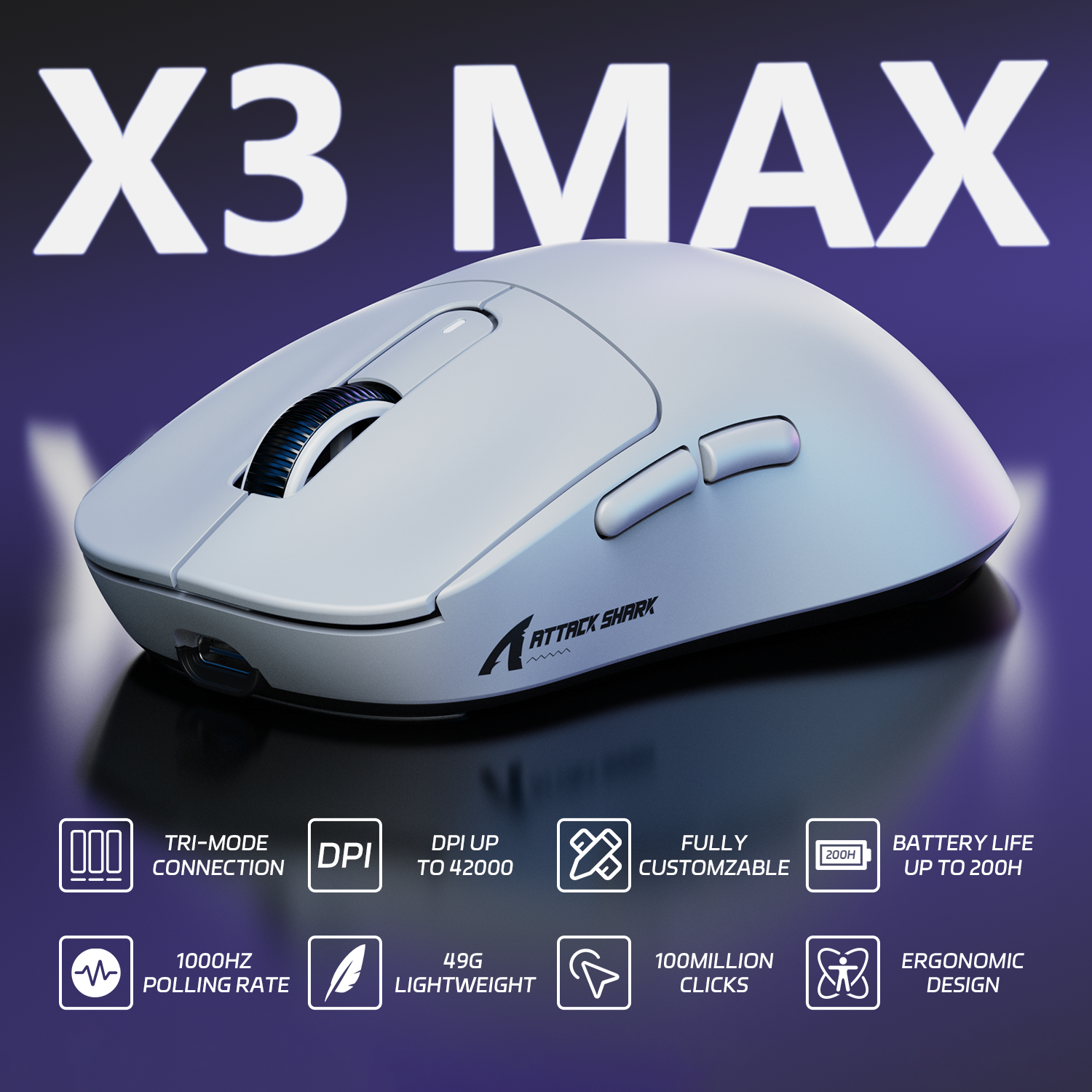


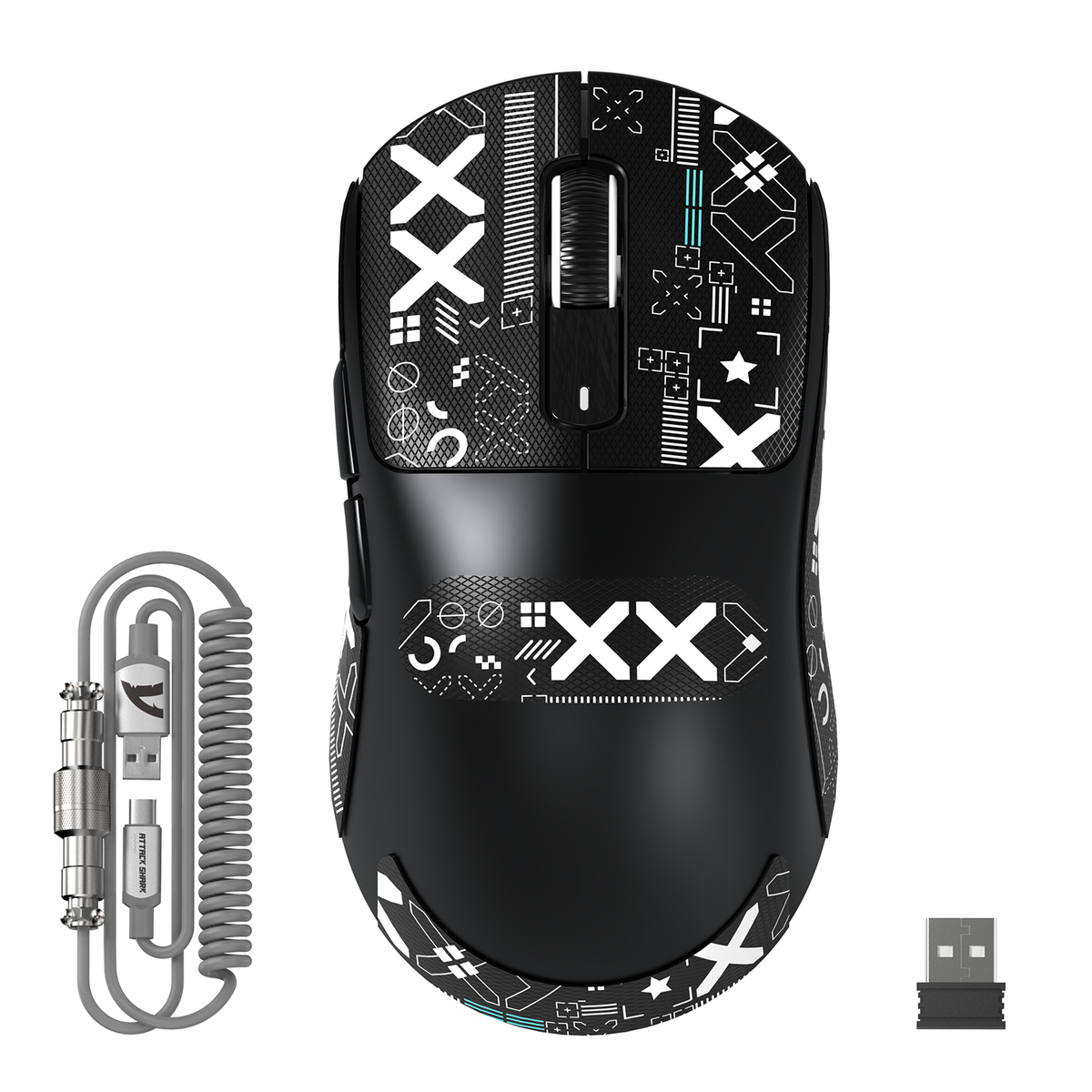
ATTACK SHARK X3 MAX PAW3950 Ratón gaming inalámbrico con cable rizado para ratón C06
- Share:
-

-

-

-


Technical Specifications


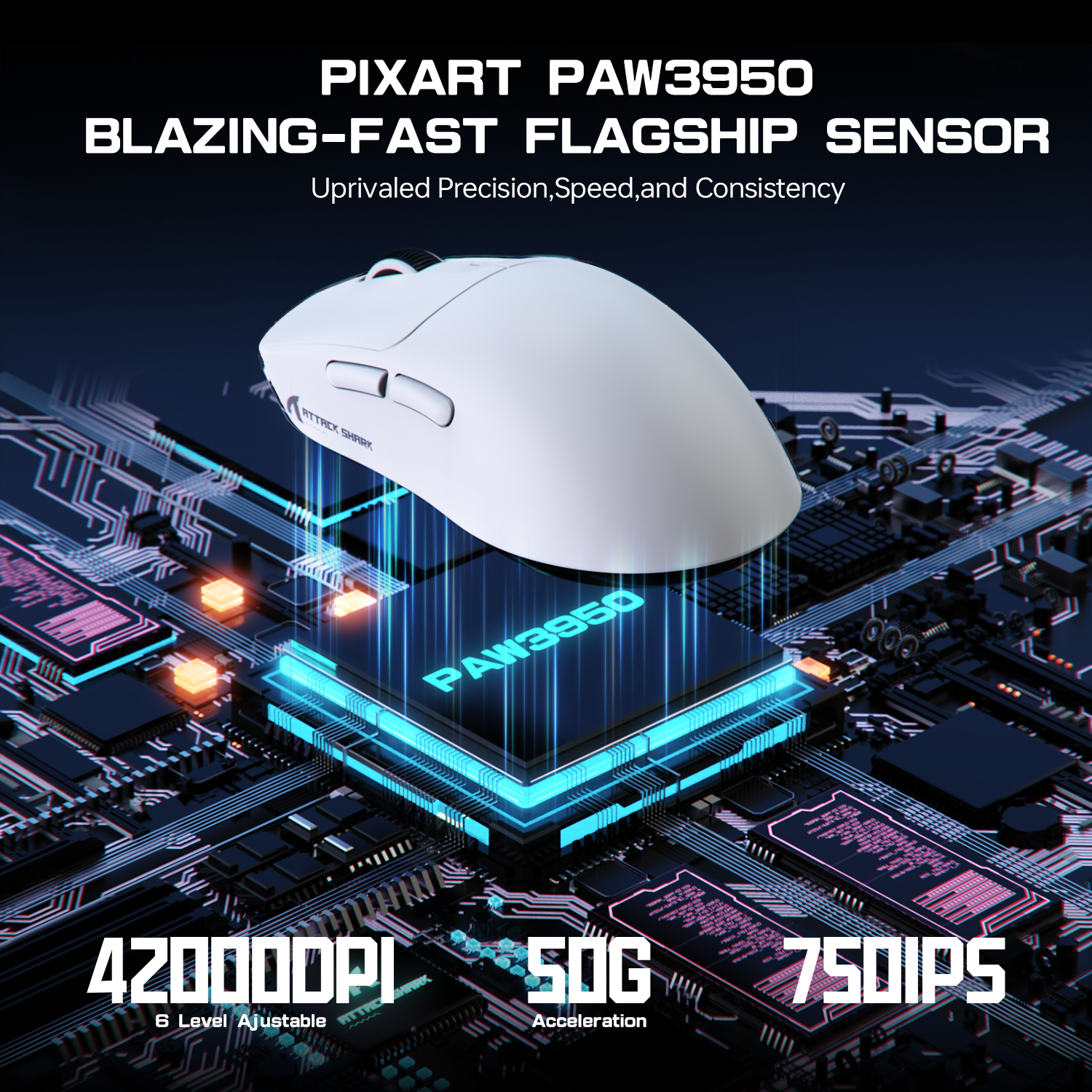
Sensor insignia de nueva generación, PAW3950
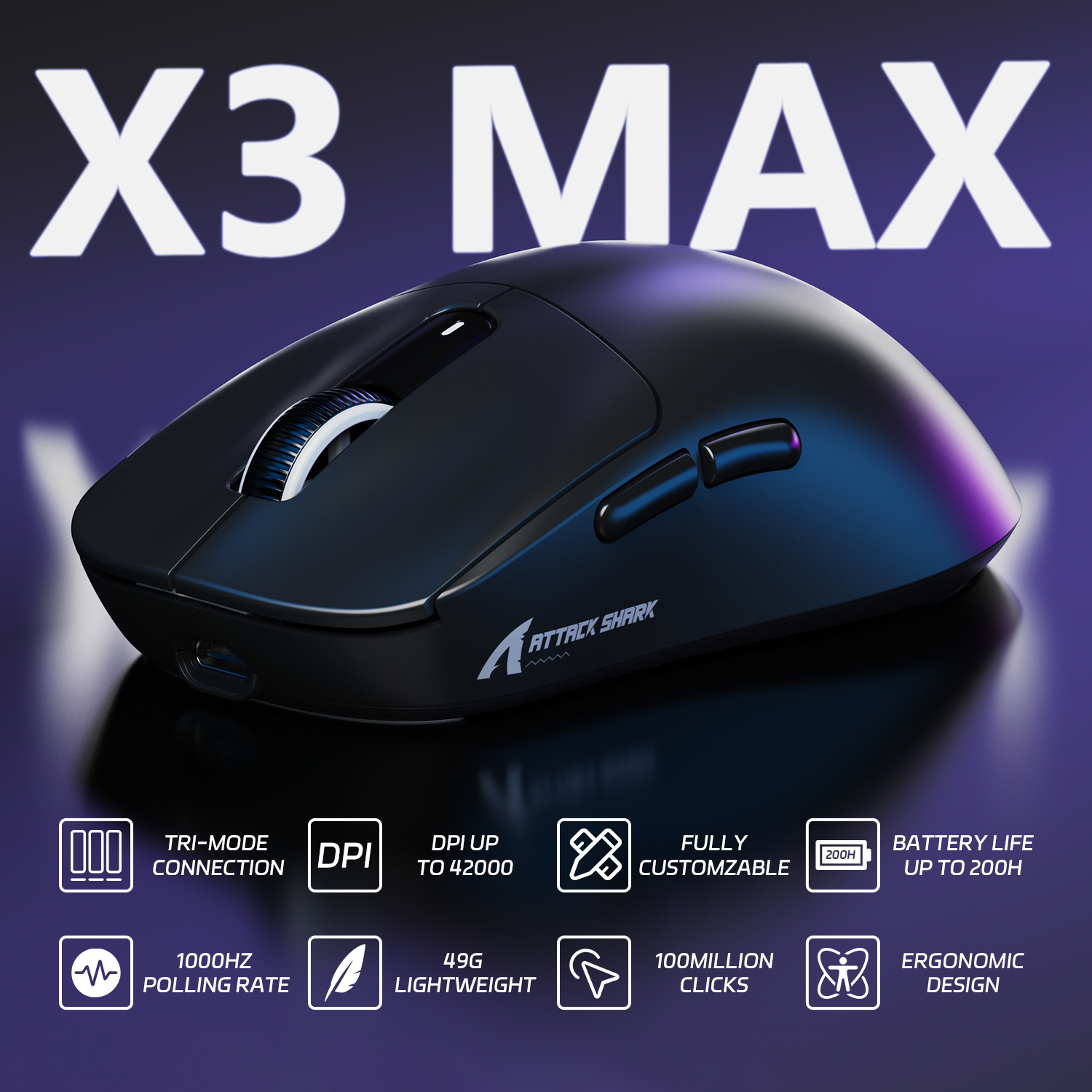
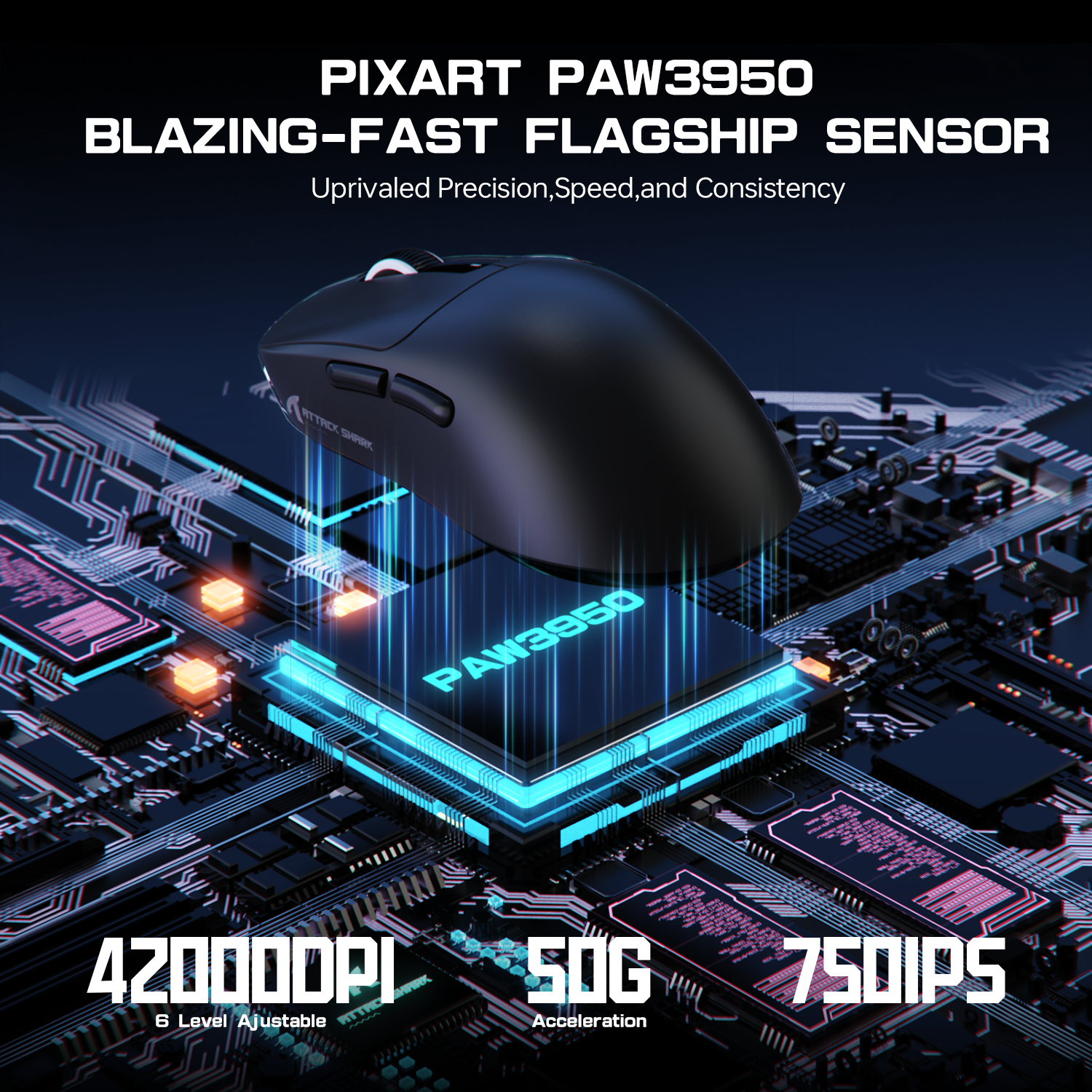
Equipado con el último sensor PAW3950 de PixArt, ofrece una precisión y exactitud de primer nivel para juegos competitivos de ritmo rápido, con 42.000 DPI programables, una velocidad de 750 IPS y una aceleración de 50 g.

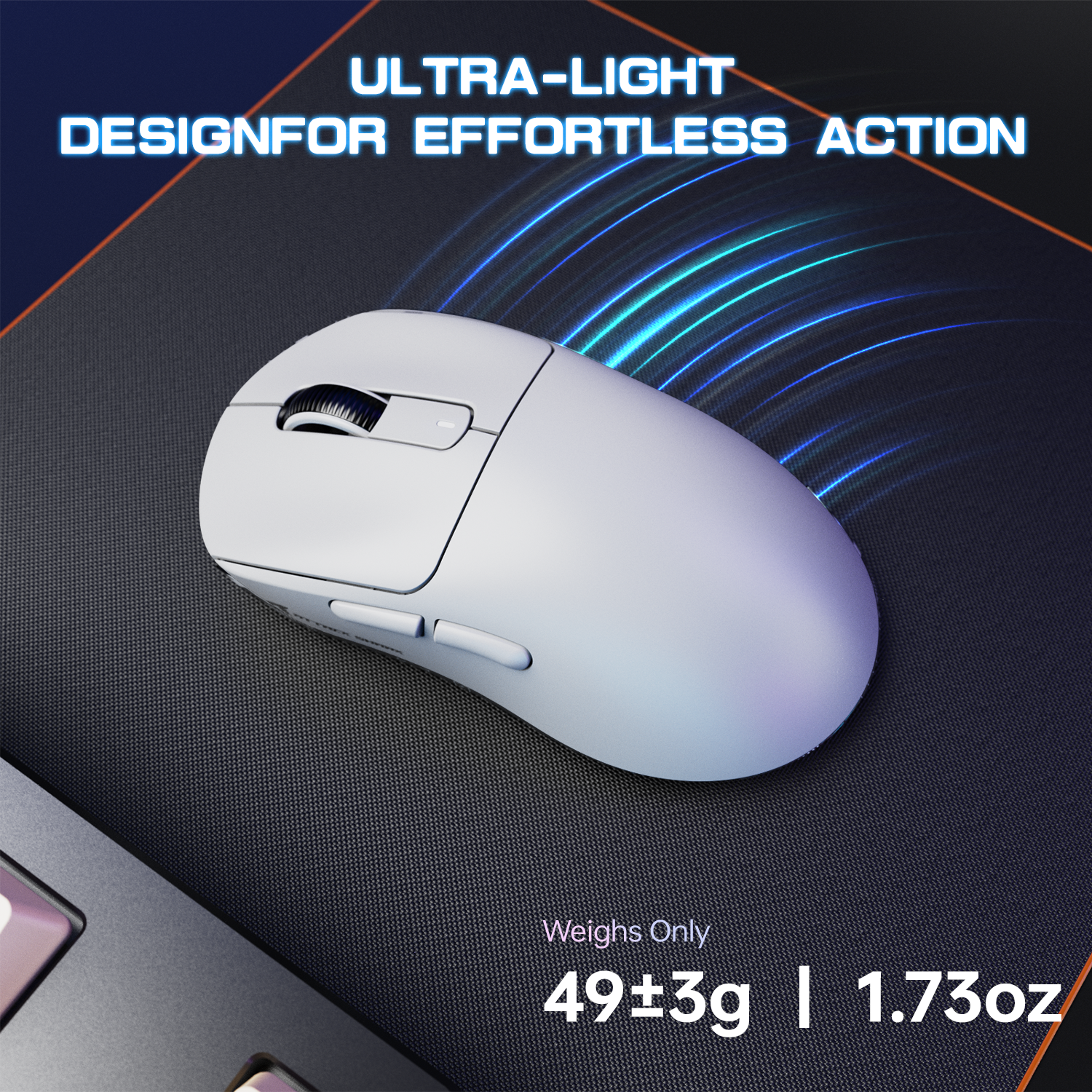
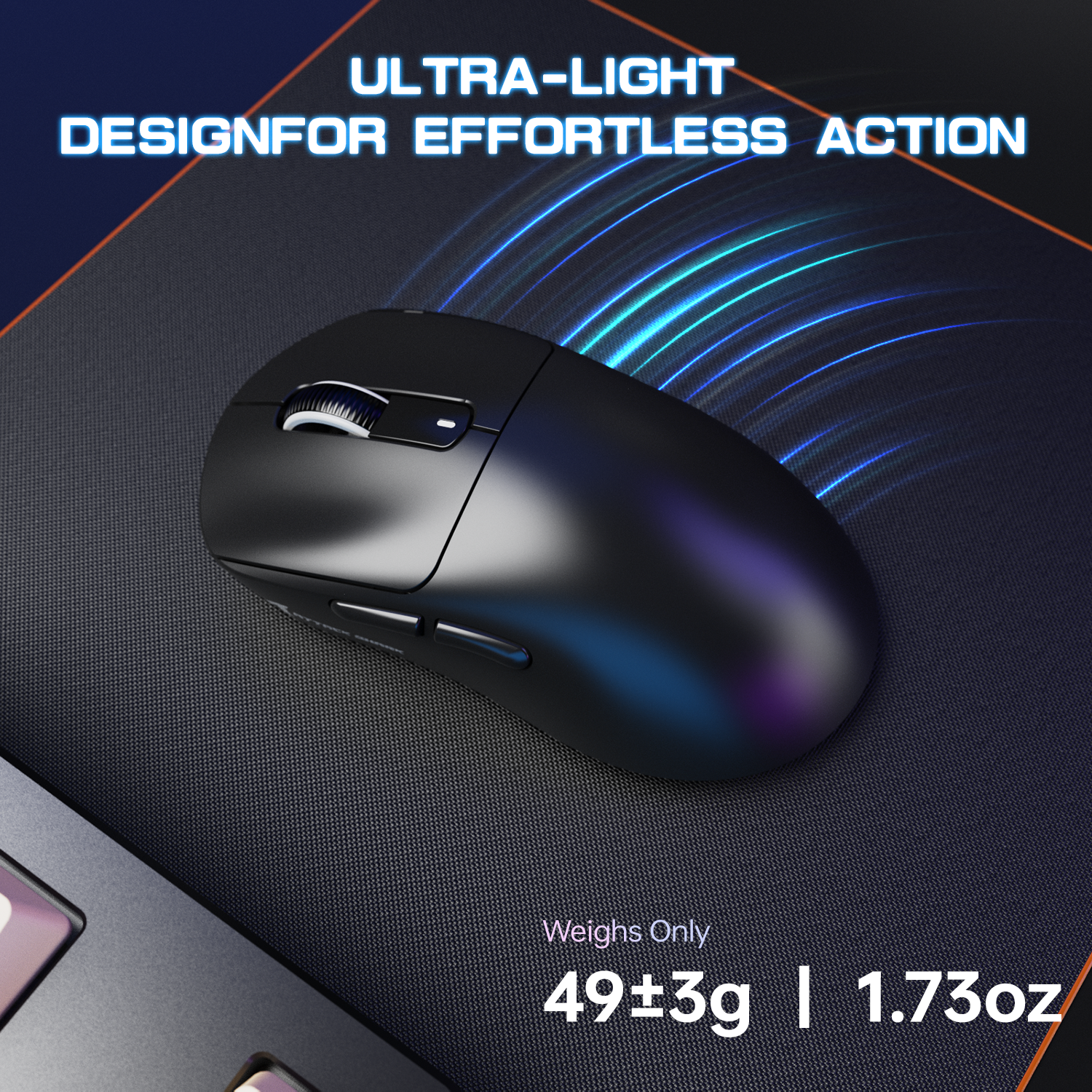
Diseño ultraligero de 49 g
Ratón gaming Aerox X3 MAX diseñado para la velocidad y la precisión. Gracias a una ingeniería meticulosa y a un innovador moldeado por inyección con refrigeración de nitrógeno líquido, se garantiza la resistencia mientras se consigue una carcasa más fina y ligera, un 30 % más ligera que la del G Pro X. Perfecto para todo tipo de juegos RPG, MMO, FPS, MOBA, Battle Royale y otros juegos de ritmo rápido.

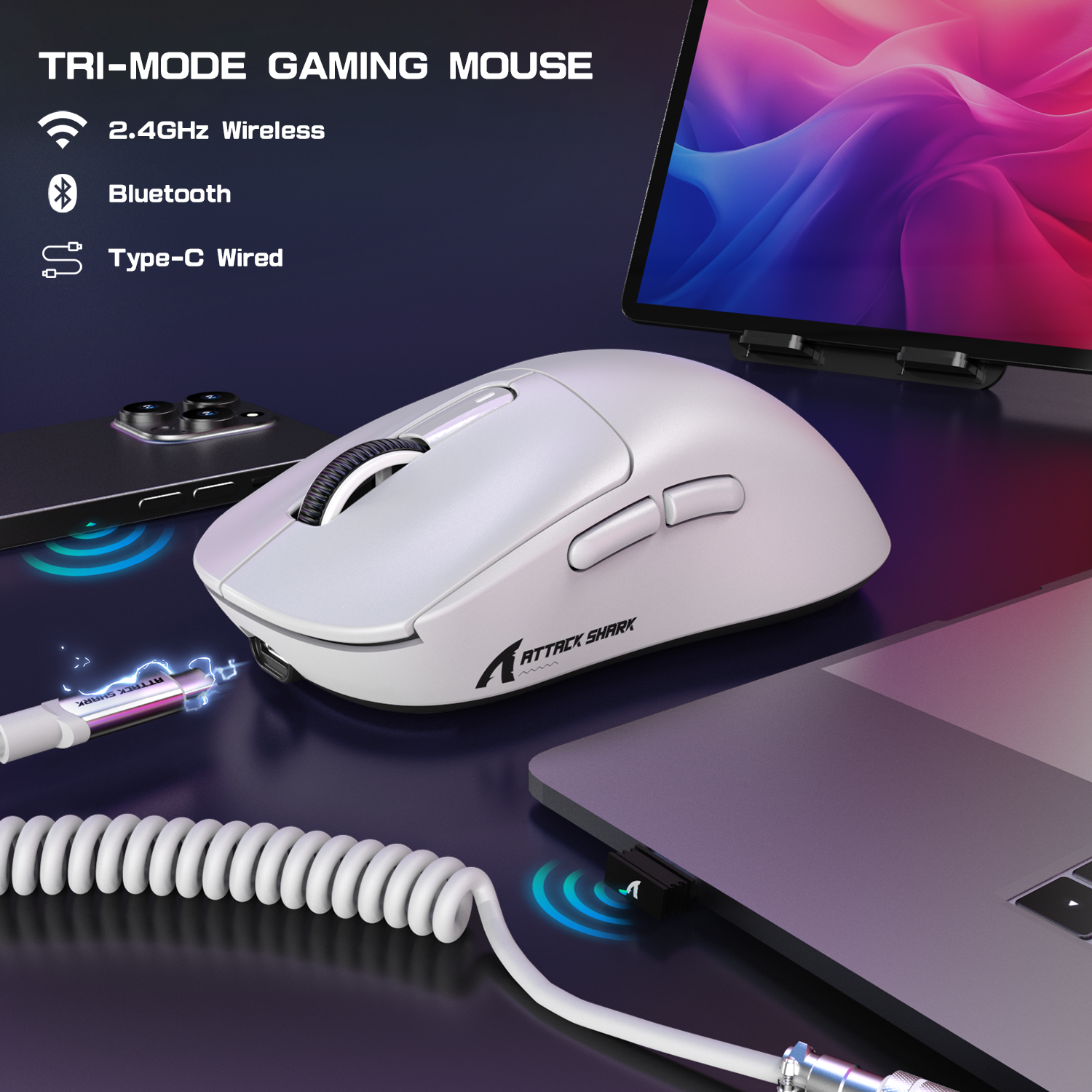
Conectividad HYPERSPEED
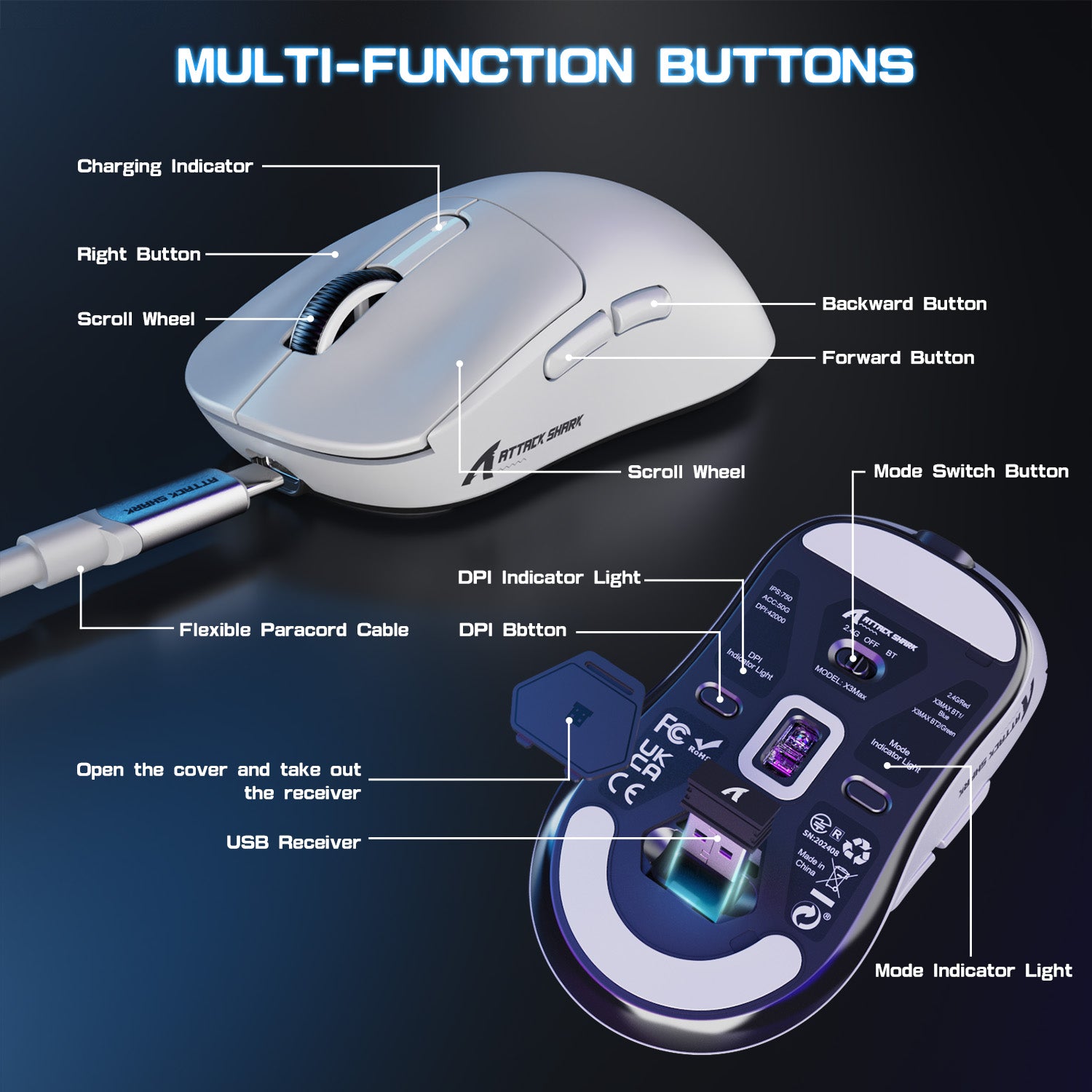
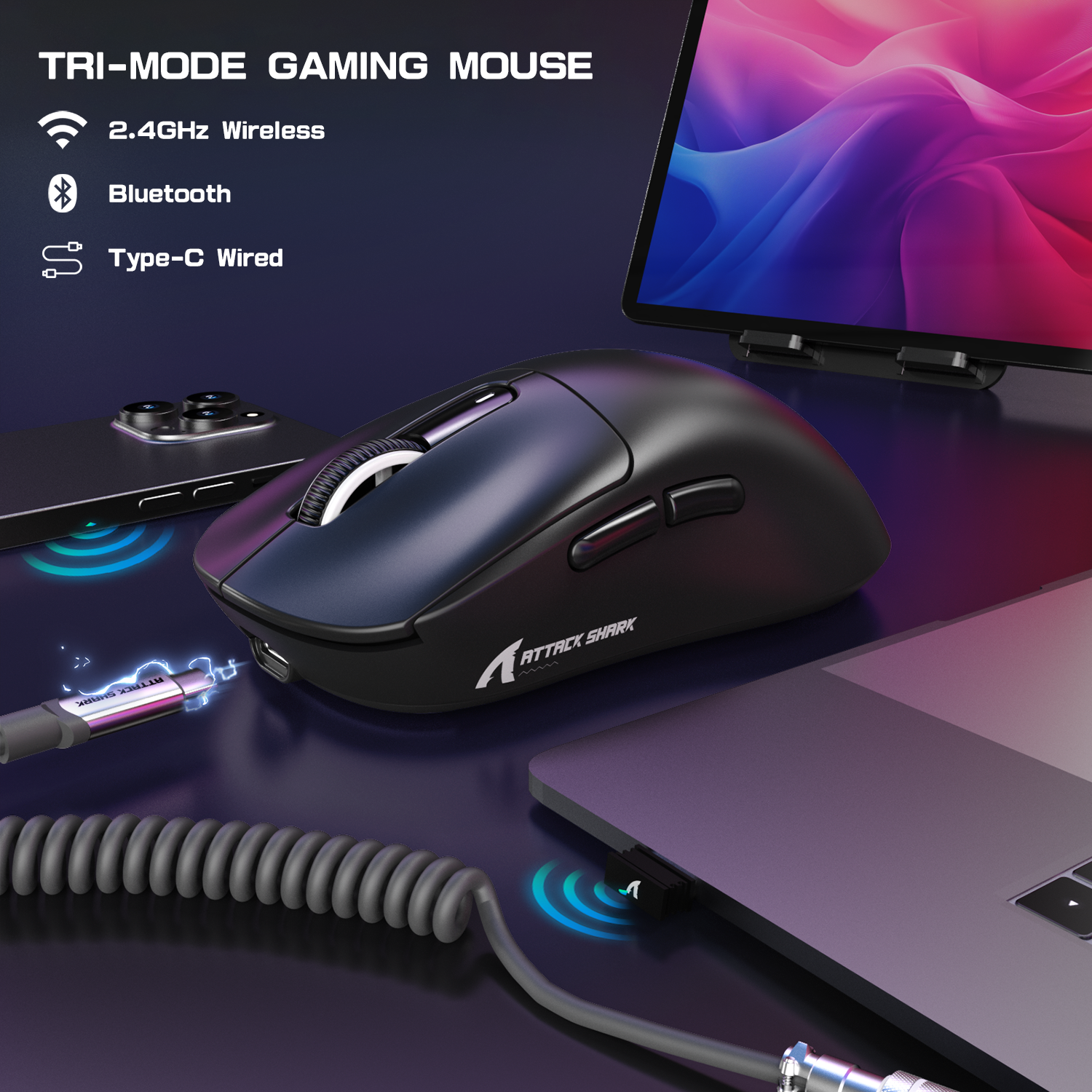
Mantente conectado, sigue siendo imbatible: mediante la tecnología inalámbrica HYPERSPEED, el X3 MAX ofrece opciones de conexión versátiles, desde una conexión 2.4G ultrarrápida hasta Bluetooth ágil, e incluso una conexión por cable estable. Con una batería de larga duración de 200 horas, este ratón garantiza que siempre estés preparado y domines la partida.

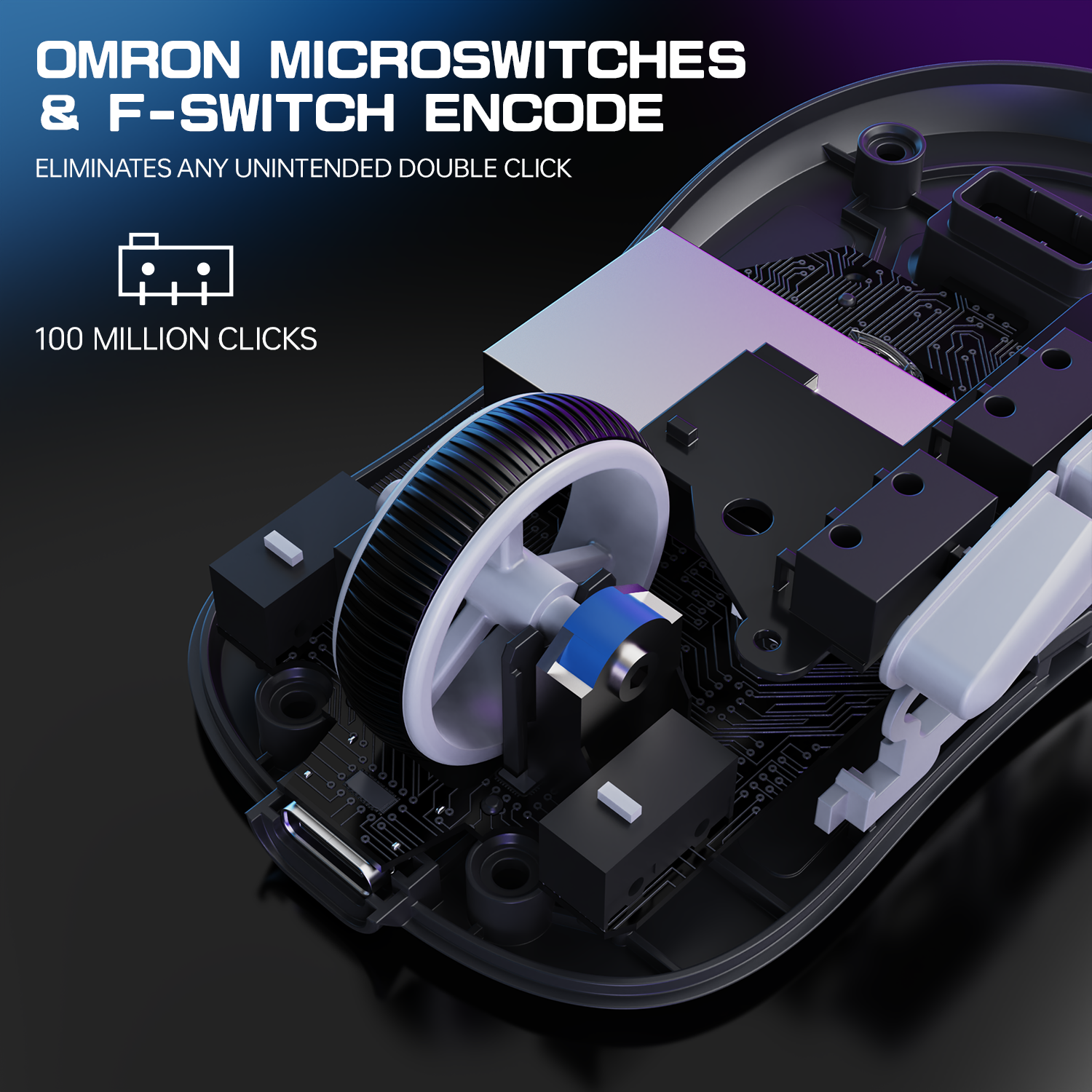
Microinterruptores Omron con 100 millones de clics
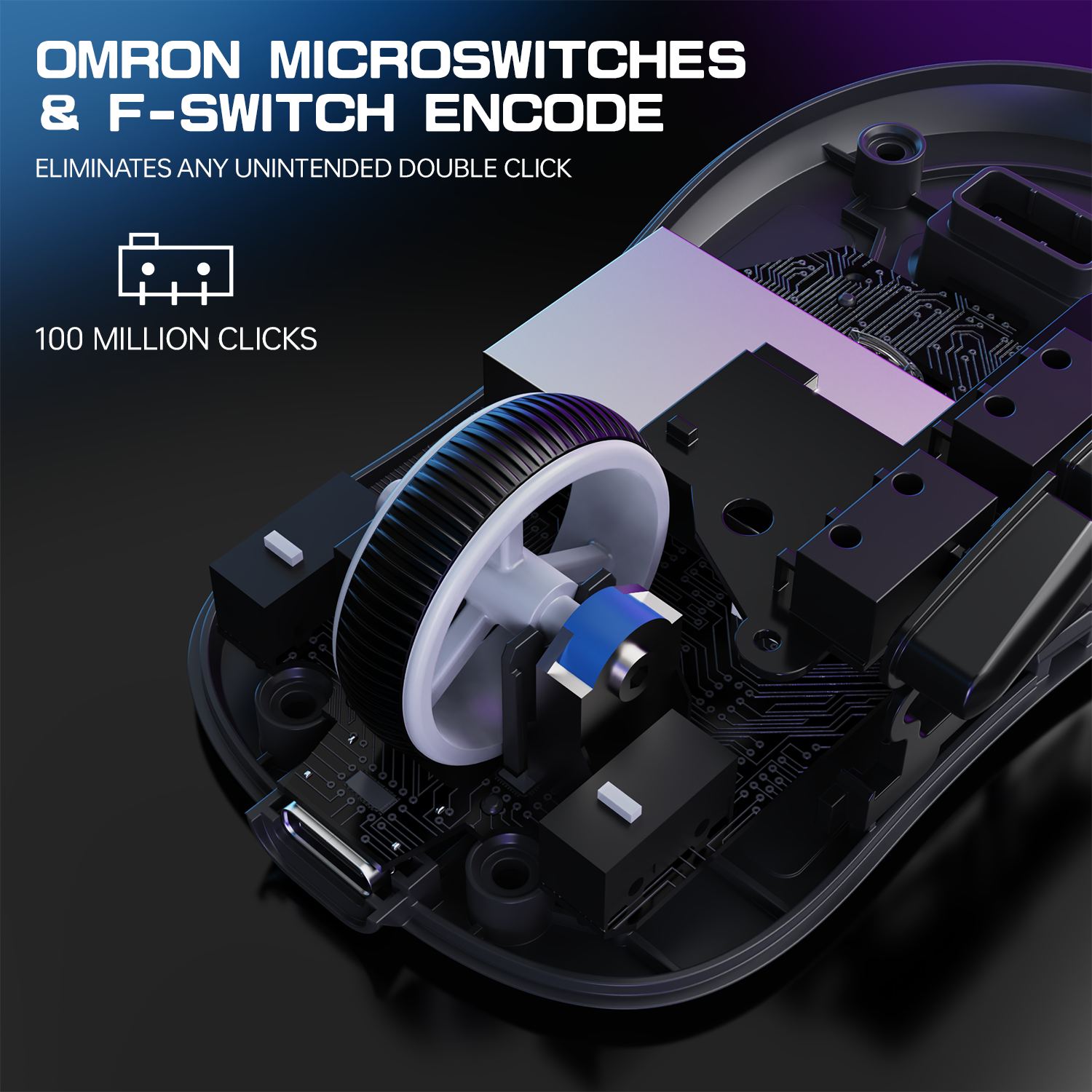
Ofrece clics ultranítidos y más de 100 millones de ciclos gracias a los interruptores Omron de gama alta. También incorpora un codificador de rueda de desplazamiento F-Switch que proporciona pasos precisos. Todo esto garantiza una excelente respuesta táctil en tus juegos favoritos.

PTFE 100 % virgen y ergonomía simétrica
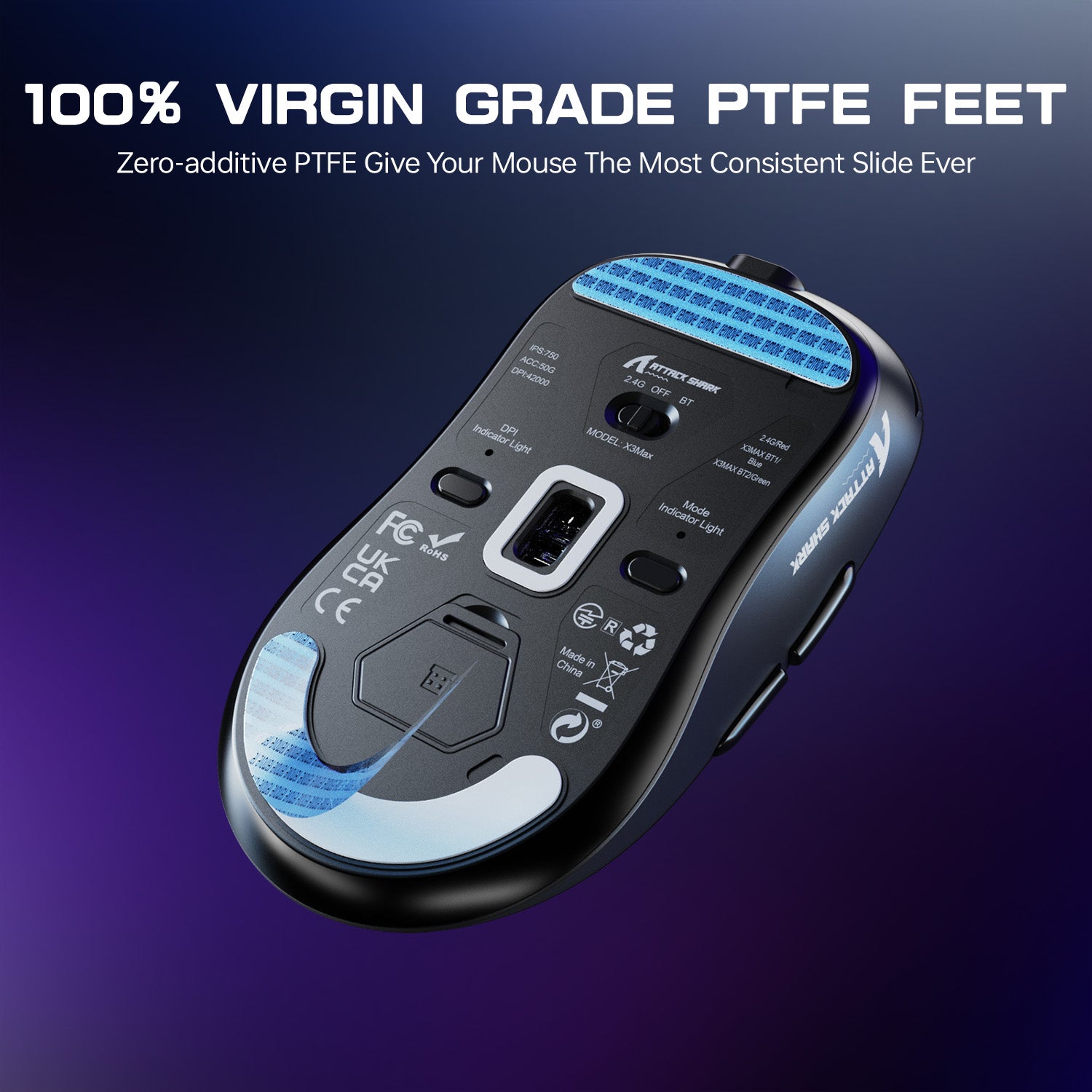
Fabricadas con PTFE sin aditivos, estas almohadillas premium para ratón son extremadamente duraderas y ofrecen el deslizamiento más uniforme, además de una mejor capacidad de frenado, equilibrada para el diseño del ratón SUPERLIGHT. La ergonomía simétrica del X3 MAX está diseñada para satisfacer las máximas exigencias de precisión y comodidad del jugador al usar los estilos de agarre de garra, punta de los dedos o palma.

Cable de ratón enrollado TPU C06 mejorado
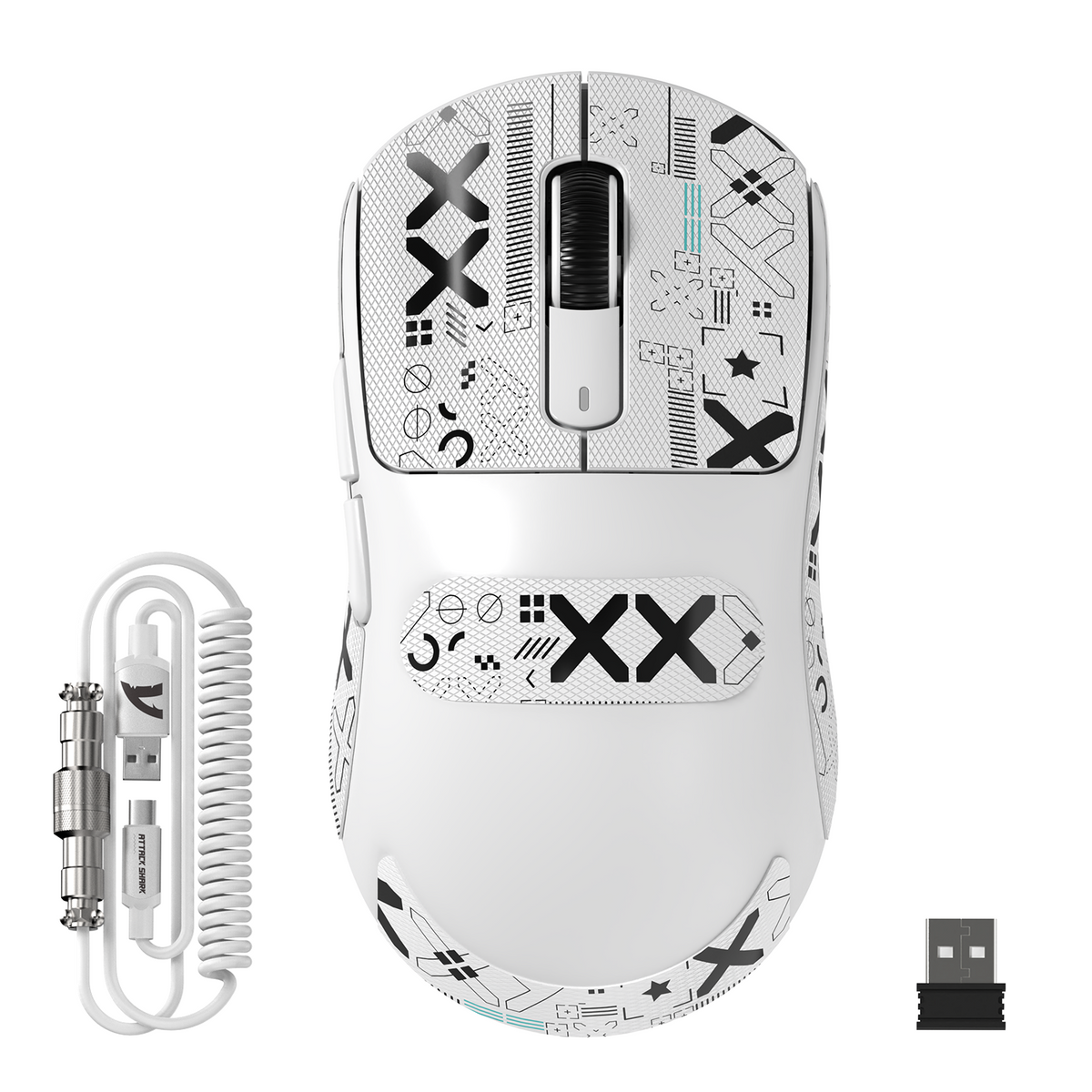
El paquete incluye un cable de paracaídas estándar de 1,6 m y un cable de ratón enrollado. La longitud total es de aproximadamente 52 pulgadas y puede extenderse hasta 70 pulgadas. El cable de ratón enrollado personalizado cuenta con conectores metálicos de alta calidad, que garantizan una excelente resistencia a la oxidación y las interferencias. Esto asegura una conexión estable incluso con un uso prolongado y desconexiones frecuentes.

Totalmente personalizable
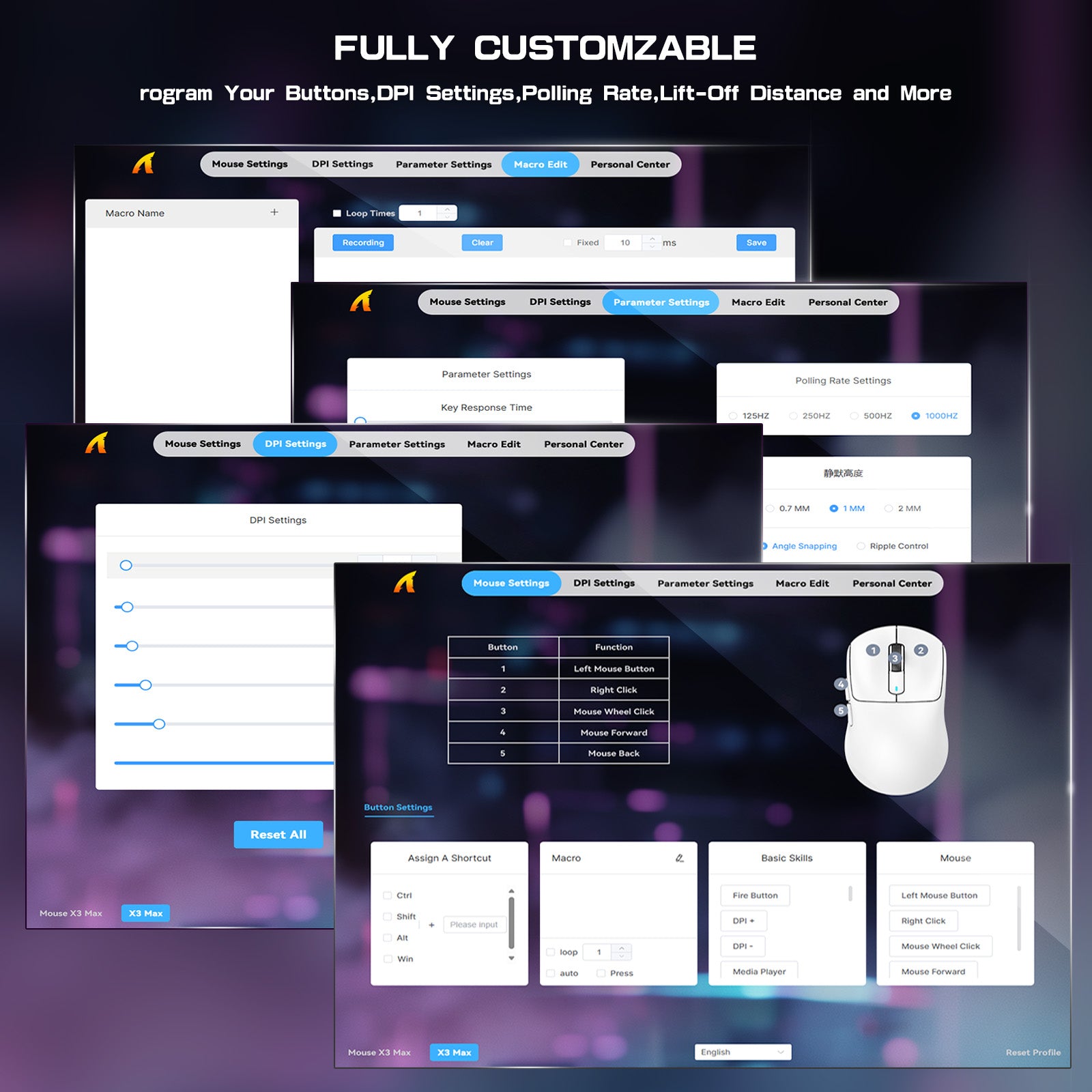
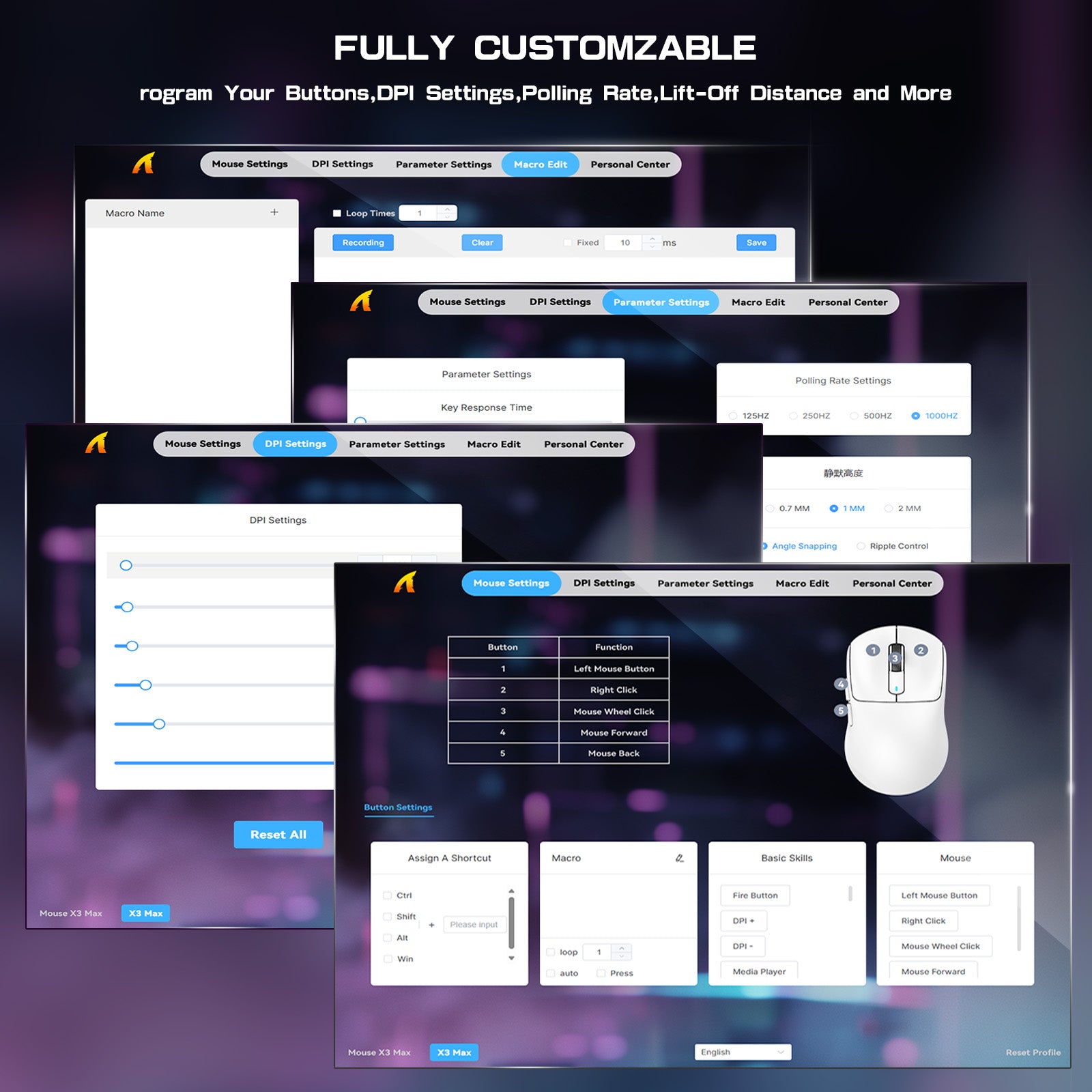
Configura tu ratón en el software del controlador para programar los botones, la configuración de DPI, la frecuencia de sondeo, la distancia de despegue y mucho más. Si encuentras algún problema durante la instalación del software o el uso del producto, ponte en contacto con nosotros de inmediato para recibir asistencia personalizada.

The picture is when I had taken all the mice home to do more of a direct comparison.Recently my work had ordered in some wireless gaming mice for testing and office use, so I got to try out 5 different options for work and gaming (we have a couple office gaming PC's, as well as my time using them for gaming at home) and figured which I liked the most.This is the order I would put them in as far as what I liked the most.#1: $140 (Vaxee NP-01S v2) <- personal#2: $51 (Attack Shark X3 Max) <- work#3: $130 (Endgame Gear OP1w 4k v2) <- work#4: $55 (VXE R1 Pro Max) <- personal#5: $58 (MCHOSE A7 V2 Pro) <- workConsidering the Attack Shark was my 2nd favorite when it was the cheapest and it also beat out (for me) a $130 mouse, I am very impressed. Honestly, if I had bought the Attack Shark for the office before I ordered the Vaxee for myself, I might have forgotten the Vaxee and just ordered another Attack Shark for my home mouse. I do like the Vaxee more, but I don't like it $100 more... (shipping was $10)The shape of the Attack Shark just feels comfortable without effort, and the specs it has matches up with the Vaxee and Endgame Gear (I don't use them above 1k polling, since it's a waste of battery for any benefit you get). The web driver is a bit jank, but it gets the job done. I also like that the mouse isn't TOO light, since I'm not the type who wants a mouse to be as light as possible. Anything below 55g or so is starting to feel too light to me.The mouse feels solid, looks good, is comfortable for my medium sized hands, isn't too light, has a web driver that works, the clicks and scroll wheel feel good... It is very hard to beat for $50.

The picture is when I had taken all the mice home to do more of a direct comparison.Recently my work had ordered in some wireless gaming mice for testing and office use, so I got to try out 5 different options for work and gaming (we have a couple office gaming PC's, as well as my time using them for gaming at home) and figured which I liked the most.This is the order I would put them in as far as what I liked the most.#1: $140 (Vaxee NP-01S v2) <- personal#2: $51 (Attack Shark X3 Max) <- work#3: $130 (Endgame Gear OP1w 4k v2) <- work#4: $55 (VXE R1 Pro Max) <- personal#5: $58 (MCHOSE A7 V2 Pro) <- workConsidering the Attack Shark was my 2nd favorite when it was the cheapest and it also beat out (for me) a $130 mouse, I am very impressed. Honestly, if I had bought the Attack Shark for the office before I ordered the Vaxee for myself, I might have forgotten the Vaxee and just ordered another Attack Shark for my home mouse. I do like the Vaxee more, but I don't like it $100 more... (shipping was $10)The shape of the Attack Shark just feels comfortable without effort, and the specs it has matches up with the Vaxee and Endgame Gear (I don't use them above 1k polling, since it's a waste of battery for any benefit you get). The web driver is a bit jank, but it gets the job done. I also like that the mouse isn't TOO light, since I'm not the type who wants a mouse to be as light as possible. Anything below 55g or so is starting to feel too light to me.The mouse feels solid, looks good, is comfortable for my medium sized hands, isn't too light, has a web driver that works, the clicks and scroll wheel feel good... It is very hard to beat for $50.
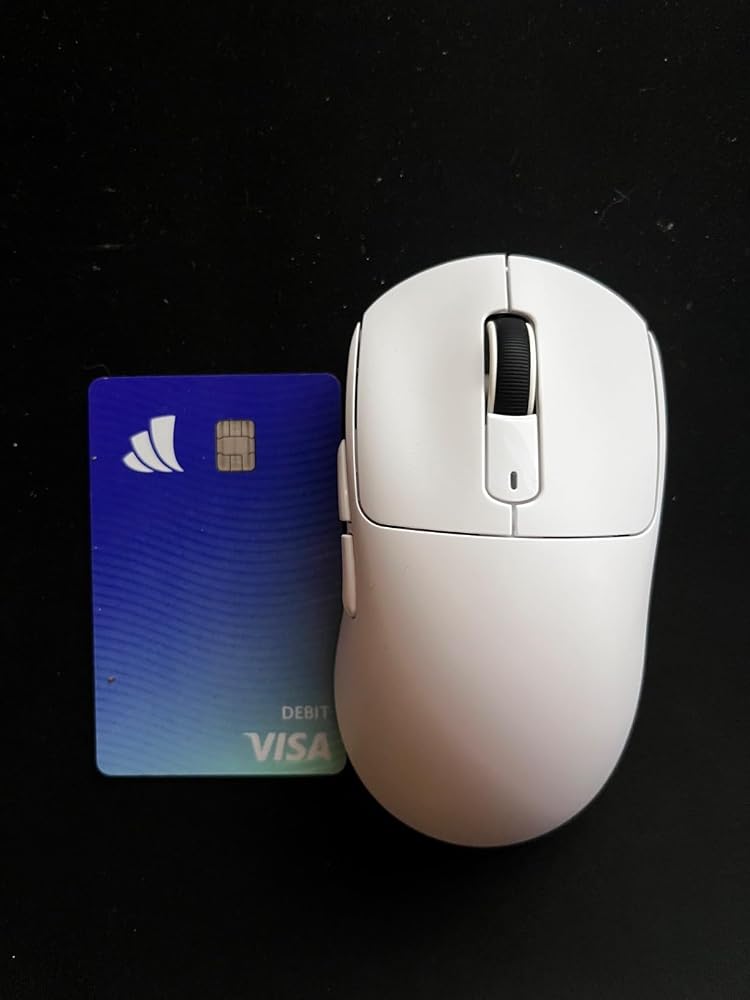
TLDR: The mouse has an amazing sensor and feels great, but is very small and when plugged in it has issues. Picture gives a standard debit card for size comparison.I have tried many mice from many brands with ranging pricing, and by far in my experience this is my favorite mouse... when using wireless. It offers an attractive price point, a 42k dpi sensor, and a coiled cable?I switched to this mouse from my previous Corsair and Logitech mice that are roughly $100+, but I have used cheap mice before from brands like HP/Red Dragon/Razer. Coming from these mice, this mouse offers a lot and easily compares with the corsair/logitech at half the price. The mouse is super light, but does not feel super cheap like you would expect at $50. The 42k dpi sensor works amazingly, I may not use the full 42k dpi, but with that extra headroom it makes the mouse smoother and prevents any lag or stutters in it. I love the performance of this mouse more than my previous, and that is certainly saying something.Though I love the mouse, I recognize its downfalls. The mouse is very small, and I was not expecting that at all. For any adults or people with big hands, you might have trouble using this mouse because if its size. I adapted to it, but only because of how I hold my mice. Other than the size, the cable it comes with feels very stiff and cheaply made. It looks nice, but because of its stiffness it tends to tug the mouse a bit if it is being stretched, completely wiping out the ultra light selling point of this product. Other than the stiffness, when the mouse is dead and you have to plug it in to your computer, it lags and stutters a significant amount. Just moving the mouse around for more rhan 3-5seconds will make it stop, and only turn back on if the mouse button is clicked.Overall, I love the performance of this mouse, but only when it is charged and in the 2.4 wireless mode with the USB dongle. Otherwise, this mouse runs into a lot of problems and loses its worth at $60.

TLDR: The mouse has an amazing sensor and feels great, but is very small and when plugged in it has issues. Picture gives a standard debit card for size comparison.I have tried many mice from many brands with ranging pricing, and by far in my experience this is my favorite mouse... when using wireless. It offers an attractive price point, a 42k dpi sensor, and a coiled cable?I switched to this mouse from my previous Corsair and Logitech mice that are roughly $100+, but I have used cheap mice before from brands like HP/Red Dragon/Razer. Coming from these mice, this mouse offers a lot and easily compares with the corsair/logitech at half the price. The mouse is super light, but does not feel super cheap like you would expect at $50. The 42k dpi sensor works amazingly, I may not use the full 42k dpi, but with that extra headroom it makes the mouse smoother and prevents any lag or stutters in it. I love the performance of this mouse more than my previous, and that is certainly saying something.Though I love the mouse, I recognize its downfalls. The mouse is very small, and I was not expecting that at all. For any adults or people with big hands, you might have trouble using this mouse because if its size. I adapted to it, but only because of how I hold my mice. Other than the size, the cable it comes with feels very stiff and cheaply made. It looks nice, but because of its stiffness it tends to tug the mouse a bit if it is being stretched, completely wiping out the ultra light selling point of this product. Other than the stiffness, when the mouse is dead and you have to plug it in to your computer, it lags and stutters a significant amount. Just moving the mouse around for more rhan 3-5seconds will make it stop, and only turn back on if the mouse button is clicked.Overall, I love the performance of this mouse, but only when it is charged and in the 2.4 wireless mode with the USB dongle. Otherwise, this mouse runs into a lot of problems and loses its worth at $60.
TLDR: The mouse has an amazing sensor and feels great, but is very small and when plugged in it has issues. Picture gives a standard debit card for size comparison.I have tried many mice from many brands with ranging pricing, and by far in my experience this is my favorite mouse... when using wireless. It offers an attractive price point, a 42k dpi sensor, and a coiled cable?I switched to this mouse from my previous Corsair and Logitech mice that are roughly $100+, but I have used cheap mice before from brands like HP/Red Dragon/Razer. Coming from these mice, this mouse offers a lot and easily compares with the corsair/logitech at half the price. The mouse is super light, but does not feel super cheap like you would expect at $50. The 42k dpi sensor works amazingly, I may not use the full 42k dpi, but with that extra headroom it makes the mouse smoother and prevents any lag or stutters in it. I love the performance of this mouse more than my previous, and that is certainly saying something.Though I love the mouse, I recognize its downfalls. The mouse is very small, and I was not expecting that at all. For any adults or people with big hands, you might have trouble using this mouse because if its size. I adapted to it, but only because of how I hold my mice. Other than the size, the cable it comes with feels very stiff and cheaply made. It looks nice, but because of its stiffness it tends to tug the mouse a bit if it is being stretched, completely wiping out the ultra light selling point of this product. Other than the stiffness, when the mouse is dead and you have to plug it in to your computer, it lags and stutters a significant amount. Just moving the mouse around for more rhan 3-5seconds will make it stop, and only turn back on if the mouse button is clicked.Overall, I love the performance of this mouse, but only when it is charged and in the 2.4 wireless mode with the USB dongle. Otherwise, this mouse runs into a lot of problems and loses its worth at $60.
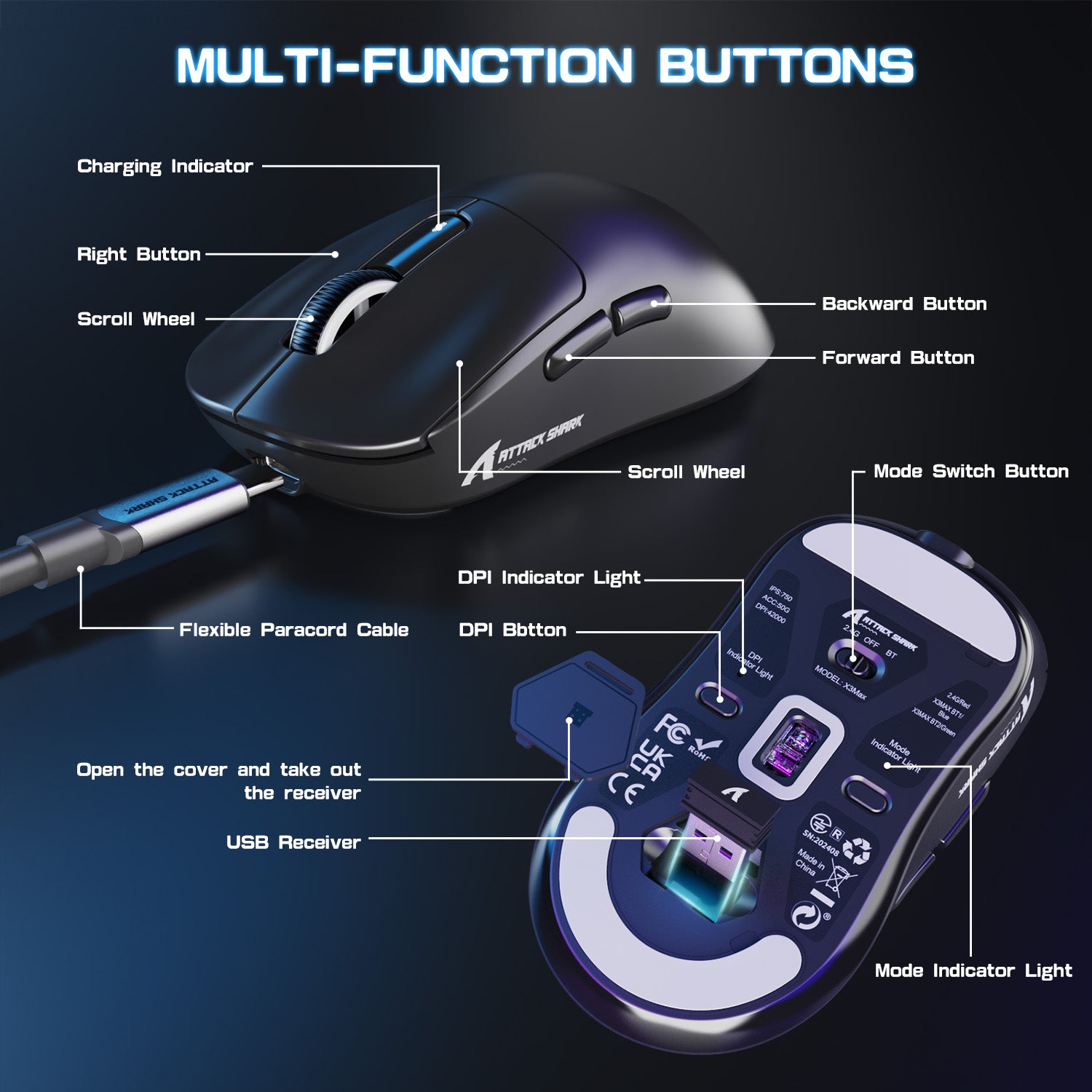
The Attack Shark X3Max Esports wireless gaming mouse comes with a user manual, a keyboard cable (USB A to USB C, comes in 2 parts; I guess you can also use it for other devices/charging), a braided USB A to USB C cord for the mouse, a hidden USB A receiver, mouse stickers, and extra mouse skates.There's a lot of stuff in the bundle, some of which may or may not be of use to you (depending on your preferences). I chose not to apply the mouse stickers and I had the keyboard cable set aside.The mouse has 3 connecting modes: Bluetooth (ver. 5.2 or 5.4 options), Wifi 2.4Ghz (hidden USB receiver underneath the mouse), and wired mode (USB C port at top front side of the mouse). There's a switch on the bottom side of the mouse to select connection mode as well as Bluetooth mode. There's also a button for you to toggle DPI sensitivity for the mouse. If you need to customize the mouse buttons, there's additional software available as well.So far, mouse has been great both wireless (I've been using the Bluetooth 5.4 option) and wired modes. It is super super lightweight and glides very well. The default sensitivity works quite well for me. Build quality appears okay so far. 4.5 stars.


The Attack Shark X3Max Esports wireless gaming mouse comes with a user manual, a keyboard cable (USB A to USB C, comes in 2 parts; I guess you can also use it for other devices/charging), a braided USB A to USB C cord for the mouse, a hidden USB A receiver, mouse stickers, and extra mouse skates.There's a lot of stuff in the bundle, some of which may or may not be of use to you (depending on your preferences). I chose not to apply the mouse stickers and I had the keyboard cable set aside.The mouse has 3 connecting modes: Bluetooth (ver. 5.2 or 5.4 options), Wifi 2.4Ghz (hidden USB receiver underneath the mouse), and wired mode (USB C port at top front side of the mouse). There's a switch on the bottom side of the mouse to select connection mode as well as Bluetooth mode. There's also a button for you to toggle DPI sensitivity for the mouse. If you need to customize the mouse buttons, there's additional software available as well.So far, mouse has been great both wireless (I've been using the Bluetooth 5.4 option) and wired modes. It is super super lightweight and glides very well. The default sensitivity works quite well for me. Build quality appears okay so far. 4.5 stars.
The Attack Shark X3Max Esports wireless gaming mouse comes with a user manual, a keyboard cable (USB A to USB C, comes in 2 parts; I guess you can also use it for other devices/charging), a braided USB A to USB C cord for the mouse, a hidden USB A receiver, mouse stickers, and extra mouse skates.There's a lot of stuff in the bundle, some of which may or may not be of use to you (depending on your preferences). I chose not to apply the mouse stickers and I had the keyboard cable set aside.The mouse has 3 connecting modes: Bluetooth (ver. 5.2 or 5.4 options), Wifi 2.4Ghz (hidden USB receiver underneath the mouse), and wired mode (USB C port at top front side of the mouse). There's a switch on the bottom side of the mouse to select connection mode as well as Bluetooth mode. There's also a button for you to toggle DPI sensitivity for the mouse. If you need to customize the mouse buttons, there's additional software available as well.So far, mouse has been great both wireless (I've been using the Bluetooth 5.4 option) and wired modes. It is super super lightweight and glides very well. The default sensitivity works quite well for me. Build quality appears okay so far. 4.5 stars.
Update: I didn't realize that the mouse which this is cloning is virtually the same size and the specs differ very little while the price is substantially less. After comparing this mouse to the X3 Superstrike I now understand what the aim of the design is so they're not only right on target but I would say there is very little difference, if any, that I can notice while gaming between this and the six times more expensive mouse it is a clone of. So, now that I know what they were going for this mouse is a solid 5/5 and the only reason I took one star off is that they should have taken five or ten bucks off the price, not added in a keyboard cable, and made the grip tape slightly higher quality as it is more like stickers rather than proper grip tape that is a bit spongy and wicks your sweat away. If they made those minor changes this would be even more of a no brainer if you're going for the X3 type mouse. I truly believe, after using both, that they absolutely demolished the other X3 mouse company considering the vast gulf in price and the very little difference in subjective experience. It is absolutely crazy to think people are spending six times the price for a barely better mouse than this one. Attack Shark absolutely nailed the X3 clone, it is crazy. If this thing lasts 5-10 years then I don't think I could see a reason for spending that much more for the brand name over this one unless over 1000hz polling rate matters to you. The thing is, though, I am gaming at 330hz and that means that this mouse is already updating three times per frame so I can't see why anyone would want 2000hz polling unless they have a 500-1000hz monitor but I don't play e-sports. I have a 2000hz polling rate mouse and I can't tell the difference between that and this one in FPS games. So, for a non e-sports player I think 1000hz polling rate is as high as one need go.Original Review:Honestly, the mouse is fantastic if you have small hands but I do not. I have medium sized hands and this mouse feels like one of those mini mice you have for your uni/work laptop rather than a desktop mouse. It is so small that if I don't use the claw grip and am not specifically clutching the right side of the mouse for dear life with my pinky it drags on the mouse pad. If this mouse was 25% bigger it would be perfect as everything else is great.The sensor is fantastic and picks up even the quickest movement and smallest flicks with ease and zero latency using the 2.4ghz wireless dongle. The battery looks like it actually lasts for over 200 hours. The software is nothing fancy but it has all the options that I would want with such a button limited mouse that is clearly made for FPS. The material feels good, the skates glide very well, and it even comes with a keyboard cable which is cool as it saves desktop space and makes it easier to move your keyboard around when switching to gaming position and back.They really put together a fantastic package but because it is so small and I hate claw grip unfortunately I am pretty sure that I am going to have to return it. I may give it a week or two to see if I can get used to holding my pinky up full time but so far it consistently drops and drags or cramps up having to hold on so tight in order to not drop down to the mouse pad.If you have small hands or use claw grip 24/7 and want a fantastic FPS mouse then this is for you as it really is a fantastic little mouse. They should have called it the X3MINI MAX because it's just so darn small... like crazy small. I don't know what they were thinking when they decided to make a desktop mouse this small. Maybe it is made for people with gaming laptops who want small and portable mice, I don't know. I think they ought to have made it known in the pictures and/or description that it is a very small mouse and not made for people with medium or large hands, I would call it a mini mouse.
Update: I didn't realize that the mouse which this is cloning is virtually the same size and the specs differ very little while the price is substantially less. After comparing this mouse to the X3 Superstrike I now understand what the aim of the design is so they're not only right on target but I would say there is very little difference, if any, that I can notice while gaming between this and the six times more expensive mouse it is a clone of. So, now that I know what they were going for this mouse is a solid 5/5 and the only reason I took one star off is that they should have taken five or ten bucks off the price, not added in a keyboard cable, and made the grip tape slightly higher quality as it is more like stickers rather than proper grip tape that is a bit spongy and wicks your sweat away. If they made those minor changes this would be even more of a no brainer if you're going for the X3 type mouse. I truly believe, after using both, that they absolutely demolished the other X3 mouse company considering the vast gulf in price and the very little difference in subjective experience. It is absolutely crazy to think people are spending six times the price for a barely better mouse than this one. Attack Shark absolutely nailed the X3 clone, it is crazy. If this thing lasts 5-10 years then I don't think I could see a reason for spending that much more for the brand name over this one unless over 1000hz polling rate matters to you. The thing is, though, I am gaming at 330hz and that means that this mouse is already updating three times per frame so I can't see why anyone would want 2000hz polling unless they have a 500-1000hz monitor but I don't play e-sports. I have a 2000hz polling rate mouse and I can't tell the difference between that and this one in FPS games. So, for a non e-sports player I think 1000hz polling rate is as high as one need go.Original Review:Honestly, the mouse is fantastic if you have small hands but I do not. I have medium sized hands and this mouse feels like one of those mini mice you have for your uni/work laptop rather than a desktop mouse. It is so small that if I don't use the claw grip and am not specifically clutching the right side of the mouse for dear life with my pinky it drags on the mouse pad. If this mouse was 25% bigger it would be perfect as everything else is great.The sensor is fantastic and picks up even the quickest movement and smallest flicks with ease and zero latency using the 2.4ghz wireless dongle. The battery looks like it actually lasts for over 200 hours. The software is nothing fancy but it has all the options that I would want with such a button limited mouse that is clearly made for FPS. The material feels good, the skates glide very well, and it even comes with a keyboard cable which is cool as it saves desktop space and makes it easier to move your keyboard around when switching to gaming position and back.They really put together a fantastic package but because it is so small and I hate claw grip unfortunately I am pretty sure that I am going to have to return it. I may give it a week or two to see if I can get used to holding my pinky up full time but so far it consistently drops and drags or cramps up having to hold on so tight in order to not drop down to the mouse pad.If you have small hands or use claw grip 24/7 and want a fantastic FPS mouse then this is for you as it really is a fantastic little mouse. They should have called it the X3MINI MAX because it's just so darn small... like crazy small. I don't know what they were thinking when they decided to make a desktop mouse this small. Maybe it is made for people with gaming laptops who want small and portable mice, I don't know. I think they ought to have made it known in the pictures and/or description that it is a very small mouse and not made for people with medium or large hands, I would call it a mini mouse.
Compact and no noise. Very easy to handle and makes very or little click noise.
Compact and no noise. Very easy to handle and makes very or little click noise.
It has pure aura
It has pure aura
It has pure aura
Love the mouse, would have bought the pro if it had the latest sensor PAW 3950, the only problem is that the cable is pretty useless. It doesnt detach, only works if you have a desktop on top of your table. Package came with a lot of grip and extra skates, and the software is pretty nice.