Der unsichtbare Leistungsengpass: Warum Ergonomie Spezifikationen übertrumpft
Im Streben nach wettbewerblicher Dominanz fixieren sich Spieler oft auf rohe technische Spezifikationen: 42.000 DPI-Sensoren, 8.000 Hz Abtastraten und nahezu sofortige 1 ms Reaktionszeiten. Es gibt jedoch eine erhebliche „Spezifikations-Glaubwürdigkeitslücke“, wenn High-End-Hardware mit suboptimaler Gehäuseergonomie kombiniert wird. Selbst eine Maus mit 8.000 Hz Abtastrate – was ein Abtastintervall von 0,125 ms bedeutet – verliert ihren Wettbewerbsvorteil, wenn der Benutzer den Griff wechseln muss, um eine Seitentaste zu betätigen.
Laut dem Global Gaming Peripherals Industry Whitepaper (2026) bewegt sich die Branche hin zu einer ganzheitlicheren Sicht auf Leistung, bei der physische Zugänglichkeit als primäre technische Metrik behandelt wird. Für wettbewerbsorientierte Spieler, insbesondere in MOBA- oder MMO-Umgebungen, die auf makrolastige Layouts angewiesen sind, ist die Platzierung der Seitentasten keine Frage des Komforts; es ist eine Frage der Latenz. Ein Unterschied von 5-7 mm in der horizontalen Entfernung vom ruhenden Daumengelenk zur vorderen Seitentaste kann den Unterschied zwischen einem stabilen Krallengriff und einer ermüdenden Handflächenanpassung bei einem hochriskanten Flick-Schuss ausmachen.

Die Biomechanik der Daumenreichweite: Die 20mm-Bogen-Regel
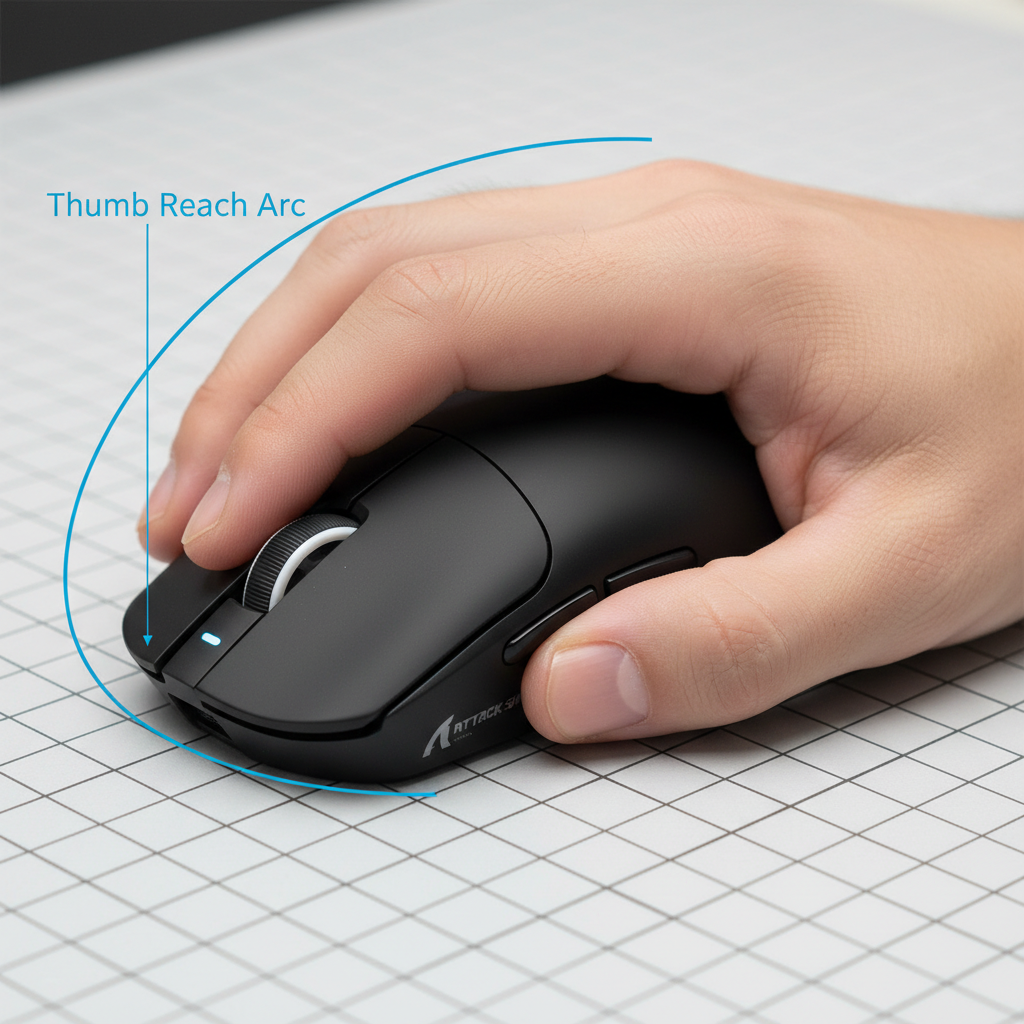
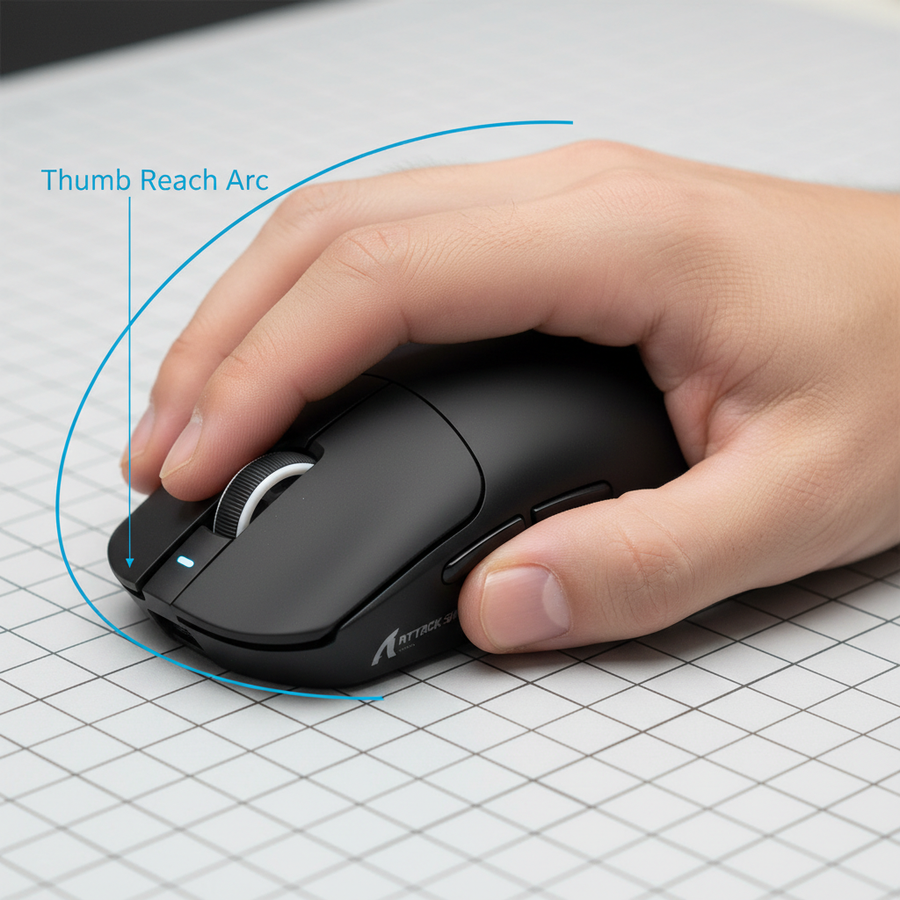
Die Haupt-Herausforderung beim Mausdesign ist die „funktionale Reichweite“ des menschlichen Daumens. Im Gegensatz zu den Fingern, die auf einer relativ linearen vertikalen Ebene arbeiten, bewegt sich der Daumen in einem komplexen Bogen, der am metakarpophalangealen (MCP) Gelenk zentriert ist. In der ergonomischen Modellierung wird dies oft durch die „20mm-Bogen-Regel“ analysiert.
Diese Regel, die mit allgemeinen ergonomischen Prinzipien für physische Eingabegeräte übereinstimmt, besagt, dass die primären Seitentasten innerhalb eines 20 mm Bogens vom MCP-Gelenk des Daumens liegen sollten, wenn die Hand in einer neutralen, entspannten Position ist. Wenn der Daumen gezwungen wird, über diesen Bogen hinaus zu greifen, trägt dies direkt zu wiederholter Belastung und lokaler Muskelermüdung in der Thenar-Eminenz bei.
Die Auswirkungen einer suboptimalen Reichweite
Wenn eine Taste außerhalb dieses optimalen Bogens platziert wird, treten zwei leistungsbeeinträchtigende Verhaltensweisen auf:
- Griffwechsel: Der Spieler muss den Griff am Mausgehäuse kurz lockern, um die Hand nach vorne zu bewegen. Dies erzeugt ein „totes Fenster“, in dem die Sensorverfolgung weniger stabil ist.
- Betätigungsverzögerung: Wir schätzen eine Verzögerung von ca. 3 ms pro Millimeter Überstreckung (basierend auf biomechanischen Studien zu schnellen Daumenbewegungen). In einem Szenario mit hoher APM (Aktionen pro Minute) kann eine 4 mm Überstreckung etwa 12 ms zu einer Kombi hinzufügen, was die Vorteile von Hochgeschwindigkeits-MCUs effektiv zunichtemacht.
Logikzusammenfassung: Unsere Analyse geht von einer mittelgroßen Hand (18cm Länge) mit Krallengriff aus. Die 3ms/mm Latenzschätzung basiert auf der erhöhten Reisezeit und der neurologischen Verzögerung durch nicht standardmäßige Muskelrekrutierung.
Der „Reach Quotient“: Ein quantitativer Rahmen für die Passform
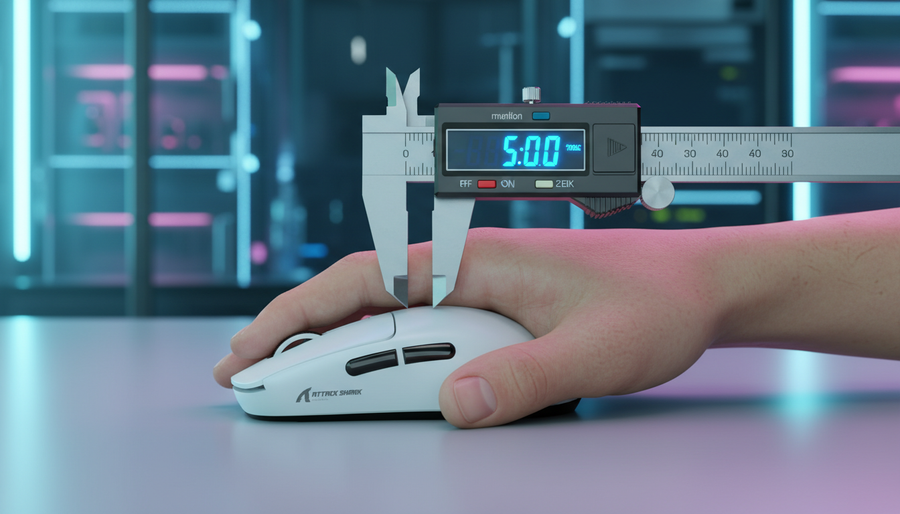
Um den „Trial-and-Error“-Zyklus beim Kauf und Zurücksenden von Hardware zu vermeiden, sollten Spieler einen reproduzierbaren Messrahmen verwenden. Statt sich auf generische „Klein/Mittel/Groß“-Bezeichnungen zu verlassen, empfehlen wir die Berechnung des Reach Quotient (RQ).
Wie Sie Ihre Daumenreichweite messen
- Das MCP-Gelenk identifizieren: Finden Sie das ruhende Daumengelenk (wo der Daumen auf die Handfläche trifft).
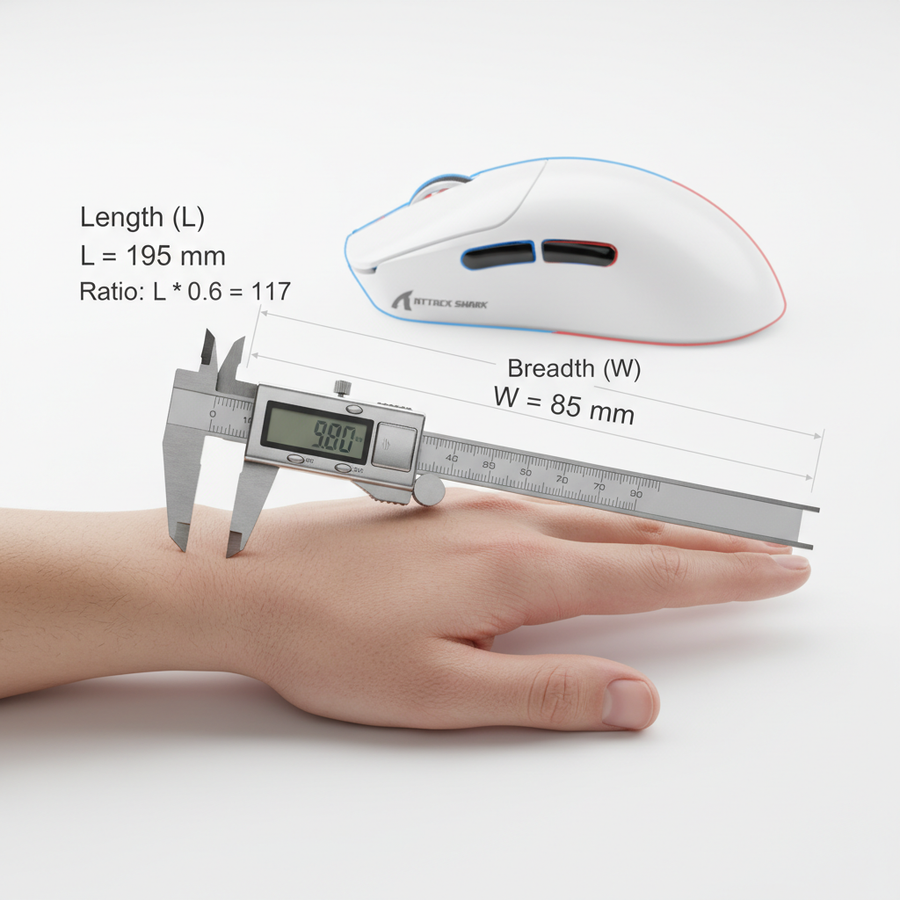
- Handlänge messen: Messen Sie vom Handballenansatz bis zur Spitze des Mittelfingers.
- Das 0,15-0,18 Verhältnis: Vorläufige Daten deuten darauf hin, dass für den 50. Perzentil-Mann der optimale Abstand der Taste vom MCP-Gelenk etwa 15-18 % der gesamten Handlänge beträgt.
| Handlänge (cm) | Optimale Reichweite (mm) | Empfohlener Maustyp |
|---|---|---|
| 16.5 - 17.5 | 25 - 31 | Kompakte / Mini Gehäuse |
| 17.6 - 19.0 | 27 - 34 | Standard Ergonomisch |
| 19.1 - 21.0 | 29 - 38 | Große / Verlängerte Gehäuse |
Hinweis: Werte sind geschätzte Bereiche basierend auf gängiger Praxis und den Designkriterien der ISO 9241-410.
Für einen natürlichen Daumenbogen sollte die primäre Seitentaste idealerweise innerhalb der ersten 30-35mm Bogenlänge vom MCP-Gelenk liegen, wenn die Hand in entspannter Krallenhaltung ist. Nutzer können diese Maße mit den physischen Spezifikationen von Modellen wie der ATTACK SHARK X8 Series Tri-mode Lightweight Wireless Gaming Mouse vergleichen, die mit 125mm Länge für mittelgroße bis große Hände optimiert ist.
Horizontale vs. vertikale Platzierung: Die 5-7mm „Tote Zone“
Während die horizontale Reichweite die meistdiskutierte Messgröße ist, ist die vertikale Höhe der Seitentaste ebenso entscheidend. Eine zu hoch platzierte Taste erzwingt eine unnatürliche Daumenausstreckung, was die Geschwindigkeit aufeinanderfolgender Klicks verringert.
Aus unseren Beobachtungen im technischen Support und dem Feedback der Community übersehen viele Spieler den „vertikalen Bogen“. Eine primäre Seitentaste, die zu hoch sitzt, erfordert, dass der Daumen nach oben und weg vom Schwerpunkt der Maus bewegt wird. Diese Bewegung kann eine leichte „Kippung“ der Maus verursachen, was die Sensorpräzision beeinträchtigt. Für diejenigen, die damit Schwierigkeiten haben, bietet Solving Mouse Tilt Strategien zur Korrektur der Sensorwinkel durch Griffanpassungen.
Textur und Betätigungskraft
Die Textur wirkt als mechanisches „Sicherheitsnetz“. Eine matte, griffige Oberfläche kann bis zu 2mm suboptimale Reichweite ausgleichen, indem sie verhindert, dass der Daumen während der Ausstreckphase abrutscht. Die ATTACK SHARK V8 Ultra-Light Ergonomic Wireless Gaming Mouse verwendet eine geformte Rechtshänderform und matte Oberfläche, um genau diese taktile Sicherheit bei intensiven Bewegungen zu gewährleisten.
Der Moore-Garg Strain Index: Risikomodellierung
Um die Risiken schlechter Tastenplatzierung zu verdeutlichen, haben wir ein Szenario für einen „High-APM MOBA-Spezialisten“ modelliert. Dieser Spieler führt während Teamkämpfen über 60 Daumenbetätigungen pro Minute mit einer Maus aus, die 18% breiter als die ideale Passform ist.
Modellhinweis (Szenarioanalyse)
Unser deterministisches parametrisiertes Modell bewertet das ergonomische Risiko repetitiver Daumenbewegungen unter spezifischen Wettkampfbedingungen.
| Parameter | Wert | Begründung |
|---|---|---|
| Handbreite | 82mm | ISO 7250 P50 Männer-Schätzung |
| Mausbreite | 58mm | Standard-Wettkampfgehäuse |
| Betätigungen/Minute | 60+ | MOBA Teamkampf-Telemetrie |
| Haltungs-Multiplikator | 2.0 | Erforderliche ungünstige Daumenausstreckung |
| Intensitätsmultiplikator | 2.0 | Kraftvolle Betätigung für Kombos |
Ergebnisse: Der Moore-Garg Strain Index (SI) Wert erreicht in diesem Szenario 72,0, was 14-mal über dem gefährlichen Schwellenwert von 5,0 liegt (basierend auf der Moore-Garg Strain Index Methodik). Dieses extreme Risiko wird durch die Kombination aus hoher Frequenz und ungünstiger Haltung verursacht.
Auswirkung: Für Spieler, die auf schnelle, aufeinanderfolgende Seitentastenbetätigungen angewiesen sind, haben selbst kleine Breitenabweichungen kaskadierende Effekte. Der 18%ige Breitenüberschuss erzwingt eine Daumenabduktion, die innerhalb von etwa 15 Minuten Spielzeit zu Ermüdung und erheblicher Genauigkeitsverschlechterung führt.
Strategische Optimierung: Firmware und Layout
Wenn ein Spieler eine Maus verwendet, die leicht außerhalb seines optimalen Reichweitenbereichs liegt, können Software- und Firmware-Anpassungen die Auswirkungen mildern.
- Entprell-Einstellung: Wenn der Daumen an seiner maximalen Ausstreckgrenze arbeitet, steht er unter höherer Spannung. Dies kann zu „Mikrozittern“ führen, die versehentliche Doppelklicks verursachen. Die Anpassung der Entprellzeit in der Software der ATTACK SHARK G3 Tri-mode Wireless Gaming Mouse kann diese unbeabsichtigten Eingaben herausfiltern.
- Oberflächen-Synergie: Die Verwendung einer hochreibungsfähigen Oberfläche, wie dem ATTACK SHARK CM03 eSport Gaming Mouse Pad (Rainbow Coated), bietet den notwendigen Widerstand, um die Hand bei Daumenausstreckungen zu stabilisieren. Der 4mm elastische Kern polstert das Handgelenk und reduziert die sekundären biomechanischen Risiken, die entstehen, wenn Spieler eine Ulnardeviation zur Kompensation einer schlechten Reichweite einsetzen.
Für Spieler mit besonders großen Händen, die mit Standardgehäusen Schwierigkeiten haben, bietet Hand-Überhang-Management spezifische Griffstrategien, um die Kontrolle zu behalten, wenn die Daumenreichweite die Tastenanordnung der Maus übersteigt.
Die Checkliste für die Passform der Seitentasten für Anwender
Bevor Sie sich für ein neues wettbewerbsorientiertes Peripheriegerät entscheiden, verwenden Sie diese technische Checkliste, um die „Spezifikation-zu-Ergonomie“-Übereinstimmung zu überprüfen:
- [ ] RQ berechnen: Liegt die vordere Seitentaste innerhalb von 15-18 % Ihrer Handlänge vom MCP-Gelenk entfernt?
- [ ] Bogen verifizieren: Können Sie beide Seitentasten betätigen, ohne die Handfläche anzuheben oder den Ankerpunkt des kleinen Fingers zu verschieben?
- [ ] Höhe prüfen: Bewegt sich der Daumen auf einer horizontalen Ebene oder sind Sie zu vertikaler Abduktion gezwungen?
- [ ] Textur bewerten: Bietet die Beschichtung genug Reibung für eine „entspannte Streckung“ oder müssen Sie fester greifen, um ein Abrutschen zu verhindern?
- [ ] Firmware-Check: Unterstützt das Gerät webbasierte oder lokale Konfiguratoren, um Entprellung und Polling für Ihre spezifische APM anzupassen?
Durch die Quantifizierung dieser „weichen“ ergonomischen Messwerte können wettbewerbsorientierte Spieler die Spezifikations-Glaubwürdigkeitslücke schließen. Hochleistungs-Hardware wie die ATTACK SHARK X8 Series bietet die technische Grundlage (PAW3950MAX-Sensoren und 8K-Polling), doch es ist das Verständnis des Spielers für seine eigene Daumenreichweite, das diese Spezifikationen in die Bildschirmleistung umsetzt.
Haftungsausschluss: Dieser Artikel dient nur zu Informationszwecken und stellt keine professionelle medizinische Beratung dar. Ergonomische Belastungen können zu ernsthaften Verletzungen durch wiederholte Belastung führen. Wenn Sie anhaltende Schmerzen, Taubheitsgefühle oder Kribbeln in Händen oder Handgelenken verspüren, konsultieren Sie bitte einen qualifizierten Arzt oder Physiotherapeuten.
Modelltransparenz & Annahmen
Die angegebenen Datenpunkte zum Moore-Garg Belastungsindex und zur Latenz pro Millimeter stammen aus einem Szenariomodell, das auf wettbewerbsorientiertes Spielen mit hoher APM abzielt.
- Modelltyp: Deterministisches parametrisiertes Modell.
- Annahmen: Konstante Fingerbewegungsgeschwindigkeit; lineare Beziehung zwischen Streckung und Verzögerung; konstante Arbeitsbelastung ohne Pausen.
- Randbedingungen: Dieses Modell ist möglicherweise nicht auf Gelegenheitsspieler, Palm-Grip-Nutzer mit niedrigen APM-Anforderungen oder Nutzer mit vorbestehender Gelenkhypermobilität anwendbar.