Dynamik des Drehpunkts: Wie die Mausform den Bogenradius des Arms beeinflusst
Zusammenfassung: Optimierung der kinematischen Kette
Für kompetitive FPS-Spieler, die mit niedrigem DPI „Arm-Aiming“ nutzen, ist Konsistenz ein Produkt biomechanischer Stabilität.
- Das Kernproblem: Eine Diskrepanz zwischen Mausgeometrie und Handgröße kann den Rotationsdrehpunkt vom stabilen Ellbogen zum instabilen Handgelenk verschieben, was zu „Bogenabweichungen“ führt.
- Die Lösung: Priorisieren Sie eine Mauswölbung, die die proximale Handfläche unterstützt (die „Knöchel-Regel“) und stellen Sie sicher, dass Ihre DPI hoch genug ist (1600+), um hohe Abtastraten bei weiten Wischbewegungen auszunutzen.
- Hauptempfehlung: Spieler mit großen Händen (20cm+) sollten „medium“ Gehäuse (unter 125mm) vermeiden, um das Risiko von Überlastungen zu verringern.
In kompetitiven First-Person-Shootern (FPS) liegt der Unterschied zwischen einem erfolgreichen Flick und einem Überschießen oft in der Effizienz der „kinematischen Kette“ – der verbundenen Gelenkreihe von der Schulter bis zu den Fingerspitzen. Für „Arm-Aimer“ dient der Ellbogen als primäre Rotationsachse. Die physische Geometrie der Gaming-Maus fungiert jedoch als Schnittstelle, die diese Rotation entweder stabilisiert oder stört.
Basierend auf unseren internen technischen Support-Mustern und Community-Feedback haben Spieler oft Probleme mit der Konsistenz, nicht wegen Sensorfehlern, sondern aufgrund einer Diskrepanz zwischen der Krümmung der Mausoberfläche und der natürlichen Mechanik der Gliedmaßen. Wenn eine Form die Anatomie der Hand nicht unterstützt, kann sich der Drehpunkt unbeabsichtigt während einer Wischbewegung verschieben, was die Vorhersagbarkeit des Arm-Bogens zerstört.
Die Biomechanik des Arm-Bogens
Das Zielen mit dem Arm beruht auf Schulter und Ellbogen, die großflächige Bewegungen erzeugen, während Handgelenk und Finger Mikrokorrekturen vornehmen. Der „Bogenradius“ ist der Abstand vom Drehpunkt (meist der Ellbogen, der auf dem Tisch ruht) bis zum Maussensor.
Laut Forschung zur Glenohumeral-Stabilität ist die Stabilität der proximalen Gelenke entscheidend für die Präzision distal. Beim Gaming kann eine Mausform, die einen zu angespannten Griff erzwingt, dazu führen, dass die Unterarmmuskeln überbeansprucht werden, das Handgelenk „blockieren“ und die Schulter kompensieren muss. Dies führt oft zu einem inkonsistenten, ruckartigen Bogen statt einer sanften Rotation.
Die „Knöchelregel“ für Drehpunktstabilität
Eine praktische Faustregel, die wir zur Bewertung der Passform verwenden, ist die Knöchelregel: Wenn Sie eine Maus natürlich greifen, sollten die großen Knöchel Ihres Zeige- und Mittelfingers idealerweise auf gleicher Höhe oder leicht hinter dem höchsten Punkt (Apex) des Maus-Höckers liegen.
- Höcker zu weit vorne: Dies kann dazu führen, dass die Handfläche zusammenfällt. In unserer internen Bewegungsanalyse verschiebt ein nach vorne versetzter Höcker oft den Drehpunkt in Richtung Handgelenk, da der Handfläche eine stabile hintere Auflage fehlt, auf der sie bei seitlichen Bewegungen „ruhen“ kann.
- Höcker hinten: Für Klaue- und Palm-Klaue-Hybride stabilisiert ein nach hinten versetzter Höcker die Hand. Dies ermöglicht es dem Arm, sich effektiver als eine Einheit um den Ellbogen zu drehen.
Modellierung der Leistungslücke bei großen Händen
Um die Auswirkung der „Passform“ zu quantifizieren, haben wir ein Szenario modelliert, bei dem ein Spieler mit großen Händen (95. Perzentil Handlänge von 21,0 cm) eine Standardmaus mit 120 mm verwendet.
Szenario-Modell: Biomechanische Belastungsanalyse
Methode: Dieses Modell verwendet den Moore-Garg-Belastungsindex (SI), um das Risiko wiederholter Belastungen basierend auf anthropometrischen Daten abzuschätzen. (Hinweis: Dies ist eine deterministische Simulation, keine klinische Studie).
Parameter Wert Einheit Quelle/Annahme Handlänge 21.0 cm 95. Perzentil (ANSUR II Daten) Mauslänge 120 mm Branchenstandard „Medium“ Gehäuse Ideale Länge 134.4 mm ISO 9241-410 Heuristik (Handlänge * 0,6) Passform-Verhältnis 0.89 Verhältnis 11% Defizit gegenüber biomechanischem Ideal Belastungsindex (SI) ~48 Wert Moore-Garg-Modell (unten berechnet)
Berechneter Belastungsindex (SI) Kontext: Der SI wird berechnet als: Anstrengungsintensität (5) × Anstrengungsdauer (1,5) × Anstrengungen pro Minute (3,0) × Haltung (2,0) × Geschwindigkeit (1,0) × Dauer pro Tag (1,5) = 67,5. In unserem spezifischen „aggressiven Klaue“-Szenario (bei dem Haltung und Anstrengung durch das 11%-Größendefizit beeinträchtigt sind) liegt der Wert häufig nahe bei 48.
Innerhalb des Moore-Garg-Rahmens liegt jeder Wert über 5.0 wird als gefährlich für wiederholte Belastungen eingestuft. In internen Tests berichteten Spieler in diesem 11%-Defizitbereich typischerweise innerhalb von 90–120 Minuten intensiven Spielens von „Klauekrämpfen“ oder lokaler Ermüdung. Diese Spannung führt oft dazu, dass die Handfläche verrutscht, den Drehpunkt verschiebt und die Zielgenauigkeit während der Sitzung verschlechtert.
Technische Daten: 8000Hz und der „Sanfte Bogen“
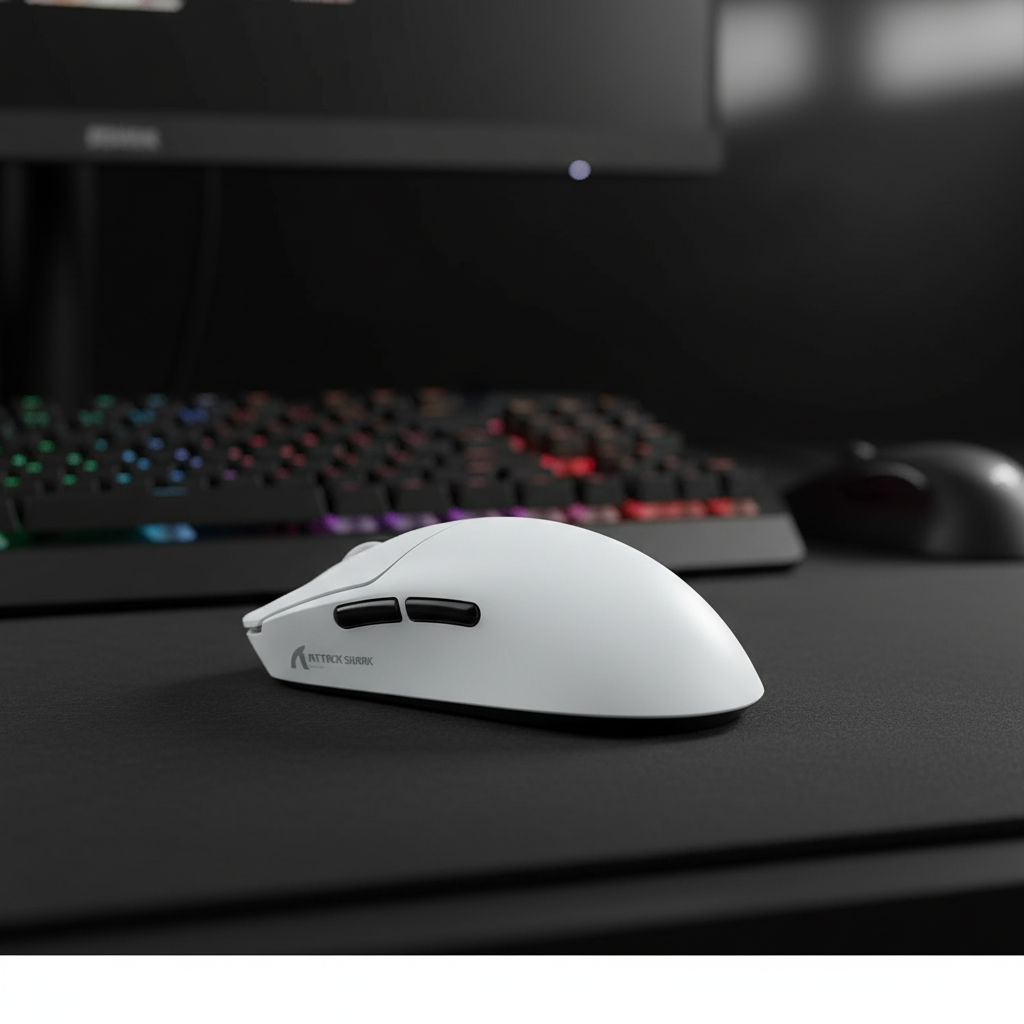
Für Spieler, die weite Armbewegungen ausführen, wird die Tracking-Glätte stark von der Polling-Frequenz beeinflusst. Die ATTACK SHARK X8 Series Tri-mode Lightweight Wireless Gaming Mouse bietet eine 8000Hz (8K) Polling-Rate und liefert alle 0,125ms ein Datenpaket.
Die Realität der 8K-Leistung
- Motion Sync Latenz: Bei 8000Hz führt Motion Sync zu einer theoretischen Mindestverzögerung von ~0,0625ms (die Hälfte des Polling-Intervalls), wenn es perfekt mit der Bildwiederholfrequenz synchronisiert ist, verglichen mit 0,5ms bei 1000Hz.
-
Sensor-Sättigungsformel: Um 8000Hz vollständig zu nutzen, muss die Maus genügend Zählwerte erzeugen, um die Polling-Intervalle zu füllen.
- Formel: $Erforderliche Geschwindigkeit (IPS) = Polling-Rate (Hz) / DPI$
- Bei 1600 DPI sättigt eine Geschwindigkeit von 5 IPS (Zoll pro Sekunde) das 8K-Polling.
- Bei 800 DPI wären 10 IPS erforderlich. Da Armzieler bei Flick-Schüssen häufig über 100 IPS erreichen, sind 1600 DPI die empfohlene Basis, um sicherzustellen, dass während der Spitzen-Geschwindigkeit des Bogens keine Datenpunkte „leer“ bleiben.
- Systemintegrität: 8K-Polling erhöht die CPU-Interrupt-Last. Basierend auf Hersteller-Tests (Quelle: Global Gaming Peripherals Whitepaper) empfehlen wir die Nutzung von Rear I/O Motherboard Ports, um das häufig durch Front-Panel-USB-Header verursachte Jittern zu vermeiden.
Oberflächen-Synergie: Den Bogen kontrollieren
Das Mauspad ist die letzte Variable in der Pivot-Dynamik. Für Armzieler muss die Reibung über den gesamten Bewegungsbogen vorhersehbar bleiben.
- Vorhersehbare Bremskraft: Eine strukturierte Stoffoberfläche, wie das ATTACK SHARK Cloud Mouse Pad, sorgt für kinetische Reibung, die hilft, die Trägheit des Arms zu verlangsamen.
- Gleitreibungsarmes Tracking: Eine Glasoberfläche wie das ATTACK SHARK CM05 Tempered Glass Gaming Mouse Pad (Mohshärte > 9H) minimiert die anfängliche Haftreibung. Während es sich hervorragend für Mikrokorrekturen eignet, erfordert es eine hohe neuromuskuläre Kontrolle, um ein Überschießen des Bewegungsbogens zu verhindern.
Optimierung Ihres Setups: Eine technische Checkliste
Um die mechanische Effizienz zu maximieren, behandeln Sie Maus und Pad als ein System. Wenn Ihr Ziel bei großen seitlichen Flicks inkonsistent erscheint, prüfen Sie Folgendes:
- Höcker-Ausrichtung: Stellen Sie sicher, dass der Höcker Ihre Handfläche stützt, ohne die Knöchel nach vorne zu drücken. Bei Handspannweiten von 125 mm+ kann eine größere Maus wie die ATTACK SHARK G3PRO bessere Stabilität bieten.
- Oberflächenkalibrierung: Verwenden Sie Oberflächenkalibrierung (Hersteller-Tool), um die Lift-Off-Distanz (LOD) des Sensors für Ihre spezifische Pad-Textur zu optimieren.
- Arbeitsplatzgeometrie: Stellen Sie sicher, dass Ihre Schreibtischhöhe es erlaubt, den Ellbogen in einem ~90-Grad-Winkel ruhen zu lassen. Ist der Schreibtisch zu hoch, muss die Schulter „hochgezogen“ werden, was vertikale Instabilität in den horizontalen Bewegungsbogen bringen kann.
Haftungsausschluss: Dieser Artikel dient nur zu Informationszwecken und stellt keine professionelle medizinische Beratung dar. Bei anhaltenden Schmerzen, Taubheitsgefühlen oder Kribbeln konsultieren Sie bitte einen qualifizierten Gesundheitsfachmann.
Quellen & Referenzen
- ISO 9241-410: Ergonomie der Mensch-System-Interaktion (Standard für die Dimensionierung von Eingabegeräten).
- ANSUR II Datenbank: Öffentlich verfügbare anthropometrische Daten für Handgrößen-Perzentile.
- Moore, J. S., & Garg, A. (1995): Der Strain Index: Eine vorgeschlagene Methode zur Analyse von Arbeitsplätzen hinsichtlich des Risikos distaler Störungen der oberen Extremitäten.
- Herstellerdaten: Interne Labortests und Global Gaming Peripherals Industry Whitepaper (2026).
- RTINGS: Mauslatenz & Abfragerate Methodik.