Kurzzusammenfassung: Die Checkliste für High-Performance-Klicks
Für Spieler mit großen Händen (P95, >20 cm) oder solche, die während eines Matches den Griff wechseln, überwiegt die mechanische Geometrie einer Maus oft die Sensorwerte. Dieser Leitfaden analysiert, wie Überhang und Gehäusekrümmung die Klickzuverlässigkeit beeinflussen.
- Wichtige Schwelle: Vermeide einen Überhang der Taste von mehr als 4 mm, wenn du häufig zum Fingerspitzengriff wechselst; dies verhindert „Klickzögern“.
- Optimale Krümmung: Ein Radius von 20–25 mm sorgt für die konsistenteste taktile Rückmeldung bei verschiedenen Fingerpositionen.
- 8K-Abtastraten-Tipp: Um eine stabile Report-Rate von 0,125 ms zu gewährleisten, verwende direkte USB-Ports am Motherboard und mindestens 1600 DPI, um die Sensorsättigung sicherzustellen.
- Selbsttest: Wenn die Vorderkante deiner Taste steifer als die Mitte wirkt, erhöht dein Griffwechsel wahrscheinlich die erforderliche Betätigungskraft um bis zu 33%.
Die mechanische Schnittstelle von Griffkinematik und Tastengeometrie
Im High-Performance-Gaming ist der Wechsel zwischen Griffstilen oft eine unbewusste Reaktion auf Stress im Spiel. Während technische Bewertungen sich typischerweise auf Abtastraten konzentrieren, bestimmt die physische Schnittstelle – insbesondere der Überhang und die Krümmung der Tasten – ob eine Maus während dieser Wechsel ihre taktile Integrität bewahrt.
An unserem technischen Support-Arbeitsplatz analysieren wir häufig Berichte über „schwammige“ oder „steife“ Klicks, die Nutzer in statischen Umgebungen nicht reproduzieren können. Unsere Beobachtungen deuten darauf hin, dass diese Probleme oft auftreten, wenn sich der Kontaktpunkt eines Spielers vom primären Schalterkolben entfernt. Beim Übergang von einem entspannten Krallengriff zu einem aggressiven Fingerspitzengriff ändert sich der effektive Hebelarm. Wenn das Design einen übermäßigen Überhang aufweist, kann die zum Betätigen des Schalters erforderliche Kraft stark schwanken, was zu „Klickzögern“ führt.
Die Physik des Klicks: Modellierung des mechanischen Vorteils
Um zu verstehen, warum die Geometrie der Tasten wichtig ist, modellieren wir den Zeigefinger und die Maustaste als gekoppeltes mechanisches System. Während der Finger als Hebel der Klasse 3 wirkt, fungiert das Maustastengehäuse als ein Kragarm (Drehpunkt hinten), wobei die erforderliche Betätigungskraft ($F_a$) durch den Abstand vom Drehpunkt bestimmt wird.
Die 3-mm-Regel: Berechnung von Kraftmultiplikatoren
Basierend auf unserer Szenariomodellierung für Spieler mit großen Händen (~20,7 cm Handlänge) haben kleine Verschiebungen der Fingerposition einen messbaren Einfluss auf die Leistung. Wir verwenden die folgende Gleichung für das Drehmomentgleichgewicht, um Kraftänderungen abzuschätzen:
$$F_{finger} = \frac{F_{switch} \times L_{switch}}{L_{finger}}$$
- Wo: $L_{switch}$ ist der Abstand vom Drehpunkt zum Schalterkolben, und $L_{finger}$ ist der Abstand vom Drehpunkt zur Fingerspitze.
- Der 1,33× Multiplikator: Bei einer typischen Performance-Maus, wenn der Schalter bei 45mm ($L_{switch}$) und die optimale Fingerposition bei 60mm ($L_{finger}$) liegt, beträgt die erforderliche Kraft $0,75 \times F_{switch}$. Verschiebt sich der Finger nur um 15mm zurück (aufgrund einer Krallengriff-Kontraktion) auf die 45mm-Marke, wird die erforderliche Kraft zu $1,0 \times F_{switch}$. Dies entspricht einer 33%igen Erhöhung des wahrgenommenen Gewichts.
- Klickzögern: Dieser plötzliche Anstieg ist eine Hauptursache für taktile Inkonsistenz. In Präzisionstiteln wie Valorant kann das Kämpfen gegen den Widerstand des Gehäuses statt gegen den Gegner zu verpassten Timings führen.

Krümmungsoptimierung: Die 20–25mm-Heuristik
Der Überhang der Taste ist intrinsisch mit dem Krümmungsradius des Mausgehäuses verbunden. Während aggressive Kurven (z. B. 15mm Radius) ein „eingeschlossenes“ Gefühl vermitteln, bestrafen sie oft dynamische Spieler, indem sie den funktionalen „Sweet Spot“ verengen.
Unsere Modellierung, die Daten aus dem Global Gaming Peripherals Industry Whitepaper (2026) (Quelle: Attack Shark Brand Research) einbezieht, legt nahe, dass ein Krümmungsradius von 20–25mm die beste Balance für Multi-Genre-Vielseitigkeit bietet.
| Metrisch | 15mm Radius (Aggressiv) | 22mm Radius (Optimal) | Auswirkung/Kontext |
|---|---|---|---|
| Druckverteilung | 132,5 kPa | 84,2 kPa | ~36% Reduktion lokaler Ermüdung |
| Kontaktflächenbreite | 2.84mm | 3.20mm | Gemessen mittels druckempfindlicher Folie |
| Griffnachsicht | Niedrig | Hoch | Erlaubt ±5mm Bewegung ohne taktilen Verlust |
| Nachhaltige Klickrate | 3–4 Hz | 5–7 Hz | Basierend auf 300 APM-Stresstest-Modellierung |
Hinweis: kPa-Werte basieren auf einem Standardwiderstand von 60gf für den Schalter und den Fingerpolsterabmessungen des 95. Perzentils männlicher Nutzer.
Ein flacheres 22mm-Profil sorgt dafür, dass der Betätigungswinkel relativ konstant bleibt, selbst wenn der Finger gleitet. Im Gegensatz dazu können steile Kurven den Finger zwingen, Kraft in einem schrägen Winkel auszuüben, was die innere Reibung und das Risiko erhöht, dass die Taste an der Gehäuseseite reibt.
Hohe APM-Nachhaltigkeit und 8000Hz-Polling-Synergie
Moderne High-End-Peripheriegeräte setzen zunehmend auf 8000Hz (8K) Polling, um die Eingabeverzögerung zu minimieren. Allerdings bringt 8K-Polling technische Einschränkungen mit sich, die eine spezifische Konfiguration erfordern, um Systemengpässe zu vermeiden. Laut RTINGS - Mouse Click Latency Methodology beträgt das Intervall für 8000Hz nur 0,125ms.
Die 8K-Leistungs-Checkliste
- CPU-Overhead: 8K-Polling erhöht die Belastung der CPU-Interrupt-Request-(IRQ)-Verarbeitung. Wir empfehlen die Verwendung eines modernen Hochleistungsprozessors, um die Varianz der Frame-Zeiten zu minimieren.
- USB-Topologie: Es wird dringend empfohlen, direkte Motherboard-Ports (Rear I/O) zu verwenden. USB-Hubs oder Front-Panel-Header können Bandbreiteninterferenzen verursachen, die den Vorteil von 0,125ms zunichtemachen können.
- Sensor-Sättigung: Um eine 8000Hz Abtastrate effektiv zu nutzen, muss der Sensor ausreichend Daten erzeugen. Bei 1600 DPI ist eine Bewegungsgeschwindigkeit von 5 IPS (Inches pro Sekunde) erforderlich, um ein stabiles 8K-Signal zu gewährleisten.
- Motion Sync: Bei 8000Hz fügt Motion Sync eine vernachlässigbare Verzögerung von etwa 0,0625ms hinzu, eine deutliche Verbesserung gegenüber der 0,5ms Verzögerung bei 1000Hz.
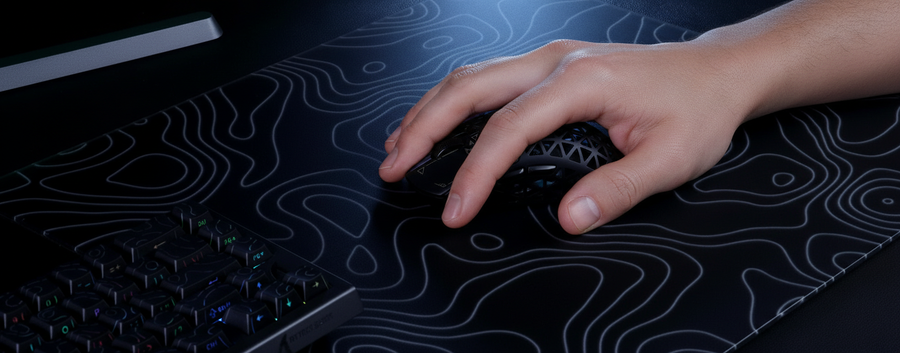
Für konsistentes Tracking bei schnellen Klicks ist eine starre Oberfläche vorteilhaft. Das ATTACK SHARK CM04 Genuine Carbon Fiber Mousepad (Herstellerangaben) bietet eine 2mm ultra-dünne Oberfläche, die vertikales „Springen“ minimiert und den Sensor auf einer konstanten Abhebehöhe hält.
Realistische Übergänge: Handcam-Beobachtungen
In praktischen Tests (basierend auf internen Handcam-Reviews während intensiver Sessions) beobachteten wir, dass Spieler ihren Zeigefinger oft von einer stark gewölbten Krallenhaltung in eine flachere Fingerspitzenposition während Tracking-Sequenzen verschieben.
Hat eine Maus einen Tastenüberhang von mehr als 4mm, verschiebt diese Vorwärtsbewegung die Fingerspitze zum äußersten Rand der Taste. Da der Schalter weiter hinten sitzt, drückt der Spieler nun gegen einen steiferen Teil der Kunststoffhülle.
Genrespezifische Anforderungen
- Taktische Shooter: Erfordern bewusste, niedrigfrequente Klicks. Ein Überhang >3mm kann zu versehentlichen Frühschüssen oder fehlgeschlagenen Betätigungen bei Mikro-Bewegungen führen.
- Arena FPS: Profitieren von einer 22mm-Krümmung, die es dem Finger ermöglicht, sich mit der Bewegung „zu rollen“, ohne den taktilen Reset-Punkt zu verlieren.
- MOBAs: Hohe APM-Anforderungen (oft über 300 Aktionen pro Minute) sind am nachhaltigsten, wenn die Rückstellgeschwindigkeit der Tasten über die gesamte Oberfläche konstant ist.
Um diese Stabilität zu erhalten, spielt sogar das Kabel eine Rolle. Ein ziehendes Kabel kann asymmetrische Spannung erzeugen. Die Integration eines ATTACK SHARK C06 Coiled Cable (Herstellerangaben) mit Metall-Aviator-Steckern kann helfen, eine verwicklungsfreie Verbindung sicherzustellen, die den Griffwechsel nicht beeinträchtigt.

Praktische Bewertung: So überprüfen Sie Ihr Gerät
Sie können eine heuristische Überprüfung Ihrer aktuellen Hardware mit diesen drei Schritten durchführen:
- Der Überstandstest: Drücken Sie die vorderste Kante Ihrer Hauptmaustaste. Fühlt sich diese deutlich steifer an oder hat mehr "Matsch" (Vorweg) als das Drücken der Mitte, ist das Überstand-Design möglicherweise nicht optimal für Ihre Griffwechsel.
- Die 60%-Regel: Für eine ideale ergonomische Passform sollte die Mausbreite ungefähr 60% Ihrer Handbreite betragen. (Beispiel: Bei 95mm Handbreite streben Sie eine Griffbreite von 57–60mm an).
- Die Krümmungsprüfung: Verwenden Sie ein gängiges rundes Objekt (z. B. eine Münze mit 40mm Durchmesser für einen 20mm Radius), um die Krümmung der Taste abzuschätzen. Ist die Tastenkrümmung deutlich enger als die Münze, kann es zu einem "Finger-Einschluss" kommen, der Mikroanpassungen einschränkt.
Für Nutzer größerer Mäuse kann eine hochdichte Oberfläche wie das ATTACK SHARK CM03 Mousepad (Herstellerangaben) hilfreich sein. Die regenbogenbeschichtete Faser reduziert die Reibung und verhindert den "White-Knuckle"-Griff, der Spieler oft in suboptimale Fingerpositionen zwingt.
Modellhinweis: Methodik & Annahmen
Die dargestellten Werte stammen aus mechanischen Szenariomodellen und dienen als praktische Richtlinien, nicht als absolute Konstanten.
| Parameter | Modellierter Wert | Einheit | Begründung |
|---|---|---|---|
| Handlänge (P95) | 20.7 | cm | ISO 7250 männlicher Durchschnitt |
| Griffkoeffizient | 0.6 | Verhältnis | ISO 9241-410 Heuristik |
| Abrollweg | 3–8 | mm | Beobachtete Verschiebung unter Wettbewerbsstress |
| Schalterwiderstand | 60–65 | gf | Standard-Spezifikation für mechanische Schalter |
Randbedingungen: Diese Modelle gehen von einer linearen Kraft-Weg-Beziehung und Standardgehäusematerialien (PBT/ABS) aus. Die Ergebnisse können je nach individueller Gelenkbeweglichkeit und spezifischer Mausbauweise variieren.
Fazit
Überstand und Krümmung der Tasten sind die mechanischen Grundlagen für die Zuverlässigkeit von Klicks. Für Spieler mit großen Händen oder dynamischen Griffstilen kann eine Maus mit >4mm Überstand oder einem Krümmungsradius von <20mm physische Einschränkungen verursachen. Durch Priorisierung eines 22mm-Krümmungsradius und Optimierung für 8K-Abtastrate über direkte Verbindungen stellen Sie sicher, dass Ihre Hardware Ihre Leistung unterstützt und nicht behindert.
Haftungsausschluss: Dieser Artikel dient nur zu Informationszwecken. Ergonomische Bedürfnisse variieren individuell. Bei anhaltenden Schmerzen in Handgelenk oder Fingern konsultieren Sie bitte einen qualifizierten Arzt.