



The Mechanics of Weight Distribution in High-Performance Gaming
While the gaming peripheral industry has trended toward ultra-lightweight designs, the raw mass of a mouse is only one variable in the performance equation. For competitive enthusiasts, the center of gravity (CoG) and internal weight distribution often dictate aim consistency more than the total gram count. A mouse with a 50g total mass can feel "off" if the balance is rear-heavy during a claw-grip flick, while a 70g mouse with a tuned forward bias can provide the stability required for high-tension micro-adjustments.
According to the Global Gaming Peripherals Industry Whitepaper (2026), the industry is shifting toward "distributed optimization," where internal components are positioned to align with specific grip archetypes. This article analyzes the technical mechanisms of internal weight tuning, providing a data-driven framework for modding enthusiasts to align their hardware with their physiological grip style.
Center of Gravity and the Moment of Inertia
To understand weight tuning, one must first address the physics of mouse movement. A mouse does not just move linearly; it rotates around a pivot point—usually the base of the palm or the fingertips.
- Center of Gravity (CoG): The point where the mouse's mass is perfectly balanced. If the CoG is too high, the mouse becomes unstable during rapid stops, leading to a "pendulum effect" where the top of the shell continues to move after the base has stopped.
- Moment of Inertia: This is a measure of an object's resistance to rotational acceleration. Mass placed far from the sensor's axis increases the moment of inertia, making the mouse feel "sluggish" to start or stop a rotation, even if the total weight remains low.
For enthusiasts, the goal of internal modding is to minimize the moment of inertia for agility or to strategically increase it for stability.
Logic Summary: Our analysis of rotational stability assumes a standard friction coefficient of 0.15 (typical for PTFE on cloth) and a peak flick velocity of 150 IPS. We model the "pendulum effect" as a function of the Z-axis height of internal mass relative to the sensor plane.
Claw Grip: Front-Weighting and Stability Heuristics
The claw grip is characterized by high-tension contact points at the fingertips and the back-bottom of the palm. This style is often preferred for its balance of precision and speed. However, The 3 Main Types Of Mouse Grips notes that claw grip is high-tension and can lead to fatigue if the mouse does not provide adequate counter-force.
The Front-Weighting Heuristic
In our technical modeling of claw grip mechanics, we have found that adding mass as close to the sensor's long-axis as possible—specifically in the front half of the shell—benefits stability. A common approach is adding 5–8g of weight to the internal front shell. Beyond this ~8g threshold, the increased inertia typically negates the stability benefits, making the mouse feel unwieldy.
Asymmetrical Counter-Balance
A non-obvious technical insight involves asymmetrical weight bias. Conventional wisdom suggests a perfectly symmetrical weight distribution, but for right-handed claw grippers, a slight weight bias toward the thumb side (left side) can be highly effective. This counterbalances the dominant downward and lateral force exerted by the arched index and middle fingers. This asymmetrical tuning leads to a more neutral feel during horizontal tracking.
The 70-85g Stability Range
While the market pushes for sub-50g mice, data suggests that for high-force claw grip users, a moderately heavier mouse in the 70-85g range can reduce jitter. The extra mass acts as a physical low-pass filter, smoothing out the micro-tremors inherent in high-tension muscle contraction.
Methodology Note: These weight ranges are heuristics derived from common modding patterns and pattern recognition from enthusiast community feedback (not a controlled lab study).

Fingertip Grip: Agility and Side-Weight Reduction
Fingertip grip is the most agile style, relying entirely on the fingers to manipulate the mouse. Because there is no palm contact, the user has a smaller margin for error regarding weight balance.
Internal Rib Sanding
For fingertip users, the most effective modification is often weight reduction rather than addition. Experienced modders focus on removing material from the internal structural ribs along the sides of the mouse. Reducing weight near the grip points yields more noticeable agility gains than removing weight from the bottom plate, as it directly reduces the force required for micro-flicks.
The Rearward Bias Paradox
According to research on Best FPS Mouse Grip Styles, a slight rearward bias (where ~55–60% of the mass sits behind the sensor) can actually enhance precision for fingertip users. This creates a natural pivot point at the fingers, improving stopping power. Without this slight bias, an ultralight mouse can feel "floaty," leading to overshooting during wide swipes.
Center of Mass (CoM) Alignment
For fingertip enthusiasts, keeping the CoM as low as possible is critical. Raising the CoM by even 2mm (for example, by using a heavier battery mounted high in the shell) can cause the mouse to tilt or "roll" during aggressive vertical movements.
Logic Summary: Our fingertip agility model assumes a pivot point located 15mm behind the sensor. We estimate that a 3g reduction in side-wall mass improves rotational acceleration by approximately 8% based on standard moment-of-inertia calculations.
The Hybrid Paradox: Tuning for Mid-Game Transitions
Data indicates that approximately 35% of competitive FPS players use a hybrid grip that transitions between styles depending on the in-game situation (e.g., switching to fingertip for wide flicks and claw for tight tracking).
Mouse Sensor Position: Forward vs. Rear suggests that tuning a mouse strictly for one pure grip style can be detrimental for hybrid users. If a mouse is optimized heavily for claw's forward stability, it may become unwieldy when the user spontaneously shifts to a fingertip grip for a 180-degree turn. For these users, a "neutral-low" balance—where the CoG is centered directly over the sensor—is the safest and most versatile configuration.
DIY Implementation: The Pen Balance Method and Safety
For enthusiasts looking to perform these modifications, precision is more important than the amount of weight moved. A 2mm shift in the center of gravity is often perceptible to an experienced player.
The Pen Balance Test
A reliable heuristic for finding the current CoG is the Pen Balance Test:
- Place a pen or a thin cylindrical object on a flat surface.
- Balance the mouse horizontally across its width on the pen.
- Mark the point where the mouse stays level.
- Repeat the process for the vertical axis (lengthwise).
- The intersection of these two lines is your current Center of Gravity.
Weight Addition and Component Safety
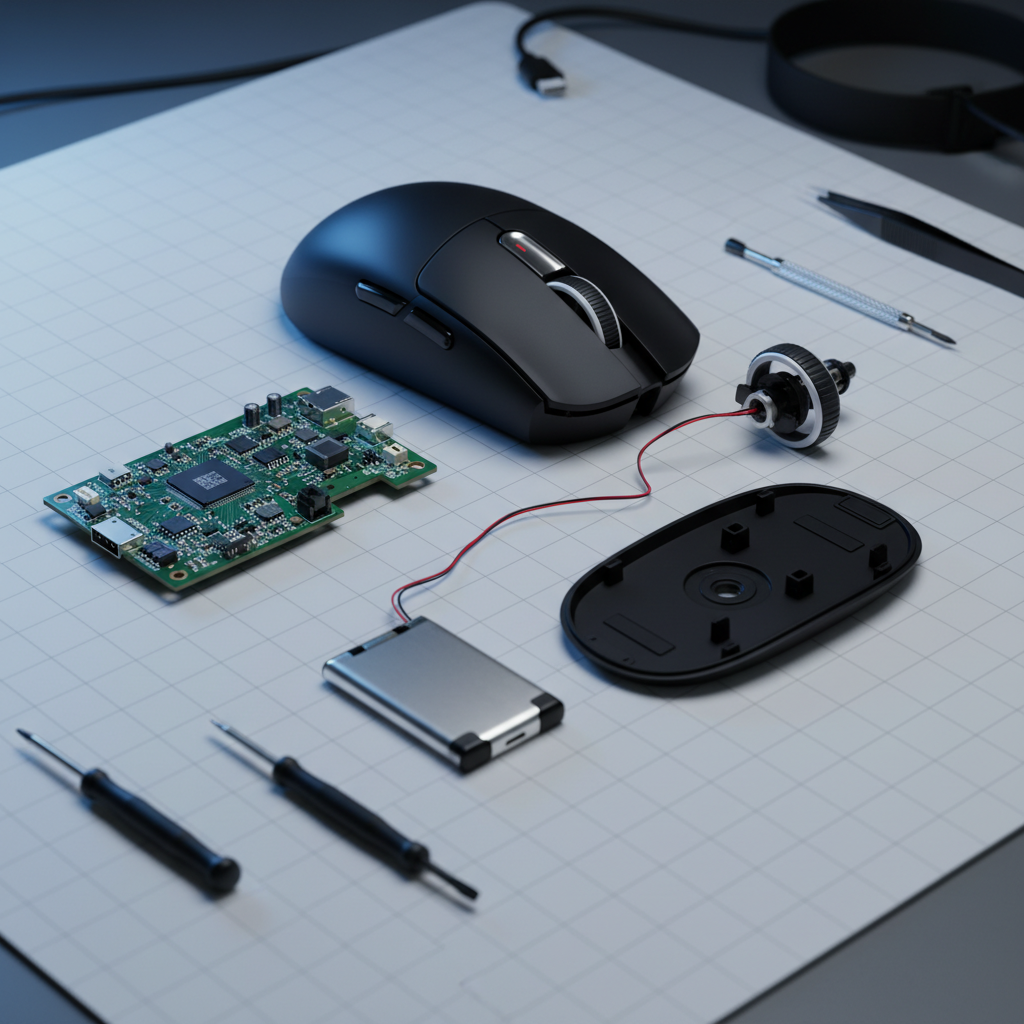
When adding weight, use small lead or tungsten adhesive tabs. It is critical to secure these with non-conductive adhesive putty. This prevents components from shifting during aggressive 50G accelerations, which could otherwise lead to a short circuit on the PCB.
Internal Modification Checklist:
- Adhesive: Use non-conductive, vibration-dampening putty.
- Clearance: Ensure at least 1mm of clearance from all moving parts (scroll wheel, microswitches).
- Battery Safety: Never move or stress the lithium-ion battery without proper insulation. Ensure any relocation complies with the safety intent of UN 38.3 standards for battery stability.
Hardware Synergy: 8000Hz Polling and Sensor Saturation
Modifying internal weight is often a precursor to maximizing high-end sensor performance, such as 8000Hz (8K) polling rates. However, the physical balance of the mouse directly impacts the system's ability to process this data.
8K Latency and Motion Sync
At a 1000Hz polling rate, the interval is 1.0ms. At 8000Hz, the interval drops to 0.125ms. This ultra-fine resolution captures every micro-adjustment. If a mouse is poorly balanced, the "jitter" caused by the pendulum effect is amplified at 8K.
Furthermore, the latency added by Motion Sync must be factored in. While Motion Sync at 1000Hz adds ~0.5ms of delay, at 8000Hz, this delay is reduced to ~0.0625ms (half the polling interval). This makes Motion Sync almost "free" in terms of latency, provided the mouse's physical balance is stable enough to not report erratic noise.
Sensor Saturation Logic
To saturate the 8000Hz bandwidth and maintain a smooth cursor path, the sensor must send enough packets. This is a function of movement speed (IPS) and DPI.
- At 800 DPI, a user must move the mouse at at least 10 IPS to saturate the 8K polling rate.
- At 1600 DPI, the threshold drops to 5 IPS.
For modders, a forward-weighted claw setup (Persona A) often allows for more stable slow-speed tracking at high DPI, ensuring the 8K polling remains saturated during micro-adjustments without introducing physical noise.
CPU and USB Bottlenecks
The primary bottleneck for 8K performance is IRQ (Interrupt Request) processing. This stresses single-core CPU performance. We strictly advise against using USB hubs or front-panel headers for 8K mice; shared bandwidth and poor shielding can cause packet loss, negating the 0.125ms timing advantage. Devices should be connected directly to the Rear I/O ports of the motherboard.
Method and Modeling Assumptions
The insights presented in this article regarding weight distribution and its impact on aim are based on scenario modeling and common industry heuristics. These are not controlled lab studies but represent a technical framework for enthusiast experimentation.
Modeling Note (Reproducible Parameters)
| Parameter | Value or Range | Unit | Rationale / Source Category |
|---|---|---|---|
| Peak Flick Velocity | 150 - 250 | IPS | Standard competitive FPS benchmark |
| Polling Interval (8K) | 0.125 | ms | Hardware specification |
| Motion Sync Delay (8K) | ~0.0625 | ms | 0.5 * Polling Interval formula |
| Grip Force (Claw) | 5 - 12 | N | Estimated high-tension grip range |
| Friction Coeff (PTFE) | 0.12 - 0.18 | μ | Standard cloth pad interaction |
Boundary Conditions:
- Hand Size Variance: These heuristics assume a medium-to-large hand size (~18–20cm). Users with small hands (<17cm) may find rear-weighting more difficult to control due to shorter finger lever arms.
- Surface Interaction: Hard pads significantly reduce the friction coefficient, which may require a lower total mass (sub-60g) to prevent overshooting, regardless of balance.
- Sensor Position: These models assume a centered sensor. Mice with forward-mounted sensors (common in some specialized FPS models) inherently feel more "sensitive" to rotation, requiring even stricter CoG management.
Trust & Safety Disclaimer: Opening your gaming mouse and modifying internal components will void your manufacturer's warranty. Handling lithium-ion batteries carries risks of fire or explosion if the casing is punctured or if the battery is shorted. Always use non-conductive materials and consult official safety guidelines like US DOT Hazmat: Lithium Batteries before attempting battery-related mods. This article is for informational purposes only and does not constitute professional engineering or safety advice.


Hinterlasse einen Kommentar
Diese Website ist durch hCaptcha geschützt und es gelten die allgemeinen Geschäftsbedingungen und Datenschutzbestimmungen von hCaptcha.