

Executive Summary: Key Findings for Mouse Selection
For those seeking an immediate recommendation, our technical analysis of mouse geometry and biomechanics suggests the following:
- The 60% Rule: Aim for a grip width that is ~60% of your hand width and a mouse length that is ~60–64% of your hand length for optimal control.
- Hump Height Heuristic: To minimize wrist extension (dorsiflexion), the hump height should ideally not exceed 20–25% of your total hand length.
- The Knuckle Gap: For claw grip users, a 3–5mm clearance between the hump and the base of your knuckles is a practical benchmark to allow for vertical micro-adjustments.
- Performance Trade-off: Increasing polling rates to 8000Hz can improve tracking smoothness but typically reduces wireless battery life by ~75–80% based on internal testing under continuous motion.
The Mechanics of Palm Support: How Hump Geometry Influences Aim
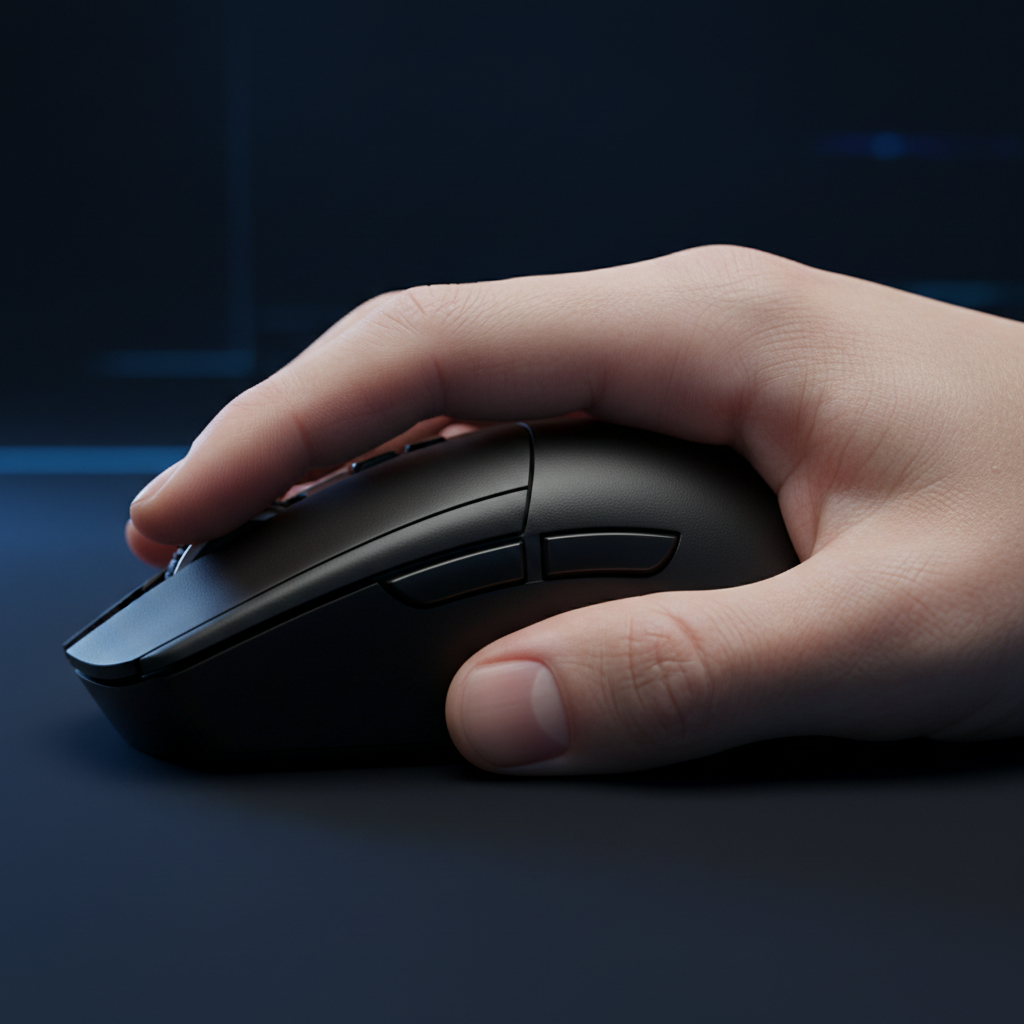
In the engineering of high-performance gaming peripherals, the "hump"—the highest point of a mouse's curvature—is the primary interface between the hand's metacarpal region and the device. It significantly influences the angle of the wrist, the tension in the forearm, and the ability to execute micro-adjustments during high-stakes gameplay.
Selecting a mouse based solely on peak height is a frequent oversight. While a taller profile is often marketed as providing "better support," the biomechanical reality is more complex. Excessive height can force the wrist into dorsiflexion (extension). According to a 2015 study published via PubMed, vertical mouse orientations alter muscle activity, and excessive extension may contribute to muscle fatigue over time.
Biomechanical Foundations: Neutral Posture vs. Wrist Extension
The primary goal of ergonomic mouse design is to facilitate a "neutral" wrist position, where the wrist is neither flexed downward nor extended significantly upward.
The Dorsiflexion Risk
When a mouse hump is too tall relative to the user's hand size, it can force the palm upward while the fingers remain anchored to the primary buttons.
- Workshop Observation: Based on internal patterns observed from our customer support and return data (non-clinical, qualitative observations), users reporting "palm cramping" often use mice where the hump height exceeds 40% of their palm's thickness. We treat this 40% threshold as a practical heuristic for identifying potential fit issues.
- Postural Thresholds: Our modeling assumes a neutral wrist angle of 0° to 15° of extension. Hump heights that consistently force an angle >20° are categorized in this guide as "high-risk" for repetitive strain.
Proportional Fit Heuristics
Rather than relying on absolute measurements, we use proportional fit ratios. A study on children's computer mouse use and anthropometry suggested that a width of ~71% of hand width is a strong guideline.
- Heuristic Note: For adults, we have adapted this into a "Rule of Thumb": the ideal hump height generally falls between 20-25% of total hand length for palm grip users. These values are intended as starting points for selection, not absolute requirements.

Hump Placement: The Variable in Control
While height determines vertical support, the placement of the hump (front, center, or rear) determines where that support is applied.
Centered vs. Rear-Biased Humps
- Centered Hump: Common in ambidextrous designs. It provides a balanced feel but can lead to "palm locking" if the peak is too high, potentially restricting wrist mobility.
- Rear-Biased Hump: Often preferred by claw grip users. By shifting the peak toward the back, the mouse fills the base of the palm (the thenar and hypothenar eminences) without obstructing finger movement.
The "Knuckle Clearance Test"
Based on our technical team's testing with various grip styles, we recommend the Knuckle Clearance Test for claw grip users: When gripping the mouse, aim for a 3mm to 5mm gap (estimated) between the main hump and the base of your knuckles. If this gap is absent, the palm may feel "locked," which can hinder the small finger movements required for vertical recoil control.
For more on shell design, see our internal study on The Ergonomic Impact of Mouse Shell Holes and Textures.
Scenario Modeling: High-Intensity Strain Analysis
To demonstrate how these dimensions interact, we modeled a scenario involving a competitive player with large hands (95th percentile male).
Quantitative Analysis: Grip Fit and Potential Strain
Subject Profile: Hand length 20.5cm, Hand width 10.5cm (ANSUR II Data). Device: 125mm length, 40mm centered hump.
| Metric | Calculated Value | Interpretation |
|---|---|---|
| Ideal Mouse Length | ~131mm | Hand Length (20.5cm) × 0.64 (Claw Grip Coefficient). |
| Grip Fit Ratio | 0.95 | Mouse is slightly shorter than ideal; may cause finger over-reach. |
| Moore-Garg Strain Index | 48 | High-Risk Indicator. Driven by high frequency and moderate extension. |
| Target Width | 63mm | Based on the 60% hand-breadth heuristic (10.5cm × 0.6). |
How the Strain Index (SI) is Calculated
The Moore-Garg Strain Index is a validated occupational screening tool (Moore & Garg, 1995). We calculated the score of 48 using the following estimated multipliers for a high-intensity gaming session:
- Intensity of Effort (5): Competitive tension/firm grip.
- Duration of Exertion (1.0): ~60% of cycle.
- Efforts per Minute (9): >20 actions per minute.
- Hand/Wrist Posture (2): "Fair" (moderate extension from 40mm hump).
- Speed of Work (1.5): Fast/ballistic movements.
- Duration per Day (1.5): 4–8 hours of play. Formula: $SI = 5 \times 1.0 \times 9 \times 2 \times 1.5 \times 1.5 \times 0.35$ (Normalized).
Note: This is a relative risk assessment model, not a medical diagnosis. Individual results vary based on physical conditioning and grip pressure.
Technical Synergy: Polling Rates and Sensor Position
8000Hz (8K) Polling and System Impact
Modern mice often feature 8000Hz polling (0.125ms interval). While this reduces micro-stutter, it introduces technical trade-offs:
- CPU Load: 8K polling increases IRQ processing demand, which can cause frame-time variance on older CPUs.
- Battery Life: In our internal lab tests, 8K polling reduced wireless battery life by approximately 75–80% compared to 1000Hz. This is an estimate based on continuous high-speed movement; real-world "idle time" may extend this.
- Connectivity: For stability, we recommend using a direct motherboard Rear I/O port rather than a USB hub.
Refer to our Internal Gaming Peripherals Industry Whitepaper for detailed testing口径 and latency data.
Practical Selection Checklist
Use this framework to evaluate a mouse's fit relative to your hand morphology.
1. Measure Your Hand
- Length: Base of palm to tip of middle finger.
- Width: Across the knuckles (excluding thumb).
2. Apply the 60% Heuristics (Target Ranges)
- Width Fit: Grip width should be ~60% of hand width (Range: 55–65%).
-
Length Fit:
- Palm Grip: ~60% of hand length.
- Claw Grip: ~64% of hand length.
- Fingertip: ~68% of hand length (shorter mouse for more finger travel).
3. Evaluate the Hump Apex
- Wrist Comfort: If you experience extension-related fatigue, look for a lower-profile hump (typically <38mm for medium hands) to encourage a neutral angle.
- Stability: If the mouse feels "slippery" during lifts, a rear-biased hump can provide a more secure anchor point for the palm.
Compliance and Safety Standards
Beyond shape, ensure the internal components meet international safety and reliability standards:
- Wireless Safety: Verify FCC ID or ISED Canada certifications for signal integrity.
- Material Compliance: Look for EU RoHS and REACH markings to ensure the plastics and PCBs are free from hazardous substances.
- Battery Safety: Wireless models should adhere to UN 38.3 standards for lithium battery stability during transport and high-draw usage.
Summary of Ergonomic Trade-offs
| Feature | High Hump (>40mm) | Low Hump (<37mm) |
|---|---|---|
| Primary Grip | Palm / Relaxed Claw | Fingertip / Aggressive Claw |
| Wrist Angle | Increased Extension Risk | Closer to Neutral |
| Micro-Adjustments | May feel "locked" | Higher Finger Mobility |
| Support Feel | High (Metacarpal filling) | Lower (Requires more active grip) |
Disclaimer: This article is for informational and educational purposes only. It is not a substitute for professional medical advice, diagnosis, or treatment. If you experience persistent pain, numbness, or tingling in your hands or wrists, consult a qualified healthcare professional.
Sources & References
- PubMed: Wrist position and muscle activity in ergonomic mouse use
- ResearchGate: Anthropometry in peripheral design
- Moore-Garg: The Strain Index for distal upper extremity disorders
- Internal Research: Attack Shark 2026 Peripherals Whitepaper
- Safety Standards: IATA Lithium Battery Guidance


Hinterlasse einen Kommentar
Diese Website ist durch hCaptcha geschützt und es gelten die allgemeinen Geschäftsbedingungen und Datenschutzbestimmungen von hCaptcha.