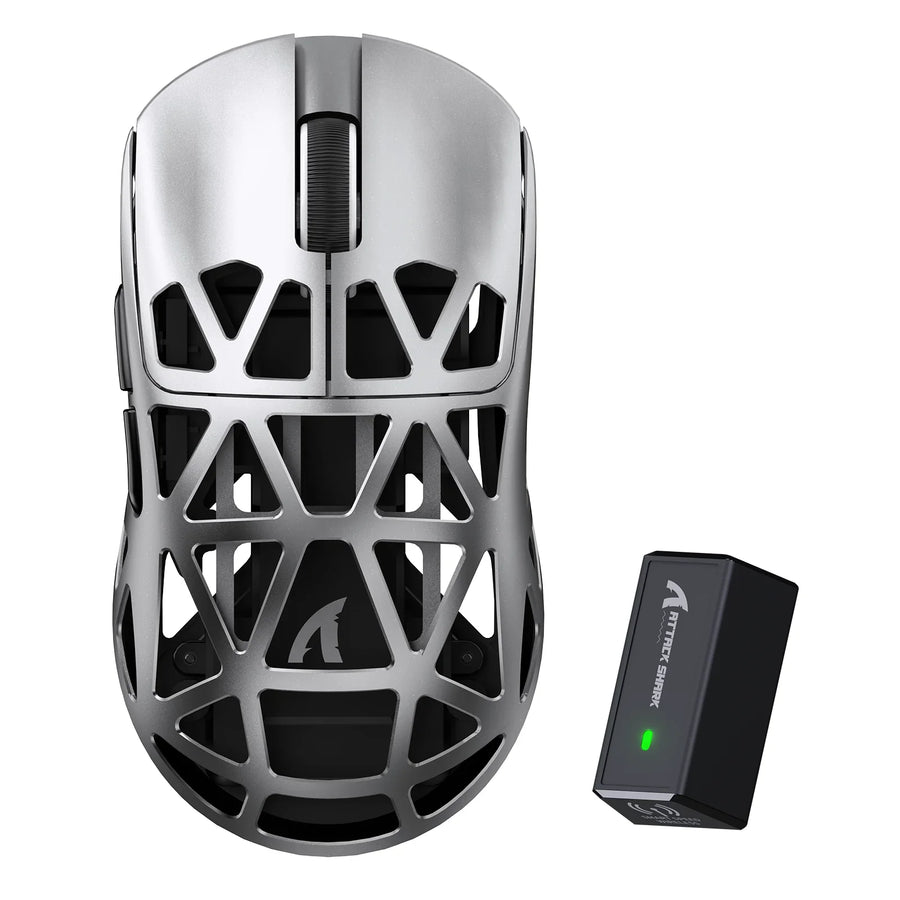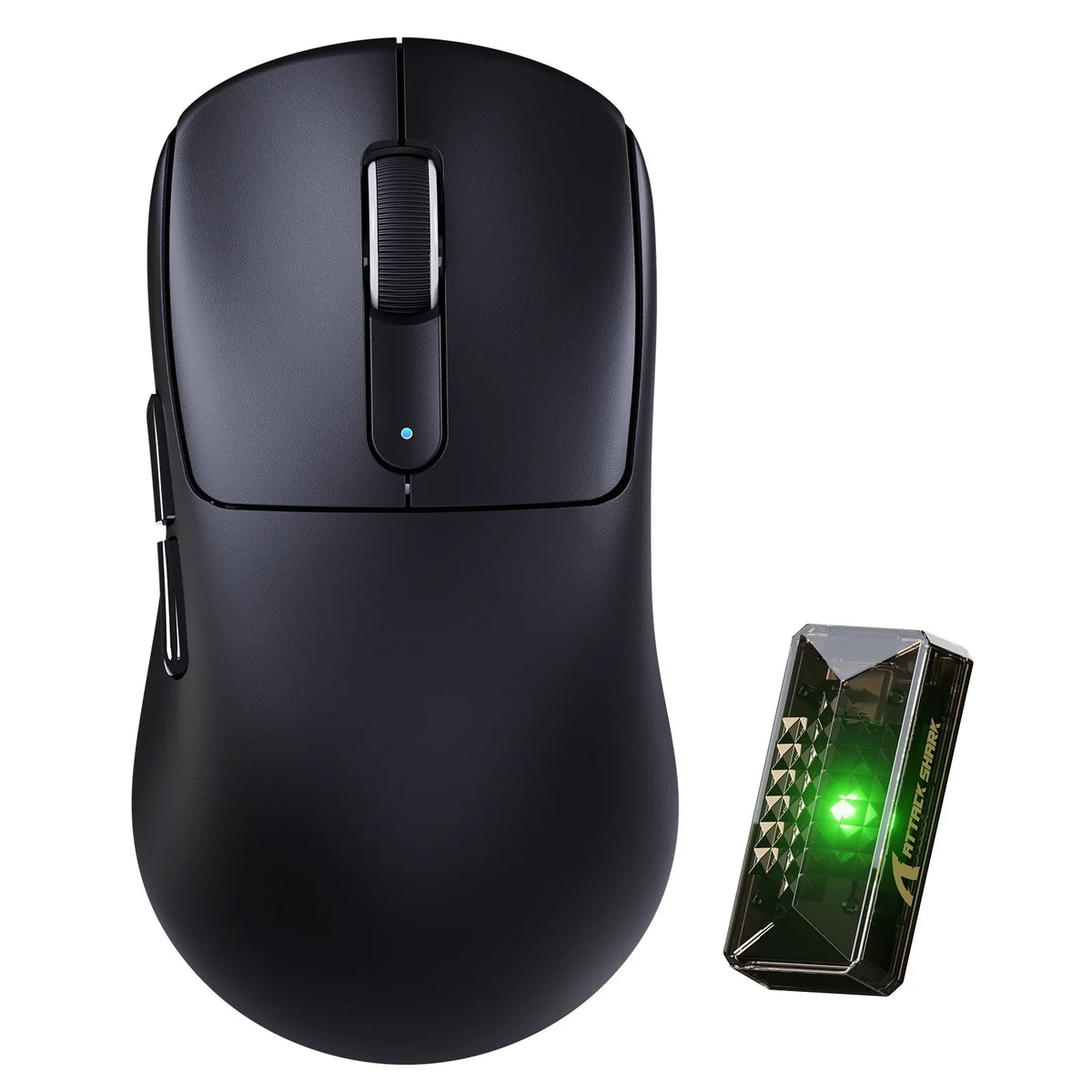
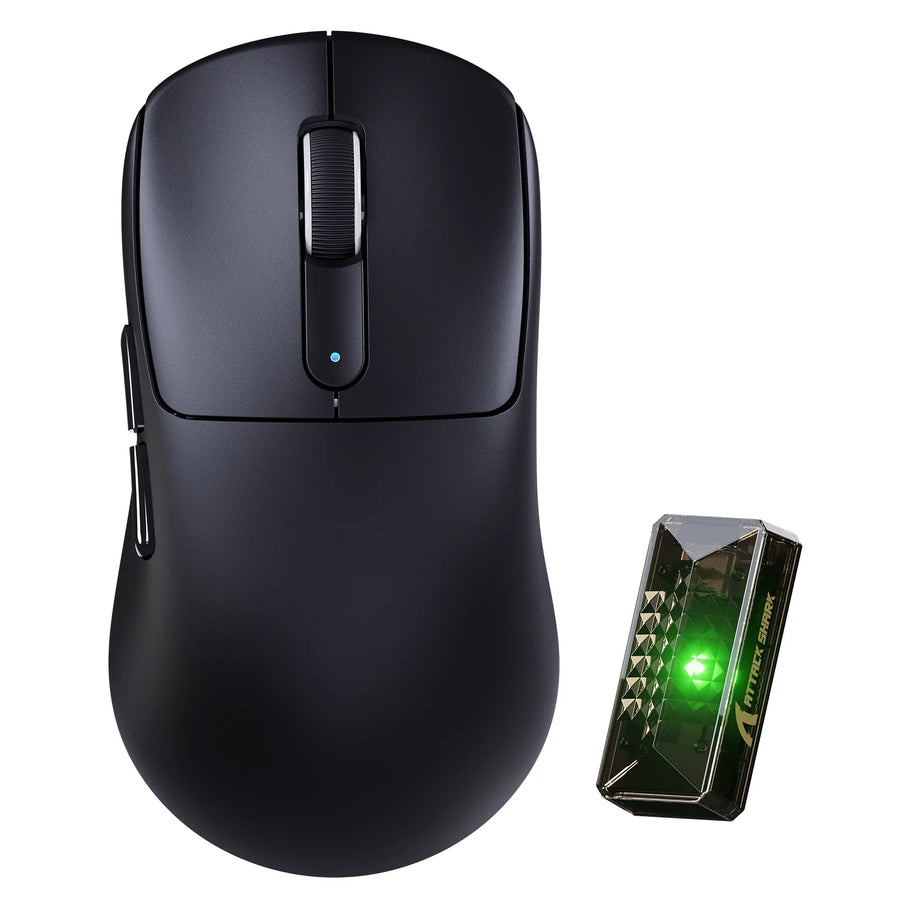
Finding the best gaming mouse for small hands starts with comfort and reach rather than the smallest listed dimensions on a spec sheet. The right shell lets your fingers press every button without stretching, keeps your palm supported, and prevents hand fatigue during intense play. Between our two current shortlist options, the ATTACK SHARK V5 has the smaller footprint on paper, while the ATTACK SHARK V2 AIR delivers a higher sensor ceiling and dual-mode 8,000Hz polling.
Neither model serves as a universal winner for smaller hands. Your actual hand length, palm width, grip style, and finger reach determine which shape fits, and sensor performance only matters once that physical fit is verified.
Key Takeaways
- Shape and reach decide fit first; size numbers alone don't guarantee comfort.
- The V5 measures smaller (121 x 64.5 x 38 mm) but is listed for medium-to-large hands, so treat it as a candidate to test, not a confirmed match.
- The V2 AIR is larger (124 x 68 x 39 mm) and carries the higher sensor and polling ceiling, useful once fit checks out.
- Measure hand length, palm width, and actual button reach before comparing any product page.
- Confirm wrist position and grip stability at your desk, then use the return window if the fit is wrong.
The Shortlist: Which Mouse Fits Your Small-Hand Setup?
We currently stock two mice worth comparing for smaller hands: the ATTACK SHARK V2 AIR and the ATTACK SHARK V5. Choose the V5 when its smaller shell improves your reach and still feels supported. Choose the V2 AIR when the larger shell fits naturally and you want the higher sensor ceiling or dual-mode 8,000Hz polling.
| Spec | ATTACK SHARK V2 AIR | ATTACK SHARK V5 |
|---|---|---|
| Size | 124.0 x 68.0 x 39.0 mm | 121.0 x 64.5 x 38.0 mm |
| Weight | 52g ± 3g | 53g ± 3g |
| Sensor | PAW3955MAX, up to 60,000 DPI | PAW3950MAX, up to 42,000 DPI |
| Polling rate | 8,000Hz wired and wireless | 8,000Hz wireless / 1,000Hz wired |
| Connection | Wired / 2.4G / Bluetooth 5.2 | Wired / Bluetooth / 2.4G |
The V5 is the physically smaller candidate of the two, which can help with reach if your hand is on the shorter side. But its product listing specifically calls out medium-to-large hands as the intended fit, so don't assume the smaller number settles the question. The V2 AIR's larger shell may actually give more small-hand-friendly support if your palm needs more contact area than a compact shell provides. Either way, the deciding factor is your own hand and grip, checked against the numbers below, not the model name alone.
Measure Your Hand Before Comparing Mouse Size
Before you compare any product page, build a short personal fit profile. Measure your hand length from the crease below your palm to the tip of your middle finger, then measure your palm width at its widest point. Write both numbers down alongside your usual grip style, whether that's palm, claw, or fingertip.
Next, test reach instead of relying on numbers alone. Rest your hand the way you actually play and check whether your index and middle fingers land on the main buttons without stretching, whether your thumb reaches the side buttons naturally, and whether your pinky has to strain to hold the mouse's edge. If any of those checks fail on a mouse you already own, that's the specific problem to fix, not just "size."
This profile is a comparison tool, not a pass-or-fail label. A hand length or palm width number doesn't sort mice into "fits" and "doesn't fit" categories by itself; it narrows your options so the shape checks in the next section actually mean something. For a deeper look at how these measurements interact with grip mechanics, see our small-hand gaming guide.

Compare Shape, Size, and Button Reach
Shape decides how your hand contacts the shell, and that contact matters more than the length number on a spec sheet. Read each dimension as a hand consequence rather than a marketing figure.
Read the Shell as a Set of Contact Points
Length controls how far forward your fingers have to travel and how much of your palm the shell supports. Width and side contour decide whether your thumb and pinky can hold the mouse steady without extra effort. Height and where the rear hump sits change how much your palm actually touches the shell, which matters more for palm and claw grips than for fingertip control.
Check Controls in Your Actual Grip
- Your index and middle fingers should land on the primary buttons without reaching forward or curling back.
- Your thumb should hit the side buttons through a short, natural motion, not a stretch across the shell.
- Your pinky shouldn't have to prop up an oversized right edge just to keep the mouse steady.
Run these checks with the mouse in the grip you actually use. A shell that passes on paper can still fail once your hand is in a claw or fingertip position instead of a relaxed palm rest.
Match the Mouse to Your Grip and Gaming Session
The right choice depends on what you're doing with the mouse, not just how it measures. Competitive play, grip style, and session length each change which trade-off matters.
Fast Competitive Play
- Favor whichever shell gives you immediate, low-effort access to the primary and side buttons.
- Use the smaller listed footprint only if it still lets you hold a stable, repeatable grip under fast movement.
- Don't give up a grip that already works just to chase a higher spec number.
Claw or Fingertip Control
Check finger clearance against the rear hump and confirm the side buttons are reachable without lifting your palm off the shell. Neither the V2 AIR nor the V5 has a verified claw or fingertip designation, so treat this as a personal check each time, not a confirmed product feature.
Long Gaming Sessions
Look for a shell that supports your palm or side of the hand without forcing your wrist into an angle it wouldn't hold naturally at rest. If a mouse only feels comfortable for the first twenty minutes, that's a signal to revisit the fit before your next session, not something to push through.
Verify Sensor, Polling, Weight, and Connectivity
Once fit is settled, use listed specifications to break a tie between two mice that both feel comfortable. Skip this step if either candidate already fails the reach or support checks above.
The V2 AIR lists the stronger performance ceiling: a PAW3955MAX sensor, up to 60,000 DPI, and 8,000Hz polling in both wired and wireless modes. The V5 lists a PAW3950MAX sensor, up to 42,000 DPI, 8,000Hz polling on wireless, and 1,000Hz on wired. If you need the same high polling rate regardless of connection mode, that difference favors the V2 AIR. If wireless 8,000Hz already covers your use case, the V5's numbers are enough.
Weight isn't a useful tie-breaker here. At 52g and 53g respectively, the difference is within normal manufacturing variance and won't be felt during play. Both support wired, 2.4G, and Bluetooth connections, so pick based on which sensor ceiling and polling behavior your games actually demand, not the gram count.
Run a Final Fit and Strain-Aware Setup Check
Before you keep a new mouse, test it at your actual desk, not just in your hand. Confirm your primary and side buttons are still reachable once the mouse is sitting at your normal mousing distance, and check that your grip stays stable through a real gaming session rather than just a few clicks.

Pay attention to wrist position while you do this. Following OSHA workstation guidance, keep your wrist as straight as practical, let any support contact the heel of your palm rather than pinning the wrist down, and take regular rest and stretch breaks during long sessions. This doesn't guarantee comfort or prevent injury, but it's a useful check alongside the mouse itself.
If the fit doesn't hold up during this check, don't try to fix it with sensor settings. Use the return window instead. If it passes, confirm tracking feels consistent and your connection mode of choice behaves the way you expect before settling in for longer sessions.
FAQs
Can a higher-end sensor make up for a mouse that feels too large?
No. A stronger sensor or higher polling rate cannot fix a shell that forces your fingers to stretch or leaves your palm unsupported. Confirm physical reach and grip stability first using your hand measurements and shape checks, then use sensor and polling specifications to choose between models that already fit.
How does grip style change whether a smaller gaming mouse fits?
Your grip determines which parts of the hand contact the mouse. Fingertip and aggressive claw grips often tolerate a shorter shell because the palm requires minimal contact with the rear hump. In contrast, palm grip players need sufficient length and hump height to rest the hand naturally without dragging fingers across the mouse pad.
What should you do if side buttons feel just out of reach?
Do not hyperextend your thumb or compromise your primary grip angle during gameplay to hit out-of-reach side switches. If adjusting your natural hand placement slightly forward causes finger cramping or makes the primary clicks difficult to actuate, the mouse shell or button placement is a poor fit and should be exchanged during the return window.