


Your friends are ready to queue, but your headset is giving you a low-battery warning. You find the cable, free up a USB port, and settle in with a wire across the desk.
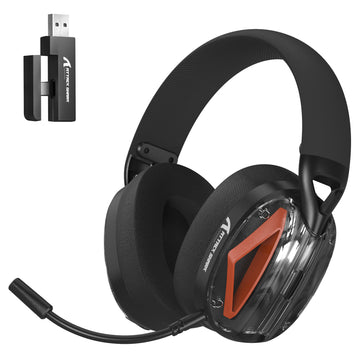
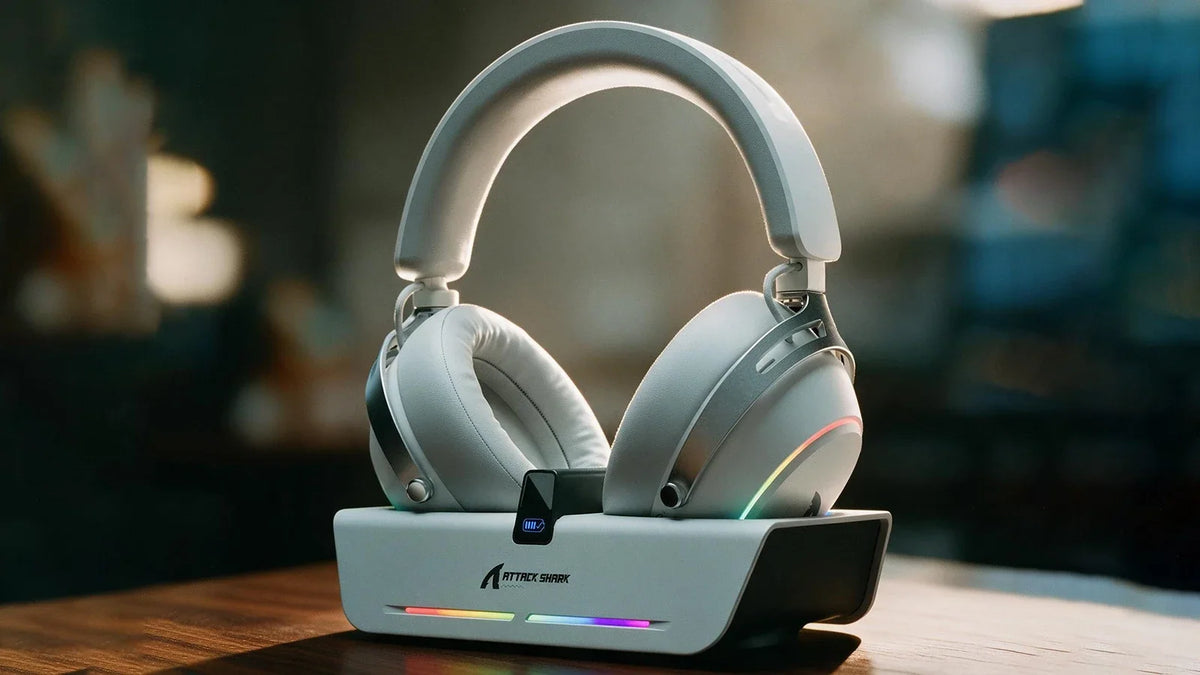
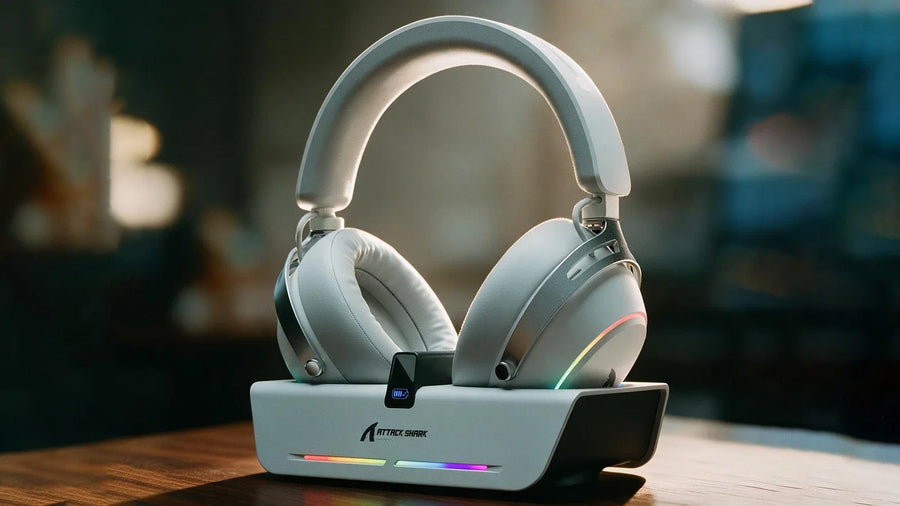
The new ATTACK SHARK X60 is a wireless gaming headset with an RGB magnetic charging dock that doubles as a USB hub. Keep the dock connected between sessions so you can recharge the headset and plug compatible peripherals into ports within easy reach.
Charge Your Headset and Connect Your Gear From One Dock
Dock Charging and a Wired Backup
Set the X60 on its magnetic dock between sessions to recharge without plugging a cable into the earcup. Its charging position also keeps the headset off the mouse pad and away from the space you need for a wide swipe.
The headset has a 1000mAh battery and supports playing while charging. If you sit down with a low battery, you can connect the cable and carry on instead of waiting for it to recharge before joining your friends.
USB Connections Within Reach
A keyboard, mouse, controller, and wireless receiver can quickly occupy the convenient ports on a PC or laptop. Swapping an accessory becomes more awkward when the remaining connections are behind the case or tucked under the desk.
The X60 dock includes USB and Type-C expansion ports for compatible peripherals. That brings extra connections onto the desktop alongside the charging station, giving you a place to connect gear without repeatedly reaching around the computer.
The dock also supports selectable RGB lighting effects, while the headset offers nine RGB effects of its own. If you want an RGB wireless gaming headset and a lit charging station, the X60 brings both into one setup, saving the desk space a separate illuminated headset stand would occupy.

Find a More Comfortable Fit for Longer Sessions
A headset can feel fine when you first put it on, then become distracting a few rounds later. You start lifting an earcup for air or shifting the headband to move pressure away from the same spot.
The X60 uses breathable microfiber ear cushions and a memory foam headband cushion. Its earcups can rotate and tilt, letting you adjust how the cushions meet the sides of your head.
The fit system provides three adjustments:
- Up to 37.5° of tilt: Change the earcup angle where the cushion contacts your head.
- 90° horizontal rotation: Rotate the cups to follow your head shape.
- Adjustable headband: Fine-tune where the earcups sit relative to your ears.
If a cushion presses more firmly along one edge, the tilt adjustment gives you a way to change that contact angle. You can adjust the headband position separately, rather than repeatedly moving the whole headset to relieve the same pressure point.
A reinforced headband frame and aluminum alloy supports provide structure for everyday handling. The padding and adjustable earcups sit around that frame, combining a durable build with several ways to refine the fit.
Customize Your Gaming Headset’s EQ for Games and Music
During a firefight, footsteps, reloads, explosions, and voice chat can all compete for your attention. After the match, you might want a fuller sound for music or a film. One fixed sound profile can leave you making compromises between those uses.
The X60 pairs 53mm dynamic drivers with PEN nano-polymer diaphragms and independent large-volume acoustic chambers. Airflow-balancing technology is part of the design, which focuses on controlling distortion and keeping different layers of sound distinct.
The companion software lets you choose an official EQ preset or create and save your own settings. If you prefer a leaner sound for FPS games and more bass for music, you can save each as a separate profile instead of rebuilding your EQ when you switch. 7.1 virtual surround sound and spatial audio settings are also available through the software.
Make Your Callouts Easier to Hear
Keyboard noise and room chatter can make a quick callout harder to follow. Having to repeat a location while the round keeps moving is frustrating for both you and the teammate trying to act on it.
The X60’s detachable, high-sensitivity boom microphone uses AI-powered noise reduction to help filter unwanted background sound from voice pickup. The processing is designed to keep speech clearer when other sounds are competing with your voice.

The adjustable boom lets you position the microphone for speaking without moving the earcups out of place. Once voice chat is over, you can detach it for music, video, or everyday listening, leaving the boom out of the way when you aren’t using it.
Connect Your Wireless Gaming Headset to PCs, Phones, and Consoles
Moving from a desktop to a laptop, phone, or console can mean dealing with a different set of ports. A receiver that fits your main gaming PC may need another connector on the device you use next.
The X60 offers 2.4GHz wireless, Bluetooth 6.0, and USB-A wired connectivity. Its 2-in-1 receiver provides USB-A and USB-C connection options for 2.4GHz use.
| Connection | How It Fits Your Setup |
|---|---|
| 2.4GHz wireless | Use the USB-A or USB-C receiver connection for wireless gaming on a compatible device. |
| Bluetooth 6.0 | Pair with a compatible Bluetooth device without occupying a USB port. |
| USB-A wired | Connect by cable for wired play, including playing while charging. |
ATTACK SHARK’s HUNTING SHARK 2.4GHz wireless technology is designed for low-latency transmission and resistance to signal interference. Physical sliding controls let you switch connection modes on the headset without opening the companion software.
Supported platforms include PCs, laptops, smartphones, tablets, PS4, PS5, and Nintendo Switch, with connection support varying by device. If you need a wireless gaming headset for PC and console use, check the supported connection mode for each device. The X60’s three modes give you options for moving between compatible devices without keeping a separate headset for each one.
Get Ready to Pre-Order the ATTACK SHARK X60
Pre-orders for the ATTACK SHARK X60 wireless gaming headset open on November 4, 2026 (PST). A non-refundable $1 reservation gives you a $20 discount code toward your final X60 purchase.

Explore the ATTACK SHARK X60 in Black or White and check the pre-order details before reservations open.