



The Ergonomic Calculus: Why Geometry Matters More Than Material
In the pursuit of the ultimate gaming setup, enthusiasts often obsess over switch actuation points and polling rates, yet overlook the physical interface between their body and the machine. A wrist rest is not merely a comfort accessory; it is a structural component of your ergonomic alignment. Selecting a rest based solely on the length of your keyboard—a common "TKL" or "60%" categorization—is an oversimplification that frequently leads to biomechanical strain.
The effectiveness of a wrist rest is determined by three geometric variables: the keyboard's front case height, its inclination angle (slope), and the user's anthropometric measurements. When these factors are mismatched, even by as little as 5mm, the result is often ulnar deviation or flexor tendon strain. This article provides a data-driven framework for matching your support to your keyboard's specific geometry to ensure long-term health and competitive performance.

Biomechanical Mechanics: The Cost of Mismatch
To understand why precision is necessary, we must look at the Moore-Garg Strain Index (SI), a tool used by ergonomists to analyze the risk of distal upper extremity disorders. In our scenario modeling for a competitive gamer, we analyzed the impact of a mismatched setup.
Modeling Note: The "Hazardous" Strain Scenario
This analysis models a Competitive Esports Athlete with large hands (95th percentile, ~20.5cm) using a high-profile mechanical keyboard with a 10° inclination and a wrist rest that is 5mm too low.
| Parameter | Value/Range | Unit | Rationale/Source Category |
|---|---|---|---|
| Intensity Multiplier | 2 | Multiplier | High-intensity competitive gaming (sustained force) |
| Duration Multiplier | 1.5 | Multiplier | 4–6 hour sessions (typical for esports) |
| Efforts per Minute | 4 | Multiplier | 200–300 APM (Actions Per Minute) |
| Posture Multiplier | 3 | Multiplier | Severe wrist deviation (5mm height/4° angle mismatch) |
| Speed Multiplier | 2 | Multiplier | Rapid, repetitive keypresses |
| Daily Duration | 2 | Multiplier | 8+ hours total daily usage |
Analysis Result: This configuration yields a Strain Index (SI) Score of 144, categorized as Hazardous. For comparison, a perfectly aligned setup typically scores below 10. The multiplier effect of poor posture (3x) exponentially increases the risk of ulnar nerve compression and "tingling" sensations during extended play.
Boundary Condition: This is a parameterized scenario model, not a medical diagnostic tool or a controlled lab study.
According to the Canadian Centre for Occupational Health and Safety (CCOHS), the "neutral" wrist position is defined relative to the elbow's height. If your wrist rest is too high, it forces the wrist into flexion; if it is too low, it forces extension. Both positions increase internal carpal tunnel pressure.
The Height Compatibility Matrix: Acrylic vs. Foam
One of the most frequent errors we observe in community feedback (based on patterns from customer support and return handling) is applying the same measurement logic to hard and soft surfaces.
1. Hard Surfaces (Acrylic and Aluminum)
For rigid supports like the ATTACK SHARK ACRYLIC WRIST REST, the height must be matched with extreme precision. Because acrylic does not compress, a rest even 3mm taller than the keyboard's front edge can cause the heel of the palm to "pivot," leading to shoulder hunching.
- Heuristic (Rule of Thumb): For acrylic rests, aim to match the rest's highest point to within ±1.5mm of the keyboard's front case height.
- Why this number: This range maintains a near-seamless transition, preventing the tendons from having to "climb" or "drop" as you move from the rest to the home row.
2. Soft Surfaces (Memory Foam)
Soft rests, such as the ATTACK SHARK Cloud Mouse Pad with integrated foam, require a different calculation. Practitioners report that memory foam typically compresses by 30–40% under the weight of the human arm.
- Heuristic: Choose a foam rest with an uncompressed height 2–3mm greater than the keyboard's front case height.
- Mechanism: This extra height acts as a "compression buffer." When you rest your wrists, the foam yields until it reaches the neutral plane of the keyboard, ensuring the support doesn't "bottom out" against the hard desk surface.
Inclination and Slope: The Non-Linear Interaction
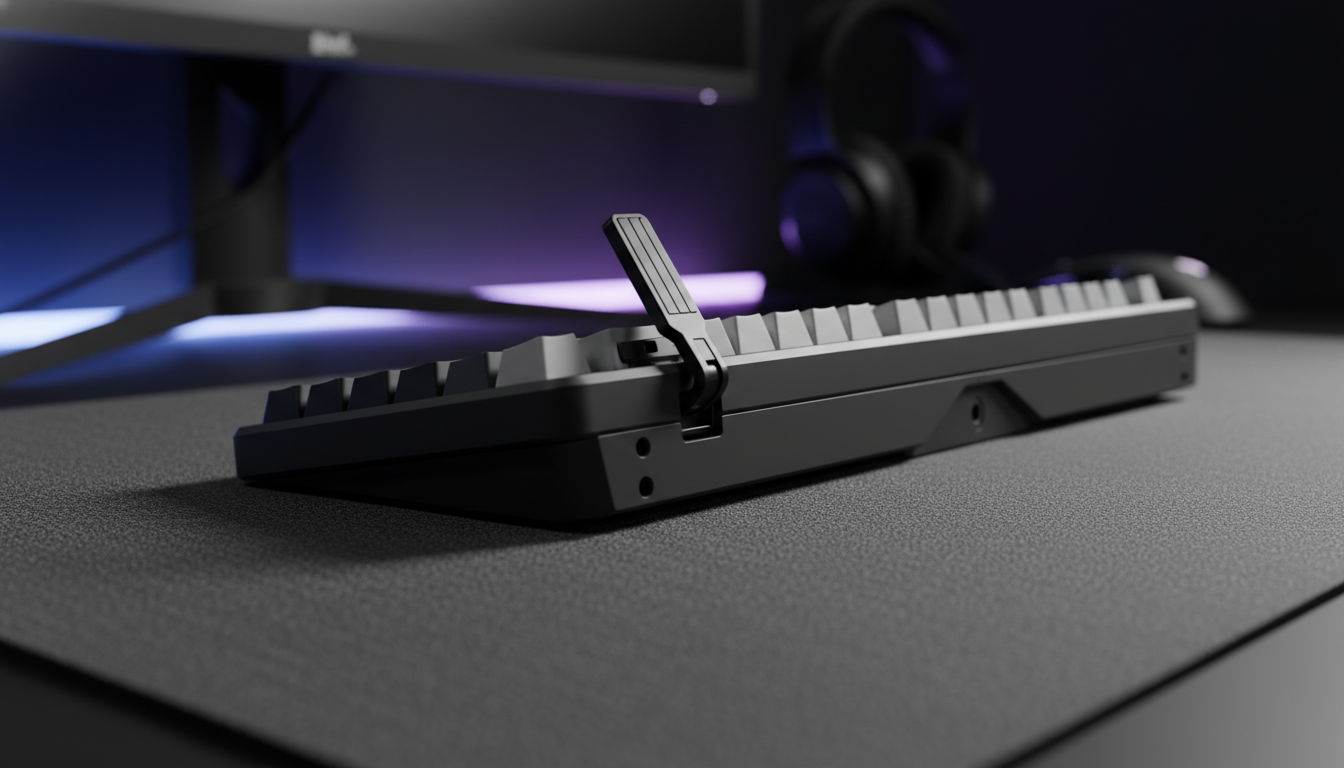
The angle of your keyboard (inclination) and the slope of your wrist rest must work in tandem. Most enthusiast keyboards feature an incline between 5° and 12°. If you pair a flat wrist rest with a 10° inclined keyboard, you create a sharp "drop-off" at the junction.
Our modeling suggests that the optimal solution is for the rest's slope to be within 1–2 degrees of the keyboard's inclination. This creates a continuous plane, which is critical for gamers who use a "palm grip" style. For those using high-profile cases, the ATTACK SHARK Aluminum Alloy Wrist Rest with Partition Storage Case provides a built-in 6°–8° tilt, designed to bridge the gap for medium-to-high profile boards.
The Negative Tilt Exception
While rare in gaming, some ergonomic setups use a "negative tilt" (where the back of the keyboard is lower than the front). According to research on negative keyboard tilt, the wrist rest in these scenarios should actually be slightly higher than the front edge. This supports the palms in a straight line with the home row, preventing the hands from dropping below the typing plane.
Sizing by Hand Geometry: Beyond Keyboard Length
While most users buy a "60% rest" for a "60% keyboard," the width of the rest is actually a function of your hand's breadth and your grip style. Following ISO 9241-410 ergonomic principles, we can derive ideal dimensions using anthropometric coefficients.
Ideal Dimensions for Large Hands (20.5cm Length)
Using the 0.6x Hand Length Heuristic for palm support:
- Ideal Support Length (Depth): ~123mm to 137mm.
- Ideal Width (Breadth): ~57mm to 60mm per hand.
Standard wrist rests are often only 80mm deep. For a user with 95th percentile hands, an 80mm rest is ~40mm too short, causing the heel of the palm to overhang the back of the rest. This creates a "pressure bridge" where the weight of the arm is concentrated on a small area of the wrist, potentially compressing the median nerve.
| Hand Size Classification | Hand Length Range (cm) | Recommended Rest Depth | Recommended Rest Material |
|---|---|---|---|
| Small | < 17.0 | 80mm - 100mm | Soft Foam (High sensitivity) |
| Medium | 17.0 - 19.0 | 100mm - 120mm | Acrylic / Aluminum (Stability) |
| Large | 19.0 - 21.0 | 120mm - 140mm | Firm Foam / CNC Aluminum |
| Extra Large | > 21.0 | > 140mm | Custom / Adjustable Platforms |
Logic Summary: These tiers are based on mapping ANSUR II anthropometric data to the 60% fit rule. They are statistical guidelines; individual joint flexibility may require adjustments of ±5mm.
Material Science: Friction and Micro-Adjustments
The surface texture of your rest affects your gaming performance. In high-stakes environments, especially when using high-polling rate devices, micro-stutter caused by "skin-drag" can be detrimental.
- Acrylic (Frosted): The ATTACK SHARK 87 KEYS ACRYLIC WRIST REST features a frosted surface. This texture provides a middle-ground friction coefficient. It allows for subtle repositioning during rapid typing without the "sliding" effect found on polished surfaces.
- Aluminum: Offers the highest thermal conductivity. This is beneficial for users whose wrists perspire, as it helps dissipate heat, maintaining a consistent friction level throughout a session.
- Fabric/Foam: Provides the highest friction. While comfortable, it can impede the quick lateral movements required in FPS gaming. Experienced users often prefer fabric for productivity and hard surfaces for competitive play.
Performance Synergy: The 8K Polling Connection
As we move toward ultra-high performance peripherals, the stability provided by a matched wrist rest becomes even more critical. When using an 8000Hz (8K) polling rate mouse, the system processes data every 0.125ms. At this frequency, even the slightest tremor or instability in your wrist posture is captured by the sensor.
To maintain the precision required for 8K stability, your wrist must be anchored but not restricted. A mismatched rest height creates "muscle noise"—micro-contractions as your forearm muscles struggle to stabilize an unsupported joint. By achieving the "Neutral Plane" through precise height matching, you reduce this physiological noise, allowing the sensor to track your intended movements with 0.125ms fidelity.
Note: For 8K setups, we strictly recommend using direct motherboard USB ports (Rear I/O) to avoid the packet loss and latency jitter common with front-panel headers or unpowered hubs.
Implementation Checklist: How to Measure for Success
Before purchasing your next rest, follow this technical verification protocol:
- Measure Front Case Height: Use a caliper or ruler to measure the distance from the desk surface to the top of the keyboard case at the spacebar edge. Do not measure to the top of the keycaps.
- Calculate the "Compression Offset": If buying foam, add 2mm. If buying acrylic, keep the number as-is.
- Determine Inclination: Use an online protractor tool or a physical angle finder. Ensure your rest's slope is within 2° of this value.
- Verify Hand Depth: Measure from the base of your palm to the tip of your middle finger. Multiply by 0.6 to find your minimum required rest depth.
- Check Bottom Stability: Ensure the rest has at least four anti-slip rubber pads. According to the Global Gaming Peripherals Industry Whitepaper (2026), lateral stability is the leading factor in preventing "micro-slip" errors during high-intensity gaming.
Summary of Recommendations
Choosing a wrist rest is a task of mechanical engineering for the human body. For the value-conscious gamer, the ATTACK SHARK ACRYLIC WRIST REST series offers a range of sizes (61 to 104 keys) to match keyboard lengths, but the user must still verify the 1.3cm thickness against their board's front height. If your keyboard is exceptionally tall (over 18mm at the front), a foam-based solution or an inclined aluminum model like the ATTACK SHARK Aluminum Alloy Wrist Rest is typically more effective at maintaining a neutral posture.
Investing the time to measure your setup's geometry is a non-negotiable step for any power user. By aligning the height, slope, and depth of your support with your physical needs, you transform a simple block of material into a precision ergonomic tool that protects your health and sharpens your competitive edge.
Disclaimer: This article is for informational purposes only and does not constitute professional medical advice. Ergonomic requirements vary significantly based on individual physiology and pre-existing conditions. If you experience persistent wrist pain, numbness, or tingling, consult a qualified healthcare professional or occupational therapist.
References
- Canadian Centre for Occupational Health and Safety (CCOHS) - Office Ergonomics
- ISO 9241-410:2008 - Ergonomics of Human-System Interaction
- Global Gaming Peripherals Industry Whitepaper (2026)
- Moore, J. S., & Garg, A. (1995). The Strain Index
- ANSUR II Anthropometric Database
- Eureka Ergonomic - Negative Keyboard Tilt Guide
Related Reading:


Laisser un commentaire
Ce site est protégé par hCaptcha, et la Politique de confidentialité et les Conditions de service de hCaptcha s’appliquent.