

Evaluating Vertical Tilt: Supporting Wrist Health in Long RPG Sessions
The biomechanical demands of immersive Role-Playing Games (RPGs) differ significantly from the rapid, twitch-based movements of first-person shooters. In titles such as Elden Ring or Cyberpunk 2077, gamers often engage in sessions lasting four to eight hours, characterized by sustained static grips and frequent micro-adjustments during exploration and complex boss encounters. For users with hand lengths exceeding 19cm, these extended periods of play can introduce specific physiological risks, such as ulnar deviation and increased carpal tunnel pressure.
While the industry often prioritizes sensor precision and raw polling rates, ergonomic observations suggest that the physical geometry of the mouse—specifically the vertical tilt angle—can be a significant factor in long-term musculoskeletal comfort. A vertical tilt between 10 and 15 degrees is increasingly viewed by many ergonomic specialists as a helpful range for maintaining a more neutral forearm position.
The Biomechanics of Vertical Tilt and Ulnar Deviation
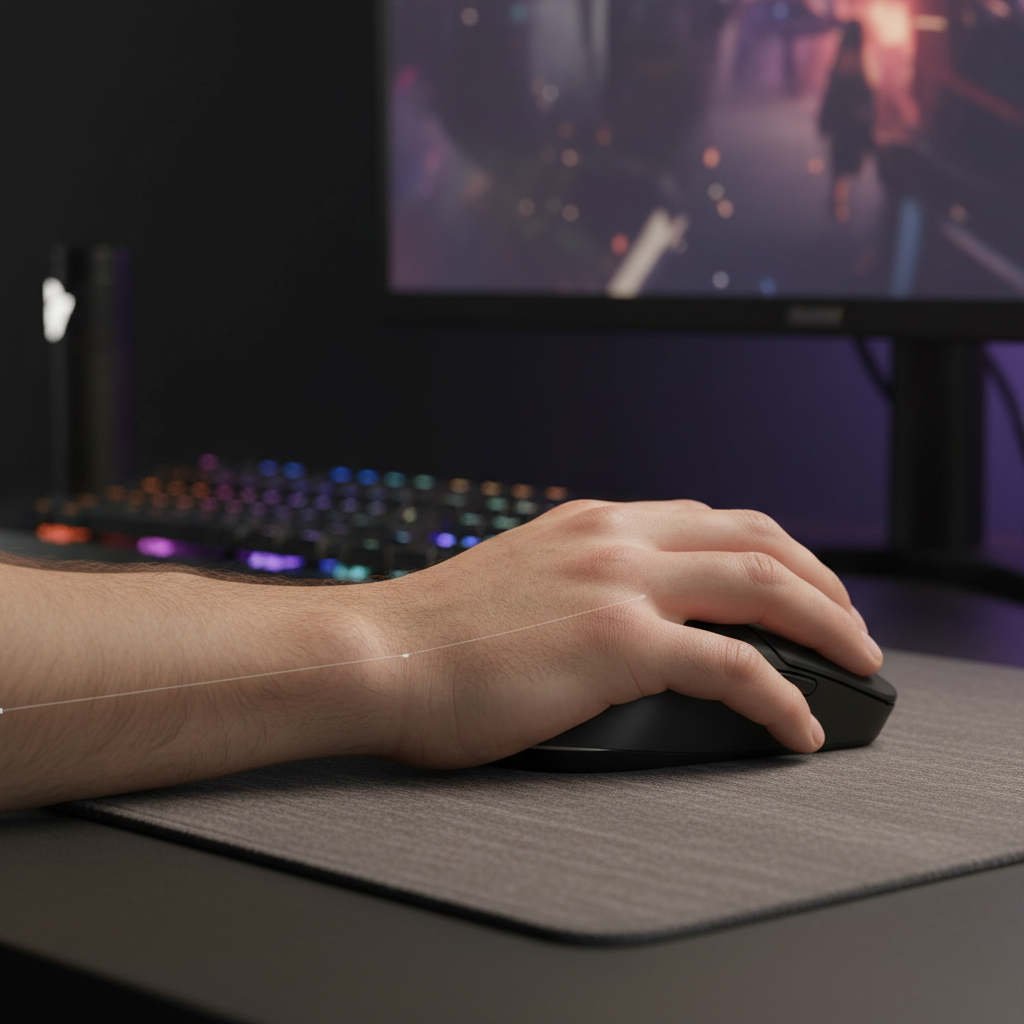
The human forearm is generally at its most relaxed state in a "handshake" position, where the radius and ulna bones are parallel. Traditional flat gaming mice often force the hand into a state of pronation, where the radius rotates over the ulna. This rotation can increase tension in the interosseous membrane and the surrounding musculature.
According to the Global Gaming Peripherals Industry Whitepaper (2026), the move toward semi-vertical designs aims to address the "pronation trap." For many large-handed gamers, a mouse with a 10-15 degree vertical tilt is designed to allow the wrist to rest at a more natural angle, which may help reduce the risk of ulnar deviation—the lateral bending of the wrist toward the pinky finger.
Practical Heuristics (Ergonomic Modeling):
- Model Type: Heuristic based on common biomechanical skeletal patterns.
- Assumption 1: Hand length >19.5cm; Hand width >9.5cm.
- Assumption 2: Surface friction coefficient of 0.6 (Standard control pad).
- Boundary Condition: These observations apply primarily to palm and hybrid grip styles; fingertip grips may bypass some tilt benefits but involve different finger-flexor dynamics.
When the wrist is held in ulnar deviation for extended periods, the tendons passing through the carpal tunnel may experience increased friction. A slight vertical incline is intended to shift the weight of the hand toward the outer edge (the hypothenar eminence), which can help align the wrist and potentially reduce internal tunnel pressure.
Large-Hand Stability: The Role of "Palm Fill"
For the "Value-Oriented Performance" demographic, a common challenge is selecting a mouse based on weight or sensor specs while overlooking shell volume. Large-handed users (~20cm hand length) often benefit from what is termed "palm fill"—the height and curvature of the mouse's hump.
If a mouse shell is too short or the hump is positioned too far forward, the base of the palm (the carpal bones) may remain unsupported. This lack of support often leads the user to "anchor" their wrist directly onto the mouse pad. This anchoring can create a pivot point that increases localized pressure on the median nerve.
A relaxed grip generally follows a simple rule of thumb: the line from the elbow to the knuckles should remain relatively straight. Significant lateral bending at the wrist often indicates that the mouse's width or tilt may not be optimal for the user’s hand span. Based on our review of common ergonomic patterns, mice with a centered, high hump—often in the range of 40mm to 42mm—can provide the structural support needed to help keep the wrist in a more neutral, elevated position.
The Pinky Abduction Factor in Right-Handed Designs
A less obvious mechanical issue in some high-spec gaming mice is an aggressive right-side flare. While a flare can provide a rest for the ring finger, it may force the pinky into an abducted (spread apart) position. Over a multi-hour RPG session, this abduction can strain the abductor digiti minimi muscle.
Experienced ergonomic assessors note that a pronounced flare may sometimes offset the benefits of a high-quality sensor. If the user is constantly adjusting their grip to compensate for the shell's geometry, they may experience increased forearm tension. This tension often leads to over-gripping, which is frequently cited as a contributor to early-onset fatigue.
Designs that favor large-handed RPG players often feature a subtle right-side taper or a vertical wall that allows the pinky to rest closer to the ring finger. This "tucked" position is intended to minimize neuromuscular load and allow for more relaxed micro-adjustments during inventory management or navigation.
Technical Synergy: Polling Rates, CPU Load, and Muscle Tension
The pursuit of high performance often leads gamers to 8000Hz (8K) polling rates. While 8K polling offers a near-instant 0.125ms reporting interval (derived from 1/8000), it introduces technical considerations that can indirectly affect comfort.
High polling rates significantly increase the CPU load due to Interrupt Request (IRQ) processing. If the system experiences micro-stuttering because the CPU is overwhelmed, the gamer may unconsciously tighten their grip to compensate for the perceived lack of control. This "tension compensation" can contribute to muscle fatigue.
| Parameter | 1000Hz (Standard) | 8000Hz (High Performance) | Rationale |
|---|---|---|---|
| Polling Interval | 1.0ms | 0.125ms | Inverse of frequency |
| Motion Sync Latency | ~0.5ms | ~0.0625ms | Half of the polling interval |
| CPU IRQ Load | Low | Very High | Stresses single-core OS scheduling |
| Recommended DPI | 400 - 800 | 1600+ | Suggested to saturate 8K bandwidth |
| Connection Type | Hub/Front Panel | Direct Rear I/O | Reduces risk of packet loss |
To maintain stability at 8000Hz during the slow micro-adjustments typical of RPGs, higher DPI settings are often recommended. For example, to better saturate the 8000Hz bandwidth, a setting of at least 1600 DPI is suggested. Using a lower DPI (e.g., 400 DPI) at 8000Hz can result in "empty" polls where no new motion data is sent, which may feel inconsistent and lead to over-gripping.
Surface Interaction: PTFE and Pad Dynamics
The interaction between mouse feet material and the pad surface is a component of the ergonomic ecosystem. Most high-performance mice utilize pure Polytetrafluoroethylene (PTFE) skates. While low-friction PTFE is designed for speed, a very slippery setup on a speed-oriented pad may be counterproductive for some RPG players.
If the mouse glides too easily, the user may exert constant muscular force to keep the cursor steady during static tasks (like reading skill trees). This "holding" force can increase forearm tension. For immersive RPGs, a "control" pad paired with high-quality PTFE skates often provides a helpful balance, allowing for smooth movement while reducing the need for excessive stabilization force.
Safety, Compliance, and Trustworthy Engineering
When evaluating newer brands in the gaming market, technical credibility is often established through adherence to international standards. Reliable hardware can be verified through official channels to ensure radio frequency (RF) safety and battery integrity.
Gamers can verify the wireless compliance of their devices through the FCC Equipment Authorization database or the ISED Canada Radio Equipment List. These certifications help ensure that 2.4GHz and Bluetooth signals operate within established SAR (Specific Absorption Rate) limits.
Furthermore, for devices using high-capacity lithium-polymer batteries, adherence to the IEC 62368-1 safety standard is important. This standard covers the safety of information technology equipment, ensuring that charging circuits are designed with the goal of preventing thermal issues.
Practical Selection Framework for Large-Handed RPG Gamers
To optimize for both comfort and performance, users can follow this structured evaluation process:
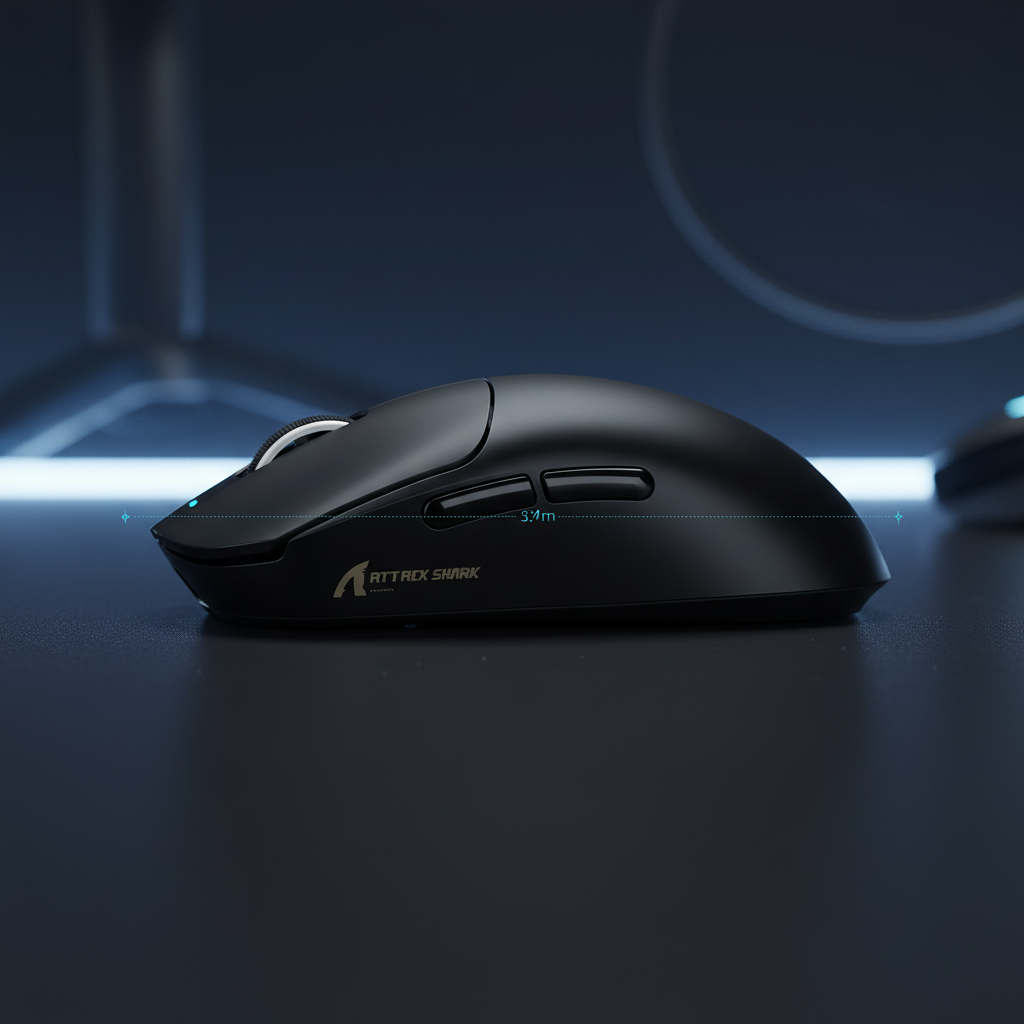
- Measure for Fit: Confirm if your hand length is over 19cm. As a rule of thumb, mice with a length of 124mm to 126mm often provide better wrist support for larger hands.
- The Tilt Check: Look for a shell with a visible "tilt" toward the right side. This should feel closer to a natural handshake than a flat, palm-down press.
- Evaluate the "Pinky Pocket": Check that the right side of the mouse does not flare so aggressively that it forces the pinky away from the ring finger.
- Optimize Polling Settings: If using an 8K sensor, ensure your CPU can handle the IRQ load and use a direct motherboard USB port. A DPI of 1600 or higher is generally recommended for smooth data transmission at high polling rates.
- Surface Matching: Consider matching your mouse feet to a pad that offers sufficient "stopping power" to help prevent the muscle strain associated with over-stabilizing the mouse.
By prioritizing these ergonomic fundamentals alongside performance metrics, gamers can work toward a setup that remains comfortable during long-term play.
Disclaimer: This article is for informational purposes only and does not constitute professional medical advice. Ergonomic needs vary by individual. If you experience persistent wrist pain, numbness, or tingling, consult a qualified healthcare professional or occupational therapist.

Laisser un commentaire
Ce site est protégé par hCaptcha, et la Politique de confidentialité et les Conditions de service de hCaptcha s’appliquent.