


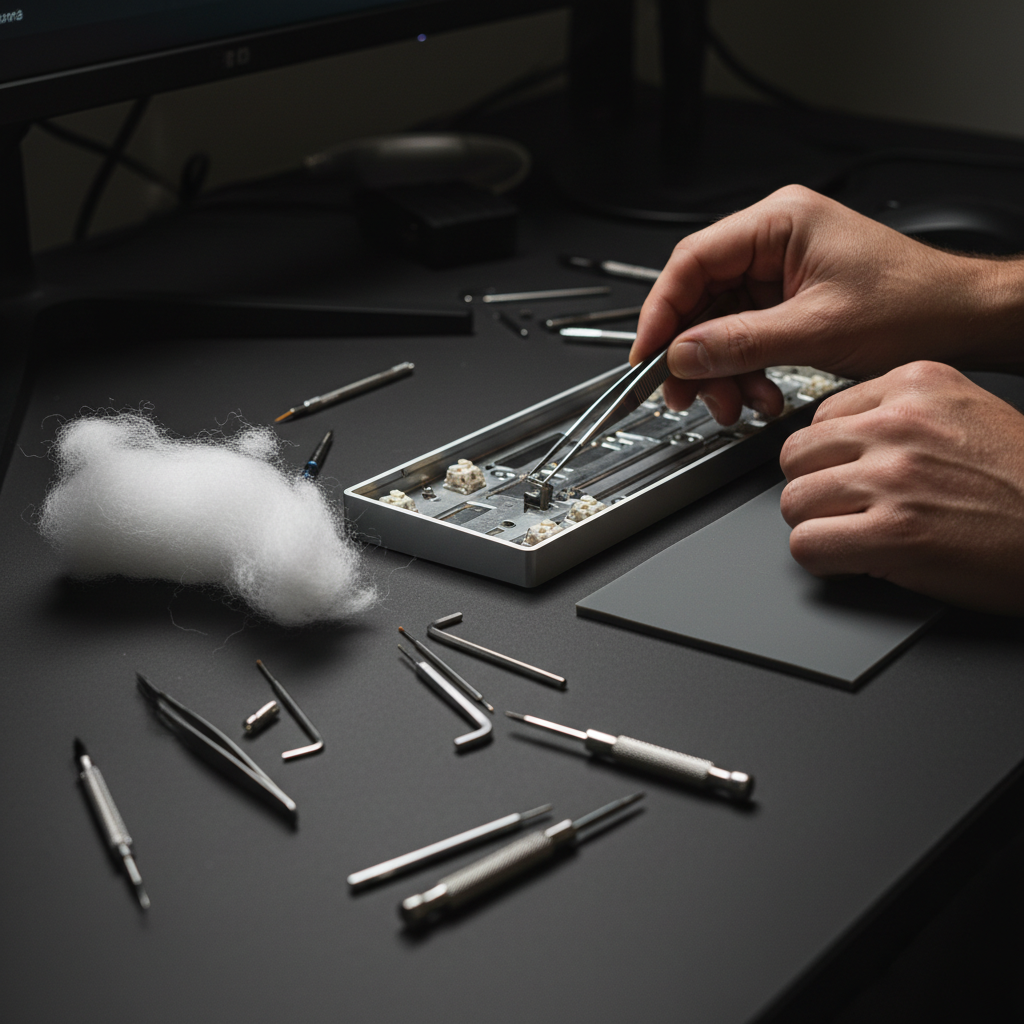
When we first crack open a budget-friendly mechanical keyboard, the internal landscape is often a cavernous void of plastic and air. To an enthusiast, this empty space represents a missed opportunity for acoustic refinement. The resulting sound—often described as "pingy," "hollow," or "boomy"—is the primary barrier between a value-tier board and the sought-after premium "thock" signature.
Acoustic engineering in the modding community has evolved from stuffing old socks into cases to sophisticated material layering. Today, the debate centers on two primary contenders: Polyfill and Silicone. While both aim to eliminate hollowness, they operate on different physical principles. Through our extensive testing and pattern recognition across hundreds of builds, we have found that the most effective solution isn't choosing one over the other, but understanding how to combine them to manipulate frequency response.
The Physics of Keyboard Resonance
To solve the "hollow" issue, we must first identify the two distinct types of unwanted noise.
- Airborne Resonance (The "Boom"): This occurs when sound waves from the switch actuation bounce off the internal walls of the case. In large cavities, these waves create standing waves at low frequencies, resulting in a boomy, echo-heavy sound.
- Structural Vibration (The "Ping"): This is kinetic energy traveling through the plate and PCB into the case. In plastic cases with metal plates, this often manifests as a high-pitched metallic ring or "ping" between 1 kHz and 2 kHz.
According to the Global Gaming Peripherals Industry Whitepaper (2026), the industry is shifting toward "Acoustic-First" design, where internal volume is minimized to reduce these resonance artifacts. However, for those of us modding existing hardware, we must use fillers to simulate this high-density environment.
Polyfill: The Broadband Absorber
Polyfill (polyester fiberfill) is the "fluffy" material found in pillows and stuffed toys. In the context of keyboard modding, it is the most cost-effective tool for disrupting airborne resonance.
How It Works
Polyfill acts as a porous absorber. As sound waves enter the tangled web of fibers, the friction between the air molecules and the fibers converts sound energy into a minute amount of heat. Because it is lightweight and occupies significant volume without adding much mass, it is exceptionally good at disrupting standing waves in large, hollow cavities.
The Experience Factor
In our builds, we have observed that Polyfill is most effective in cases with a deep bottom tray. It excels at "cleaning up" the sound by removing the dispersive, messy echo. However, it does very little to stop the structural "ping" of a metal plate because it lacks the density to dampen vibrations.
Silicone: The Constrained Layer Dampener
Silicone, whether applied as a pre-cut sheet or a custom-poured mold, represents a step up in technical complexity and cost.
How It Works
Silicone is a viscoelastic material. Unlike Polyfill, which absorbs airborne sound, silicone dampens structural vibrations. When placed in direct contact with the case bottom and the PCB, it acts as a constrained layer dampener. It adds significant mass to the case, lowering its resonant frequency and absorbing the kinetic energy that would otherwise turn into a high-pitched ring.
Data from PixArt Imaging regarding sensor housing stability suggests that high-density materials are critical for reducing micro-vibrations that can affect hardware longevity, a principle that translates directly to keyboard case stability.
| Material | Primary Mechanism | Frequency Target | Cost (Est.) | Difficulty |
|---|---|---|---|---|
| Polyfill | Porous Absorption | Low (<500 Hz) | $5.00 | Very Low |
| Silicone (Sheet) | Vibration Damping | Mid-High (1-2 kHz) | $10.00 | Medium |
| Sorbothane | Viscoelastic Isolation | Full Range | $30.00+ | Low |
| Neoprene | Impact Damping | Mid Range | $8.00 | Low |
The "70/30" Layered Strategy: A Deep Experiment Insight
The most common mistake we see in the modding community is the "all-or-nothing" approach. Modders will either pack the case tight with Polyfill or pour a thick slab of silicone. Both methods have "gotchas." Overpacking Polyfill can create a "mushy" bottom-out feel by putting upward pressure on the PCB, while a solid silicone pour can make a board feel excessively heavy and "dead," stripping away the character of the switches.
Our experimental data suggests that a 70/30 volume ratio provides the best price-to-performance ratio for value-oriented enthusiasts.
The Logic
We utilize a thin (2mm) silicone sheet at the very bottom of the case to address the high-frequency metal "ping." We then layer loose Polyfill in the remaining 70% of the cavity to absorb the low-end boom.
Why 70% fill? A "fill to 70%" heuristic is the sweet spot. It leaves enough of an air gap to avoid compressing the PCB or interfering with switch registration—especially critical for hot-swap sockets which are sensitive to vertical pressure.

Step-by-Step: Implementing the Layered Mod
- Preparation and Safety: Before opening your case, ensure the device is powered off. If your keyboard is wireless, be extremely mindful of the Lithium-ion battery. According to safety guidelines found in IEC 62368-1, mechanical pressure on battery cells must be avoided. Ensure your filling material does not compress the battery connector or the cell itself.
- The Silicone Base: Cut a 2mm silicone sheet to fit the recessed areas of your case bottom. Focus on the areas directly beneath the Alpha keys and the Spacebar, as these generate the most vibration.
- The Polyfill Layer: Tease out the Polyfill so it is fluffy and light. Do not use it in clumps. Lay it over the silicone, ensuring it fills the "valleys" of the case mold but stays below the level of the screw standoffs.
- The PCB Check: Place your PCB/Plate assembly back into the case. It should sit flush on the standoffs without you having to press down hard. If you feel resistance, you have overfilled.
- Testing for "Thock": Use a high-quality switch, such as those detailed in the Kailh Switch Datasheets, to test the sound. You should notice a significant shift: the sharp "clack" is now a focused, deeper "thock."
Scenario Analysis: Standard vs. Edge Cases
Scenario A: The Standard Plastic TKL
For 80% of users modding a standard plastic Tenkeyless (TKL) or 65% board, the layered approach is unbeatable. It solves the two most common complaints—hollowness and ping—for under $15. The increased mass from the silicone also prevents the keyboard from sliding on the desk during intense gaming sessions.
Scenario B: The Ultra-Low Profile Case
In extremely thin cases, there isn't enough vertical clearance for layering. In this edge case, we recommend skipping Polyfill entirely. A single layer of high-density 3mm Poron foam or a thin sheet of Sorbothane is preferable. These materials provide maximum damping in minimum space, though at a higher price point.
Common Pitfalls and Expert "Gotchas"
- The Battery Heat Trap: Polyfill is an insulator. If your keyboard has a battery that gets warm during fast charging, packing it too tightly can trap heat. Always leave a 5mm clearance zone around the battery.
- Static Electricity: While rare, some low-grade synthetic fibers can generate static. We recommend using high-quality, flame-retardant polyester fill to minimize risks to the PCB.
- Screw Standoff Interference: Ensure no fibers get caught in the screw threads. This can lead to stripped screws or a crooked plate alignment, which ruins the typing feel.
Beyond the Filler: Complementary Mods
Acoustic tuning is a holistic process. While case fillers handle the "echo," other components shape the "transient" (the initial click).
- Switch Choice: The housing material of your switch (Nylon vs. Polycarbonate) will interact with your case filler. Nylon housings tend to produce a deeper sound that complements Polyfill.
- Plate Material: An Aluminum plate will always have more "ping" than an FR4 or POM plate. If you are stuck with an Aluminum plate, the silicone layer becomes mandatory, not optional.
- Tape Mod: Applying two layers of painter's tape to the back of the PCB (the "Tempest Mod") works in tandem with case fillers by acting as a high-pass filter, further accentuating the "pop" of the switches.
Impact and Value Assessment
By adopting a layered Polyfill and Silicone approach, a modder can achieve approximately 80-90% of the acoustic performance of premium $50 custom foam kits for less than $15. This is the definition of value-driven modding.
The tangible impact is not just a "better sound." A dampened keyboard reduces auditory fatigue during long typing sessions and creates a more stable, premium-feeling peripheral. In a competitive environment, a solid-feeling board with no distracting internal rattles allows for better focus and a more immersive experience.
Summary of Material Performance
| Feature | Polyfill | Silicone | Layered (70/30) |
|---|---|---|---|
| Hollowness Reduction | Excellent | Good | Superior |
| Ping Elimination | Poor | Excellent | Excellent |
| Weight Added | Negligible | High | Moderate |
| PCB Safety | Moderate (Pressure risk) | High (Firm base) | High |
| Total Cost | ~$5 | ~$10 | ~$15 |
Final Thoughts on Acoustic Engineering
Choosing between Polyfill and Silicone isn't about which material is "best" in a vacuum. It is about identifying the specific acoustic flaws of your keyboard case. If your board sounds like an empty plastic bin, reach for the Polyfill. If it rings like a bell, reach for the Silicone. If you want a professional-grade result on a DIY budget, use both.
The beauty of mechanical keyboard modding lies in this iterative process. There is no "perfect" sound, only the sound that satisfies your ears. By understanding the underlying mechanisms of sound absorption and vibration damping, you transition from someone who just "stuffs a case" to an acoustic engineer of your own desktop experience.
Disclaimer: This article is for informational purposes only. Modding your keyboard typically involves opening the device, which may void your manufacturer's warranty. Always handle internal components, especially Lithium-ion batteries, with care. If you are unsure about the safety of a modification, consult a professional technician.

Laisser un commentaire
Ce site est protégé par hCaptcha, et la Politique de confidentialité et les Conditions de service de hCaptcha s’appliquent.