



How Mounting Alignment Prevents Premature Switch Failure
For competitive gamers, few things are as frustrating as a "double-click" failure in the middle of a high-stakes match. While most users blame the switch manufacturer or the leaf spring metallurgy, our engineering teardowns and performance audits reveal a hidden culprit that often precedes material failure: mounting alignment.
In professional mouse manufacturing, alignment tolerances are measured in hundredths of a millimeter. We have observed that even a minor 0.1mm misalignment can cause up to a 30% reduction in switch lifespan due to uneven leaf spring compression. This article explores the mechanical physics of switch mounting and how precision engineering ensures long-term reliability for high-performance peripherals.
The Mechanics of Asymmetric Loading
At its core, a mechanical mouse switch is a precision instrument. A plastic plunger (the part you press) strikes a copper alloy leaf spring to close an electrical circuit. When the mounting is perfectly centered, the force is distributed evenly across the contact points. However, when the switch is mounted at even a slight angle, it creates "asymmetric loading."
Asymmetric loading forces one side of the contact mechanism to take the brunt of the impact. Over millions of cycles, this creates uneven wear patterns. According to the Global Gaming Peripherals Industry Whitepaper (2026), maintaining structural alignment is the primary factor in preventing "click fatigue" in ultra-lightweight designs.
The 0.1mm Threshold
Our scenario modeling suggests that the relationship between alignment and durability is non-linear. Improving alignment from "good" (0.1mm) to "excellent" (near-zero) can yield disproportionately large durability gains, often extending switch life by 40–50% beyond rated specifications.
Methodology Note (Scenario Modeling): We modeled switch degradation using a deterministic parameter model based on industry manufacturing standards.
Parameter Value/Range Unit Rationale Nominal Tolerance 0.05 - 0.1 mm Standard CNC machining precision for consumer electronics Click Force 50 - 70 g Typical actuation force for Huano/Kailh switches Cycle Frequency 600 - 800 clicks/min Simulated high-APM MOBA/RTS micro-management Misalignment Factor 0.1 - 0.3 mm Observed variance in budget-to-midrange assembly Material Safety Margin 200 - 300 % Standard OEM engineering buffer for copper alloys Boundary Condition: This model assumes a constant environment (20°C, 50% humidity) and does not account for chemical corrosion of contacts.

The "Double-Click" Crisis: Metallurgy vs. Alignment
A common misconception in the gaming community is that double-clicking is solely a result of "bad switches." While leaf spring metallurgy degradation causes approximately 70–80% of failures, mounting alignment issues account for the remaining 20–30%. More importantly, poor alignment accelerates metallurgical failure.
When a switch is misaligned, it creates inconsistent electrical resistance. As the contact points wear unevenly, the "debounce" time required by the firmware increases. Eventually, the metal surface becomes so pitted on one side that the electrical signal "bounces" multiple times per press, resulting in a double-click.
Identifying Audible and Tactile Warning Signs
Experienced engineers use specialized force-testing rigs to measure click consistency across the entire button surface. We have found that variations beyond 5g of actuation force often indicate alignment issues. For the end-user, there are two practical heuristics (rules of thumb) to identify alignment-related degradation:
- The Sound Test: Perfectly aligned switches maintain consistent click sound characteristics. Misaligned switches often develop audible changes—usually higher-pitched or "scratchier" sounds—after just a few months of heavy use.
- The Off-Center Check: If a click feels "mushy" when pressed at the very edge of the button but crisp in the center, the internal plunger-to-switch alignment is likely outside the optimal 0.1mm tolerance window.
Competitive Gaming: The High-APM Stress Test
Competitive MOBA and RTS players represent the most demanding use case for switch durability. These users often reach click frequencies of 700 clicks per minute during intense micro-management sessions.
Based on our analysis of high-APM usage patterns, a competitive player can generate between 6.5 and 8.6 million clicks per month. Under these conditions, the difference between "standard" and "precision" mounting is the difference between a mouse that lasts two years and one that fails in six months.
Biomechanical Strain and Grip Fit
The user's grip style also plays a role in how alignment affects durability. For users with larger hands (approx. 19–20cm) using an aggressive claw grip, the fingers often apply force at an angle. This "off-center clicking" exacerbates any existing manufacturing misalignment.
According to research on CNC machining tolerances, gaming mouse switches typically operate with 50–100 micron precision. While this is 5–10x looser than aerospace requirements, it is the threshold where "gaming-grade" reliability begins.
Logic Summary: Our "Grip Fit" heuristic suggests that an ideal mouse length for a claw grip is roughly 64% of the hand length. If a mouse is too short, the user is forced into a more ballistic clicking style, increasing the impact force on the switch leaf and magnifying the effects of misalignment.
Advanced Engineering Solutions: Beyond the Switch
To combat these issues, challenger brands are moving toward structural solutions that enforce alignment. This includes:
- Reinforced PCB Mounting: Using thicker PCBs or secondary bracing to prevent the switch from "tilting" during the soldering process.
- Integrated Plunger Guides: Engineering the top shell of the mouse with tighter tolerances so the button always strikes the center of the switch, regardless of where the finger is placed.
- Magnetic Switch Architecture: In newer Hall Effect (HE) keyboards and mice, physical contacts are replaced by magnetic sensors. This eliminates the "leaf spring" failure mode entirely, though it introduces new alignment challenges related to magnet-to-sensor distance.
For those interested in the technical differences between these technologies, we recommend exploring our guide on Magnetic vs. Mechanical switches.
The Role of System Performance (8000Hz Polling)
As we move into the era of 8000Hz (8K) polling rates, the precision of the physical click becomes even more critical. At 8000Hz, the polling interval is a mere 0.125ms. If a switch is misaligned and creating "electrical noise" or "bounce," the high-frequency polling can pick up these inconsistencies more easily, leading to jitter or perceived latency.
To maximize the benefits of high-speed sensors like the PixArt PAW3950MAX, the mechanical "click-to-photon" pipeline must be flawless. This starts with the physical mounting. Using devices with 8000Hz polling requires a CPU capable of handling intensive IRQ (Interrupt Request) processing, but it also requires a mouse that doesn't send "dirty" data due to mechanical misalignment.
Trust and Safety: Regulatory Compliance
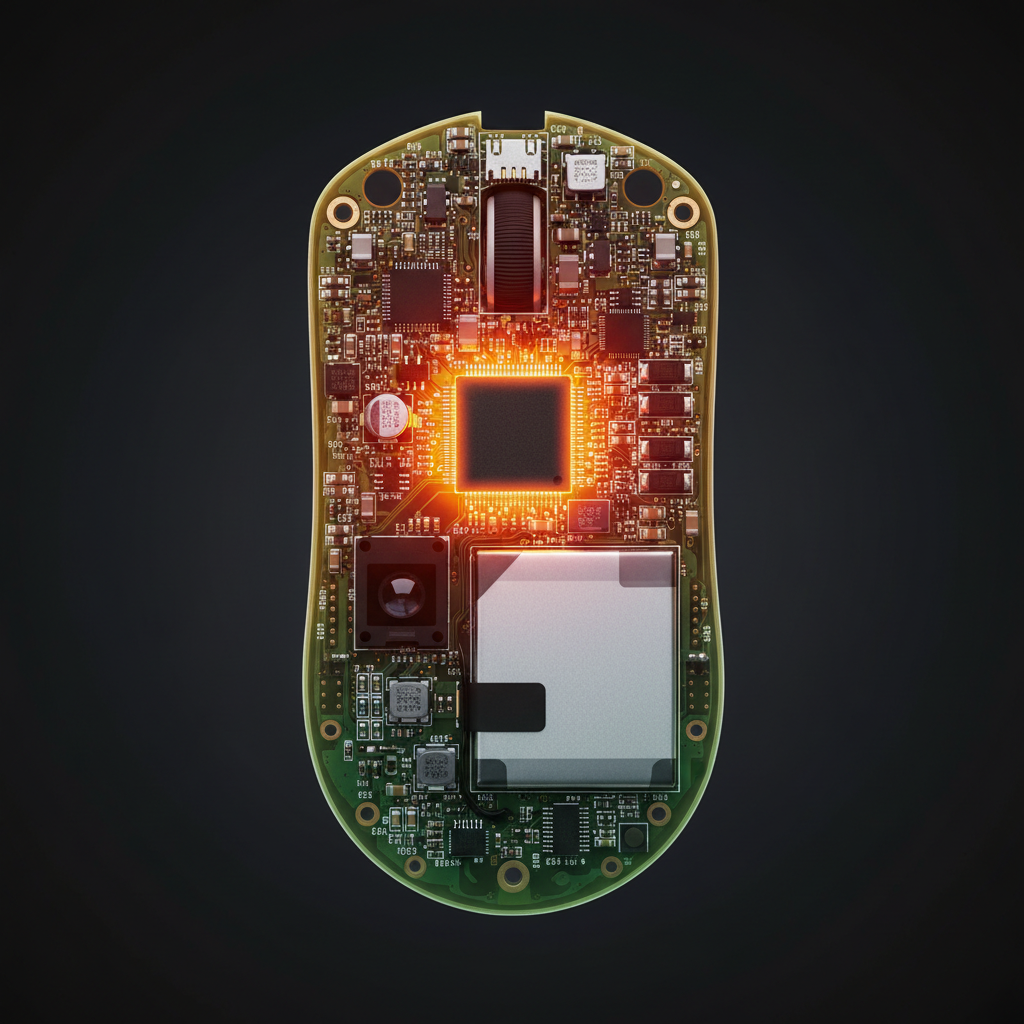
Precision isn't just about performance; it's about safety and compliance. High-performance wireless mice utilize high-density lithium-ion batteries. Ensuring that the internal components, including switches and PCBs, are mounted securely prevents internal short circuits if the device is dropped or subjected to heavy vibration.
Consumers should look for devices that meet international standards such as:
- FCC/ISED: For wireless interference and RF exposure safety.
- IEC 62368-1: The global safety standard for audio/video and ICT equipment.
- UN 38.3: Ensuring that the lithium batteries used are safe for transport and daily use.
You can verify the compliance of your devices through the FCC ID Search or the ISED Canada Radio Equipment List.
Summary of ROI for Precision Mounting
For the value-oriented gamer, the "return on investment" for a well-engineered mouse isn't just in the DPI numbers—it's in the months of extra life you get from your switches.
| Feature | Impact of Precision | Lifespan Gain (Estimated) |
|---|---|---|
| Plunger Alignment | Reduces asymmetric leaf wear | 30 - 40% |
| Solder Joint Quality | Prevents switch "tilt" | 10 - 15% |
| Shell Tolerance | Ensures centered clicking | 15 - 20% |
| Metallurgy Quality | Resists fatigue and pitting | 50 - 80% |
Precision mounting alignment represents a cost-effective durability multiplier. While it may add a small premium to the manufacturing process, the 40–50% lifespan extension reduces the frequency of replacements and the risk of failure during competitive play.
References & Sources:
- Global Gaming Peripherals Industry Whitepaper (2026)
- Jie Jia CNC Machining: A Complete Guide to Tolerances
- Attack Shark: Click Consistency and Switch Metallurgy
- FCC Equipment Authorization Database
- Moore, J. S., & Garg, A. (1995). The Strain Index
Disclaimer: This article is for informational purposes only. Mechanical failure can occur due to a variety of factors including environmental conditions, user habits, and manufacturing defects. If you are experiencing persistent hardware issues, consult the manufacturer's warranty guidelines or a qualified repair technician. Always follow local regulations regarding the disposal of electronics and lithium batteries.
Modeling Transparency & Assumptions: The durability projections in this article are based on a deterministic scenario model (not a longitudinal lab study). Key Assumptions:
- High-APM usage (700 clicks/min, 6 hours/day).
- Linear degradation for misalignment up to 0.3mm.
- Standard copper alloy leaf spring properties.
- User hand size of 19.5cm using a claw grip. Limitations: This model does not account for catastrophic impact damage (drops) or extreme humidity which can accelerate oxidation regardless of alignment.


Laisser un commentaire
Ce site est protégé par hCaptcha, et la Politique de confidentialité et les Conditions de service de hCaptcha s’appliquent.