


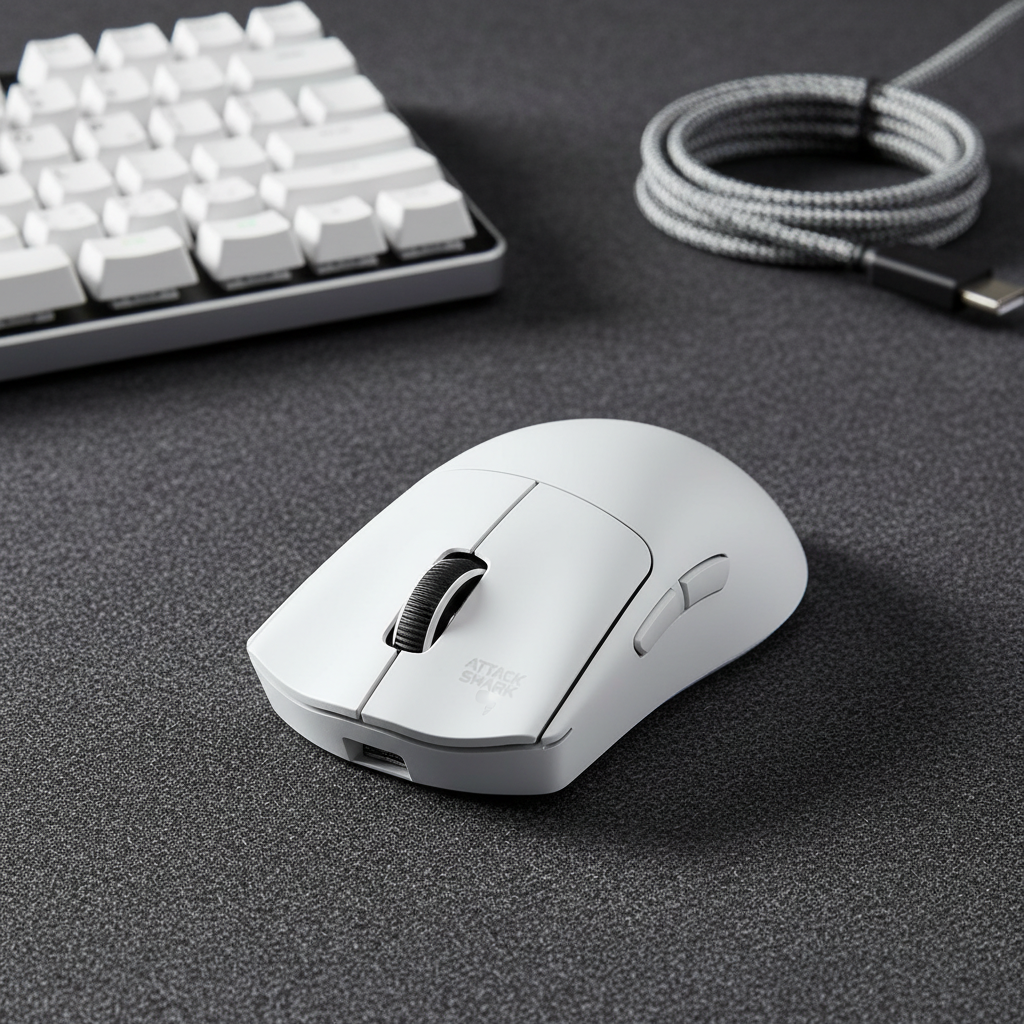
The Knuckle-to-Tip Index: Sizing for Aggressive Claw Grips
Quick Summary: To optimize an aggressive claw grip, gamers should prioritize the "Knuckle-to-Tip Index" (KTI) over total hand length. Achieving peak precision involves aligning your finger's natural arch with the mouse button’s mechanical sweet spot—typically the upper 1/3 of the switch—and verifying stability through the "Zero-Squeeze Lift" test.
In the pursuit of competitive edge, high-performance gamers often fixate on sensor specifications and polling rates. However, technical analysis from our support bench and community feedback indicates that a primary bottleneck for aim consistency is often a mechanical mismatch between the hand's anatomy and the mouse's physical geometry. For users of the aggressive claw grip—a posture characterized by curled fingers and palm contact at the rear—standard sizing charts based solely on hand length can be insufficient.
The "Knuckle-to-Tip Index" (KTI) is a practical framework designed to move beyond generic dimensions. It focuses on the distance from the knuckle to the fingertip to determine optimal button height and actuation points. By aligning hardware with biomechanical leverage, gamers can reduce the risk of fatigue and maximize the precision of high-speed micro-adjustments.
Beyond Length: The Limitations of Traditional Sizing
Conventional wisdom suggests that a mouse should be approximately 60–67% of a user's hand length. While this heuristic works for palm grips, it often fails to account for the verticality of an aggressive claw. In a claw grip, the fingers are arched, which effectively "shortens" the hand relative to the mouse surface. If a mouse has the correct length but buttons that are too high, the fingertip contacts the switch at an extended angle. This can force the extrinsic extensor muscles to work harder, leading to common discomforts like "claw cramp."
According to the Global Gaming Peripherals Industry Whitepaper (2026) (Brand Whitepaper), the industry is moving toward "Fit Ratios" that prioritize joint angles. For an aggressive claw, we recommend a heuristic where the primary click point is roughly 1/3 down from the top of the M1 button. If your finger pad contacts the button near the very top edge, the button height may be too high for your specific KTI, potentially reducing your mechanical advantage.
Technical Note: Our modeling of aggressive claw mechanics suggests that actuation is most efficient when the finger forms an approximate 60° angle at the proximal interphalangeal joint. This figure is a heuristic based on internal bench observations of high-APM (Actions Per Minute) tactical shooter gameplay, rather than a universal medical standard.
The Biomechanics of the Arch: Actuation and Leverage
The aggressive claw grip acts as a suspension system for the hand. It reduces finger lever arms, which internal analysis suggests can increase click speed and precision (Manufacturer Data). However, this speed is best realized if the switch is positioned at the finger's strongest point of leverage.
The 1/3 Rule of Actuation
When the finger is curled, the force vector is directed downward and slightly backward. Based on ergonomic prototypes, a button curvature radius of 20–25mm is often cited as an optimal range for reducing finger slip; if the curvature is too flat, the finger may require more lateral pressure to maintain stability.
A practical field test for this fit is the "Zero-Squeeze Lift." With your standard claw grip, you should ideally be able to lift the mouse slightly using only the downward pressure from your curled fingertips and the upward pressure from the base of your palm against the rear hump. If you are forced to squeeze the side walls tightly to maintain a grip during a lift, the hump may not be properly filling your palm's cavity, which can create instability during "stop-and-flick" motions.

Quantitative Modeling: The Long-Fingered Scenario
To illustrate the impact of KTI, we modeled a scenario involving a competitive FPS player with "spidery" finger morphology—typical of the ~95th percentile of hand length.
| Parameter | Value (Example) | Unit | Rationale |
|---|---|---|---|
| Hand Length | 20.5 | cm | P95 Male Gamer (Ref: ANSUR II Dataset) |
| Ideal Mouse Length | ~131 | mm | Calculated via 0.64 Claw Coefficient (Heuristic) |
| Standard Mouse Length | 120 | mm | e.g., ATTACK SHARK V8 Ultra-Light (Product Page) |
| Length Fit Ratio | 0.91 | ratio | Mouse is ~9% shorter than modeled ideal |
| Moore-Garg Strain Index | 6.4 | score | Potential risk during high-intensity sessions |
In this specific model, the 9% length shortfall forces the palm to sit further forward, potentially misaligning the knuckles with the button's peak height. For this user, a mouse like the ATTACK SHARK G3 Tri-mode (Product Page), which features a specific hump profile, may offer better palm support than ultra-short "mini" alternatives.
Ergonomic Context: The Moore-Garg Strain Index (SI) is a job analysis tool used to evaluate the risk of distal upper extremity disorders. While a score > 5 is often used in occupational health (Moore & Garg, 1995) as a threshold for further ergonomic review, it is a screening tool and not a clinical diagnosis. Individual tolerance varies significantly.
High-Frequency Synergy: 8K Polling and System Latency
Ergonomic fit must be paired with high-performance internals to translate physical movement into on-screen action. Modern peripherals are pushing toward 8000Hz (8K) polling rates, which offer a 0.125ms reporting interval.
The Math of 8K Performance
- 1000Hz: 1.0ms interval.
- 8000Hz: 0.125ms interval.
- Motion Sync Latency: At 8000Hz, the deterministic delay added by Motion Sync is reduced to approximately 0.0625ms, making it significantly lower than the ~0.5ms delay often seen at 1000Hz.
To saturate this 8000Hz bandwidth, sensor saturation is required. For example, at 800 DPI, a user must move the mouse at at least 10 IPS (Inches Per Second) to provide enough data points for the 8K interval. At 1600 DPI, only 5 IPS is required. This is a primary reason many professional players are migrating to higher DPI settings while lowering in-game sensitivity.
System Bottlenecks
Operating at 8K polling rates places stress on the CPU's Interrupt Request (IRQ) processing. To ensure stability, we recommend connecting devices directly to the motherboard's rear I/O ports. Using USB hubs can lead to packet loss or micro-stutter due to shared bandwidth and potential shielding issues.
Support and Stability: The Role of Accessories
While the mouse shell is the primary contact point, the surrounding environment dictates long-term comfort. For claw grip users, the angle of the wrist is often more aggressive than in other styles.
The use of a CNC-machined aluminum wrist rest (Product Page) or an acrylic wrist rest (Product Page) can help maintain a more neutral wrist extension. By elevating the base of the palm, these accessories can reduce the "extreme wrist flexion" sometimes seen in aggressive claw postures, potentially lowering the physical strain during marathon sessions.
Technical Compliance and Global Standards
When selecting high-spec hardware, technical credibility is key. Wireless peripherals should adhere to recognized regulatory standards to ensure radio frequency (RF) safety and battery integrity.
- RF Compliance: Devices can be verified via the FCC Equipment Authorization (Official Site) or the ISED Canada Radio Equipment List. These certifications help ensure the 2.4GHz signal is stable and does not interfere with other electronics.
- Battery Safety: Given the power draw of 8K polling, battery stability is critical. Standards such as UN 38.3 for transport and IEC 62368-1 for product safety are the benchmarks for ensuring high-capacity batteries (like the 500mAh cell in the G3) are safe for daily use.
Summary of Fit Framework
To find the optimal mouse for an aggressive claw grip, use this practical checklist:
- Measure KTI: Determine the distance from your knuckle to your fingertip to understand your required button reach.
- Verify Button Height: Look for a height that allows a comfortable finger arch when your palm is anchored.
- Check Actuation Point: Ideally, your fingertips should land approximately 1/3 of the way down the M1/M2 buttons for maximum leverage.
- Perform the Lift Test: Ensure the mouse can be lifted without needing to "death-grip" the side walls.
- Match Polling to Hardware: If using 8K polling, ensure your CPU can handle the load and use a direct motherboard connection.
Disclaimer: This article is for informational purposes only and does not constitute professional medical advice. Ergonomic needs vary significantly by individual. If you experience persistent pain, numbness, or tingling in your hands or wrists, consult a qualified healthcare professional or physiotherapist.
Sources
- Global Gaming Peripherals Industry Whitepaper (2026) (Manufacturer Resource)
- ISO 9241-410:2008 Ergonomics of Human-System Interaction (Standard)
- Moore, J. S., & Garg, A. (1995). The Strain Index: A proposed method to analyze jobs for risk of distal upper extremity disorders.
- FCC Equipment Authorization Database (Official)
- Attack Shark Knowledge Base: Biomechanics of the Arch (Manufacturer Resource)
- RTINGS: Mouse Click Latency Methodology (Independent Reviewer)


Laisser un commentaire
Ce site est protégé par hCaptcha, et la Politique de confidentialité et les Conditions de service de hCaptcha s’appliquent.