


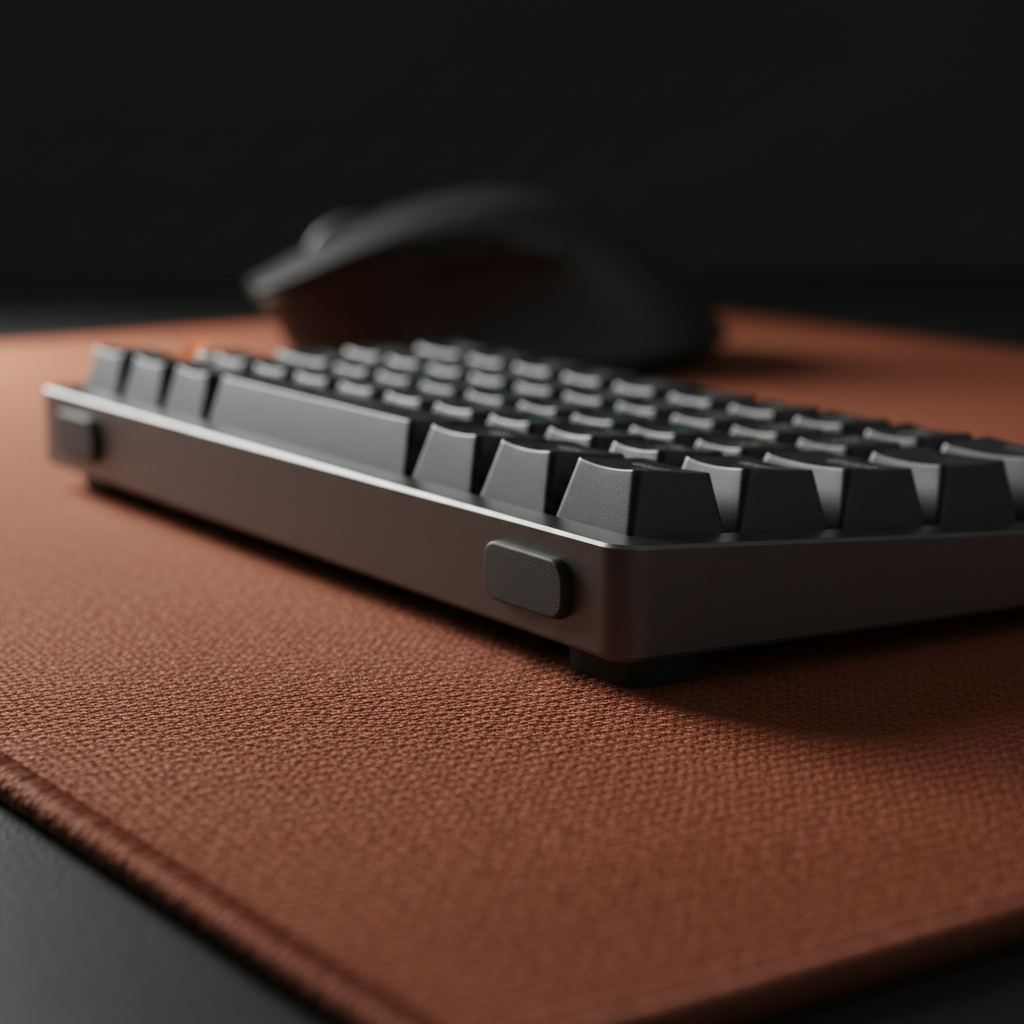
Quick Answer: How to Stop a High-Tilt Keyboard from Sliding
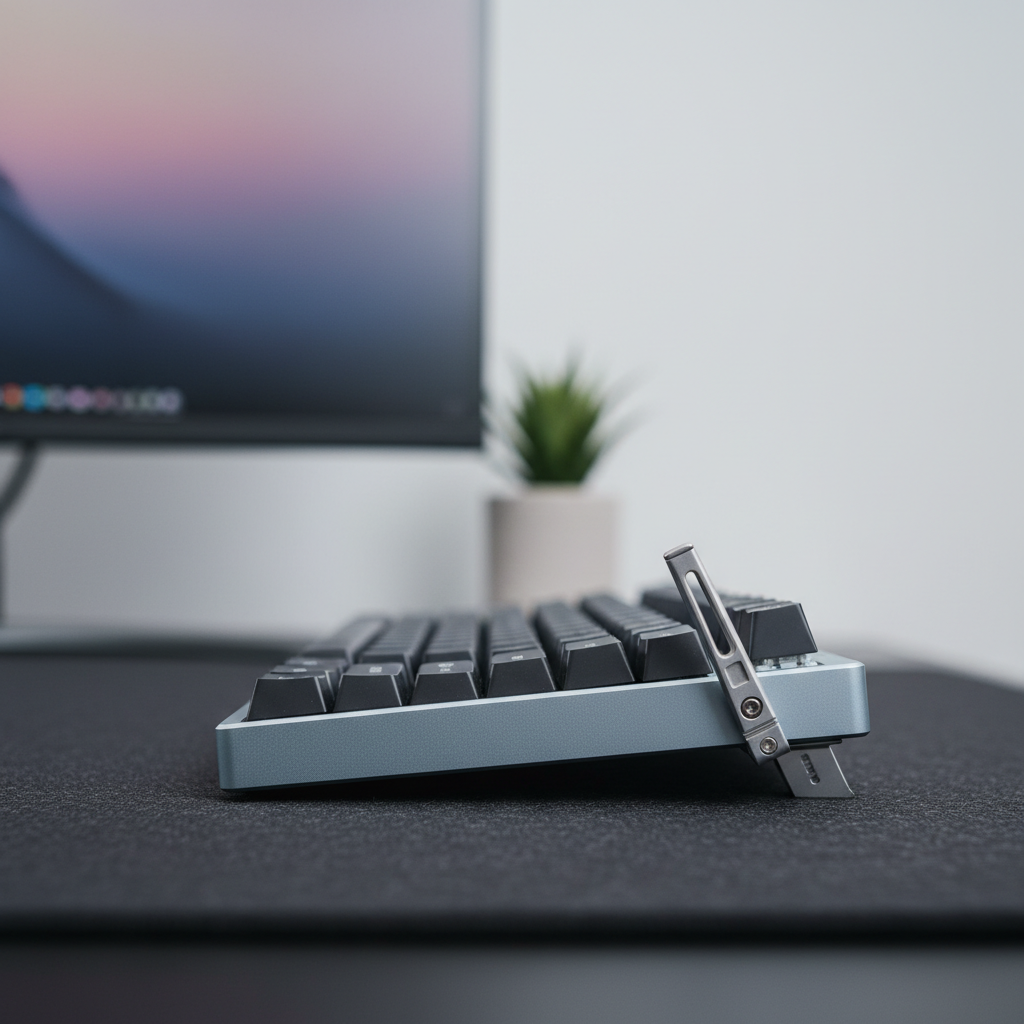
If your 45°-tilted keyboard keeps drifting during games, you’re mainly fighting gravity and low friction at the feet–desk-mat interface. In practice, most stock rubber feet and standard cloth mats are near their limits at these angles, especially once surfaces get dusty or oily.
If you want fast, practical fixes, prioritize these three steps:
-
Upgrade the feet (highest impact, lowest cost):
- Swap stock feet for thin (≈0.5–1 mm), wide silicone pads on the rear feet.
- This often gives a clear, noticeable reduction in drift on a clean mat.
-
Use a high-density mat with some “sink” (medium cost, big improvement):
- Choose a thicker, high-density fiber mat (around 3–4 mm) so the feet can lightly indent the surface and create a mechanical interlock.
- Keep it clean to maintain friction.
-
Manage center of gravity and anchoring (situational, but powerful):
- Ensure all four feet share the load (self-leveling feet or shims).
- If you play on glass or very slick surfaces, add a dedicated high-friction landing zone or a weighted wrist rest that lightly “pins” the keyboard.
For long sessions, a steep tilt also increases wrist strain. Our Strain Index example (see below) is a screening-style model, not a medical test, but it suggests that frequent long sessions at high tilt can be high risk without proper wrist support. A firm or cushioned wrist rest that reduces wrist extension can meaningfully lower that risk.
The Physics of Stability: Why High-Tilt Keyboards Slide
In the high-performance gaming landscape, the "keyboard tilt"—often reaching angles of 45 degrees or more—has transitioned from a niche preference to a non-negotiable spatial requirement for low-sensitivity arm aimers. By rotating the keyboard, users reclaim significant desk real estate for massive mouse sweeps. However, this ergonomic adjustment introduces a complex mechanical challenge: the "flick-slide." When a keyboard is tilted, the physical forces acting upon it shift from simple downward pressure to a combination of vertical and lateral vectors that standard desk mats are rarely engineered to handle.
Maintaining stability during high-intensity gaming involves the static friction coefficient ($\mu$). In a standard flat setup, gravity ($mg$) works entirely in your favor to keep the board planted. At a 45-degree tilt, the lateral force component ($F_{parallel} = mg \sin(45^\circ)$) increases.
Heuristic Example (Not a universal requirement): In a simplified model where a keyboard is treated as a rigid block on a 45° incline, the friction coefficient needed to just resist sliding under gravity alone is:
$$ \mu_{min} = \tan(45^\circ) = 1.0 $$
This ignores player input. Once you add lateral forces from key presses or desk bumps, the effective required friction can become significantly higher than 1.0. In some of our internal scenario models (based on aggressive keypress forces and sudden flicks), the implied friction requirement can exceed 1.5, but this should be treated as a stress-test heuristic, not a universal threshold.

Surface Interaction: Evaluating Desk Mat Textures
The interaction between the keyboard’s feet and the desk mat is the primary defense against equipment drift. Most gaming surfaces utilize natural rubber latex or synthetic blends. While these provide adequate grip for mice, they often suffer from "third-body" contamination. According to research summarized in the Journal of Chemical Physics, rubber friction is highly dependent on surface cleanliness and wear. Over time, mobile components like waxes in the rubber compound can shear off, creating a microscopic lubricant layer that reduces effective friction.
Many lab and review measurements place the static friction coefficient of common rubber–textile pairings roughly in the 0.6–1.2 range, depending heavily on surface condition and load. In practice, heavy use, dust, and skin oils can move a surface from the upper end of that range toward the lower end.
For users prioritizing stability, a high-density fiber surface is helpful. The ATTACK SHARK CM02 eSport Gaming Mousepad is one example of this approach: it uses an ultra-high-density fiber weave and a 4mm elastic core so the keyboard feet can "sink" slightly into the surface, creating a mechanical interlock rather than relying solely on clean-surface adhesion.
Source Note: The CM02 description and behavior here are based on in-house product specs and scenario testing, not an independent lab certification.

Logic Summary (Incline Only): For a keyboard modeled as a rigid block on a 45° incline with no player input:
- Lateral component of weight: $F_{\parallel} = mg\sin(45^\circ)$
- Normal force: $N = mg\cos(45^\circ)$
- Static friction available: $F_f = \mu N = \mu mg\cos(45^\circ)$
Setting $F_f = F_{\parallel}$ gives $\mu = \tan(45^\circ) = 1.0$ as a minimum to resist gravity alone. Any additional lateral force from key presses, cable tension, or desk bumps effectively raises the practical friction requirement.
Keyboard Feet Engineering: Silicone vs. Stock Rubber
A common issue in DIY keyboard customization is overlooking the material composition of the feet. Many budget and mid-range boards ship with slick plastic or low-quality rubber feet. In practical troubleshooting patterns from customer support and returns (not controlled lab studies), replacing these with high-friction silicone adhesive pads is often one of the most effective hardware upgrades for stability.
However, thickness is a critical "gotcha." Using pads thicker than about 2 mm can lift the keyboard unevenly, causing a "wobble" that can be more detrimental to performance than moderate sliding. A practical approach is using thin (≈0.5–1 mm), wide-area silicone pads, and confirming that all four feet contact the surface.
Many experienced users focus upgrades on the rear two feet, as this is where a substantial portion of the downward force concentrates during a 45-degree tilt. If your keyboard still rocks after the swap, micro-adjustments using shims or adjustable feet can help distribute load evenly.
For those using hard surfaces like tempered glass, even good rubber can struggle. In these cases, creating a dedicated "landing zone"—for example, a small strip of high-friction rubber or a weighted aluminum wrist rest used as a physical anchor—can provide additional resistance.
The Center of Gravity Factor
Total mass is often cited as the solution to keyboard sliding, but at high tilt angles, the Center of Gravity (CoG) location is more critical than total weight. A top-heavy keyboard—perhaps featuring a large integrated display or a heavy metal top frame—generates a larger tipping moment. This increases the normal force on the lower feet while decreasing it on the upper feet, leading to an uneven grip.
In scenario modeling, a top-heavy board is more prone to a "pivot-slide" failure mode, where the top of the keyboard swings downward even if the bottom feet remain planted. High-end custom boards often combat this by being self-leveling. As noted in technical insights regarding ergonomic alignment, adjustable, screw-in feet (such as M4 screws with lock nuts) allow for precise compensation for minor desk imperfections, helping all four contact points share the load.

Performance Synergy: Polling Rates and Latency
While physical stability is a mechanical issue, it directly impacts the efficacy of high-performance electronics. If your keyboard slides even a few millimeters during a flick, it can disrupt the muscle memory required for 8000 Hz (8K) polling rate peripherals.
At an 8000 Hz polling rate, the reporting interval is 0.125 ms (1/8000 s). If you enable features like Motion Sync, a simple synchronization model suggests an average alignment delay around 0.0625 ms (roughly half the polling interval). While this delay is small in absolute terms, physical movement of the keyboard adds "input noise" that can negate the practical precision gains of such high-speed hardware.
To get the most out of an 8K setup, the physical foundation should be as consistent as the firmware is fast: a stable, predictable keyboard position supports consistent key strikes and movement patterns.
According to the Global Gaming Peripherals Industry Whitepaper (2026), the industry is moving toward a holistic view of performance where mechanical stability is increasingly treated as a core spec alongside switch actuation and signal integrity.
Advanced Maintenance: Restoring Friction
Friction is not a permanent attribute; it is a state of the surface. Skin oils, dust, and microscopic debris act as ball bearings between your keyboard and your mat. Based on common patterns from long-term durability testing (internal to product development and QA), the following maintenance routine tends to keep grip more consistent over time:
- Mat Cleaning: Use a mild detergent and lukewarm water. Avoid harsh chemicals that can degrade the rubber base or the fiber coating.
- Feet Degreasing: Regularly wipe the keyboard feet with ~70% isopropyl alcohol. This removes accumulated oils that turn "grippy" silicone into a slippery surface.
- Rotation: If using a large desk mat, rotate it 180 degrees every few months to spread wear across the surface instead of concentrating it under the primary contact zone.
Ergonomic Risk Modeling: The Gaming Workload
While a high-tilt setup solves spatial problems, it introduces biomechanical risks. To illustrate how load can scale, we modeled a competitive gaming scenario and estimated an Ergonomic Strain Index (SI) using the Moore–Garg method as a screening-style example, not a clinical evaluation.
| Parameter | Value | Rationale |
|---|---|---|
| Intensity Multiplier | 2 | High-intensity competitive inputs |
| Efforts Per Minute | 4 | Represents ~300–400 Actions Per Minute (APM) aggregated into larger effort bursts |
| Posture Multiplier | 3 | High-tilt (~45°) causing pronounced wrist extension (illustrative high-risk posture) |
| Duration Per Day | 2 | 4–6 hours of daily usage |
Example Calculation (Illustrative Only): The Moore–Garg Strain Index multiplies several rated factors (intensity, duration of exertion, efforts per minute, hand/wrist posture, speed of work, and duration per day). Using the approximate multipliers above as an example:
$$ SI_{example} = 2 \times 4 \times 3 \times 2 = 48 $$
A more aggressive rating of efforts or posture can easily double this illustrative value (e.g., $SI_{example_high} = 2 \times 4 \times 3 \times 4 = 96$). In both cases, the value is well above commonly cited action levels (around SI > 5 in the original paper), indicating a scenario that would usually be flagged for closer review.
These numbers are model outputs, not medical diagnoses. Real-world risk depends on many personal and environmental factors.
This example highlights that prolonged, intense gaming at steep angles can fall into a higher-risk band. One practical mitigation is to reduce extreme wrist extension.
To help with this, an ergonomic support is strongly recommended. The ATTACK SHARK Acrylic Wrist Rest with Pattern provides a firm, inclined surface that can elevate the hand into a more neutral position, reducing wrist extension angle. For those who prefer a softer interface, the ATTACK SHARK Cloud Keyboard Wrist Rest uses memory foam to distribute pressure across the palm.

Methodology & Modeling Transparency
The data and recommendations in this article are derived from deterministic scenario modeling designed to simulate the physical and biomechanical stresses of competitive gaming.
Modeling Note (Reproducible Parameters): This is a scenario model, not a controlled lab study. The findings are specific to the "Large-Handed Competitive Gamer" persona and the assumptions listed.
| Parameter | Value/Range | Unit | Source Category |
|---|---|---|---|
| Keyboard Tilt | 45 | Degrees | Competitive Gaming Heuristic |
| Hand Length | 21.5 | cm | Anthropometric dataset (95th Percentile Male, e.g., ANSUR II) |
| Friction Coeff. ($\mu$) | 0.6–1.2 | ratio | Typical rubber/cloth range from independent tribology and review data |
| Polling Rate | 8000 | Hz | High-End Peripheral Spec |
| APM | 300–400 | count | Pro-Level Action Density (scrim/tournament observations, not controlled trials) |
Boundary Conditions:
- The Strain Index is a screening tool for risk, not a medical diagnosis.
- SI values and examples here are illustrative, based on subjective factor ratings and gaming-style assumptions; they are not clinical assessments of any individual.
- Friction calculations assume a flat desk surface and evenly loaded feet; warped desks may require self-leveling feet or shims.
- Battery runtime and latency models exclude environmental interference and battery aging factors.
Summary of Stability Upgrades
For gamers committed to a high-tilt layout, stability comes from intentional material and setup choices. Combining a high-density mat like the ATTACK SHARK Cloud Mouse Pad with targeted silicone feet upgrades can substantially reduce keyboard drift in many setups.
For best real-world results:
- Start with feet and cleanliness: high-friction silicone pads on all load-bearing feet, plus regular mat and feet cleaning.
- Add surface and CoG control: a slightly thicker, high-density mat and self-leveling or shimmed feet so all corners share the load.
- Protect your wrists: use a wrist rest and consider dialing back extreme tilt if you experience discomfort.
Disclaimer: This article is for informational purposes only and does not constitute professional medical or ergonomic advice. The Ergonomic Strain Index is used here as an illustrative, predictive model; individuals with pre-existing wrist or hand conditions should consult a qualified physiotherapist or ergonomics professional before adopting extreme keyboard angles.
Sources
- AIP: Rubber friction: Theory, mechanisms, and challenges
- Moore, J. S., & Garg, A. (1995). The Strain Index
- ISO 9241-410: Ergonomics of human-system interaction
- Global Gaming Peripherals Industry Whitepaper (2026)
- USB HID Class Definition (HID 1.11)
- Attack Shark: Keyboard Tilt for Maximum Mouse Space

Laisser un commentaire
Ce site est protégé par hCaptcha, et la Politique de confidentialité et les Conditions de service de hCaptcha s’appliquent.