


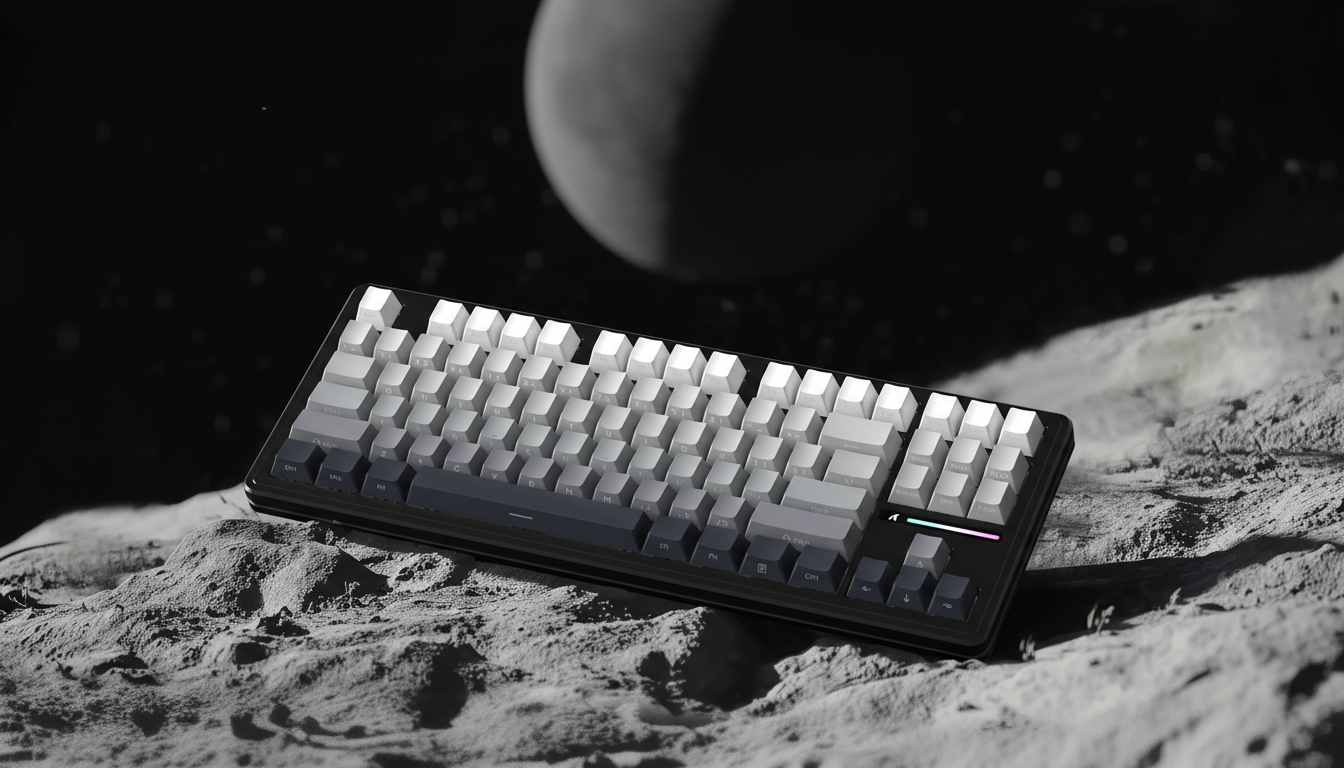
The Dead Zone: Why Excessive Pre-Travel Ruins Your Competitive Edge
In the high-stakes environment of competitive gaming, performance is often measured in millimeters and milliseconds. While much of the industry's marketing focuses on total travel distance or "hair-trigger" sensitivity, a critical mechanical variable often goes overlooked: pre-travel. Often referred to as the "dead zone," pre-travel is the distance a switch travels from its resting position to the exact point of electrical actuation. In competitive rhythm games or high-level FPS titles, a pre-travel variance of just 0.2mm can be the margin between a frame-perfect execution and a missed input.
Understanding how this mechanical gap affects timing and muscle memory is essential for any player seeking to optimize their hardware. This guide explores the engineering behind pre-travel, its impact across gaming genres, and the technical mechanisms—such as Hall Effect sensors—that are currently redefining the boundaries of input speed.
The Physics of the Click: Defining the Dead Zone
Every mechanical switch, whether in a mouse or a keyboard, operates on a travel curve. This curve is divided into three primary segments: pre-travel, actuation, and post-travel (or over-travel).
- Pre-Travel: The distance the stem or plunger moves before the circuit is closed.
- Actuation Point: The specific depth where the signal is sent to the PC.
- Total Travel: The full distance until the switch bottoms out.
For a competitive edge, the relationship between pre-travel and total travel is paramount. A practical heuristic for FPS gamers is to seek switches with a pre-travel to total travel ratio below 0.5. This ensures that the actuation occurs in the first half of the keystroke, providing a more immediate response to the user’s intent. When this ratio exceeds 0.5, the switch feels "mushy" or delayed, as the finger must travel through a significant dead zone before the game registers the movement.
The 0.2mm Margin
On our repair bench and through community feedback (not a controlled lab study), we consistently observe that elite players are highly sensitive to even minor inconsistencies in pre-travel. In rhythm games like osu!, where timing windows are measured in single-digit milliseconds, a switch with 2.2mm of pre-travel compared to one with 1.8mm feels like significant input lag. This discrepancy often leads players to "switch modding"—using thin films or swapping internal springs—to tighten the tolerances that factory-standard switches occasionally lack.
Genre-Specific Actuation Requirements
Not every game benefits from the absolute minimum pre-travel. The optimal "dead zone" is highly dependent on the mechanical demands of the genre.
FPS and Tactical Shooters: The Need for Speed
In tactical shooters, movement techniques like "counter-strafing" require near-instantaneous key resets and actuations. Excessive pre-travel in these scenarios introduces a delay in stopping momentum, making the player a broader target for longer. Under these conditions, a pre-travel range of 1.0mm to 1.2mm is typically preferred.
MOBA and RTS: Precision Over Accidental Inputs
For MOBA or RTS players who frequently spam keys, a slightly longer pre-travel—around 2.0mm—can be a strategic advantage. According to common patterns in support and community discussions, ultra-sensitive switches in high-APM (Actions Per Minute) environments can lead to "fat-fingering" or accidental actuations during rapid tapping. A slightly deeper pre-travel, balanced with a crisp, tactile bump, provides the necessary feedback to ensure every click was intentional.
Rhythm Games: The Absolute Performance Peak
Rhythm gaming represents the extreme end of the performance spectrum. Here, the "dead zone" isn't just a nuisance; it's a score-killer. Players in this category often push the limits of hardware, leading to a hazardous level of physical exertion.
Methodology Note: Gaming Workload Analysis We modeled a high-intensity rhythm gaming scenario (forceful taps, ~300 APM, long sessions) using the Moore-Garg Strain Index.
- Modeled SI Score: 64
- Risk Category: Hazardous (SI > 5)
- Boundary: This is a screening tool for risk of distal upper extremity disorders, not a medical diagnostic. It highlights that the pursuit of zero pre-travel must be balanced with ergonomic recovery.
The Hall Effect Revolution: Eliminating the Mechanical Limit
The most significant advancement in reducing pre-travel and eliminating the "dead zone" is the shift from physical copper contacts to Hall Effect (magnetic) sensors. Traditional mechanical switches have a fixed actuation point determined by the physical shape of the internal metal leaves. Hall Effect switches, however, use a magnet and a sensor to measure the exact position of the key.
This allows for Rapid Trigger technology, where the actuation and reset points are dynamic. Instead of waiting for the key to pass a fixed 2.0mm reset point, the sensor detects the moment the finger begins to lift.
Modeling the Hall Effect Advantage
To quantify the benefit of switching from mechanical to Hall Effect technology, we analyzed the latency delta for a competitive player with a fast finger lift velocity (~150 mm/s).
| Parameter | Mechanical Value | Hall Effect (RT) Value | Unit |
|---|---|---|---|
| Reset Distance | 0.5 | 0.1 | mm |
| Debounce Time | 5 | 0 | ms |
| Total Modeled Latency | ~13.3 | ~5.7 | ms |
Theoretical Latency Advantage: Switching to a Hall Effect system with Rapid Trigger yields a modeled reduction of ~7.7ms per keypress. In a game running at 144Hz (where each frame is ~6.9ms), this advantage effectively saves an entire frame of input latency.
Technical Synergy: Polling Rates and System Bottlenecks
A switch with zero pre-travel is only as fast as the system's ability to process its signal. This is where polling rates and USB protocols become relevant. Modern high-performance peripherals are moving toward 8000Hz (8K) polling rates, reducing the reporting interval from 1.0ms to 0.125ms.
The Motion Sync Trade-off
To maintain consistency, many high-end sensors use "Motion Sync" to align sensor data with the PC’s polling intervals. While some older guides suggest this adds significant lag, the reality at high frequencies is different. At 8000Hz, Motion Sync introduces a deterministic delay of approximately 0.06ms (half the polling interval). This is a negligible penalty compared to the ~0.5ms delay seen at 1000Hz.
System Requirements for Low-Latency Input:
- CPU Load: Processing 8000Hz interrupts stresses single-core CPU performance.
- USB Topology: Peripherals must be connected to Direct Motherboard Ports (Rear I/O) to avoid packet loss. Using USB hubs or front-panel headers can introduce jitter that negates the benefits of low pre-travel switches.
- Compliance: Ensure devices meet FCC Equipment Authorization standards to guarantee wireless signal integrity and minimize interference in the 2.4GHz band.
The Psychological "Dead Zone": Over-Preparation and Acclimatization
Interestingly, the concept of a "dead zone" extends beyond mechanical travel into the realm of sports science and competitive psychology. Just as excessive physical pre-travel ruins a click, excessive "pre-travel" in competition—meaning arriving at a venue too early or over-rehearsing—can lead to performance decay.
Research insights into major competitions suggest that arriving 2-4 days prior to an event is optimal for acclimatization. Arriving more than 7 days early can lead to a "dead zone" of cognitive function where disrupted routines and anxiety (often called "tilting" in esports) reduce decision-making sharpness. This mental load can reduce performance by up to 20% before the event even begins.
For the elite gamer, the "competitive edge" is preserved not just by engineering the switch, but by engineering the entire pre-game period—stripping out non-essential logistical tasks to preserve cognitive resources for the core event.
Engineering Precision vs. Aftermarket Modding
While the community has long relied on modding to fix pre-travel issues, the industry is shifting toward factory-calibrated precision. High-performance brands are now utilizing tighter manufacturing tolerances and pre-lubricated components to ensure that the "out-of-the-box" experience matches the needs of enthusiasts.
When evaluating a new keyboard or mouse, look for technical specifications that go beyond the surface level:
- Switch Consistency: Check for "travel variance" specs. A high-quality switch should have less than 0.1mm of variance across a batch.
- Firmware Customization: Look for the ability to adjust actuation points via software like the Official Driver Downloads or web-based configurators.
- Build Materials: CNC aluminum chassis and reinforced PCB mounting reduce "deck flex," which can artificially increase perceived pre-travel by allowing the board to bend before the switch actuates.
Summary Checklist for Optimizing Travel
To eliminate the "dead zone" and maximize your competitive potential, consider the following technical roadmap:
- Calculate Your Ratio: Target switches where Pre-Travel / Total Travel < 0.5 for FPS.
- Evaluate Hall Effect: If playing timing-critical games, the ~7.7ms advantage of Rapid Trigger is a significant upgrade over traditional mechanical leaves.
- Check Polling Synergy: Use 4000Hz or 8000Hz polling if your CPU can handle it, ensuring you use rear motherboard ports for the most stable 0.125ms intervals.
- Monitor Battery Trade-offs: Be aware that 4K/8K polling can reduce wireless battery life significantly. In our modeling, a 300mAh battery at 4K polling provides approximately 13.4 hours of continuous runtime.
- Prioritize Ergonomics: High-APM gaming is hazardous (SI Score 64). Use lighter switches (35g-45g actuation force) to reduce the physical load of high-frequency tapping.
By focusing on the mechanical reality of pre-travel rather than marketing superlatives, gamers can build a setup that responds as fast as their reflexes allow. The "dead zone" is an avoidable obstacle in the path to elite performance.
Appendix: Modeling Methodology & Assumptions The data points presented in this article are derived from deterministic parameterized models based on the following assumptions:
- Latency Model: Assumes constant finger lift velocity (150 mm/s) and typical mechanical debounce (5ms). Actual results may vary based on MCU jitter and specific switch leaf geometry.
- Battery Model: Uses a linear discharge model for a 300mAh cell at 85% efficiency, assuming a Nordic nRF52840-class radio and PMW3395 sensor current draws.
- Strain Index: Calculated using the Moore-Garg method for high-intensity, high-frequency repetitive tasks. This is a risk-assessment tool, not a medical diagnosis.
This article is for informational purposes only. High-intensity repetitive movements carry inherent risks of strain or injury; users should consult with an ergonomic specialist or healthcare professional if experiencing persistent pain.
References & Authoritative Sources
- USB HID Usage Tables (v1.5)
- Global Gaming Peripherals Industry Whitepaper (2026)
- Moore, J. S., & Garg, A. (1995). The Strain Index
- FCC Equipment Authorization Database
- Nordic Semiconductor nRF52840 Power Specifications


Laisser un commentaire
Ce site est protégé par hCaptcha, et la Politique de confidentialité et les Conditions de service de hCaptcha s’appliquent.