

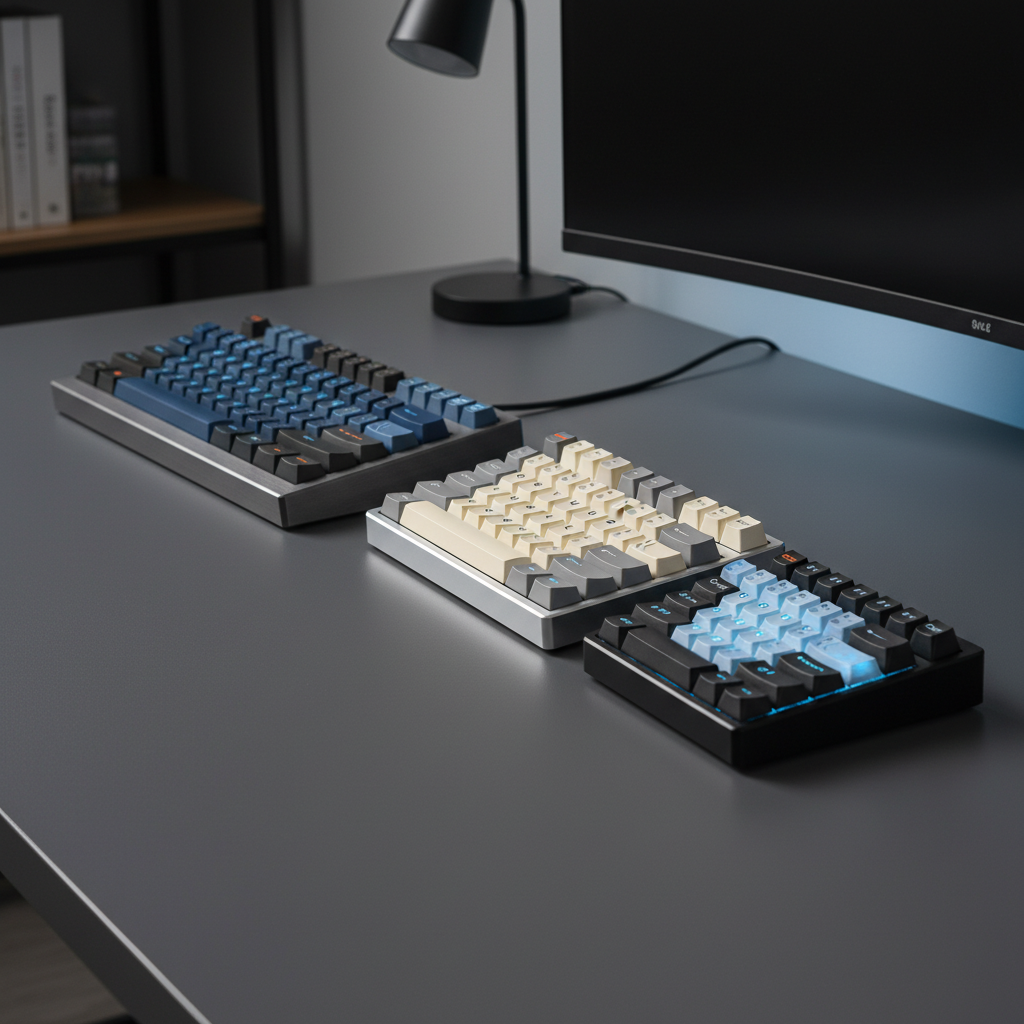
Optimizing Keyboard Layouts for Space and Functionality
The transition from a full-size 104-key peripheral to a compact form factor is rarely just about reclaiming desk space. For tech-savvy gamers and high-output professionals, the choice of keyboard layout represents a strategic decision between functional density and ergonomic freedom. While the traditional full-size board remains the standard for data entry, the rise of specialized layouts—ranging from the 87-key Tenkeyless (TKL) to the ultra-minimalist 60%—reflects a deeper understanding of human-computer interaction (HCI) and competitive performance requirements.
Selecting the right layout requires an objective analysis of key count, physical footprint, and the physiological impact of peripheral placement. This guide examines the technical specifications of modern keyboard form factors, providing a data-driven framework for optimizing your setup based on specific use cases and ergonomic constraints.

The Tenkeyless (TKL) Foundation: Ergonomic Logic and the Numpad Trade-off
The Tenkeyless (TKL) layout, often referred to as the 80% form factor, is the most common departure from the full-size standard. By removing the integrated numeric keypad (numpad), the TKL layout reduces the keyboard width by approximately 3.5 to 4 inches (roughly 90–100mm). This measurement is based on standard 19.05mm keycap spacing (center-to-center) common across major OEM specifications.
The Ergonomic Mechanism of Width Reduction
The primary benefit of a TKL layout is not just the saved desk space, but the improvement in the "mouse-to-keyboard" ratio. In a full-size setup, the presence of the numpad forces the mouse arm into a wide abduction angle. This posture can lead to increased tension in the trapezius and deltoid muscles.
By utilizing a TKL board, the user can bring the mouse closer to the center of their body. This alignment maintains a more neutral shoulder position, which is critical for preventing long-term musculoskeletal strain during extended sessions. According to the Global Gaming Peripherals Industry Whitepaper (2026) (a brand-led industry study), optimizing peripheral spacing is a foundational requirement for high-tier esports performance.
Ergonomic Heuristic: Based on general anthropometric principles, we assume a standard shoulder width of 35–45cm. A full-size keyboard (approx. 44cm wide) plus a mouse pad (approx. 30cm) forces an arm span exceeding 75cm, which often exceeds the neutral comfort zone for the average user.
Technical Specification: TKL Key Count
A common misconception is that a TKL keyboard has exactly 10 fewer keys than a full-sized model. In reality, the term "tenkeyless" refers specifically to the removal of the 17-key numeric cluster. As noted by industry standards like those discussed by Das Keyboard, a standard TKL board usually features 87 keys (ANSI) or 88 keys (ISO), maintaining the full function row and the dedicated navigation cluster (Insert, Home, Page Up/Down, Delete, End, and Arrow keys).

The 75% Layout: The Modern Sweet Spot for Functionality
The 75% layout has rapidly gained traction as the preferred choice for users who require dedicated function keys but want to minimize their footprint beyond what a TKL offers. It compresses the 87 keys of a TKL into a tighter grid, often resulting in a board that is only one key wider than a 60% layout.
Exploded vs. Compact 75% Designs
When evaluating 75% boards, the distinction between "exploded" and "compact" designs is critical for typing accuracy.
- Compact 75%: All keys are flush against each other. While this offers the smallest possible footprint, it can lead to accidental keypresses in the navigation column.
- Exploded 75%: This design introduces small gaps (typically 0.25u to 0.5u) between the arrow keys, the function row, and the main alpha cluster.
Based on qualitative feedback from power-user communities and internal testing, touch-typists and programmers generally prefer exploded designs. The physical separation provides tactile landmarks that allow for navigation without visual confirmation.
The Myth of the Modular 60% + Macro Pad
A frequent argument in enthusiast circles is that a 60% keyboard paired with a separate macro pad is more efficient than a 75% layout. However, dimensional data often contradicts this.
| Layout Configuration | Typical Width (Inches) | Typical Width (mm) | Key Features |
|---|---|---|---|
| Full-Size (104-key) | 17.5" | 445mm | Full Numpad, Nav Cluster |
| TKL (87-key) | 14.0" | 355mm | Dedicated Nav, No Numpad |
| 75% (Compact) | 12.5" | 318mm | F-Row, Arrows, Side Nav |
| 60% + 4x4 Macro Pad | 15.5" | 394mm | Modular but wider footprint |
| 60% (Standalone) | 11.5" | 292mm | Alphas only, Layer-based |
Values estimated based on standard 19.05mm keycaps spacing across common mechanical keyboard housings.
As shown in the table, a 60% board (11.5") plus a standard 4x4 macro pad (approx. 4") creates a combined footprint of ~15.5", which is actually wider than a 75% keyboard. The true advantage of the 60% + pad combo is modularity, allowing the user to place the pad on the left side to keep the mouse arm closer to the keyboard—a setup often called "Southpaw" positioning.

Ultra-Compact Tier: 60% and 65% for Competitive Gaming
For competitive FPS (First-Person Shooter) players, every millimeter of mouse space is a tactical asset. This has led to the dominance of the 60% and 65% form factors.
60% Layout: The Esports Standard
The 60% layout removes the function row, the navigation cluster, and the arrow keys.
- Pros: Maximum desk space for low-DPI mouse movements; allows for a centered seating posture and a wider, more comfortable mouse arm angle.
- Cons: High learning curve. Navigation requires "layers" (e.g., holding a Function key + I/J/K/L for arrows).
Practical Insight: Based on internal user surveys and community adoption patterns, successful migration to a 60% layout typically requires 2–3 weeks of consistent use to build the muscle memory necessary for layer-based navigation. Users who frequently perform heavy text editing may find the lack of dedicated arrows a significant friction point.
65% Layout: The Functional Compromise
The 65% layout is essentially a 60% board with an extra column on the right to accommodate dedicated arrow keys.
- Dimensional Impact: It adds roughly 0.5 to 1 inch (19–25mm) to the width compared to a 60% board.
- Compatibility Note: Because of the compressed layout, 65% boards often use a non-standard 1.75u Right Shift key. When modding, users should verify compatibility with USB HID Usage Tables standards to ensure the firmware correctly maps these specialized keys.

Specialized Layouts: Ortholinear and Southpaw
Beyond the standard staggered layouts, specialized configurations address specific ergonomic or functional needs.
Ortholinear: The Grid System
Standard keyboards use "staggered" rows, a legacy of mechanical typewriters. Ortholinear keyboards arrange keys in a perfect grid.
- Ergonomic Benefit: In many cases, users with existing wrist discomfort report relief because fingers move in a straight line, reducing lateral reaching.
- Gaming Trade-off: Competitive gamers should note that the uniform grid can initially disrupt aim in games requiring WASD-based strafing due to the altered finger positioning relative to the sensor's axis.
Southpaw Layouts
A Southpaw keyboard places the numeric keypad on the left side of the board. This allows for numpad functionality without sacrificing mouse space on the right—a highly effective setup for CAD designers who also game.
Technical Synergy: Polling Rates and Latency in Compact Boards
Modern compact boards frequently feature high-speed polling rates to minimize input lag. To understand the impact, we can look at the theoretical latency model below.
The Math of 8000Hz (8K) Polling
While 1000Hz (1ms) is the industry standard, many enthusiast boards now support 8000Hz polling.
- 1000Hz = 1.0ms interval.
- 8000Hz = 0.125ms interval.
To truly utilize an 8000Hz polling rate, the system must handle a significant increase in Interrupt Requests (IRQs). This places a heavy load on the CPU's single-core performance.
Connection Recommendation: For devices running at 8K, we recommend prioritizing Direct Motherboard Ports (Rear I/O). In high-frame-rate testing, using USB hubs or front-panel headers can occasionally lead to packet loss or signal interference if the shared bandwidth is insufficient for the high-frequency data stream.
Theoretical Latency Model (Assumptions):
Parameter Value Unit Rationale Polling Rate 8000 Hz High-performance standard Interval 0.125 ms 1 / Polling Rate Motion Sync Delay ~0.06 ms Estimated 50% of interval CPU Core Impact High N/A IRQ processing overhead
Regulatory Compliance and Build Integrity
When selecting a keyboard, verifying technical compliance ensures safety and longevity.
- Wireless Integrity: Tri-mode keyboards (2.4GHz, Bluetooth, Wired) should adhere to FCC Equipment Authorization standards for radio frequency interference.
- Material Safety: High-quality PBT keycaps and aluminum frames should comply with EU RoHS Directive 2011/65/EU to ensure they are free from hazardous substances.
- Battery Safety: For wireless models, internal lithium-ion batteries should meet UN 38.3 testing criteria for safe transport.
Decision Matrix: Which Layout Fits Your Persona?
To simplify the selection process, we have modeled three common user personas based on typical desk setups and workflow requirements.
Persona A: The Competitive FPS Striker
- Primary Goal: Maximum mouse swing area.
- Recommended Layout: 60% or 65%.
- Key Advantage: Allows for extreme keyboard tilting to maximize mouse movement.
Persona B: The Hybrid Professional (WFH)
- Primary Goal: Balance between gaming and document navigation.
- Recommended Layout: 75% (Exploded).
- Key Advantage: Retains the F-row for software shortcuts (Excel, Photoshop) while improving mouse ergonomics.
Persona C: The Enthusiast Modder
- Primary Goal: Customization and aesthetic symmetry.
- Recommended Layout: TKL or 65%.
- Key Advantage: These layouts typically offer the best aftermarket keycap compatibility, adhering to standard spacing.
Conclusion: Engineering Your Ideal Workspace
Optimizing your keyboard layout is a process of balancing physical constraints with functional needs. While the 60% layout offers the most significant ergonomic benefits for the shoulder and mouse-arm angle, the 75% layout remains a versatile "all-rounder" for those who cannot sacrifice the function row.
By grounding your choice in technical specifications—such as key spacing and polling intervals—you move beyond aesthetic preference and into the realm of performance engineering.
Disclaimer: This article is for informational purposes only. Ergonomic needs vary significantly by individual; users with pre-existing musculoskeletal conditions should consult a medical professional or ergonomic specialist before making significant changes to their workstation setup.
Sources
- AttackShark Brand Whitepaper (2026): Global Gaming Peripherals Industry Standards (Manufacturer-led research on peripheral spacing).
- USB-IF Technical Standard: USB HID Usage Tables (v1.5) (Official firmware mapping standards).
- FCC Regulatory Database: FCC OET Knowledge Database (KDB) (Radio frequency compliance).
- United Nations Technical Standard: UN Manual of Tests and Criteria (Section 38.3) (Battery safety protocols).
- European Union Directive: EU RoHS Directive 2011/65/EU (Hazardous substance restrictions).

Laisser un commentaire
Ce site est protégé par hCaptcha, et la Politique de confidentialité et les Conditions de service de hCaptcha s’appliquent.