



The Mechanical Interface: Understanding Dot Skates and Surface Interaction
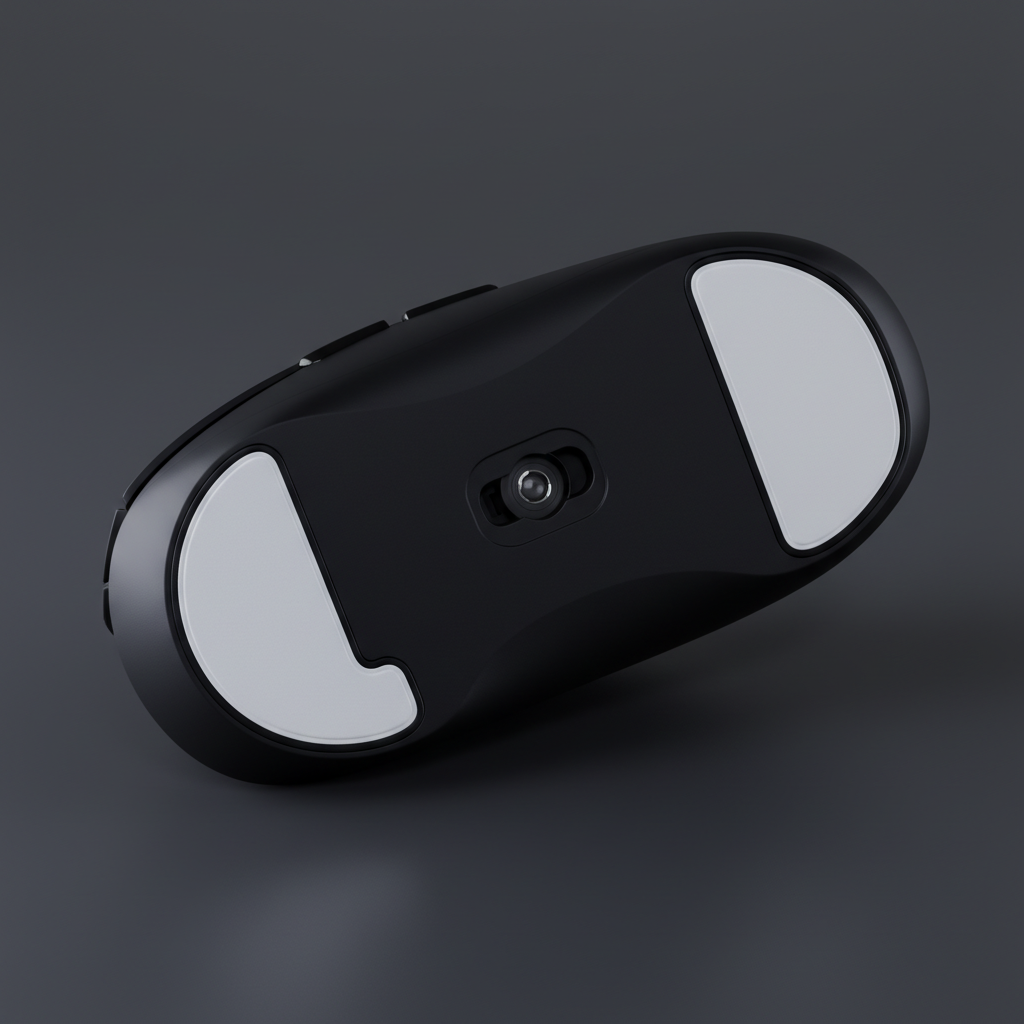
In the pursuit of competitive gaming performance, the interface between the mouse and the surface represents a critical variable in the kinetic chain. For technically savvy enthusiasts, modifying this interface through aftermarket skates—specifically "dot skates"—has become a standard practice. Unlike traditional full-size custom-cut skates, dot skates utilize a series of small, circular Polytetrafluoroethylene (PTFE) points.
The primary objective of this modification is to minimize static friction, often referred to as "breakaway force." According to the properties of Polytetrafluoroethylene (PTFE), its exceptionally low coefficient of friction makes it the ideal material for high-performance peripherals. However, reducing the surface area does not simply "reduce friction" in a linear fashion; it fundamentally alters the distribution of pressure and the mouse's vertical alignment.
Logic Summary: Our analysis assumes that while PTFE material properties remain constant, the reduction in contact area increases the pressure per square millimeter ($P = F/A$). This higher pressure can cause dot skates to "sink" into softer cloth pads, potentially counteracting the intended glide benefits.
Friction Dynamics: Static vs. Dynamic Resistance
Modders often prioritize dot skates because they offer a more "free" feeling during micro-adjustments. In tactical shooters where pixel-perfect precision is required, the transition from a stationary state to movement (static friction) can cause a "jerky" sensation if the resistance is too high.
By utilizing dots, the surface area is reduced by approximately 60–70% compared to stock skates (estimated range based on typical medium-sized ergonomic mice). This reduction significantly lowers the initial force required to initiate movement. However, dynamic friction—the resistance felt while the mouse is already in motion—behaves differently. On hybrid or hard surfaces, dot skates provide a consistent, rapid glide. On "control" or "slow" cloth pads, the increased pressure on each dot can cause the skates to dig into the weave, creating a "sticky" or inconsistent feel during slow tracking movements.
Sensor Stability and the Focal Plane Challenge
The most significant risk associated with dot skate installation is the disruption of the sensor's focal plane. Modern high-performance sensors, such as those verified through FCC Equipment Authorization processes for wireless compliance, are calibrated to operate at a specific height from the surface, known as the Lift-Off Distance (LOD).
When a user switches from stock skates (typically 0.6mm to 0.8mm thick) to dot skates, the mouse's resting height often shifts. If the dots are thinner or thicker than the original feet, or if they are placed in a way that causes the mouse to tilt, the sensor's focal point is no longer parallel to the pad. This can result in:
- Tracking Jitter: The sensor struggles to resolve surface texture, leading to erratic cursor movement.
- Spin-outs: During high-velocity flicks, the sensor loses tracking completely because the distance exceeds the calibrated LOD.
- Z-Axis Instability: The cursor may drift when the mouse is lifted and replaced during resets.
The "Business Card" Recalibration Method
For mice that lack granular software LOD adjustment, community practitioners have developed a manual workaround. After installing dot skates, a user can place a standard business card or a stack of post-it notes (approximately 0.3mm to 0.5mm) between the mouse and the pad to verify if the sensor still tracks. If the mouse tracks through the card, the LOD is too high, and the sensor may suffer from "jitter" during lifts. This manual height adjustment is a tedious but necessary step for maintaining tracking integrity on mice with non-adjustable sensors.
Modeling Performance: The High-Sensitivity FPS Specialist
To understand the practical impact of dot skates, we modeled a scenario involving a competitive FPS player. This analysis demonstrates how hardware modifications interact with mathematical precision requirements.
Modeling Disclosure: This is a deterministic scenario model based on standardized industry heuristics, not a controlled laboratory study. Results may vary based on individual motor control and specific mousepad textures.
Method & Assumptions (Reproducible Parameters)
| Parameter | Value or Range | Unit | Rationale / Source Category |
|---|---|---|---|
| Hand Length | 18.5 | cm | Medium male hand (ANSUR II 50th percentile) |
| Sensitivity | 40 | cm/360 | Standard low-sensitivity tactical FPS setting |
| Monitor Resolution | 2560 x 1440 | px | Common 1440p high-refresh gaming setup |
| Polling Rate | 8000 | Hz | High-frequency performance baseline |
| Sensor Type | PixArt PAW3395/3950 | Model | Standard high-spec enthusiast sensor |
Quantitative Findings
Based on the Nyquist-Shannon Sampling Theorem, a player at 40 cm/360 sensitivity on a 1440p monitor requires a minimum of ~1136 DPI to avoid "pixel skipping" (aliasing). Most enthusiasts operate between 800 and 1600 DPI, which provides sufficient headroom. However, dot skates introduce a "micro-vibration" risk. On textured pads, the reduced contact area can cause the mouse to vibrate at a microscopic level during movement, potentially introducing ~1 pixel of unintended cursor variance.
High-Frequency Synergy: 8000Hz (8K) Polling and System Latency
For users operating at the cutting edge of hardware, such as 8000Hz polling rates, the interaction between skates and the sensor becomes even more acute. At 8000Hz, the reporting interval is a near-instant 0.125ms (1000ms / 8000).
According to the Global Gaming Peripherals Industry Whitepaper (2026), high polling rates demand absolute stability. Any "rocking" or tilting caused by uneven dot skate application will be amplified at 8K.
Critical 8K Constraints:
- Motion Sync Latency: Modern sensors often utilize "Motion Sync" to align sensor frames with USB polling. At 8000Hz, the added deterministic delay is approximately 0.0625ms (half the polling interval). While negligible, this requires the sensor to have a perfectly stable view of the surface to maintain temporal consistency.
- Sensor Saturation: To fully utilize the 8000Hz bandwidth, the sensor must generate enough data packets. This is a product of IPS (Inches Per Second) and DPI. For example, at 800 DPI, a movement of 10 IPS is required to saturate the 8K report rate. Dot skates, by reducing friction, allow users to reach these high speeds more easily, but they must not sacrifice the "stopping power" needed to end a flick accurately.
- CPU Bottlenecks: Processing 8000 reports per second places a significant load on the system's Interrupt Request (IRQ) handling. Enthusiasts must ensure the mouse is connected to a direct motherboard USB port (Rear I/O) to avoid packet loss, as shared bandwidth on hubs can lead to stuttering that negates the benefits of low-friction skates.
Scenario-Based Analysis: Choosing Your Configuration
The decision to use dot skates should be driven by game genre and surface type rather than a generic "upgrade" narrative.
Scenario A: The Tactical FPS "Flick" Specialist
- Goal: Minimal breakaway force for rapid target acquisition.
- Setup: Dot skates on a hard or hybrid (glass-infused) pad.
- Result: A ~15–20% reduction in static friction (estimated based on community breakaway force testing). This allows for faster initial reaction times but requires high motor control to prevent overshooting, as the "stopping power" is significantly reduced.
Scenario B: The Tracking-Heavy MOBA/RTS Player
- Goal: Consistent, smooth micro-adjustments and high "click-timing" accuracy.
- Setup: Full-size skates or a "Hybrid" configuration on a control cloth pad.
- Result: Greater stability. Full skates distribute pressure evenly, preventing the mouse from digging into the pad. This is generally preferred for games requiring constant, slow-speed tracking where "stickiness" (stiction) can ruin a precise movement.
Modding Best Practices: The Hybrid Approach
Experienced modders often recommend a hybrid configuration to balance glide and stability. Instead of using dots exclusively, one might place dots on the corners of the mouse to reduce friction while keeping a thin, trimmed strip of PTFE along the front or back. This provides a "rudder" effect, stabilizing the mouse against tilting while still reaping the majority of the glide benefits.
Installation Checklist:
- Surface Preparation: Completely remove the old adhesive. Even a microscopic residue can cause the new dots to sit unevenly, ruining the sensor's focal alignment.
- Height Verification: Use the "business card" method to ensure the LOD remains within a functional range.
- Burn-in Period: PTFE skates require a "break-in" period of 2–5 hours of use to smooth out microscopic manufacturing burrs.
- Regulatory Awareness: When modifying wireless devices, ensure that the internal battery remains secure. According to IATA Lithium Battery Guidance, physical shock or improper casing can compromise battery safety. Always handle the internal components with care if the shell must be opened for modding.
Conclusion: Engineering the Perfect Glide
Dot skates are a powerful tool for enthusiasts who understand the trade-offs between friction reduction and sensor stability. While they offer a tangible improvement in glide speed, they require careful calibration of the sensor's LOD and a thoughtful pairing with the appropriate mousepad surface. By grounding these modifications in mathematical modeling and mechanical principles, players can achieve a high-performance setup that enhances, rather than hinders, their competitive edge.
Disclaimer: This article is for informational purposes only. Hardware modifications may void manufacturer warranties. Always follow local safety regulations and manufacturer guidelines when handling electronic devices and lithium batteries.
References
- Global Gaming Peripherals Industry Whitepaper (2026)
- FCC Equipment Authorization (FCC ID Search)
- USB HID Class Definition (HID 1.11)
- IATA Lithium Battery Guidance Document
- Polytetrafluoroethylene - Wikipedia



Laisser un commentaire
Ce site est protégé par hCaptcha, et la Politique de confidentialité et les Conditions de service de hCaptcha s’appliquent.