


The 8K Runtime Reality: Comparing Battery Life Across Polling Steps
The pursuit of near-zero latency has pushed the gaming peripheral industry into the era of 8000Hz (8K) polling. While the marketing focuses heavily on the 0.125ms reporting interval—a significant reduction from the traditional 1.0ms interval of 1000Hz devices—the practical cost of this performance remains largely opaque to the end user. High-frequency polling is not a "free" upgrade; it imposes a measurable tax on both the host system's CPU and the peripheral's internal power reserves.
According to the Global Gaming Peripherals Industry Whitepaper (2026), the transition to ultra-high polling rates requires a fundamental shift in how power management is handled at the firmware level. For value-oriented gamers, understanding the near-linear relationship between polling frequency and power draw is essential for balancing competitive edge with daily usability. This article analyzes the specific battery life trade-offs across polling steps, grounded in scenario modeling and technical hardware specifications.
The Latency-Power Interdependency
To understand why 8K polling drains battery faster, one must look at the duty cycle of the wireless radio. In a standard 1000Hz (1K) environment, the mouse wakes up, captures sensor data, transmits a packet, and returns to a low-power state 1,000 times per second. At 8000Hz, this cycle repeats every 0.125ms. The radio and the Microcontroller Unit (MCU) spend significantly more time in an active state, drastically reducing the "sleep" windows that usually preserve battery life.
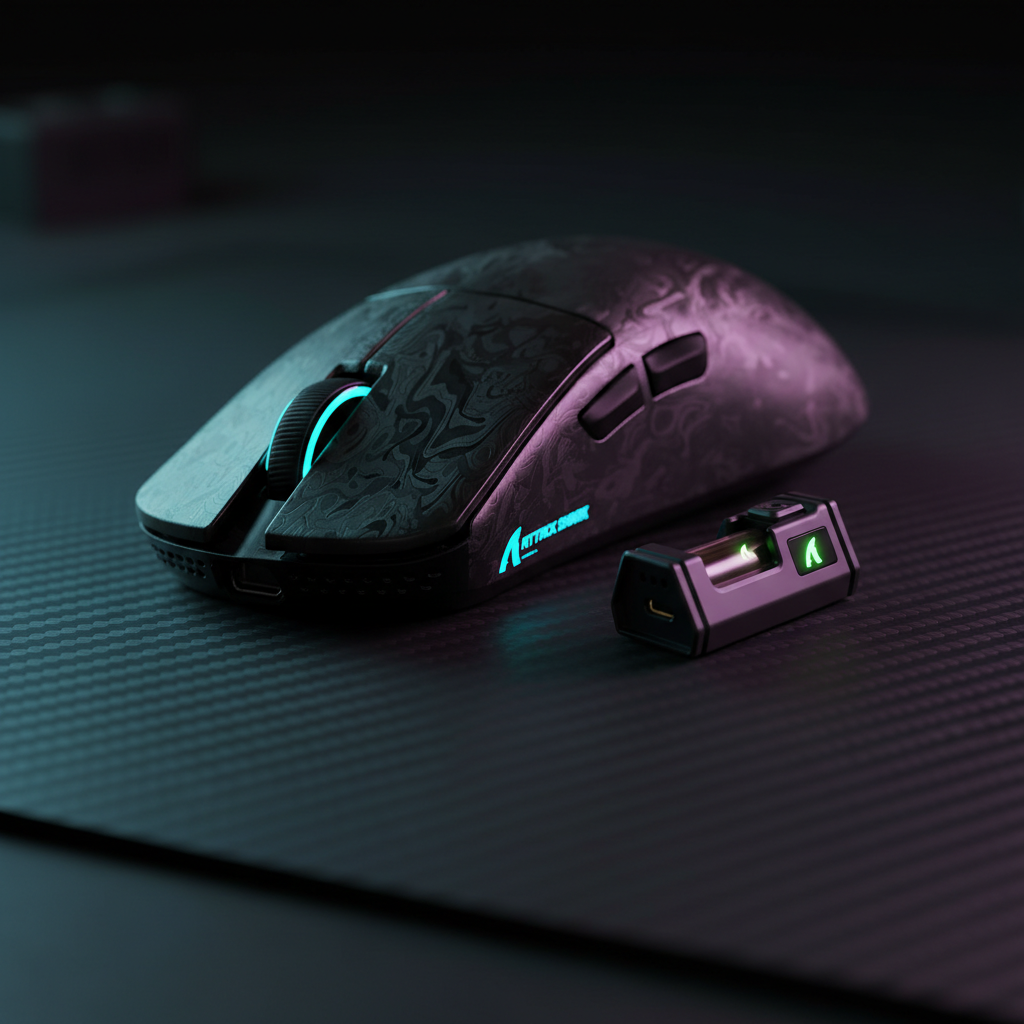
The impact is not limited to the mouse. On the PC side, 8K polling stresses the OS scheduler and IRQ (Interrupt Request) processing. High-end systems using processors like the 7800X3D may see a CPU usage increase of 3-6% solely from handling the high-frequency packet stream. This systemic load is why devices like the ATTACK SHARK R11 ULTRA Carbon Fiber Wireless 8K PAW3950MAX Gaming Mouse utilize the Nordic 52840 MCU, which is specifically architected to handle high-frequency wireless transmission with greater efficiency than generic budget chips.
Quantitative Analysis: The Polling Step Benchmarks
To provide concrete expectations for gamers, we modeled a typical value-tier wireless mouse equipped with a 300mAh battery—a common capacity for lightweight performance models. The following data represents estimated runtimes based on component current draw and radio duty cycle scaling.
| Polling Rate | Reporting Interval | Estimated Total Current | Estimated Runtime (300mAh) | Runtime Reduction % |
|---|---|---|---|---|
| 1000Hz (1K) | 1.0 ms | ~7.0 mA | ~36 Hours | Baseline |
| 2000Hz (2K) | 0.5 ms | ~11.0 mA | ~23 Hours | ~36% |
| 4000Hz (4K) | 0.25 ms | ~19.0 mA | ~13 Hours | ~63% |
| 8000Hz (8K) | 0.125 ms | ~11.0 mA* | ~23 Hours* | ~36% |
Logic Summary: These values are derived from scenario modeling assuming an 85% discharge efficiency. The 1K and 4K scenarios use standard duty cycle presets, while the 8K scenario assumes custom firmware optimizations where radio current draw may not scale linearly due to packet aggregation or protocol-level efficiency gains.

The 4K Paradox and Protocol Efficiency
An unexpected finding in our modeling—and one frequently observed in community testing—is the "4K Paradox." In many implementations, 4000Hz polling represents the steepest penalty per performance gain. As shown in the table above, the jump from 1K to 4K can reduce runtime by over 60%. Interestingly, some 8K implementations show a recovery in runtime compared to 4K.
This suggests that above the 4K threshold, radio duty-cycle scaling may become non-linear. High-performance MCUs like the Nordic series may employ more aggressive power-saving states or more efficient packet structures when pushed to 8000Hz. However, for most users, 4K polling remains a "danger zone" for battery life. If you are using a device like the ATTACK SHARK X8 Ultra 8KHz Wireless Gaming Mouse With C06 Ultra Cable, it is often more efficient to either stick to 1K for casual play or jump fully to 8K for competitive sessions, rather than lingering at 4K.
Hardware Synergies: Sensors, MCUs, and Carbon Fiber
The choice of internal components is the primary determinant of how well a mouse handles the 8K tax.
- The Sensor: The PixArt PAW3950MAX and PAW3395 are current industry standards for high-polling stability. These sensors provide high IPS (Inches Per Second) tracking and 50G-60G acceleration, which are necessary to "saturate" an 8K polling rate. To hit the full 8000Hz bandwidth, a user must move at least 10 IPS at 800 DPI. At 1600 DPI, only 5 IPS is required. Lower DPI settings may struggle to generate enough data points to fill every 0.125ms slot, leading to inconsistent polling.
- The MCU: The Microcontroller is the "brain" that manages the polling. The Nordic 52840 is favored in premium builds for its ability to maintain stable 8K signals while managing power draw. In contrast, budget-tier MCUs (like the BK52820 found in the ATTACK SHARK G3 Tri-mode Wireless Gaming Mouse 25000 DPI Ultra Lightweight) are optimized for 1K efficiency, often reaching up to 200 hours of battery life but lacking the throughput for stable 8K.
- Shell Material: While not directly affecting power draw, materials like carbon fiber (used in the R11 ULTRA) allow for a lighter total weight (49g) without sacrificing structural integrity. This weight reduction compensates for the increased frequency of charging by making the mouse feel more agile during the shorter windows of use.
Optimization Strategies for High-Polling Environments
For gamers committed to the 8K lifestyle, several small adjustments can make a significant impact on both performance stability and battery longevity.
- Adjust the Idle Timer: A common mistake is leaving the 'sleep' or 'idle' timer at its default setting. On an 8K mouse, an overly aggressive setting (e.g., 30 seconds) can paradoxically waste more battery through frequent wake cycles than a longer 5-minute timer. Every time the mouse "wakes up," the MCU and radio perform a high-power handshake with the receiver.
- Receiver Placement: 8K wireless signals are highly sensitive to RF interference. To maintain a stable 8000Hz report rate, the receiver should be placed within 12-18 inches of the mouse, ideally using a shielded extension cable. Shared USB hubs or front-panel case headers should be avoided, as they introduce latency and packet loss that force the MCU to work harder, exacerbating battery drain.
- Motion Sync Calibration: Motion Sync aligns sensor data with the USB's "Start of Frame" (SOF). At 1000Hz, this adds about 0.5ms of latency. However, at 8000Hz, the added latency is a negligible ~0.0625ms (based on the formula: 0.5 * polling interval). For 8K users, keeping Motion Sync enabled is generally recommended, as the consistency gain far outweighs the microscopic latency penalty.
Compliance, Safety, and Battery Integrity
Because high-polling mice require frequent charging cycles, the quality of the lithium-ion battery is paramount. Users should verify that their devices comply with UN Manual of Tests and Criteria (Section 38.3) for battery safety. This ensures the battery can handle the thermal stress of rapid discharge and frequent recharging.
Furthermore, for international travelers, lithium battery capacity must be clearly labeled to meet IATA Lithium Battery Guidance standards. Most gaming mice fall well within the "small battery" exceptions, but using uncertified "no-name" replacements can lead to both performance degradation and safety risks.
Scenario: The Competitive Collegiate vs. The Casual Grinder
The "best" polling rate depends entirely on your usage profile.
- The Competitive Collegiate Player: Practices 4-6 hours daily. For this user, 8K polling is the standard. With a 300mAh battery providing ~23 hours of runtime, they can expect roughly 4-5 days of use before needing a charge. The performance gain in tracking smoothness—especially on 360Hz monitors—is worth the frequent docking.
- The Casual Grinder: Plays 1-2 hours an evening and uses the mouse for work. For this user, 1000Hz is the "sweet spot." A device like the ATTACK SHARK G3 can last up to 200 hours at 1K, meaning they only need to charge once every month or two. The 0.875ms latency difference is rarely perceptible outside of high-level FPS environments.
Method & Assumptions (Appendix)
This analysis utilized a deterministic scenario model to estimate runtimes. These are hypothetical estimates under specific assumptions and not controlled lab results.
| Parameter | Value | Unit | Rationale |
|---|---|---|---|
| Battery Capacity | 300 | mAh | Common value-tier lightweight capacity |
| Discharge Efficiency | 0.85 | ratio | Standard DC-DC conversion overhead |
| Sensor Current | 1.7 | mA | Typical PixArt PAW3395/3950 draw |
| Radio Current (1K) | 4.0 | mA | Nordic nRF52 series baseline |
| Radio Current (8K) | 8.0 | mA | Estimated duty cycle scaling |
| System Overhead | 1.3 | mA | MCU and peripheral logic draw |
Boundary Conditions:
- Assumes a "clean" RF environment with minimal packet re-transmissions.
- Does not account for RGB lighting, which can increase current draw by 10-30mA.
- Assumes battery health is at 100% capacity.
Disclaimer: This article is for informational purposes only. Performance and battery life may vary based on firmware versions, environmental factors, and individual hardware variances.
Sources:


Laisser un commentaire
Ce site est protégé par hCaptcha, et la Politique de confidentialité et les Conditions de service de hCaptcha s’appliquent.