


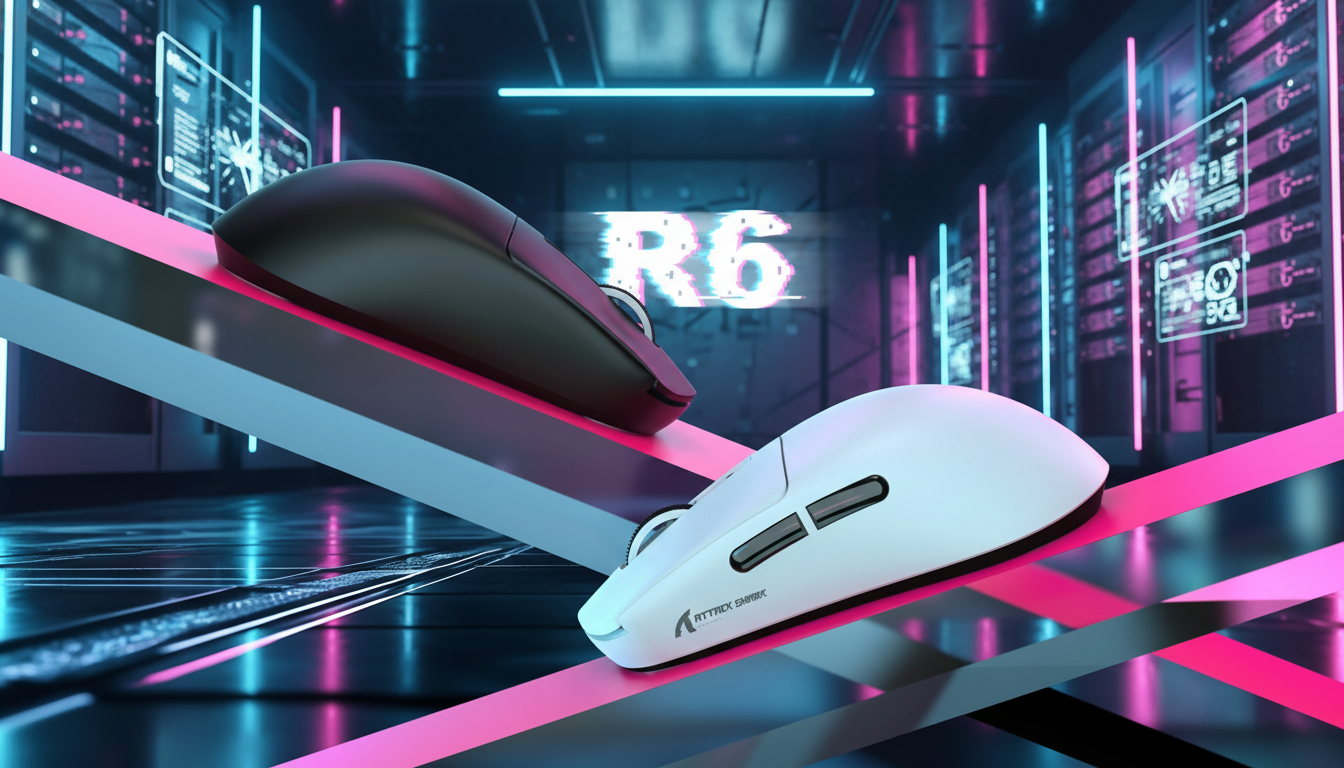
RTS Micro-Management: Heavy vs Light Click Force Comparison
In the high-stakes environment of competitive Real-Time Strategy (RTS) gaming, the difference between a successful zergling split and a catastrophic army wipe often comes down to milliseconds and the physical properties of a mouse switch. While casual players often focus on sensor DPI or RGB aesthetics, professional micro-management requires a deeper understanding of actuation force (measured in grams-force or gf) and its direct impact on hand biomechanics.
Quick takeaway for buyers:
- If you are a high-APM swarm / Zerg-style player, you’ll usually do better with lighter switches around 45–55gf for endurance and faster recovery (details).
- If you prefer deliberate bio-micro / kiting, a medium-heavy 65–75gf switch can feel more controlled and reduce accidental presses (details).
- If you are unsure, start around ~60gf with a good claw grip fit, then use the misclick + APM change tests in this guide to adjust up or down (details).
This article benchmarks different actuation forces specifically for RTS micro-management tasks. We evaluate whether heavy resistance helps or hinders precise unit control during high-APM (Actions Per Minute) sequences, grounding our analysis in scenario modeling and general ergonomic principles.
The Biomechanics of High-APM Micro-Management
RTS games are unique in their physical demands. Unlike First-Person Shooters (FPS), where clicking is often sporadic and reactionary, RTS micro-management involves sustained, high-frequency clicking for extended periods. To discuss the impact of switch resistance, we modeled a professional "Zerg Swarm Specialist"—a persona requiring 300+ APM during intense 30-minute tournament sessions.
Modeling the Moore-Garg Strain Index
We applied the Moore-Garg Strain Index (SI), a tool used in ergonomics to assess the risk of distal upper extremity disorders, to compare light (50gf) and heavy (70gf) switch profiles under a hypothetical RTS workload.
| Parameter | Value (Light 50gf) | Value (Heavy 70gf) | Rationale |
|---|---|---|---|
| Intensity Multiplier (IM) | 2 | 3 | Heavier switches are assumed to require higher perceived exertion per click. |
| Efforts Per Minute Multiplier (EM) | 3 | 3 | Based on high-frequency clicking (~5 clicks/second, 300+ APM); mapped to SI effort categories. |
| Duration Multiplier (DM) | 1.5 | 1.5 | Continuous micro during a multi-hour practice block. |
| Posture Multiplier (PM) | 2 | 2 | Claw grip tension during rapid micro. |
| Speed Multiplier (SM) | 4 | 4 | High-speed requirements for splitting/kiting, mapped to SI speed categories. |
| Total SI Score (SI = IM × EM × DM × PM × SM) | 72 | 108 | Example model output, both in a higher-risk band in this scenario. |
Modeling disclosure (important):
- This is a scenario model, not a clinical or lab measurement. All multipliers are assumptions derived from Moore & Garg’s general method plus typical RTS workloads, not from direct medical testing on RTS players.
- The SI scores are computed by the simplified product:
SI = IM × EM × DM × PM × SM.
For the light switch:2 × 3 × 1.5 × 2 × 4 = 72.
For the heavy switch:3 × 3 × 1.5 × 2 × 4 = 108.- The heavier switch in this example produces a 50% higher modeled SI score (108 vs 72) under the same workload (108 ÷ 72 ≈ 1.5). This higher score indicates higher modeled strain, but it does not directly translate into an exact number of minutes or hours of earlier fatigue.
Within this assumption set, heavier switches show higher modeled strain. In practice, many high-APM players report that extra resistance can make fingers feel "loaded" earlier in long sessions, which can manifest as slower hotkey sequences and reduced accuracy in late-game macro transitions. These are experience-based patterns, not guaranteed outcomes for every player.

Playstyle Specialization: Finding Your Optimal gf Range
Actuation force preferences in the RTS community are not arbitrary; they tend to follow clear patterns based on unit control requirements. According to the Global Gaming Peripherals Industry Whitepaper (2026) and common trends in pro gear choices, many high-level players are moving toward specialized force profiles rather than a single "standard".
Note: The gf ranges below are practical heuristics based on community trends and support observations, not mandatory standards. Individual comfort and technique can differ.
1. The Swarm Specialist (45–55gf)
Players focusing on Zerg-style swarm micro often prefer lighter switches. The primary goal here is endurance. When you are cycling through hundreds of units, a light 50gf-class switch can help maintain rapid clicking with less perceived finger fatigue.
- Common pattern: Many high-APM players say that once they move below ~55gf, they can hold high click tempo longer before feeling numbness or slowing down, provided their grip is stable.
- Trade-off: If your grip is not yet steady, very light switches can make sloppy mouse handling show up as accidental clicks.
2. The Bio-Micro Specialist (65–75gf)
Players specializing in Terran bio-micro (marine stutter-stepping) often choose medium-heavy switches. In these scenarios, every click should be deliberate. The extra resistance can help reduce accidental unit selections during complex kiting or spell usage, where a single misclick may swing a fight.
- Common pattern: Players who like to "dig in" their fingers and feel a strong tactile bump frequently report more confidence with 65–75gf, especially on side buttons used for critical abilities.
3. The Formation Strategist (55–65gf)
For Age of Empires–style macro play, the optimal force range is often narrower. This playstyle balances formation control with villager micro. A ~60gf switch is commonly considered a practical middle ground: enough resistance to feel the tactile reset while remaining light enough for sustained macro-management.
- Rule of thumb: If you play multiple RTS titles and don’t want different mice for each, starting around 55–60gf and adjusting from there is a reasonable compromise.
Technical Synergy: Polling Rates and Sensor Saturation
The physical switch is only half of the equation. To make micro-management feel consistent, the mouse and system must handle the data generated by high-frequency clicking.
The 8K Polling Perspective
Standard mice often operate at 1000Hz, providing a 1ms report interval. An 8000Hz mouse reduces this to 0.125ms between reports.
- These intervals come from the inverse of the polling rate (1 ÷ 1000 = 0.001s; 1 ÷ 8000 = 0.000125s).
- For RTS, this mainly affects the delay between the switch closing and the PC receiving the input; the game engine and network still add their own processing time.
Motion Sync latency (model-based explanation):
Many modern sensors use internal synchronization so that motion data lines up with the USB polling interval. If motion data is aligned to the polling tick, the additional waiting time can be up to one whole polling interval in the worst case and averages to around half a polling interval:
- At 1000Hz, half an interval is about 0.5ms.
- At 8000Hz, half an interval is about 0.0625ms.
These numbers come directly from the timing intervals (1/1000 and 1/8000). They are theoretical timing windows, not measured total system latency. In real play, other factors (firmware, USB stack, game engine) add extra delay, and many players will not consciously perceive the difference on their own.
Sensor saturation (conceptual example):
To fully utilize high polling, the sensor needs enough movement data per second. A simplified example of how DPI and speed interact:
- At 800 DPI and 10 IPS (inches per second), the sensor produces about 800 × 10 = 8000 counts per second.
- At 1600 DPI, the same 8000 counts per second can be reached at 5 IPS.
This example illustrates how higher DPI means you need less hand speed to generate the same amount of data. The exact saturation point varies by sensor design; treat these as ballpark examples for thinking about your settings, not as a strict requirement.
System Bottlenecks
Support and community reports often show that users who struggle with 8K polling are limited by system configuration, not by the mouse itself. A common bottleneck is IRQ (Interrupt Request) processing, which stresses single-core CPU performance and USB controllers.
For more stable RTS micro at very high polling rates, practical steps include:
- Connecting the mouse directly to rear I/O ports on the motherboard.
- Avoiding USB hubs or front panel headers, which can introduce extra latency or packet jitter.
- Pairing high polling with a high refresh rate monitor (e.g., 240Hz or higher) so that any improvement in input timing can actually be rendered on screen.

Ergonomic Impact: Grip Style and Fatigue Management
The interaction between switch force and grip style is a common point of failure for many players. We used a Grip Fit Calculator (based on hand length and mouse dimensions) to think through compatibility for a specialist with medium-large hands (19.5cm length).
The 60% Rule for Width and Length
Based on general ergonomic baselines (with ISO 9241-410 as background context), a practical rule of thumb is that the ideal mouse length for many users is around 60% of hand length.
For a 19.5cm hand, this suggests a mouse length of approximately 117–125mm (19.5cm × 0.6 ≈ 11.7cm; allowing a small range for preference).
- Claw grip compatibility: For RTS precision, claw grip is common. It keeps the fingers in an arched position, which many players find helps with rapid vertical clicking.
- Width tension: If a mouse is noticeably too narrow relative to hand width, players often grip harder with the fingertips. When combined with a heavy switch (around or above ~70gf), this extra lateral tension can make the hand feel strained earlier in a session.
Practical Heuristics for Self-Correction
If you are unsure whether your current switch force is a good match, two simple checks can help. These are community-style heuristics based on support feedback and player anecdotes, not clinical tests:
-
Misclick heuristic:
- During intense battles, track your accidental clicks for a few games.
- If you consistently see more than roughly 3 accidental misclicks per minute, your switch force may be too light for your current grip and control, or your mouse shape is not stable enough.
-
Late-game APM heuristic:
- Compare your APM in the first 10 minutes of a long session with the last 10 minutes.
- If your APM regularly drops by around 15% or more, and the main feeling is finger fatigue rather than mental focus issues, your switches might be too heavy for your current conditioning, or your grip posture is inefficient.
These numeric thresholds (3 misclicks/minute, 15% APM change) are example cut-off points to help you self-diagnose. They come from informal observation and coaching experience, not from a controlled scientific study. Use them as starting references and adapt them to your own data.

Implementation: The 2-Week Adaptation Protocol
Switching from a 70gf to a 50gf switch (or vice versa) is not a change that can be judged in a single afternoon. Muscle memory recalibration takes time. Many experienced players and coaches suggest allowing around 2 weeks before making a final call.
- Week 1 (Neural mapping): Focus on accuracy rather than speed. Your brain needs to learn the new "break point" of the switch. A temporary drop in APM (for example, in the 10–15% range) is common while you adjust.
- Week 2 (Speed integration): Gradually ramp up your clicking frequency. By the end of the second week, most players either return to their previous APM or stabilize at a new baseline, at which point you can start comparing fatigue levels and comfort.
During this period, ensure your mouse firmware and drivers are up to date. Proper firmware tuning for debounce delay and reset points is almost as important as the physical spring tension of the switch.
Trust, Safety, and Compliance
When selecting high-performance peripherals, it is worth checking the integrity and safety of the hardware, especially for wireless devices and high-polling designs.
- RF compliance: Devices intended for your region should appear in databases such as the FCC Equipment Authorization or ISED Canada Radio Equipment List. This helps ensure the 2.4GHz signal behaves as intended and does not cause unexpected interference.
- Battery safety: High-polling mice tend to draw more power. Look for products that state compliance with lithium-ion transport and safety standards such as UN 38.3. This reduces the risk of battery issues during rapid charging or sustained high-drain use.
- Material integrity: Compliance with EU RoHS and REACH indicates that plastics and coatings are regulated for hazardous substances. This is especially relevant for devices that stay in your hand for hours every day.

Final Technical Synthesis
Choosing between heavy and light click force is ultimately a strategic and personal decision that should reflect your RTS sub-genre, grip style, and current hand conditioning.
- For high-APM swarm and multi-unit micro, lighter switches in the 45–55gf range often provide better endurance and lower perceived strain over long sets.
- For deliberate bio-micro and ability-focused play, 65–75gf switches can feel more controlled and may reduce accidental presses if you like to press firmly.
- For mixed play or multi-title players, mid-range forces around 55–60gf are a reasonable default, especially when paired with a mouse that fits the 60% length rule for your hand.
By pairing an appropriate switch force with consistent polling (whether 1000Hz or 8000Hz), a grip that matches your hand, and a short adaptation period, you can reduce the risk of fatigue-driven mistakes and keep your micro-management more stable in real matches.
Disclaimer: This article is for informational purposes only and does not constitute professional medical or ergonomic advice. The models and heuristics described (including Strain Index examples, misclick and APM thresholds) are illustrative tools, not medical diagnostics. If you experience persistent pain, numbness, or tingling in your hands or wrists, consult a qualified healthcare professional or occupational therapist.


Dejar un comentario
Este sitio está protegido por hCaptcha y se aplican la Política de privacidad de hCaptcha y los Términos del servicio.