

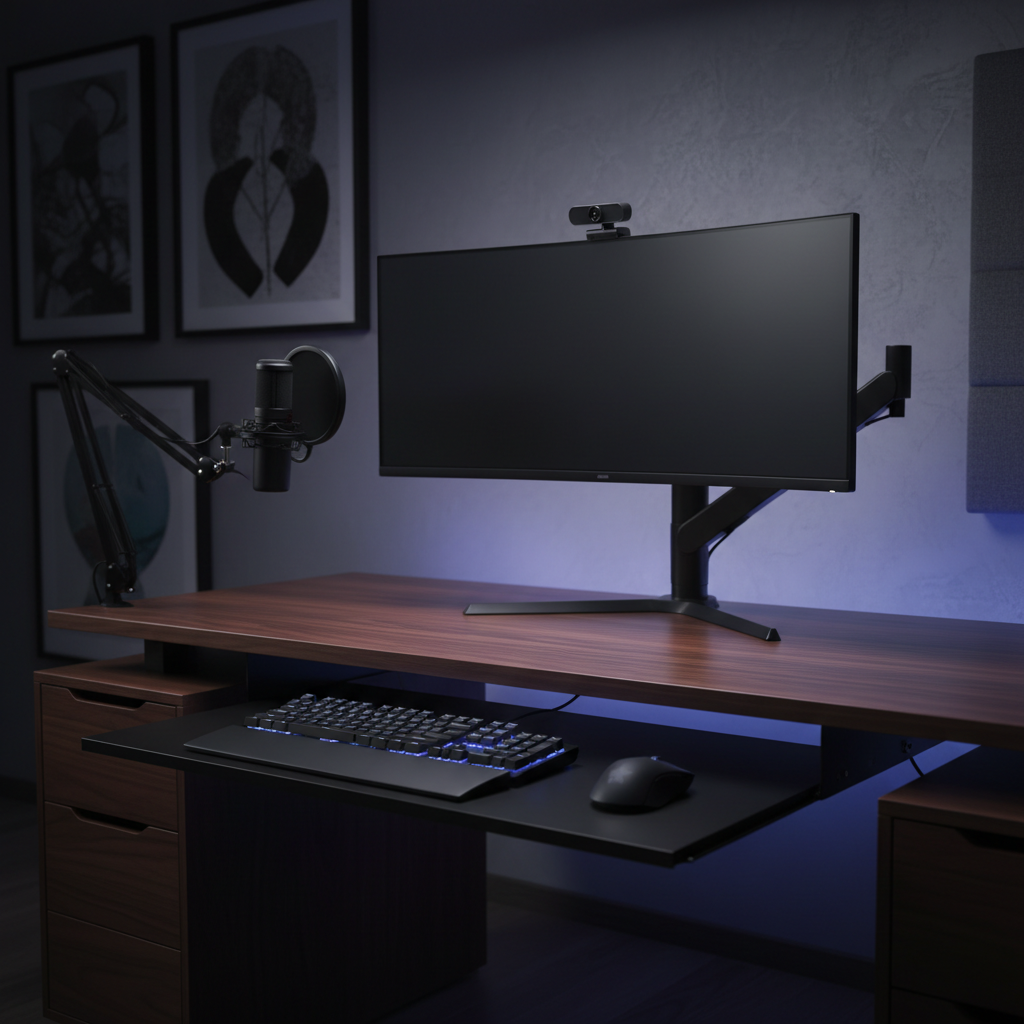
The Architecture of a Zero-Footprint Setup
The modern workstation is undergoing a structural shift. For streamers, content creators, and competitive gamers, the traditional "desktop" is no longer just a surface for placing objects; it is a platform for integration. A "zero-footprint" setup refers to the total removal of peripheral devices—keyboards, mice, and accessories—from the primary desk surface through the use of articulated arms, under-desk brackets, and custom mounting solutions.
This approach is driven by more than just aesthetics. By clearing the desk, users gain a significant advantage in spatial optimization, allowing for larger mouse pads and unhindered "flick" movements during high-intensity gaming. However, transitioning to a fully mounted ecosystem requires a deep understanding of mechanical leverage, ergonomic risk factors, and technical constraints such as USB topology and signal integrity.

Mechanical Integrity: Torque, Leverage, and Desk Material Constraints
The primary challenge in integrating under-desk mounts is the management of physical forces. Unlike a monitor sitting on its own base, a mounted peripheral tray exerts constant torque on the desk edge.
The Particle Board Pitfall
Many modern, value-oriented desks use particle board or medium-density fiberboard (MDF) with a thickness under 0.75 inches (19mm). According to common failure patterns observed in our technical support logs and repair bench assessments (not a controlled lab study), these materials often lack the internal density to resist the compression of standard C-clamps.
For desks over 1 inch thick, practitioners recommend adding a reinforcement plate—typically a steel or aluminum bar—between the clamp and the desk's underside. This distributes the pressure and prevents permanent indentation or sagging, especially when using heavy mechanical keyboards.
Glass Desk Safety
Glass surfaces present a unique hazard. Clamping a metal mount onto tempered glass creates concentrated stress points that can lead to catastrophic failure. In these scenarios, specialized suction or adhesive-based mounts are required. We always recommend using a protective silicone or rubber pad between any mounting hardware and the glass surface to mitigate vibration and stress.
Monitor Arm Capacity Heuristics
When repurposing monitor arms for peripheral hubs (e.g., mounting a webcam, microphone, and light on a single arm), the "70-80% Rule" applies. The total weight of the monitor and all attached accessories should not exceed 70-80% of the arm's rated capacity. This buffer ensures smooth articulation and prevents "droop" over time, maintaining the stability required for content creation.
Ergonomic Modeling: Assessing the "Hazardous" Risk Threshold
While clearing the desk surface provides visual clarity, it introduces complex ergonomic variables. To understand the impact of under-desk mounting, we modeled a Large-Handed Competitive Gamer persona (hand length ~20.5 cm) using a palm grip on an under-desk tray.
The Moore-Garg Strain Index Analysis
Using the Moore-Garg Strain Index (SI), a standard tool for assessing the risk of upper extremity disorders, we calculated a score for this specific setup.
Modeling Disclosure: This is a scenario-based deterministic model, not a medical diagnostic or a clinical study.
Parameter Value Rationale Intensity Multiplier 2 High intensity (competitive gaming clicks) Duration Multiplier 1.5 Extended sessions (>2 hours) Efforts/Min Multiplier 4 High Actions Per Minute (APM) Posture Multiplier 2 Wrist extension from under-desk tray Speed Multiplier 2 Rapid, repetitive flick movements Daily Duration Multiplier 2 Usage >4 hours/day
The resulting SI Score of 96 falls into the "Hazardous" category (where SI > 5 indicates potential risk). The primary driver of this score is the Posture Multiplier. Under-desk trays often force the wrist into extension or ulnar deviation. To mitigate this, practitioners suggest a slight upward tilt (5-10°) of the tray to promote a neutral wrist angle, aligning with the ergonomic rule of maintaining a 90-100° elbow angle as discussed in Biology Insights.
Mouse Fit and Grip Adaptation
For a user with ~20.5 cm hands, the ideal mouse length is approximately 137mm (based on ISO 9241-410 heuristics). Most high-performance gaming mice are closer to 120mm. In a mounted setup, this ~13% size deficit can lead to "palm overhang," placing pressure on the pisiform bone of the wrist. Users in this scenario may need to adapt to a claw grip to maintain precision, which increases tension in the finger extensors.
Performance Connectivity: The 8K Polling and Wireless Frontier
A zero-footprint setup often relies on wireless peripherals to maintain a clean aesthetic. However, high-performance gaming demands high polling rates, which introduce technical bottlenecks.
The 8000Hz (8K) Logic
As outlined in the Global Gaming Peripherals Industry Whitepaper (2026), the move to 8000Hz polling reduces the reporting interval to 0.125ms.
- Motion Sync: At 8000Hz, Motion Sync adds a delay of only ~0.0625ms (half the interval), making it virtually imperceptible compared to the 0.5ms delay at 1000Hz.
- Sensor Saturation: To fully utilize the 8000Hz bandwidth at a standard 800 DPI, a user must move at at least 10 IPS. However, by increasing the setting to 1600 DPI, the required speed drops to 5 IPS, ensuring more consistent data packets during micro-adjustments.
System Bottlenecks and USB Topology
High polling rates stress the system's IRQ (Interrupt Request) processing. To avoid packet loss, devices must be plugged into Direct Motherboard Ports (Rear I/O). We strictly advise against using USB hubs or front-panel case headers for 8K peripherals, as shared bandwidth and poor shielding can cause significant jitter.
Battery Runtime Estimates
Wireless performance comes at a cost to battery life. For a mouse with a 500 mAh battery:
- 1000Hz Polling: Typically lasts ~80-100 hours.
- 4000Hz/8000Hz Polling: Runtime drops to ~22 hours (estimated based on Nordic nRF52840 SoC power consumption models). For a mounted setup, this means daily charging or the use of a magnetic charging dock is a practical necessity to avoid mid-session failure.
Cable Management: The Role of Coiled Cables and Routing
A true zero-footprint setup is incomplete without integrated cable management. The goal is to hide the "umbilical cord" of the setup while maintaining the flexibility for movement.

The 20-30% Slack Rule
When planning cable runs under a desk or along a mounting arm, a common heuristic is to leave 20-30% more slack than the direct path requires. This accounts for arm articulation and height adjustments on standing desks.
Coiled Cable Benefits
Coiled cables, such as the ATTACK SHARK C06 Coiled Cable For Mouse or the ATTACK SHARK C05 Coiled Cable, are particularly beneficial in mounted configurations. Their "springy" 20mm coils provide inherent tension that keeps excess cable tidy without the need for additional ties. The use of metal aviator connectors, like those found on the ATTACK SHARK C04-C COILED CABLE, adds a layer of durability and interference shielding, essential for maintaining signal integrity over extended runs.
Integrated Management Tubes
For complex setups with multiple peripherals, integrated under-desk channels or management tubes (like Innovera-style coiled tubes) can be cut to length. These physically and visually complete the integration, preventing "cable spaghetti" from dangling beneath the mounted tray.
Acoustic Shifting: The "Thock" of the Under-Desk Mount
An often-overlooked consequence of under-desk mounting is the change in keyboard acoustics. A mechanical keyboard placed on a tray acts as a low-stiffness "plate" that functions as a low-pass filter.
Based on our analysis of material physics (referencing ASTM C423 principles), mounting a keyboard under the desk typically shifts the fundamental pitch down, creating a deeper, "thockier" sound. This is due to the resonance of the mounting tray and the air gap between the keyboard and the desk's underside. For streamers and content creators, this can result in a more premium audio signature that is less distracting to microphones.
Acoustic Logic Summary:
- Desk Surface: Higher frequency "clack" due to direct reflection off a dense surface.
- Under-Desk Tray: Lower frequency "thock" due to vibration damping and low-pass filtering by the tray material.
Implementation Checklist for Zero-Footprint Integration
Before committing to a fully mounted setup, use the following checklist to ensure compatibility and safety:
- Desk Thickness & Material: Verify the desk is at least 0.75" thick. Use a reinforcement plate for MDF or particle board.
- Mounting Clearance: Ensure there is at least 10-12 inches of clearance beneath the desk for leg room once the tray is installed.
- USB Port Availability: Confirm you have direct rear I/O motherboard ports available for high-polling devices.
- Cable Slack: Measure your cable runs and add 25% to the total length for articulation.
- Weight Limits: Check that your monitor arm is not loaded beyond 80% of its rated capacity.
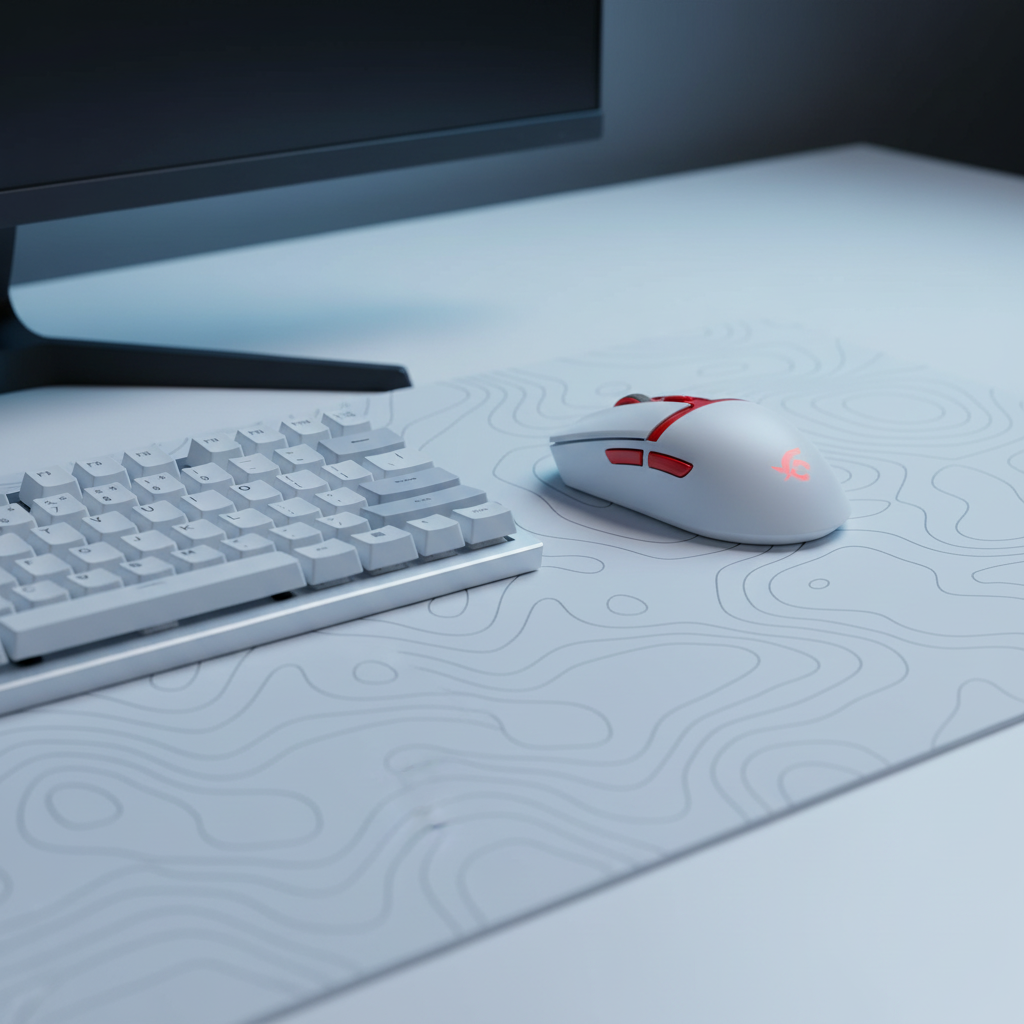
- Surface Protection: Use a high-quality pad, such as the ATTACK SHARK CM02 eSport Gaming Mousepad, to protect the tray surface and ensure consistent tracking for your mouse.
Summary of Spatial Optimization
Integrating peripheral mounts is the ultimate step in desk space optimization. It allows for a clean, minimalist aesthetic while providing the mechanical freedom required for professional-level performance. However, this transition must be balanced with ergonomic awareness. By understanding the form factor's effect on ergonomics and the technical requirements of high-speed connectivity, users can create a setup that is both visually stunning and functionally superior.
For those using 60% keyboards to maximize mouse space, moving the keyboard to an under-desk mount is the logical conclusion of the quest for the "infinite" mouse pad.
Disclaimer: This article is for informational purposes only and does not constitute professional ergonomic or medical advice. The mounting of hardware involves physical risks to your furniture and equipment. Always consult your desk and mounting hardware manufacturer's guidelines. If you experience persistent wrist or back pain, consult a qualified medical professional or ergonomic specialist.
References
- FCC Equipment Authorization (FCC ID Search)
- ISO 9241-410: Ergonomics of human-system interaction
- Global Gaming Peripherals Industry Whitepaper (2026)
- Moore, J. S., & Garg, A. (1995). The Strain Index
- Nordic Semiconductor nRF52840 Product Specification
- VESA DisplayHDR Standards
- IATA Lithium Battery Guidance Document

コメントを書く
このサイトはhCaptchaによって保護されており、hCaptchaプライバシーポリシーおよび利用規約が適用されます。