

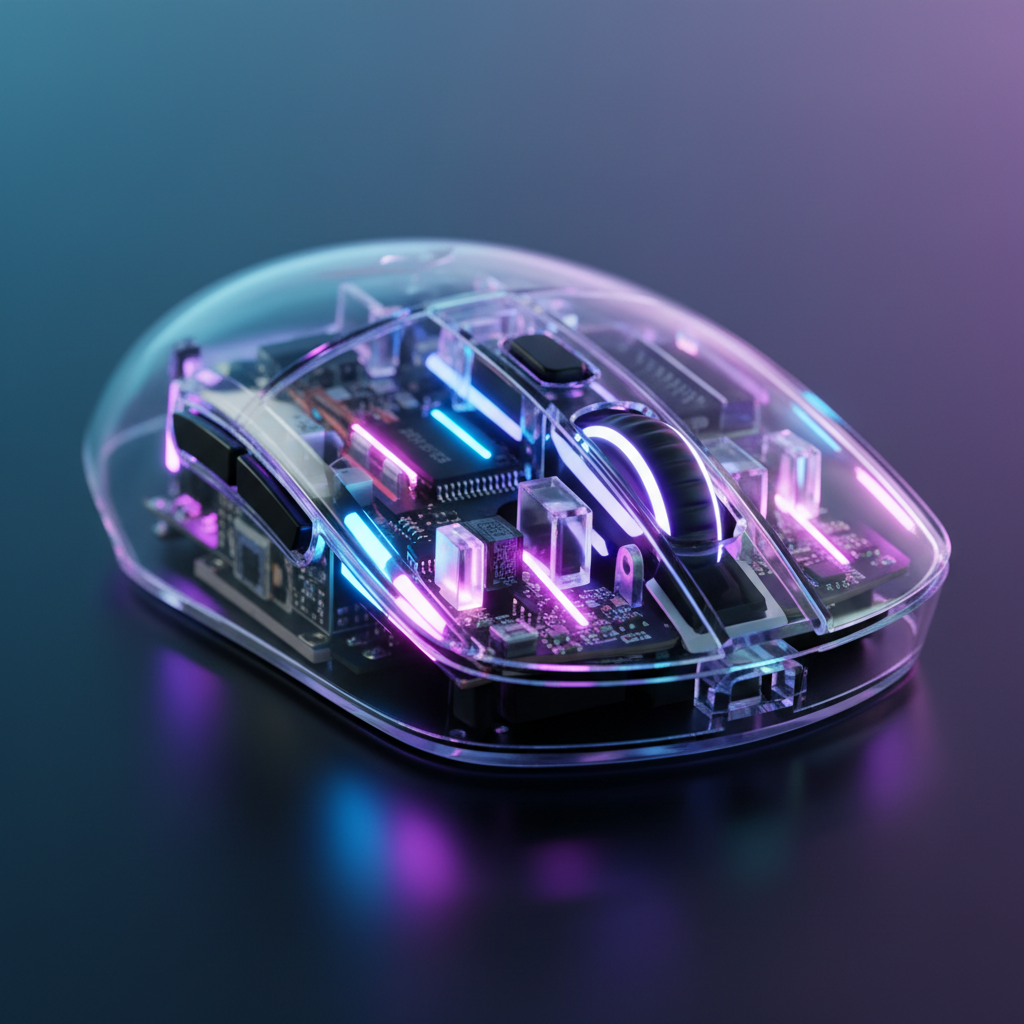
The Physics of Transparency: Why Clear Shells Are Vulnerable
The resurgence of "tech-noir" and retro-futuristic aesthetics has made transparent peripherals a centerpiece for budget-conscious enthusiasts. However, the visual appeal of a device like the ATTACK SHARK A2 Transparent RGB Wireless Mouse comes with a unique set of engineering challenges. Unlike traditional matte-finished ABS (Acrylonitrile Butadiene Styrene) plastics, transparent shells are typically composed of PMMA (Polymethyl Methacrylate, often called acrylic) or Polycarbonate (PC).
These materials are selected for their high light-transmission properties and structural rigidity. Yet, they possess a fundamental vulnerability: low surface hardness. On the Mohs scale of mineral hardness, most consumer-grade transparent plastics rate between 2.5 and 3. In contrast, common household dust—largely composed of silica and organic debris—rates as high as 7. This disparity means that even a light wiping motion with a contaminated cloth can act as fine-grit sandpaper, creating micro-abrasions that scatter light and dull the "crystal" effect over time.
Modeling Note: Hardness & Wear Analysis This analysis uses the Mohs scale to determine the risk of surface degradation. The model assumes a standard desktop environment with ambient dust levels.
Parameter Value/Range Unit Rationale PMMA Hardness 3 Mohs Industry standard for acrylic Polycarbonate Hardness 2.5 - 3 Mohs Standard for impact-resistant clear shells Silica (Dust) Hardness 7 Mohs Primary abrasive in household environments Glass Pad Hardness 6 - 7 Mohs Hardness of tempered glass surfaces Human Fingernail Hardness 2.5 Mohs Baseline for "feelable" scratch testing

The Environmental Abrasive Matrix: Mouse Pads and Dust
A common misconception among gamers is that high-performance hardware, such as glass or aluminum mouse pads, provides a "cleaner" surface that protects the mouse. In reality, hard pads can accelerate the aesthetic degradation of a transparent shell. While a glass pad offers a near-frictionless glide, any particulate matter trapped between the mouse feet and the pad becomes a localized abrasive.
Because the glass surface is significantly harder (Mohs 6-7) than the plastic mouse base (Mohs 3), the dust particles cannot "embed" into the pad. Instead, they are ground into the softer plastic of the mouse. According to the Global Gaming Peripherals Industry Whitepaper (2026), surface integrity is not just an aesthetic concern; it directly impacts the consistency of the sensor's Lift-Off Distance (LOD) and tracking accuracy if the base plate incurs heavy marring.
The Cloth vs. Hard Pad Trade-off
For users prioritizing the long-term clarity of their clear mouse, a medium-density cloth pad with a tight weave is typically the safer choice. The fibers of a cloth pad allow micro-particles to sink below the contact plane, reducing the direct grinding force against the mouse's bottom shell.
Chemical Integrity: The Danger of Alcohol-Based Cleaners
One of the most frequent maintenance errors is the use of Isopropyl Alcohol (IPA) to clean transparent plastics. While alcohol is an effective degreaser for matte mice, it can be catastrophic for clear shells.
When IPA is applied to certain transparent polymers, it triggers a phenomenon known as "environmental stress crazing." The alcohol penetrates the polymer chains, weakening the intermolecular bonds. This results in a network of fine, microscopic cracks—crazing—that gives the plastic a "cloudy" or "frosted" appearance. This damage is internal and cannot be polished out.
Safe Cleaning Protocol:
- Dry Dusting: Use a clean, long-fiber microfiber cloth to gently lift surface dust. Avoid applying downward pressure.
- pH-Neutral Solutions: Use a dedicated plastic cleaner or a highly diluted solution of pH-neutral dish soap and distilled water.
- The Microfiber Rule: According to Wikipedia's entry on Microfiber, the split-fiber structure is designed to trap particles within the cloth rather than dragging them across the surface. Always use a fresh section of the cloth for each pass.

Advanced Protection: Nano-Ceramic and Silane Coatings
To bridge the gap between the low hardness of plastic and the high hardness of environmental abrasives, many enthusiasts are turning to liquid nano-coatings. These coatings, often based on silane-modified nano-SiO2 (Silicon Dioxide), create a sacrificial layer that is significantly harder than the base plastic.
Research into hydrophobic silane-modified nano-SiO2 reinforced polyurethane suggests that these coatings not only improve scratch resistance but also provide oleophobic properties, reducing the buildup of skin oils and fingerprints that plague gloss finishes.
Application Heuristics for DIY Users
- Surface Preparation: The surface must be immaculately clean. Even a single fingerprint can cause the coating to "delaminate" or bubble, as the oils prevent the silane from bonding with the polymer.
- Curing Time: Most ceramic coatings require a 12-to-24-hour curing period. Using the mouse prematurely can result in a "soft" finish that is more prone to smudging.
- Layering: While multiple layers can theoretically increase protection, excessive thickness can lead to optical distortion, affecting the visual appeal of the internal components.
The Internal Debris Trap: A Hidden Threat
Expert analysis of mouse chassis design reveals a non-obvious scratch risk: internal abrasion. The narrow gap between the mouse shell and the mouse feet (skates) often acts as a vacuum. As the mouse moves, the slight air pressure differential draws in fine dust and skin cells.
These particles become trapped inside the shell or between the base plate and the internal PCB. Over time, the vibration of clicks and movement causes these particles to grind against the inside of the clear plastic. This creates a "fogging" effect that appears to be on the surface but is actually inaccessible without disassembly.
To mitigate this, users of transparent mice should prioritize a clean desk environment and consider using a keyboard dust cover or a similar protective shield for their entire peripheral suite when not in use. This reduces the total volume of "fallout" dust that can enter the device.
Performance Synergy: Tracking and Surface Integrity
While aesthetics are the primary driver for transparent shells, technical performance remains paramount. The ATTACK SHARK A2 Transparent RGB Wireless Mouse features a battery level display and high-performance sensors that rely on a consistent relationship with the tracking surface.
If the bottom plate of a transparent mouse becomes heavily scratched, it can interfere with the optical sensor's path, especially at high DPI settings. For competitive players utilizing 8000Hz (8K) polling rates, as discussed in the Global Gaming Peripherals Industry Whitepaper (2026), even minor surface inconsistencies can lead to jitter or packet loss at the hardware interrupt level.
Logic Summary: 8K Polling & Surface Interaction At 8000Hz, the system processes a report every 0.125ms. To maintain this precision, the sensor's view of the surface must be unobstructed. Scratches on the base plate can cause light diffraction, leading to "Motion Sync" errors where the reported position deviates from the actual movement.
Repairing the Irreparable: Polishing vs. Replacement
If a scratch is deep enough to be felt with a fingernail, it has likely penetrated the top coat of the plastic. At this stage, DIY repair becomes a high-risk endeavor.
The Risks of DIY Polishing
Using rubbing or polishing compounds (standard in automotive care) works by removing a layer of the surrounding plastic to level the surface. On a flat surface like the ATTACK SHARK 68 KEYS ACRYLIC WRIST REST, this is manageable. However, on the curved ergonomics of a gaming mouse, uneven polishing can create "lensing" effects. This optical distortion makes the internal components look warped and can permanently ruin the aesthetic.
When to Polish:
- Only for light, "swirl-mark" style micro-scratches.
- Use a plastic-specific polish (e.g., Novus #2).
- Always follow with a sealant to restore the UV-protection layer often removed during polishing.
When to Replace:
- Deep gouges that compromise structural integrity.
- Internal crazing caused by chemical exposure.
- Significant yellowing (UV degradation) that has penetrated the core of the plastic.
Summary Checklist for Crystal Clear Maintenance
Maintaining the "out-of-the-box" look of a transparent mouse requires a shift from reactive cleaning to proactive protection. By understanding the material limits of PMMA and PC, users can extend the life of their gear significantly.
| Maintenance Task | Frequency | Recommended Tool | Why It Matters |
|---|---|---|---|
| Surface Dusting | Daily | Long-fiber Microfiber | Prevents dust from becoming an abrasive |
| Deep Cleaning | Weekly | pH-neutral Soap + Distilled Water | Removes skin oils without causing crazing |
| Coating Inspection | Monthly | Visual check under LED | Ensures the sacrificial layer is intact |
| Mouse Pad Cleaning | Weekly | Lint Roller / Damp Cloth | Removes the "sandpaper" particles from the glide path |
| Internal Blowout | Monthly | Compressed Air (Low Pressure) | Prevents the internal debris trap effect |
To further enhance the ergonomics and aesthetic consistency of a transparent setup, pairing a clear mouse with an ATTACK SHARK ACRYLIC WRIST REST provides a unified "glass-desk" look while ensuring proper wrist alignment. For those who prefer a softer tactile experience without sacrificing the cloud-like aesthetic, the ATTACK SHARK Cloud Keyboard Wrist Rest offers an ergonomic alternative that complements the vibrant RGB lighting of transparent peripherals.
Disclaimer: This article is for informational purposes only. Handling chemical cleaners, applying aftermarket coatings, or disassembling electronic devices may void manufacturer warranties or cause permanent damage. Always refer to the specific user manual for your device and test any cleaning agent on a small, inconspicuous area first.
Sources:


コメントを書く
このサイトはhCaptchaによって保護されており、hCaptchaプライバシーポリシーおよび利用規約が適用されます。