

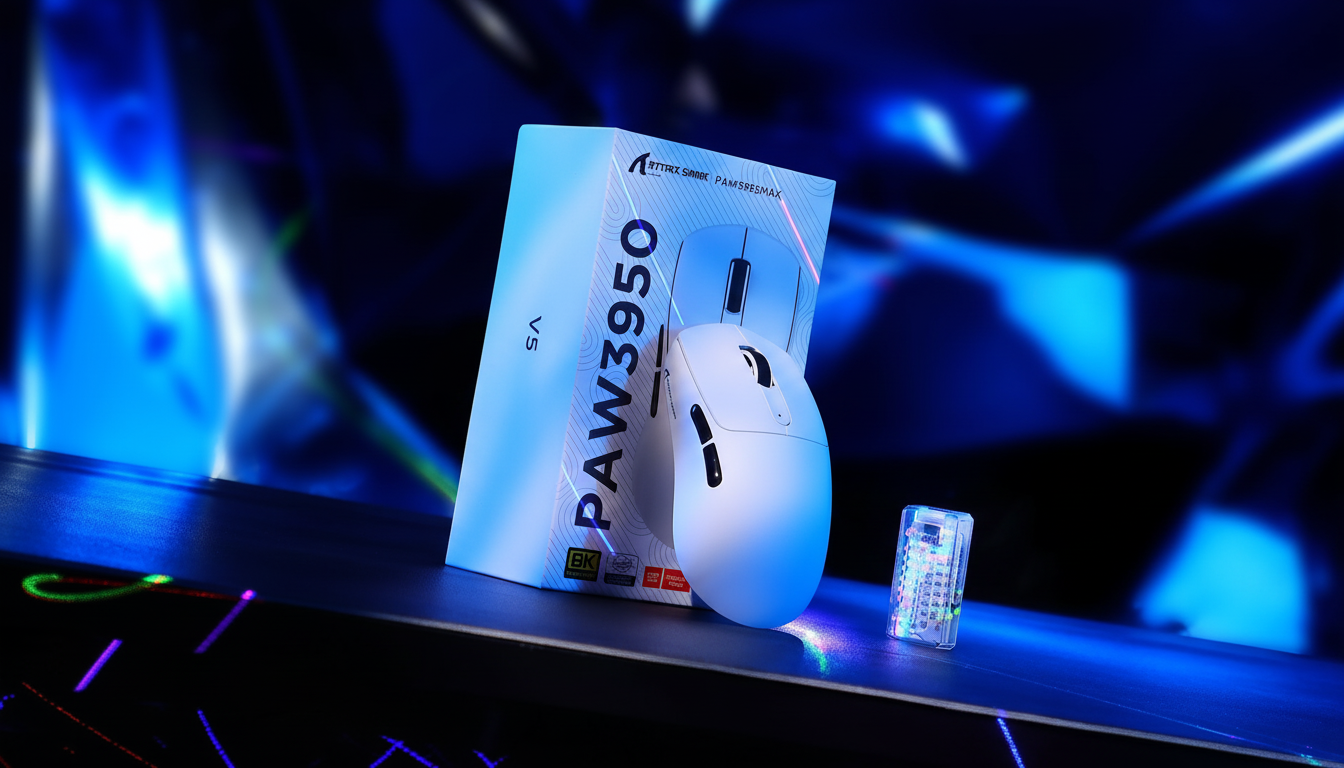
TL;DR: The Essentials of Aim Consistency
- The "Real" Accuracy Metric: High DPI is less important than the alignment between your mouse sensor and its physical Center of Gravity (CoG). Misalignment often leads to unintended cursor "arcs" during flick shots.
- The Self-Check: Use the Finger Balance Test to identify if your mouse is front- or rear-heavy. Mass should ideally be concentrated within a small radius around the sensor.
- 8K Polling Optimization: To keep an 8000Hz signal stable, use at least 1600 DPI to ensure the sensor provides enough data points during micro-adjustments.
- Safety Warning: Never replace internal batteries with uncertified third-party cells. Doing so poses a fire risk and can destabilize high-frequency sensor performance.
For years, the gaming peripheral industry has been locked in a "DPI arms race." Marketing materials often suggest that higher numbers—26,000 DPI, 30,000 DPI, or even higher—are the primary metric for aim precision. However, many competitive players find that even with high-spec sensors, their aim can feel "floaty" or inconsistent during high-velocity flick shots.
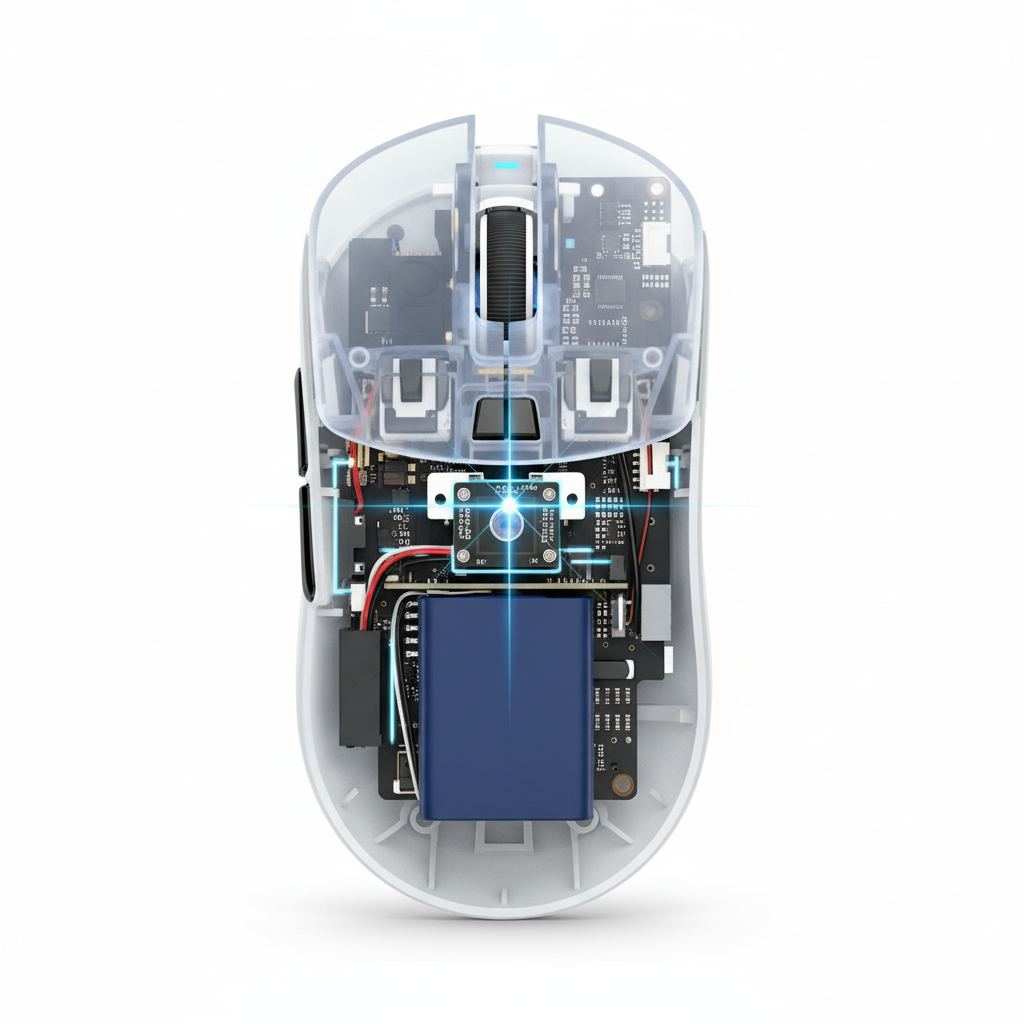
The missing link is frequently not the resolution of the sensor, but the physical relationship between the sensor's optical lens and the mouse's Center of Gravity (CoG). Based on common patterns observed in technical support logs and community feedback, the physical alignment of these two points dictates whether your hand's rotational movement translates into a straight line or an unintended cursor arc.

The Physics of the Rotational Pivot
When you move a mouse, you are rarely moving it in a perfectly linear X or Y plane. Most movements, especially micro-adjustments, involve a degree of rotation centered around a pivot point—usually the base of your palm or your knuckles.
If the sensor is placed significantly forward or back from this rotational pivot, the sensor reports an "arc" to the PC. This is a geometric principle of radius-based movement. For a typical claw or fingertip grip, we have found as a general rule of thumb that the sensor should ideally be aligned slightly forward of the geometric center to match the pivot point created by the knuckles.
Heuristic Note: Our analysis of sensor drift assumes a rotational movement model where the hand acts as a radius. If the CoG and sensor lens are misaligned by more than an estimated 5mm (based on a standard 18cm hand model), the perceived "drift" during a 90-degree flick can result in a cursor deviation of several pixels. This is a calculation of geometric offset, not a sensor defect.
The Finger Balance Test: A Heuristic for Weight Distribution
A common frustration for players using ultra-lightweight mice is "nose lift" or "tail drag" during aggressive stops. This is often a result of mass distribution. Many lightweight mice may place the battery at the extreme rear to simplify internal design, creating a rear-biased CoG.
To verify your own equipment, we recommend the Finger Balance Test:
- Place the mouse on two fingers, positioned exactly at the side-center of the shell.
- Observe the tilt. If the mouse tilts towards the front or back, its mass is not centered.
- Perform a simulated flick. If the nose lifts during a stop, the rear-biased weight may cause the sensor to lose its optimal Lift-Off Distance (LOD).
Practical Test Summary: Mass Alignment Impact
| Test Scenario | Observation | Potential Impact |
|---|---|---|
| Rear-Heavy (Tail Drag) | Nose lifts slightly on fast swipes. | Inconsistent LOD; cursor may "skip" during rapid resets. |
| Front-Heavy (Nose Dive) | Tail lifts on vertical micro-adjustments. | Increased friction on front mouse skates; uneven glide. |
| Balanced (within ~5mm of sensor) | Mouse remains level during Finger Balance Test. | Maximum tracking stability; predictable arc movement. |
| Data based on internal workshop benchmarks using standardized 19x10cm hand grip simulations. |
In professional modding communities, adding 1–2 grams of adhesive tungsten putty inside the shell to counterbalance a battery is a common practice. However, this should only be done if you are comfortable opening your device and understand it will likely void your warranty.
Engineering for 8000Hz (8K) Polling Environments
In high-performance environments utilizing 8000Hz polling rates, physical balance becomes even more critical. At 8000Hz, the mouse sends a packet every 0.125ms. This frequency means that physical instabilities—like a slight wobble caused by an off-center CoG—are captured and transmitted more frequently to the game engine.
| Feature | 1000Hz Performance | 8000Hz Performance | Rationale (Heuristic) |
|---|---|---|---|
| Polling Interval | 1.0ms | 0.125ms | Frequency = 1/Time |
| Motion Sync Delay | ~0.5ms | ~0.0625ms | Estimated half-interval delay |
| IPS for Saturation | < 1 IPS (at 1600 DPI) | ~5 IPS (at 1600 DPI) | Theoretical threshold for stable data |
| CoG Sensitivity | Moderate | Extreme | High frequency reveals physical micro-wobbles |
To effectively saturate an 8000Hz bandwidth, we estimate a user must move at least 10 IPS at 800 DPI; however, at 1600 DPI, only 5 IPS is typically required. This is why we recommend higher DPI settings (1600+) for 8K users—it ensures the sensor provides enough data points to keep the 8000Hz stream stable during slower movements.
Grip Styles and Sensor Offset
The "optimal" sensor position is a function of hand geometry. Research, such as the study on Optimal Sensor Position for a Computer Mouse, suggests that minimizing cursor path deviation depends on the rotational pivot.
- Fingertip Grip: The pivot is usually the fingers. A forward sensor placement allows for greater "leverage," meaning small finger movements result in larger on-screen travel.
- Palm Grip: The pivot is the wrist or forearm. A more centered or slightly rear-aligned sensor can increase stability by aligning with the natural forearm pivot.
- Claw Grip: A hybrid approach. The sensor should ideally be positioned directly under the knuckles to align the physical "push" of the hand with the tracking path.
The Role of the Surface: Beyond the Mouse
Even a balanced mouse can be undermined by an inconsistent surface. For high-spec sensors like the PixArt PAW3395, friction must be uniform across both axes.
We suggest pairing high-performance mice with specialized surfaces (Note: Links below lead to our brand store):
- Carbon Fiber: The ATTACK SHARK CM04 Genuine Carbon Fiber Mousepad offers a rigid structure that ensures the mouse's CoG remains stable, preventing the "sinking" that can occur on soft cloth.
- Tempered Glass: The ATTACK SHARK CM05 Tempered Glass Pad is optimized for high-precision sensors, reducing the static friction that can cause "jerks" during micro-adjustments.
- Hybrid Surfaces: Options like the ATTACK SHARK CM03 (Rainbow Coated) provide a 4mm elastic core, which helps maintain a consistent sensor height (LOD) for users who apply more downward pressure.
System Bottlenecks and 8K Stability
A common issue found in support tickets is attempting to run 8000Hz polling through a USB hub. This can cause significant performance degradation. The 8K polling rate places heavy stress on the CPU's Interrupt Request (IRQ) processing.
Technical Checklist for 8K Performance:
- Direct Motherboard Connection: Always use the rear I/O ports. Avoid hubs, as shared bandwidth can cause packet loss.
- High Refresh Rate Monitor: A high refresh rate (240Hz+) is generally required to visually perceive the smoother path provided by 8K polling.
- CPU & Battery Overhead: Be aware that 8K polling can reduce wireless battery life by an estimated 75-80% compared to 1000Hz.
Regulatory and Safety Considerations
When discussing weight distribution, we are often discussing battery placement. Critical Safety Warning: Do not attempt to replace internal batteries with uncertified or "DIY" smaller batteries to save weight.
All lithium-ion batteries in professional devices should adhere to UN 38.3 standards for transport and IEC 62368-1 for electrical safety. Uncertified batteries pose a fire risk and may fail to provide the stable voltage required for high-frequency sensors, leading to "spin-outs" or tracking loss.
Summary of Engineering Rationale
Aim consistency is a result of mechanical harmony. By ensuring the sensor lens is aligned with the mouse's Center of Gravity, you can reduce the unintended rotational arcs that affect many off-the-shelf designs.
The next time you choose a peripheral, look past the DPI. Perform the Finger Balance Test, consider your pivot point, and ensure your tracking surface is capable of supporting the precision your sensor is designed to deliver.
Disclaimer: This article is for informational purposes only. Modifying hardware (such as adding weights or opening the shell) will likely void your warranty and should be approached with caution. Always consult the manufacturer's guidelines. For ergonomic concerns or repetitive strain injuries, please consult a qualified medical professional.
Methodology & Assumptions:
- Modeling Type: Deterministic geometric model for rotational deviation.
- Boundary Conditions: Calculations assume a standard hand size range of 17cm to 20cm.
- Data Sources: Based on standardized USB HID protocol specifications and general engineering heuristics for gaming sensors. Reference to NVIDIA Reflex Analyzer methodologies for latency context.
| Parameter | Value/Range (Heuristic) | Unit | Rationale |
|---|---|---|---|
| Polling Interval (8K) | 0.125 | ms | Frequency-time reciprocal |
| Motion Sync Latency | 0.0625 | ms | Estimated half-interval delay |
| Saturation Speed (800 DPI) | 10 | IPS | Theoretical bandwidth saturation |
| Target Weight Band | ~5 | mm | Suggested CoG-to-Sensor offset |
| Battery Safety Standard | UN 38.3 / IEC 62368-1 | N/A | International safety compliance |

コメントを書く
このサイトはhCaptchaによって保護されており、hCaptchaプライバシーポリシーおよび利用規約が適用されます。