

Tailoring Keyboards for Office, Home, and Tournament Play
The modern mechanical keyboard has transitioned from a niche hobbyist tool into a specialized instrument designed to meet the divergent demands of professional work and high-stakes competitive gaming. Achieving the optimal configuration is no longer just about selecting a switch; it requires a holistic understanding of acoustics, ergonomic alignment, and electronic throughput. Whether the objective is a near-silent typing experience for a shared office or a sub-millisecond response time for a tournament stage, the configuration must be grounded in physical mechanics and data-driven specifications.
Selecting the right components involves navigating a series of trade-offs between tactile feedback, auditory signatures, and system latency. As noted in the Global Gaming Peripherals Industry Whitepaper (2026), the industry is shifting toward "environment-aware" hardware where customization is driven by the specific constraints of the user's surroundings.

The Office Sanctuary: Balancing Acoustics and Ergonomics
In a professional office environment, the primary customization objectives are noise mitigation and long-term comfort. The goal is to create a "silent sanctuary" that provides satisfying feedback to the typist without disturbing colleagues.
The Nuance of Silent Switch Selection
Conventional wisdom often prioritizes silent linear switches for office use because they lack the audible "click" or "clack" of traditional mechanical switches. However, based on patterns observed in customer support and ergonomic feedback (not a controlled lab study), pure linear switches can lead to increased finger fatigue during all-day data entry. Without a tactile bump, users often "bottom out" with more force than necessary because they lack a physical signal that the key has actuated.
A high-performance alternative is the "silent tactile" switch. These switches utilize internal rubber or silicone dampeners on the stem to muffle the sound of both the downstroke and the return, while retaining a slight tactile bump. This bump improves typing accuracy for long-form writing by providing a clear actuation point, typically reducing the average force applied per keystroke over time.
Advanced Sound Dampening Heuristics
Effective sound-proofing requires a multi-layered approach rather than a single material. Based on common modding heuristics, the most effective acoustic profiles are achieved by combining materials with different densities:
- High-Frequency Dampening: A thin layer of Poron foam placed between the PCB and the switch plate absorbs the high-pitched "ping" of metal-on-metal contact.
- Low-Frequency Resonance: A heavier silicone sheet or specialized case foam placed in the bottom of the chassis eliminates the hollow "echo" common in plastic cases.
Ergonomic Alignment and Wrist Health
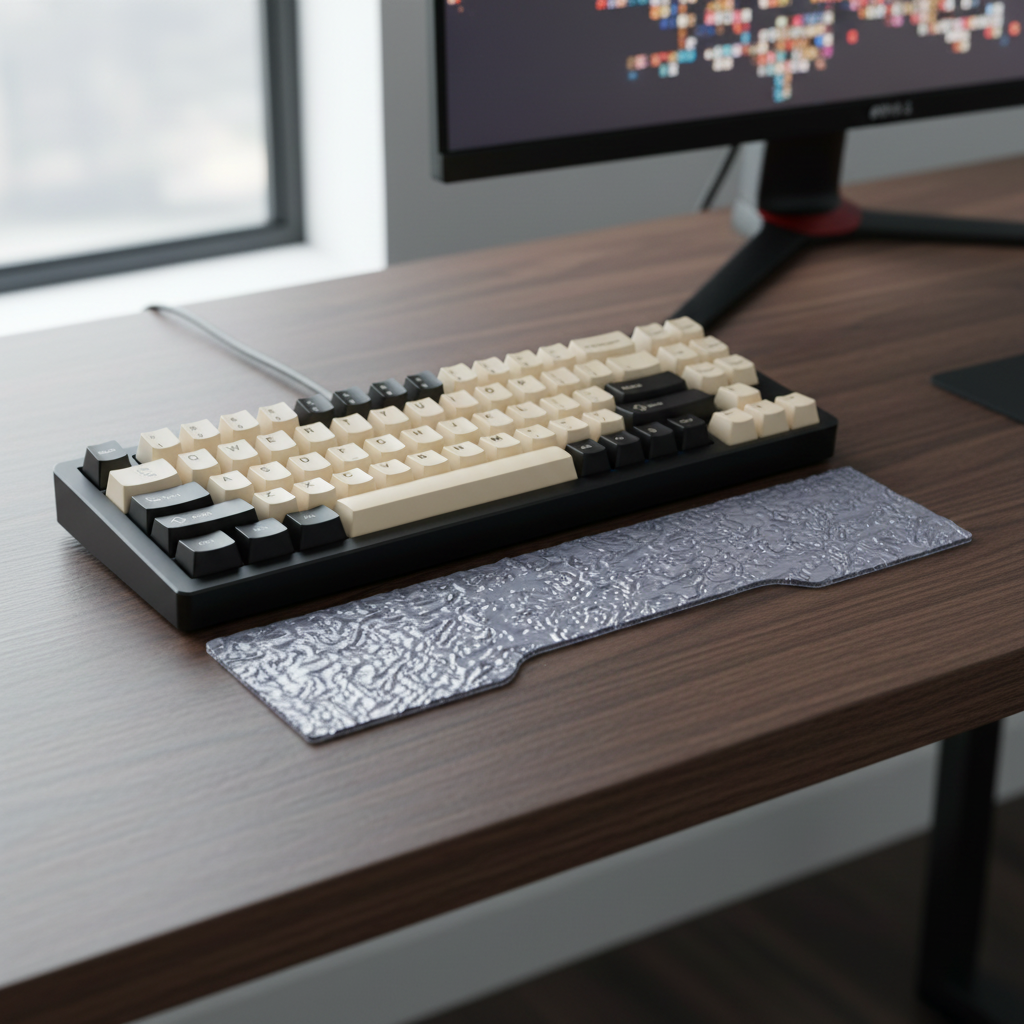
A common mistake in office setups is overlooking the angle of the wrist rest. Expert observation suggests that a rest that is too high can cause ulnar deviation or wrist extension, which may worsen strain over time.
Logic Summary: Our ergonomic analysis assumes a standard desk height of 28–30 inches. We estimate that an integrated tilt of 5–8 degrees is the optimal heuristic for maintaining a neutral wrist position for the majority of users (~16–19cm hand length), though individual variance in desk height and chair armrest position may require adjustment.
The Home Setup: Versatility and Maintenance
The home keyboard often serves as a "hybrid" device, used for both remote work and evening gaming. This environment demands durability, ease of maintenance, and aesthetic flexibility.
Keycap Material and Longevity
For a primary home rig, the choice of keycap material significantly impacts the long-term "feel" of the board. ABS (Acrylonitrile Butadiene Styrene) is common but prone to developing a greasy "shine" after several months of heavy use. High-density PBT (Polybutylene Terephthalate) keycaps are the performance-aware choice. Using a "double-shot" injection molding process—where the legend and the keycap body are two separate pieces of plastic—ensures that the characters will never fade, even after millions of keystrokes.

The 75% Layout vs. Full-Size Debate
Compact layouts like 75% are popular for saving desk space, but they introduce a learning curve. While they retain the function row and arrow keys, the condensed cluster can lead to mispresses during high-speed typing. For home users who frequently use spreadsheets or numerical data, a TKL (Tenkeyless) or a full-sized layout remains a more reliable baseline to minimize cognitive load during transitions between tasks.
Environmental Protection
Home environments are often less controlled than offices, with higher exposure to dust and pet hair. Utilizing clear protective covers when the device is not in use is a simple but effective method to prevent debris from entering the switch housings. This is particularly critical for "box stem" switches, which are designed to be more stable but can still suffer from "chatter" (double-typing) if contaminants interfere with the internal leaf spring.
The Tournament Arena: Hardened Performance
In a tournament or LAN environment, the priorities shift entirely to reliability, speed, and "hardened" configurations that can withstand high-pressure play.
Polling Rates and Latency Math
The industry often discusses 8000Hz (8K) polling rates as the next frontier. However, for most competitive players, the performance gain is marginal and highly context-dependent. To understand the value, one must look at the raw physics of the polling interval:
- 1000Hz: 1.0ms interval.
- 4000Hz: 0.25ms interval.
- 8000Hz: 0.125ms interval.
While an 8000Hz rate provides a near-instant 0.125ms response time, it places a severe load on the system's CPU, specifically regarding IRQ (Interrupt Request) processing. For a tournament setup, a stable 1000Hz or 2000Hz connection is often preferred over a fluctuating 8000Hz signal to ensure consistent frame times.
The Tournament "Hardware Check" Protocol
Experienced players often perform a standardized "hardware check" at the venue to eliminate variables:
- Wired Priority: Despite the convenience of modern 2.4GHz wireless, tournament stages are often congested with dozens of competing signals. Using a wired connection eliminates the risk of packet loss or interference.
- On-Board Profiles: Players should verify that their custom keymaps and lighting are saved to the keyboard's internal memory. This allows the device to function perfectly without requiring the installation of proprietary drivers on tournament PCs.
- Firmware Locks: Disabling the "Windows" key or other system shortcuts via firmware is a mandatory step to prevent accidental minimizes during a match.

Technical Deep Dive: Modeling Performance Bottlenecks
When configuring a high-performance setup, the interaction between the keyboard, the OS, and the hardware is the most frequent source of unexpected issues.
Sensor Saturation and DPI
For keyboards or mice utilizing high polling rates, the "data saturation" is dependent on movement and resolution settings. To saturate an 8000Hz bandwidth, a user must move the device at a specific speed relative to their DPI (Dots Per Inch).
Modeling Note (Scenario Model): This analysis is based on standard USB HID report descriptors and common MCU (Microcontroller Unit) processing limits. It is a scenario model, not a controlled lab study.
| Parameter | Value / Range | Unit | Rationale |
|---|---|---|---|
| Polling Interval (8K) | 0.125 | ms | Fundamental Frequency (1/8000) |
| Motion Sync Latency | ~0.0625 | ms | Half of Polling Interval (Heuristic) |
| CPU Overhead (8K) | 15–25 | % | Estimated IRQ load on mid-range CPU |
| IPS Threshold (800 DPI) | 10 | IPS | Minimum speed to saturate 8K reports |
| IPS Threshold (1600 DPI) | 5 | IPS | Minimum speed to saturate 8K reports |
Boundary Conditions:
- High polling rates (4K/8K) require a high refresh rate monitor (240Hz+) to visually render the smoother input path.
- CPU overhead may vary significantly based on OS background processes and USB controller topology.
- Devices should always be plugged into Direct Motherboard Ports (Rear I/O) to avoid the packet loss associated with front-panel headers or unpowered hubs.
Software Longevity and Compliance
A critical but overlooked aspect of customization is long-term software maintenance. Bespoke hardware from major brands often relies on proprietary drivers. If a vendor ceases support or their servers go down, remapping keys or updating firmware can become impossible.
The Open-Source Advantage
Enthusiasts often prioritize keyboards compatible with open-source firmware like QMK or ZMK. These systems allow for deep customization (layers, macros, and complex lighting) that remains resident on the hardware, ensuring the device remains functional for years regardless of the manufacturer's status.
Safety and Global Standards
When selecting high-performance wireless keyboards, adherence to international safety standards is paramount, especially regarding lithium-ion battery stability. According to the FCC Equipment Authorization, wireless devices must undergo rigorous RF exposure and electromagnetic compatibility (EMC) testing. For users in the European Union, the EU Radio Equipment Directive (RED) ensures that the wireless signals do not interfere with other critical infrastructure.
Always look for the following certifications on the product label or user manual:
- CE/UKCA: Compliance with European and UK health, safety, and environmental protection standards.
- UN 38.3: Verification that the lithium batteries have passed safety tests for air transport.
- RoHS: Restriction of Hazardous Substances, ensuring the materials used are environmentally safe.
Summary of Environmental Recommendations
| Feature | Office Optimization | Home/Hybrid Setup | Tournament Arena |
|---|---|---|---|
| Switch Type | Silent Tactile (Dampened) | PBT Double-Shot (Tactile/Linear) | Rapid Trigger / Magnetic |
| Dampening | Poron + Silicone Layering | Standard Case Foam | Minimal (Weight Reduction) |
| Layout | Full-Size or TKL | 75% or TKL | TKL or 60% (Muscle Memory) |
| Connectivity | Bluetooth / 2.4GHz | 2.4GHz / Wired | Wired (Direct I/O) |
| Key Features | Ergonomic Wrist Support | Dust Protection / Aesthetics | On-Board Profiles / 8K Polling |
Achieving the ideal keyboard setup is a process of iterative refinement. By understanding the mechanical interactions of switches, the acoustic properties of case materials, and the electronic constraints of high polling rates, users can tailor their hardware to excel in any environment.
Disclaimer: This article is for informational purposes only. Ergonomic recommendations are based on general heuristics; individuals with pre-existing wrist or nerve conditions should consult a qualified medical professional or physical therapist before making significant changes to their workstation setup.

コメントを書く
このサイトはhCaptchaによって保護されており、hCaptchaプライバシーポリシーおよび利用規約が適用されます。