



フォートナイトのハイリスクな競技環境では、「ピースコントロール」プレイが成功するか、ロビー画面に戻されるかの違いは、数ミリ秒の入力遅延に大きく左右されます。純粋なパフォーマンスの均衡を重視するプレイヤーにとって、従来のメカニカルスイッチからホール効果(HE)磁気技術への移行は、ここ10 年で最も大きなハードウェアの飛躍を意味します。
フォートナイトの編集、リセット、確定サイクルにおける機械的要件を分析し、「ラピッドトリガー」プロファイルを最適化する方法を探りました。キーのオン/オフ状態ではなく、キーの移動全体を通してキーの正確な位置を検出する磁気センサーを活用することで、ゲーマーは標準的なキーボードに悩まされている物理的なリセット遅延を排除できるようになりました。
ラピッドトリガーの物理:「デッドゾーン」の排除
従来のメカニカルスイッチは、固定されたアクチュエーションポイント(キーが反応するポイント)と固定されたリセットポイント(キーが再び押せるようになる前に戻らなければならないポイント)に依存しています。ヒステリシスと呼ばれるこのギャップによって「デッドゾーン」が生じ、単一のキーを連続して押せる速度が制限されます。
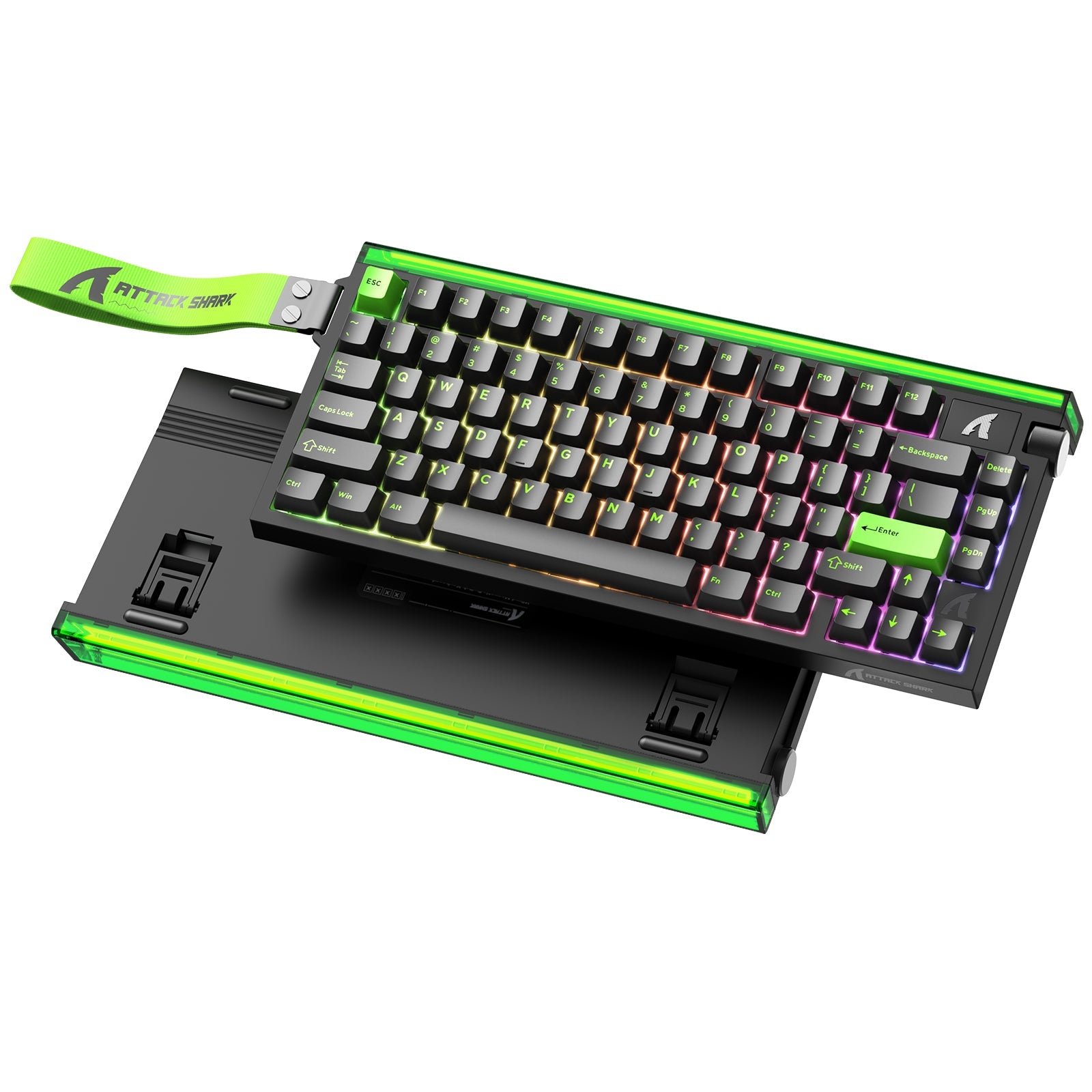
ATTACK SHARK X68HEマグネティックキーボード(X3ゲーミングマウス付き)に搭載されているホール効果センサーを搭載したRapid Triggerテクノロジーは、この制限を解消します。スイッチが物理的な閾値を超えるのを待つ代わりに、ファームウェアが磁束を監視します。指を離し始めるとキーはリセットされ、再び押し込むと再びアクティブになります。
USB HIDクラス定義(HID 1.11)によると、デバイスがこれらの変更を伝達する速度はレポートレートによって決まります。Rapid Triggerと8000Hz(8K)のポーリングレートを組み合わせると、入力間隔はほぼ瞬時の0.125ミリ秒に短縮されます。この相乗効果により、ソフトウェアはユーザーの機械的な意図をほぼマイクロ秒単位で認識できます。

パフォーマンス向上の定量化
宣伝文句の域を超えるために、標準的な1000Hzメカニカルキーボードと8000Hzホール効果キーボードのパフォーマンス差を、ラピッドトリガーをアグレッシブに設定してシミュレーションしました。データは、ボックスファイティングの定番である「編集-リセット-確定」シーケンスに焦点を当てています。
| メトリック | 従来のメカニカル(1KHz) | ホール効果ラピッドトリガー(8KHz) | パフォーマンスデルタ |
|---|---|---|---|
| 距離をリセット | 約 2.0mm(固定) | 0.2mm(ダイナミック) | -90%の物理的な移動 |
| 入力間隔 | 1.0ミリ秒 | 0.125ミリ秒 | -87.5% のレイテンシ |
| 合計アクション遅延 | 13.33ミリ秒 | 6.33ミリ秒 | 7.0ms 短縮 |
| シーケンス速度 | ベースライン | 52%高速化 | 大きな利点 |
注: 値は、150 mm/秒の指のリフト速度と、コミュニティでテストされた競技プレイの最適設定に基づいて推定されています。
1アクションあたり7ミリ秒の短縮は小さいように思えるかもしれませんが、サーバーのティックレートが約 30ミリ秒のゲームでは、トリプルエディットシーケンスにおけるキー入力ごとに7ミリ秒を節約することで、合計 21ミリ秒の短縮につながります。これは、壁取りの勝敗を左右する重要な要素となることがよくあります。
「フォートナイトのスイートスポット」:最適なプロフィール設定
多くのプレイヤーは「低いほど良い」と考えがちですが、アクチュエーションを浅く設定しすぎると、実際にはキーの安定性が損なわれる可能性があります。私たちの経験では、ラピッドトリガーのアクチュエーションポイントを0.3mm 未満に設定すると、安静時の指の圧力が変動した場合、緊張した瞬間に誤ってキーを弾いてしまうことがよくあります。
パフォーマンス重視のユーザーには、次の「Fortnite Sweet Spot」プロファイルをお勧めします。
- 編集・確定キー(例:G、F、E):アクチュエーションを0.4mm~0.6mmに設定します。これにより、従来の2.0mmスイッチと比べてキーの押し込み速度が大幅に向上すると同時に、誤入力を防ぐのに十分な抵抗を維持できます。
- 移動キー(WASD): 1.0mm~1.5mmのアクチュエーションを採用し、より保守的な設定にしています。多くのトッププレイヤーは、移動キーのラピッドトリガーを積極的に使用することを避けています。これは、リセットがほぼゼロの状態では、意図しないキーホールドや、素早い移動中に「スタッターステップ」が発生する可能性があるためです。
- 箱庭でのリセット:リセットキーの場合、ラピッドトリガーのリセット距離は0.2mmが理想的です。編集とリセットを別々の指に割り当てる(例えば、編集をマウスのサイドボタン、リセットを「F」キー)ことで、100ミリ秒未満で壁をリセットできます。
これらの設定が OS によって正しく認識されるようにするには、高周波の無線および有線周辺機器が安定した干渉パラメータ内で動作することを保証するISED Canada Radio Equipment List (REL)などの標準にハードウェアが準拠していることを確認します。
システムシナジー:8Kエコシステム
高速キーボードは方程式の半分に過ぎません。システムのレイテンシを真に最小限に抑えるには、マウスもそれに追いつく必要があります。ATTACK SHARK X8 Ultra 8KHz ワイヤレスゲーミングマウス(C06 Ultraケーブル付属)は、フラッグシップモデルのPAW3950MAXセンサーを搭載し、X68HEの0.125msのレポート間隔に匹敵します。
8000Hz(8K)の現実チェック
周辺機器を 8000Hz で動作させる場合は、システムのボトルネックを考慮する必要があります。
- CPUへの影響: 8KポーリングはCPUの割り込み要求(IRQ)処理に大きな負荷をかけます。フレームドロップを回避するため、最新のマルチコアプロセッサの使用を推奨します。
- USBトポロジ: 8Kレシーバーは常にマザーボードの背面 I/Oポートに直接接続してください。帯域幅の共有はパケットロスやジッターの原因となるため、USBハブやフロントパネルヘッダーの使用は避けてください。
- センサーの飽和: 8000Hzの安定性を維持するには、DPI 設定を高くする方が実際には有利です。PixArt Imagingセンサーの技術仕様によると、帯域幅を飽和させるには800DPIで少なくとも10IPSの移動が必要ですが、1600DPIでは安定した信号を得るために必要なのはわずか5IPSです。
スピードの人間工学的コスト
最高のパフォーマンスの追求は、競技プレイヤーがしばしば無視する身体的なリスクを伴います。ラピッドトリガーのアグレッシブ設定を用いた高 APM(1 分間のアクション数)のフォートナイトプレイを分析したところ、ムーア・ガーグひずみ指数(SI)スコアは96.0でした。
文脈上、SIスコアが5.0を超える場合、長期的な筋骨格系の健康にとって危険とみなされます。この極端なスコアは、以下の要因によって決まります。
- 強度: 6 時間以上のセッション中に指を強力かつ反復的に動かします。
- 姿勢:スピードを最大化するためによく使用される「クローグリップ」は、手根管の緊張を高めます。
- 頻度: 1 分間に 60 回以上の編集を実行すると、腱に持続的なストレスがかかります。
これらのリスクを軽減するために、 ATTACK SHARK C06 コイルケーブル(マウス用)やATTACK SHARK C07 カスタムアビエーターケーブル(8KHzマグネティックキーボード用)などの高品質ケーブルのご使用をお勧めします。ケーブルは見た目も美しいですが、金属製アビエーターコネクタを備えたプロ仕様の編み込みケーブルは、8Kポーリングに必要な信号安定性を提供し、手首への負担につながる「ケーブル抵抗」を軽減します。
技術的なメンテナンスと信頼性
ホール効果スイッチは物理的な接触ではなく磁石を利用するため、理論上は耐久性が高く、1 億回のクリックに耐えられる場合が多くあります。ただし、環境要因の影響を受けやすいという欠点があります。
FCC 機器認可(FCC ID 検索)によると、ワイヤレス機器は電磁干渉(EMI)試験を受ける必要があります。HEキーボードの場合、外部磁石や、机の近くにあるシールドなしの大型スピーカーによって、アクチュエーションポイントに「ゴースト」やドリフトが発生することがあります。
一貫性を保つためのプロのヒント: 編集タイミングが「ずれている」と感じた場合は、 ATK Hubなどのウェブベースのコンフィギュレーターを使用してセンサーを再調整してください。これにより磁気ベースラインがリセットされ、0.4mmのアクチュエーションポイントが正確に0.4mmに維持されます。また、 Attack Shark 公式ドライバーダウンロードページでファームウェアのアップデートを常に確認し、最新のWindowsビルドで8Kポーリングの安定性が最適化されていることを確認してください。

戦略的実施
ラピッドトリガーへの移行には、「クリエイティブモード」の調整期間が必要です。最初の1 時間は、物理的なリセットがないことに筋肉の記憶が適応するため、編集精度が一時的に低下することがよくあります。
まずは、 0.8mmのアクチュエーションと0.4mmのリセット距離という控えめな設定から始めることをお勧めします。数日ごとに、これらの値を0.1mmずつ減らし、速度は向上するが「誤編集」が少ないポイントを見つけてください。この段階的なアプローチにより、設定が敏感すぎる場合に発生する「タイミングのずれ」を引き起こすことなく、指の圧力を適応させることができます。
ホール効果テクノロジーの本来のパワーと人間工学的配慮およびシステム全体の最適化をバランスさせることで、ハードウェアを標準的な周辺機器から、最高レベルの競争プレイ向けに設計された精密機器へと変化させることができます。
YMYL 免責事項:この記事に記載されている人間工学データと歪み指数スコアは情報提供のみを目的としており、専門的な医学的アドバイスを構成するものではありません。高負荷のゲームプレイは、反復性運動障害(RSI)につながる可能性があります。手首や手に持った症状のあるプレイヤーは、APMの高いアグレッシブなゲームプレイや、極端に浅いアクチュエーション設定を行う前に、資格のある理学療法士に相談してください。

コメントを書く
このサイトはhCaptchaによって保護されており、hCaptchaプライバシーポリシーおよび利用規約が適用されます。