


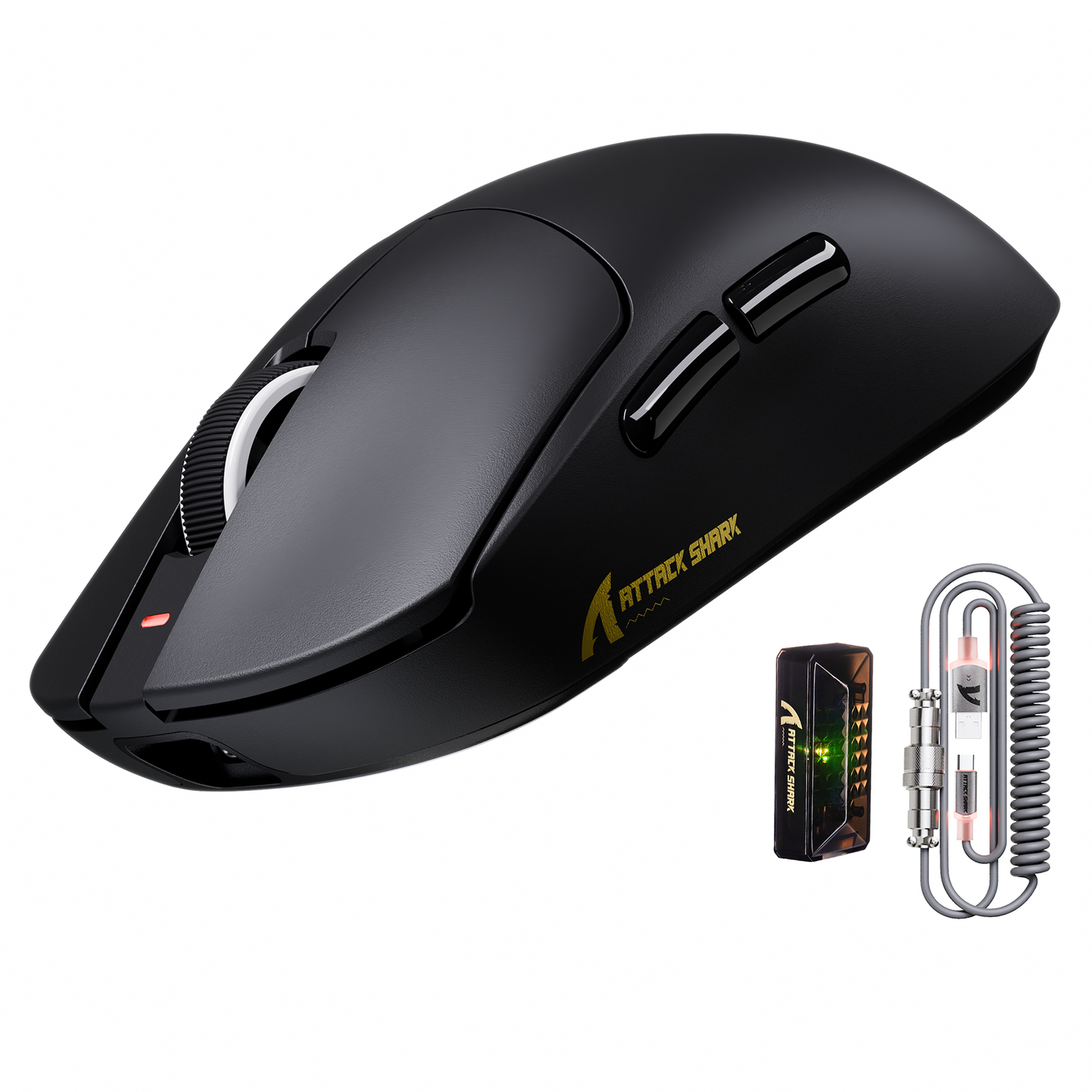
標準的な1000Hzポーリングから8000Hz(8K)への移行は、ボールセンサーから光学センサーへの移行以来、周辺機器技術における最も大きな転換点の一つです。FPS 競技コミュニティにとって、そのメリットは明白です。ほぼ瞬時の0.125msの応答時間による優位性、そして入力遅延の大幅な低減です。しかし、数百回に及ぶトラブルシューティングセッションやパフォーマンス監査を通じて私たちが観察してきたように、8Kへの移行は単純な「プラグアンドプレイ」のアップグレードではありません。複雑なシステム要件とトレードオフの組み合わせが伴い、それらを適切に管理しないと、ゲーム体験を著しく低下させる可能性があります。
このテクニカルガイドでは、高ポーリングレートの機械的および計算的現実を分析します。予算を重視するゲーマー向けに、証拠に裏付けられたヒューリスティックを提供することで「仕様の信頼性ギャップ」を埋め、ハードウェアがボトルネックになるのではなく、あなたの野望を支えてくれることを目指します。
8Kポーリングの物理:マーケティングを超えて
8Kポーリングがなぜ革新的なのかを理解するには、まず周波数と時間の関係性について考える必要があります。標準的なゲーミングマウスは1000Hzで動作し、1.0msごとにPCにレポートを送信します。この周波数を8000Hzに上げることで、ポーリング間隔はほぼ瞬時の0.125msに短縮されます。
この低減は、高速トラッキング時に知覚される「マイクロスタッター」に直接影響します。240Hzまたは360Hzのモニター上でマウスを動かすと、1000Hzのマウスではモニターのリフレッシュサイクルと完全に一致しない場合があります。このずれにより、カーソル位置に微細で不均一な隙間が生じます。8000Hzではデータポイントの密度が非常に高くなるため、ディスプレイがレンダリングできる場合、カーソルの軌跡ははるかに滑らかに見えます。
モーション同期遅延スケーリング
よく混同されるのが「モーションシンク」です。これは、センサーデータとUSBポーリングイベントを同期させる機能です。USB HIDクラス定義(HID 1.11)によると、ホストコントローラーがこれらのレポートを処理する方法は、安定したデータストリームを維持するために非常に重要です。
従来の1000Hzマウスでは、Motion Syncにより約 0.5ms(ポーリング間隔の半分)の遅延が発生します。しかし、8000Hzでは、このペナルティは約 0.0625msとごくわずかです。つまり、ATTACK SHARK X8シリーズ トライモード軽量ワイヤレスゲーミングマウスに搭載されているPixArt PAW3950のような高性能センサーを使用している場合、Motion Syncを有効にすると、実質的に遅延を感じることなく、動作の一貫性が「無償」で向上します。
CPU 税:IRQボトルネックを理解する
8Kポーリングが普遍的に推奨されない主な理由は、「CPU 負担」です。マウスが8000Hzでポーリングする場合、単にデータを送信するだけでなく、毎秒 8000 件の割り込み要求(IRQ)を生成します。CPUは各要求を処理するために、現在のタスクをほんの一瞬停止しなければなりません。
70%使用率ヒューリスティック
私たちは、実際のパフォーマンス テストに基づいた実用的なヒューリスティックを開発しました。目標フレーム レートでゲーム中の CPU 使用率が一貫して 70% を超える場合は、1000 Hz または 4000 Hz に固執する必要があります。
Ryzen 5 5600のような最新の6コア/12スレッドプロセッサでは、CS2やValorantといった最適化されたタイトルにおけるオーバーヘッドは最小限に抑えられることが多く、平均 FPSへの影響は1~3%程度です。真の危険は「1%低下」にあります。CPUの負荷が既に高い場合、追加の割り込み負荷によってフレームタイムのスパイクが発生し、混沌とした銃撃戦など、スムーズな動作が最も求められる場面で、顕著なスタッターが発生する可能性があります。
| ポーリングレート | 間隔 | 推定 CPUオーバーヘッド(最新のヘキサコア) | 推奨最小 CPU |
|---|---|---|---|
| 1000Hz | 1.0ミリ秒 | 0.5%未満 | 最新のクアッドコア |
| 4000Hz | 0.25ミリ秒 | 1.5%~3% | Ryzen 5 3600 / インテル i5-10400 |
| 8000Hz | 0.125ミリ秒 | 4% - 8% | Ryzen 5 5600 / インテル i5-12400 |
注: 値は、一般的な実践とバックグラウンド タスクの負荷に基づいて推定される範囲です。
高性能マウスとキーボードをデスクマットの上に配置したテクニカルなゲーム セットアップ。PC とのスムーズな接続が強調されています。
USBトポロジ:ポート選択が必須な理由
高ポーリングレート設定で最もよくある「落とし穴」の一つは、USBポート自体です。マザーボード上のすべてのUSBポートが同じコントローラーで処理されるわけではありません。
- CPUダイレクトポート:これらは通常、マザーボードの背面 I/Oポート(上面側)に配置されており、CPU 内部のPCIeレーンに直接接続されます。
- チップセットポート:マザーボードのチップセット(例:B550、Z790)を介して接続されます。多くの場合、フロントパネルのヘッダーやUSBハブが接続されます。
8Kポーリングには、ダイレクトマザーボードポートの使用を強くお勧めします。ルーティングされたチップセットポートや外付けハブを使用すると、割り込み処理のレイヤーが追加され、帯域幅の競合が発生する可能性があります。当社の経験では、共有ハブを使用すると「入力フリーズ」が発生する可能性があり、これは割り込み負荷が持続することでUSBホストコントローラドライバがクラッシュまたはハングアップする状態です。
DPI 彩度:微調整の数学
8000Hzのデータストリームを実際に「満たす」には、マウスがポーリングごとに新たな座標変化を生成できるほど速く移動する必要があります。これは次の式で定義されます。 1 秒あたりのパケット数 = 移動速度 (IPS) × DPI 。
400 DPIでプレイする場合、8000Hzのレポートレートを飽和させるには、マウスを最低 20 IPS(インチ/秒)で動かす必要があります。ゆっくりとした精密な微調整(スナイピングなど)を行う場合、400 DPIのマウスは1 秒あたり8,000 個のデータポイントを生成するための解像度が不足しているため、実質的に1000Hzまたは2000Hzでしかレポートできない可能性があります。
8K 信号の安定性を最大限に高めるには、 1000 DPIから1600 DPIのベースラインを推奨します。1600 DPIでは、マウスを5 IPSで動かすだけで8K 帯域幅を飽和させることができるため、わずかなエイム修正でも遅延の低減による恩恵を受けることができます。
バッテリーのトレードオフ:ランタイムのモデル化
ワイヤレス愛好家にとって、8Kポーリングは大きな運用負担となります。Nordic Semiconductor Infocenterで説明されているような高周波 eスポーツチップの技術仕様によると、8Kポーリングの無線デューティサイクルを高くすると、消費電流が大幅に増加します。
私たちは、300mAh のバッテリー (超軽量マウスで一般的) を使用して、典型的な競争シナリオをモデル化しました。
- 1000Hz の場合:消費電流の合計は約 4mA で、動作時間は約 75 時間になります。
- 8000Hz の場合:消費電流は推定 15mA に跳ね上がります。
その結果、駆動時間はわずか17 時間になります。1 日 4 時間プレイするゲーマーの場合、4 日ごとにマウスを充電する必要があります。バッテリー寿命が75~80%短くなることは、利便性を重視する低予算ゲーマーにとって大きな問題です。デバイスの充電を頻繁に忘れてしまう場合は、 ATTACK SHARK X8シリーズ トライモード軽量ワイヤレスゲーミングマウスの1000Hzまたは4000Hzモードの方が、より持続的なバランスを提供します。
シナジー:8Kとホール効果キーボードの統合
8Kの話題の中心はマウスですが、キーボードも重要な要素です。現代の競争力の高いセットアップでは、8Kマウスの速度に匹敵するホール効果(磁気)技術の採用が増えています。
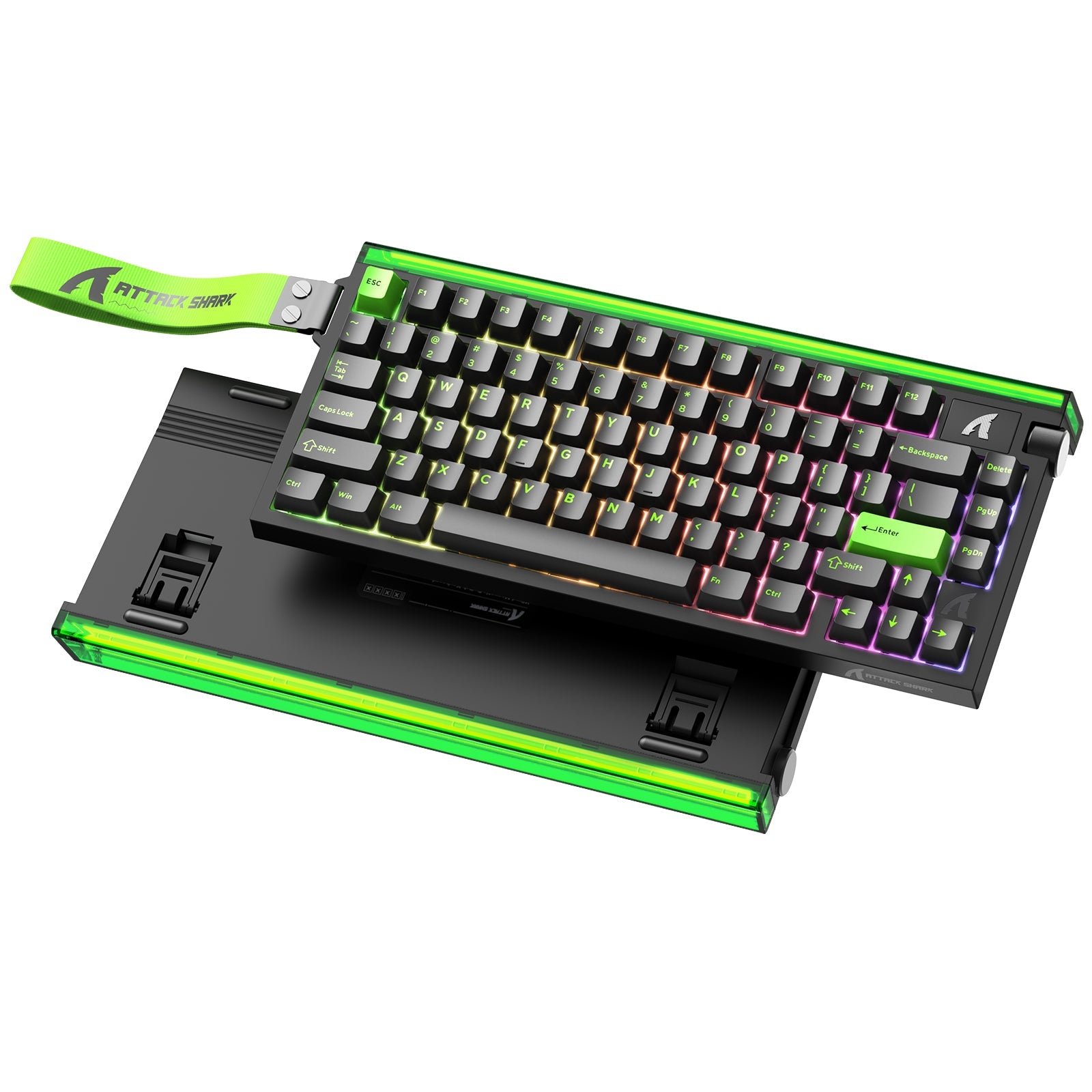
ATTACK SHARK X68MAX HE ラピッドトリガーCNCアルミニウムキーボードは、この相乗効果の好例です。256,000Hzのスキャンレートと、真の8,000Hz 有線ポーリングレートを誇ります。
キーボードポーリングが重要な理由
キーボード入力は見落とされがちですが、 『Valorant』や『Counter-Strike 2』のようなゲームでは、「カウンターストレイフ」にはフレームパーフェクトなタイミングが求められます。0.08msのレイテンシーを持つキーボードなら、「停止」コマンドがOSにほぼ瞬時に認識されます。8Kマウスと組み合わせることで、入力ループ全体が最適化され、高速マウスが125Hzまたは500Hzの低速な旧式キーボードによってボトルネックになった場合に発生する可能性のある「入力ジッター」を軽減します。

8Kの安定性のための環境の最適化
8Kをサポートするハードウェアをお持ちの場合でも、IRQの競合を防ぐためにソフトウェア環境を最適化する必要があります。8Kポーリングの「壊滅的な障害モード」(システム全体の入力が完全にフリーズする状態)は、不安定なバックグラウンドプロセスによって引き起こされることがよくあります。
「複合オーバーヘッド」ルール: 8K ポーリングと同時に以下の実行は避けてください。
- アグレッシブ RGB ソフトウェア:多くの照明スイートでは、パターンを同期するために高い CPU サイクルが使用されます。
- Discord オーバーレイ:オーバーレイは、ゲーム エンジンが Windows Raw Input に接続する方法に干渉する可能性があります。
- ハードウェア監視ツール: 500 ミリ秒ごとに CPU センサーをポーリングするツールは、割り込みキューに「マイクロヒカップ」を引き起こす可能性があります。
NVIDIA Reflex Analyzer の調査によると、システムレイテンシを最小限に抑えるには、周辺機器からゲームエンジンへの「クリーンな」パスが必要です。入力ストリームやレンダリングストリームに介入するソフトウェアは、8Kポーリングによる1ミリ秒未満のパフォーマンス向上を打ち消す可能性があります。
精密表面:マウスパッドの役割
最後に、物理的なインターフェースも無視できません。8000Hzでデータを送信するセンサーは、表面の凹凸に非常に敏感です。従来の布ナプキンは、織り方にばらつきがあり、非常に高いポーリングレートで「ジッター」を引き起こすことがあります。
8Kパフォーマンスを実現するには、 ATTACK SHARK CM04 純正カーボンファイバーeスポーツゲーミングマウスパッドのような、均一で高密度な表面をお勧めします。カーボンファイバーは、X 軸とY 軸に沿ってほぼ完璧な均一トラッキングを提供します。この均一性は非常に重要です。なぜなら、センサーは0.125ミリ秒間隔で表面を「微視的」に観察しているからです。織り目のわずかなずれも拡大され、CPUに送信されるトラッキングデータの一貫性が損なわれる可能性があります。

価値重視のゲーマーのための戦略的実装
予算を重視する競技プレイヤーにとって、最高スペックの追求は現実的な判断基準とのバランスを取る必要があります。現在、ミッドレンジのCPUを搭載した144Hzモニターでプレイしている場合、1000Hzから8000Hzへのアップグレードは、メリットが減少する可能性があります。
推奨される進行:
- DPI 調整:現在のポーリング レートを飽和させるには、1000 ~ 1600 DPI であることを確認します。
- USB 最適化:レシーバーをマザーボード上の背面 I/O ポートに直接移動します。
- 4K のスイート スポット:多くの人にとって、4000Hz は理想的な「黄金比」を表します。4000Hz では、レイテンシが 75% 削減され (0.25 ミリ秒)、CPU の負担が大幅に軽減され、8K よりもバッテリー寿命が長くなります。
- フル 8K 展開: 240Hz 以上のモニター、ハイエンド CPU (Ryzen 7 または i7 など)、規則正しい充電ルーチンを備えたユーザー向けです。
ATTACK SHARK X8 シリーズの 3 モード軽量ワイヤレス ゲーミング マウスは、これらのモードを柔軟に切り替えることができるため、システムが安定し、狙いが最も反応しやすいポイントを正確に見つけることができます。
基礎となるメカニズム (IRQ 処理、USB トポロジ、センサーの飽和) に焦点を当てることで、誇大広告を乗り越え、スタッターのない一貫したトーナメント グレードのパフォーマンスを提供するセットアップを構築できます。
YMYL 免責事項:この記事は情報提供のみを目的としています。ポーリングレートを高くしたり、トリガーを高速に設定したりすると、周辺機器の操作感が大きく変わる可能性があります。設定を変更した後に手首に負担がかかったり、不快感を覚える場合は、資格のある人間工学専門家または理学療法士にご相談ください。システムのセキュリティ保護のため、ドライバーは必ず公式ソースからダウンロードしてください。

コメントを書く
このサイトはhCaptchaによって保護されており、hCaptchaプライバシーポリシーおよび利用規約が適用されます。