プライムスロットのデッドキー:なぜCaps LockがあなたのAPMを殺しているのか
想像してください:あなたはWorld of Warcraftのミシック+ダンジョンの深部にいるか、Final Fantasy XIVの高強度なアルティメットレイドを攻略中です。回転は完璧で、位置取りもピクセル単位で正確、そしてその時が来ます。重要な防御クールダウンのために左Ctrlキーを押そうとして小指が過伸展します。ミリ単位で外すか、あるいは押せても、その不自然な過屈曲が次の入力に一瞬の遅れを生じさせます。突然、画面がグレーになり、レイドチャットで「???」と問われます。
問題はあなたのスキルではなく、1870年代のタイプライター用に設計されたレガシーなキーボードレイアウトです。Caps Lockキーはキーボード上で最も価値のある場所の一つを占めていますが、多くのゲーマーにとっては「デッドキー」であり、パスワードを間違えさせるだけです。
エリートMMOプレイヤーやエルゴノミクス専門家は長らく「Caps Lock入れ替え」を推奨してきました。このあまり使われていないボタンを Ctrl, Alt、またはカスタムファンクションレイヤーを使うことで、手の負担を大幅に減らし、効果的なアクション毎分(APM)を増やすことができます。このガイドでは、この入れ替えがなぜ効果的なのか、その実装方法(アンチチートソフトをトリガーしない方法)、そして定着させるための包括的なセットアップについて解説します。
「小指リーチ」の生体力学
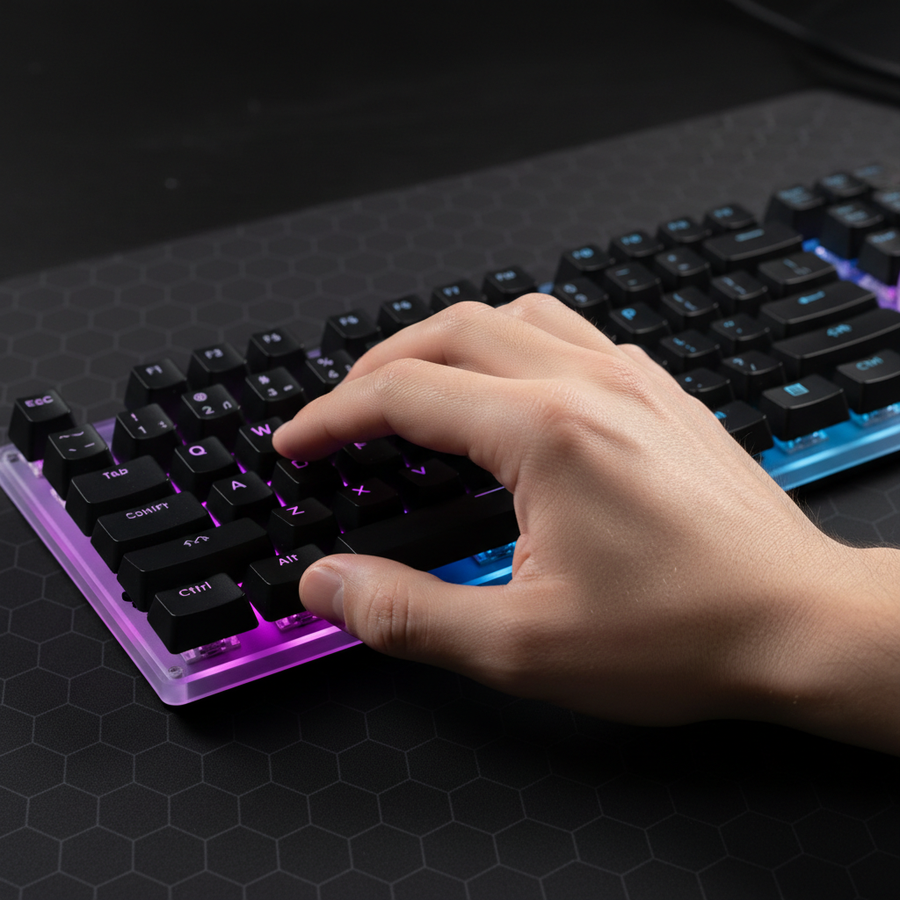
Caps Lockの入れ替えがゲームチェンジャーである理由を理解するには、遠位上肢、特に尺骨神経と小指を制御する小さな筋肉に注目する必要があります。標準的な104キーまたはTKLレイアウトでは、 左Ctrl キーは極端な左下に配置されています。平均的から小さい手のプレイヤーにとって、このキーに届くには手首の回内(ねじり)と小指の過屈曲の組み合わせが必要です。
グローバルゲーミング周辺機器業界ホワイトペーパー(2026年)によると、業界は「生体力学的アライメント」へとシフトしており、入力デバイスはユーザーを中立姿勢からどれだけ強制的に逸脱させないかで評価されています。
分析:小さい手のヒーラーシナリオ
このリーチの影響を、「Alex」という手の長さが16.5cm(女性ゲーマーの約25パーセンタイル)である精密レイドヒーラーのシナリオを使ってモデル化しました。Alexは進行週に毎日6〜8時間プレイします。
モデリングノート(再現可能なパラメータ): このシナリオは、ACGIHが採用する遠位上肢障害のリスク分析ツールであるムーア-ガーグストレイン指数(SI)を使用しています。これはシナリオモデルであり、管理された実験室研究ではありません。
| パラメーター | 標準レイアウトの値 | リマップされたレイアウトの値 | 単位 | 根拠 |
|---|---|---|---|---|
| 強度乗数 | 1.2 | 0.8 | 乗数 | 小指の伸展に必要な力対ホームポジションへのアクセス |
| 姿勢乗数 | 2.0 | 1.0 | 乗数 | 過屈曲/回内(非最適)対ニュートラル(最適) |
| 1分あたりの努力回数 | 4.0 | 4.0 | 乗数 | 180~220 APMのゲームプレイに基づく |
| 持続時間乗数 | 2.0 | 2.0 | 乗数 | 4~6時間のレイドセッション |
| 速度乗数 | 2.0 | 2.0 | 乗数 | 迅速で反応的なキー押下 |
| 最終SIスコア | 69.12(危険) | 23.04(危険) | スコア | 約67%の理論的改善 |
プロレベルのMMOプレイの極端な時間と強度のため、両方のスコアは「危険」カテゴリーに入りますが、67%の改善は非常に大きいです。Alexの場合、この改善は痛みの発生を遅らせることを意味し、2時間で感じていた「小指のしびれ」が4時間以上の快適なプレイに変わりました。

戦略的リマッピング:Ctrl、Alt、それともレイヤートグル?
すべての入れ替えが同じではありません。最適なリマップは、主にプレイするゲームと手の自然な休止位置によって大きく異なります。
1. Caps-to-Ctrlの入れ替え(WoW標準)
World of Warcraftでは、Ctrl+1からCtrl+5がセカンダリアクションバーの標準であるため、Caps LockをCtrlにリマップするのが最も一般的な方法です。これにより、小指はホームポジション(Aキー)に置いたまま、薬指と中指で数字キーを操作でき、「クロークラッシュ」を最小限に抑えられます。
2. Caps-to-Altの入れ替え(FFXIV/カメラ戦略)
Final Fantasy XIVのように、Altがサードティアのホットバーやカメラのロック解除によく使われるゲームでは、Altへの入れ替えがより有益な場合があります。ただし、カメラ操作にAltを使うプレイヤーは注意が必要です。親指は通常のAltの位置の方が適しているためです。
3. レイヤートグル(プロの発見)
最も洗練された方法は、Caps Lockを一時的なファンクションレイヤーにリマップすることです。単純な1:1の入れ替えではなく、Caps Lockを押し続けると、WASDが矢印キーになったり、1-5がF1-F5になるような二次レイヤーが有効になります。これにより、ホームポジションから手を動かさずに押せるキーの数が実質的に倍増します。
インサイダーティップ:経験豊富なプレイヤーは、最大のミスは元のCaps Lock機能を完全に無効化しないことだと指摘します。機能を「追加」するだけで「Caps切替」コマンドを削除しないと、慌ただしいレイド中に誤って全大文字でタイプしてしまうことがあります。
実装方法:ソフトウェア vs ハードウェア
何をリマップするかと同じくらい、どのようにリマップするかが重要です。ここには大きな「落とし穴」があります:アンチチート検出。
- ソフトウェアレベル(AutoHotkey/汎用リマッパー):強力ですが、AutoHotkeyのようなツールはFFXIVやWoWなどのタイトルで自動化スクリプトと見なされ、アンチチートによる禁止措置を受けることがあります。
-
ドライバーレベル(公式ソフトウェア):ファームウェアレベルでリマップするにはAttack Shark - 公式ドライバー ダウンロードを使うのが格段に安全です。変更はキーボードのオンボードメモリに保存されるため、PCは入力をネイティブな
CtrlやAltの押下として認識し、ソフトウェアベースの検出を回避します。 - ウェブベースの設定:もしATK Hub(Webドライバー)対応のキーボードを使っているなら、ブラウザ上でこれらの変更を行えます。常駐プロセスをインストールしないため、システムの遅延や競合リスクをさらに減らせます。

適応フェーズ:脳の再配線
何十年も使ってきた(または無視してきた)キーを入れ替えるには、筋肉の記憶を文字通り再配線する必要があります。コミュニティのフィードバックと専門家のセットアップからのパターン認識によると、適応期間は通常3~7日です。
これを加速させるために、いきなりレイドに飛び込まないでください。
-
タイピング練習ツール:Monkeytypeのようなツールを毎日15~30分使いましょう。通常のタイピング中に新しい
CtrlやAltの位置を使うことを強制してください。 - キーキャップのプロファイリング:これは非常に効果的な調整です。標準のCaps Lockキーキャップを、周囲のキーと物理的に異なる感触のスカルプテッドプロファイル(CherryやOEMのような)に交換すると、触覚フィードバックが得られます。これにより、ピンキーが見ずにキーを「見つける」助けになります。
- 「ピンキーアンカー」シナジー:狭いマウスを使っているなら、すでに安定性のために「ピンキーアンカー」を実践しているかもしれません。リマップされたキーボードと適切にフィットしたマウスを組み合わせることで、「ニュートラルリスト」環境を作り出せます。
ホリスティックなエルゴノミクス:キー割り当てを超えて
Caps Lockの入れ替えは強力な最適化ですが、全体的な姿勢が最適でなければ小さな修正にすぎません。先にモデル化した67%の負担軽減を実現するには、「サポート」面の改善が必要です。
マウスフィットの60%ルール
アレックス・チェン(手の長さ16.5cm)のモデルでは、標準的な120mmのマウスは彼女のグリップには実際には14%長すぎることが示されました。
論理的まとめ:ISO 9241-410の原則に基づくグリップフィット計算機を使うと、16.5cmの手に理想的なマウスの長さは約106mmと推定されます。
マウスが大きすぎると、手が過度に伸びて前腕の筋肉が緊張し、キーボードの「小指の届き」にさらに負担がかかります。
リストサポートとアライメント
手首がキーボードに接する角度がリマッピングの効果を決めます。手首が伸びている(上に曲がっている)場合、どこにあっても手根管を圧迫しています。 Ctrl キーは。
65%または75%のキーボードと専用のサポートシステムの組み合わせをおすすめします。ATTACK SHARK 68 KEYS アクリルリストレストは、手を中立の位置に整える傾斜したすりガラス調の表面を提供します。長時間の使用で柔らかい感触を好む方には、ATTACK SHARK Cloud キーボードリストレストが高密度メモリーフォームを使い、尺骨神経の圧迫を防ぎます。
セットアップ用のツールやドングルを持ち歩く場合は、ATTACK SHARK アルミ合金リストレスト パーティション収納ケース付きが、同じエルゴノミクスの傾斜に加え、滑り止め効果のある堅牢なCNCアルミベースを提供します。一般的なレイアウトには、標準のATTACK SHARK アクリルリストレストが、手の高さを適切に保ち、Caps Lockへのアクセスを楽にするコスト効果の高い方法です。

究極のMMOレイアウトのためのプロのコツ
最後に、トップクラスの進行レイダーが使用しているセットアップの推奨事項を紹介します:
-
ハイブリッドハンドロード: 12ボタンのMMOマウスでは、サイドボタンを
ShiftやAltなどの修飾キーに割り当て、Caps LockのリマップをCtrlに使いましょう。これにより「修飾キーの負荷」を両手に分散でき、左手の疲労を大幅に軽減します。 - 触覚の区別: キーボードがホットスワップ可能なスイッチに対応している場合、リマップしたCaps Lockには少し重いスイッチ(高い作動力)を使うことを検討してください。これにより、緊張した瞬間の誤操作を防げます。
- 視覚的ヒント: リマップしたCaps LockのRGBライティングを目立つ色に設定しましょう。これは新しいレイアウトを無意識に常に思い出させる役割を果たします。
信頼と安全性に関する注意
ハードウェアの変更を実施する際は、必ず周辺機器が地域の基準を満たしていることを確認してください。例えば、ワイヤレスキーボードは理想的にはFCC機器認証やISEDカナダ無線機器リストの認証を取得しているべきです。2.4GHz帯の干渉は「入力ドロップアウト」を引き起こし、これはしばしば筋肉の記憶ミスと誤解されます。
免責事項: 本記事は情報提供のみを目的としており、専門的な医療アドバイスを構成するものではありません。手や手首に持続的な痛み、しびれ、またはチクチク感がある場合は、資格のある作業療法士または医療専門家に相談してください。
出典 & 参考文献
- Moore, J. S., & Garg, A. (1995). ストレインインデックス
- ISO 9241-410: 人間-システム相互作用の人間工学
- グローバルゲーミング周辺機器業界ホワイトペーパー (2026)
- RTINGS - マウスクリック遅延と入力方法論
- ANSUR II 人体計測データベース
- 労働安全衛生局 (OSHA) - 人間工学
- USB HIDクラス定義 (HID 1.11)
- Attack Shark - 公式ドライバーサポート
人間工学の最適化をさらに深く知りたいですか? 小指のアンカリング最適化に関するガイドをチェックするか、キーボードの幅がエイムに与える影響を学びましょう。