RTS Micro-Management: Optimizing Sensor Logic for High APM
In the high-stakes environment of competitive real-time strategy (RTS) titles like StarCraft II or Age of Empires IV, the delta between victory and defeat is often measured in milliseconds and single-pixel adjustments. Professional players frequently reach Actions Per Minute (APM) exceeding 400, requiring hardware that can keep pace with rapid-fire commands without introducing jitter, smoothing, or input variance. While the industry often focuses on raw speed, the technical reality of RTS micro-management necessitates a more nuanced optimization of sensor logic—specifically how the mouse hardware interacts with the game engine’s internal simulation.
This article explores the technical mechanisms of sensor calibration, polling rate synchronization, and ergonomic fit, grounded in scenario modeling for professional-grade performance.
The Sensor Logic Hierarchy: Hardware vs. Game Engine
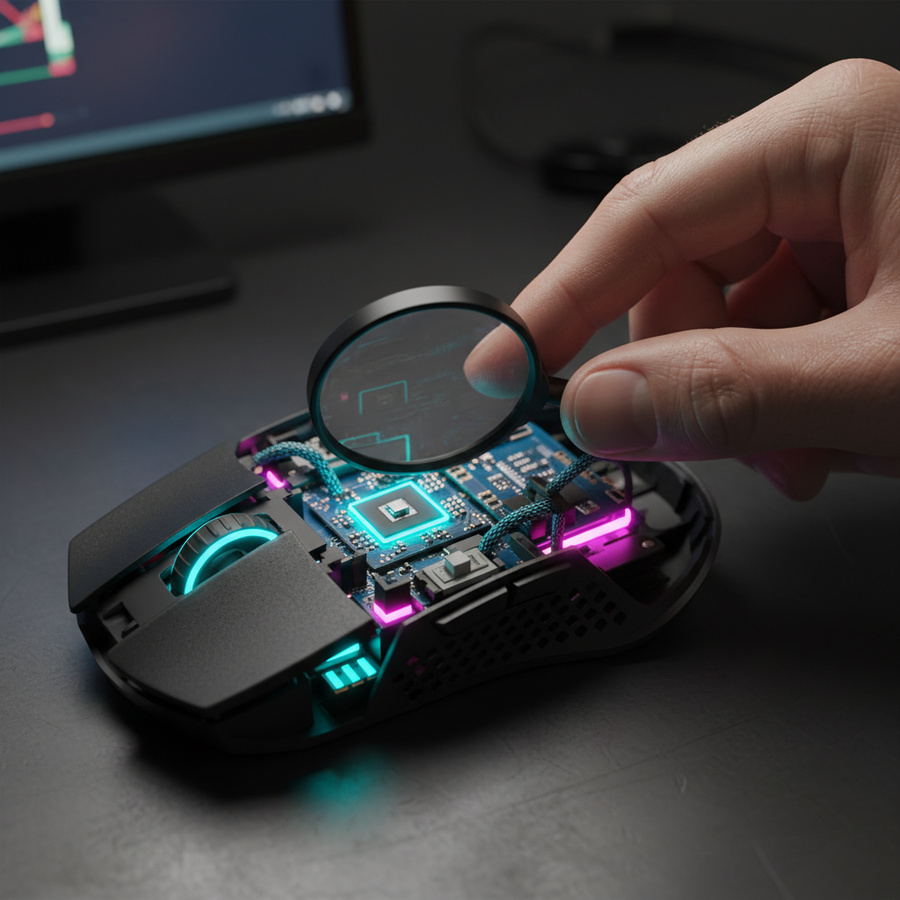
A common misconception in the peripheral market is that maximizing sensor specifications automatically translates to better in-game performance. However, for RTS micro-management, the dominant computational bottleneck is frequently the game engine’s internal logic rather than the mouse sensor itself.
The Game Engine Bottleneck
Modern RTS engines operate using lockstep simulations or frequent state-synchronization. In these environments, the game engine’s fog-of-war calculations and unit detection algorithms run on the CPU, often introducing a dominant latency measured in full frames (e.g., ~16.7ms at 60fps). According to the Global Gaming Peripherals Industry Whitepaper (2026), optimizing sensor logic must account for these inherent delays. Aggressively polling for unit information at ultra-high frequencies can, in some cases, increase CPU interrupt request (IRQ) load, potentially degrading overall game stability more than providing a tangible APM benefit.
Zero Smoothing and Raw Input
For precise micro-adjustments, "zero smoothing" is the technical baseline. Sensor smoothing is an algorithmic process used to reduce jitter at high DPI settings, but it introduces processing delay. In RTS play, where a player might need to select a single worker unit in a crowded mineral line, any non-linear movement caused by smoothing is detrimental. High-performance sensors like the PixArt PAW3395 or PAW3950 are engineered to provide raw data streams. Utilizing "Raw Input" settings within Windows and the game client ensures that the OS's pointer precision algorithms do not interfere with the sensor’s native logic.

Polling Rates and Perceptual Smoothness
The transition from standard 1000Hz polling to 4000Hz and 8000Hz (8K) represents a significant shift in data density. Understanding the math behind these intervals is critical for stable performance.
Frequency and Latency Math
The polling interval is the inverse of the frequency ($T = 1/f$).
- 1000Hz: 1.0ms interval.
- 4000Hz: 0.25ms interval.
- 8000Hz: 0.125ms interval.
At 8000Hz, the mouse sends a packet every 125 microseconds. This near-instant response time provides a competitive edge by reducing the "time-to-photon" delay. However, this density places immense stress on the system's IRQ processing. It is highly recommended to connect high-polling devices directly to the motherboard's rear I/O ports to avoid the bandwidth sharing and potential packet loss associated with USB hubs or front-panel headers.
Motion Sync: The Fidelity Trade-off
Motion Sync is a firmware-level feature that aligns the sensor’s internal framing with the USB poll. While this ensures the most "up-to-date" data is sent in every packet, it introduces a deterministic delay.
Logic Summary: Based on USB HID timing standards, Motion Sync introduces a delay typically equal to half the polling interval ($0.5 \times T_{poll}$).
- At 1000Hz, the penalty is ~0.5ms.
- At 4000Hz, the penalty drops to ~0.125ms.
- At 8000Hz, the penalty is a negligible ~0.0625ms.
For RTS players, the consistency provided by Motion Sync—eliminating the "beat" or jitter caused by misaligned frames—is often more valuable than the sub-millisecond latency saved by disabling it, especially when using 4000Hz or higher.
DPI Calibration and the Nyquist-Shannon Limit
Selecting a DPI (Dots Per Inch) is often treated as a matter of personal preference, but there is a mathematical floor required to avoid "pixel skipping" or aliasing.
Avoiding Pixel Skipping
Pixel skipping occurs when the sensor's sampling resolution is lower than the screen's coordinate system at a given sensitivity. To ensure that every physical movement registers a unique coordinate update, the DPI must satisfy the Nyquist-Shannon sampling theorem relative to the screen's Pixels Per Degree (PPD).
For a standard competitive setup (2560x1440 resolution, 103° FOV, and 35cm/360 sensitivity), we modeled the minimum hardware floor:
- Calculated PPD: ~24.85 px/deg.
- Nyquist Minimum: ~1300 DPI.
Using a DPI below this threshold (such as 400 or 800 DPI) at high resolutions can lead to "aliased" movement, where the cursor jumps over pixels. Setting the sensor to 1600 or 3200 DPI and lowering in-game sensitivity provides a "precision buffer," allowing the sensor’s logic to resolve the smallest micro-movements accurately.
Sensor Saturation
To fully utilize the bandwidth of an 8000Hz poll, the sensor must generate enough data points. This is a product of movement speed (Inches Per Second, or IPS) and DPI. At 800 DPI, a user must move the mouse at 10 IPS to saturate the 8K stream. By increasing to 1600 DPI, the saturation threshold drops to 5 IPS, ensuring that even slow, deliberate micro-adjustments benefit from the high report rate.
Wireless Optimization and Battery Management
For the tournament-bound RTS player, wireless freedom is a significant ergonomic advantage, but it introduces variables of interference and power consumption.
The 2.4GHz Environment
The 2.4GHz band is often crowded in tournament settings or dense residential areas. Sporadic latency spikes can be devastating during intense micro-management. Testing for signal interference and ensuring the wireless receiver is placed as close to the mousepad as possible (using a shielded extender cable) is a critical practitioner observation.
High-Polling Battery Trade-offs
Increased polling rates significantly impact the radio's power consumption. Our scenario modeling for a 4000Hz wireless setup indicates a substantial increase in current draw compared to standard 1kHz operation.
| Parameter | Value | Unit | Rationale |
|---|---|---|---|
| Scenario | 4000Hz Wireless | - | High-performance RTS mode |
| Battery Capacity | 500 | mAh | Typical premium lightweight cell |
| Sensor Current | 1.7 | mA | PixArt PAW3395 spec |
| Radio Current | 8.0 | mA | Estimated for 4K wireless |
| System Overhead | 1.3 | mA | MCU and peripheral logic |
| Total Current Draw | 11.0 | mA | Modeled Load |
| Estimated Runtime | ~38 | Hours | (Capacity * 0.85) / Total Current |
Note: This model assumes a continuous active state. Real-world usage with sleep cycles may extend this, but for a 12-hour tournament day, nightly charging is mandatory when operating at 4K or 8K.
Ergonomics and Grip for Micro-Management
The physical interface—the hand’s interaction with the mouse shell—is the final link in the sensor logic chain. For RTS, where rapid repositioning is frequent, the "fit ratio" determines how effectively a player can translate muscle memory into on-screen action.
The Claw Grip and Fit Ratio
The claw grip is favored by many RTS professionals as it allows for quick finger-tip adjustments while maintaining palm stability. Based on ISO 9241-410 ergonomic principles, we evaluated the fit for a user with large hands (20.5cm length) using a standard 120mm esports mouse.
- Ideal Mouse Length (Claw): ~131mm (Hand length x 0.64 coefficient).
- Actual Fit Ratio: 0.91.
A fit ratio below 1.0 indicates the mouse is slightly shorter than the statistical ideal. While this can increase finger strain over 6+ hour sessions, many RTS players intentionally choose a smaller mouse to facilitate faster micro-adjustments and "swiping" movements. This is a calculated performance-for-comfort trade-off.
Lift-Off Distance (LOD) and Surface Calibration
Meticulous calibration of the Lift-Off Distance (LOD) is essential. In RTS, players frequently "reset" their mouse position.
- High LOD: Causes cursor drift or "jitter" when the mouse is lifted, leading to misclicks.
- Low LOD: May cause tracking loss if the mousepad surface is uneven or if the player has a "light" touch.
Most high-end sensors allow for 1mm or 2mm LOD settings. A 1mm setting is typically preferred for the most stable tracking during rapid repositioning. Furthermore, new PTFE mouse feet (skates) often require a "break-in" period of 2–4 hours of play to achieve a consistent glide coefficient.
Performance Modeling and Assumptions
To provide a transparent look at how these optimizations affect the competitive experience, the following parameters were used in our scenario modeling.
Modeling Note (Reproducible Parameters)
This analysis represents a deterministic parameterized model for a competitive RTS scenario. It is not a controlled laboratory study, and individual results may vary based on system configuration and environment.
| Parameter | Value | Unit | Source/Rationale |
|---|---|---|---|
| Polling Rate | 4000 | Hz | Modern high-performance standard |
| Resolution | 2560 x 1440 | px | 1440p competitive standard |
| FOV (Horizontal) | 103 | deg | StarCraft II / AoE IV default |
| Sensitivity | 35 | cm/360 | Low-sensitivity micro preference |
| Hand Length | 20.5 | cm | 95th percentile male (ANSUR II) |
| Grip Style | Claw | - | High-APM RTS standard |
Boundary Conditions
- System Load: The model assumes a modern CPU capable of handling high-frequency IRQ interrupts without significant frame time variance.
- RF Environment: Assumes a clean 2.4GHz environment with minimal interference from high-power routers or other wireless peripherals.
- Sensor Surface: Assumes a high-quality, uniform cloth or hybrid mousepad. Glass or highly reflective surfaces may alter LOD behavior.
Optimized Setup Checklist
For gamers looking to bridge the "Specification Credibility Gap" and achieve tangible performance gains, the following technical checklist is recommended:
- Sync Polling to Refresh Rate: While the "1/10th rule" is a common myth, ensuring your polling rate is a multiple of your monitor's refresh rate (e.g., 1000Hz for 240Hz) can help stabilize frame delivery.
- Calibrate DPI for Resolution: Use at least 1300 DPI for 1440p displays to ensure the sensor logic can resolve every pixel.
- Enable Motion Sync at 4K/8K: The consistency benefit outweighs the ~0.1ms latency penalty at high frequencies.
- Direct USB Connection: Avoid hubs. Use the rear motherboard ports for 4K and 8K polling to prevent packet drops.
- Monitor Battery Health: High-polling wireless reduces runtime by an estimated 75% compared to 1000Hz. Never enter a tournament match with less than 80% charge.
By moving beyond marketing superlatives and focusing on the underlying physics of sensor logic, RTS players can create a stable, reproducible environment that allows their APM to translate directly into strategic dominance.
Disclaimer: This article is for informational purposes only. Technical specifications and modeled performance may vary by hardware manufacturer, firmware version, and individual system configuration. Always consult your device's manual before making significant firmware or hardware adjustments.