In the pursuit of the perfect competitive setup, gamers often obsess over sensor specifications, switch durability, and polling rates. However, technical superiority means little if the physical interface—the mouse shell—causes premature fatigue or aim instability. Among all geometric variables, the placement and height of the mouse "hump" are perhaps the most critical yet misunderstood factors.
We have observed that the most common mistake in peripheral selection is prioritizing raw internal specs over shape. This imbalance leads to a "fighting the mouse" scenario, where the user compensates for poor ergonomics with muscle tension. A difference of just 2–3mm in hump height or a 5mm shift in its fore/aft position can fundamentally change a mouse from feeling "locked-in" to "uncontrollable."
To master your aim, you must understand how the apex of the mouse shell interacts with your hand's anatomy to provide cutaneous feedback and structural stability.
Anatomy of the Hump: Front, Middle, and Rear Profiles
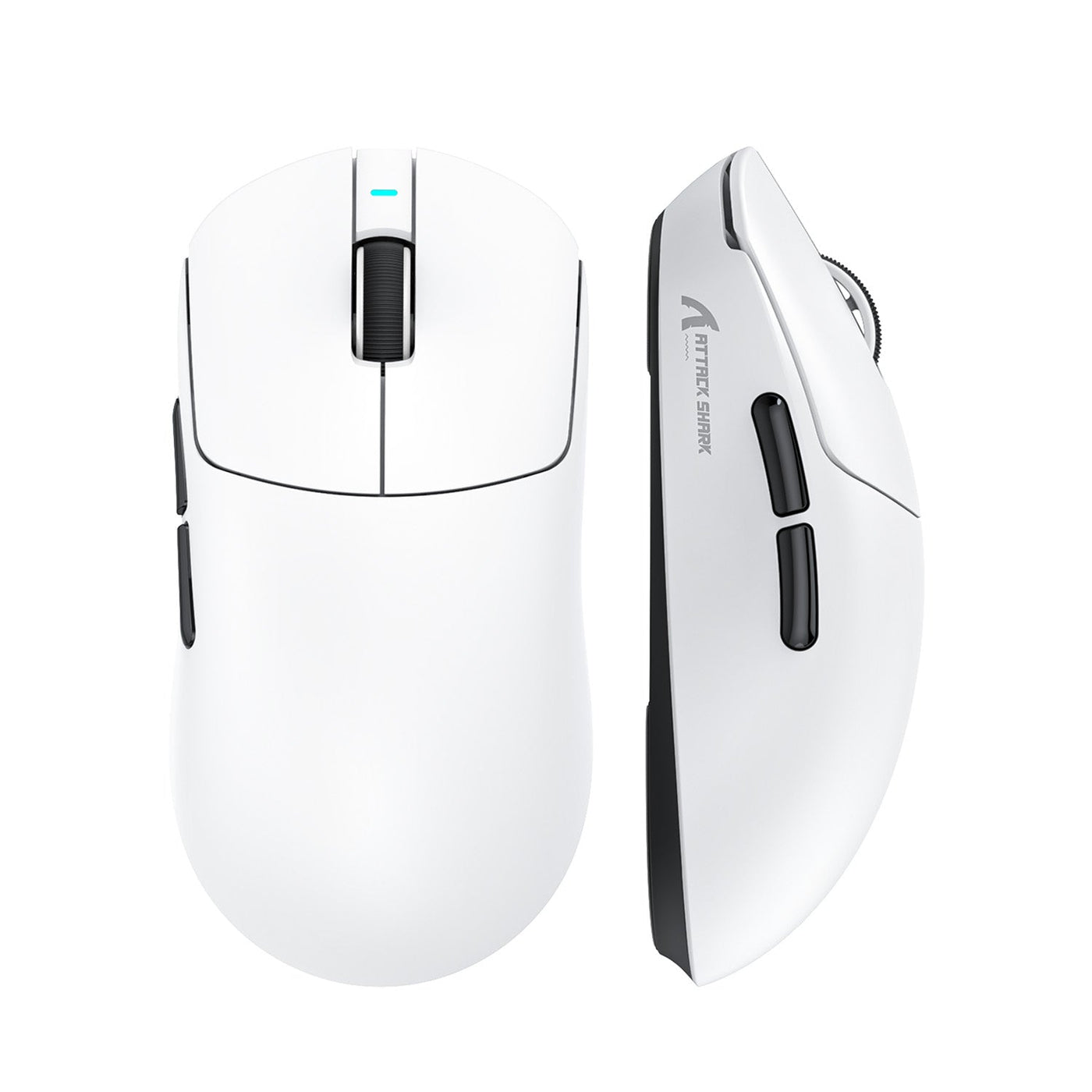
The "hump" refers to the highest point of the mouse's top shell. Its positioning dictates which part of your hand receives the most support and how your fingers are angled toward the primary buttons.
1. The Rear Hump (Back-Loaded Support)
A rear-placed hump features an apex located toward the back third of the mouse. This design is engineered to fill the lower palm area (the thenar and hypothenar eminences).
- Mechanism: By providing a contact point at the base of the palm, a rear hump creates a pivot point for the hand.
- Performance Impact: According to research on the influence of mouse grip type on performance (MDPI), different grips significantly affect flicking and tracking variables. A rear hump is often favored by claw grippers because it allows the "meat" of the palm to stabilize the mouse while the fingers remain arched for rapid clicking.
2. The Middle Hump (Balanced Ergo)
The most common profile, where the apex is centered directly under the knuckles or the middle of the palm.
- Mechanism: This provides a gradual taper toward both the front and the rear.
- Performance Impact: It offers a "standard fit" that accommodates the widest variety of hand sizes but may lack the specialized "locked-in" feel required for extreme micro-adjustments.
3. The Front Hump (Agility-Focused)
Rare in modern gaming mice, a front-biased hump shifts the apex toward the scroll wheel.
- Mechanism: This forces a more aggressive finger arch and leaves the palm largely unsupported.
- Performance Impact: While this can increase agility for fingertip grippers, it often leads to "floating" instability for those who require palm contact for tracking.

Grip Style Synergy: Finding Your Natural Anchor Point
Your grip style isn't just a preference; it is a biomechanical strategy. The hump's peak should generally align with specific anatomical landmarks to ensure a neutral wrist angle and reduce the risk of repetitive strain.
The Claw Grip Heuristic
For a neutral claw grip, we recommend a reliable heuristic: the hump's peak should align with the base knuckles of your fingers. When the hump is too far forward, claw grippers often over-tense their fingers to maintain control, leading to cramping during long sessions. Conversely, a pronounced rear elevation is better suited for claw and fingertip grippers who need that tactile feedback against the palm to anchor their movements.
The Palm Grip Requirement
Palm grippers require full contact with the center of the mouse. The hump must make contact with the center of the palm without creating localized pressure on the carpal tunnel. If the hump is too high and rear-placed for a medium-handed palm gripper, it can feel "tall" and restrictive, forcing an unnatural wrist extension.
The Fingertip Grip Exception
Fingertip grippers generally prefer lower-profile humps. A high hump can interfere with the vertical range of motion, as the shell may hit the palm when pulling the mouse downward for recoil control.
| Hump Position | Ideal Grip Style | Primary Benefit | Common Pitfall |
|---|---|---|---|
| Rear Hump | Claw / Aggressive Claw | High stability for flicks; "locked-in" palm contact. | Can feel restrictive for palm grippers with small hands. |
| Middle Hump | Palm / Relaxed Claw | Versatile; reduces steep wrist angles. | May feel "slippery" or lacking a clear anchor point. |
| Low Profile | Fingertip / Small Hands | Maximum vertical agility; no palm interference. | Higher risk of fatigue due to lack of structural support. |
Case Study: The Quantitative Mismatch of the Large-Handed Gamer
To demonstrate the importance of hump placement, we simulated the ergonomic needs of a large-handed palm grip user (Hand Length: 21.5cm, Breadth: 105mm). This user represents the 95th percentile of the gaming population, a group frequently underserved by "standard" mouse dimensions.
Glass Box Logic: The Fit Ratio
Using standard anthropometric reference data, we calculated the "Grip Fit Ratio" to quantify how well a typical "large" gaming mouse (125mm length) serves this user.
- Ideal Mouse Length Calculation: For a true palm grip, the ideal mouse length is approximately 67% of the hand length. For a 21.5cm hand, the ideal is 144mm.
- The Reality Gap: A 125mm mouse results in a Grip Fit Ratio of 0.87, meaning it is 13% shorter than ideal.
This 19mm deficit is catastrophic for a palm gripper. Even if the mouse has a high rear hump, that hump is positioned too far forward relative to the user's hand anatomy. The result is an unsupported palm base, shifting the entire weight of the hand onto the wrist. This directly contradicts the core requirement of a palm grip—full, relaxed contact from the fingertips to the palm base—and explains why many large-handed gamers report "floating" sensations or instability during precise tracking.

Technical Synergy: Sensors, 8K Polling, and Ergonomic Stability
While shape provides the foundation, the interaction between ergonomics and high-performance electronics like 8000Hz (8K) polling rates cannot be ignored. A stable grip is a prerequisite for utilizing the near-instant 0.125ms intervals provided by 8K technology.
The 8K Polling Paradox
According to the Global Gaming Peripherals Industry Whitepaper (2026), the move toward 8000Hz polling rates requires a fundamental shift in how we view system latency. At 8000Hz, the polling interval is a mere 0.125ms.
However, to visually benefit from this, you must have a high-refresh-rate monitor (240Hz+) and a stable enough grip to perform the micro-adjustments that 8K captures. If your mouse hump placement is incorrect, the micro-tremors in your hand—caused by muscle strain—will be captured by the sensor and transmitted at 8K, potentially leading to a "jittery" feel rather than a smooth one.
Bandwidth Saturation and DPI
To saturate the 8000Hz bandwidth, the sensor must generate enough data points. This is a product of movement speed (IPS) and DPI.
- At 800 DPI, you must move the mouse at least 10 IPS to saturate the 125 microsecond interval.
- At 1600 DPI, only 5 IPS is required.
We recommend using higher DPI settings (1600+) on 8K-capable mice to maintain polling stability during slow, precise tracking movements.
System Bottlenecks: The CPU and USB
The bottleneck at 8K is not raw compute power, but IRQ (Interrupt Request) processing. This stresses the single-core performance of your CPU and the OS scheduling.
- Direct Connection: We strictly advise against using USB hubs or front-panel case headers for 8K mice. Shared bandwidth and poor shielding can cause packet loss, negating the 0.125ms latency advantage. Always use Direct Motherboard Ports (Rear I/O).
- Battery Trade-off: Be aware that 8K polling typically reduces wireless battery life by 75–80% compared to standard 1000Hz settings.
Navigating Compliance and Safety Standards
As a value-oriented gamer, understanding the regulatory landscape ensures you are buying a product that is not only high-performing but safe. Reliable manufacturers adhere to global standards for wireless communication and battery safety.
Wireless and Battery Integrity
High-performance wireless mice rely on 2.4GHz protocols that must comply with the FCC Equipment Authorization in the United States and the EU Radio Equipment Directive (RED). These certifications ensure the device does not interfere with other electronics and that the RF exposure is within safe limits.
Furthermore, because these mice utilize high-capacity lithium-ion batteries to support high polling rates, they must pass the UN 38.3 test for transport safety and often adhere to IEC 62133 for battery cell safety. When purchasing budget-friendly high-performance gear, verifying these certifications (often found in the user manual or on the manufacturer’s support page) is a key step in ensuring long-term reliability.
Practical Selection Matrix: A Checklist for Value-Oriented Gamers
When evaluating your next mouse, use this framework to move beyond marketing fluff and focus on objective data:
- Measure Your Hand: Use the base of your palm to the tip of your middle finger. If you are over 20cm, look for mice with a length of at least 130mm or a pronounced rear hump.
- Identify Your Anchor: Do you prefer your palm to be "filled" (Rear Hump) or do you prefer to "steer" with your fingers (Middle/Low Hump)?
- Check the 2mm Rule: If your current mouse causes wrist pain, look for a replacement with a hump height at least 2mm lower. If you feel you lack control, look for a hump 2mm higher.
- Verify Technical Infrastructure: If opting for an 8K mouse, ensure your CPU can handle the IRQ load and that you have a spare direct USB 3.0+ port on your motherboard.
- Look for Standards: Ensure the device carries the Regulatory Compliance Mark (RCM) or CE marking, indicating adherence to safety and electromagnetic compatibility standards.

Summary of Ergonomic Impact
The geometry of your gaming mouse is the bridge between your intent and the game's execution. While sensors like the PixArt PAW3395 or PAW3950 provide the "eyes" of the mouse, the hump placement provides the "spine." By selecting a shape that aligns with your anatomical landmarks and grip style, you eliminate the physical friction that hinders precision.
Whether you are a large-handed gamer struggling with the "13% deficit" or a competitive player looking to maximize the 0.125ms response of 8K polling, the hump is the variable that determines your ceiling. Prioritize the fit, verify the technical standards, and your performance will follow.
YMYL Disclaimer: The ergonomic advice provided in this article is for informational purposes only and does not constitute professional medical advice. If you experience persistent pain, numbness, or tingling in your hands or wrists, please consult a qualified healthcare professional or physiotherapist. Proper ergonomics is highly individual and depends on pre-existing conditions and specific usage patterns.