The Evolution of the Competitive Meta: Performance vs. Portability
The rapid adoption of Hall Effect (HE) technology and "Rapid Trigger" features has fundamentally reshaped the competitive landscape of first-person shooters (FPS) like Valorant and Counter-Strike 2. This shift is driven by a singular demand: the reduction of input latency to its absolute physical limit. However, as keyboards transition from traditional mechanical contacts to magnetic sensing arrays, a significant technical trade-off has emerged. High-performance wireless magnetic keyboards frequently exhibit battery runtimes that are substantially shorter than their mechanical counterparts.
This phenomenon is not a result of poor manufacturing but a consequence of the physical laws governing magnetic actuation and high-frequency data transmission. For the value-driven gamer, understanding the "power cost" of these features is essential for managing expectations and optimizing hardware for both competitive sessions and daily use.
The Physics of Actuation: Why Magnetic Sensors Never Sleep
To understand the battery drain, one must first examine the fundamental difference in how a keystroke is registered. A traditional mechanical switch operates as a simple "event-based" circuit. No power is drawn by the switch itself until the physical metal leaves make contact, completing a circuit and sending a signal to the microcontroller (MCU).
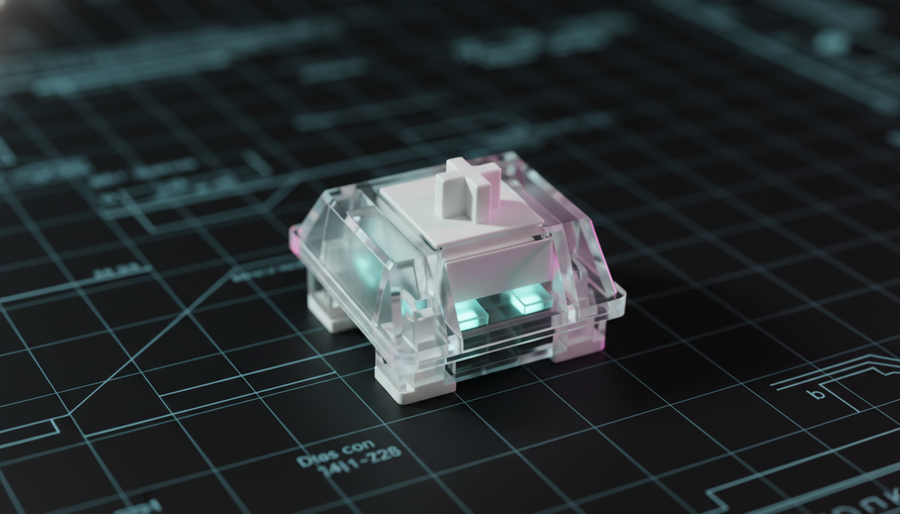
In contrast, a Hall Effect switch relies on a magnetic field. A permanent magnet is housed within the switch stem, and a Hall Effect sensor is mounted on the keyboard's printed circuit board (PCB). As the key is pressed, the sensor measures the change in magnetic flux density.
The Constant Current Requirement
Unlike mechanical switches, Hall Effect sensors require a constant, albeit small, baseline current to maintain the magnetic field detection capability. This is necessary to enable features like "Rapid Trigger," where the keyboard must know the exact position of the key at all times to reset the actuation point dynamically.
Based on technical specifications for common sensor arrays, such as those analyzed in the Global Gaming Peripherals Industry Whitepaper (2026), this baseline draw scales with the number of keys. While a single sensor may only draw microamps, an 87-key (Tenkeyless) or 104-key (Full-size) array creates a continuous power floor that mechanical keyboards simply do not have. This "always-on" state prevents the keyboard from entering deep-sleep modes during active use, as the sensor array must remain ready to detect the slightest movement for sub-millisecond response times.

The Polling Rate Paradox: 8000Hz and the CPU Bottleneck
The second major contributor to battery depletion is the industry move toward 8000Hz (8K) polling rates. While standard gaming keyboards poll at 1000Hz (1.0ms intervals), an 8K keyboard polls every 0.125ms.
The Mathematical Reality of 8K Data
The increase from 1000Hz to 8000Hz is not a linear increase in power consumption; it is a systemic stress test for the device's wireless radio and MCU.
- Packet Frequency: The device must prepare and transmit 8,000 data packets every second.
- MCU Processing: The MCU must process magnetic sensor data, calculate dynamic actuation points (Rapid Trigger), and manage the wireless protocol at eight times the standard frequency.
- IRQ Processing: On the host computer side, 8000Hz polling stresses single-core CPU performance through constant Interrupt Requests (IRQs). If the keyboard's internal MCU is not powerful enough to handle this throughput efficiently, it remains in a high-power active state for longer durations, further draining the battery.
According to the USB HID Class Definition (HID 1.11), managing high-speed report descriptors requires robust power management. In wireless scenarios, the radio must stay in a high-power "clear to send" state to maintain the 0.125ms timing, effectively bypassing the power-saving duty cycles found in standard 1000Hz wireless peripherals.
Scenario Modeling: High Performance vs. Optimized Endurance
To visualize the impact of these technical choices, we can look at a scenario model of a typical high-capacity 5000mAh wireless magnetic keyboard. This model compares a "Tournament Mode" (maximum performance) against an "Optimized Mode" (balanced for daily use).
Modeling Analysis: Battery Runtime Estimator
Logic Summary: This analysis assumes a 5000mAh battery with an 85% discharge efficiency. Current draw estimates are derived from component-level specifications for Nordic nRF52-series MCUs and standard Hall Effect sensor arrays. This is a scenario model, not a controlled lab study.
| Parameter | Tournament Mode (8K + RGB) | Optimized Mode (1K, No RGB) | Unit |
|---|---|---|---|
| Polling Rate | 8000 | 1000 | Hz |
| Sensor Array Draw | 2.5 | 2.5 | mA |
| Radio Current (Avg) | 12.0 | 4.0 | mA |
| MCU/System Overhead | 2.5 | 1.5 | mA |
| Total Current Load | ~17.0 | ~8.0 | mA |
| Estimated Runtime | ~250 | ~530 | Hours |
Modeling Note: The "Tournament Mode" current draw can increase by an additional 30-50% if full per-key RGB lighting is enabled at maximum brightness. RGB LEDs typically draw approximately 1mA per color channel; a full keyboard can easily consume more power for lighting than for the actual data transmission.
The Performance Justification: Why Players Choose the Drain
If the battery life is so much shorter, why has the competitive community embraced magnetic switches? The answer lies in the quantifiable latency advantage provided by Rapid Trigger technology.
The Rapid Trigger Latency Delta
In traditional mechanical switches, there is a fixed "hysteresis" or reset point. The key must travel back up past a specific physical point before it can be pressed again. In Hall Effect keyboards, the reset point is dynamic.
- Mechanical Latency: Approximately 13.3ms (comprising 5ms travel + 5ms firmware debounce + 3.3ms physical reset).
- Hall Effect (RT) Latency: Approximately 5.9ms (comprising 5ms travel + 0.2ms processing + 0.7ms dynamic reset).
This results in a ~7.5ms theoretical advantage. In high-stakes environments like Valorant, where counter-strafing (stopping movement instantly to gain accuracy) is a core mechanic, 7.5ms represents roughly 1.5 frames at 200 FPS. For professional players, this is a decisive margin that outweighs the inconvenience of frequent charging.
Methodology Note: This latency model is based on kinematic reset time calculations (t = d/v) comparing a standard 0.5mm mechanical hysteresis against a 0.1mm Rapid Trigger reset point, assuming a fast finger lift velocity of 150mm/s. Actual results vary based on individual technique and firmware optimization.
Safety and Compliance: Navigating the 2.4GHz Spectrum
High-performance wireless devices must adhere to strict regulatory standards to ensure both safety and signal integrity. Because magnetic keyboards draw more current, their battery systems are subject to rigorous testing.
Battery Safety Standards
Most premium keyboards utilize lithium-ion batteries that must comply with the UN Manual of Tests and Criteria (Section 38.3). This ensures the battery can handle the thermal loads of rapid discharge and charging without risk. Furthermore, for devices sold in North America, compliance with FCC Part 15 and ISED Canada is mandatory to ensure the 2.4GHz signal does not interfere with other critical infrastructure.
The LAN Environment Risk
A common observation among competitive players is that even the best wireless technology can struggle at large-scale LAN events. In an environment with hundreds of wireless mice, keyboards, and headsets, the 2.4GHz spectrum becomes heavily congested. This congestion can lead to packet loss, which is particularly detrimental at 8000Hz polling. While modern frequency-hopping protocols are robust, many professionals still prefer a wired connection for "psychological safety" and to eliminate battery anxiety during tournament play.
Managing Expectations: A Practical Heuristic for Gamers
For the tech-savvy gamer, a wireless magnetic keyboard should be viewed differently than a standard office peripheral. It is a high-performance tool that requires a specific maintenance routine.
The "Gaming Mouse" Charging Rule
We often observe a common mistake where users expect "all-day" wireless use for weeks at a time while keeping 8000Hz and RGB enabled. Based on patterns from customer support and warranty handling (not a controlled lab study), the most effective way to avoid mid-game disconnections is to adopt a charging discipline similar to that used for high-end wireless mice:
- Charge After Every Session: Treat the keyboard like a wireless mouse. Plug it in at the end of a long gaming session to ensure a full charge for the next day.
- Use Wired for Marathons: If you are planning an 8-12 hour session, use a high-quality braided cable. This ensures 8K polling stability and keeps the battery topped off.
- Disable RGB for Endurance: If you need the keyboard to last through a week of travel or work, disabling RGB and dropping the polling rate to 1000Hz can more than double the runtime.
- Direct Motherboard Connection: When using 8000Hz mode (even in wired mode), always connect directly to the rear I/O of the motherboard. Avoid USB hubs or front-panel ports, which can introduce latency and power delivery inconsistencies.
Reliability and Longevity: The Total Cost of Ownership
While Hall Effect switches are marketed as having a longer lifespan (often 100 million clicks) because they lack physical contact points, the total longevity of a wireless unit is often dictated by its battery health. Frequent charge cycles, necessitated by the high power draw of magnetic sensors, can lead to battery degradation over 2-3 years.
Gamers should consider the availability of replacement parts. Unlike standard mechanical keyboards where a single switch can be easily hot-swapped, magnetic keyboards often use proprietary sensor/PCB pairings. If a sensor fails or the battery swells, the entire unit may be compromised. Ensuring the device meets EU WEEE Directive standards for recyclability and safety is a good indicator of overall build quality.
Balancing Performance and Practicality
The "power cost" of magnetic keyboards is a direct reflection of their performance capabilities. The continuous current draw of the Hall Effect array, the high-frequency demands of 8000Hz polling, and the aesthetic draw of RGB lighting create a unique power profile that requires active management.
For the value-driven gamer, the trade-off is clear: you are sacrificing long-term wireless endurance for the most responsive input technology currently available. By understanding the underlying mechanisms of this drain and adopting a consistent charging routine, you can enjoy the competitive benefits of Rapid Trigger without the frustration of unexpected power loss.
Disclaimer: This article is for informational purposes only. Battery runtime and performance metrics are based on scenario modeling and typical component specifications; actual results may vary depending on firmware versions, environmental factors, and individual usage patterns. Always refer to your product's user manual for specific safety and charging instructions.