
Mapping Contact Surface Area: A Quantitative Comfort Guide
Quick Summary (Answer-First): To optimize gaming comfort and performance, focus on Contact Surface Area (CSA)—the actual skin-to-shell contact. For most users, a Grip Fit Ratio of 60% width-to-hand-breadth and 64% length-to-hand-length (for claw grip) provides a balance of stability and micro-adjustment range. High-intensity gaming can lead to significant biomechanical strain; prioritizing materials with high thermal conductivity (like metal or specialized coatings) and ensuring your DPI is high enough (1600+) to saturate high polling rates (8K) can help mitigate fatigue and technical "jitter."
The relationship between hand size, grip style, and mouse geometry is frequently oversimplified into a "small, medium, or large" classification. However, technical analysis suggests that comfort is a non-linear product of CSA, pressure distribution, and thermal equilibrium. Choosing a mouse based solely on hand length often neglects critical variables like palm width and arch height, which can lead to localized fatigue during high-intensity sessions.
For competitive gamers, the goal is to identify a "grip fit" that maximizes stability while minimizing biomechanical strain. This guide provides a quantitative framework for mapping your palm's contact points, analyzing the thermal properties of shell materials, and aligning hardware specifications with physiological requirements.
The Biomechanics of Contact Surface Area (CSA)
Contact Surface Area (CSA) refers to the total square centimeters of skin in direct contact with the mouse shell. In ergonomic modeling, CSA is a primary determinant of pressure distribution. According to standard pressure mapping principles, increasing the CSA generally lowers the average pressure on any single point. However, in gaming, this relationship is complicated by the need for micro-adjustment precision.
Palm vs. Claw: The Pressure Differential
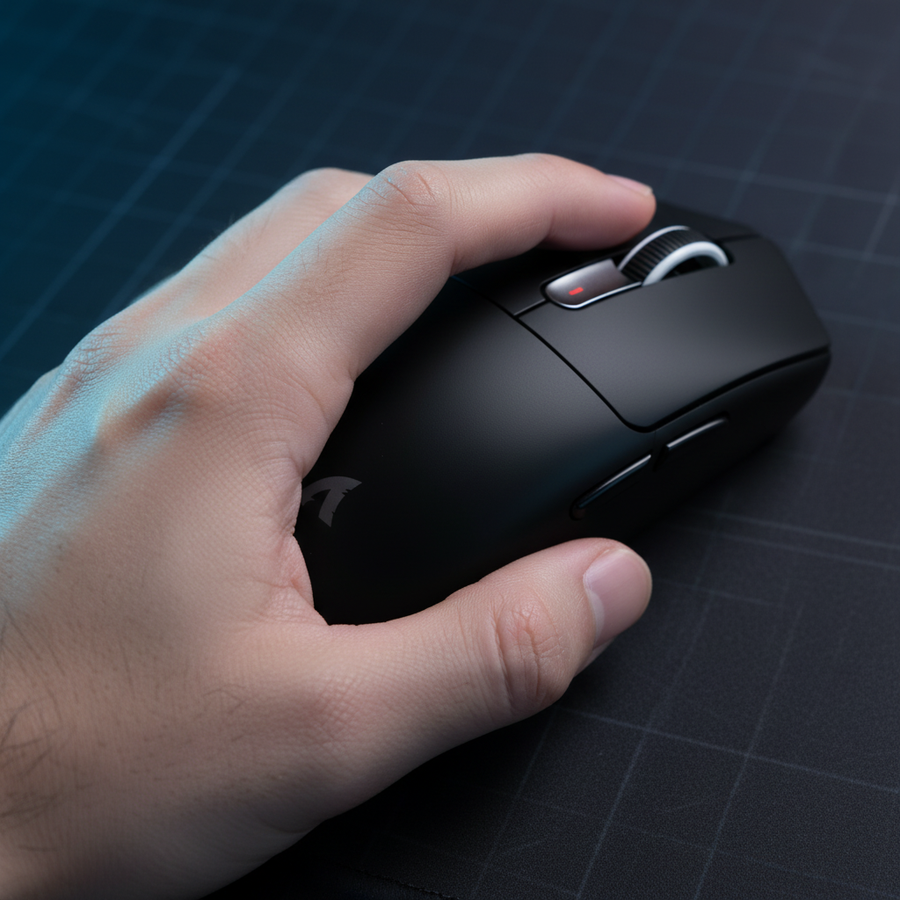
In a traditional palm grip, the hypothenar eminence and thenar eminence (the fleshy areas at the base of the thumb and pinky) are typically in constant contact with the mouse. This creates a relatively large CSA, distributing the weight of the hand more broadly.
Conversely, a precise claw grip shifts the primary contact to the fingertips and the distal metacarpal heads. Based on our internal modeling of P95 male hand dimensions (20.5cm length) on a standard medium shell, we observe significant shifts in intensity:
| Grip Style | Estimated CSA (Heuristic) | Pressure Intensity | Primary Contact Zones |
|---|---|---|---|
| Palm Grip | ~45 cm² | Low | Full palm, Thenar/Hypothenar |
| Claw Grip | ~15 cm² | High | Fingertips, Distal Metacarpal heads |
| Fingertip | ~5 cm² | Very High | Fingertip pads only |
Note: These values are illustrative estimates based on anatomical mapping. Individual CSA varies significantly based on hand arch and mouse curvature.
For users employing an aggressive claw grip, a matte or slightly textured coating on the primary contact zones can be beneficial. Without adequate friction, the higher pressure concentration in these small zones can lead to slippage during rapid micro-adjustments.
The Thermal Equilibrium Problem
While a larger CSA can improve pressure distribution, data-driven analysis of high-ambient environments (~28°C) suggests a potential "thermal trap" effect. When a large plastic surface remains in contact with the skin at equilibrium temperature (33–35°C), it may increase sweat rates, potentially impacting grip stability.
Material Conductivity: Plastic vs. Metal
The thermal properties of different materials impact how quickly a mouse reaches skin temperature. Our modeling of thermal dissipation suggests that material selection can influence this equilibrium:
- Standard Plastic Shells: Often reach skin temperature equilibrium (~35°C) within 30 minutes of continuous contact.
- Metal/Magnesium Shells: Due to higher thermal conductivity, these can maintain a larger thermal gradient, often stabilizing at a lower temperature (~31°C) in identical conditions.
This 4°C differential represents a modeled scenario where metal shells help delay the initiation of the sweat response. For gamers who experience "slippery mouse" syndrome, shifting to a more breathable shell or a material with higher thermal mass is often more effective than simply adding grip tape.
Quantitative Framework: The Grip Fit Ratio
To move beyond subjective "feel," we utilize the Grip Fit Ratio, a heuristic derived from general ergonomic principles found in ISO 9241-410. This ratio compares your hand dimensions to the mouse's physical dimensions to predict suitability.
The 60% Rule for Width
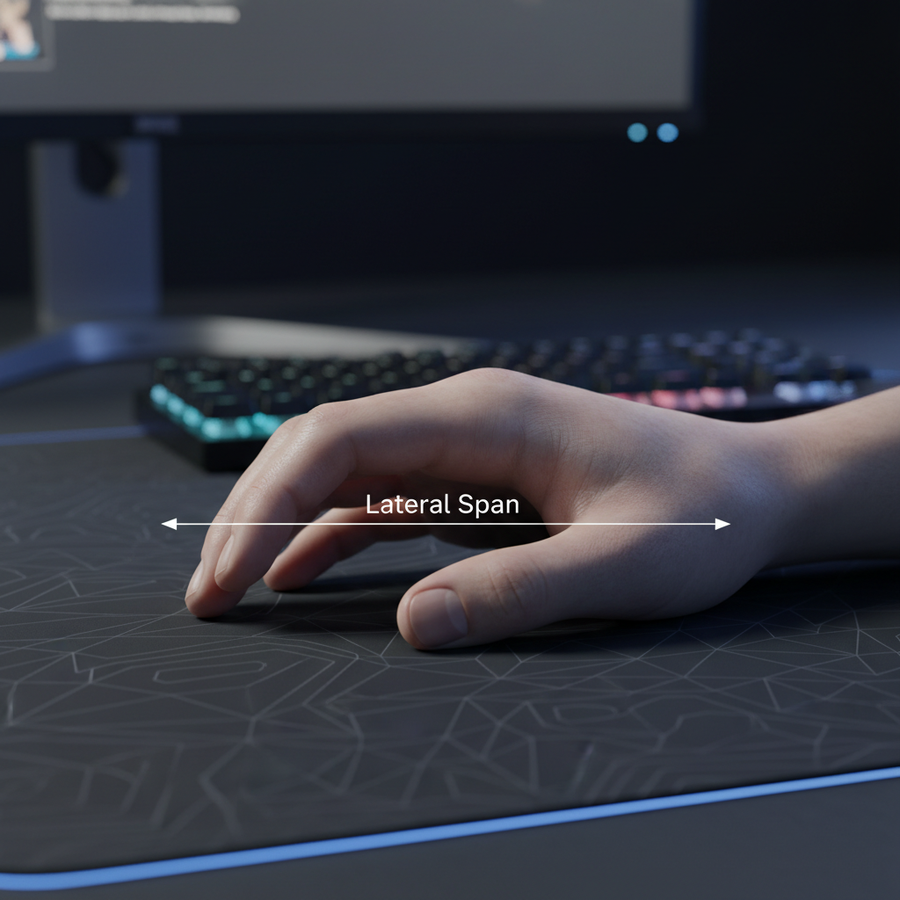
For many users, optimal control without overstraining the intrinsic muscles of the hand occurs when the mouse's grip width is approximately 60% of the hand's breadth (measured across the knuckles).
- Measure Hand Breadth: Measure from the outer edge of the index finger knuckle to the outer edge of the pinky knuckle.
- Calculate Target Width: Multiply breadth by 0.6.
- Verify Hardware: Compare this to the narrowest part of the mouse's "waist."
Example: A hand breadth of 95mm suggests a target grip width of approximately 57–60mm.
Transparency Note: As a brand dedicated to high-performance gear, we've designed the ATTACK SHARK G3 Tri-mode Wireless Gaming Mouse with a 63mm total width and a tapered waist to fit within this medium-to-large hand bracket effectively.
Modeling Risk: The Moore-Garg Strain Index (SI)
To quantify the physical toll of competitive gaming, we applied the Moore-Garg Strain Index (SI) to a simulated 4-hour high-intensity session. The SI is a screening tool for risk of distal upper extremity disorders.
In a simulated worst-case scenario (aggressive claw grip, high-frequency "flicking"), our model yielded an SI score of 72. While the threshold for "increased risk" is generally SI > 5, this high simulated value reflects extreme exertion and postural stress.
To help manage this risk:
- Match Length: For claw grip, a mouse length of approximately 64% of the hand length is a common recommendation.
- Avoid Over-Cramping: Using a mouse that is too short (e.g., 120mm for a 20.5cm hand) can force the hand into a cramped position, potentially elevating the Strain Index.
Performance Synergy: 8K Polling and Grip Stability
Technical comfort is not just about avoiding fatigue; it is about maintaining the stability required to utilize high-end sensors. The industry shift toward 8000Hz (8K) polling rates places higher demands on the user's grip consistency.
The 8K Saturation Requirement
To saturate an 8000Hz bandwidth (sending a packet every 0.125ms), the sensor must detect sufficient motion data. This is a function of IPS (Inches Per Second) and DPI (Dots Per Inch).
The Math: Required IPS = (Polling Rate / DPI)
- At 800 DPI, you must move the mouse at least 10 IPS (8000 / 800) to provide enough data points for an 8K report.
- At 1600 DPI, the requirement drops to 5 IPS.
If your grip is unstable due to poor CSA mapping or sweat, micro-movements can become "jittery." This noise prevents the system from maintaining a stable 8K stream. High-performance hardware like the ATTACK SHARK V3PRO Ultra-Light provides a 25,000 DPI ceiling, which can help ensure 8K stability even during slow, precise aiming maneuvers.

Implementing a Personal Comfort Audit
To optimize your setup, we recommend this three-step audit based on common patterns observed in our support and performance data.
1. Identify Your "Hot Zones"
Observe sweat patterns or use a light dusting of chalk after a 30-minute session to see where your hand actually touches the mouse.
- High Pressure on Palm Base: Likely a "back-heavy" palm grip.
- Contact Limited to Tips/Knuckles: A "pure" claw grip.
2. Match Material to Environment
If your environment exceeds 25°C, prioritize breathability. The ATTACK SHARK CM02 eSport Gaming Mousepad uses high-density fiber with a water-resistant coating to help prevent the "sticky" feeling common when palm sweat interacts with cloth.
3. Address Wrist Support
Managing CSA includes the transition from mouse to desk. The ATTACK SHARK Cloud Mouse Pad provides a secondary contact area for the wrist, which can help reduce downward pressure on the mouse shell and allow extrinsic hand muscles to relax during downtime.
Synthesis and Implementation
Quantitative comfort is the intersection of biomechanical alignment and environmental management. By mapping your CSA and calculating your Grip Fit Ratio, you can make more informed hardware choices.
Summary Checklist:
- Length: Aim for ~64% of hand length for claw, ~70% for palm.
- Width: Use the 60% Rule of hand breadth.
- Material: Consider high-conductivity materials if gaming in warm environments.
- Sensor: Use 1600+ DPI to help saturate high polling rates (4K/8K) during slow movements.
YMYL Disclaimer: This article is for informational purposes only and does not constitute professional medical advice. Ergonomic scores and strain indices are modeling tools for risk screening, not diagnostic criteria. If you experience persistent pain, numbness, or tingling, consult a qualified healthcare professional.
Appendix: Modeling Methodology & Assumptions
The quantitative claims in this article are derived from deterministic scenario modeling and established ergonomic formulas. These are illustrative and not the result of a controlled clinical study.
| Parameter | Value | Unit | Rationale / Source |
|---|---|---|---|
| Hand Length (P95) | 20.5 | cm | ANSUR II Database (95th percentile male) |
| Grip Coefficient (Claw) | 0.64 | ratio | Practical heuristic for claw grip fit |
| 8K Polling Interval | 0.125 | ms | Theoretical physical law (1/8000) |
| Thermal Equilibrium (Plastic) | 35 | °C | Modeled skin-contact equilibrium (28°C ambient) |
| Strain Index (Simulated) | 72 | Score | Worst-case high-intensity simulation (Moore-Garg) |
Boundary Conditions:
- Variations: "Relaxed claw" grips will increase CSA and decrease pressure compared to the "aggressive claw" modeled here.
- Strain Index: Scores are highly sensitive to "Efforts Per Minute"; a lower APM (Actions Per Minute) will significantly reduce the risk score.
- Thermal Advantage: Metal shell advantages assume sufficient surface area for heat dissipation.
References: