Gracze konkurencyjni FPS nie wybierają myszy tylko na podstawie DPI. Prawdziwa kontrola w grze zależy od stabilności śledzenia, opóźnień bezprzewodowych, częstotliwości odświeżania, odległości odrywania, żywotności baterii, wagi obudowy i komfortu dłoni. Dlatego najnowsza generacja myszy PAW3955MAX przyciąga uwagę.
Dla graczy szukających najlepszej bezprzewodowej myszy FPS prawdziwą aktualizacją nie jest jedna liczba, ale to, jak czujnik, chip bezprzewodowy, odbiornik i konstrukcja obudowy współpracują w szybkich meczach.

Nowy standard precyzji myszy FPS
Nowoczesna najlepsza mysz do gier FPS musi być przewidywalna przy każdym ruchu. Obejmuje to drobne korekty celownika, szerokie szybkie ruchy, szybkie zmiany celów i długie śledzenie serią strzałów. Jeśli mysz jest niestabilna, nawet doświadczony gracz może nadmiernie korygować ruchy, nie zdając sobie z tego sprawy.
Precyzja zależy od kilku elementów myszy:
- Spójność śledzenia czujnika
- Dokładność regulacji DPI
- Kontrola odległości odrywania
- Stabilność reakcji bezprzewodowej
- Waga i sztywność obudowy
- Kompatybilność ślizgaczy i powierzchni
Starsze myszy do gier często skupiały się na wyższym DPI jako głównym atucie. Dziś gracze konkurencyjni bardziej cenią stabilność czujnika podczas rzeczywistych ruchów. Wysoki limit DPI nie ma dużego znaczenia, jeśli mysz jest niestabilna podczas celowania na niskiej czułości lub szybkich ruchów.
Tu właśnie platforma PAW3955MAX staje się ważna. Została zaprojektowana do wysokowydajnego śledzenia, precyzyjnej kontroli czułości i nowoczesnych, bezprzewodowych systemów o wysokiej częstotliwości odświeżania.
Dlaczego PAW3955MAX ma znaczenie dla celności w grach konkurencyjnych
Czujnik PixArt PAW3955MAX to jedna z największych aktualizacji w najnowszej generacji myszy FPS. Dla graczy konkurencyjnych jego wartość to nie tylko wysoka specyfikacja. To sposób, w jaki te parametry wspierają rzeczywistą rozgrywkę.
Regulacja co 1 DPI dla precyzyjnego dostrajania czułości
Wielu graczy precyzyjnie dostraja czułość w grach takich jak Valorant, CS2, Apex Legends czy Overwatch. Dzięki regulacji co 1 DPI gracze mogą dokonywać drobnych zmian na poziomie sprzętowym, zamiast polegać wyłącznie na suwakach czułości w grze.
To ma znaczenie, ponieważ dwóch graczy może używać „800 DPI”, ale wciąż preferować nieco inną kontrolę. Precyzyjna regulacja DPI daje zaawansowanym użytkownikom więcej możliwości dopasowania ruchu myszy do pamięci mięśniowej.
Wysokiej prędkości śledzenie dla szybkich ruchów i przesunięć
PAW3955MAX obsługuje szeroki zakres DPI, od 1200 do 52000 DPI, wraz z prędkością śledzenia 850 IPS i przyspieszeniem 75G. Te liczby mają największe znaczenie, gdy mysz musi pozostać precyzyjna podczas szybkich ruchów ręki.
Dla graczy FPS o niskiej czułości duże ruchy po podkładce są powszechne. Silny sensor pomaga utrzymać stabilność śledzenia podczas szerokich ruchów, szybkich obrotów i nagłych korekt.
5-poziomowy LOD dla kontroli podkładki
Odległość odrywania również wpływa na rzeczywistą rozgrywkę. PAW3955MAX obsługuje system presetów 5-poziomowego LOD, pozwalający graczom dostosować reakcję myszy po podniesieniu z podkładki. Jest to przydatne dla graczy o niskiej czułości, którzy często resetują pozycję myszy. Pomaga także dostroić zachowanie śledzenia na podkładkach materiałowych, twardych i szklanych. Zrozumienie ustawień odległości odrywania jest kluczem do spójnego celowania na różnych powierzchniach.
Dla graczy szukających myszy gamingowej o wysokim DPI, ważna jest nie tylko maksymalna wartość DPI. Liczy się połączenie stabilnego śledzenia, precyzyjnej regulacji i niezawodnej kompatybilności z powierzchnią.
Od 1K do 8K: częstotliwość odpytywania w rzeczywistych meczach
Częstotliwość odpytywania oznacza, jak często mysz raportuje swoją pozycję do komputera. Częstotliwość 1K oznacza raportowanie 1000 razy na sekundę, podczas gdy mysz z częstotliwością 8K raportuje do 8000 razy na sekundę.
Teoretycznie wyższa częstotliwość odpytywania może zmniejszyć opóźnienie wejścia i sprawić, że aktualizacje ruchu będą płynniejsze. W praktyce różnicę łatwiej zauważyć, gdy spełnionych jest kilka warunków:
- Używasz monitora o wysokiej częstotliwości odświeżania
- Grasz w szybkie gry FPS
- Twój komputer radzi sobie z dodatkowym obciążeniem odpytywania
- Jesteś wrażliwy na czas reakcji wejścia
- Używasz ustawień o niskim opóźnieniu w całym systemie
Dla graczy okazjonalnych 1K bezprzewodowe w wielu sytuacjach nadal wystarcza. Dla graczy konkurencyjnych 2K, 4K lub 8K może zapewnić bardziej responsywne odczucie, zwłaszcza podczas szybkich ruchów i mikro-korekt. Szczegółowy przewodnik po częstotliwości odpytywania myszy pomoże wybrać odpowiednie ustawienie dla twojego systemu i stylu gry.
Przewodowe 8K i bezprzewodowe 8K spełniają różne potrzeby. Przewodowe 8K zapewnia stałą wysoką wydajność bez obaw o baterię. Bezprzewodowe 8K daje swobodę ruchu bez kabla przy wysokiej responsywności, ale w dużej mierze zależy od platformy bezprzewodowej myszy, jakości odbiornika i efektywności energetycznej. Dlatego wsparcie dual 8K staje się cechą flagową. Daje graczom możliwość wyboru między przewodową a bezprzewodową wydajnością w zależności od meczu, ustawień i potrzeb baterii.

Opóźnienie bezprzewodowe nie jest już słabym punktem
Myszy gamingowe bezprzewodowe kiedyś uważano za ryzykowne do gry konkurencyjnej. Starsze urządzenia bezprzewodowe mogły być niestabilne, opóźnione lub podatne na niestabilność sygnału. To postrzeganie zmieniło się wraz z ulepszeniem chipów i odbiorników bezprzewodowych.
Podwójne 8K dla gry przewodowej i bezprzewodowej
Attack Shark RS3 Ultra obsługuje podwójne 8K odpytywanie, w tym przewodowe 8K i bezprzewodowe 8K. Daje to graczom większą elastyczność w zależności od stylu gry.
Niektórzy użytkownicy mogą preferować przewodowe 8K na długie sesje, gdzie żywotność baterii nie jest problemem. Inni mogą woleć bezprzewodowe 8K dla kontroli bez kabli podczas konkurencyjnych meczów FPS. Posiadanie obu opcji ułatwia dostosowanie myszy do różnych konfiguracji.
Nordic54L15 dla szybszego przetwarzania
Attack Shark RS3 Ultra używa najnowszego głównego chipu Nordic54L15. W porównaniu do starszych platform bezprzewodowych, ten chip jest zaprojektowany, aby wspierać większą moc obliczeniową, niższe zużycie energii i bardziej stabilną komunikację bezprzewodową.
Dla bezprzewodowej myszy gamingowej o niskim opóźnieniu głównym celem nie jest tylko szybkie przesyłanie sygnału. Mysz musi również efektywnie przetwarzać kliknięcia, dane z sensora, częstotliwość odpytywania i komunikację bezprzewodową jednocześnie.
Zgodnie z podanymi specyfikacjami produktu, RS3 Ultra może obsługiwać ultra-niskie opóźnienie kliknięć bezprzewodowych oraz tryb szybkiego skanowania ze statyczną częstotliwością skanowania co najmniej 20000 FPS. Dla rozgrywki konkurencyjnej taka platforma jest zaprojektowana, aby mysz reagowała szybko i konsekwentnie.
Niższe zużycie energii dla dłuższych sesji
Niższe zużycie energii przez chip również ma znaczenie. Mniejsze zużycie energii może zmniejszyć nagrzewanie i poprawić żywotność baterii, co sprawia, że tryby bezprzewodowe o wysokiej wydajności są bardziej praktyczne podczas dłuższych sesji. Wartość nowoczesnej platformy bezprzewodowej to nie tylko szybkość. To zdolność do zbalansowania szybkości, stabilności, kontroli temperatury i żywotności baterii w jednym urządzeniu.
Żywotność baterii wciąż jest ważniejsza niż specyfikacje
Wielu graczy lubi pomysł 8K bezprzewodowo, ale nie chce codziennie ładować myszy. To jeden z największych problemów nowoczesnych myszy bezprzewodowych.
Wyższe częstotliwości odpytywania zwykle zużywają więcej energii. Podświetlenie RGB, komunikacja odbiornika i tryby wydajności również mogą skrócić czas pracy na baterii. Oznacza to, że mysz z doskonałymi specyfikacjami może być niewygodna, jeśli żywotność baterii jest słaba.
Najlepsze podejście to elastyczna wydajność:
- Używaj 1K bezprzewodowo do codziennego przeglądania, pracy i casualowych gier
- Używaj 2K lub 4K do zrównoważonej gry konkurencyjnej
- Używaj 8K przewodowo lub bezprzewodowo do rankingowych FPS i zestawów z wysoką częstotliwością odświeżania
- Wyłączaj niepotrzebne oświetlenie podczas długich sesji
- Używaj profili oprogramowania, aby szybko przełączać tryby
Według specyfikacji producenta, Attack Shark RS3 Ultra może osiągnąć do 800 godzin pracy na baterii w trybie 1K polling przy połączeniu z platformą Nordic54L15. Rzeczywisty czas pracy może się różnić w zależności od częstotliwości odpytywania, oświetlenia, ustawień i nawyków użytkowania, ale kierunek jest jasny: flagowe myszy bezprzewodowe potrzebują zarówno wydajności, jak i wytrzymałości.
Dla wielu graczy najlepsza mysz to nie ta, która zawsze działa na maksymalnych ustawieniach. To ta, która pozwala wybrać odpowiedni tryb na dany moment.
Obudowy z włókna węglowego to nie tylko kwestia wagi
Mysz gamingowa z włókna węglowego to nie tylko prestiżowy wygląd. Materiał obudowy wpływa na wagę, sztywność, trwałość, odczucie chwytu, komfort termiczny, a nawet dźwięk kliknięć.
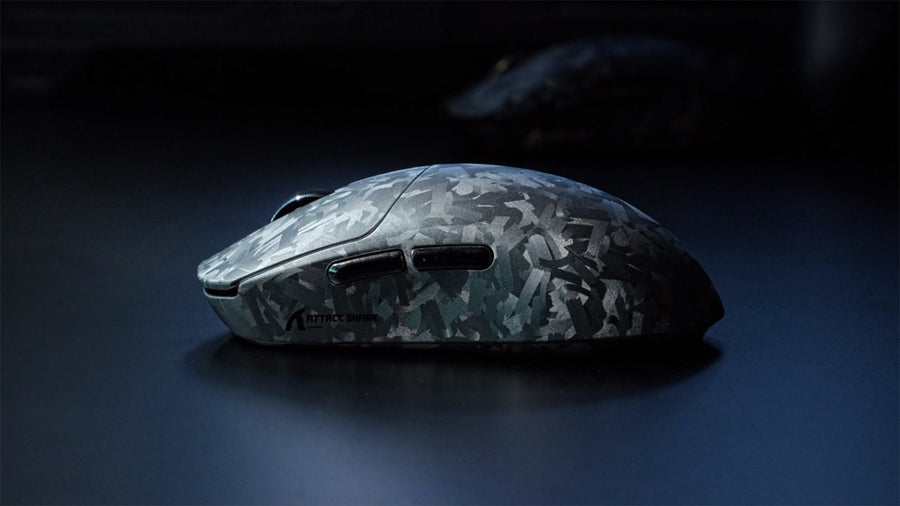
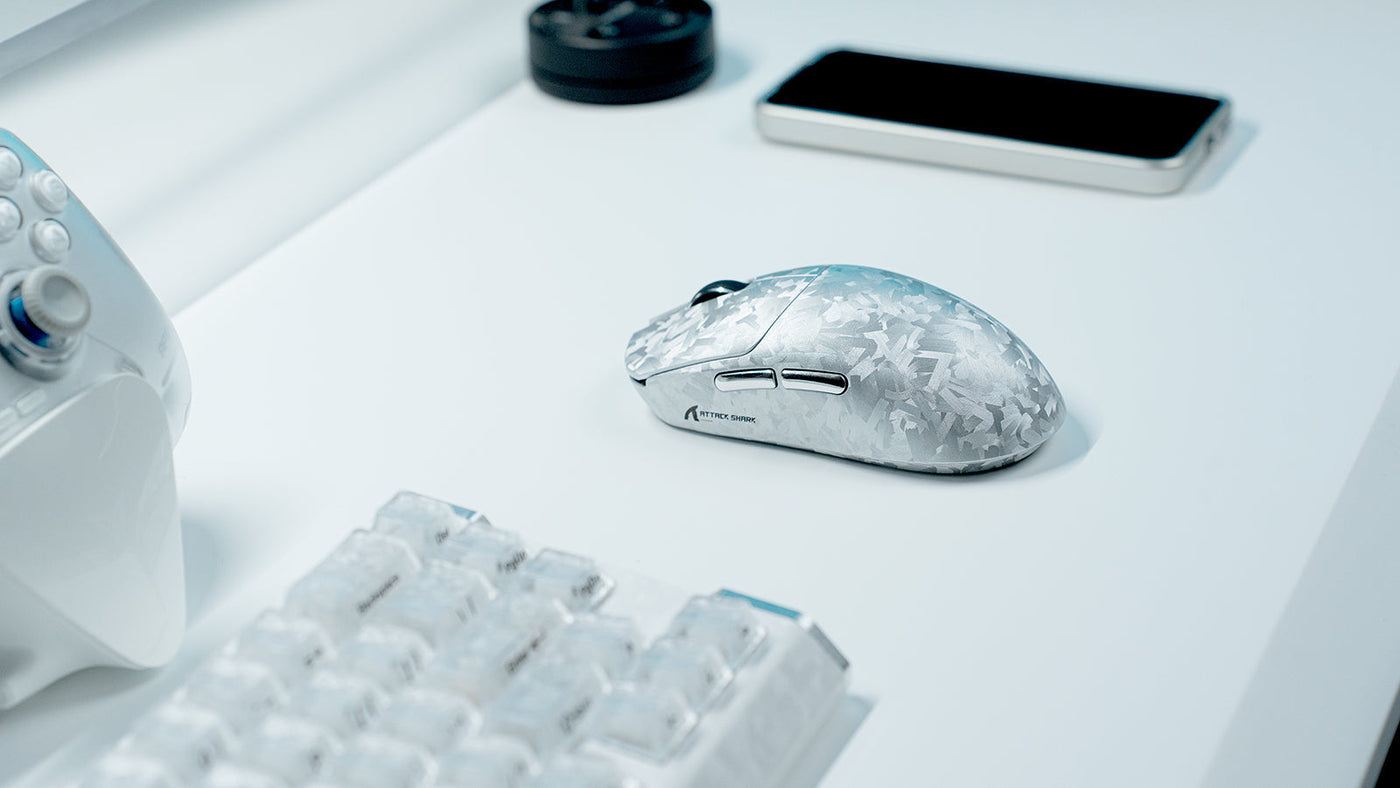
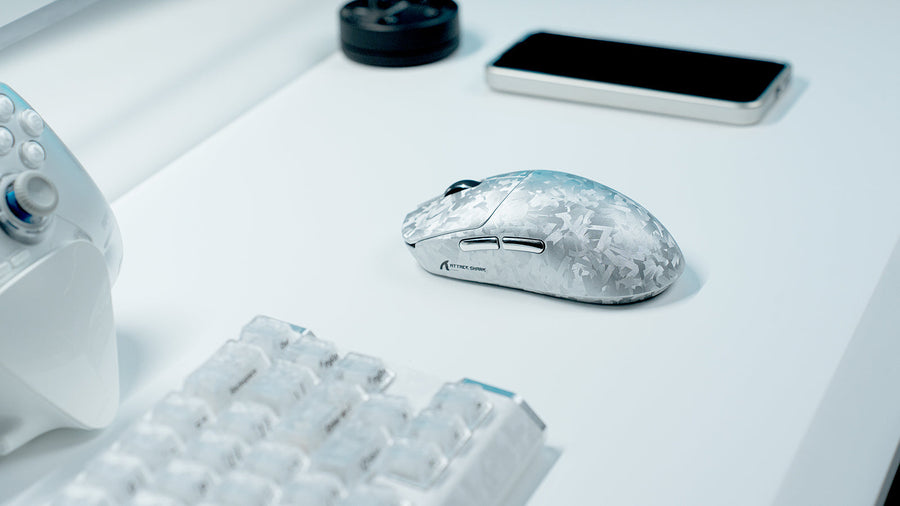
RS3 Ultra wykorzystuje w pełni formowaną wtryskowo obudowę z włókna węglowego z niestandardową teksturą kutej włókniny ATTACK SHARK. Projekt ten ma na celu wsparcie lekkości i sztywności przy jednoczesnej poprawie ogólnej struktury myszy.
Dla graczy FPS sztywność obudowy ma znaczenie, ponieważ mysz jest ciągle ściskana, podnoszona i przemieszczana. Sztywna obudowa pomaga utrzymać bardziej spójne odczucie chwytu podczas szybkiej gry. Może też zmniejszyć uczucie luźności lub pustki, które czasem pojawia się w ultra-lekkich plastikowych obudowach.
Tekstura kutej włókniny węglowej nadaje RS3 Ultra bardziej wyrazisty wygląd. Dla graczy dbających o estetykę zestawu, nadaje to myszy flagową tożsamość wizualną bez polegania wyłącznie na RGB.
Powłoka przypominająca szkło o chłodzącym dotyku to kolejny detal komfortu. Podczas długich sesji odczucie powierzchni może wpływać na pewność chwytu. Mysz, która jest stabilna i wygodna w dłoni, jest łatwiejsza do zaufania podczas powtarzających się ruchów celowania.
Ergonomia dla dłoni średnich i dużych
Lekka mysz nie jest automatycznie wygodna. Kształt nadal ma znaczenie. Gracze z dłońmi średniej lub dużej wielkości często mają problemy z myszami, które są zbyt małe, zbyt płaskie lub zbyt wąskie na długie sesje FPS.
Attack Shark RS3 Ultra został zaprojektowany z ergonomicznym kształtem dla dłoni średniej i dużej wielkości. Czyni to go bardziej odpowiednim dla graczy preferujących chwyt całej dłoni, luźny chwyt pazurami lub styl hybrydowy.
Dla bezprzewodowej myszy dla dużych dłoni ważne czynniki projektowe to:
- Wystarczające podparcie dłoni
- Stabilny obszar bocznego chwytu
- Odpowiednia wysokość przycisku
- Wygodna pozycja garbu
- Płynna kontrola przód-tył
- Zrównoważony rozkład wagi
Lekka ergonomiczna mysz gamingowa powinna zmniejszać zmęczenie dłoni, nie powodując uczucia niestabilności. Dla graczy FPS ta równowaga jest ważna, ponieważ komfort wpływa na konsekwencję. Jeśli mysz jest niewygodna po godzinie, gracz może zaciskać dłoń mocniej, tracić kontrolę lub wykonywać mniej precyzyjne ruchy.
Najlepszy kształt zależy od indywidualnego stylu chwytu, ale gracze z średnimi i dużymi dłońmi powinni zwrócić uwagę na szerokość, wysokość i boczne wsparcie, zanim wybiorą mysz tylko na podstawie wagi.
RS3 Ultra jako przykład myszy FPS nowej generacji
RS3 Ultra to dobry przykład, jak zmieniają się najnowsze flagowe myszy FPS. Zamiast skupiać się na jednym ulepszeniu, łączy kilka usprawnień sprzętowych w jednej platformie.
Sensor i platforma bezprzewodowa
RS3 Ultra wykorzystuje sensor PixArt PAW3955MAX oraz główny chip Nordic54L15. To połączenie wspiera precyzyjne dostosowanie DPI, szybkie śledzenie, podwójne 8K odpytywanie i efektywną bezprzewodową reakcję.
Dla graczy, którzy chcą nowoczesnej myszy do esportu, taka platforma sensora i chipu jest szczególnie istotna, ponieważ wpływa na śledzenie, reakcję kliknięć, stabilność bezprzewodową i kontrolę trybu wydajności.
Obudowa, chwyt i jakość wykonania
Mysz ma w pełni formowaną wtryskowo obudowę z włókna węglowego z niestandardową fakturą kucia węgla. Dodatkowo posiada powłokę przypominającą szkło o chłodnym dotyku oraz średnio-duży ergonomiczny kształt.
Te detale sprawiają, że RS3 Ultra to coś więcej niż tylko ulepszenie specyfikacji. Wpływają na odczucia myszy podczas długich sesji, stabilność pod presją oraz pewność chwytu podczas szybkich ruchów.
Mysz wykorzystuje także optyczne mikroprzełączniki Omron ocenione na 100 milionów kliknięć oraz zoptymalizowane metalowe kółko przewijania, co zapewnia trwałość i spójność dotyku podczas częstego grania w FPS.
Odbiornik i personalizacja
Odbiornik w kształcie płetwy rekina 8K to kolejny ważny element platformy RS3 Ultra. Jego większa konstrukcja i dłuższa antena zostały zaprojektowane, aby wspierać silniejszy sygnał, a wskaźniki LED pomagają graczom szybko sprawdzić status połączenia, częstotliwość odpytywania i poziom baterii.
Mysz obsługuje również dostosowywanie przez web-driver, co pozwala użytkownikom na regulację ustawień bez konieczności instalowania tradycyjnego oprogramowania.
Przedsprzedaż RS3 Ultra rozpoczyna się 25 czerwca, a oficjalna premiera zaplanowana jest na 6 lipca. Dla graczy szukających bezprzewodowej myszy FPS nowej generacji, jest to nowy flagowy kierunek ATTACK SHARK's.
Wybierz odpowiedni tryb wydajności dla swojego stylu gry
Nie każdy gracz musi używać maksymalnych ustawień przez cały czas. Mądrzejszym podejściem jest dopasowanie trybu myszy do zadania.
Do codziennego użytku 1K bezprzewodowe jest zwykle najbardziej praktycznym wyborem. Utrzymuje responsywność myszy, jednocześnie oszczędzając baterię.
Do zrównoważonej gry konkurencyjnej 2K lub 4K może zapewnić płynniejsze odczucie bez tak agresywnego zużycia energii jak 8K.
Do poważnych meczów FPS, 8K przewodowe lub bezprzewodowe może być przydatne, jeśli twój system, monitor i ustawienia gry mogą skorzystać z krótszego interwału raportowania.
Ustawienia LOD powinny również odpowiadać twojej podkładce i stylowi gry. Gracze o niskiej czułości, którzy często podnoszą mysz, mogą preferować niższą odległość podnoszenia. Użytkownicy podkładek szklanych mogą potrzebować dokładniejszego dostrojenia sensora dla stabilnego śledzenia.
DPI powinno być dostosowane do kontroli, a nie do marketingowych liczb. Większość graczy FPS nadal używa umiarkowanych zakresów DPI, ale regulacja co 1 DPI daje im precyzyjniejszą kontrolę nad preferowaną czułością.
Podsumowanie: PAW3955MAX wyznacza nowy standard kontroli w FPS
Myszy PAW3955MAX pokazują, dokąd zmierzają myszy do gier konkurencyjnych: stabilniejsze śledzenie, niższe opóźnienie bezprzewodowe, dokładniejsza kontrola DPI, silniejsze wsparcie wysokiej częstotliwości odświeżania i lepsza efektywność energetyczna. RS3 Ultra łączy te ulepszenia z obudową z kutego włókna węglowego, platformą bezprzewodową Nordic54L15, podwójną częstotliwością odświeżania 8K i ergonomicznym designem dla średnich i dużych dłoni. Dla graczy FPS prawdziwą wartością nie są tylko wyższe parametry, ale lepsza kontrola w rzeczywistych meczach.
Najczęściej zadawane pytania
Czy PAW3955MAX jest lepszy do gier FPS?
PAW3955MAX został zaprojektowany do wysokowydajnego śledzenia, precyzyjnej regulacji DPI, szybkiego ruchu IPS i lepszej kontroli LOD. Te funkcje mogą przynieść korzyści graczom FPS, którzy polegają na precyzyjnych ruchach, śledzeniu i ruchu o niskiej czułości.
Czy warto używać częstotliwości odświeżania 8K w Valorant lub CS2?
Może to być opłacalne dla graczy konkurencyjnych korzystających z monitorów o wysokiej częstotliwości odświeżania i konfiguracji o niskim opóźnieniu. Gracze okazjonalni mogą być zadowoleni z 1K lub 2K, zwłaszcza jeśli wolą dłuższy czas pracy na baterii.
Czy potrzebujesz 52000 DPI do grania?
Większość graczy nie używa 52000 DPI podczas rzeczywistej rozgrywki. Wartość wysokiego DPI to nie tylko maksymalna liczba, ale jakość śledzenia, precyzyjna regulacja i stabilność.
Czy mysz z włókna węglowego jest lepsza do lekkiego grania?
Mysz z włókna węglowego może oferować dużą sztywność przy niskiej wadze. Może również poprawić trwałość, odczucie powierzchni i ogólną konstrukcję w porównaniu z niektórymi lekkimi plastikowymi modelami.
Czy powinienem używać częstotliwości odświeżania 1K, 4K czy 8K?
Używaj 1K do codziennego użytku i lepszej żywotności baterii, 2K lub 4K do zrównoważonej gry konkurencyjnej, a 8K do konfiguracji FPS z wysoką częstotliwością odświeżania, gdzie najważniejsze jest niskie opóźnienie wejścia.